Community listing page, reviews here may not be monitored by the author.
Zombes Modpack

No reviews yet
The swiss army knife of mods

Community voices
Reviews
No reviews yet. Be the first to review this project!
Get it on
Available Platforms
About
Project Details
For authors
Embed Badge
If you're the author of this project, you can embed a live badge anywhere that supports HTML or Markdown. It updates automatically whenever ratings change.
Use HTML for any page that supports it, or Markdown for README files and Markdown-based descriptions.
Identifiers
Platform IDs
Resources
External Links
About
Description
This is a Forge-ified revival of Zombes Modpack originally created by tanzanite. It was a popular mod up until it stopped updating when MC 1.2.5 was a thing. Since then, many others have contributed to keep it alive every update or make a spin-off. I have yet to see anything like it CurseForge, so I now present to you Zombes Modpack for MC 1.12.2 and now 1.14.4.
What does the modpack bring to the game?
This is a collection of customizable features that enhance the player and change the mechanics of the game. Some of the mods include flight, in-world block highlighting, disabling damage, extending player reach, tamed entity protection, nearby crop acceleration and much more. To get started, press (default "F7") to open the menu.
This is cheating?
Some players may consider this cheating (especially in multiplayer), so all of the features are currently designed to be used in a single-player world. My reasoning for reviving this modpack is not for the sake of cheating, but to speed up mundane tasks for players who aren't able to spend as much time on them. It is also a useful tool for new players who would like to learn the mechanics of the game without having to worry about anything
Where is the source code?
You can now view the source code by opening the jar file for 1.14. Sorry for 1.12 users as of now, I will include it next update
Can you implement this into the mod/ This needs fixing/ Can you make it x.x.x compatible?
Many things are planned for this modpack. Many things need balance/fixing. I will get to them as quickly as I can make things optimized. Feel free to leave feedback (feature requests, additional questions, conflicting mod errors, code improvements) in the comments or direct them to [email protected]. I hope everyone enjoys the mod
Screenshots
Gallery
-
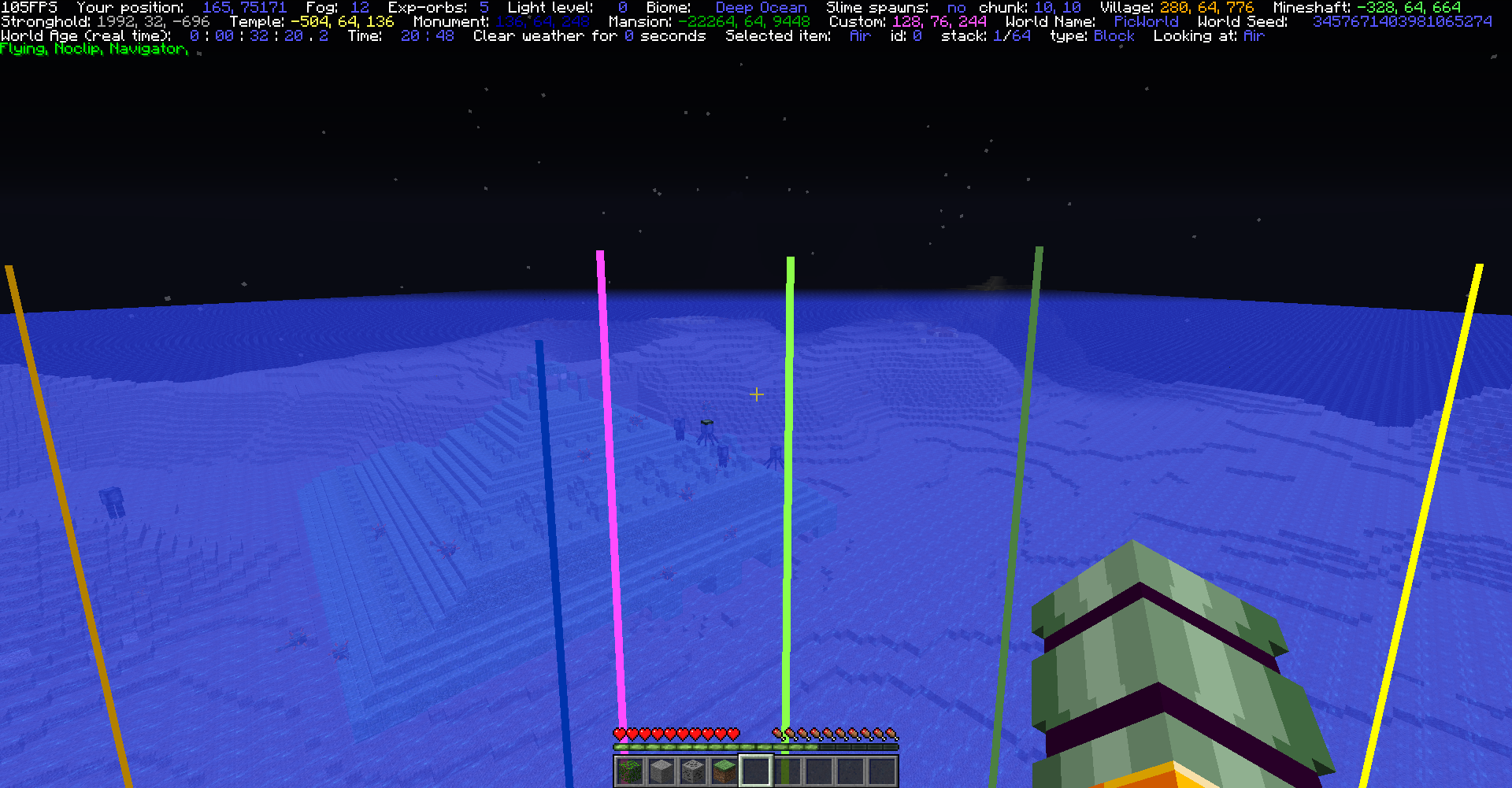 Compass Mod update (0.9.4+) Lines are drawn in world from the player to each selected structure. They are color coated by type: Temple/witch,forest=yellow, monument=blue, stronghold=grey, village=orange, mansion=dark green, etc. (also color coated in info)
 -
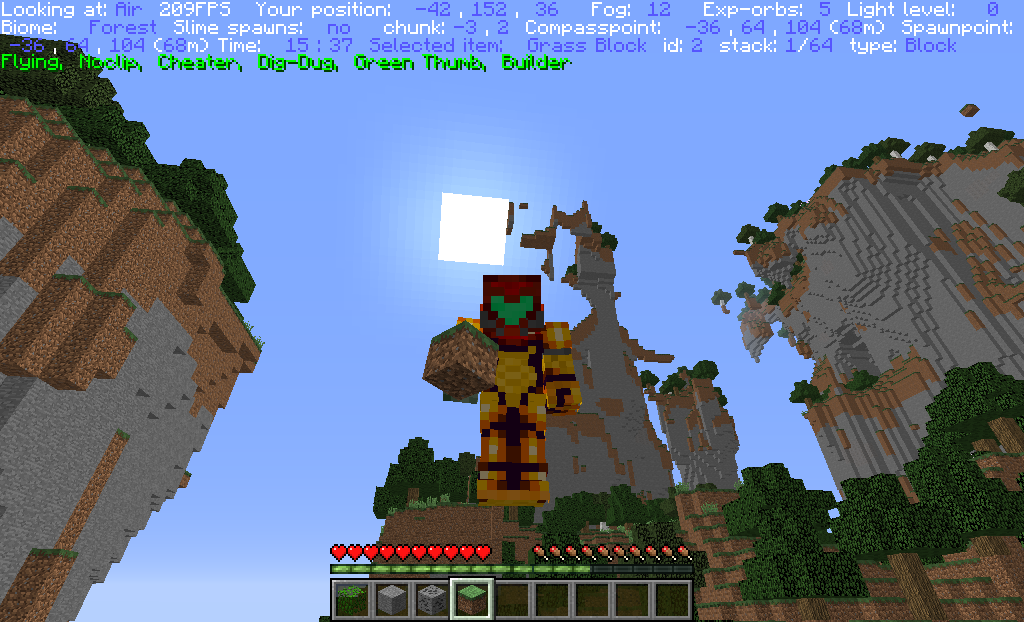 Info mod Pressing (default "f12") will show info such as player position, held item, etc. The green text are tags. they display what mods are currently in use. Only info that is toggled will show
 -
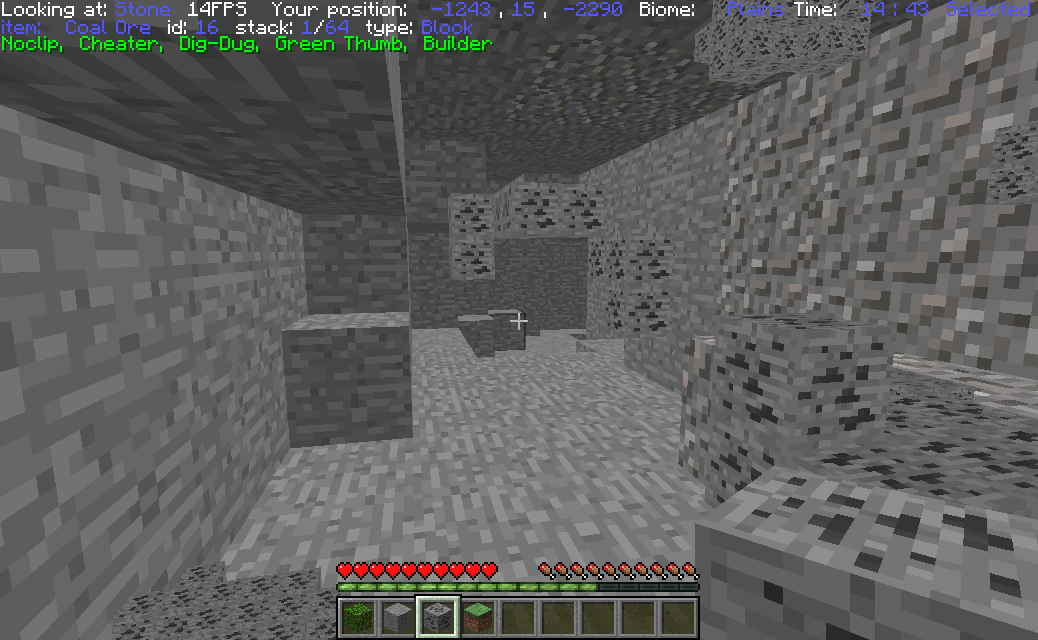 Ore Highlighting 2 Pressing (default "Home") with a block in your main hand will filter what blocks are highlighted. An empty hand will reset the filter to blocks containing the name "ore"
 -
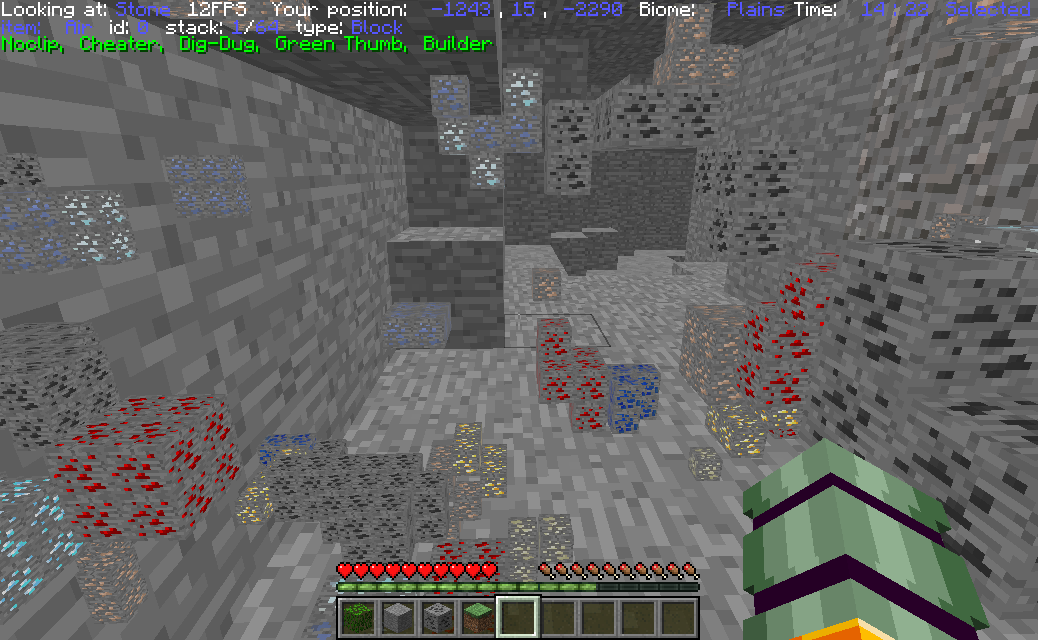 Ore Highlighting all Pressing (default "o") will show all blocks with names containing "ore". The range can be customized horizontally and vertically. The number of displayed ores can also be adjusted
 -
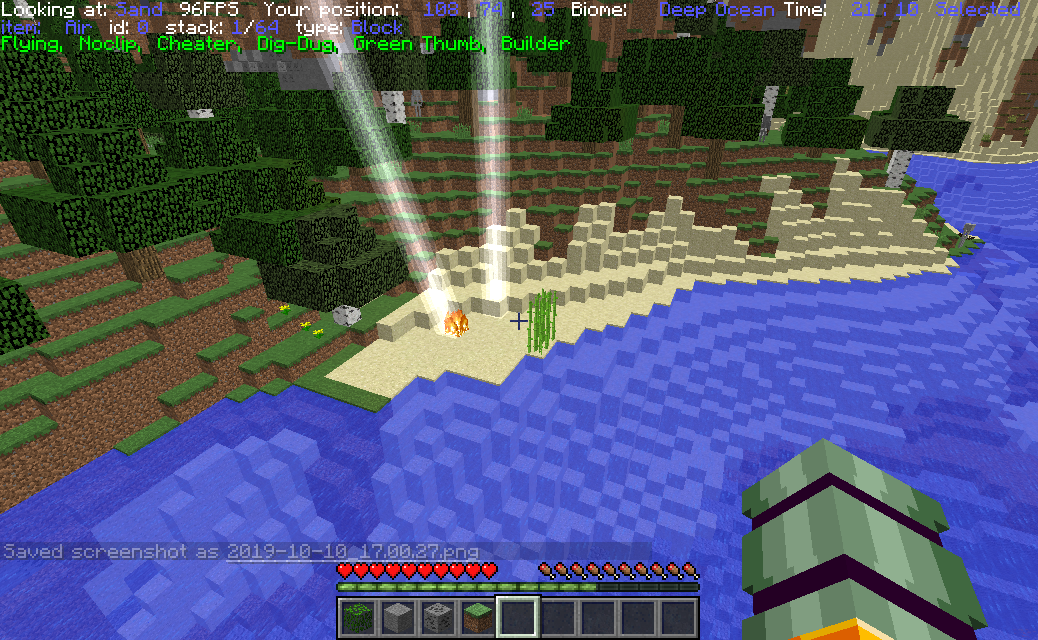 Weather Smite your enemies (default "u"), control when it rains or storms. Lock the weather to your desires.
 -
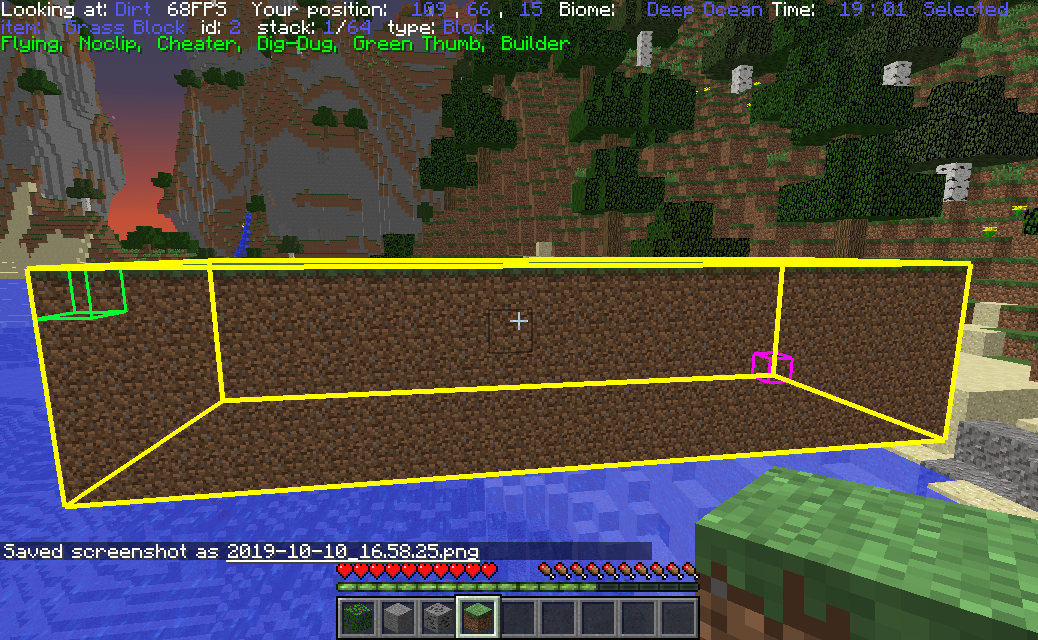 Build fill Filling(default "insert") will only fill air spaces with the block you are holding unless (default "shift") is held. Blocks are not currently used, but a toggle will be implemented in the future
 -
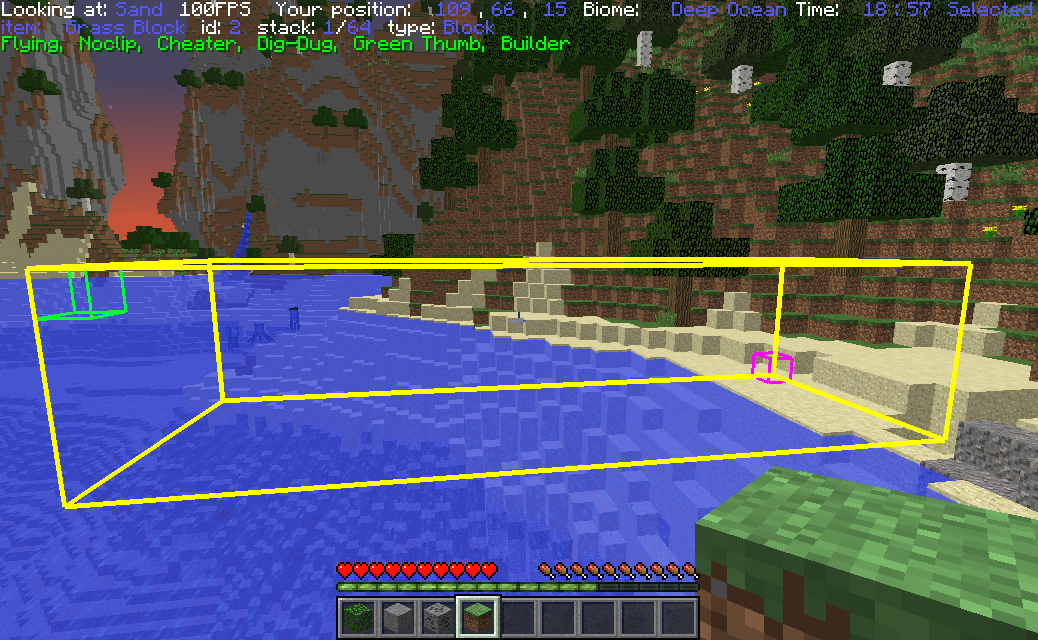 Build selection Selecting an area with (default "numpad0" and "numpad1") will outline the area that you want to modify (copy, cut, fill, delete). You can sneak to set points at the block you are looking at.
 -
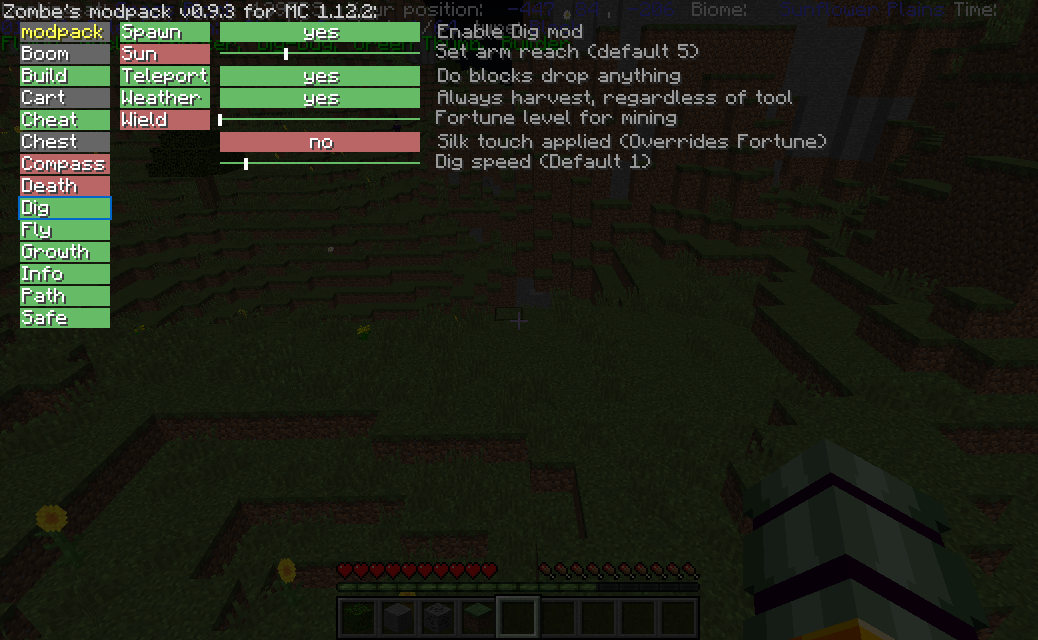 Menu Green mods are currently active, red are inactive and gray are nun-functional
Versions
Files
Relations
Project Relations
More like this
Similar Mods
Suggestions use data such as tags, dependencies, dependents, descriptions, titles, and more to rank how much they overlap with this mod.
On ModDex
Community snapshot
By the numbers
Statistics
 (opens in a new tab)
Get it on
Available Platforms
On ModDex
Community snapshot
By the numbers
Statistics
Resources