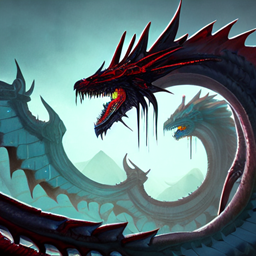
Community listing page, reviews here may not be monitored by the author.

Community voices
Reviews
No reviews yet. Be the first to review this project!
Get it on
Available Platforms
About
Project Details
For authors
Embed Badge
If you're the author of this project, you can embed a live badge anywhere that supports HTML or Markdown. It updates automatically whenever ratings change.
Use HTML for any page that supports it, or Markdown for README files and Markdown-based descriptions.
Identifiers
Platform IDs
Resources
External Links
About
Description
This is for people who want to explore and create an empire or to unite with their friends against a common enemy to create a peaceful world. its like Play as dragon but with more mods but with out zombie mobs
the modpack has the origin mod with dragon survival
The main goal is be a dragon or have an origin and explore the harsh world. Your wings will not save you from many arrows and every cave can become your grave. Only the strongest and most agile dragons or legends can survive in this world. The modpack is not hardcore if you think outside the box and allocate your dragon's strength properly. Only true dragons and legends can pass this way. If you are human, you don't belong here.
- You can fly from the beginning (G), but don't think that your survival will be easy because of this.
- When you die, you are left with a tombstone and your things don't just lie on the ground.
- You can dig vast areas with shift + any block in hand. You can cancel this action.
- Server: The modpack is designed only for single player. Remove these mods if you want to run the server: rubidium, rubidium_extras, oculus, Fancymenu and shutupexperimentalsettings.
- Optifine: Modpack crashes with optifine. Do not use it. We use Oculus. If you want to use a shaders, add them to the "shaderpacks" folder and activate it in game video settings. By default there are 2 shaders available to you.
- Rights and Use: I do not allow the use of parts of modpack created by me (quests, datapacks, configs, textures) in other projects. If you want to use modpack on your server or YouTube channel, leave a link to this page. All rights to mods belong to their owners.
Screenshots
Gallery
Versions
Files
Relations
Project Relations
More like this
Similar Modpacks
Suggestions use data such as tags, dependencies, dependents, descriptions, titles, and more to rank how much they overlap with this modpack.
On ModDex
Community snapshot
By the numbers
Statistics
Want to reach Minecraft players?
We're looking for a server hosting partner to feature here and other parts of the site. Interested? Send us a message!
Get in touchGet it on
Available Platforms
On ModDex
Community snapshot
By the numbers
Statistics
Resources