Community listing page, reviews here may not be monitored by the author.
AudioController

No reviews yet
Audio Controller mod for Minecraft 1.20.1
Community voices
Reviews
No reviews yet. Be the first to review this project!
Get it on
Available Platforms
About
Project Details
For authors
Embed Badge
If you're the author of this project, you can embed a live badge anywhere that supports HTML or Markdown. It updates automatically whenever ratings change.
Use HTML for any page that supports it, or Markdown for README files and Markdown-based descriptions.
Identifiers
Platform IDs
Resources
External Links
About
Description
Audio Controller Mod
A Minecraft 1.20.1 Forge mod that allows adding custom music and managing it through a convenient interface.
Author: skaletun
Features
- 🎵 Play custom OGG files directly via LWJGL OpenAL
- 📁 Automatic music folder scanning
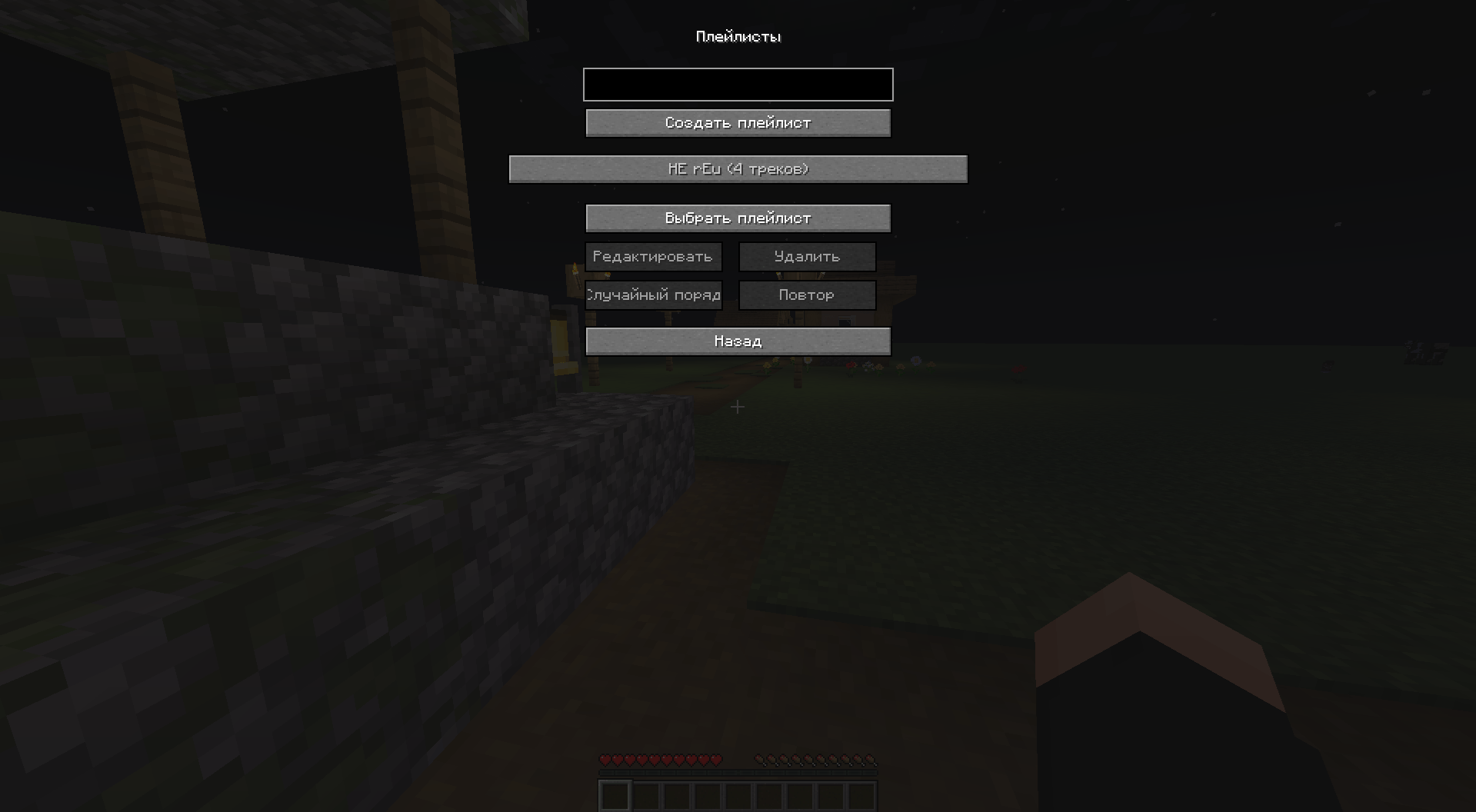
- 🎼 Create and manage playlists
- 🎲 Automatic playlist playback with random track selection (like vanilla Minecraft)
- 🔄 Replace vanilla Minecraft music
- 🎚️ Integration with Minecraft volume settings ("Music" setting)
- ⏸️ Automatic music pause when game is paused
- 🚪 Automatic music stop when leaving the world
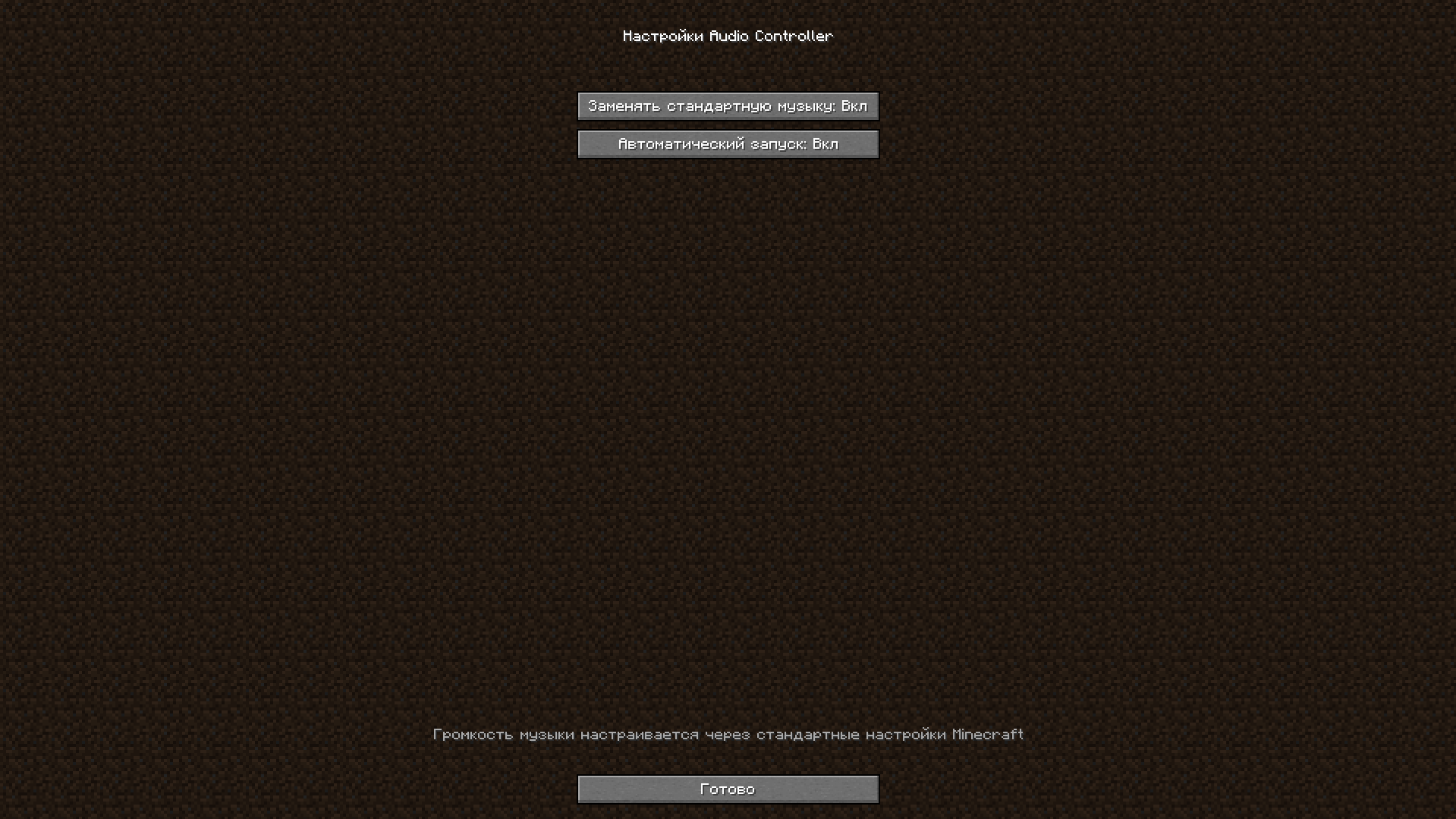
- ⚙️ Mod configuration via mods menu (Mods → Config)
- ⌨️ Hotkeys for GUI access
- 🌍 Full localization (Russian, English)
Adding Music
- Place OGG files in the
config/audiocontroller/music/folder - Open the mod GUI (default key M)
- Click the refresh button (🔄) to scan for new files
Music Control
Hotkeys:
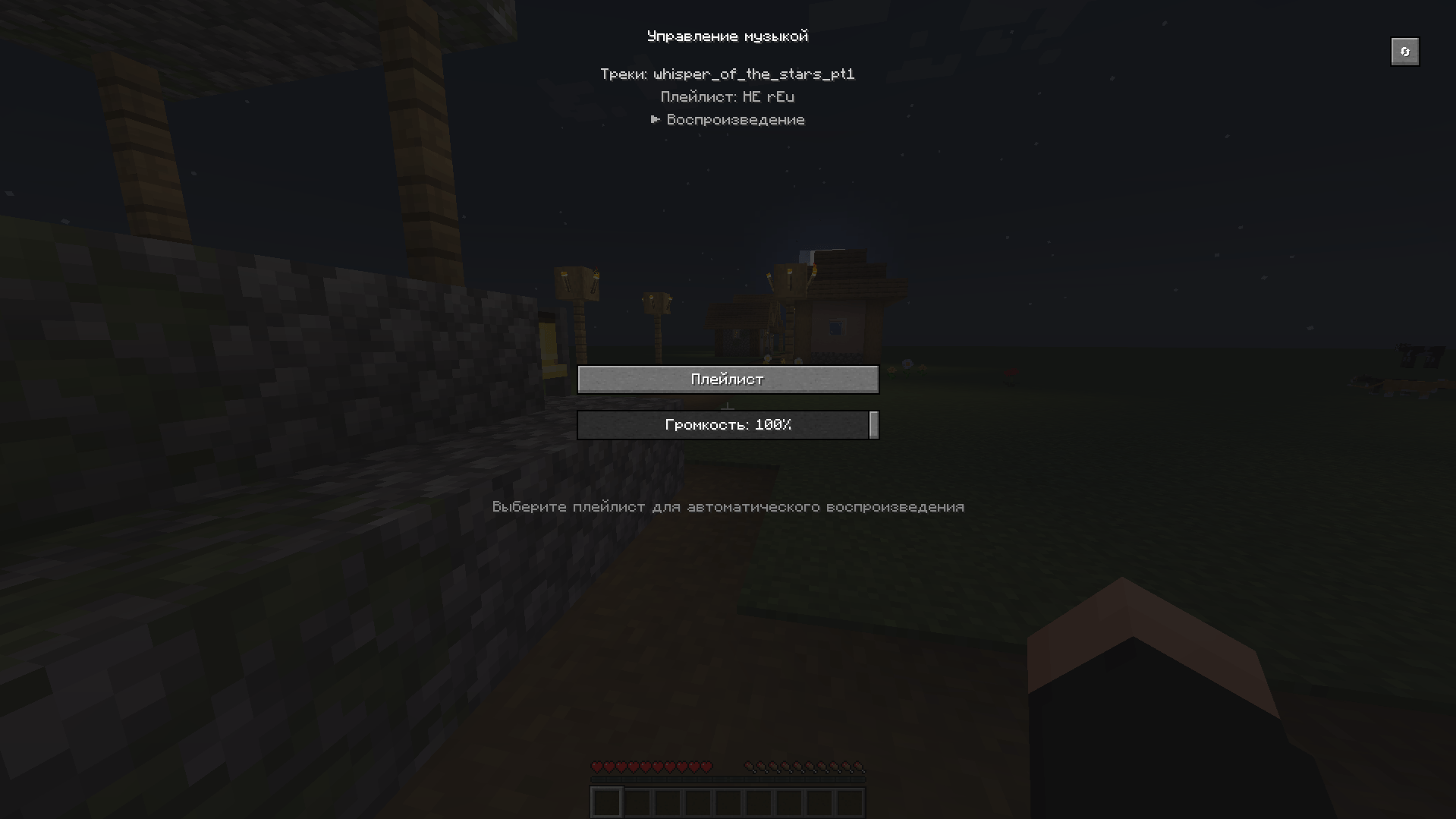
M- Open music management GUI
Config
- The mod can also be configured via the mods menu
Automatic Playlist Playback
The mod works on the same principle as vanilla Minecraft - music plays automatically:
- Open the mod GUI (key
M) - Click the "Playlist" button
- Select a playlist from the list
- Click "Select Playlist"
- The playlist will automatically start playing with random track selection
- After each track ends, the next random track from the playlist automatically starts
- Interval between tracks is controlled automatically (like vanilla Minecraft - ~10 minutes)
Creating Playlists
- Open the mod GUI
- Click the "Playlist" button
- Enter playlist name and click "Create Playlist"
- Select the playlist and click "Edit" to add tracks
- Configure playlist parameters:
- Shuffle - random track playback order
- Repeat - repeat playlist after all tracks finish
Configuration
Mod settings are located in config/audiocontroller-client.toml:
replaceVanillaMusic- Whether to replace vanilla Minecraft musicautoPlay- Automatically start music when entering the game
Important: Custom music volume is controlled through the standard "Music" setting in Minecraft options. Changing volume in Minecraft settings automatically applies to custom music.
Features:
- Music automatically pauses when game is paused (ESC key)
- Music automatically stops when exiting to main menu
- Music only plays when the player is in a world
Playlist Format
Playlists are saved in JSON format
Technical Details
- The mod uses LWJGL OpenAL for direct OGG file playback, completely bypassing Minecraft's SoundManager
- Playback is implemented via STB Vorbis for OGG file decoding
- Volume is synchronized with Minecraft settings in real-time
- Playlists are automatically saved and loaded when entering a world
- Music automatically pauses when game is paused and stops when leaving the world
- Mod settings are accessible through the mods menu (Mods → Config)
License
MIT
Support
If you encounter any issues, create an issue in the project repository: https://github.com/skaletun/AudioControllerMod/issues
Screenshots
Gallery
-
 In game GUI 2.png In game GUI 2
 -
 In game GUI.png In game GUI
 -
 Config Menu.png Config Menu
Versions
Files
Relations
Project Relations
More like this
Similar Mods
Suggestions use data such as tags, dependencies, dependents, descriptions, titles, and more to rank how much they overlap with this mod.
On ModDex
Community snapshot
By the numbers
Statistics
Want to reach Minecraft players?
We're looking for a server hosting partner to feature here and other parts of the site. Interested? Send us a message!
Get in touchGet it on
Available Platforms
On ModDex
Community snapshot
By the numbers
Statistics
Resources