
Community listing page, reviews here may not be monitored by the author.
Auto-Hide Hotbar


No reviews yet
Automatically dims or hides Minecraft's HUD when not in use to protect OLED displays from burn-in and provide a more minimal experience.
Community voices
Reviews
No reviews yet. Be the first to review this project!
Get it on
Available Platforms
Compatibility
Supported Environments
Runs entirely on the client. Works on vanilla servers.
About
Project Details
For authors
Embed Badge
If you're the author of this project, you can embed a live badge anywhere that supports HTML or Markdown. It updates automatically whenever ratings change.
Use HTML for any page that supports it, or Markdown for README files and Markdown-based descriptions.
Identifiers
Platform IDs
About
Description
Auto-Hide Hotbar
Automatically dims or hides Minecraft's HUD when not in use to protect OLED displays from burn-in and provide a more minimal experience.
Note: This project is a fork of Alphayt's mod OLED Saver with extra features, support for NeoForge, and support for Minecraft 26.1+.
Features
- Supports both Fabric and NeoForge
- HUD elements are put in an inactive state when they haven't changed in a configurable amount of time
- Inactive elements are automatically hidden, or optionally, can be dimmed to a configurable opacity instead
- Supports hiding/dimming the hotbar, health bar, hunger bar, armor bar, XP bar, and effect indicators
- Mount jump/dash bar only shows when powering up
- Hide held item tooltips (Off by default)
- Hotbar stats (health, hunger, etc.) always show while in the inventory
- Highly configurable
- Configure if UI elements should stay visible, decrease in opacity, or hide completely when inactive
- Configure if held item tooltips should be hidden
- Configure if stats should show using a custom text overlay while in the inventory
- Configure timings for how long UI elements are considered active
- Configure the percentage of health or hunger that should activate their respective HUD elements
- Configure if health or hunger should only show when below the specified percentage, and not when it changes
- GUI configuration via MidnightLib (bundled with mod)
Fabric Dependencies
NeoForge Dependencies
Auto-Hide Hotbar
Automatically dims or hides Minecraft's HUD when not in use to protect OLED displays from burn-in and provide a more minimal experience.
Note: This project is a fork of Alphayt's mod OLED Saver with extra features, support for NeoForge, and support for Minecraft 26.1+.
Features
- Supports both Fabric and NeoForge
- HUD elements are put in an inactive state when they haven't changed in a configurable amount of time
- Inactive elements are automatically hidden, or optionally, can be dimmed to a configurable opacity instead
- Supports hiding/dimming the hotbar, health bar, hunger bar, armor bar, XP bar, and effect indicators
- Mount jump/dash bar only shows when powering up
- Hide held item tooltips (Off by default)
- Hotbar stats (health, hunger, etc.) always show while in the inventory
- Highly configurable
- Configure if UI elements should stay visible, decrease in opacity, or hide completely when inactive
- Configure if held item tooltips should be hidden
- Configure if stats should show using a custom text overlay while in the inventory
- Configure timings for how long UI elements are considered active
- Configure the percentage of health or hunger that should activate their respective HUD elements
- Configure if health or hunger should only show when below the specified percentage, and not when it changes
- GUI configuration via MidnightLib (bundled with mod)
Fabric Dependencies
NeoForge Dependencies
YouTube demo of the mod:

Screenshots
Gallery
-
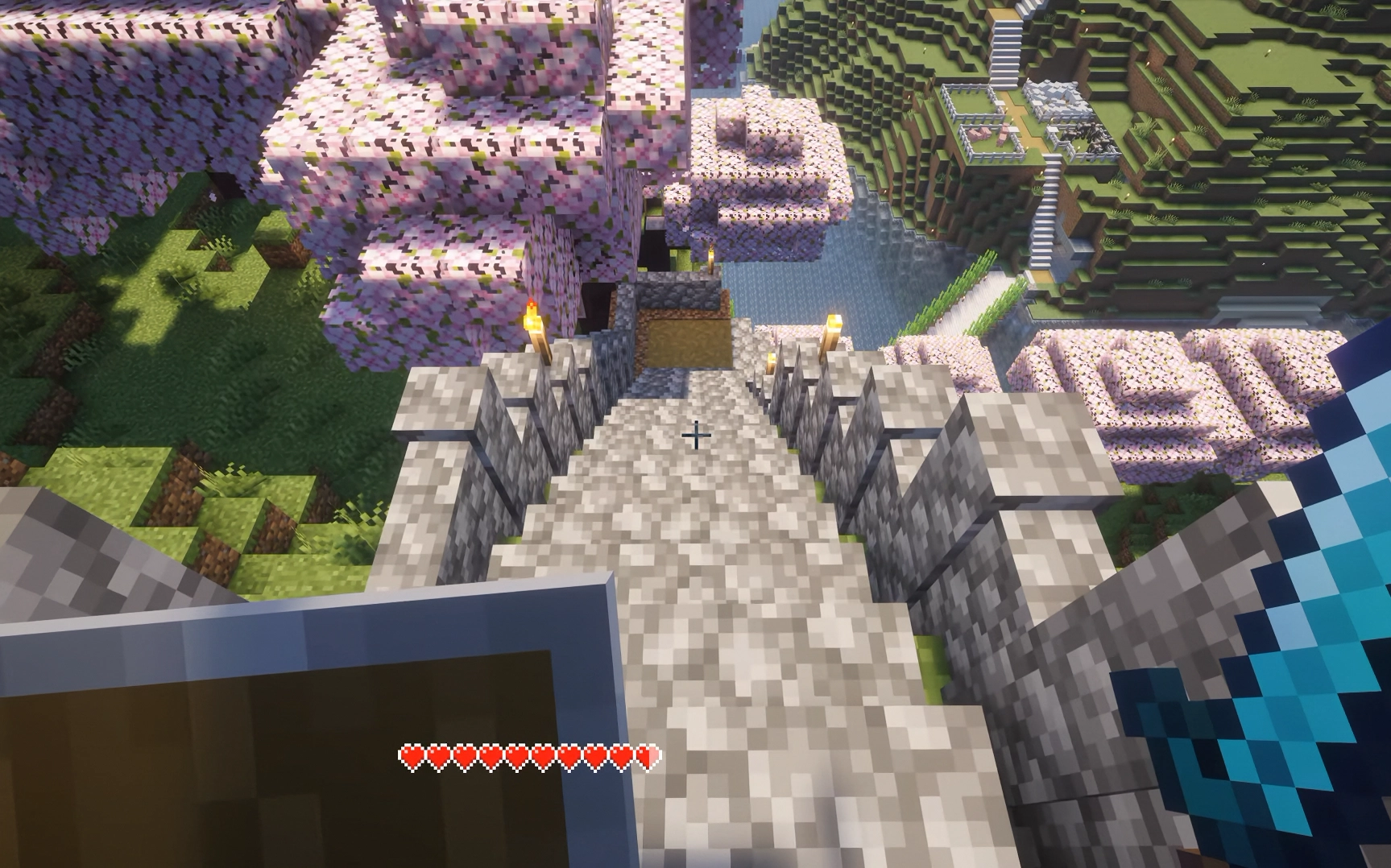 Taking damage When taking damage, only the health bar is shown
 -
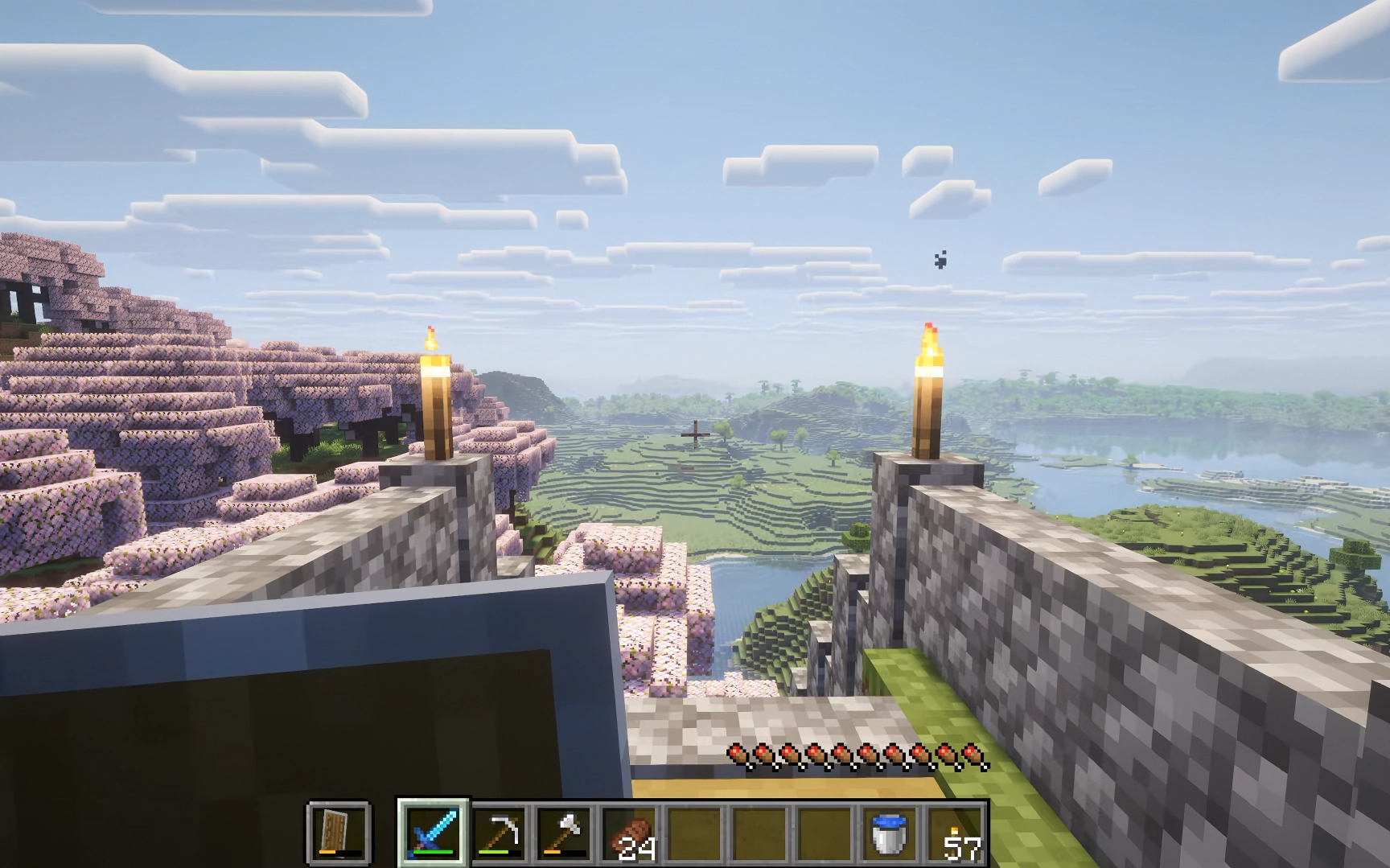 Switching slots and ate food When switching slots and eating food, only the hotbar and food bars are shown
 -
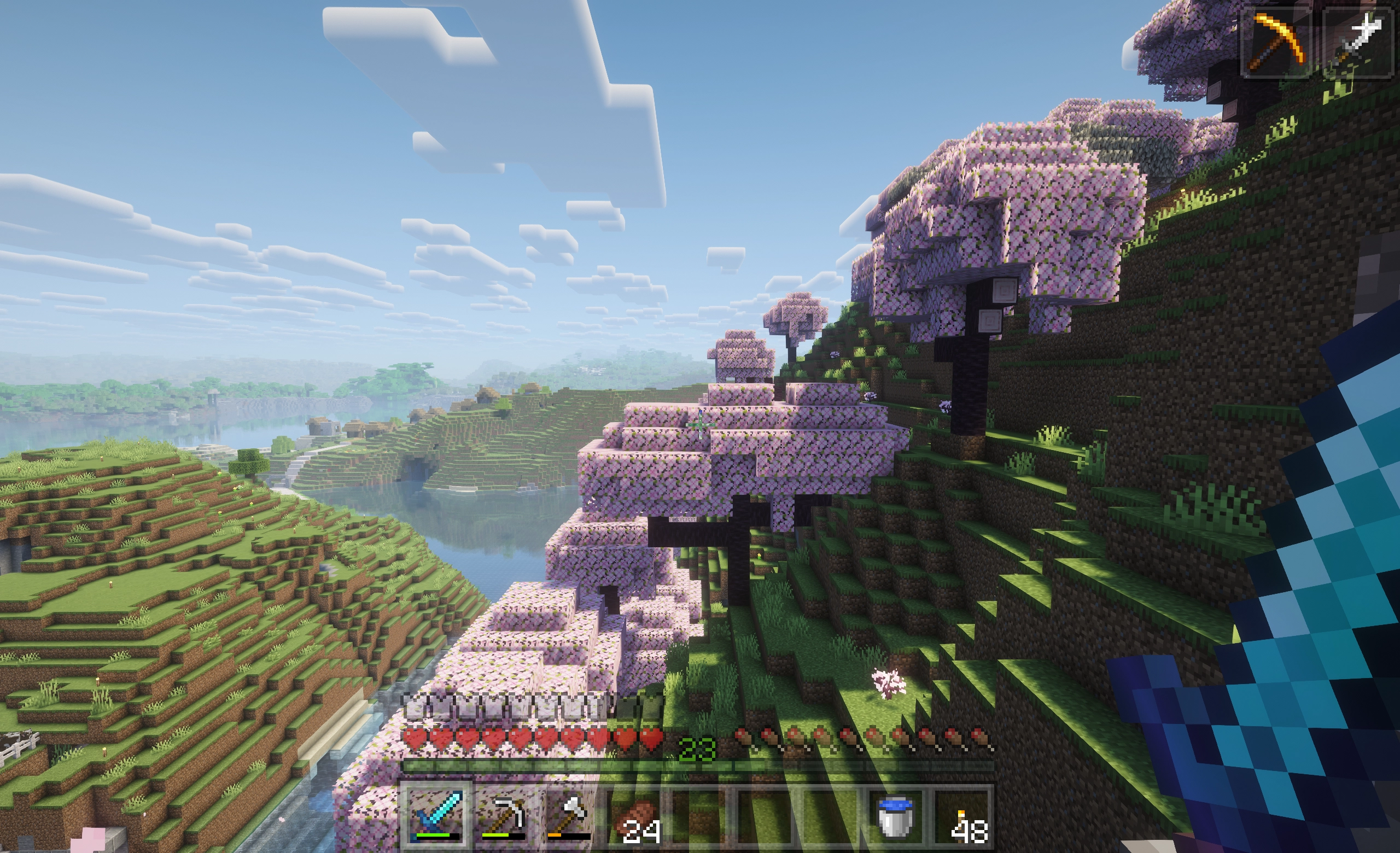 50% opacity All HUD elements have an opacity of 50%
 -
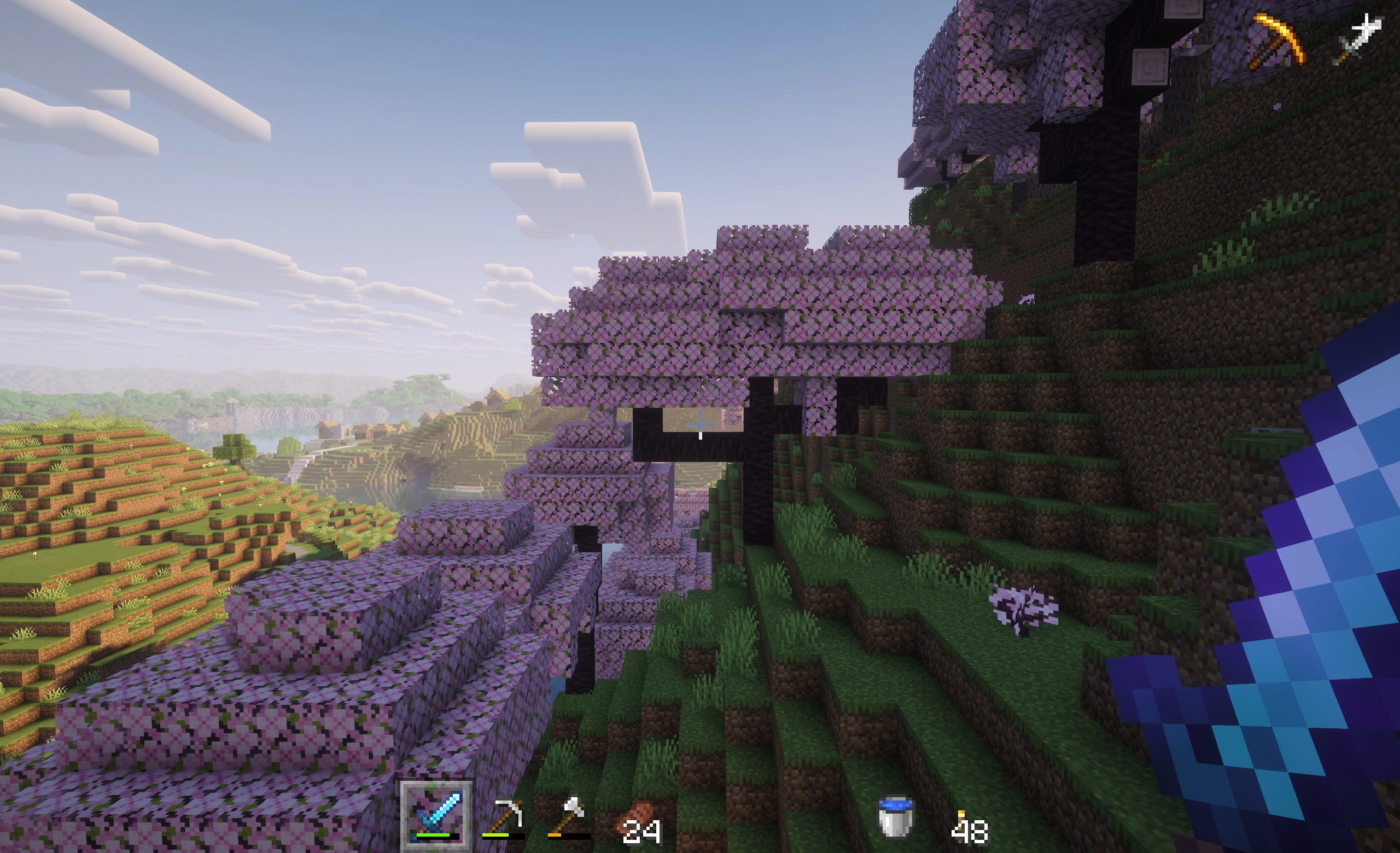 0% opacity All HUD elements have an opacity of 0% except for the hotbar selection indicator
-
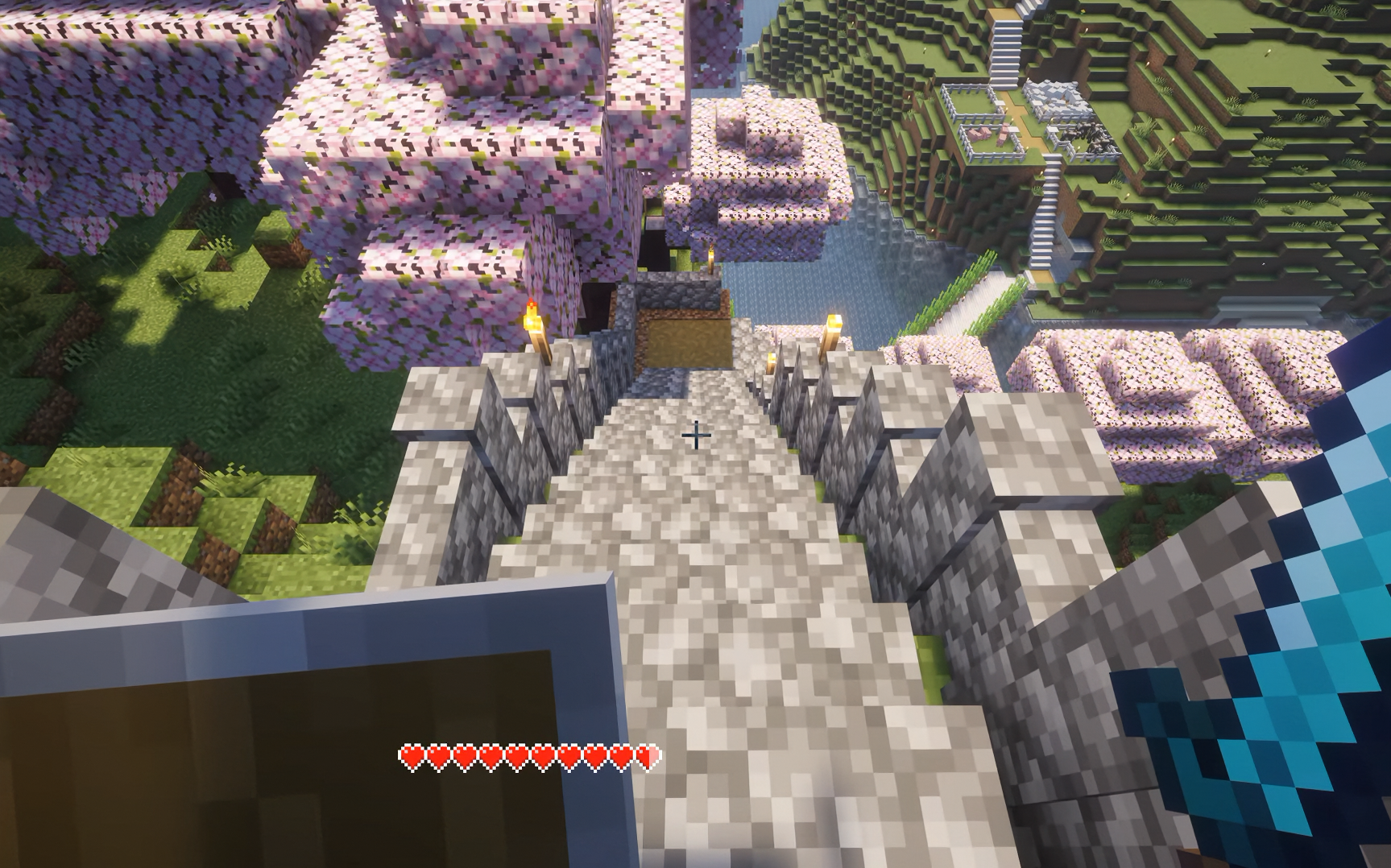 Taking damage Only the health bar is shown
 -
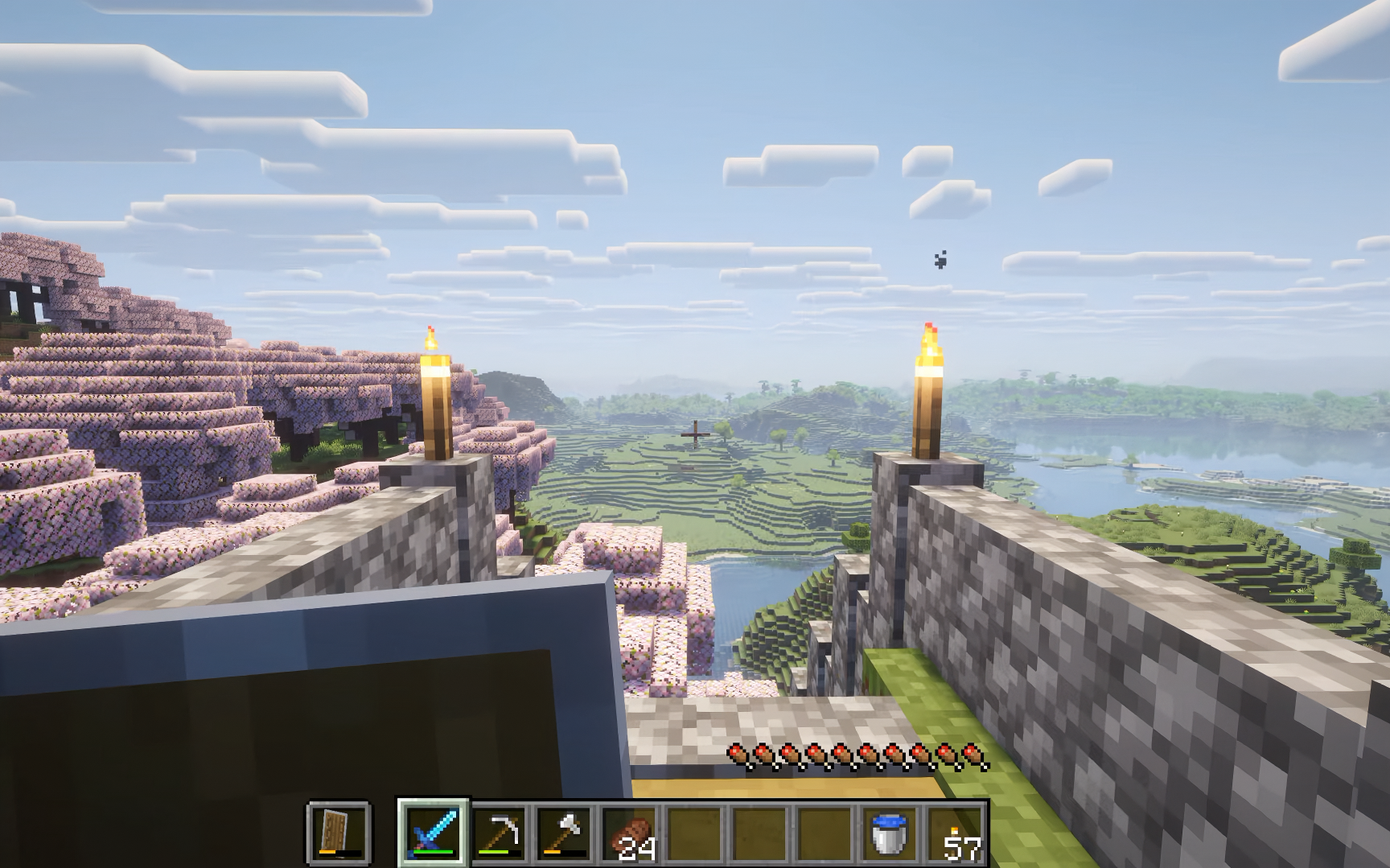 Switching slots and ate food Only the hotbar and food bars are shown
 -
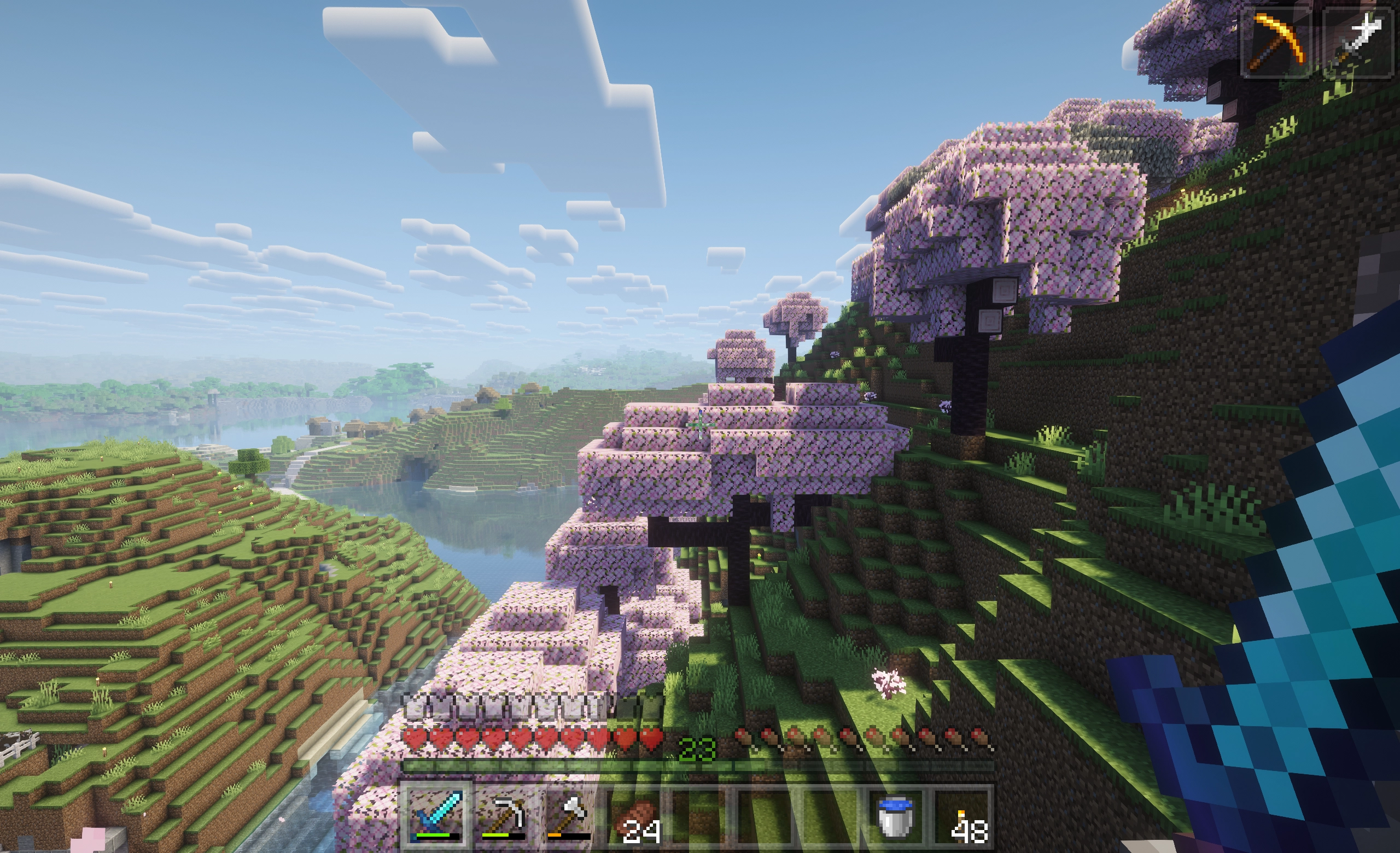 50% opacity All HUD elements have an opacity of 50%
 -
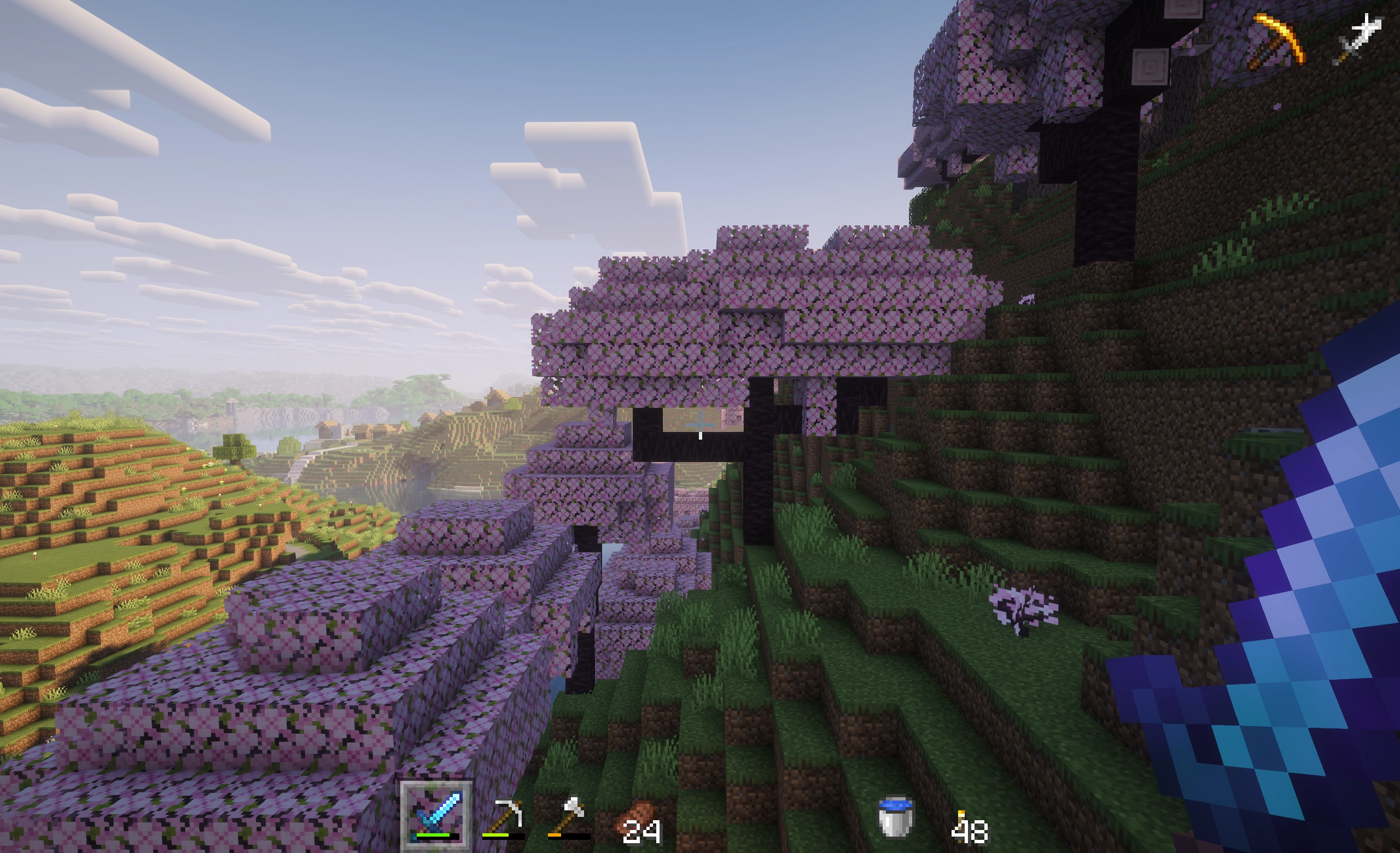 0% opacity All HUD elements have an opacity of 0% except for the hotbar selection indicator
Versions
Files
Relations
Project Relations
More like this
Similar Mods
Suggestions use data such as tags, dependencies, dependents, descriptions, titles, and more to rank how much they overlap with this mod.
On ModDex
Community snapshot
By the numbers
Statistics
Want to reach Minecraft players?
We're looking for a server hosting partner to feature here and other parts of the site. Interested? Send us a message!
Get in touchGet it on
Available Platforms
On ModDex
Community snapshot
By the numbers