
Community listing page, reviews here may not be monitored by the author.
Better Cushion Placement

No reviews yet
Cushions snap to the pixel grid or block grid, stack on one another, & render a placement preview. With game rules, they support one another with no block support, and can be sub-pixel placed in cauldrons/composters/hoppers regardless of block tags.
Community voices
Reviews
No reviews yet. Be the first to review this project!
Get it on
Available Platforms
Compatibility
Supported Environments
Required on the server. Installing it on the client adds functionality.
About
Project Details
For authors
Embed Badge
If you're the author of this project, you can embed a live badge anywhere that supports HTML or Markdown. It updates automatically whenever ratings change.
Use HTML for any page that supports it, or Markdown for README files and Markdown-based descriptions.
Identifiers
Platform IDs
About
Description
Visual Summary

Placement Mechanics


Holding Shift
- Place a cushion horizontally centered on the closest vertex of the block grid.
- Stack a held cushion on one in the world by interacting with it (if it will have block support).

Holding Control
- Place a cushion horizontally centered on the closest vertex of the pixel grid.

Holding Shift + Control
- Place a cushion horizontally centered exactly where clicked, completely off-grid.

Holding neither (Vanilla behavior)
- Place a cushion horizontally centered on the closest block grid tile center.
Placement Preview

A box renders where a cushion will place with the color it will have when placed.
Block Tags
- ID
#normal_cushion_placement
- Description
- Forces the normal center-of-block placement of cushions when placing them against blocks with this tag.
- Default
- Contains blocks with the
#signsblock tag.
- Contains blocks with the
Configs
Folder: config/bettercushionplacement/
Config Screen
Yet Another Config Libconfig screen is accessible throughMod Menufor changing configs in-game.- Only when
Mod MenuandYet Another Config Libare both installed. - Localized mod name, description, and summary can still be viewed if only
Mod Menuis installed.
- Only when

Client Config bcp-client.conf
Placement Preview: Configures how to render a placement preview box for cushions
Enabled- Whether to render a placement preview box for cushions.
Line Width Override- If positive, the lines of the box will render with this.
- If negative, they will render with the default size.
- If zero, rendering will be skipped.
- If positive, the lines of the box will render with this.
Opacity- The box will render with this alpha value.
- If zero, rendering will be skipped.
- The box will render with this alpha value.
Color- The color the box will render as. The color will be:
CUSHION_COLOR: The dye color the cushion will be when placed.DYE_COLOR_OVERRIDE: The dye color specified by theDye Color Overrideconfg.- In both cases, the variant of the dye color will be specified by the 'Dye Color Variant' config.
COLOR_OVERRIDE: The color specified by theColor Overrideconfg.
- The color the box will render as. The color will be:
Dye Color Override- If the
Colorconfig is set toDYE_COLOR_OVERRIDE, the box will render as this dye color.- Otherwise, this will be ignored.
- If the
Color Override- If the
Colorconfig is set toCOLOR_OVERRIDE, the box will render as this color.- Otherwise, this will be ignored.
- If the
Dye Color Variant- If the
Colorconfig is set toCOLOR_OVERRIDE, the box will render as this color.- Otherwise, this will be ignored.
- If the
Common Config bcp-common.conf
Game rule features (Cushions Support Each Other and Snap Cushion Elevation To Pixel Grid, see below) can be set to always enabled or always disabled in the bettercushionplacement-gamerules.properties file in the config folder.
- If set to always enabled/disabled the corresponding rule will not exist, but the feature will.
- If set to always disabled, the corresponding mixin that provides the feature will not be applied.
- This means that even the negligible performance cost of the method call the mixin results in will be prevented.
Game Rules
Stack cushions directly on one another without block support
- ID
bettercushionplacement:cushions_support_each_other
- Name
- Cushions Support Each Other
- Description
- Instead of only being supported by blocks, cushions can also be supported by other cushions, allowing direct stacking.
- Default
- Disabled
Background Explanation
Vanilla cushion support is as follows Cushion_wouldSuriveAt:
- L156-158 Make an anchor box by taking the bounding box a cushion is or might be, and slightly horizontally shrinking it and vertically expanding it down by 1/4 pixel.
- 159 Iterate the blocks intersecting that area additionally expanded down by another 4 pixels.
If no block support is found, this game rule additionally checks for other cushion entities below it, and considers it supported if one is found.
| Flush placement w/o datapack | Close to flush via a sign |
|---|---|
 |
 |
Bypass block tags for inner wall sub-pixel placement with a game rule
- ID
bettercushionplacement:allow_inner_wall_cushion_placement
- Name
- Allow Inner Wall Cushion Placement
- Description
- Ignores
#cushion_uses_collision_shapeblock tags, thus allowing sub-pixel cushion placement on the inner walls of cauldrons, composters, and hoppers without a data pack.
- Ignores
- Default
- Disabled
Background Explanation
Vanilla block interaction behavior is as follows BlockGetter_clipWithInteractionOverride:
Blocks by default have no interaction shape BlockBehaviour_getInteractionShape, with the following exceptions:
- Cauldrons getInteractionShape
- Composters getInteractionShape
- Hoppers getInteractionShape
- Scaffolding getInteractionShape
Whether returning a full block shape or just the inner void shape, all of these blocks have interactions shapes with solid flat tops flush with the top of the block space.
| Composter interaction shape | Hopper interaction shape |
|---|---|
 |
 |
The only way to get a raytrace hit on the inner walls of the shapes of these blocks is to get an even closer hit on the top face of their interaction shapes. This means that any inner hit will have the expected inner location vector, but with a direction of Direction.UP. So although cushions require interacting with an upward face CushionItem_useOn#L38, these blocks uniquely bypass this requirement.
While sub-pixel placement is still possible (on signs WallSignBlock_SHAPES, for example), placement on horizontal faces and arbitrary Y positioning was not intended. This is why Mojang added the #cushion_uses_collision_shape block tag, which forces the use of the collision shape raytrace result CushionItem_recalculateContextForSpecialCollisionShapes#L81-88.
| Wall collision placement | Soul Sand collision placement |
|---|---|
 |
 |
Note that raytrace is from the eyes L84 to the slightly past the exiting hit result vector L85-86, and that hit failure defaults to the original hit result L88. This means that when a collision shape hit is closer to the eyes than the main shape hit, as with wall blocks WallBlock_collisionShapes, the collision shape will be used. But when the main shape hit is closer, as with soul sand blocks SoulSandBlock_SHAPE, the main shape will be used in spite of having the tag.
Server-only Installation
If this mod is installed on a server, but not a client, everything will work as intended, with the following purely visual exceptions:
- The player's hand will swing
- Even when cushion placement fails due to intersection with an existing cushion.
- The player's hand will not swing
- When placing a cushion on the inner wall of a cauldron, composter, or hopper.
- When stacking a cushion on another cushion.
Screenshots
Gallery
-
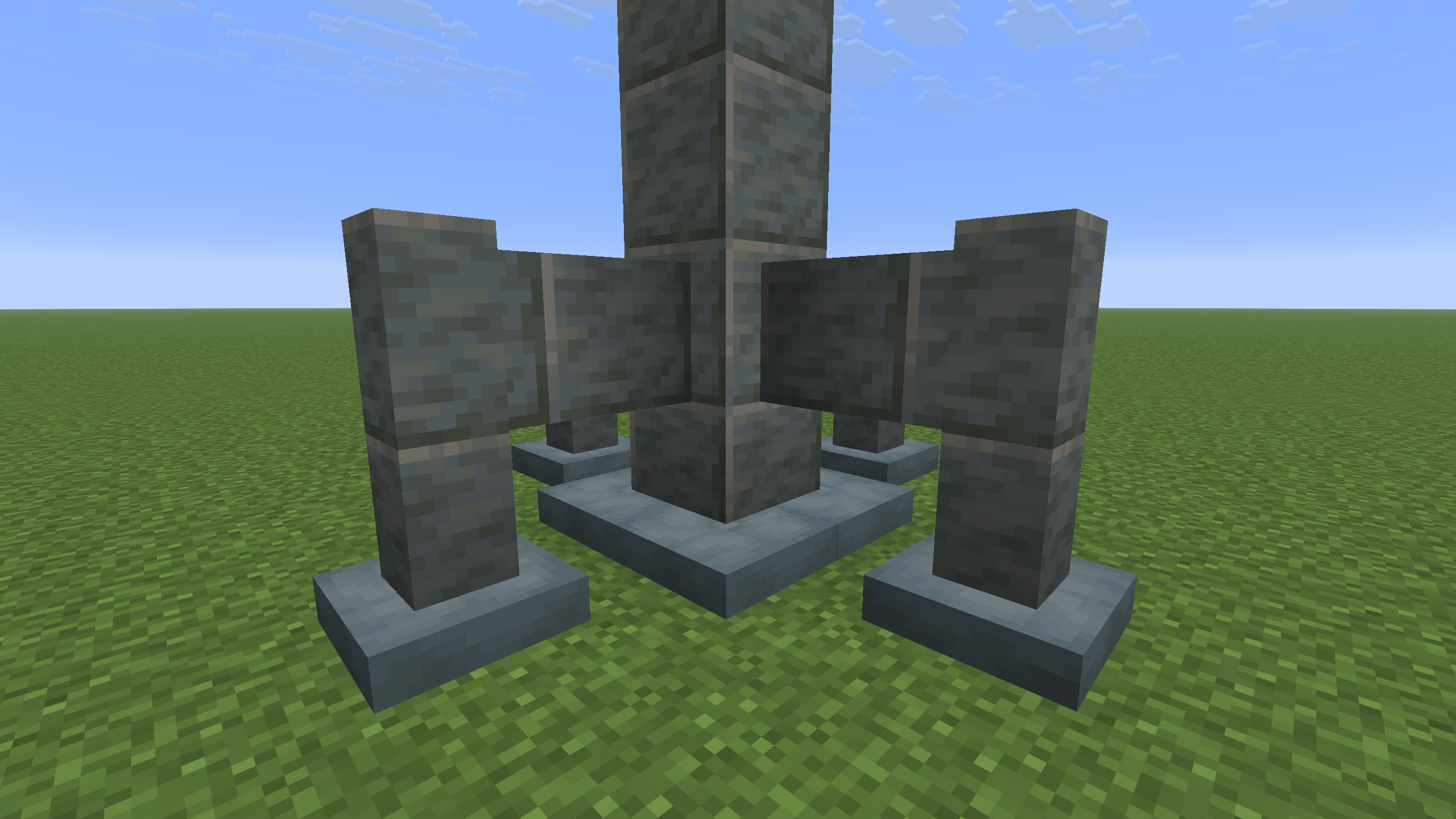 Industrial Structure The cushions of the center base section were placed while holding shift to snap them to vertices of the block grid.
 -
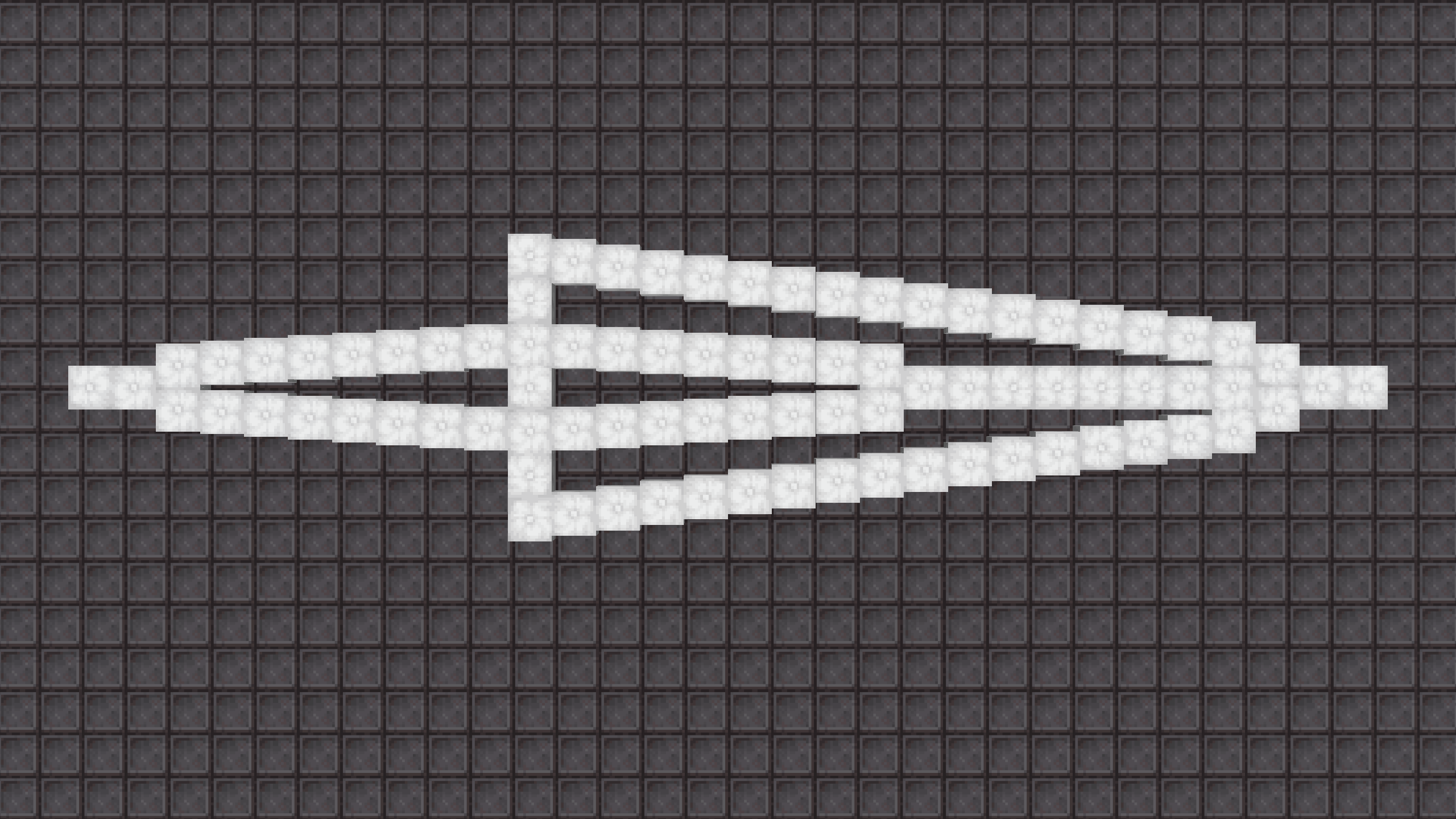 Decorative Pattern Cushions were placed while holding control to snap them to vertices of the pixel grid.
 -
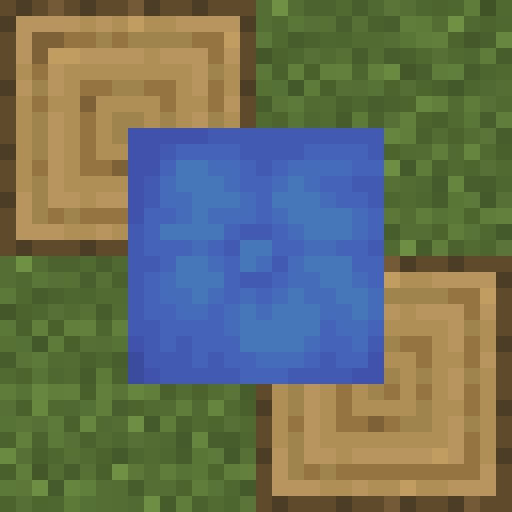 Block Grid Placement Hold shift to snap a cushion to the closest vertex of the block grid.
 -
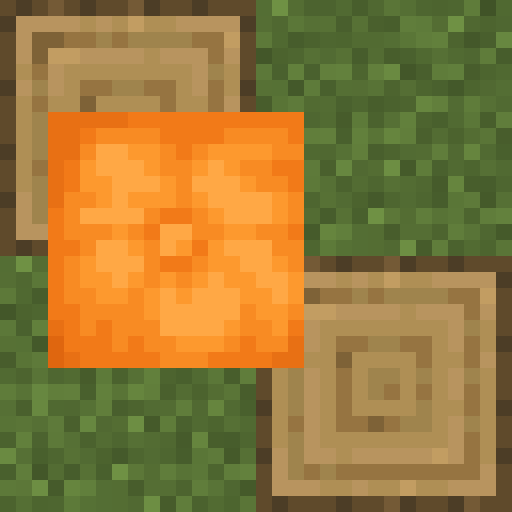 Pixel Grid Placement Hold control to snap a cushion to the closest vertex of the pixel grid.
 -
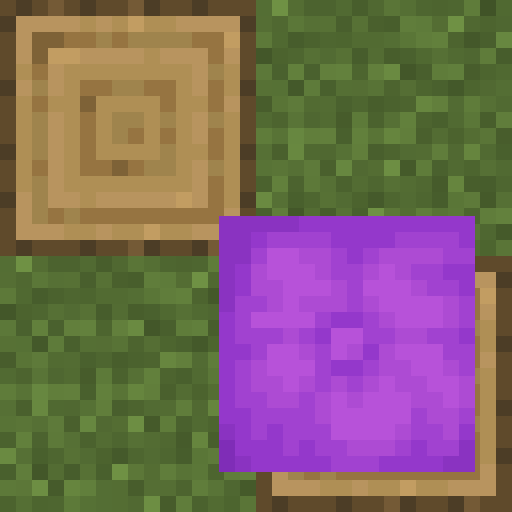 Off-Grid Placement Hold shift and control to place a cushion exactly where clicked, preventing it from snapping to anything.
 -
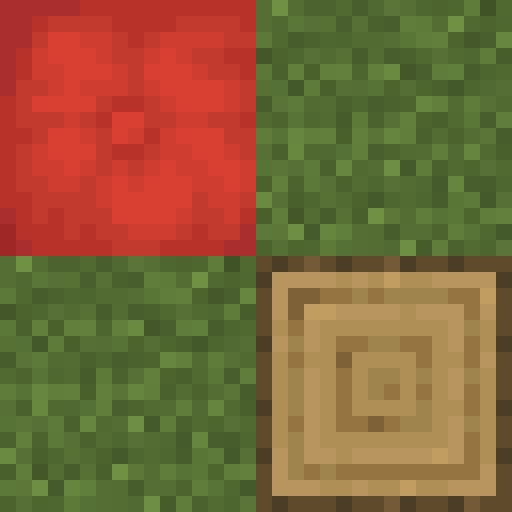 Block Center Placement Vanilla behavior: Hold neither shift nor control to place a cushion snapped to the center of a block.
 -
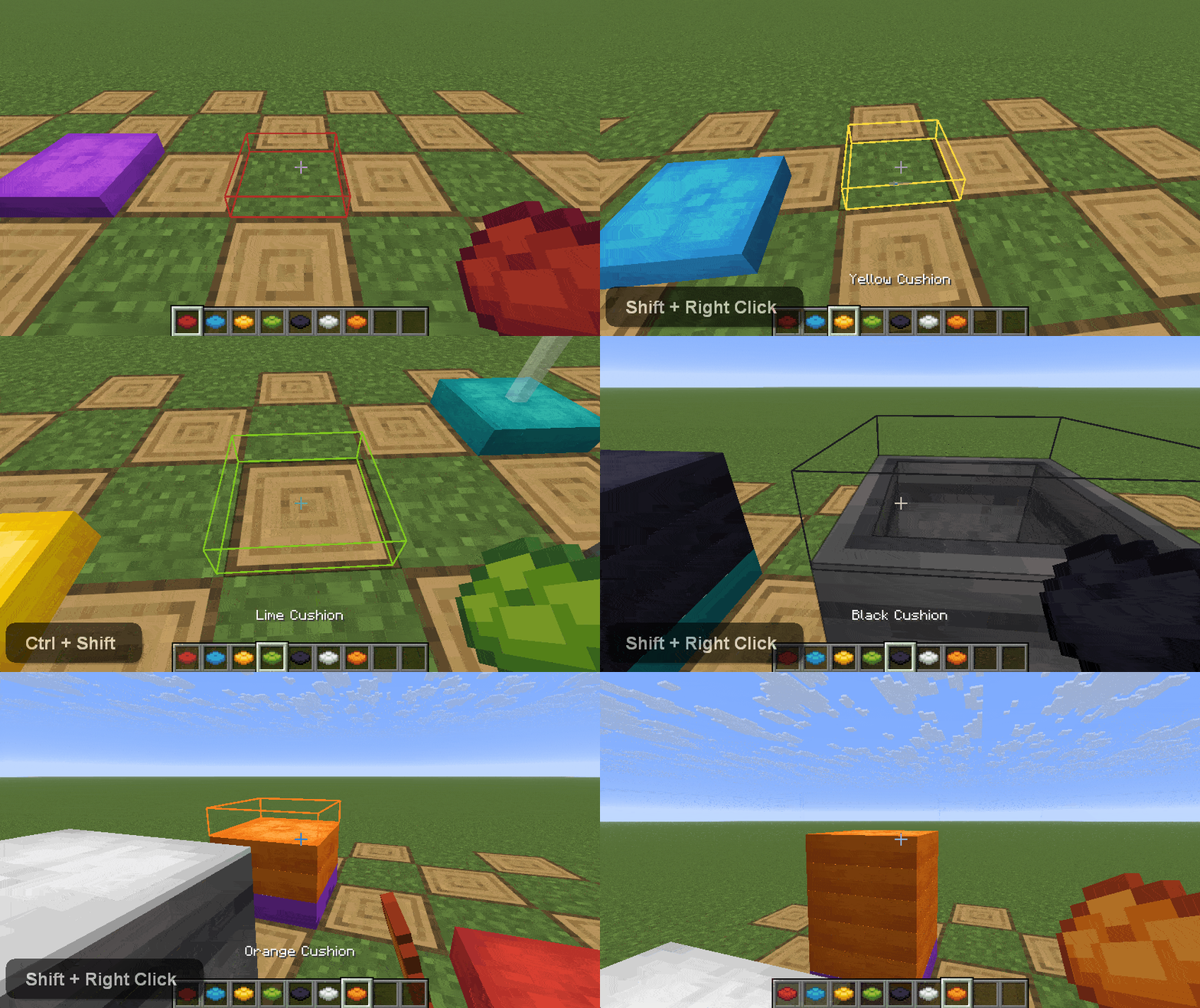 Cushions Stacking / Sub-Pixel & Block/Pixel Grid Placement Cushions snap to a block grid vertex with the sneak, pixel grid with the sprint, off-grid with both. Cushions can stack on one another with sneak. Game rules allows cushions to support one another, and allow sub-pixel cauldron/composter/hopper placement.
 -
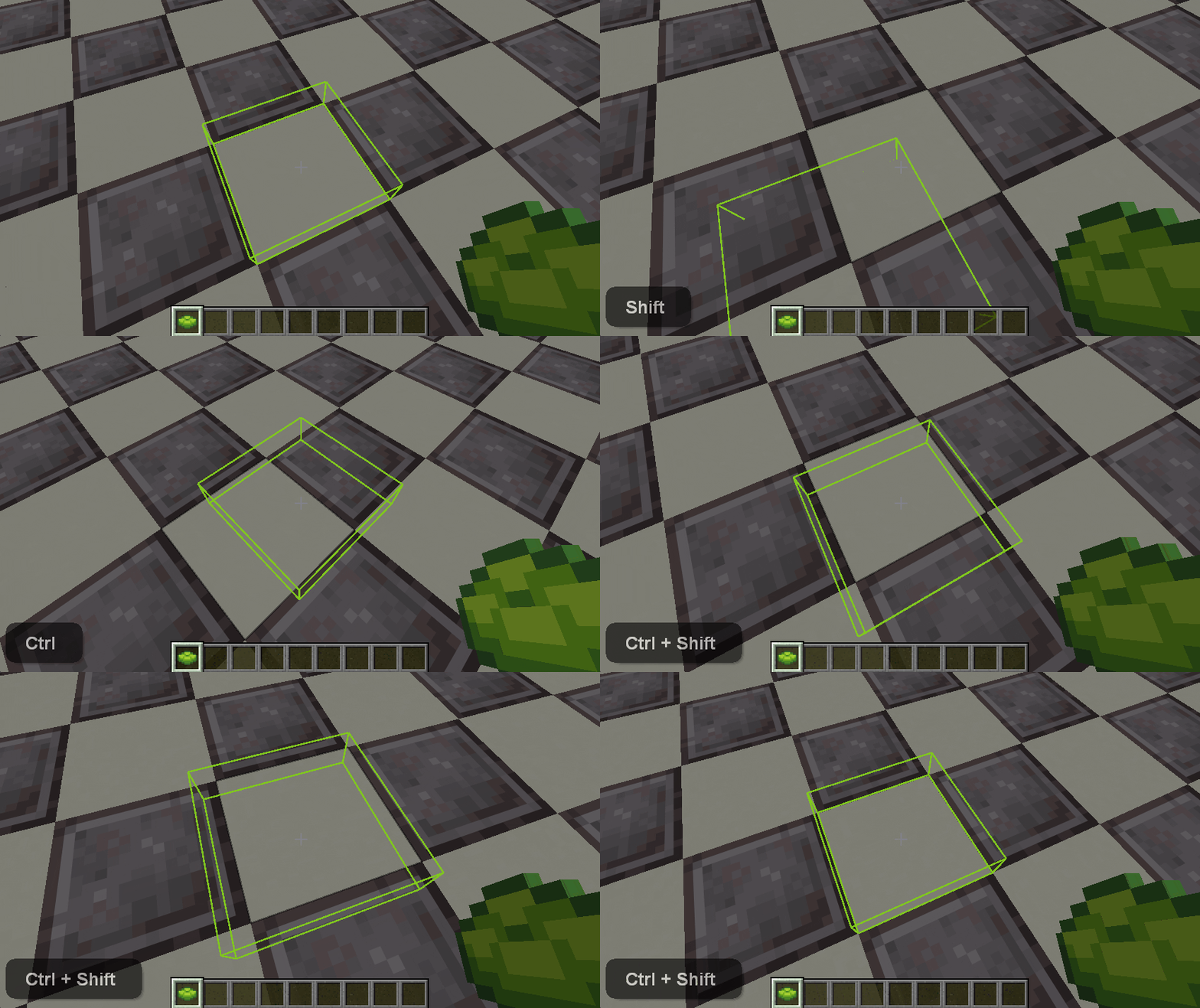 Placement Preview A box renders where a cushion will place with the color it will have when placed. Cushions snap to vertices of the block grid with the sneak, the pixel grid with the sprint, and off-grid with both.
 -
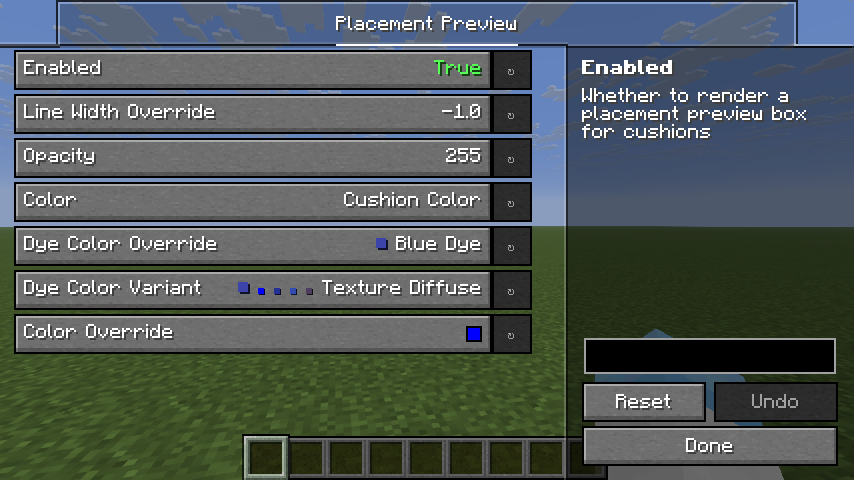 Config GUI Placement preview screen of the config GUI.
Versions
Files
Relations
Project Relations
More like this
Similar Mods
Suggestions use data such as tags, dependencies, dependents, descriptions, titles, and more to rank how much they overlap with this mod.
On ModDex
Community snapshot
By the numbers
Statistics

Want to reach Minecraft players?
We're looking for a server hosting partner to feature here and other parts of the site. Interested? Send us a message!
Get in touchGet it on
Available Platforms
On ModDex
Community snapshot
By the numbers