
Community listing page, reviews may not be monitored by the author.
Better Falling


No reviews yet
This Mod adds Falling Animations, Pike Jumps to Jump Off and Landing Animations to the Game

Community voices
Reviews
No reviews yet. Be the first to review this project!
Get it on
Available Platforms
Compatibility
Supported Environments
Required on the client. Installing it on the server adds functionality.
About
Project Details
For authors
Embed Badge
If you're the author of this project, you can embed a live badge anywhere that supports HTML or Markdown. It updates automatically whenever ratings change.
Use HTML for any page that supports it, or Markdown for README files and Markdown-based descriptions.
Identifiers
Platform IDs
Resources
External Links
About
Description
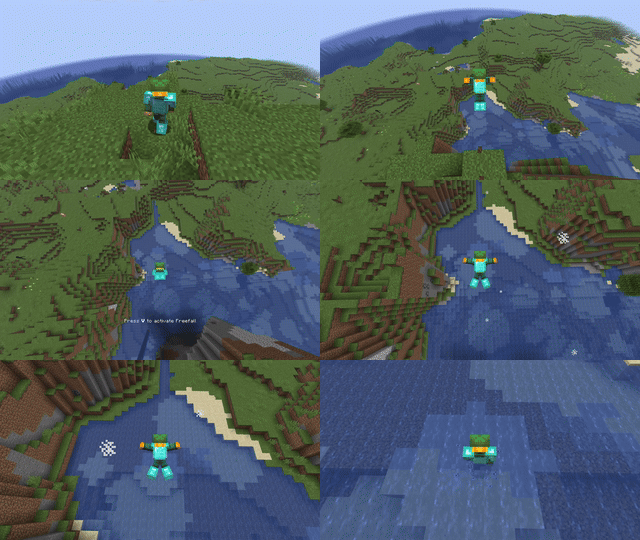
Free Fall:
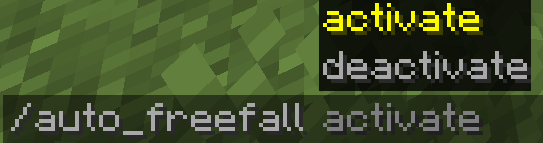
You can activate Freefall by pressing (V) while you are falling or you can activate Auto Free Fall via command or Config Menu, and Free Fall will be activated automatically. 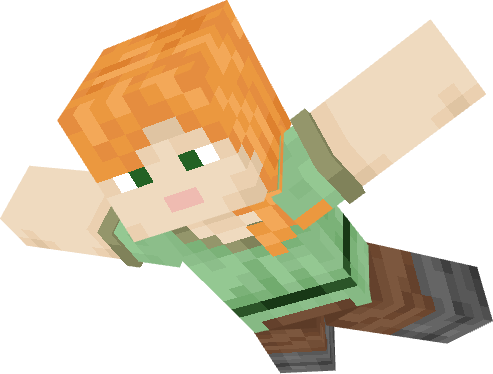
When you are in Freefall mode, you can either fall normally and slowly, which gives you better air control, or you can fall quickly by sneaking, but you will have less air control. 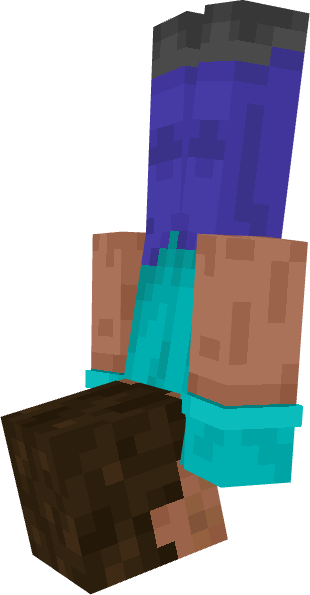
Aero Control - Enchantment:
With Aero Control on your chestplate, you can move more easily while in Freefall mode, and you will fall more slowly the higher the enchantment level is.
Pike Jumps to Jump Off:
If you are at an edge and jump, you will perform a dive jump downward as long as you are not sneaking.
If you are able to jump off, a message will appear in the center of the screen.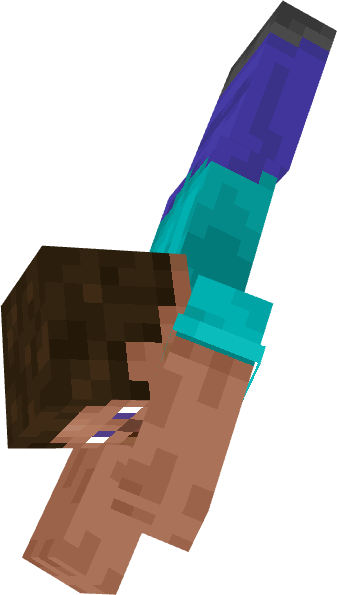
Landing Animations:
When you land on the ground after a high fall, you will perform a landing animation.
Survival Mode Landing Animation: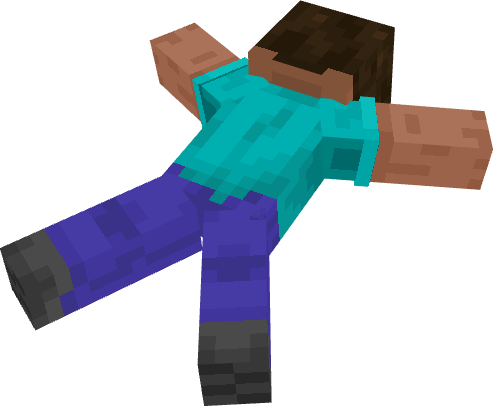
Creativ Mode Landing Animation: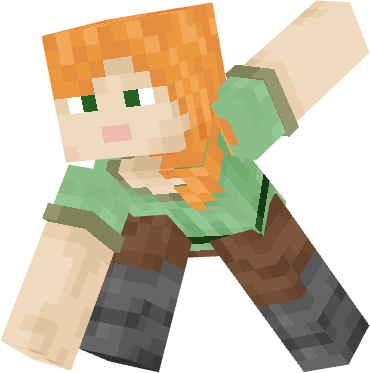
After landing, you need to jump to get back up, which will also be indicated with a message on the screen. Landing Animations can be disabled via a gamerule.
Config Menu:
Default Hotkey: [ . ]
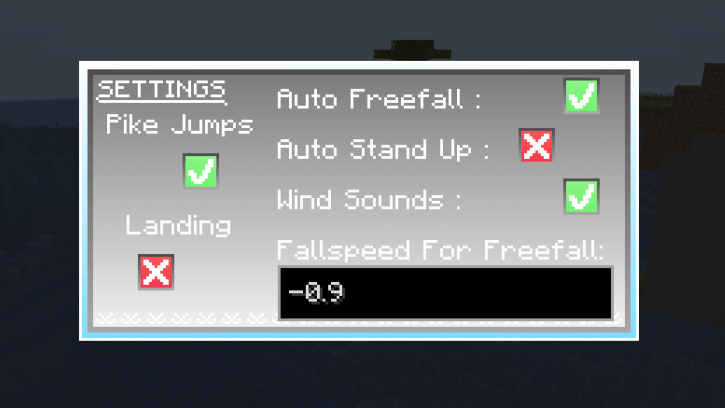
Here you can make some changes for yourself
The animations may not work with other animation mods or resource packs.
A Few Words from me[Javac] :
Here is the final update for Better Falling—a mod that started from a simple idea a few years ago and has since reached nearly 100,000 downloads. Thank you to everyone who tried the mod and shared feedback, and thanks for your patience while waiting for this long-awaited last update.
Without the Player Animator, the mod will not work, so please keep that in mind.(not 1.21.8)
pls check out my other mod Iconic Paper: Mod Link

Free Fall:
You can activate Freefall by pressing (V) while you are falling or you can activate Auto Free Fall via command, and Free Fall will be activated automatically.
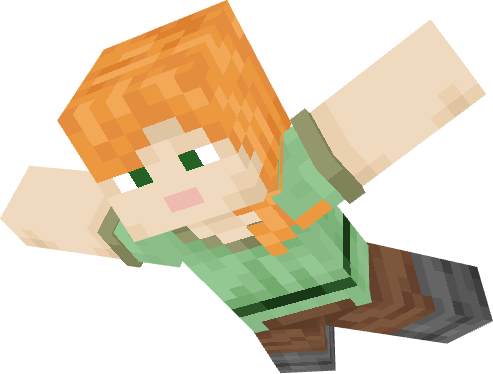
When you are in Freefall mode, you can either fall normally and slowly, which gives you better air control, or you can fall quickly by sneaking, but you will have less air control.
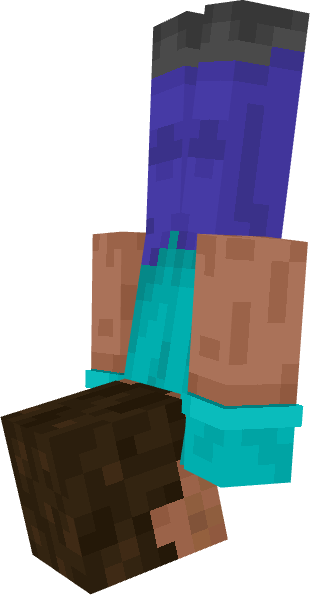
Aero Control - Enchantment:
With Aero Control on your chestplate, you can move more easily while in Freefall mode, and you will fall more slowly the higher the enchantment level is.
Pike Jumps to Jump Off:
If you are at an edge and jump, you will perform a dive jump downward as long as you are not sneaking. If you are able to jump off, a message will appear in the center of the screen.
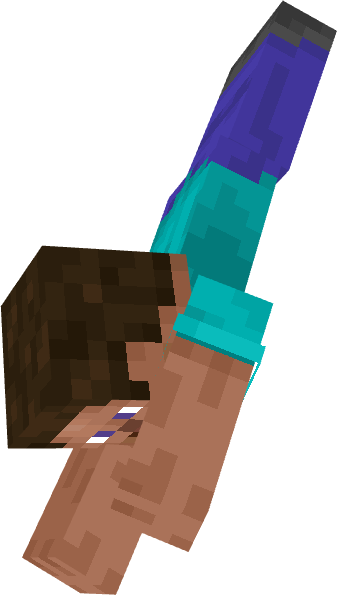
Landing Animations:
When you land on the ground after a high fall, you will perform a landing animation.
Spoiler
Survival Mode Landing Animation:
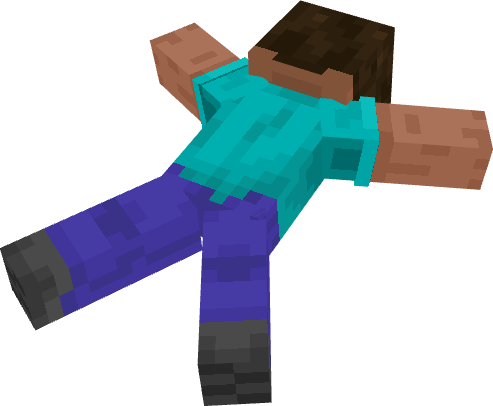
Creativ Mode Landing Animation:
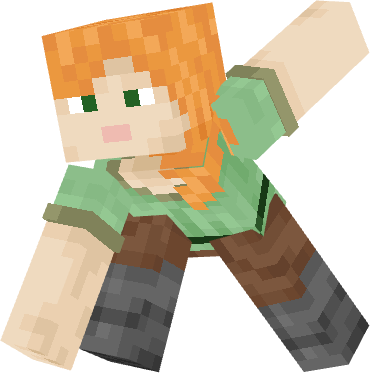
After landing, you need to jump to get back up, which will also be indicated with a message on the screen.
Config Menu:
Default Hotkey: [ . ]
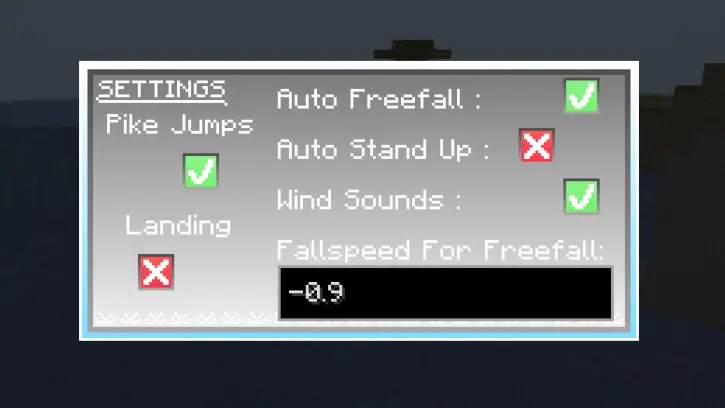
Here you can make some changes for yourself
The animations may not work with other animation mods or resource packs.
Warning:
Without the Player Animator, the mod will not work, so please keep that in mind.
Screenshots
Gallery
Versions
Files
Relations
Project Relations
More like this
Similar Mods
Suggestions use data such as tags, dependencies, dependents, descriptions, titles, and more to rank how much they overlap with this mod.
On ModDex
Community snapshot
By the numbers
Statistics

Get it on
Available Platforms
On ModDex
Community snapshot
By the numbers
Statistics
Resources