
Community listing page, reviews may not be monitored by the author.


Community voices
Reviews
No reviews yet. Be the first to review this project!
Get it on
Available Platforms
About
Project Details
For authors
Embed Badge
If you're the author of this project, you can embed a live badge anywhere that supports HTML or Markdown. It updates automatically whenever ratings change.
Use HTML for any page that supports it, or Markdown for README files and Markdown-based descriptions.
Identifiers
Platform IDs
Resources
External Links
About
Description
Book Images
Bring pictures into your books! Book Images lets you embed images from the
internet into written books in Minecraft.
How it works
1. Open a Book & Quill and write a marker on any page:
[img:https://example.com/picture.png]
2. Sign the book.
3. Open it. The image is downloaded in the background and drawn right on the page.
Text before and after the marker is displayed as usual, with all its colors and
formatting. Images are scaled to fit the page while keeping their proportions.
Books without markers still open the vanilla screen, so nothing else changes.
Features
- Supports PNG, JPG, GIF (first frame) and BMP
- Loading and error placeholders, so you always know what is going on
- Large images are automatically downscaled to save video memory
- Works with books made by commands too, so adventure map makers can use it
- Client-side only: install it on your client, no server mod needed.
Players without the mod simply see the plain marker text.
- English and Russian translations
Safety and privacy
Anyone who writes a book can see the IP address of players whose game loads
its images, so the mod comes with safeguards:
- Optional host whitelist (`allowedHosts`) in the config
- Localhost and local network addresses are blocked
- Download size limit (`maxDownloadKb`)
- Only http/https links are allowed
- Can be switched off completely with `enabled = false`
Notes
- Use direct links to image files (not web pages). WebP is not supported.
- Books placed on a lectern open with the vanilla screen.
- Whatever does not fit on the page is cropped, so give big images their own page.
Config
`config/bookimages-client.toml`: `enabled`, `allowedHosts`, `maxDownloadKb`.
Screenshots
Gallery
-
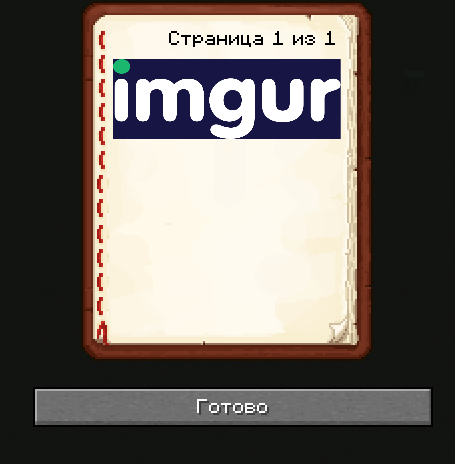 Снимок ÑкÑана 2026-10-25 224850.png Снимок ÑкÑана 2026-10-25 224850.png
Versions
Files
Relations
Project Relations
More like this
Similar Mods
Suggestions use data such as tags, dependencies, dependents, descriptions, titles, and more to rank how much they overlap with this mod.
On ModDex
Community snapshot
By the numbers
Statistics

Get it on
Available Platforms
On ModDex
Community snapshot
By the numbers
Statistics
Resources