Community listing page, reviews here may not be monitored by the author.
CC: Redstone Link Bridge


No reviews yet
This mod creates a bridge between Create Redstone Links and CC:Tweaked computers.
Community voices
Reviews
No reviews yet. Be the first to review this project!
Get it on
Available Platforms
Compatibility
Supported Environments
Must be installed on both the client and the server.
About
Project Details
For authors
Embed Badge
If you're the author of this project, you can embed a live badge anywhere that supports HTML or Markdown. It updates automatically whenever ratings change.
Use HTML for any page that supports it, or Markdown for README files and Markdown-based descriptions.
Identifiers
Platform IDs
Resources
External Links
About
Description
CC Redstone Link Bridge
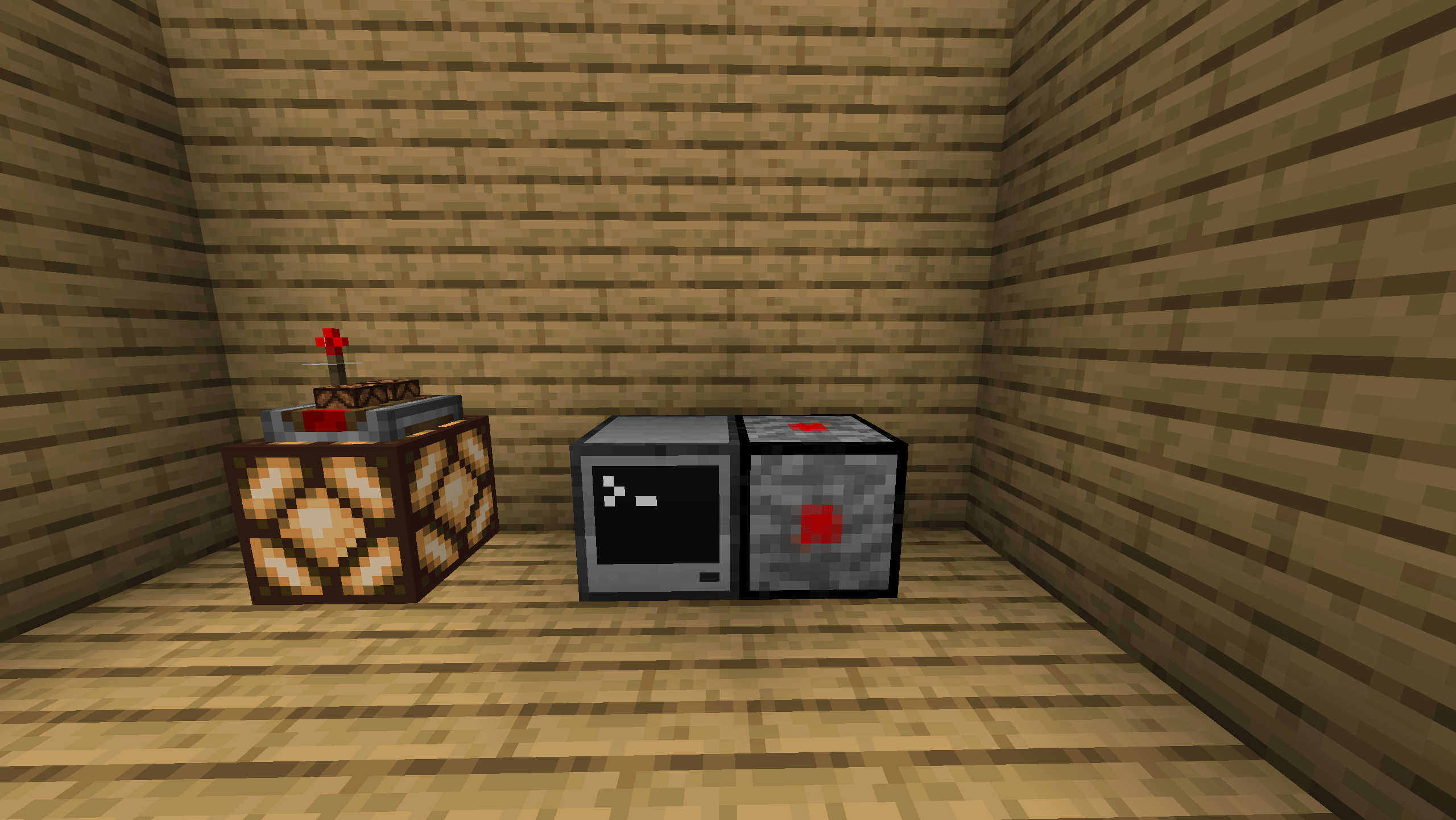
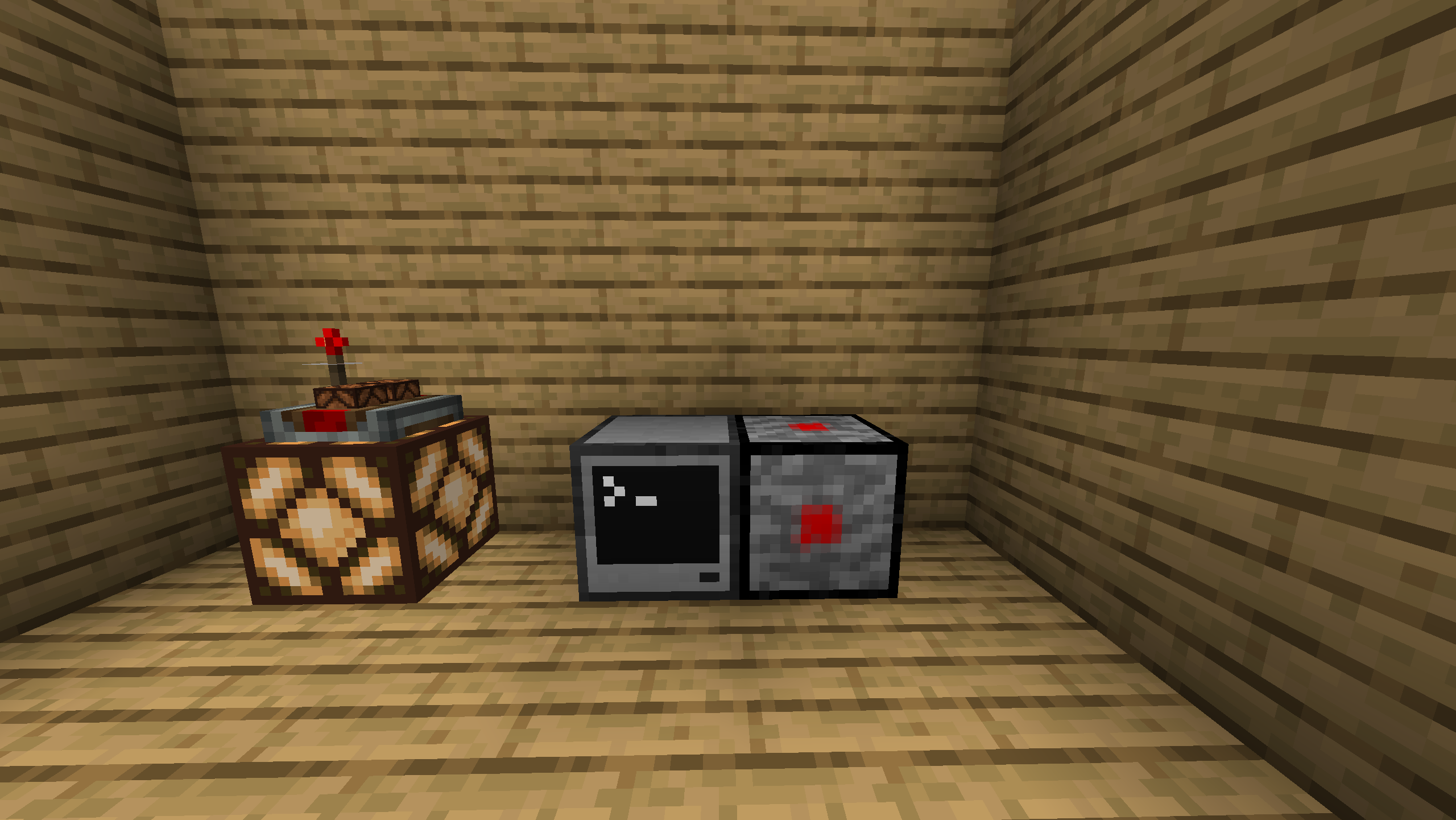
This mod connects Create Redstone Link networks with CC:Tweaked computers. It adds a single block, the CC Redstone Link Bridge, which can be placed in the world and then used as a ComputerCraft peripheral.
This mod requires Create and CC:Tweaked.
What the Mod Does
The bridge acts as a small adapter between two systems:
- Create provides the Redstone Link network.
- CC:Tweaked provides Lua control from computers.
With the bridge block in the world, a connected computer can:
- read the current signal strength of any Redstone Link frequency pair
- send a signal strength to any Redstone Link frequency pair
The mod is intentionally minimal. The Lua interface only exposes the two operations that are required for direct network interaction.
How It Works
When the peripheral is used from Lua:
getLinkSignal(freq1, freq2)looks up the current strength for that frequency pair.sendLinkSignal(freq1, freq2, strength)sets the target frequency pair and transmits the chosen strength.
The frequency values are item IDs written as strings. For example, minecraft:iron_ingot and minecraft:oak_sapling form one valid pair.
Crafting Recipe
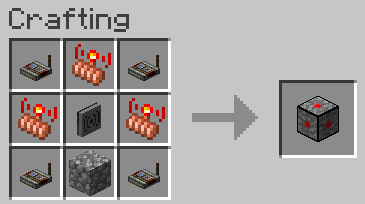
The recipe is a 3x3 shaped craft with Redstone Links in all four corners, a Wireless Modem in the center, and Cobblestone in the bottom-middle slot. The three remaining middle-edge slots (top-middle, middle-left, and middle-right) are filled with Create transmitters.
Lua API
Peripheral type:
redstone_link_bridge
Methods:
getLinkSignal(freq1, freq2) -> numbersendLinkSignal(freq1, freq2, strength)
Frequency Values
freq1 and freq2 must be item IDs as strings.
Examples:
"minecraft:iron_ingot""minecraft:oak_sapling""minecraft:redstone"
Use an empty string ("") if you want to represent an empty frequency value.
Example
local bridge = peripheral.find("redstone_link_bridge")
assert(bridge, "No redstone_link_bridge found")

-- Read an existing frequency pair
local current = bridge.getLinkSignal("minecraft:diamond", "minecraft:redstone")
print("Current signal:", current)

-- Send a signal to a frequency pair
bridge.sendLinkSignal("minecraft:diamond", "minecraft:redstone", 7)
CC Redstone Link Bridge
This mod connects Create Redstone Link networks with CC:Tweaked computers. It adds a single block, the CC Redstone Link Bridge, which can be placed in the world and then used as a ComputerCraft peripheral.
This mod requires Create and CC:Tweaked.
What the Mod Does
The bridge acts as a small adapter between two systems:
- Create provides the Redstone Link network.
- CC:Tweaked provides Lua control from computers.
With the bridge block in the world, a connected computer can:
- read the current signal strength of any Redstone Link frequency pair
- send a signal strength to any Redstone Link frequency pair
The mod is intentionally minimal. The Lua interface only exposes the two operations that are required for direct network interaction.
How It Works
When the peripheral is used from Lua:
getLinkSignal(freq1, freq2)looks up the current strength for that frequency pair.sendLinkSignal(freq1, freq2, strength)sets the target frequency pair and transmits the chosen strength.
The frequency values are item IDs written as strings.
For example, minecraft:iron_ingot and minecraft:oak_sapling form one valid pair.
Crafting Recipe

The recipe is a 3x3 shaped craft with Redstone Links in all four corners, a Wireless Modem in the center, and Cobblestone in the bottom-middle slot. The three remaining middle-edge slots (top-middle, middle-left, and middle-right) are filled with Create transmitters.
Lua API
Peripheral type:
redstone_link_bridge
Methods:
getLinkSignal(freq1, freq2) -> numbersendLinkSignal(freq1, freq2, strength)
Frequency Values
freq1 and freq2 must be item IDs as strings.
Examples:
"minecraft:iron_ingot""minecraft:oak_sapling""minecraft:redstone"
Use an empty string ("") if you want to represent an empty frequency value.
Example
local bridge = peripheral.find("redstone_link_bridge")
assert(bridge, "No redstone_link_bridge found")

-- Read an existing frequency pair
local current = bridge.getLinkSignal("minecraft:diamond", "minecraft:redstone")
print("Current signal:", current)

-- Send a signal to a frequency pair
bridge.sendLinkSignal("minecraft:diamond", "minecraft:redstone", 7)
Screenshots
Gallery
-
 2026-04-07_01.44.57.png 2026-04-07_01.44.57.png
 -
javaw_8BEgdGWAon.png javaw_8BEgdGWAon.png
-
 example
 -
 Crafting
Versions
Files
Relations
Project Relations
More like this
Similar Mods
Suggestions use data such as tags, dependencies, dependents, descriptions, titles, and more to rank how much they overlap with this mod.
On ModDex
Community snapshot
By the numbers
Statistics
Want to reach Minecraft players?
We're looking for a server hosting partner to feature here and other parts of the site. Interested? Send us a message!
Get in touchGet it on
Available Platforms
On ModDex
Community snapshot
By the numbers
Statistics
Resources