
Community listing page, reviews here may not be monitored by the author.
Cinematic Smoothness

No reviews yet
A lightweight mod to customize and enhance Minecraft's cinematic camera with variable smoothness, letterbox bars, and a settings menu.
Community voices
Reviews
No reviews yet. Be the first to review this project!
Get it on
Available Platforms
Compatibility
Supported Environments
Runs entirely on the client. Works on vanilla servers.
About
Project Details
For authors
Embed Badge
If you're the author of this project, you can embed a live badge anywhere that supports HTML or Markdown. It updates automatically whenever ratings change.
Use HTML for any page that supports it, or Markdown for README files and Markdown-based descriptions.
Identifiers
Platform IDs
About
Description
🎥 Cinematic Smoothness


📹 A lightweight enhancement for Minecraft's Cinematic Camera mode.
Includes additional tools: cinematic letterbox bars (black bars), a subtle FOV tightening toggle, and UI visibility controls.


✨ Key Features:
-
🎯 Precision Smoothness: Go beyond vanilla limits. Adjust camera "drag" from 0–100% with more Extended Range -100% for Sharper, more responsive to 200% for ultra-slow, sweeping movement.
-
🎬 Professional Letterboxing: Toggle cinematic black bars with two modes: Behind HUD or Cover HUD.
-
🔍 Subtle FOV Tightening: Slightly narrows the Field of View for cleaner focal shots.
-
🚫 Clean View Toggles: Optionally hide the Crosshair and Block Selection Outline for pure cinematic recordings.
-
💾 Auto-Save + Reset: Your settings are saved between sessions , Built-in Reset button to instantly restore default values
🛠️ Quick Start:
- Default Key: Press F4 to open the Cinematic Smoothness settings.
- Customization: Go to
Options > Controls > Key Binds. Under the "Miscellaneous" category, you can rebind both the "Toggle Cinematic Camera" and the "Cinematic Smoothness Settings".
🔍 Frequently Asked Questions
-
Does this replace vanilla cinematic mode? No — it enhances it. It uses the same cinematic toggle but gives you more control over the physics.
-
Is it client-side? Yes. 100% client-side. Safe for servers.
💻 Development
🤖 The technical coding, custom UI design, and internal camera math were developed with the assistance of Gemini (Google AI) and Claude (Anthropic AI), built using IntelliJ IDEA.



🧩 Requirements
- Fabric API
(Essential library)
- Mod Menu
(in‑game mod list)
Screenshots
Gallery
-
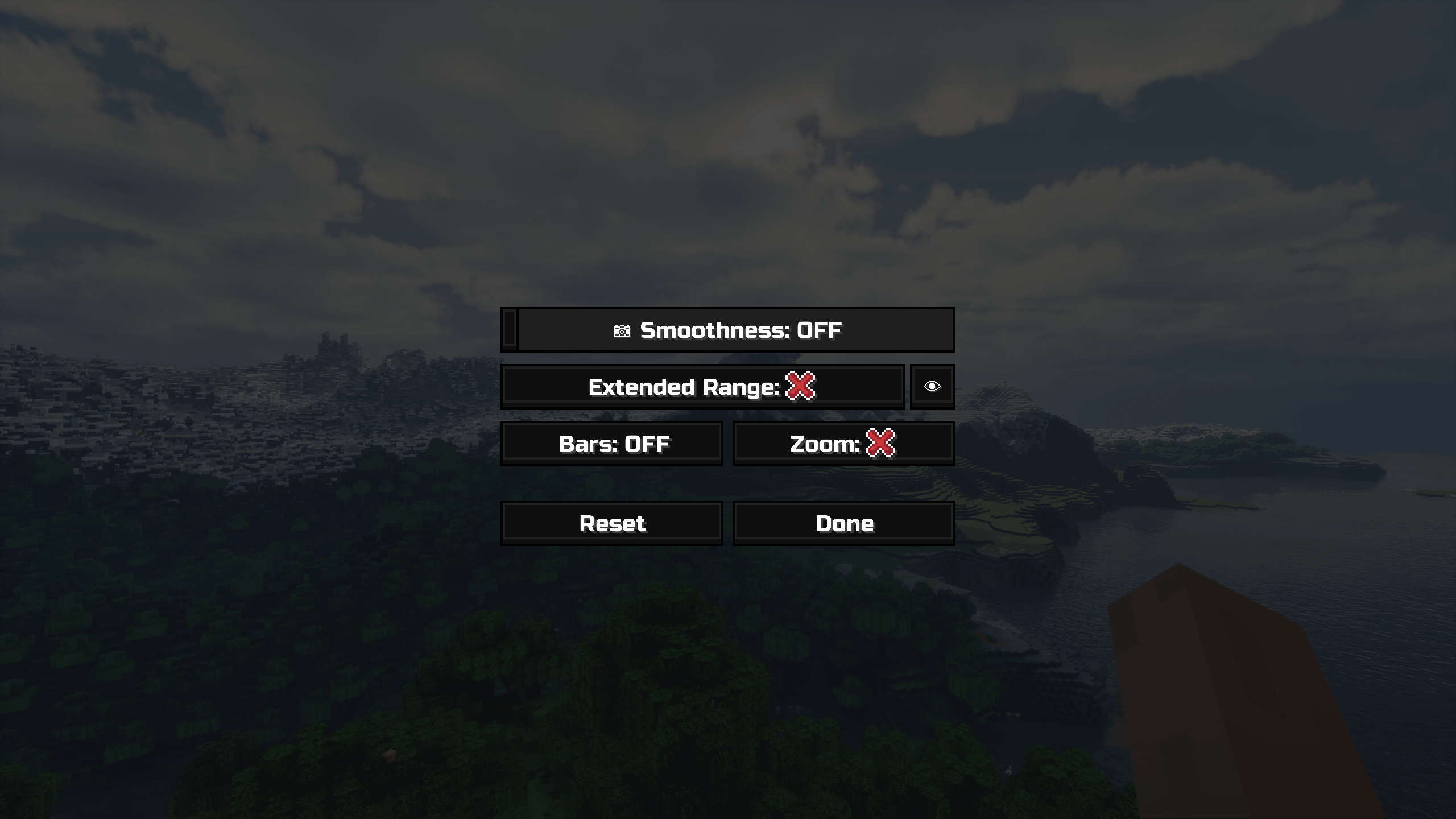 mod settings
 -
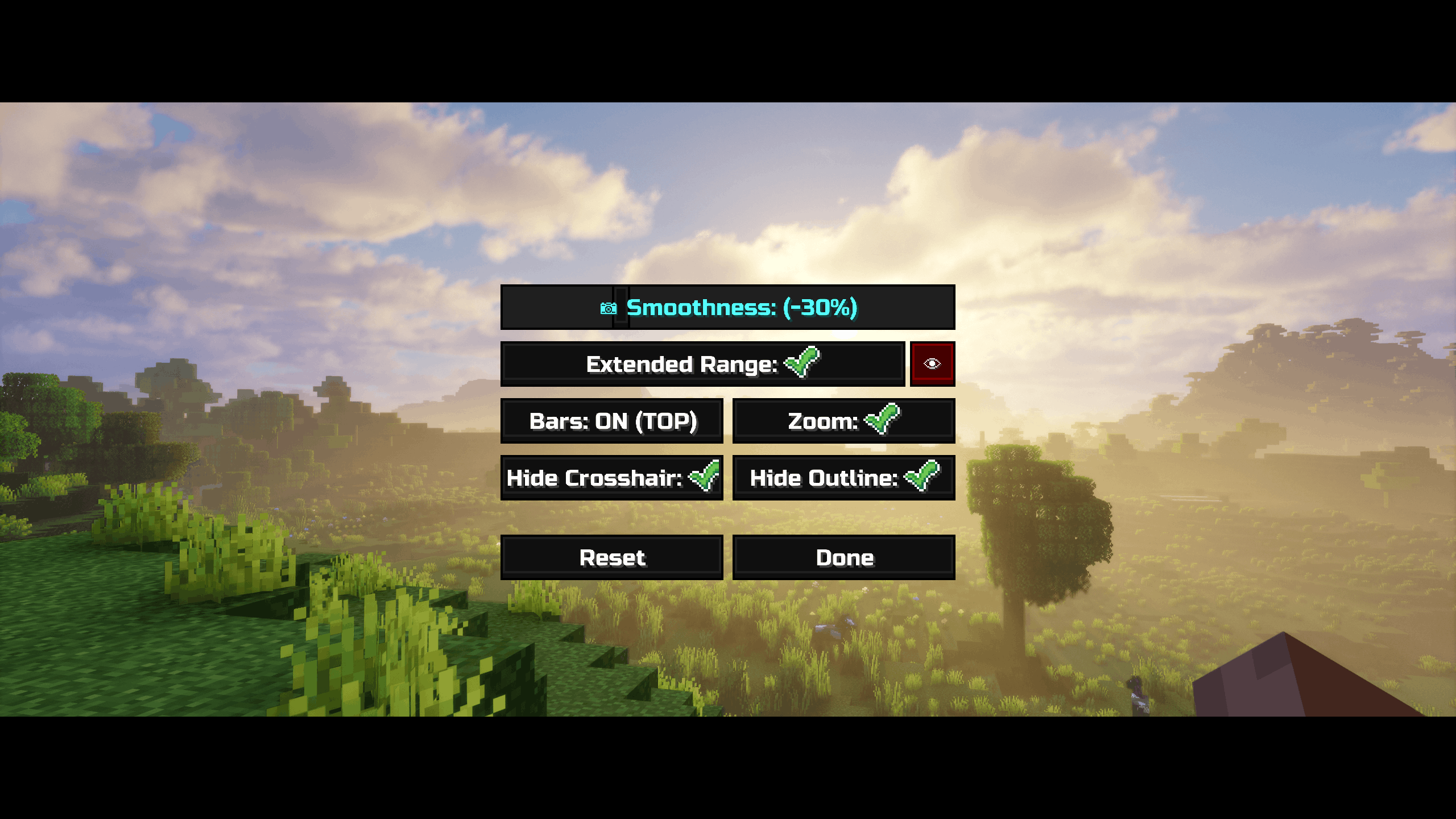 settings
 -
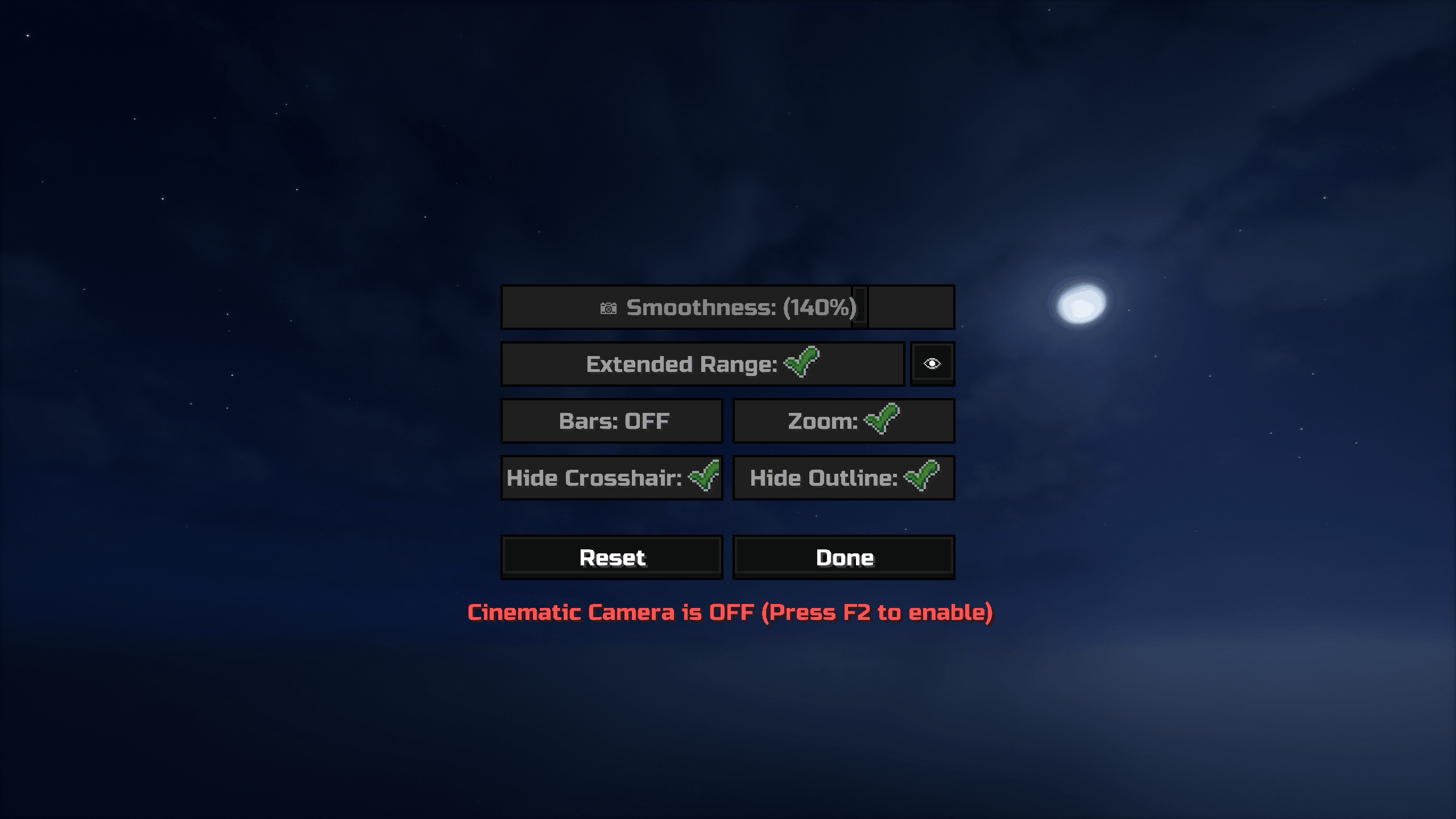 settings
Versions
Files
Relations
Project Relations
More like this
Similar Mods
Suggestions use data such as tags, dependencies, dependents, descriptions, titles, and more to rank how much they overlap with this mod.
On ModDex
Community snapshot
By the numbers
Statistics

Want to reach Minecraft players?
We're looking for a server hosting partner to feature here and other parts of the site. Interested? Send us a message!
Get in touchGet it on
Available Platforms
On ModDex
Community snapshot
By the numbers