
Community listing page, reviews here may not be monitored by the author.
Clipboard+


No reviews yet
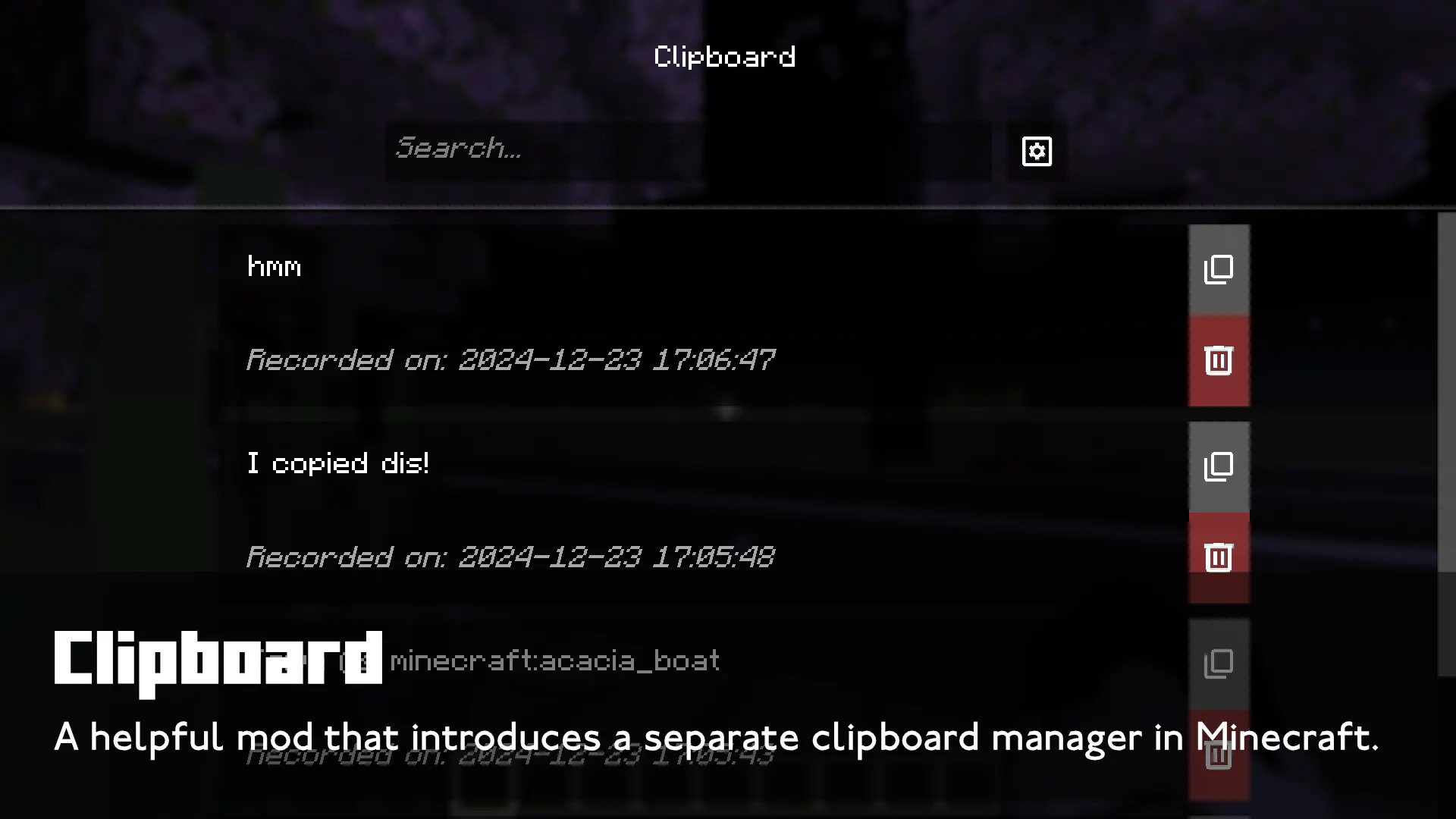
A Minecraft mod that implements a clipboard manager into Minecraft, keeping history and letting you search through them!
Community voices
Reviews
No reviews yet. Be the first to review this project!
Get it on
Available Platforms
Compatibility
Supported Environments
Runs entirely on the client. Works on vanilla servers.
About
Project Details
For authors
Embed Badge
If you're the author of this project, you can embed a live badge anywhere that supports HTML or Markdown. It updates automatically whenever ratings change.
Use HTML for any page that supports it, or Markdown for README files and Markdown-based descriptions.
Identifiers
Platform IDs
About
Description
Clipboard
Clipboard is a Minecraft mod that introduces a clipboard manager in Minecraft! Useful to save long commands right in-game and be able to copy them right away at any time. You can also choose whether to prioritize the System clipboard or the Custom clipboard, choose whether to save the clipboard or not, or to enable/disable it altogether. To open the Clipboard screen, press (B) by default, and click on the Settings button to configure it.

Requires Fabric API and Omnilib. Also compatible with Forge and NeoForge, using Sinytra Connector, requires Forgified Fabric API.
How it works
If Clipboard is enabled and Custom Clipboard is prioritized:
- Ctrl + C: Copies to both the System clipboard and the Custom clipboard.
- Ctrl + V: Pastes from the Custom clipboard.
If Clipboard is enabled but Custom Clipboard is not prioritized:
- Ctrl + C: Copies to both the System clipboard and the Custom clipboard.
- Ctrl + V: Pastes from the System clipboard.
If Clipboard is disabled:
- The Custom clipboard will remain untouched and inactive, but you can still view its contents.
Managing Clipboard Items:
- Delete an item: Press the delete button or use Shift + Left Click.
- Copy an item: Left Click the item or click the Copy button to move it to the top of the list, and copy to your System and Custom Clipboard.
Usage Guidelines
Clipboard can be freely included in modpacks, as long as downloads stay within Modrinth, CurseForge, or GitHub. These are the only official sources for the mod. Any other sites are not authorized and should not be used.
Official Downloads:
- CurseForge: https://www.curseforge.com/minecraft/mc-mods/clipboardplus
- GitHub: https://github.com/dooji2/clipboard
- Modrinth: https://modrinth.com/mod/clipboard
Clipboard
Clipboard is a Minecraft mod that introduces a clipboard manager in Minecraft! Useful to save long commands right in-game and be able to copy them right away at any time. You can also choose whether to prioritize the System clipboard or the Custom clipboard, choose whether to save the clipboard or not, or to enable/disable it altogether. To open the Clipboard screen, press (B) by default, and click on the Settings button to configure it.

Requires Fabric API and Omnilib. Also compatible with Forge and NeoForge, using Sinytra Connector, requires Forgified Fabric API.
How it works
If Clipboard is enabled and Custom Clipboard is prioritized:
- Ctrl + C: Copies to both the System clipboard and the Custom clipboard.
- Ctrl + V: Pastes from the Custom clipboard.
If Clipboard is enabled but Custom Clipboard is not prioritized:
- Ctrl + C: Copies to both the System clipboard and the Custom clipboard.
- Ctrl + V: Pastes from the System clipboard.
If Clipboard is disabled:
- The Custom clipboard will remain untouched and inactive, but you can still view its contents.
Managing Clipboard Items:
- Delete an item: Press the delete button or use Shift + Left Click.
- Copy an item: Left Click the item or click the Copy button to move it to the top of the list, and copy to your System and Custom Clipboard.
Official Downloads:
- CurseForge: https://www.curseforge.com/minecraft/mc-mods/clipboardplus
- GitHub: https://github.com/dooji2/clipboard
- Modrinth: https://modrinth.com/mod/clipboard
Screenshots
Gallery
-
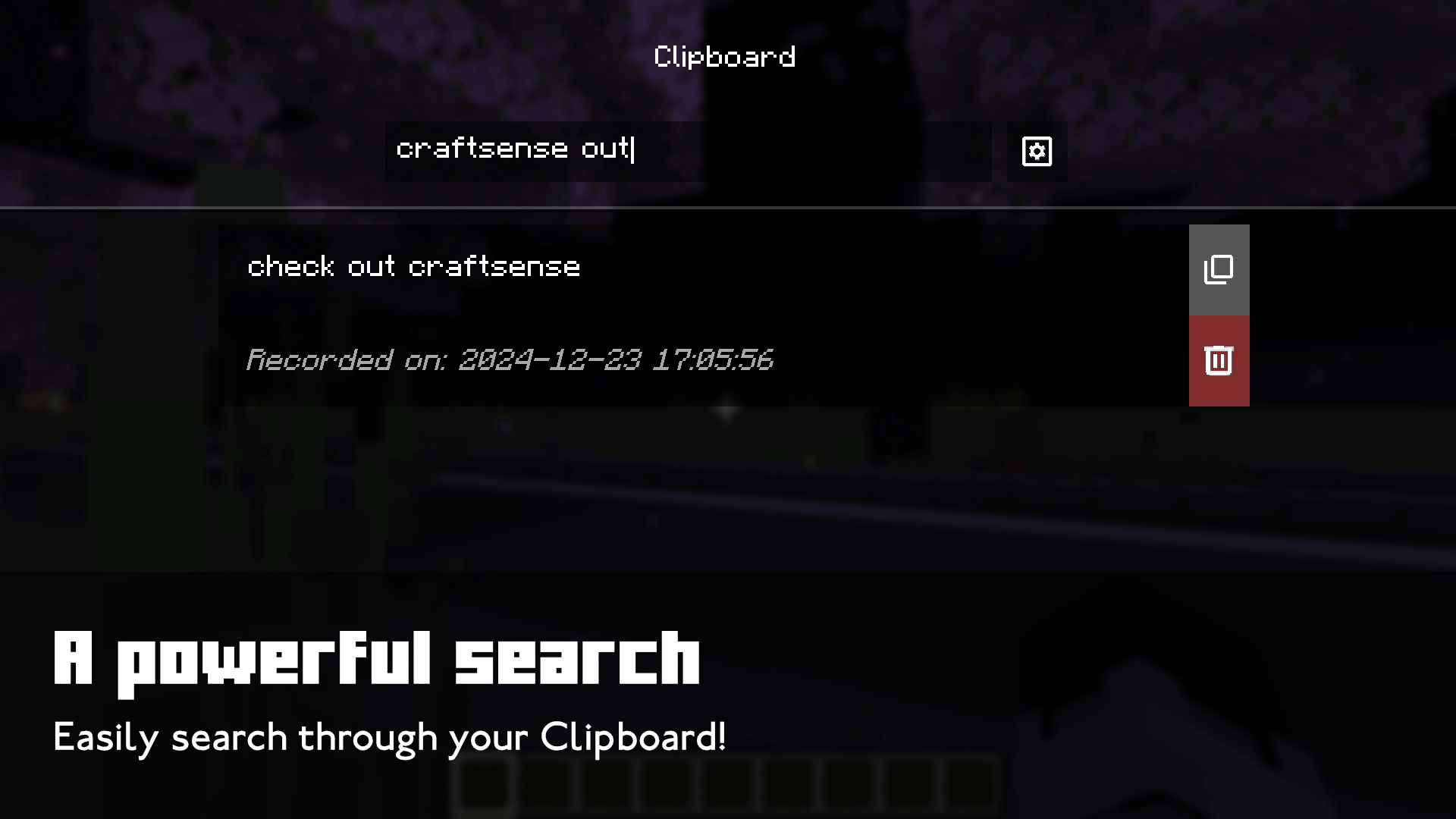 A powerful search Easily search through your Clipboard!
 -
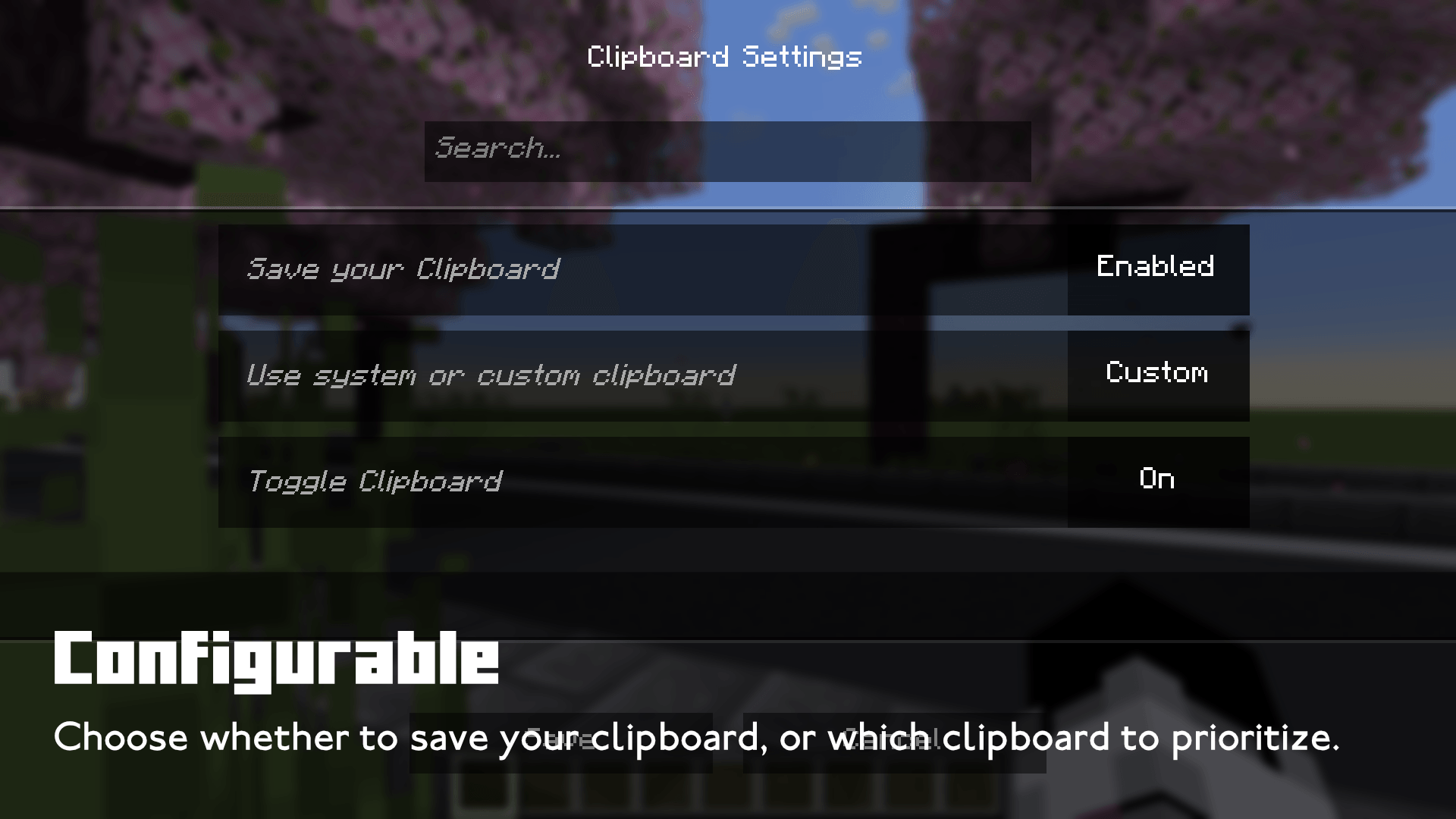 Configurable Choose whether to save your clipboard, or which clipboard to prioritize.
 -
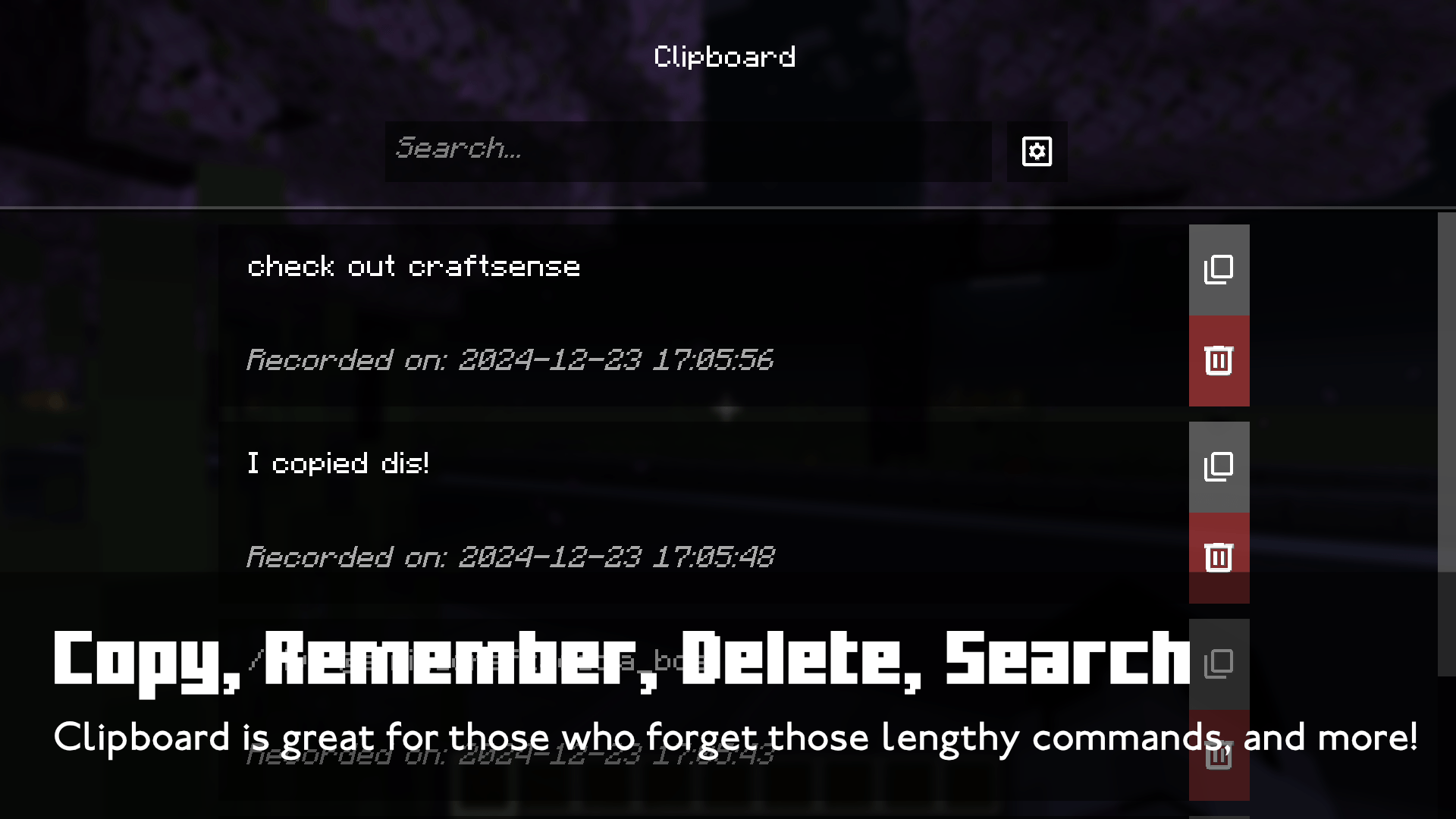 Copy, Remember, Delete, Search Clipboard is great for those who forget those lengthy commands, and more!
-
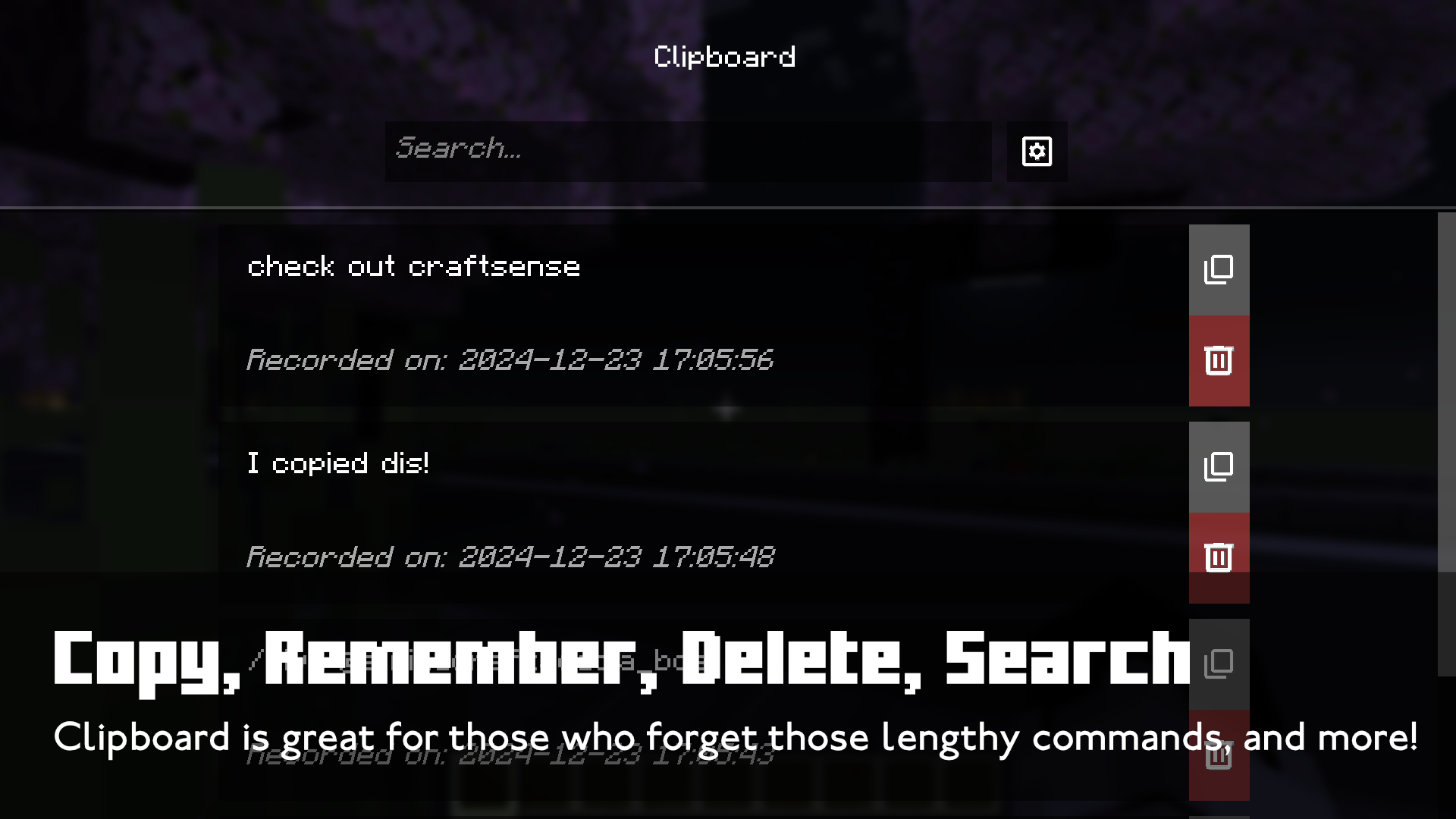 Copy, Remember, Delete, Search Clipboard is great for those who forget those lengthy commands, and more!
 -
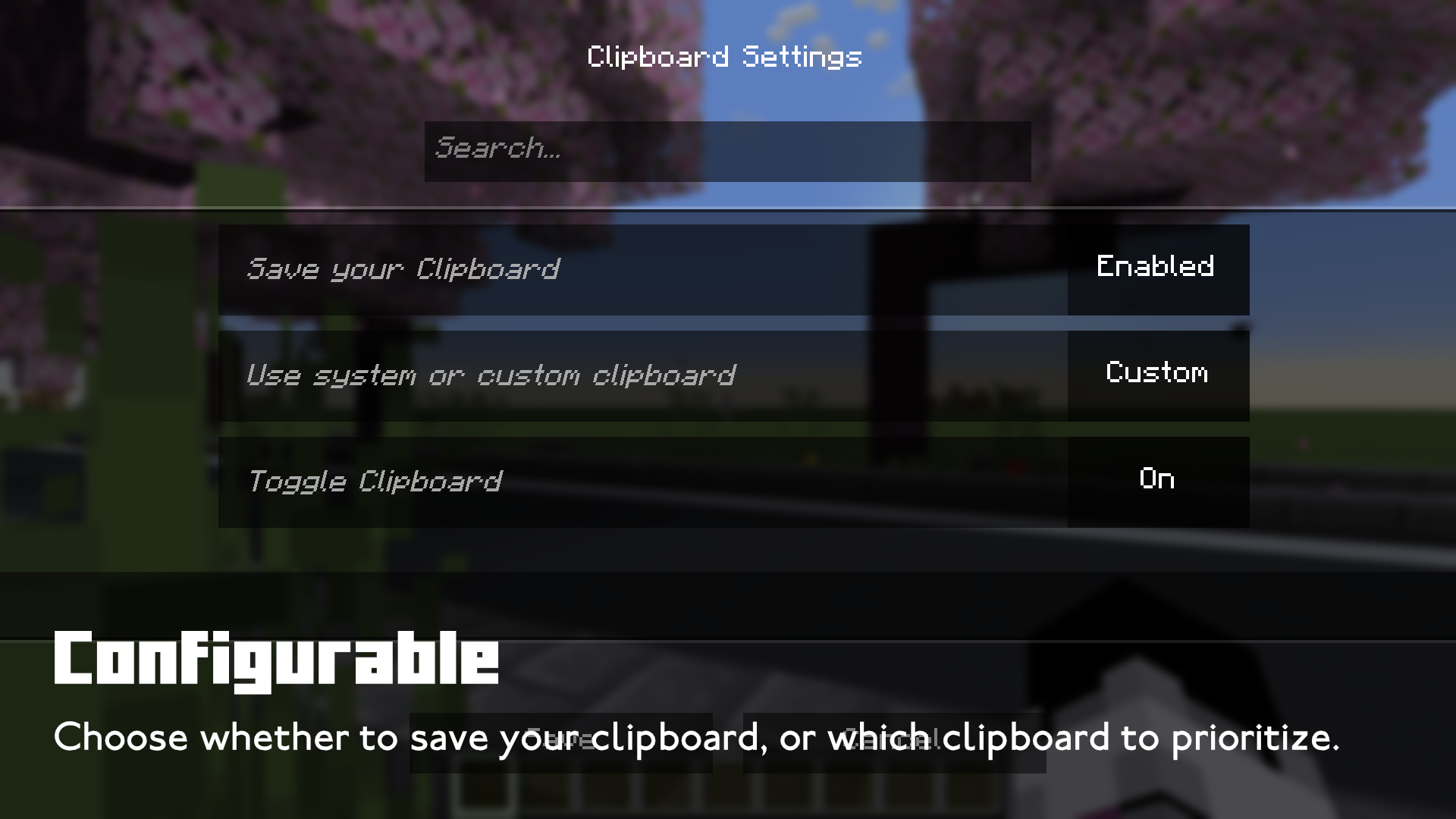 Configurable Choose whether to save your clipboard, or which clipboard to prioritize.
 -
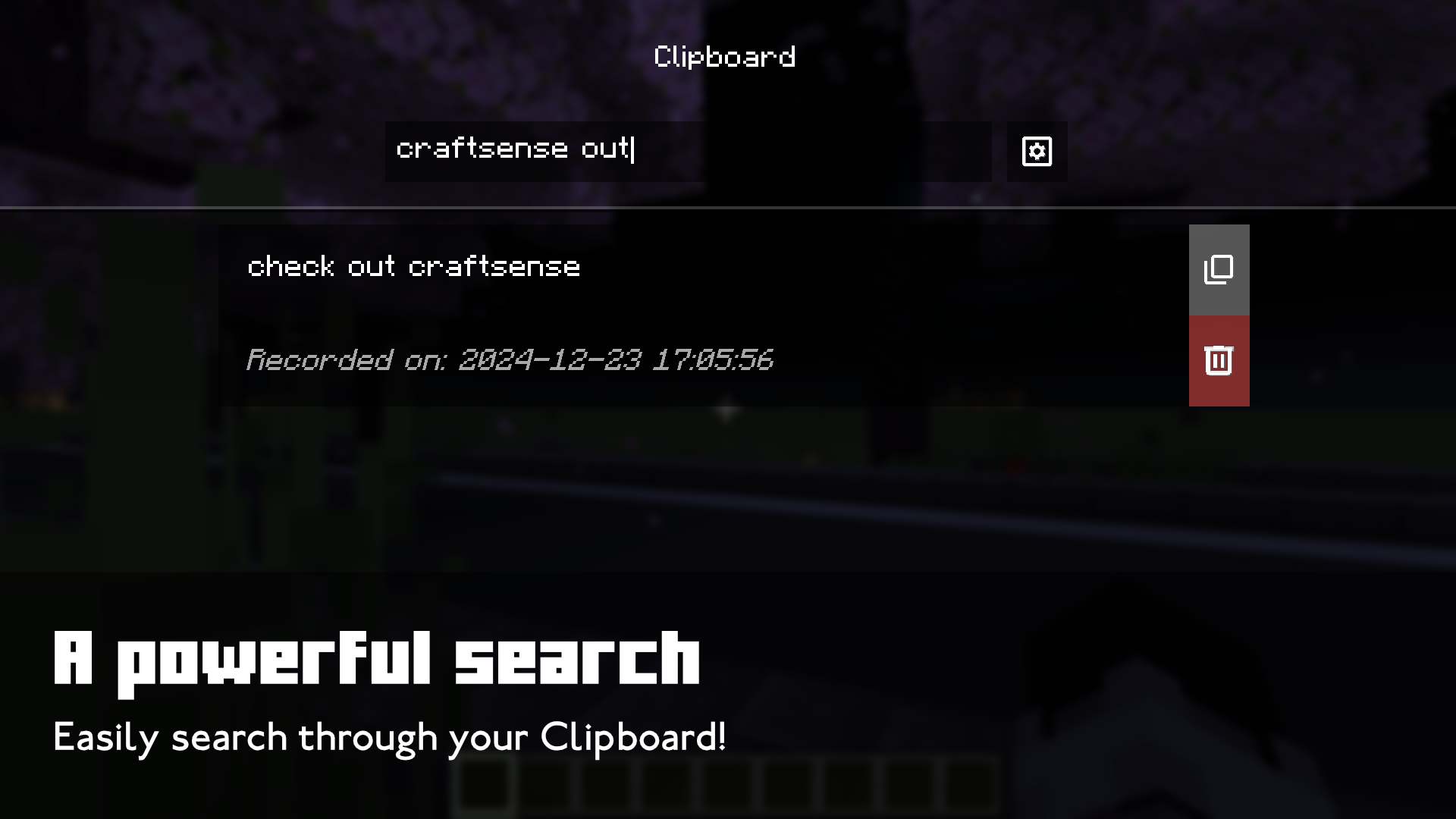 A powerful search Easily search through your Clipboard!
Versions
Files
Relations
Project Relations
More like this
Similar Mods
Suggestions use data such as tags, dependencies, dependents, descriptions, titles, and more to rank how much they overlap with this mod.
On ModDex
Community snapshot
By the numbers
Statistics
Want to reach Minecraft players?
We're looking for a server hosting partner to feature here and other parts of the site. Interested? Send us a message!
Get in touchGet it on
Available Platforms
On ModDex
Community snapshot
By the numbers