Community listing page, reviews here may not be monitored by the author.
Cobblemon: Coop+


No reviews yet
Team up with a friend and take on Trainer Fights Together!
Community voices
Reviews
No reviews yet. Be the first to review this project!
Get it on
Available Platforms
Compatibility
Supported Environments
Must be installed on both the client and the server.
About
Project Details
For authors
Embed Badge
If you're the author of this project, you can embed a live badge anywhere that supports HTML or Markdown. It updates automatically whenever ratings change.
Use HTML for any page that supports it, or Markdown for README files and Markdown-based descriptions.
Identifiers
Platform IDs
About
Description
Because Trainer battles are better with a friend~!

Cobble Co-op turns Radical Cobblemon Trainers battles into a proper two-player challenge!
Instead of one Player starting the battle while everybody else watches, you can invite a friend, choose both teams and fight the opposing Trainer together.
The mod includes its own setup menus, shared team rules, Trainer randomizers, different AI difficulties and an optional Reward Bag system. Most battle changes only last during the current battle, so both Players continue using their normal Pokémon after it ends.

Two different Co-op modes!
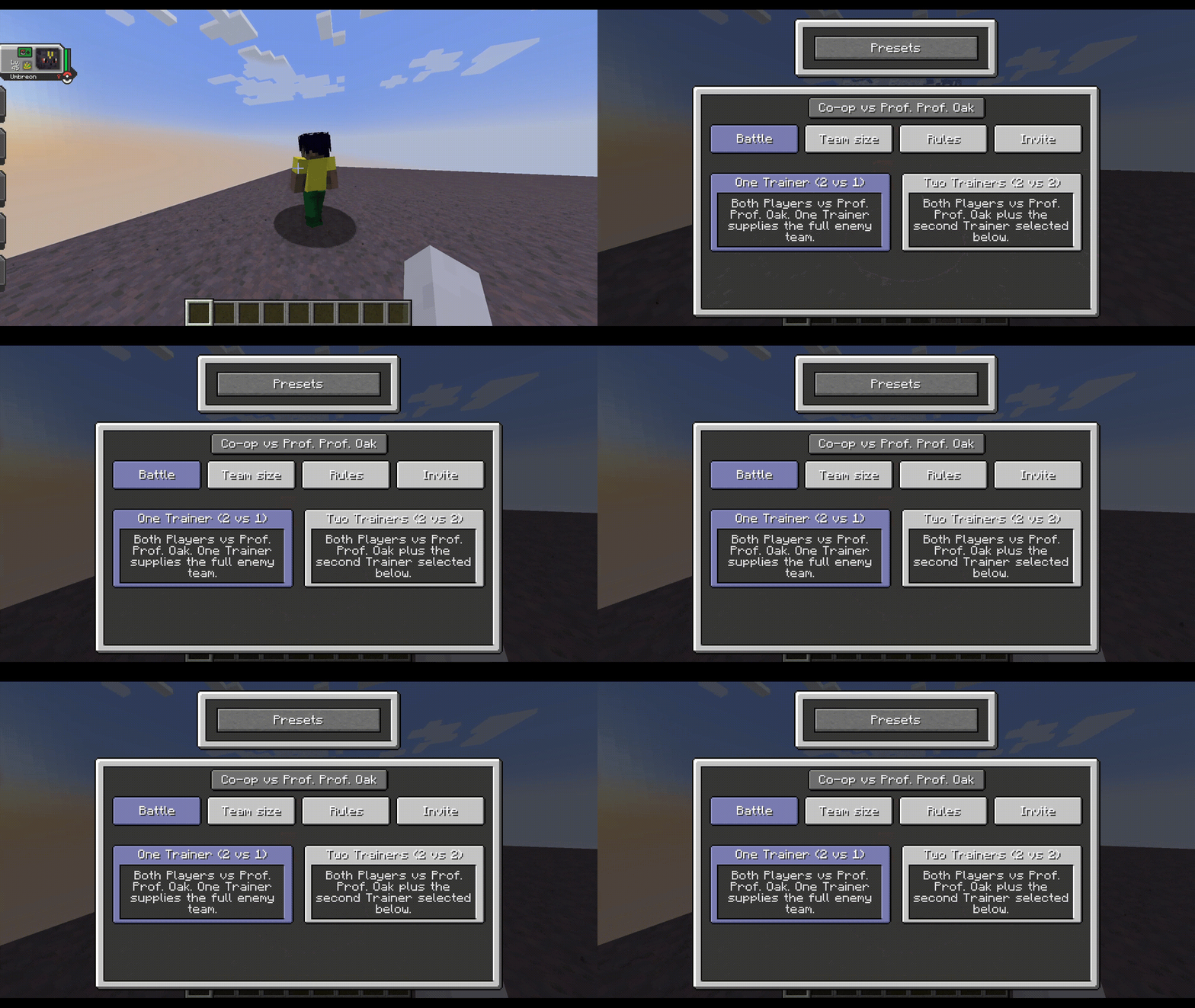
- One Trainer (2 vs 1): Both Players fight one Trainer. That Trainer supplies the complete opposing team.
- Two Trainers (2 vs 2): Both Players fight two compatible Trainers found nearby. Each Trainer controls their own side of the opposing team.
Every Player chooses their own Pokémon and their battle order before the fight starts. The server checks both teams together, so shared clauses cannot be bypassed by selecting at the same time.
A complete list of Handicaps!
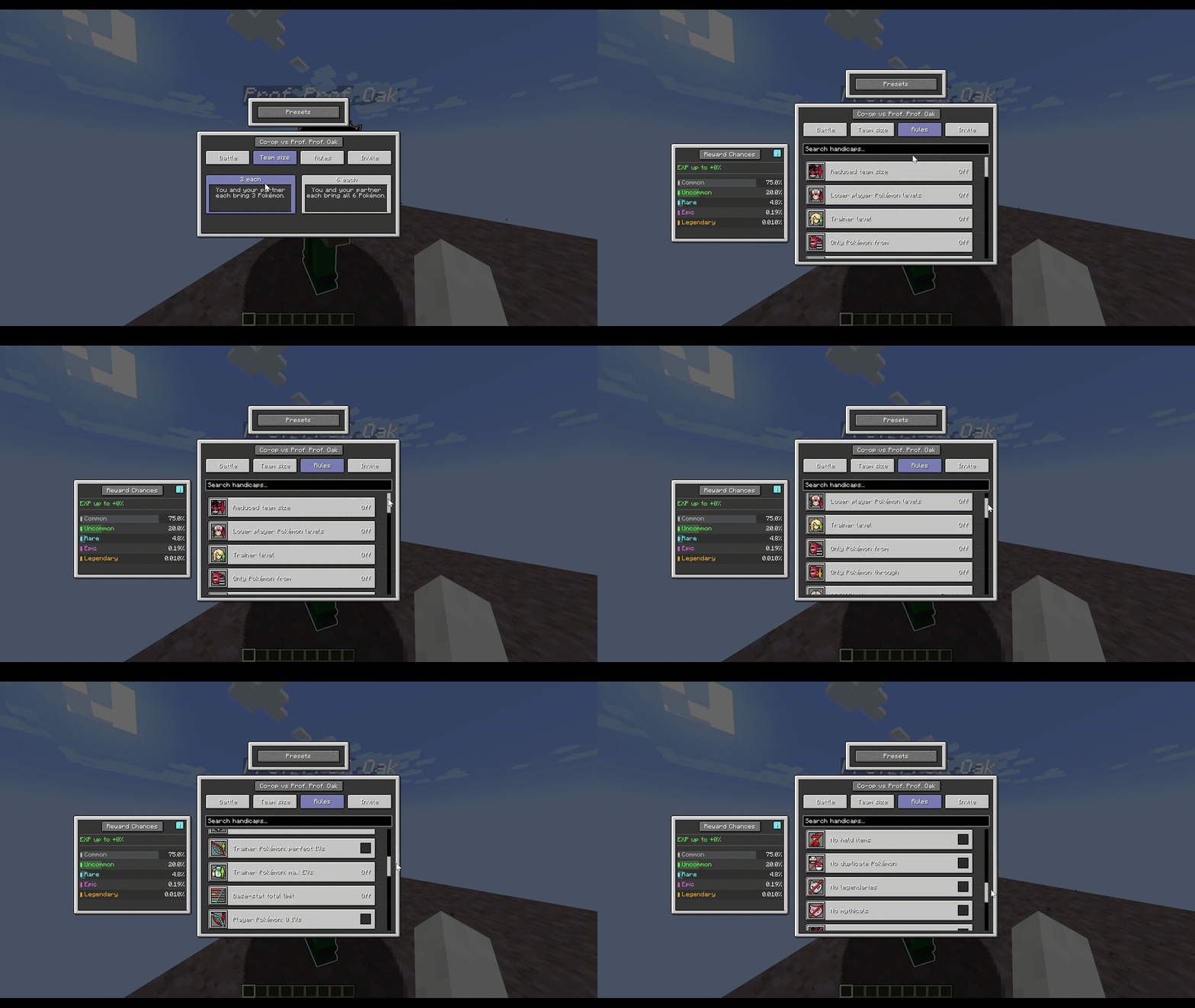
Handicaps can change the team size, levels, HP, PP, moves, IVs, EVs, items and many other parts of the battle.
There are also clauses for species, shared types, type combinations, special Pokémon and Generations. Rules that affect the allied team treat both Players as one complete group.
The Handicap menu includes a search bar, small icon badges and Additional Information for rules that need examples or a better explanation.
Trainer Randomizers!
The opposing team can be kept normal, partially randomized or completely randomized. Depending on the selected options, CobbleCoop can also randomize:
- Trainer Pokémon.
- Moves and move legality.
- Abilities.
- Held items.
Competitive randomization tries to avoid filling the opposing team with weak pre-evolutions and can prepare more useful teams for double battles.
Better Trainer AI!
Choose between Standard, Strategic and Competitive AI Difficulty.
Strategic and Competitive Trainers can coordinate their targets, avoid wasting support moves, protect an ally, switch when needed and make better use of their complete team. Competitive mode also considers available battle gimmicks such as Mega Evolution, Terastallization, Dynamax, Gigantamax and Z-Moves.
Reward Bags!
Winning a valid Co-op battle can give each Player their own Reward Bag. Bags can be Common, Uncommon, Rare, Epic or Legendary.
Harder Handicaps improve the chance of receiving a better rarity. Trainer level, team level, repeated victories and personal pity are also considered.
Battle Presets and configuration!
Your last accepted setup can be used again, or saved as a named Battle Preset. If one server does not allow part of a preset, the menu shows which option was rejected instead of silently changing it.

- Find a Radical Cobblemon Trainer.
- Sneak and right-click the Trainer to open Co-op Battle Setup.
- Choose One Trainer (2 vs 1) or Two Trainers (2 vs 2).
- Choose the team size and any Handicaps you want to use.
- Select a nearby Player and send the invitation.
- After they accept, both Players choose their Pokémon and battle order.
- When both Players are ready, the battle begins!

You can find complete configuration, datapack and troubleshooting information in the CobbleCoop Wiki.

CobbleCoop is made for Minecraft 1.21.1 and Java 21. Use the same loader and mod versions on the client and server.
Fabric
- Fabric Loader
0.17.2or newer. - Fabric API
0.116.6+1.21.1or newer. - Cobblemon
1.7.3+1.21.1. - Radical Cobblemon Trainers API
0.15.2-beta. - Radical Cobblemon Trainers
0.18.1-beta. - Forge Config API Port
21.1.1.
NeoForge
- NeoForge
21.1.182or newer for Minecraft 1.21.1. - Cobblemon
1.7.3+1.21.1. - Radical Cobblemon Trainers API
0.15.2-beta. - Radical Cobblemon Trainers
0.18.1-beta. - Architectury API
13.0.8. - Kotlin for Forge
5.10.0.

- The Cobblemon Team: For creating Cobblemon ❤️❤️❤️
- HDainester: For Radical Cobblemon Trainers and Radical Cobblemon Trainers API.
- FabricMC, NeoForged and Architectury: For the tools and APIs that make both versions possible.
- Thanks to everybody who tested the mod, reported bugs and helped me with the suggestions!!
Because Trainer battles are better with a friend~!
Cobble Co-op turns Radical Cobblemon Trainers battles into a proper two-player challenge!
Instead of one Player starting the battle while everybody else watches, you can invite a friend, choose both teams and fight the opposing Trainer together.
The mod includes its own setup menus, shared team rules, Trainer randomizers, different AI difficulties and an optional Reward Bag system. Most battle changes only last during the current battle, so both Players continue using their normal Pokémon after it ends.
Two different Co-op modes!
- One Trainer (2 vs 1): Both Players fight one Trainer. That Trainer supplies the complete opposing team.
- Two Trainers (2 vs 2): Both Players fight two compatible Trainers found nearby. Each Trainer controls their own side of the opposing team.
Every Player chooses their own Pokémon and their battle order before the fight starts. The server checks both teams together, so shared clauses cannot be bypassed by selecting at the same time.
A complete list of Handicaps!
Handicaps can change the team size, levels, HP, PP, moves, IVs, EVs, items and many other parts of the battle.
There are also clauses for species, shared types, type combinations, special Pokémon and Generations. Rules that affect the allied team treat both Players as one complete group.
The Handicap menu includes a search bar, small icon badges and Additional Information for rules that need examples or a better explanation.
Trainer Randomizers!
The opposing team can be kept normal, partially randomized or completely randomized. Depending on the selected options, CobbleCoop can also randomize:
- Trainer Pokémon.
- Moves and move legality.
- Abilities.
- Held items.
Competitive randomization tries to avoid filling the opposing team with weak pre-evolutions and can prepare more useful teams for double battles.
Better Trainer AI!
Choose between Standard, Strategic and Competitive AI Difficulty.
Strategic and Competitive Trainers can coordinate their targets, avoid wasting support moves, protect an ally, switch when needed and make better use of their complete team. Competitive mode also considers available battle gimmicks such as Mega Evolution, Terastallization, Dynamax, Gigantamax and Z-Moves.
Reward Bags!
Winning a valid Co-op battle can give each Player their own Reward Bag. Bags can be Common, Uncommon, Rare, Epic or Legendary.
Harder Handicaps improve the chance of receiving a better rarity. Trainer level, team level, repeated victories and personal pity are also considered.
Battle Presets and configuration!
Your last accepted setup can be used again, or saved as a named Battle Preset. If one server does not allow part of a preset, the menu shows which option was rejected instead of silently changing it.
- Find a Radical Cobblemon Trainer.
- Sneak and right-click the Trainer to open Co-op Battle Setup.
- Choose One Trainer (2 vs 1) or Two Trainers (2 vs 2).
- Choose the team size and any Handicaps you want to use.
- Select a nearby Player and send the invitation.
- After they accept, both Players choose their Pokémon and battle order.
- When both Players are ready, the battle begins!
You can find complete configuration, datapack and troubleshooting information in the CobbleCoop Wiki.
CobbleCoop is made for Minecraft 1.21.1 and Java 21. Use the same loader and mod versions on the client and server.
Fabric
- Fabric Loader
0.17.2or newer. - Fabric API
0.116.6+1.21.1or newer. - Cobblemon
1.7.3+1.21.1. - Radical Cobblemon Trainers API
0.15.2-beta. - Radical Cobblemon Trainers
0.18.1-beta. - Forge Config API Port
21.1.1.
NeoForge
- NeoForge
21.1.182or newer for Minecraft 1.21.1. - Cobblemon
1.7.3+1.21.1. - Radical Cobblemon Trainers API
0.15.2-beta. - Radical Cobblemon Trainers
0.18.1-beta. - Architectury API
13.0.8. - Kotlin for Forge
5.10.0.
- The Cobblemon Team: For creating Cobblemon ❤️❤️❤️
- HDainester: For Radical Cobblemon Trainers and Radical Cobblemon Trainers API.
- FabricMC, NeoForged and Architectury: For the tools and APIs that make both versions possible.
- Thanks to everybody who tested the mod, reported bugs and helped me with the suggestions!!
Screenshots
Gallery
-
 open menu lowhq.gif open menu lowhq.gif
 -
 options menu lowhq.gif options menu lowhq.gif
 -
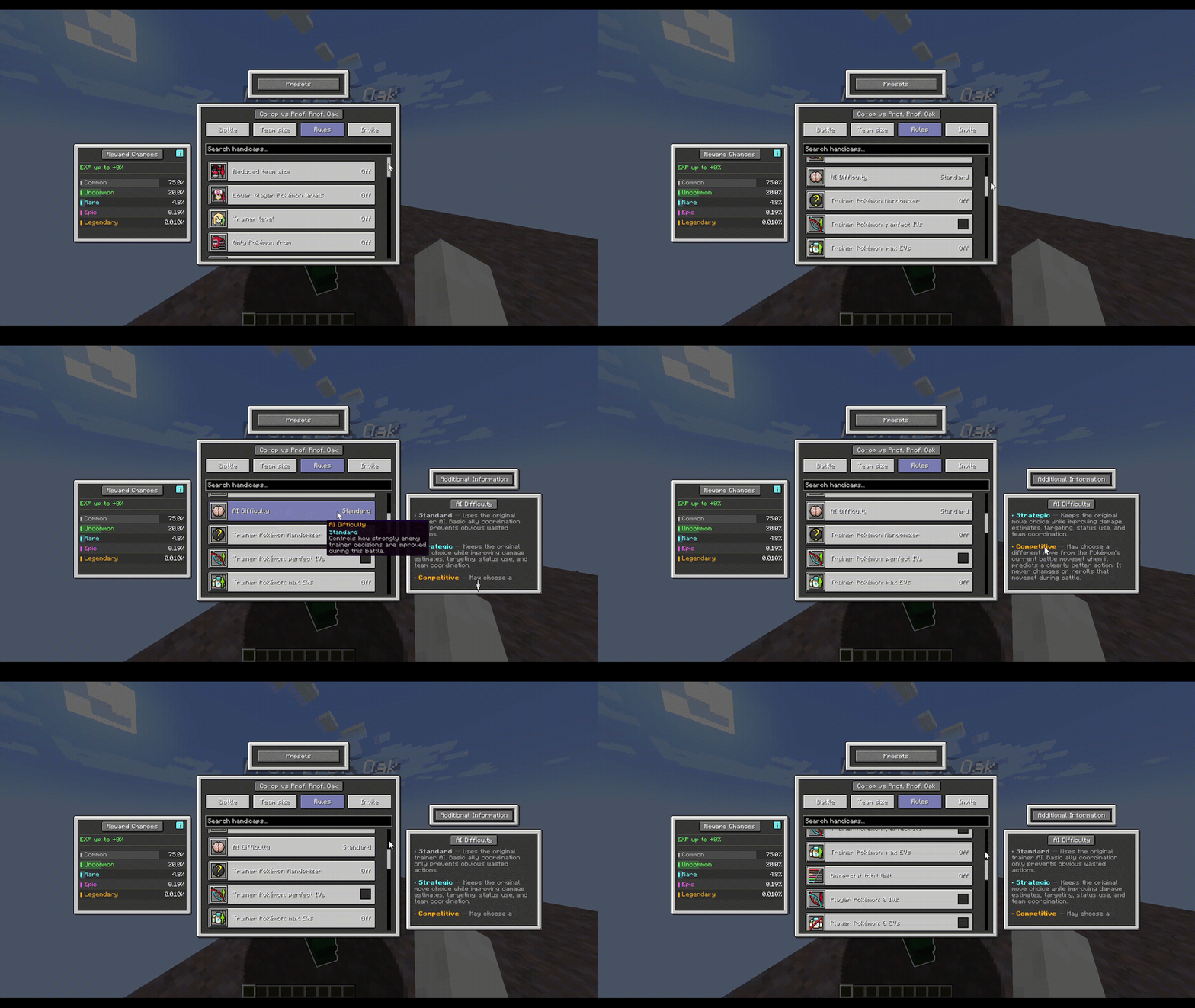 responsive handicap menu lowhq.gif responsive handicap menu lowhq.gif
 -
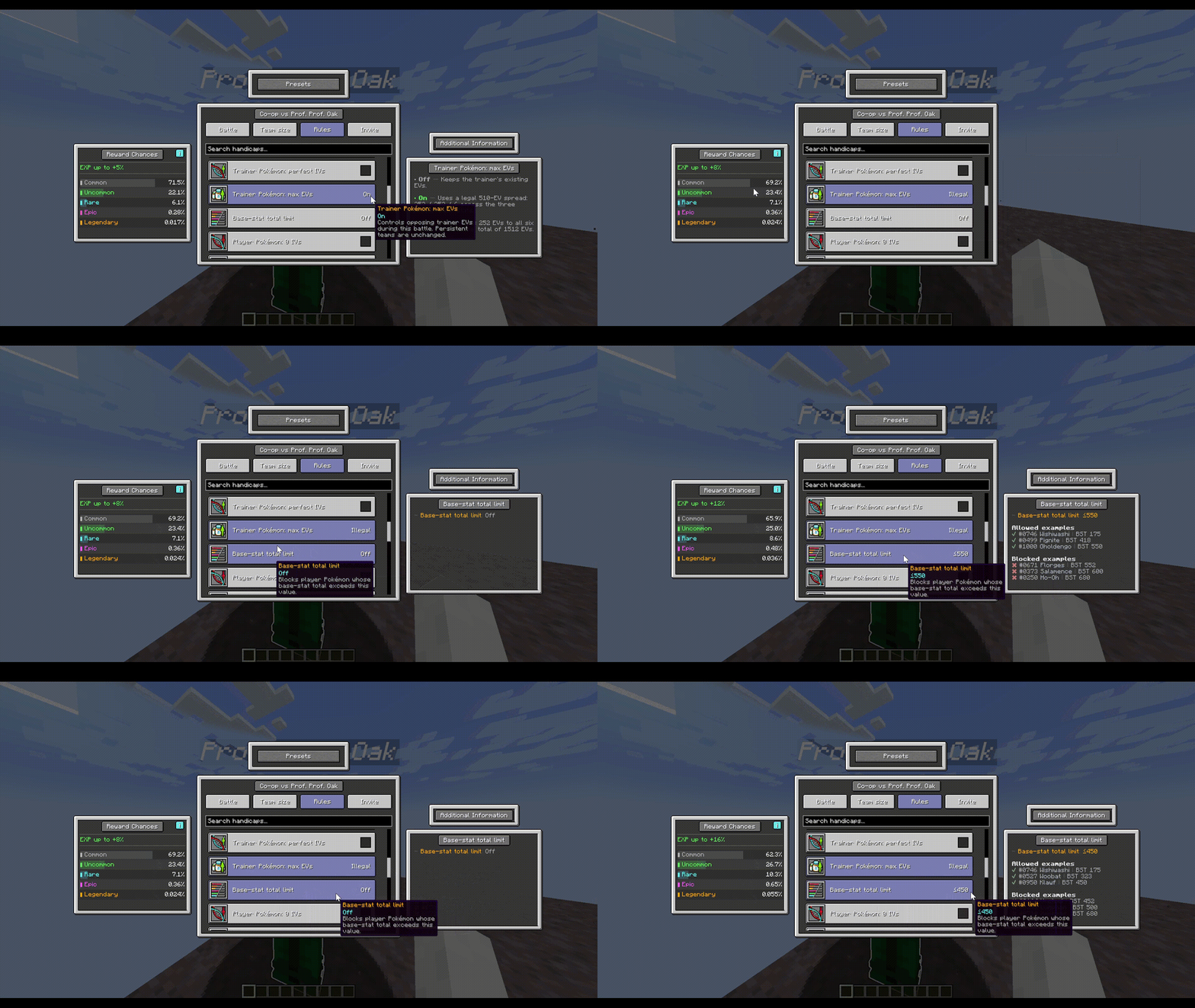 responsive handicap reward lowhq.gif responsive handicap reward lowhq.gif
 -
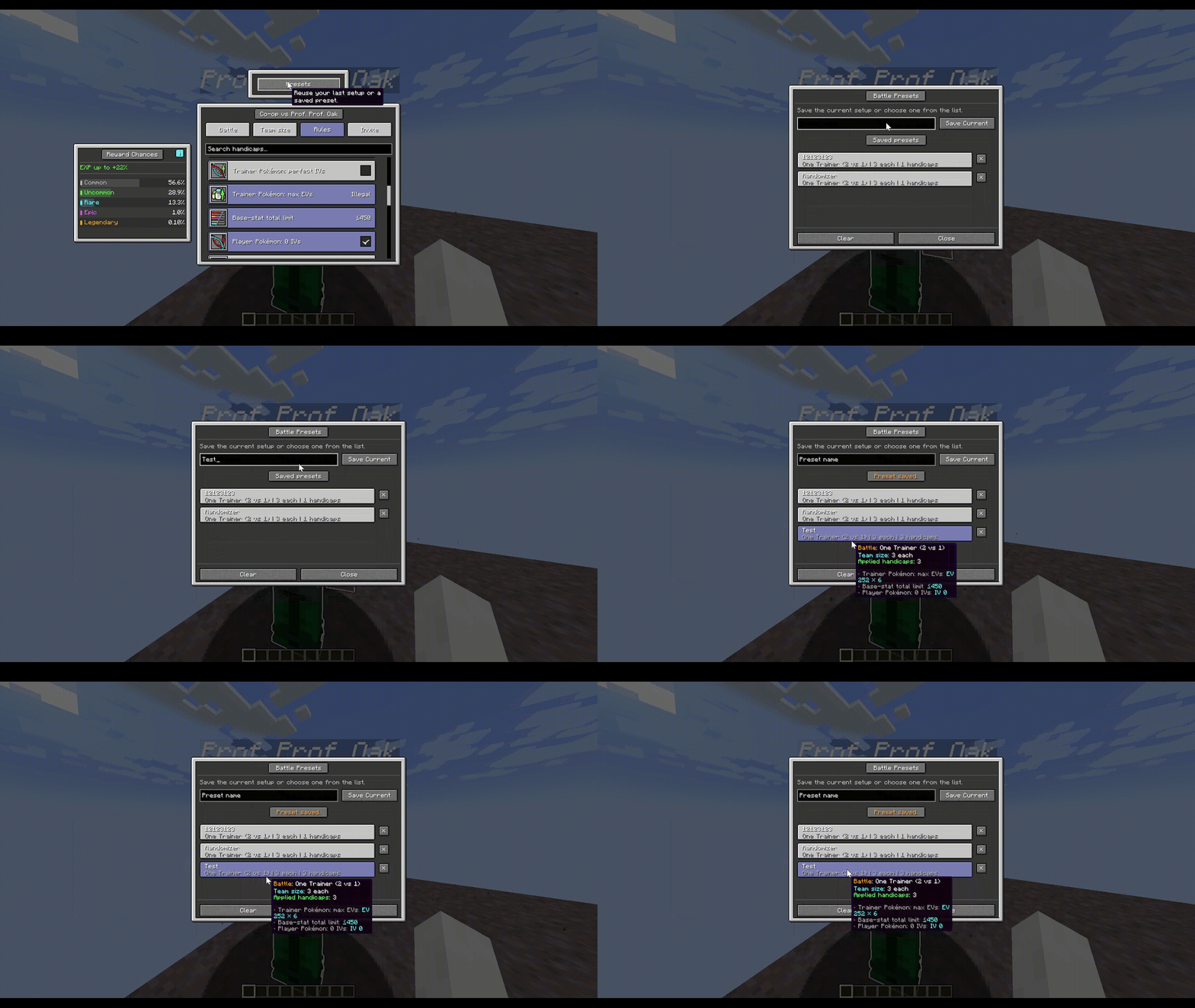 preset manager lowhq.gif preset manager lowhq.gif
-
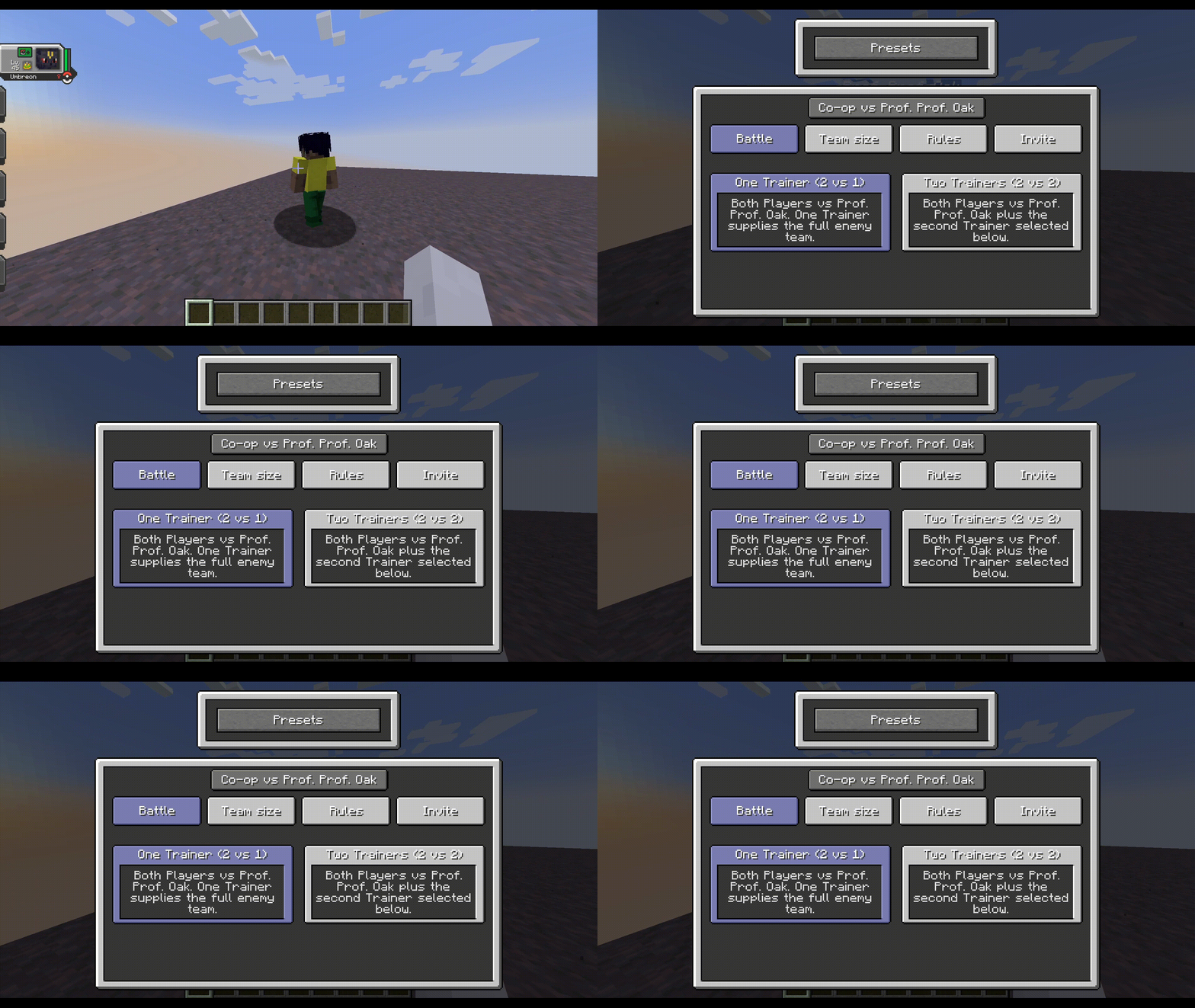 Open Menu
 -
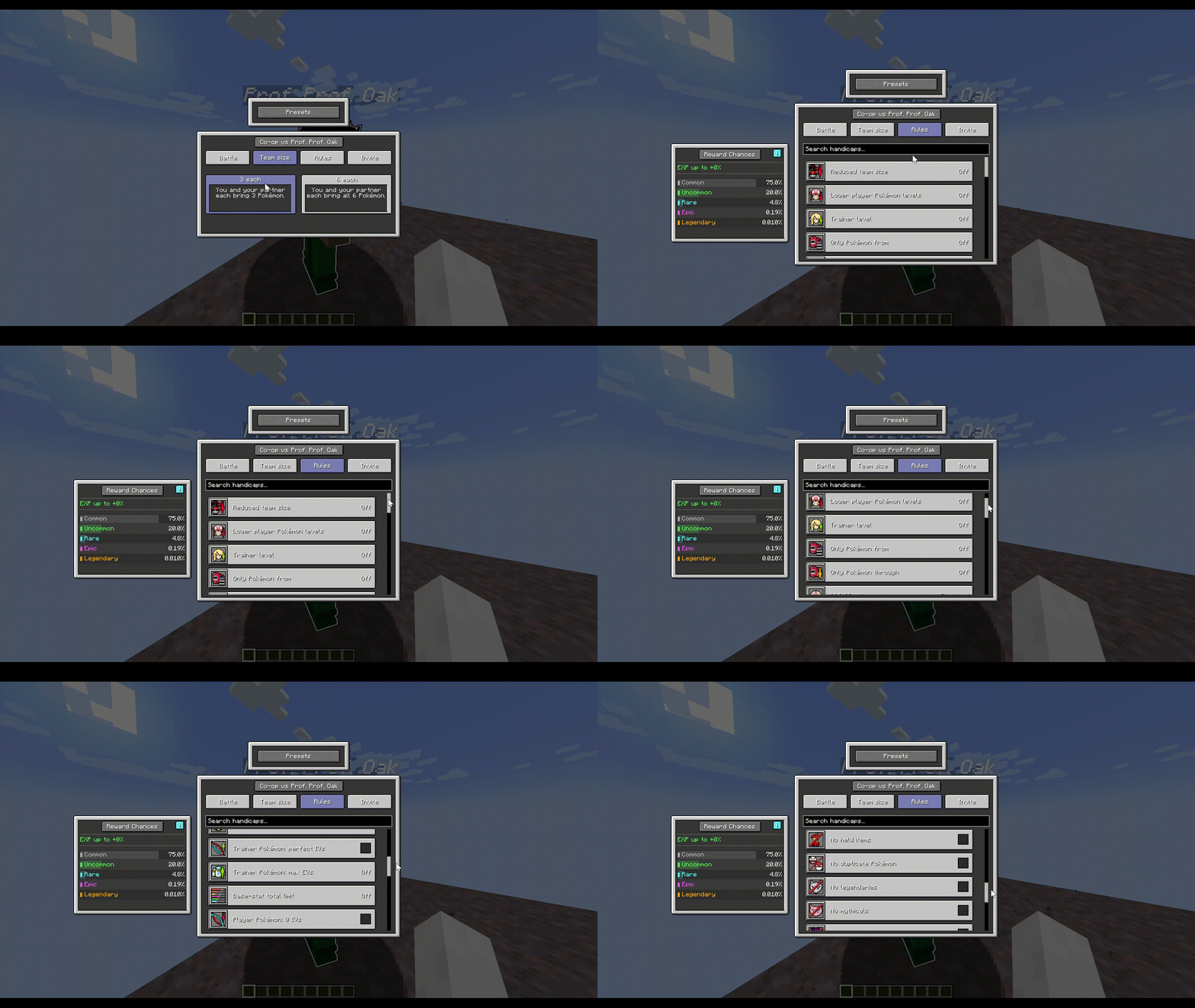 Options Menu
 -
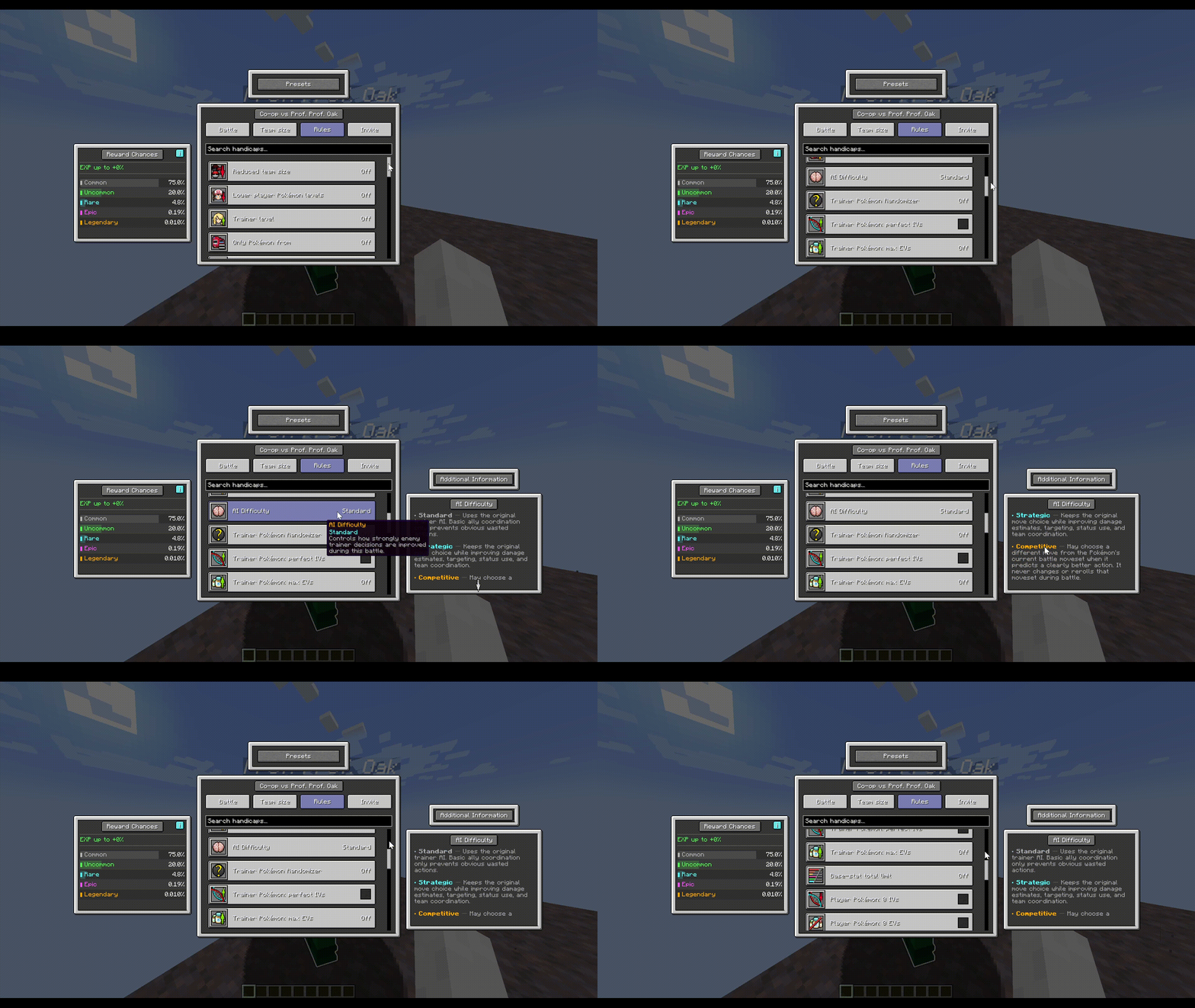 Handicap Responsive Menu
 -
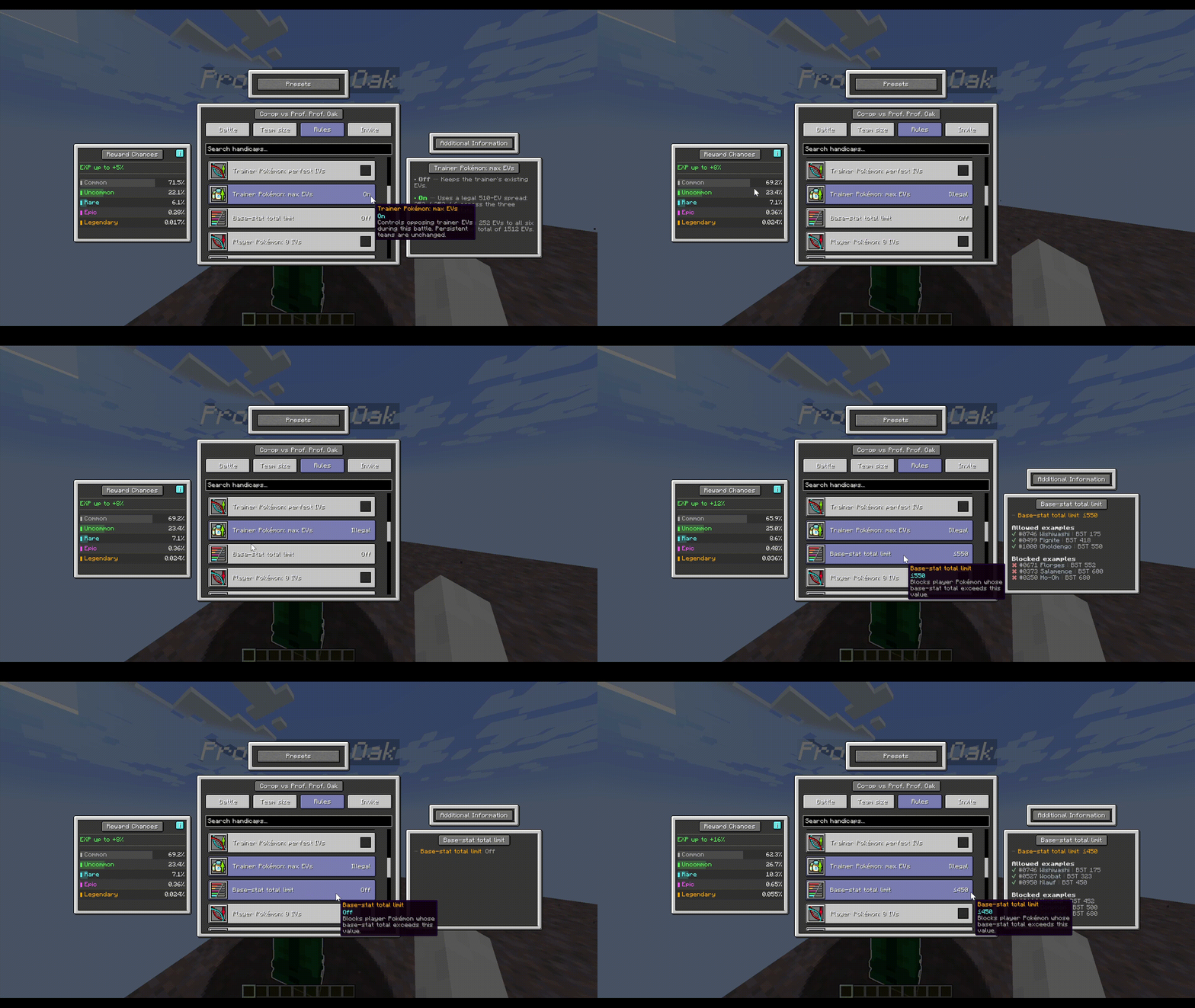 Handicap Reward Responsive Menu
 -
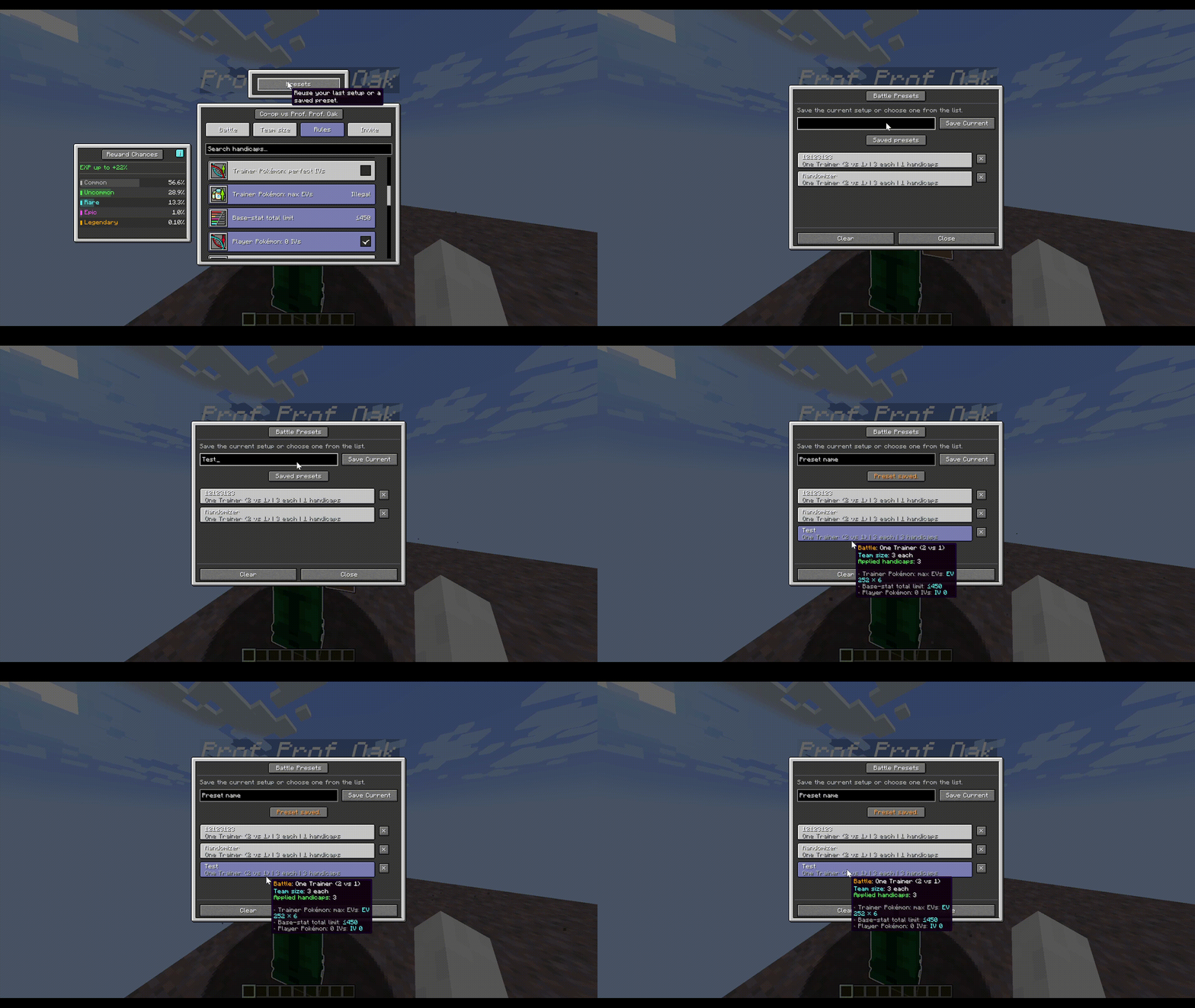 Preset Manager
Versions
Files
Relations
Project Relations
More like this
Similar Mods
Suggestions use data such as tags, dependencies, dependents, descriptions, titles, and more to rank how much they overlap with this mod.
On ModDex
Community snapshot
By the numbers
Statistics
Want to reach Minecraft players?
We're looking for a server hosting partner to feature here and other parts of the site. Interested? Send us a message!
Get in touchGet it on
Available Platforms
On ModDex
Community snapshot
By the numbers