![Combat Roll [Fabric & Forge]](https://media.forgecdn.net/avatars/thumbnails/610/552/256/256/637992878478315173.png)
Community listing page, reviews here may not be monitored by the author.
Combat Roll [Fabric & Forge]


No reviews yet
🧶 Adds combat roll ability, with related attributes and enchantments.
Community voices
Reviews
No reviews yet. Be the first to review this project!
Get it on
Available Platforms
Compatibility
Supported Environments
Must be installed on both the client and the server.
About
Project Details
For authors
Embed Badge
If you're the author of this project, you can embed a live badge anywhere that supports HTML or Markdown. It updates automatically whenever ratings change.
Use HTML for any page that supports it, or Markdown for README files and Markdown-based descriptions.
Identifiers
Platform IDs
About
Description

Ever wanted to roll/dodge/dash in Minecraft? Here is your chance!




☕️ Support me on Ko-Fi, if you like my project
⚠️ This mod does not work on Vanilla servers.
🧶️ Features
Adds Combat Roll ability
Press R to roll (by default). You can roll into any direction you are heading (forwards, backwards, sideways, etc...)
The combat roll ability has 4 seconds cooldown by default. (Server side configurable)
Cooldown of your combat roll ability can be seen on the main UI (aka HUD). (Client side configurable)
Exhaust (aka hunger) is added to the player upon rolling (Server side configurable)
Roll ability can only be used when player is: not using item, not jumping, not swimming.
New! Now with invulnerability frames! (Disabled by default, can be turned on at config/combatroll/server.json5)
Attributes
These new entity attributes determine the properties of the combat roll ability.
combatroll:distance determines how far the player rolls (the default distance is 3 blocks, server configurable). For example:
/give @s leather_boots{AttributeModifiers:[{AttributeName:"combatroll:distance", Name:"testing", Amount:3.0, Operation:0,Slot:"feet",UUID:[I; 66453, 79497593, -201178, -16957605]}]} 1
combatroll:recharge determines how quickly the cooldown of the roll ability recovers. For example:
/give @s leather_leggings{AttributeModifiers:[{AttributeName:"combatroll:recharge", Name:"testing", Amount:0.5, Operation:1,Slot:"legs",UUID:[I; 66453, 79497593, -201177, -16957605]}]} 1
combatroll:count determines how many times a player can roll before having to wait for recharging (by default a player has 1 roll). For example:
/give @s leather_helmet{AttributeModifiers:[{AttributeName:"combatroll:count", Name:"testing", Amount:2, Operation:0,Slot:"head",UUID:[I; 66453, 79497594, -201177, -16957605]}]} 1
Enchantments
Improve various aspects of your combat roll ability with these enchantments.
Mulit-Roll
Can be enchanted on helmets - Grants extra rolls (+1 roll / level)
Acrobat
Can be enchanted on chests and legs - Increases the recharge speed of the roll cooldown (by +10% / level)
Longfooted
Can be enchanted on boots - Increases the distance of your rolls (by 1 block / level).
🔧 Configuration
Fabric
Client side settings can be accessed via the Mod Menu.
Forge
Client side settings can be accessed in Main Menu > Mods > Combat Roll > Config.
Server
Server side configuration can be found in the config directory, after running the game with the mod installed.

Ever wanted to roll/dodge/dash in Minecraft? Here is your chance!
🧶️ Features
Adds Combat Roll ability
Press R to roll (by default). You can roll into any direction you are heading (forwards, backwards, sideways, etc...)
The combat roll ability has 4 seconds cooldown by default. (Server side configurable)
Cooldown of your combat roll ability can be seen on the main UI (aka HUD). (Client side configurable)
Exhaust (aka hunger) is added to the player upon rolling (Server side configurable)
Roll ability can only be used when player is: not using item, not jumping, not swimming.
New! Now with invulnerability frames! (Disabled by default, can be turned on at config/combatroll/server.json5)
Attributes
These new entity attributes determine the properties of the combat roll ability.
combatroll:distance determines how far the player rolls (the default distance is 3 blocks, server configurable). For example:
/give @s leather_boots{AttributeModifiers:[{AttributeName:"combatroll:distance", Name:"testing", Amount:3.0, Operation:0,Slot:"feet",UUID:[I; 66453, 79497593, -201178, -16957605]}]} 1
combatroll:recharge determines how quickly the cooldown of the roll ability recovers. For example:
/give @s leather_leggings{AttributeModifiers:[{AttributeName:"combatroll:recharge", Name:"testing", Amount:0.5, Operation:1,Slot:"legs",UUID:[I; 66453, 79497593, -201177, -16957605]}]} 1
combatroll:count determines how many times a player can roll before having to wait for recharging (by default a player has 1 roll). For example:
/give @s leather_helmet{AttributeModifiers:[{AttributeName:"combatroll:count", Name:"testing", Amount:2, Operation:0,Slot:"head",UUID:[I; 66453, 79497594, -201177, -16957605]}]} 1
Enchantments
Improve various aspects of your combat roll ability with these enchantments.
Mulit-Roll
Can be enchanted on helmets - Grants extra rolls (+1 roll / level)
Acrobat
Can be enchanted on chests and legs - Increases the recharge speed of the roll cooldown (by +10% / level)
Longfooted
Can be enchanted on boots - Increases the distance of your rolls (by 1 block / level).
🔧 Configuration
Fabric
Client side settings can be accessed via the Mod Menu.
Forge
Client side settings can be accessed in Main Menu > Mods > Combat Roll > Config.
Server
Server side configuration can be found in the config directory, after running the game with the mod installed.
Screenshots
Gallery
-
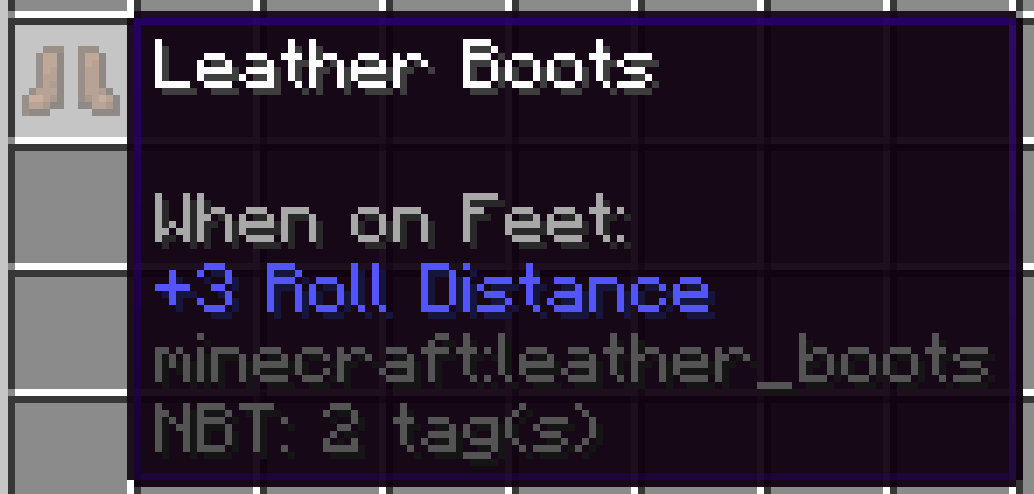 leather_boots
 -
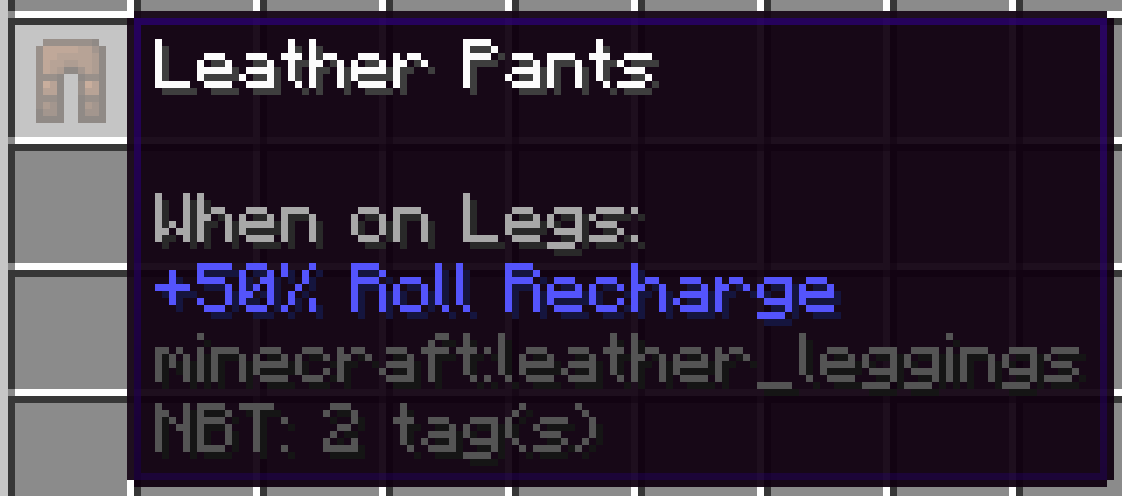 leather_legs
 -
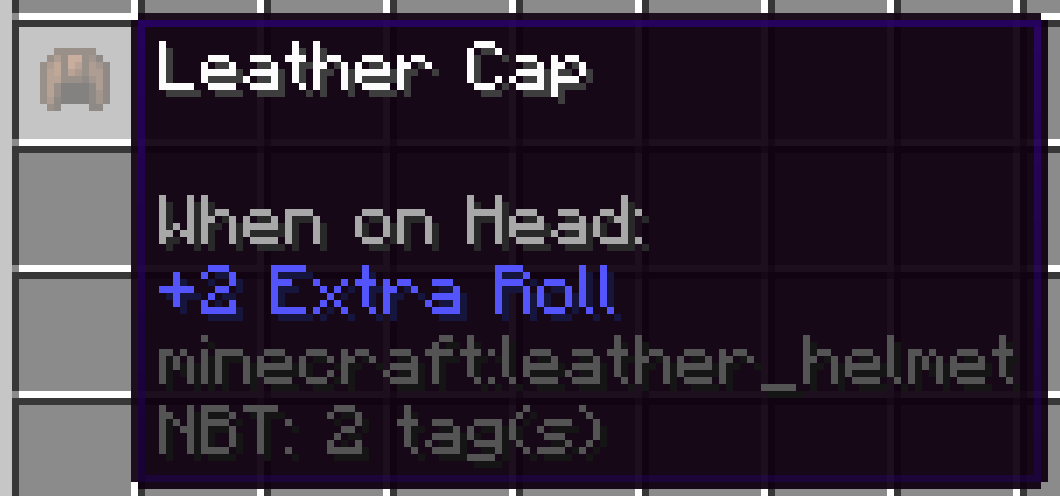 leather_helmet
 -
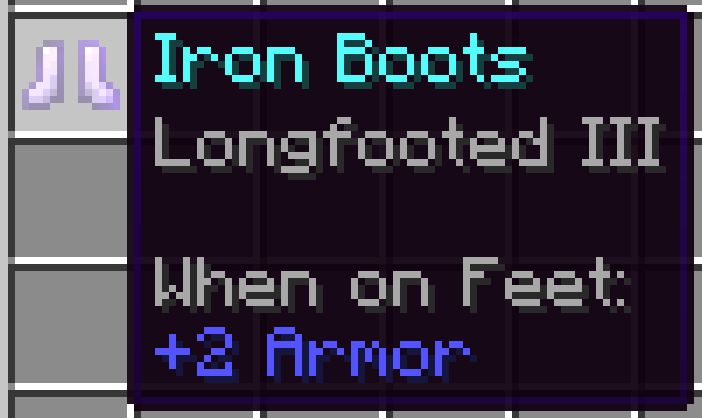 iron_boots
 -
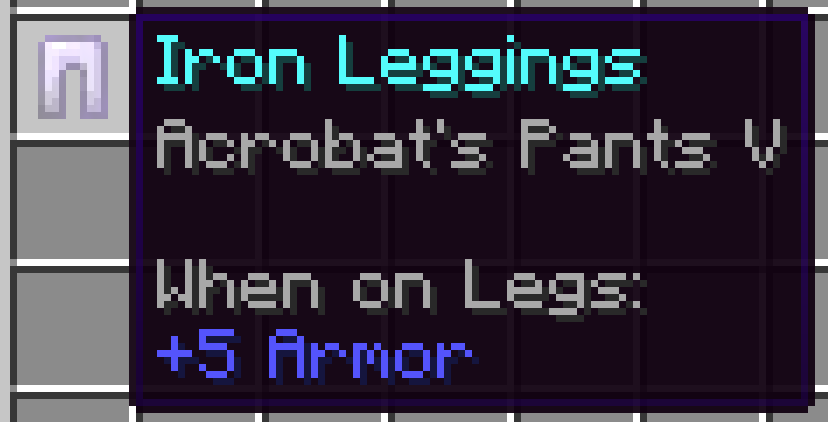 iron_legs
 -
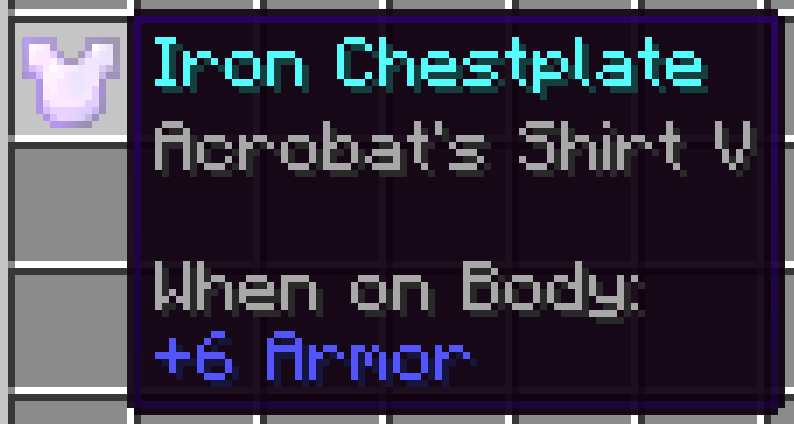 iron_chest
 -
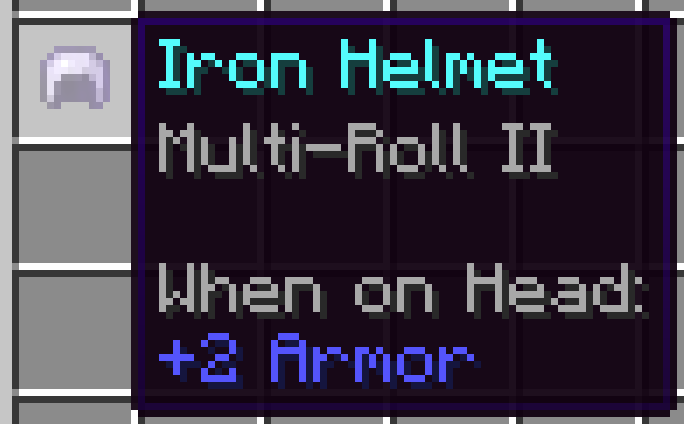 iron_helmet
 -
title
-
title
Versions
Files
Relations
Project Relations
More like this
Similar Mods
Suggestions use data such as tags, dependencies, dependents, descriptions, titles, and more to rank how much they overlap with this mod.
On ModDex
Community snapshot
By the numbers
Statistics
Want to reach Minecraft players?
We're looking for a server hosting partner to feature here and other parts of the site. Interested? Send us a message!
Get in touchGet it on
Available Platforms
On ModDex
Community snapshot
By the numbers