
Community listing page, reviews may not be monitored by the author.
Command Translation

No reviews yet
Use localized Minecraft commands, search translated names, and get argument and structured-data help.

Community voices
Reviews
No reviews yet. Be the first to review this project!
Get it on
Available Platforms
About
Project Details
For authors
Embed Badge
If you're the author of this project, you can embed a live badge anywhere that supports HTML or Markdown. It updates automatically whenever ratings change.
Use HTML for any page that supports it, or Markdown for README files and Markdown-based descriptions.
Identifiers
Platform IDs
About
Description
Command Translation / Completion Helper
Ever start a command and forget its name or how to use it? Or find the arguments so complicated that you cannot tell what any of them mean? This mod is made for that.
Type Minecraft commands in a language you know, and search items, blocks, mobs, biomes, effects and enchantments by translated name. Original English still works, and the completion list keeps both English and current-language suggestions.
Features
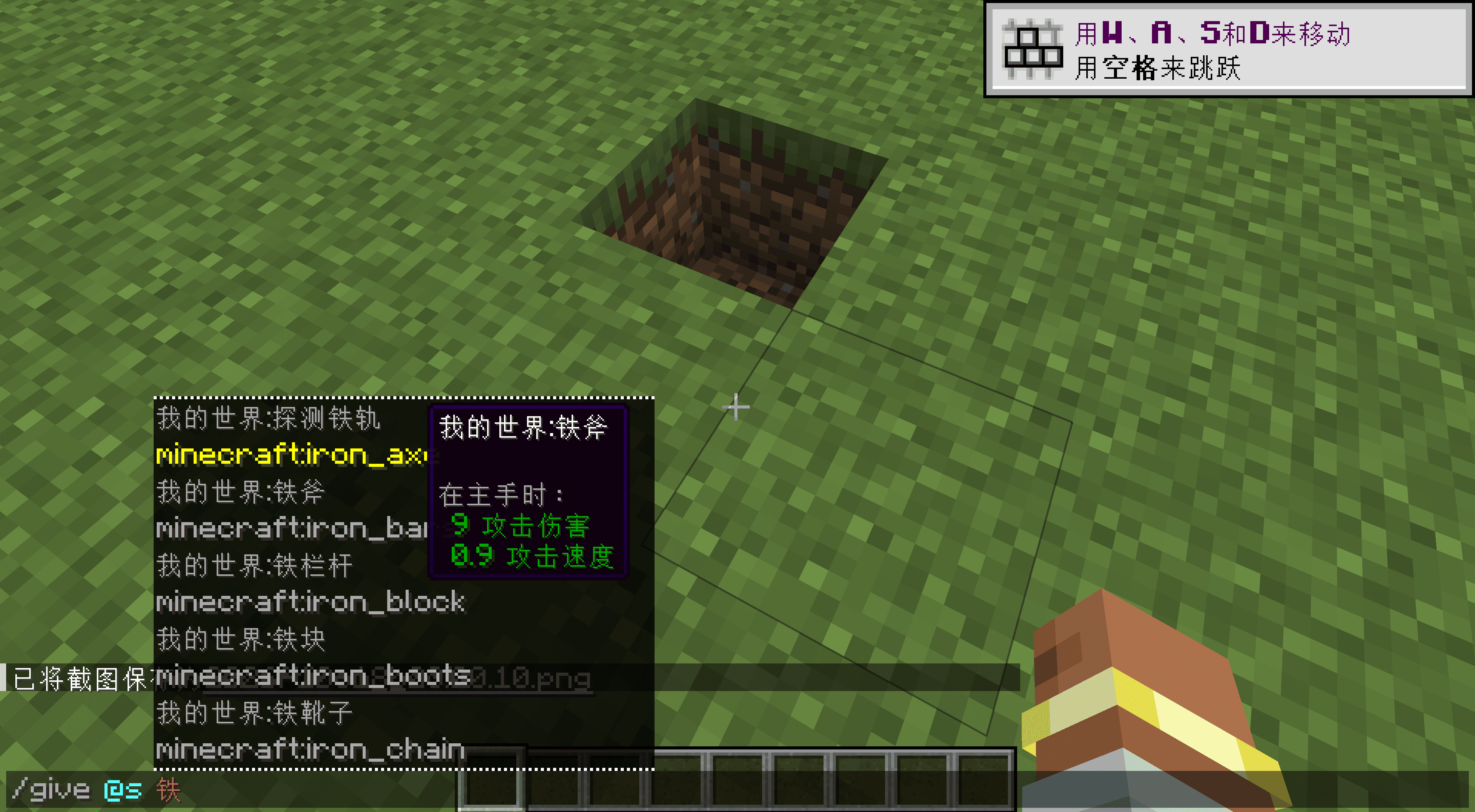
Search by translated name. Type the local name of an item, block, mob or biome to filter suggestions. Existing translations from mods and resource packs are reused.
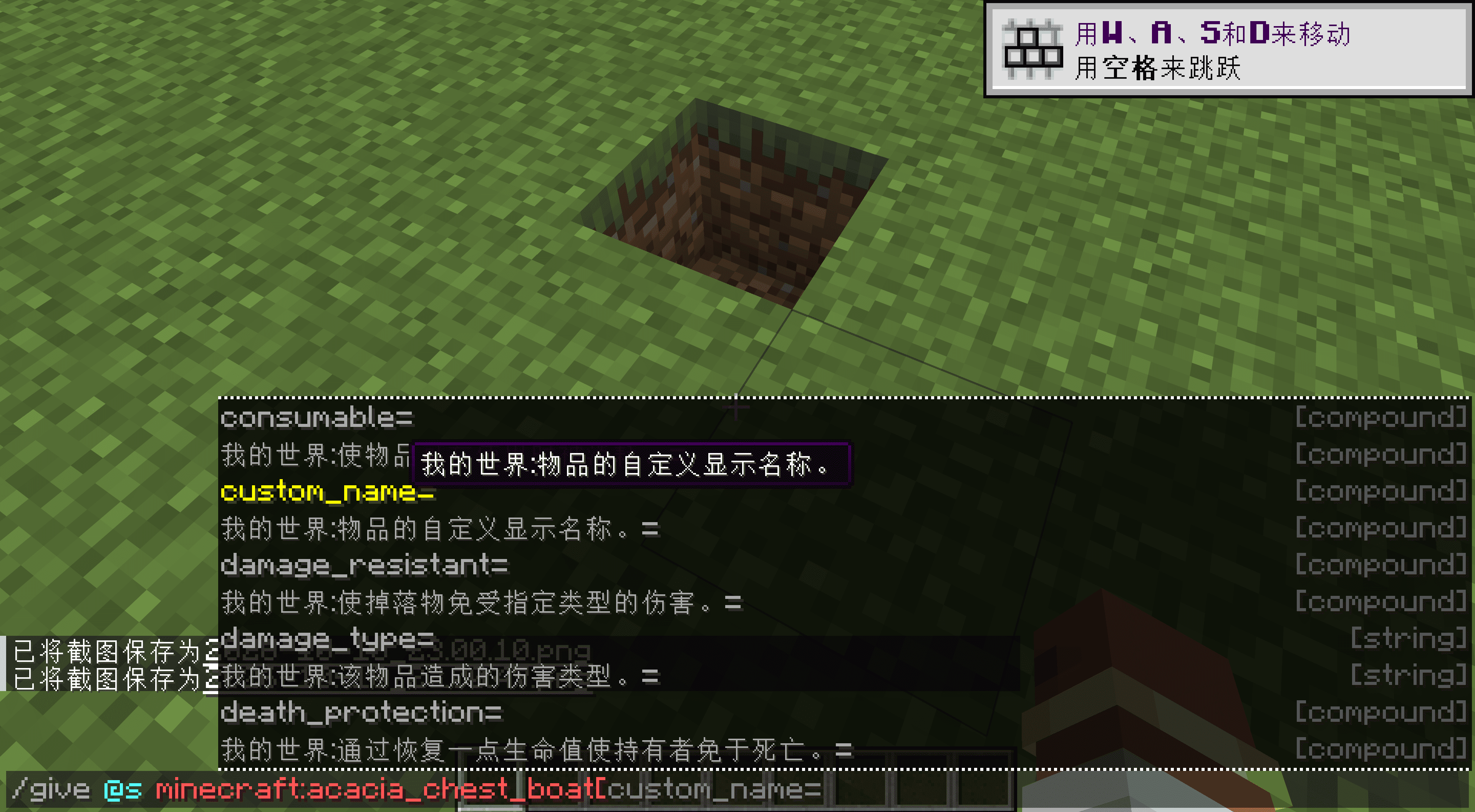
Hover over an entry to learn about it. Suggestions and entered text both support hover help, covering arguments, fixed options, tags, and NBT or data-component keys, nested fields and values.
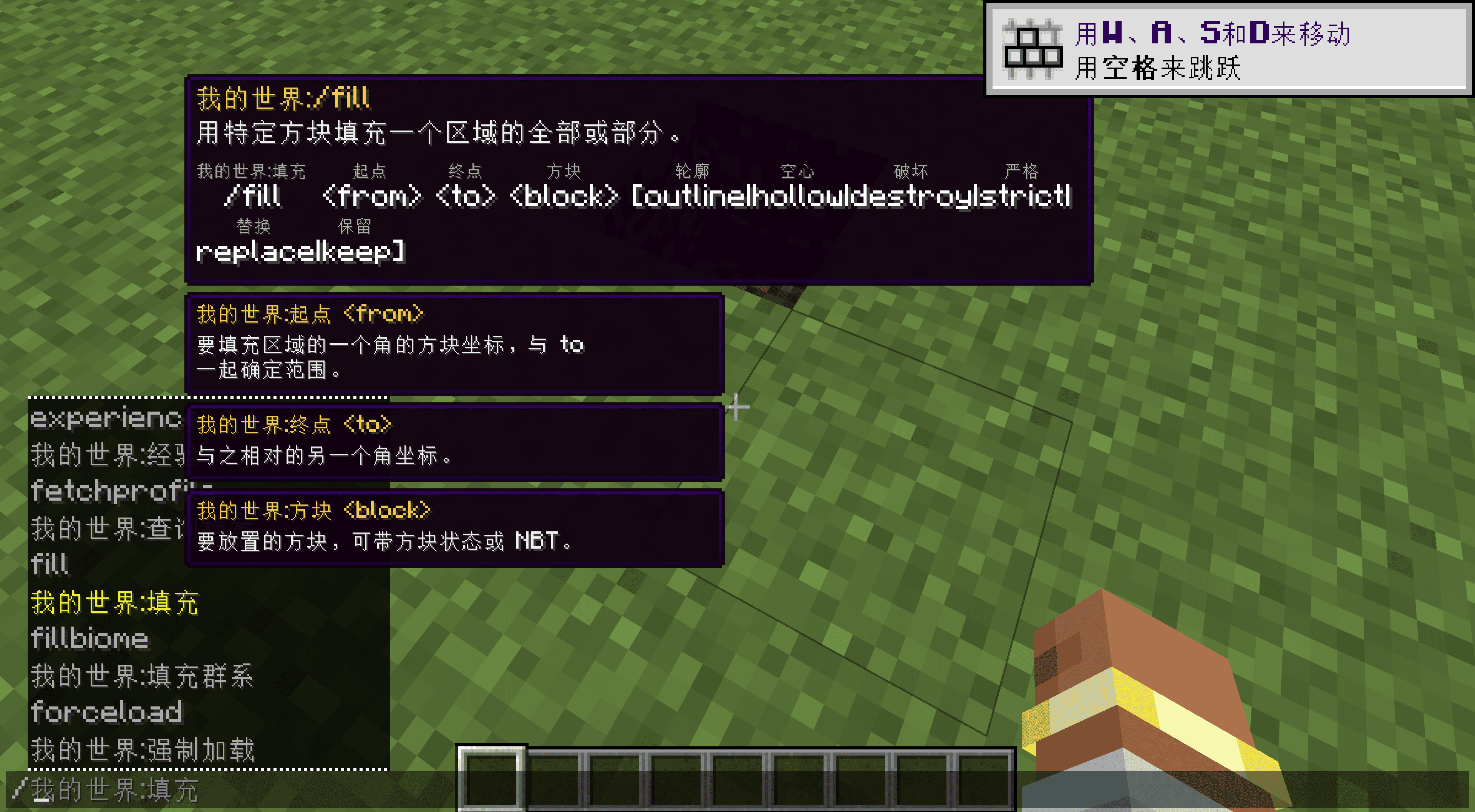
Read the syntax as you type. Tooltips include vanilla syntax, small localized annotations and separate parameter panels.
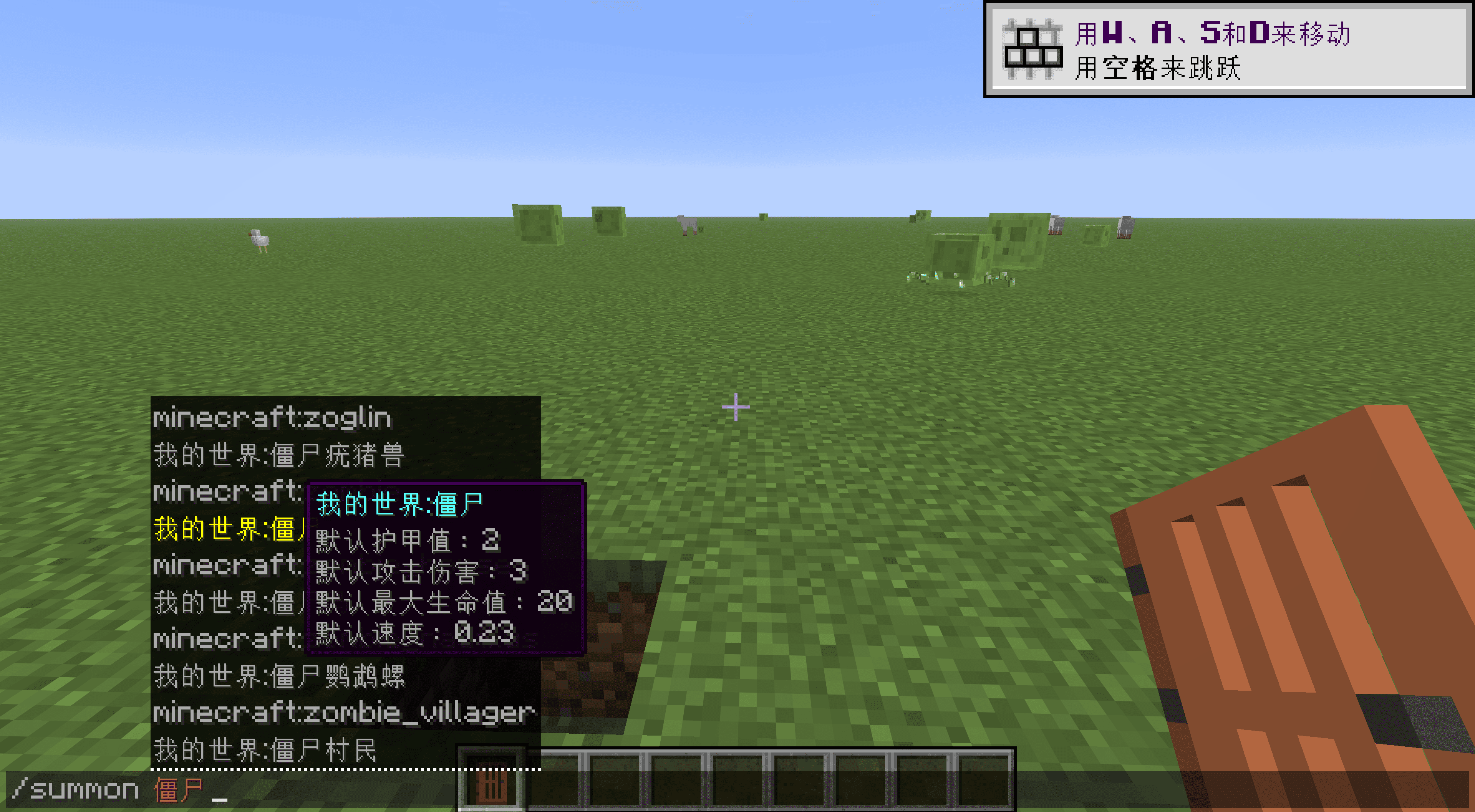
Item and mob information. Items can show native damage, attack speed and other tooltip text, and effects have short descriptions. Mob details start with registered max health, attack damage, movement speed and armor; other attributes can be enabled separately. These are defaults, not the live state of a particular entity.
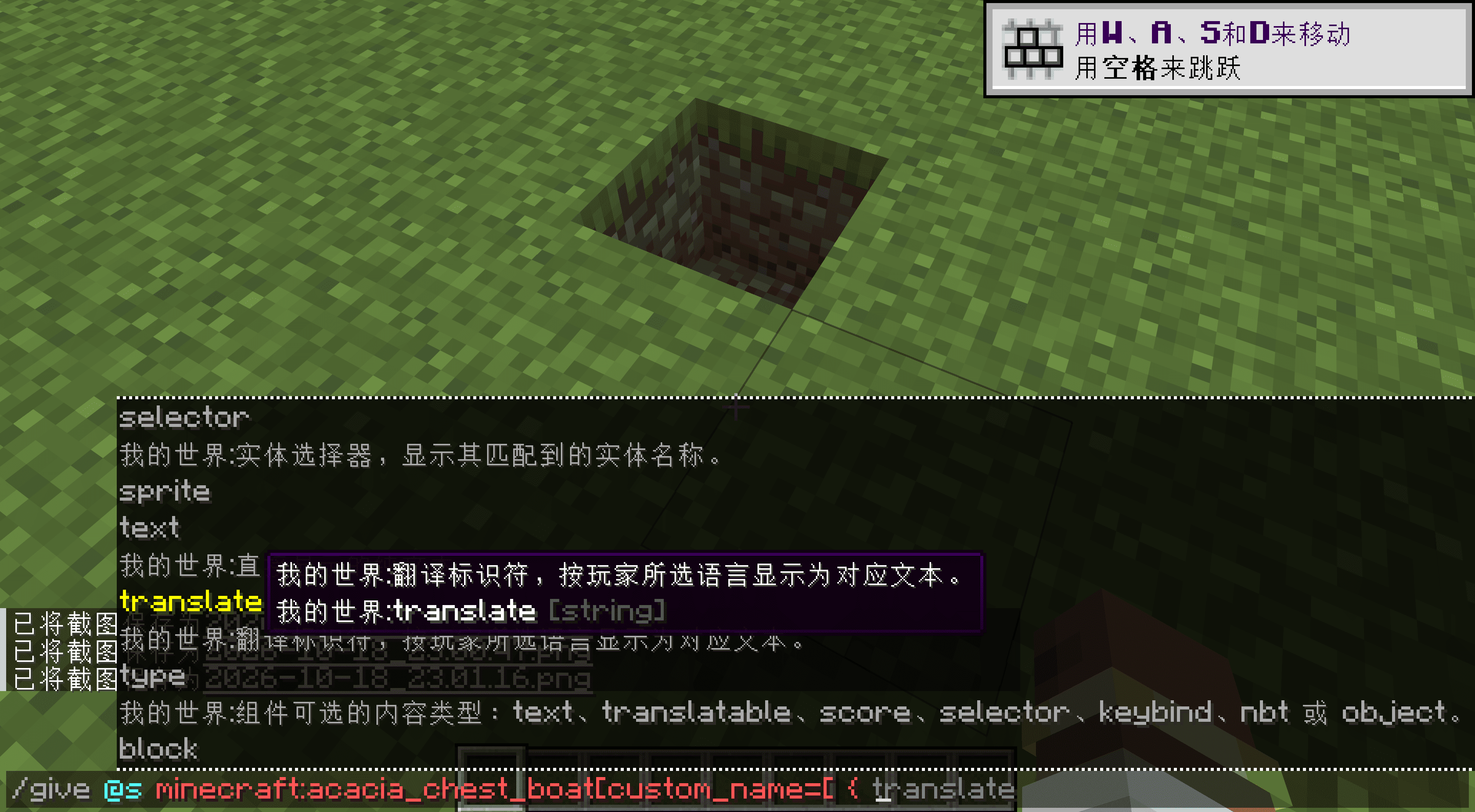
Structured data completion. NBT Autocomplete 2.1 is bundled, so no separate installation is needed. It keeps its own configuration.
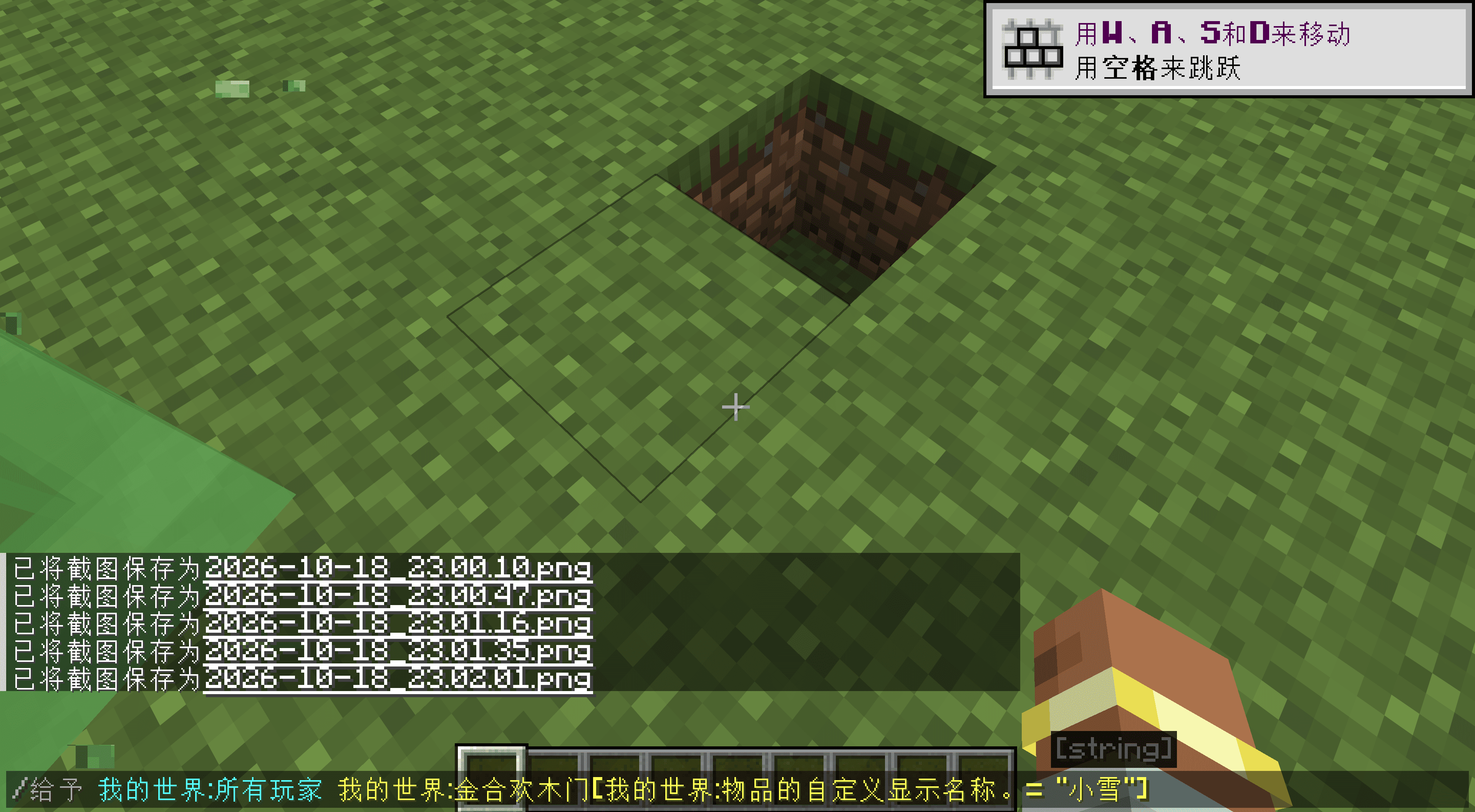
Just for fun: enter commands in different languages, including Chinese. This can be switched off in the configuration.
Localized names include namespaces, such as Minecraft:Plains and Create:Large Cogwheel. Conflicting names append the original ID to keep them distinct, and that disambiguated form can also be entered.
Settings
Localized input, hover help, syntax annotations, parameter panels, item details and mob attributes have separate switches. Text colors and styles are configurable too. Turn off individual features you do not want; English commands always remain.
The display language follows your game settings. English, Simplified Chinese, Traditional Chinese, German and Japanese have fuller descriptions; missing entries in other bundled languages fall back to English.
Other mod developers and modpack authors can find integration instructions in the wiki.
Credits
Usage descriptions reference Minecraft Wiki, and base loader tags use official sources. NBT Autocomplete is developed by mt1006 and contributors.
Screenshots
Gallery
-
2026-10-18_23.00.47.png 2026-10-18_23.00.47.png
-
2026-10-18_23.01.16.png 2026-10-18_23.01.16.png
-
2026-10-18_23.00.10.png 2026-10-18_23.00.10.png
-
2026-10-18_23.09.56.png 2026-10-18_23.09.56.png
-
2026-10-18_23.01.35.png 2026-10-18_23.01.35.png
-
2026-10-18_23.03.49.png 2026-10-18_23.03.49.png
Versions
Files
Relations
Project Relations
More like this
Similar Mods
Suggestions use data such as tags, dependencies, dependents, descriptions, titles, and more to rank how much they overlap with this mod.
On ModDex
Community snapshot
By the numbers
Statistics

Get it on
Available Platforms
On ModDex
Community snapshot
By the numbers