
Community listing page, reviews here may not be monitored by the author.
config-editor


No reviews yet
A improvement for modmenu, supports modmenu, make you can just edit the configure file like text editor, this mod on join reduces lag
Community voices
Reviews
No reviews yet. Be the first to review this project!
Get it on
Available Platforms
Compatibility
Supported Environments
Runs entirely on the client. Works on vanilla servers.
About
Project Details
For authors
Embed Badge
If you're the author of this project, you can embed a live badge anywhere that supports HTML or Markdown. It updates automatically whenever ratings change.
Use HTML for any page that supports it, or Markdown for README files and Markdown-based descriptions.
Identifiers
Platform IDs
About
Description
Config Editor
Edit your mod config files without ever leaving the game.
Config Editor is a Fabric client-side mod that gives you a full-featured text editor, a visual JSON editor, an AI assistant, and a block info overlay — all accessible with a keybind while you play.
Features
📝 In-Game Config Editor
Open any config file from your .minecraft/config folder directly inside the game. No more alt-tabbing to Notepad or VS Code.
- Syntax highlighting for JSON, TOML, YAML, Properties, CFG, and plain text
- Line numbers, horizontal and vertical scrollbars
- Find & Replace (Ctrl+F) with previous/next navigation
- Auto-save with file locking — retries up to 3 times if the file is busy
- Unsaved-changes warning when you try to close
- Backup button to snapshot your entire config directory before editing
- Open Folder button to reveal the config directory in your file manager
- Dark / Light / Auto theme with a toggle button
🖱️ Visual JSON Editor
Switch to a point-and-click interface for JSON files. No need to remember syntax.
- Add, rename, delete, and reorder fields
- Change value types (String / Number / Boolean / Null / Object) with one click
- Nested object support with expand/collapse
- Scroll through large files with up/down buttons
🤖 AI Chat Assistant (requires Ollama)
Ask an AI about your config files without leaving the game.
- Loads a file or entire folder into the conversation with one click
- Uses a local Ollama server (default:
localhost:11434, model:tinyllama) - Server availability check on open — shows a clear offline message if Ollama is not running
- Scrollable chat history
� Block Info Overlay
A Jade/WTHIT-style HUD element shown at the top of the screen while you play.
- Displays the block name and registry ID (e.g.
minecraft:stone) of whatever your crosshair is pointing at - Shows the block's item icon next to the name
- Semi-transparent background with a clean border
- Only visible in-game — disappears when any screen is open
- Fully toggleable via the config file (
show_block_overlay)
📦 NBT Viewer
Point your crosshair at a block entity or entity and press the NBT key to open a viewer showing its NBT data as formatted JSON. Save it to saved_nbt/ with a custom filename.
🔌 Plugin API
Other mods can extend the editor by implementing the ApiEntrypoint interface. Built-in plugins include:
| Plugin | What it does |
|---|---|
| Undo/Redo | Tracks edit history |
| Text Stats | Shows character, word, and line count |
| Date/Time Display | Shows the current time in the editor toolbar |
| Auto Bracket Completion | Automatically closes (, [, {, " |
Manage which plugins are active from the Plugins button inside the editor.
⚡ Performance Optimisations
- GC hint on world join/leave — triggers a garbage collection pass before the new world starts allocating memory, reducing the RAM spike that causes join-world lag. Frees hundreds of MB in practice.
- Particle clear on level set — drops stale particle objects from the old world before the new one loads.
- Config is read from disk at most once every 2 seconds, not on every frame or keystroke.
Installation
- Install Fabric Loader and Fabric API
- Drop
config_editor-*.jarinto yourmods/folder - Launch the game
Requirements:
- Minecraft
26.1 - Fabric Loader
≥ 0.18.2 - Fabric API
- Java
≥ 21
The AI Chat feature additionally requires Ollama running locally with a model pulled (e.g. ollama pull tinyllama).
Usage
All three keybinds are unbound by default. Assign them in Options → Controls → Gameplay.
| Keybind | Action |
|---|---|
| Open Editor | Opens the config file editor |
| Open AI Chat | Opens the AI chat assistant |
| NBT Display | Opens the NBT viewer for the targeted block/entity |
Config File
The mod's own settings are stored at .minecraft/config/editor_config.json and are editable both in-game and with any text editor.
{
  "readonly_mode": false,
  "hint": true,
  "theme": "DARK",
  "doRenderBackground": false,
  "doSuggestions": true,
  "show_block_overlay": true
}
| Key | Type | Default | Description |
|---|---|---|---|
readonly_mode |
boolean | false |
Prevent editing files (view-only mode) |
hint |
boolean | true |
Auto-close brackets and quotes |
theme |
string | "DARK" |
Editor theme: DARK, LIGHT, or AUTO |
doRenderBackground |
boolean | false |
Draw a themed background behind the editor |
doSuggestions |
boolean | true |
Show autocomplete suggestions while typing |
show_block_overlay |
boolean | true |
Show the block info HUD overlay |
For Mod Developers — Plugin API
You can add custom behaviour to the editor by implementing ApiEntrypoint and registering it via the Fabric entrypoint system in your fabric.mod.json:
"entrypoints": {
  "config_editor": [
    "com.example.yourmod.YourEditorPlugin"
  ]
}
public class YourEditorPlugin implements ApiEntrypoint {
    @Override
    public void init() { }

    @Override
    public void renderButton(GuiGraphicsExtractor context, int mouseX, int mouseY, float delta) {
        // Draw custom HUD elements over the editor
    }

    @Override
    public InteractionResult onType(int keyCode, int scanCode, int modifiers) {
        // Intercept keystrokes — return FAIL to consume the event
        return InteractionResult.PASS;
    }
}
Links
License
Config Editor
Edit your mod config files without ever leaving the game.
Config Editor is a Fabric client-side mod that gives you a full-featured text editor, a visual JSON editor, an AI assistant, and a block info overlay — all accessible with a keybind while you play.
Features
📝 In-Game Config Editor
Open any config file from your .minecraft/config folder directly inside the game. No more alt-tabbing to Notepad or VS Code.
- Syntax highlighting for JSON, TOML, YAML, Properties, CFG, and plain text
- Line numbers, horizontal and vertical scrollbars
- Find & Replace (Ctrl+F) with previous/next navigation
- Auto-save with file locking — retries up to 3 times if the file is busy
- Unsaved-changes warning when you try to close
- Backup button to snapshot your entire config directory before editing
- Open Folder button to reveal the config directory in your file manager
- Dark / Light / Auto theme with a toggle button
🖱️ Visual JSON Editor
Switch to a point-and-click interface for JSON files. No need to remember syntax.
- Add, rename, delete, and reorder fields
- Change value types (String / Number / Boolean / Null / Object) with one click
- Nested object support with expand/collapse
- Scroll through large files with up/down buttons
🤖 AI Chat Assistant (requires Ollama)
Ask an AI about your config files without leaving the game.
- Loads a file or entire folder into the conversation with one click
- Uses a local Ollama server (default:
localhost:11434, model:tinyllama) - Server availability check on open — shows a clear offline message if Ollama is not running
- Scrollable chat history
� Block Info Overlay
A Jade/WTHIT-style HUD element shown at the top of the screen while you play.
- Displays the block name and registry ID (e.g.
minecraft:stone) of whatever your crosshair is pointing at - Shows the block's item icon next to the name
- Semi-transparent background with a clean border
- Only visible in-game — disappears when any screen is open
- Fully toggleable via the config file (
show_block_overlay)
📦 NBT Viewer
Point your crosshair at a block entity or entity and press the NBT key to open a viewer showing its NBT data as formatted JSON. Save it to saved_nbt/ with a custom filename.
🔌 Plugin API
Other mods can extend the editor by implementing the ApiEntrypoint interface. Built-in plugins include:
| Plugin | What it does |
|---|---|
| Undo/Redo | Tracks edit history |
| Text Stats | Shows character, word, and line count |
| Date/Time Display | Shows the current time in the editor toolbar |
| Auto Bracket Completion | Automatically closes (, [, {, " |
Manage which plugins are active from the Plugins button inside the editor.
⚡ Performance Optimisations
- GC hint on world join/leave — triggers a garbage collection pass before the new world starts allocating memory, reducing the RAM spike that causes join-world lag. Frees hundreds of MB in practice.
- Particle clear on level set — drops stale particle objects from the old world before the new one loads.
- Config is read from disk at most once every 2 seconds, not on every frame or keystroke.
Installation
- Install Fabric Loader and Fabric API
- Drop
config_editor-*.jarinto yourmods/folder - Launch the game
Requirements:
- Minecraft
26.1 - Fabric Loader
≥ 0.18.2 - Fabric API
- Java
≥ 21
The AI Chat feature additionally requires Ollama running locally with a model pulled (e.g. ollama pull tinyllama).
Usage
All three keybinds are unbound by default. Assign them in Options → Controls → Gameplay.
| Keybind | Action |
|---|---|
| Open Editor | Opens the config file editor |
| Open AI Chat | Opens the AI chat assistant |
| NBT Display | Opens the NBT viewer for the targeted block/entity |
Config File
The mod's own settings are stored at .minecraft/config/editor_config.json and are editable both in-game and with any text editor.
{
  "readonly_mode": false,
  "hint": true,
  "theme": "DARK",
  "doRenderBackground": false,
  "doSuggestions": true,
  "show_block_overlay": true
}
| Key | Type | Default | Description |
|---|---|---|---|
readonly_mode |
boolean | false |
Prevent editing files (view-only mode) |
hint |
boolean | true |
Auto-close brackets and quotes |
theme |
string | "DARK" |
Editor theme: DARK, LIGHT, or AUTO |
doRenderBackground |
boolean | false |
Draw a themed background behind the editor |
doSuggestions |
boolean | true |
Show autocomplete suggestions while typing |
show_block_overlay |
boolean | true |
Show the block info HUD overlay |
For Mod Developers — Plugin API
You can add custom behaviour to the editor by implementing ApiEntrypoint and registering it via the Fabric entrypoint system in your fabric.mod.json:
"entrypoints": {
  "config_editor": [
    "com.example.yourmod.YourEditorPlugin"
  ]
}
public class YourEditorPlugin implements ApiEntrypoint {
    @Override
    public void init() { }

    @Override
    public void renderButton(GuiGraphicsExtractor context, int mouseX, int mouseY, float delta) {
        // Draw custom HUD elements over the editor
    }

    @Override
    public InteractionResult onType(int keyCode, int scanCode, int modifiers) {
        // Intercept keystrokes — return FAIL to consume the event
        return InteractionResult.PASS;
    }
}
Links
License
Screenshots
Gallery
-
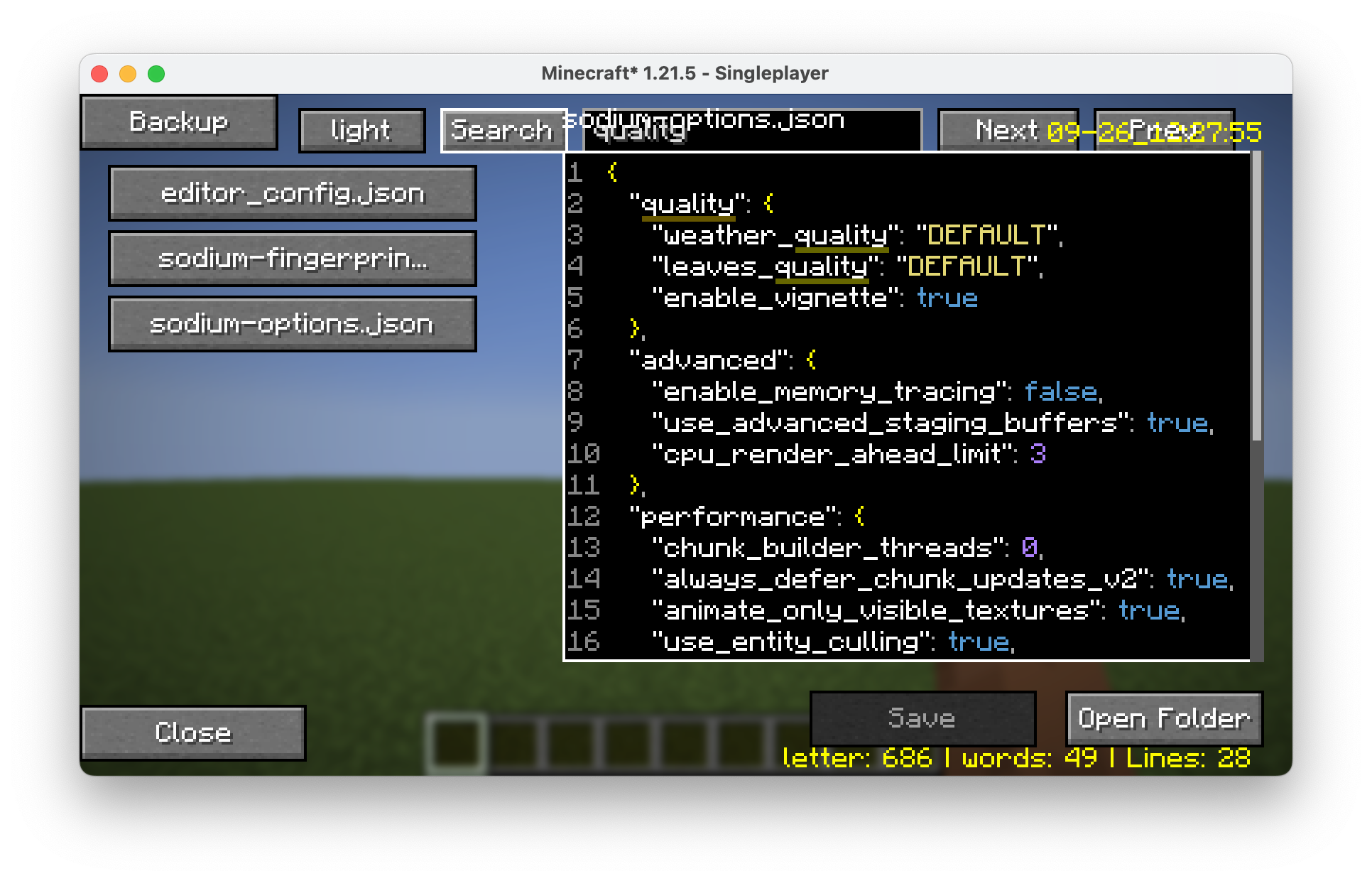 The configure file editor, search bar is on the top a show case of the search bar
 -
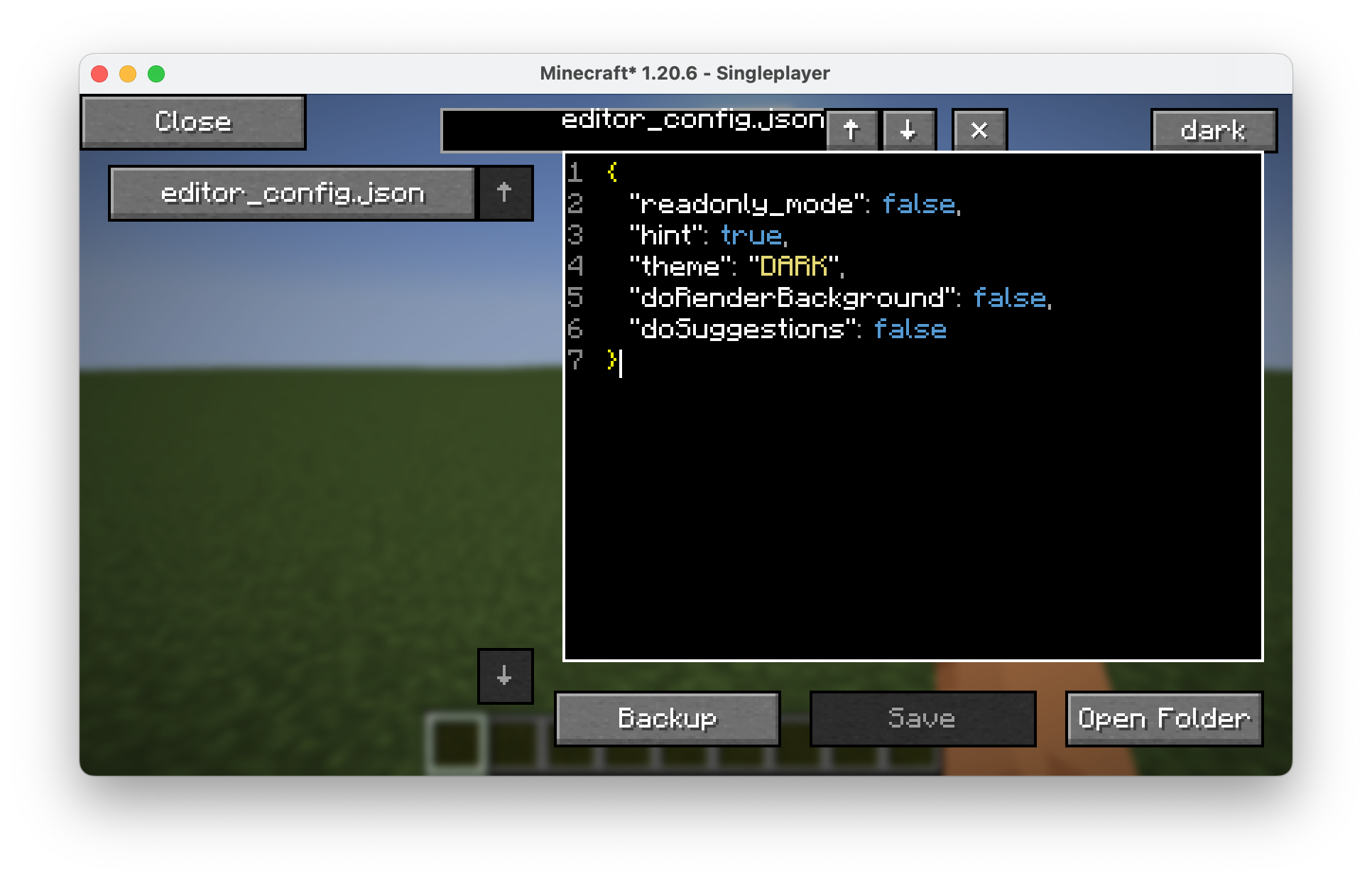 The configure file editor version 1.1.4, replaced buttons, make it easier to see.
 -
 old logo
 -
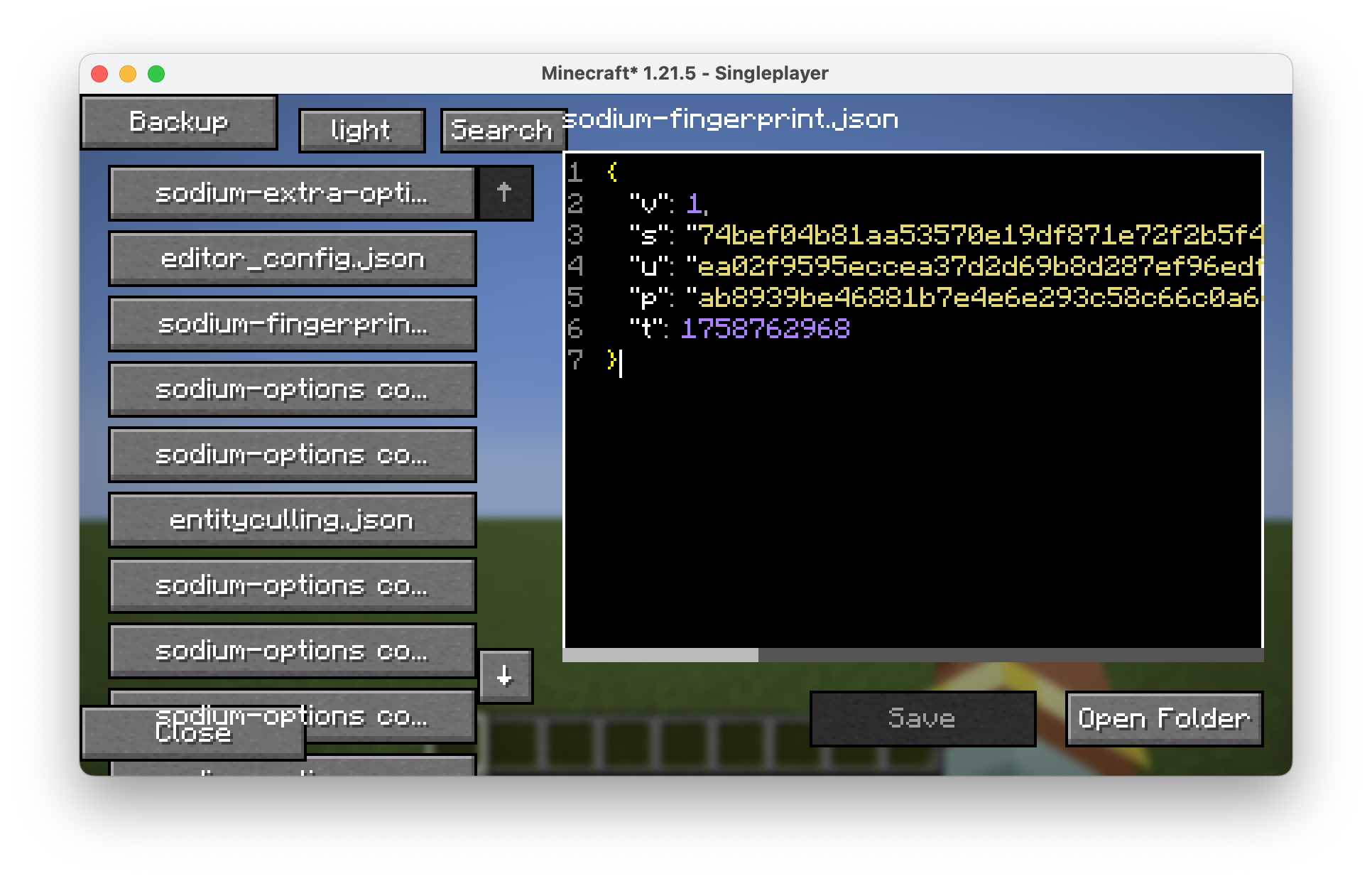 The configure file editor version 1.1.1, fixed the file can not scroll down or up, fixed if the text is too long in one raw.
 -
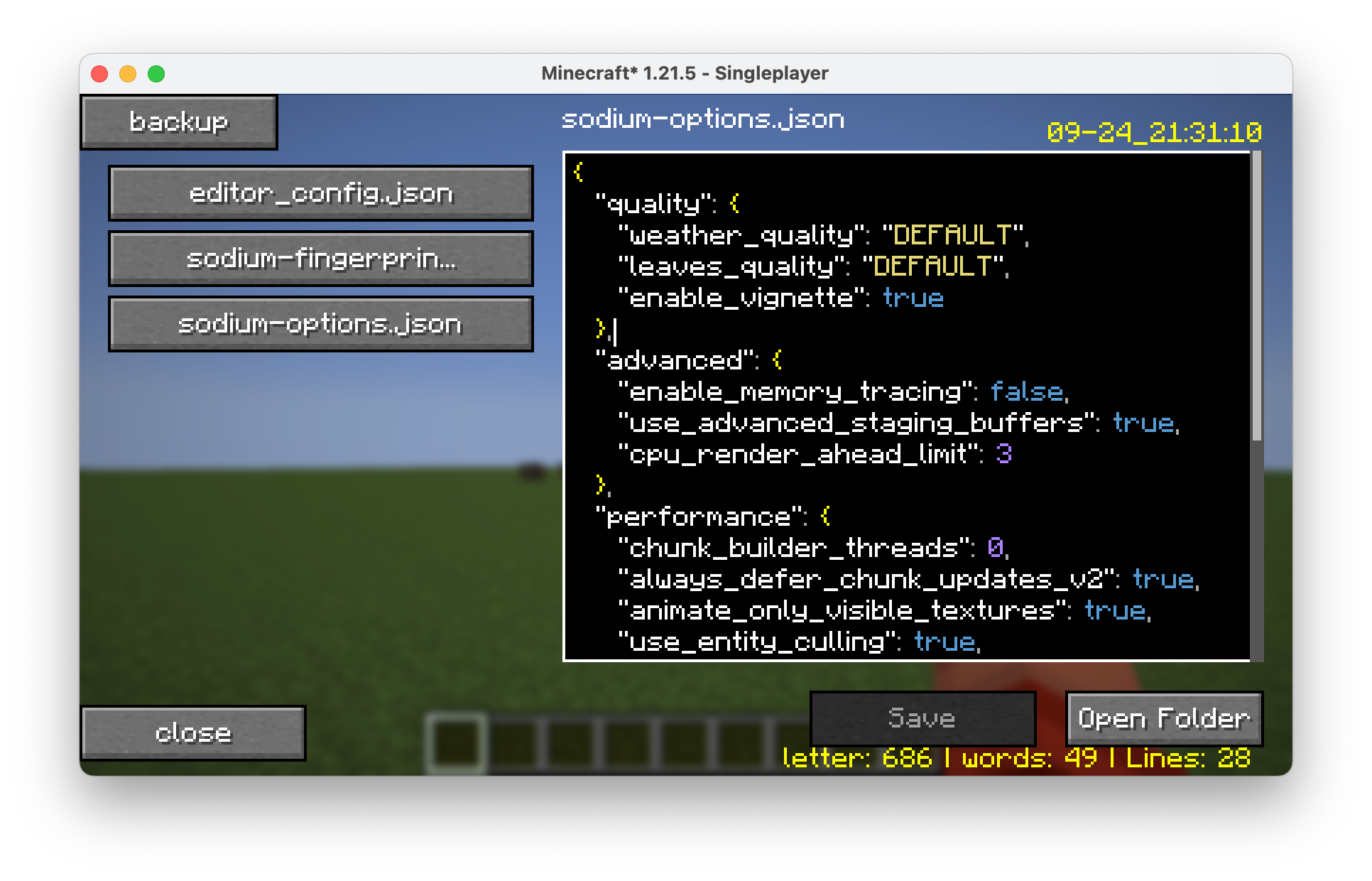 The configure file editor version 1.0.5-fix.2+1.21.5, a colourful editor
 -
 logo
logo -
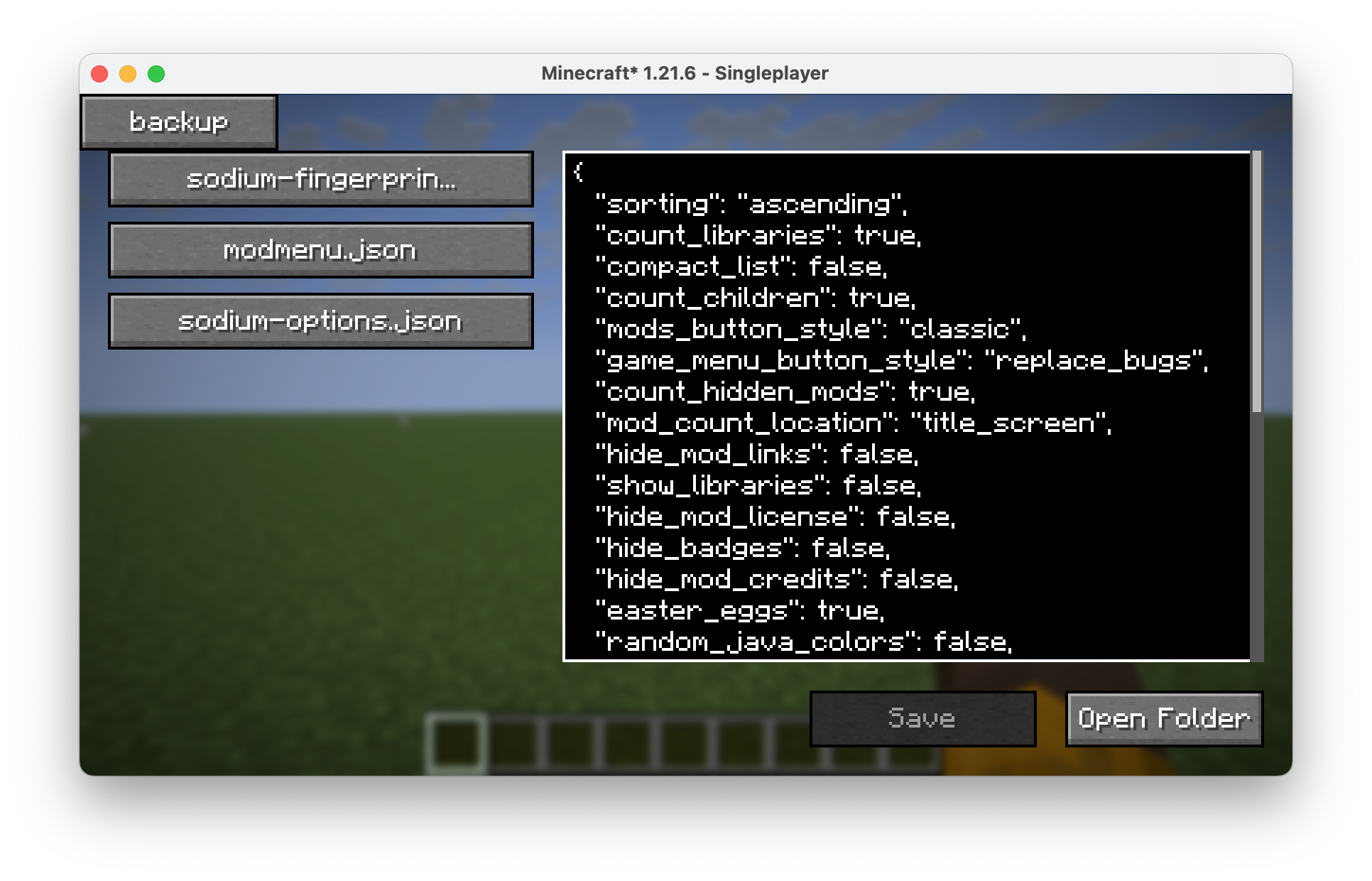 The configure file editor a show case of the configure file editor, support multiline, version 1.0.1
 -
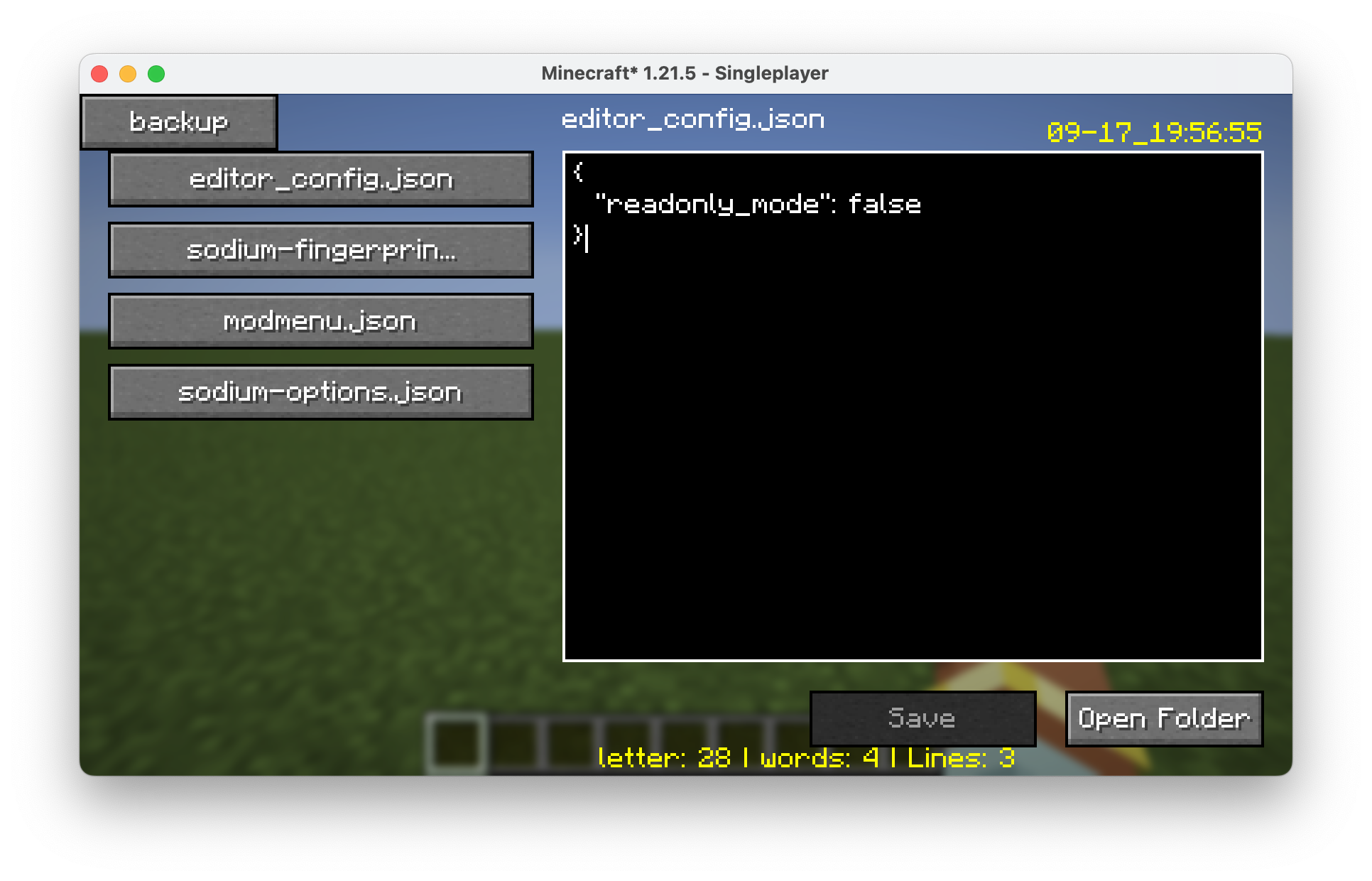 The configure file editor show case of the file editor, version 1.0.4-fix.2+1.21.5
 -
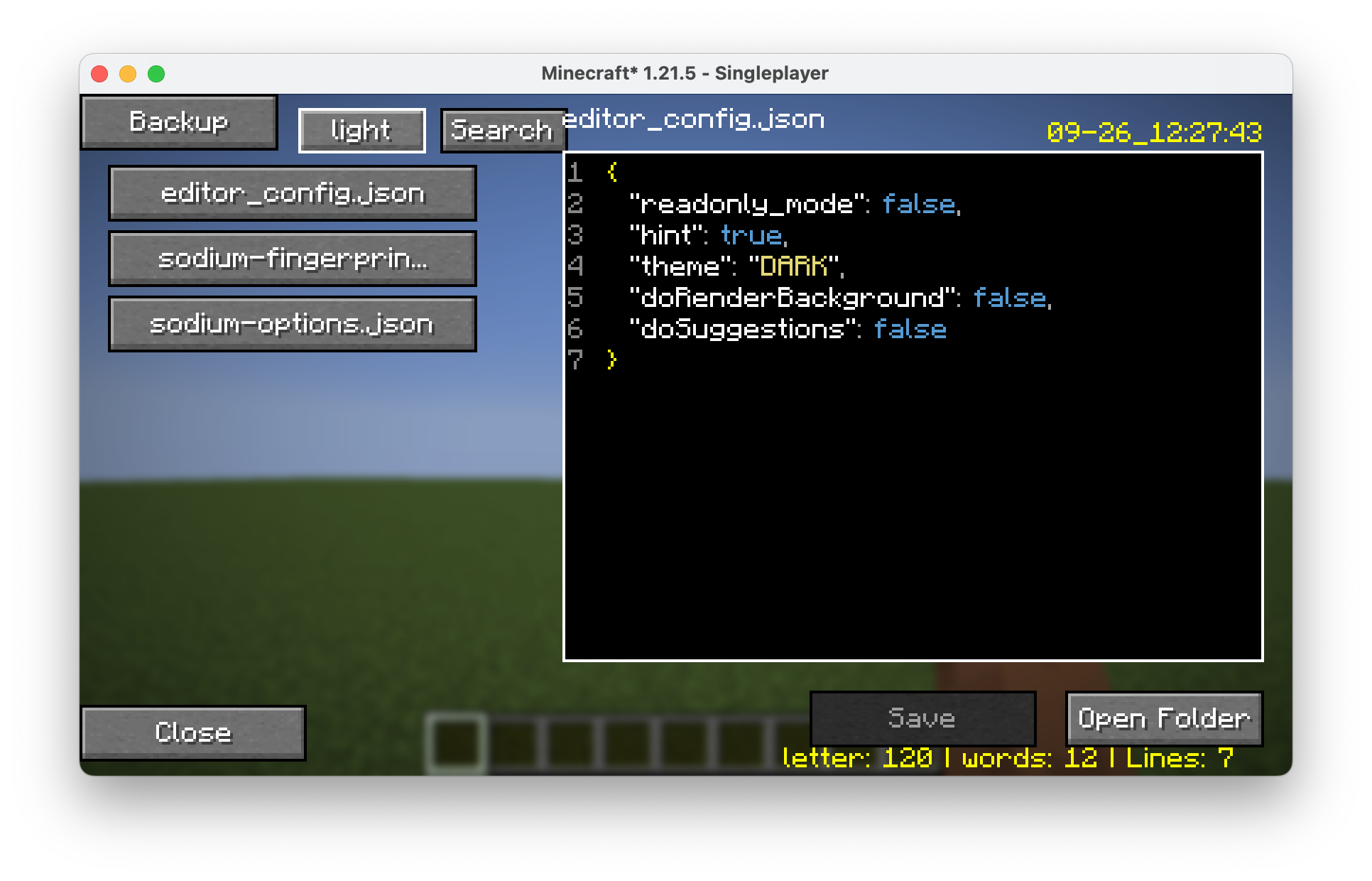 The configure file editor version 1.1.0
Versions
Files
Relations
Project Relations
More like this
Similar Mods
Suggestions use data such as tags, dependencies, dependents, descriptions, titles, and more to rank how much they overlap with this mod.
On ModDex
Community snapshot
By the numbers
Statistics
Want to reach Minecraft players?
We're looking for a server hosting partner to feature here and other parts of the site. Interested? Send us a message!
Get in touchGet it on
Available Platforms
On ModDex
Community snapshot
By the numbers