
Community listing page, reviews here may not be monitored by the author.
Constant Music


No reviews yet
Control the silence between music

Community voices
Reviews
No reviews yet. Be the first to review this project!
Get it on
Available Platforms
Compatibility
Supported Environments
Runs entirely on the client. Works on vanilla servers.
About
Project Details
For authors
Embed Badge
If you're the author of this project, you can embed a live badge anywhere that supports HTML or Markdown. It updates automatically whenever ratings change.
Use HTML for any page that supports it, or Markdown for README files and Markdown-based descriptions.
Identifiers
Platform IDs
About
Description
Never be stuck in silence again!
Minecraft has some of the most wonderful music. Atmospheric and ambience. However, there are times when you'll find yourself in silence, with only the sounds of mobs and breaking blocks keeping you company. This mod aims to fix that. With Constant Music, you can reduce or completely eliminate the amount of delay Minecraft adds between playing background tracks. It defaults to 0 seconds, which results in the next track playing immediately. But feel free to set it higher if you desire!
Versions for Fabric, Forge and NeoForge
The amount of time between tracks is easy to configure and can be done so in multiple locations. First, there is a slider in the "Music & Sounds Options" screen:

Second, there is a mod config screen with the same slider accessible through the mod menu. If you're using Fabric, it's only available with ModMenu installed:

And lastly, there is a config file created in the Minecraft folder that can edited directly if needed. The file is located within the Minecraft directory at config/constantmusic.toml
Dependencies
This mod requires the Fabric API if you are using the Fabric mod loader.
Alternative Mods
If you are looking for a mod that does the same thing but with a few more advanced features, such as skipping tracks and a now playing widget, check out Simple Music Control:
License
This mod is under the GNU LESSER GENERAL PUBLIC LICENSE
Feel free to use this mod in any modpack! Feedback and bug reports are welcome!
Never be stuck in silence again!
Minecraft has some of the most wonderful music. Atmospheric and ambience. However, there are times when you'll find yourself in silence, with only the sounds of mobs and breaking blocks keeping you company. This mod aims to fix that. With Constant Music, you can reduce or completely eliminate the amount of delay Minecraft adds between playing background tracks. It defaults to 0 seconds, which results in the next track playing immediately. But feel free to set it higher if you desire!
Versions for Fabric, Forge and NeoForge
The amount of time between tracks is easy to configure and can be done so in multiple locations. First, there is a slider in the "Music & Sounds Options" screen:

Second, there is a mod config screen with the same slider accessible through the mod menu. If you're using Fabric, it's only available with ModMenu installed:
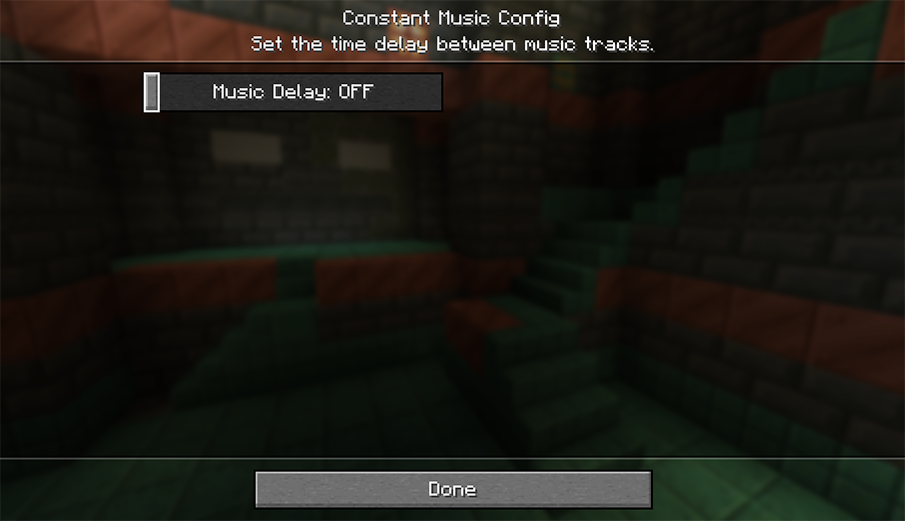
And lastly, there is a config file created in the Minecraft folder that can edited directly if needed. The file is located within the Minecraft directory at config/constantmusic.toml
Dependencies
This mod requires the Fabric API mod if you are using the Fabric mod loader.
Languages
Rudimentary language support has been provided by machine translations. Translators and native speakers can help improve the translations at Constant Music's Crowdin Project.
Alternative Mods
If you are looking for a mod that does the same thing but with a few more advanced features, such as skipping tracks and a now playing widget, check out Simple Music Control:
License
This mod is under the GNU LESSER GENERAL PUBLIC LICENSE
Feel free to use this mod in any modpack.
Screenshots
Gallery
-
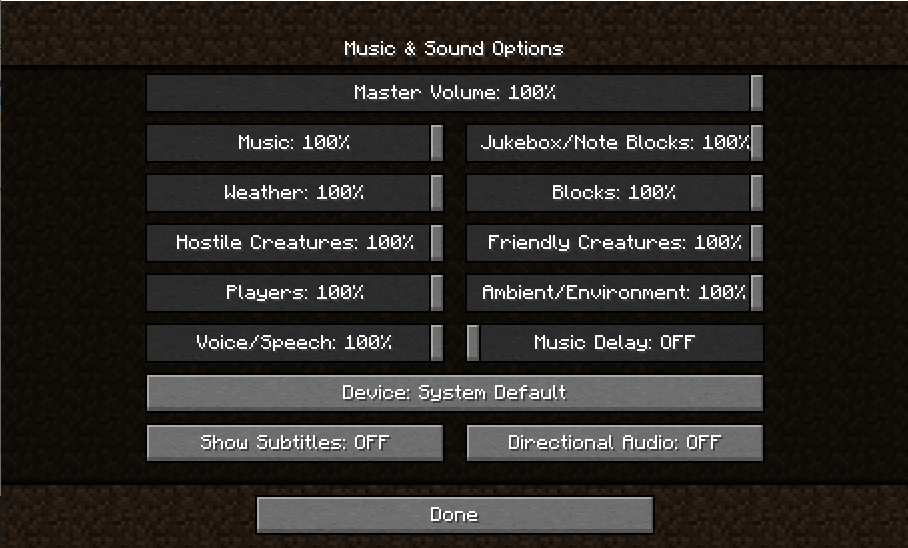 Endless Music in Music & Sound Options The last slider controls the delay between tracks. Select anywhere between 0 and 200 seconds
 -
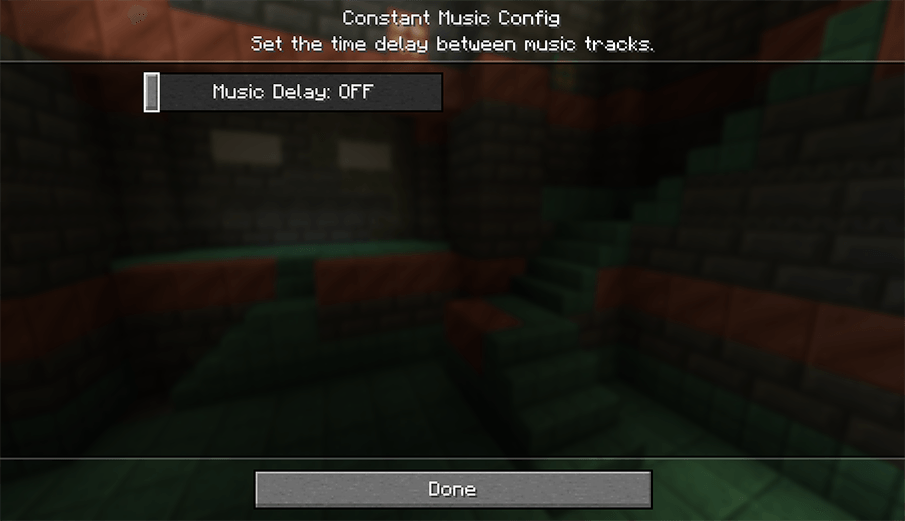 Endless Music delay setting in mod config The option to adjust the setting is also available in the mod configuration menu (native in Forge & NeoForge, ModMenu required with Fabric)
-
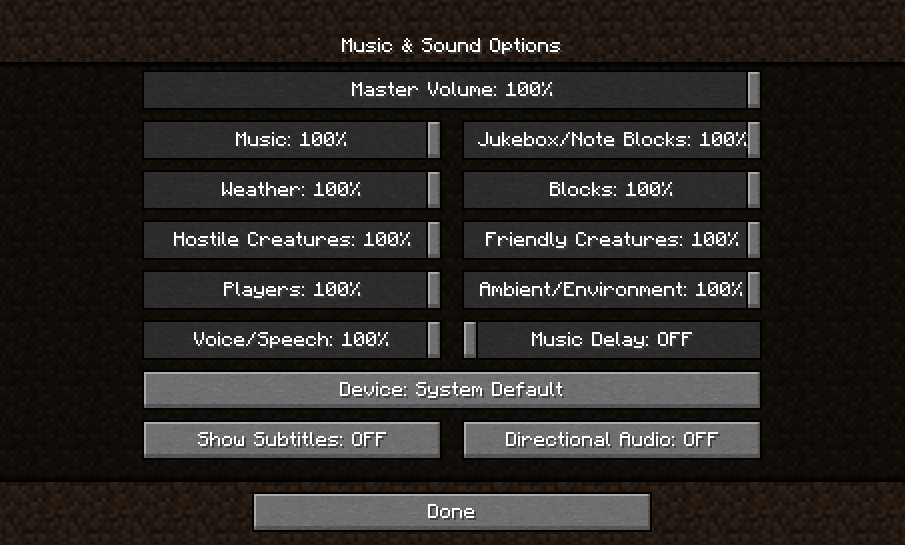 Constant music setting in Music & Sound Options The last slider controls the delay between tracks. Select anywhere between 0 and 200 seconds
 -
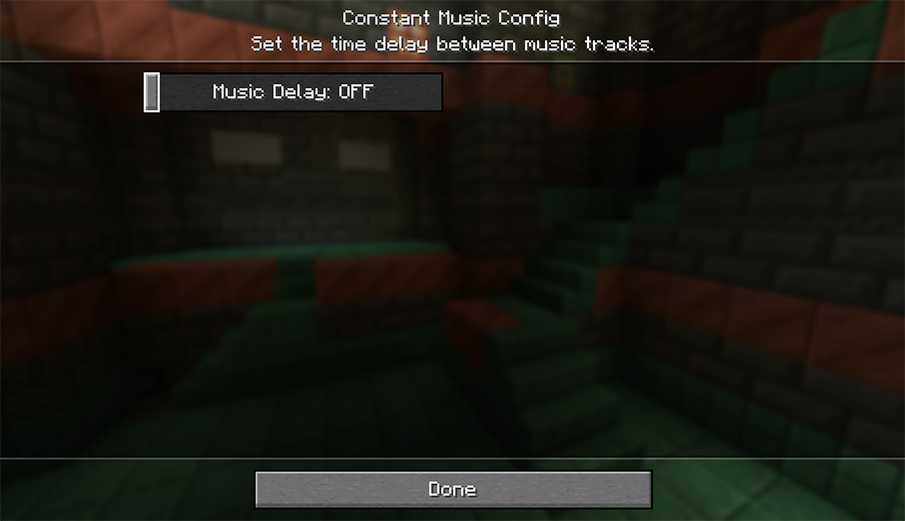 Config settings in mod menu The option to adjust the setting is also available in the mod configuration menu (native in Forge & NeoForge, ModMenu required with Fabric)
Versions
Files
Relations
Project Relations
More like this
Similar Mods
Suggestions use data such as tags, dependencies, dependents, descriptions, titles, and more to rank how much they overlap with this mod.
On ModDex
Community snapshot
By the numbers
Statistics
 (opens in a new tab)
Get it on
Available Platforms
On ModDex
Community snapshot
By the numbers