
Community listing page, reviews may not be monitored by the author.
CosmicNPCs

No reviews yet
Player-like NPCs via motion capture.

Community voices
Reviews
No reviews yet. Be the first to review this project!
Get it on
Available Platforms
About
Project Details
For authors
Embed Badge
If you're the author of this project, you can embed a live badge anywhere that supports HTML or Markdown. It updates automatically whenever ratings change.
Use HTML for any page that supports it, or Markdown for README files and Markdown-based descriptions.
Identifiers
Platform IDs
Resources
External Links
About
Description
Version 1.4 added a loop feature and much more checkout the changelog
Cosmic NPCs - A simple Motion Capture Mod
CosmicNPCs allows you to record your movement and actions, and replay them aferwards as a NPC with custom name and skin!
It also includes it's own command-hotkey-system for spawning NPCs with the touch of a button.
How to Use:
RECORDING:
To start a record use the following command:
/npc-rec <Filename>
Replace <Filename> with a name of your choice. This is the name of your record file. You need it to replay it afterwards.
Example: "/npc-rec leyla1"
Now that you started recording, all supported actions will be saved, and be done again by a NPC in future replays.
Following actions are recorded:
- Movement
- Breaking Blocks
- Placing Blocks
- Right Click Block Interactions
- (Most) Right Click Item Interactions
- Using Bow, Crossbow, Trident, etc
- Swimming/Crouching
- Sending Chat Messages
- Dropping Items
- Equipping Armor and Items
Once you are done with your actions use the /npc-rec command again to end recording.
REPLAYING:
Now you can replay your recording with the npc-play command:
/npc-play <Filename> <NPC Name> <Skin Filename> [Model]
<Filename> is the name of your record file you want to replay.
<NPC Name> is the name your NPC will have in it's nametag and in chat.
<Skin Filename> is the name of the texture file (without the ".png") that will be used as it's skin. If you don't have a custom skin, just type "default" here.
[Model] is an optional argument. You can specify here what model the NPC should use. If you don't want a specific model, you can ignore this. The normal player model will be used then.
Examples:
/npc-play leyla1 Leyla leyla_evil
// This spawns a NPC with the name "Leyla" and uses "leyla_evil"(.png) as skin file. The model isn't specified here so the default player model is used.
/npc-play gchicken4 GreenChicken green_chicken minecraft:chicken
// This spawns a NPC with the name "GreenChicken". "green_chicken"(.png) is used as skin file. Here the model is specified. It's set to minecraft:chicken, so the NPC will have the model of a chicken.
Additional Settings:
If you have specified the model, you can add curly brackets at the end to adjust more things. Inside the brackets you can add additional settings like the nametag visibility.
This works in the following format:
<setting>:<value>
for example:
/npc-play leyla1 Leyla leyla_evil minecraft:player {ShowNameTag:0} // "ShowNameTag" is the setting, "0" is the value we give the setting.
There are many settings which can be adjusted this way. Multiple settings can be adjusted by dividing them with a comma. eg: {ShowNameTag:1,Invulnerable:1,Layer:green_eyes}
List of settings:
- (Int) "ShowNameTag" Defines the nametag visibility (0 = invisible, 1 = always visible, 2 = only visible when looked at)
- (boolean "Invulnerable" Defines if the NPC is invulnerable
- (boolean) "UseCommands" Defines if NPCs can execute commands
- (boolean) "IsChild" Defines if the model should be the baby variant
- (String) "Layer" Defines the texture of the layer, if the model has additional layers. Use the filename as value here. Layer textures need to be in .../config/cosmicnpcs/resources/textures/layers to work
- (String) "VillagerType" Defines the VillagerType. e.g. insert "swamp" for a swamp Villager
- (String) "Profession" Defines the Villager Profession
- (Int) "ProfessionLevel" Defines the Villager Trading Level
- (String) "Color" Defines the color. As for instance the wool color of sheep. Insert "rainbow" to get a rainbow sheep
- (Boolean) "Sheared" Defines if a sheep is sheared, or not
- (String) "MushroomBlock" Defines the block on the back of a Mooshroom
- (Boolean) "Charged" Defines if a Creeper or Wither is charged
- (String) "Armor" Currently only defines the Horse Armor on Horses
- (boolean) "Saddled" Defines if a pig or Strider has a Saddle
- (String) "Head" Defines the Block the Snow Golem uses as Head
(boolean means the value can be "true" or "false". You can also use the numerical equivalent "1" and "0")
(String is a plain text. like "blue", or "green_eyes", or "diamond_block")
Custom Skins:
To use your own skins for the NPCs, you need to put them in the texture folder at .../config/cosmicnpcs/resources/textures/main.
Afterwards they can be selected by using the filename (without the .png) inside the npc-play command.
Note: It is important to know that texture filenames MUST ALWAYS be lowercase! Minecraft can't process files with uppercase letters in it! Also your Skin needs to have a resolution of 64x64 if you use the player model.
Note for Multiplayer: If you play on a server make sure everyone has the same skins (with the same names) in their texture folder. Otherwise it could happen they won't see the correct skin but the default skin.
Command Gui:
This Mod includes a own command-hotkey-system using the "Command GUI". It can be opened with Numpad 3. There you can set a command of your choice which then can be executed by pressing Numpad 9.
If you press Numpad 9 again it will NOT execute the same command as before, but the command of the next page. So you have a command queue. You can use this system to replay various NPC recordings by touch of a button!
Version Differences: (What is important to know if you play on an older version!)
1.12.2: (CosmicNPCs-1.2.1)
-The texture folder is located at: .../.minecraft/config/cosmicnpcs/assets/npctextures
-Only 6 models can be used for the NPCs: Player, PlayerSlim, Villager, Witch, Vex and Chicken. Just type the exact name of one that is listed here.
-Most of the additional settings don't exist. Only "ShowNameTag" and "Invulnerable" can be used. ("true" and "false" are not allowed as value. Use "1" or "0")
-NPCs can use commands per default.
1.7.10: (CosmicNPCs-1.1)
-The texture folder is located at: .../.minecraft/config/cosmicnpcs/assets/npctextures
-There is no model argument in the npc-play command. Only the default player model exists as model.
-There are no additional settings. But you can type "Invulnerable" after the skin filename as an extra argument to make the NPC invulnerable. (Case sensitive!)
-NPCs can't use commands, and some other actions also don't work how they should
-Skins must have a resolution of 64x32 instead of 64x64
Screenshots
Gallery
-
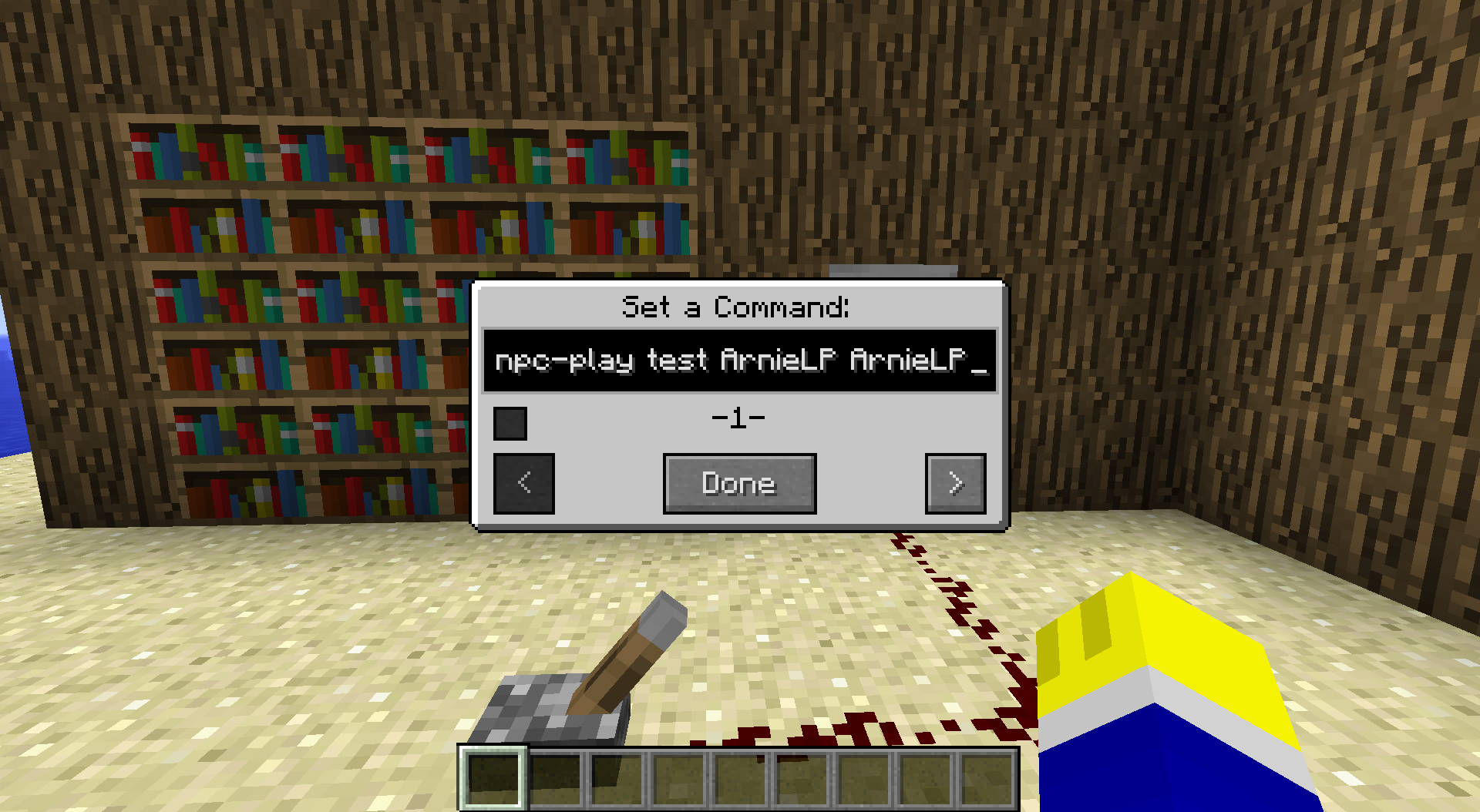 Command GUI In the Command GUI you can set commands to execute with Numpad9. Open it with Numpad3. In there you have multiple pages for different commands. After executing, the command of the next page will be used next. Use the check mark to set the start page.
 -
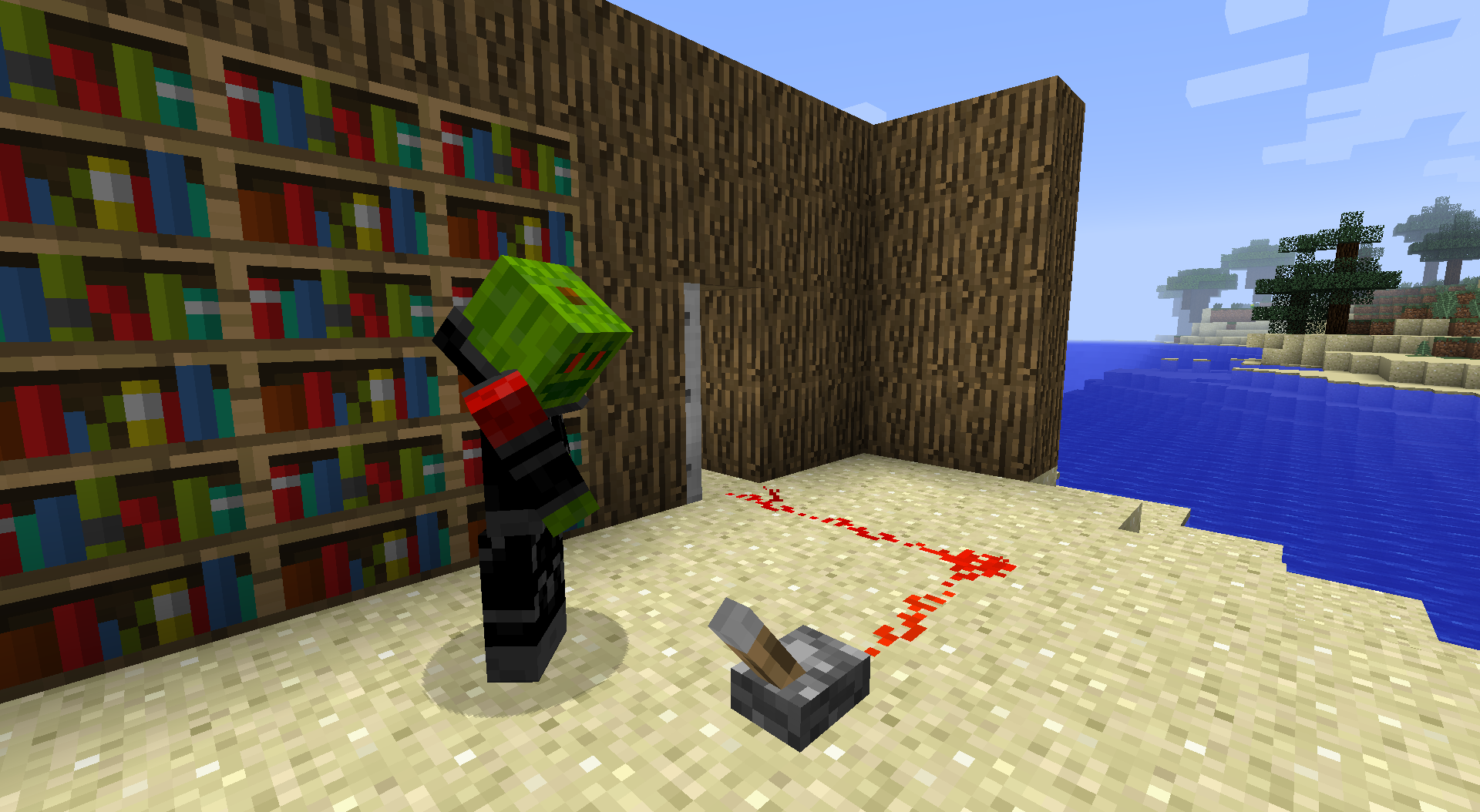 NPC using a lever NPCs can interact with blocks. They can use levers, buttons, chests (Only opening animation) and more. Also they can break and place blocks. (Block placing does not work with all blocks!) Just experiment with the possibly actions!
 -
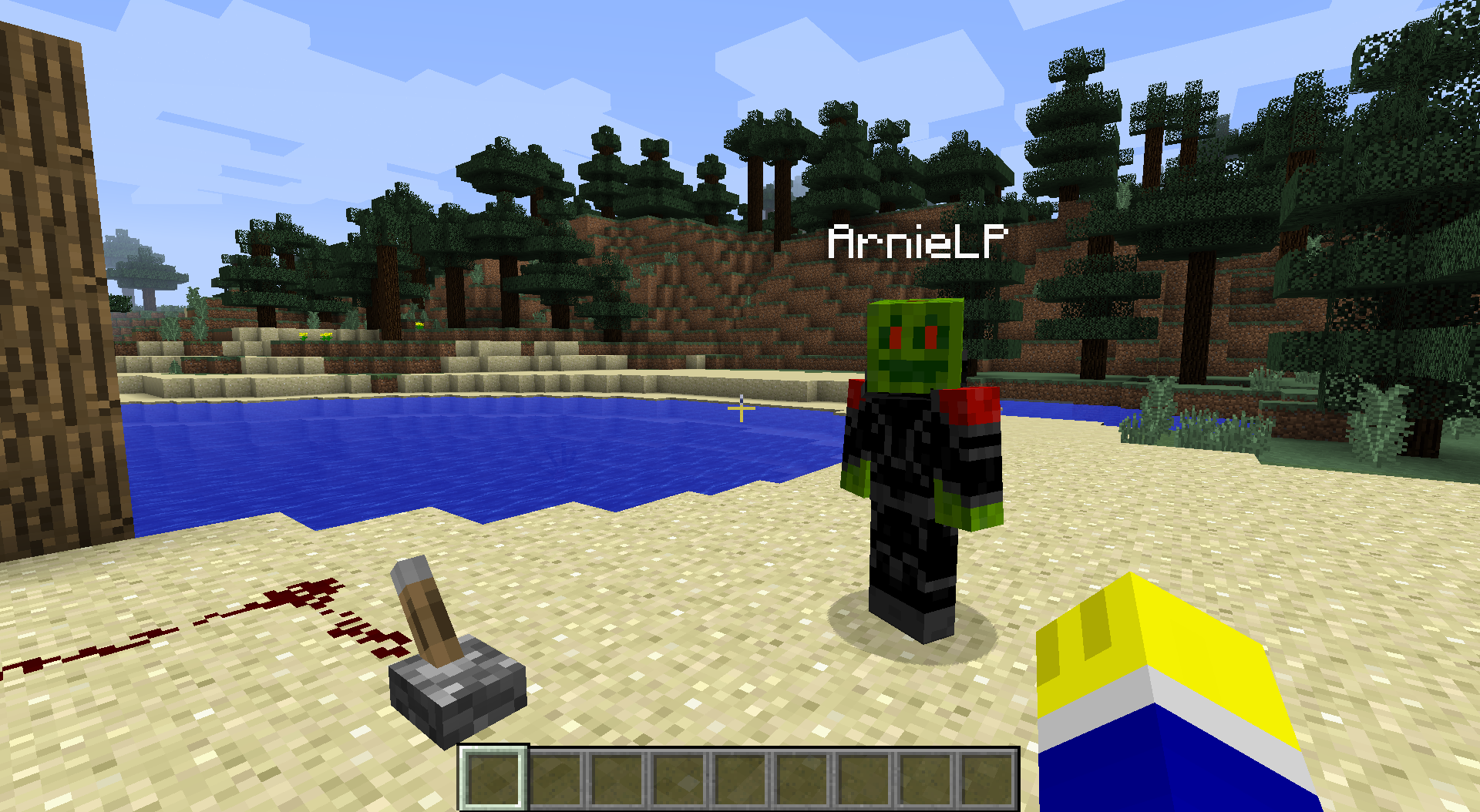 NPC
NPC
Versions
Files
Relations
Project Relations
More like this
Similar Mods
Suggestions use data such as tags, dependencies, dependents, descriptions, titles, and more to rank how much they overlap with this mod.
On ModDex
Community snapshot
By the numbers
Statistics
 (opens in a new tab)
Get it on
Available Platforms
On ModDex
Community snapshot
By the numbers
Statistics
Resources