Community listing page, reviews may not be monitored by the author.
CraftBrowser

No reviews yet
A full Chromium web browser inside Minecraft: tabs, incognito, Picture-in-Picture and fullscreen. Build shared Web Screen multiblocks in the world to watch videos together. Powered by MCEF.

Community voices
Reviews
No reviews yet. Be the first to review this project!
Get it on
Available Platforms
About
Project Details
For authors
Embed Badge
If you're the author of this project, you can embed a live badge anywhere that supports HTML or Markdown. It updates automatically whenever ratings change.
Use HTML for any page that supports it, or Markdown for README files and Markdown-based descriptions.
Identifiers
Platform IDs
Resources
External Links
About
Description
CraftBrowser
The internet, inside your world.
Forge • Minecraft 1.20.1 • Requires MCEF
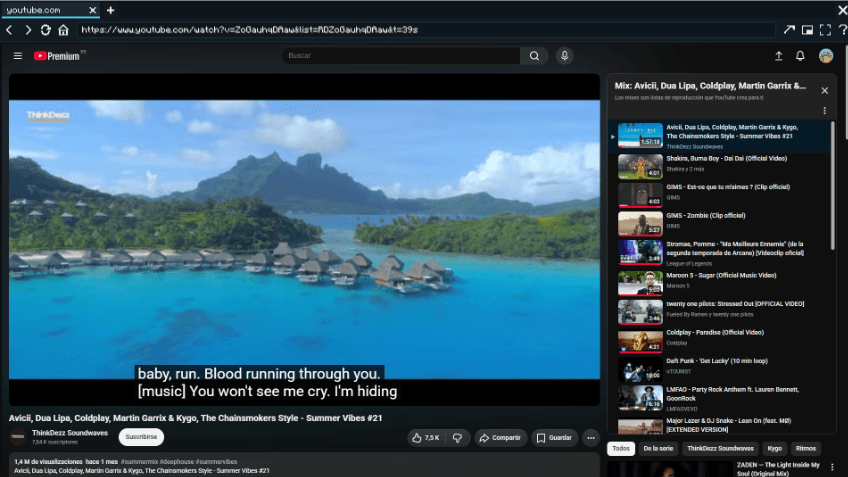
CraftBrowser puts a full Chromium web browser inside Minecraft. Look up a crafting recipe, follow a tutorial, keep a video in a floating window — or build a giant screen in the world and watch it together with your friends. It runs on MCEF (Minecraft Chromium Embedded Framework), so pages, videos and web apps behave exactly like in a desktop browser.
✨ The Browser
- Multi-tab browsing with a smart URL bar (type an address, or anything else to search Google). Your tabs are restored next session.
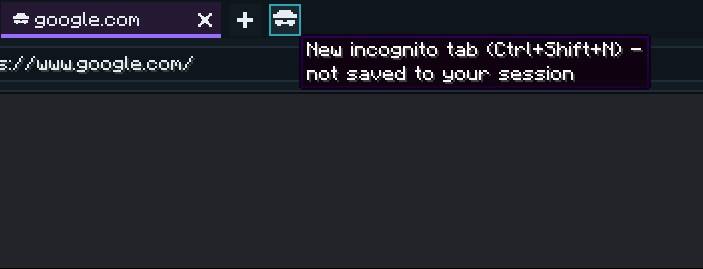
- Incognito tabs (Ctrl+Shift+N) — marked in purple, never saved to your session.
- Picture-in-Picture — a floating, draggable and resizable window you can keep open while playing; click it to interact from any screen.
- Fullscreen (F12) with real video fullscreen (YouTube & co. expand to the whole view).
- Chat link interceptor — URLs in chat become clickable and open in a CraftBrowser tab.
- Open in system browser, a "Web" button in the title/pause menus, and a translated welcome page on first launch.
🕶️ Incognito mode
Open a private tab with Ctrl+Shift+N. Incognito tabs are marked in purple and are never saved to your session.
📺 Web Screens — build them in the world
Craft Web Screen panels and stack them into a rectangle on a wall. When the rectangle is complete it lights up as a single shared screen that everyone on the server sees — right-click to set any URL and play videos, dashboards or live pages, together.
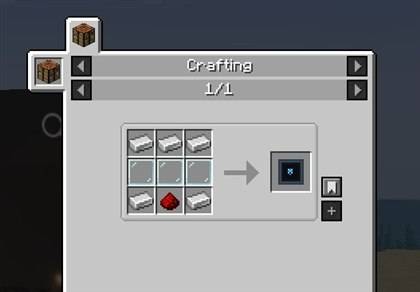
Crafting
| Iron | Iron | Iron |
| Glass Pane | Glass Pane | Glass Pane |
| Iron | Redstone | Iron |
Makes 1 Web Screen (5 iron + 3 glass panes + 1 redstone). Break a screen block and you get the item back.
Build & use
- Build: place Web Screen panels in a filled rectangle on a wall — it lights up when the shape is complete (up to 12×8 blocks by default).
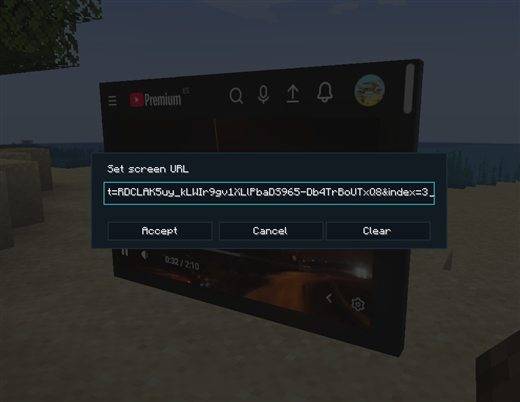
- Set the URL: right-click the screen and type an address (or sneak + right-click to change it later).
- Interact: right-click plays/clicks the page with an empty hand; look at the screen and scroll to scroll the page.
- Lock: press H to make screens view-only (no accidental clicks).
- Audio fades with distance, and each screen loads only when you are nearby.
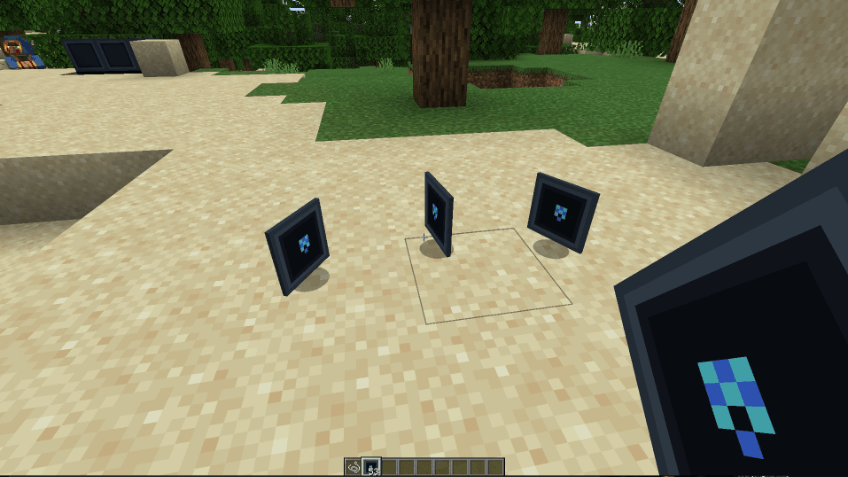
Each panel is a thin LED-style tile that mounts on any block face. Place a single one, or many, to build a screen of any size.
Admin controls
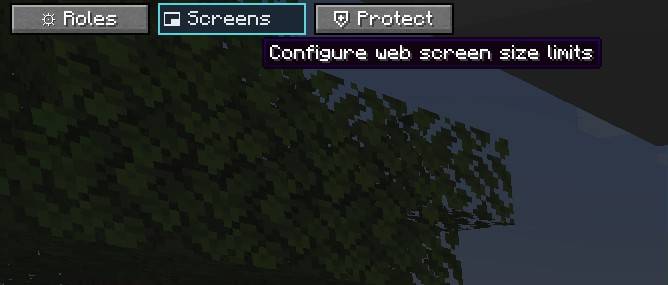
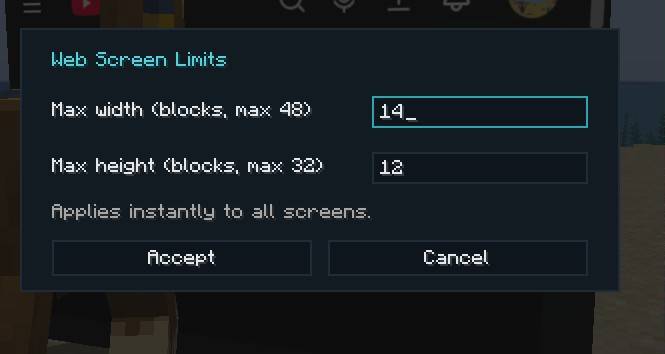
Server operators can set the maximum screen size live from a Screens button in the pause menu — no restart needed, all screens re-evaluate instantly. Placement can optionally require the craftbrowser.panel.place permission (LuckPerms-compatible).
🎮 Controls
| Key | Action |
|---|---|
| B | Open / close the browser |
| P | Toggle Picture-in-Picture |
| ↑ / ↓ | Scroll the page in PiP mode |
| = / - | Grow / shrink the PiP window |
| F12 | Browser fullscreen |
| H | Lock / unlock world screen interaction |
| Ctrl+T / Ctrl+W | New tab / close tab |
| Ctrl+Shift+N | New incognito tab |
| Ctrl+L / Ctrl+Tab | Focus URL bar / cycle tabs |
All keys are rebindable in Options › Controls › CraftBrowser. Localized in 10 languages (EN, ES, ES-MX, DE, FR, IT, PT-BR, RU, ZH-CN, JA).
📋 Requirements
- Minecraft 1.20.1 with Forge 47.x
- MCEF (Minecraft Chromium Embedded Framework) 2.1.6-1.20.1 — required on the client. On first launch it downloads the Chromium binaries (~100 MB; Windows / Linux / macOS x64, no ARM).
- Install on the server too for the shared Web Screens. Players without the mod can still join — they simply won't see the screens.
 |
vicxelcode Developed & published by VICXELCODE, S.L. 🌐 vicxelcode.com • More mods on CurseForge © 2026 VICXELCODE, S.L. — Released under the MIT License. |
Screenshots
Gallery
Versions
Files
Relations
Project Relations
More like this
Similar Mods
Suggestions use data such as tags, dependencies, dependents, descriptions, titles, and more to rank how much they overlap with this mod.
On ModDex
Community snapshot
By the numbers
Statistics
 (opens in a new tab)
Get it on
Available Platforms
On ModDex
Community snapshot
By the numbers
Statistics
Resources