
Community listing page, reviews may not be monitored by the author.
CraftLink


No reviews yet
A fully in-game, configurable, and simplistic web browser for Minecraft

Community voices
Reviews
No reviews yet. Be the first to review this project!
Get it on
Available Platforms
Compatibility
Supported Environments
Runs entirely on the client. Works on vanilla servers.
About
Project Details
For authors
Embed Badge
If you're the author of this project, you can embed a live badge anywhere that supports HTML or Markdown. It updates automatically whenever ratings change.
Use HTML for any page that supports it, or Markdown for README files and Markdown-based descriptions.
Identifiers
Platform IDs
About
Description
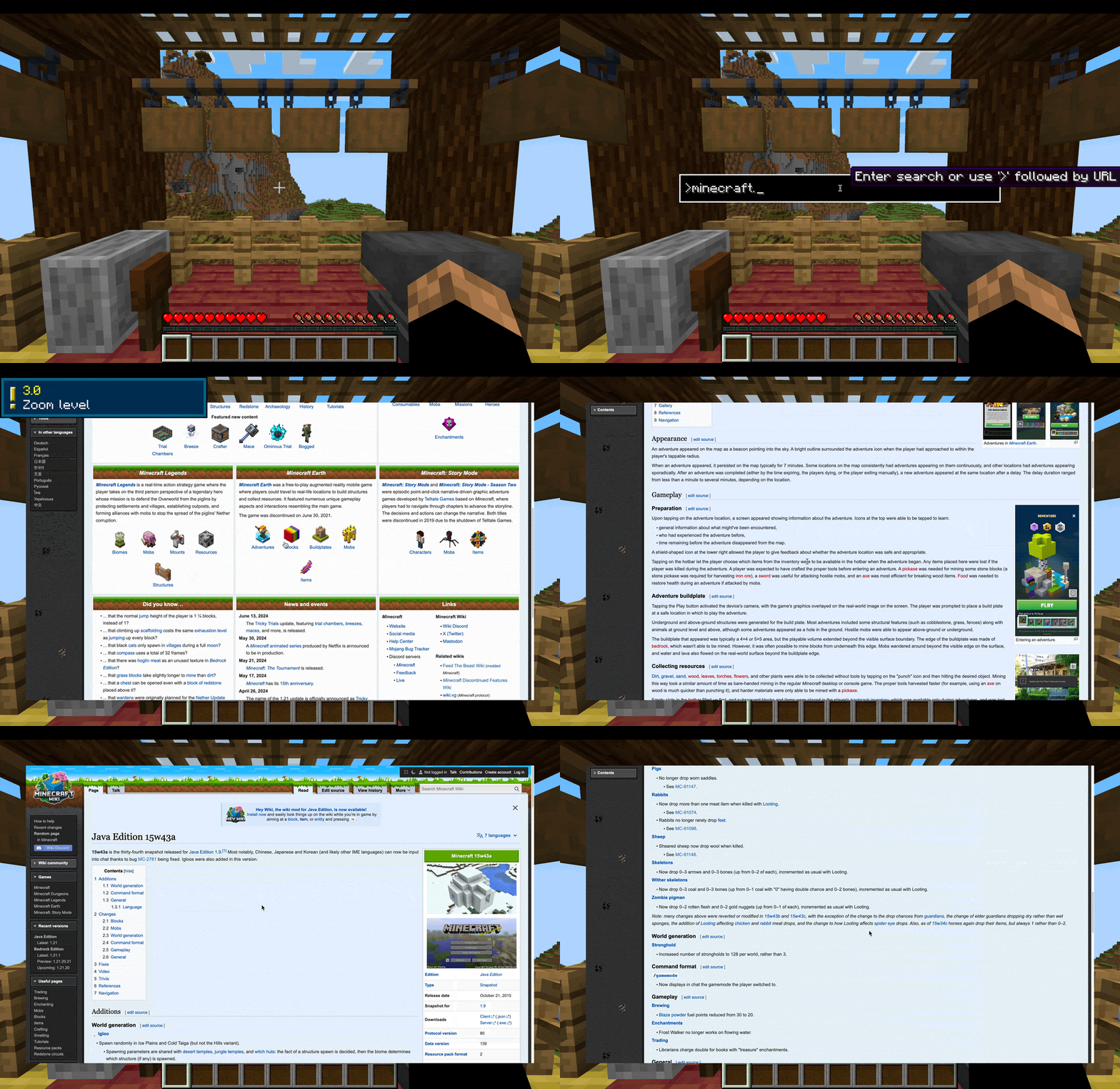
This is my first mod. I hope you like it.

CraftLink is a mod that adds an integrated minimalistic web browser to your game, perfect for doing quick web searches while minecrafting.
Simplicity
Simplicity is the main goal of this mod. It isn't as featureful as a full browser like Google Chrome or Safari, but the mod is meant for the game - the game isn't meant for the mod. CraftLink is a tool, not a gadget.
Efficiency
It won't make you mine faster, but it will make you search faster. The mod includes an easily accessible Search Bar allowing you to quickly search for anything, or directly visit a website. There are intuitive shortcuts for zooming, scaling, and refreshing.
If you wish for a more detailed and/or technical description, visit the wiki.
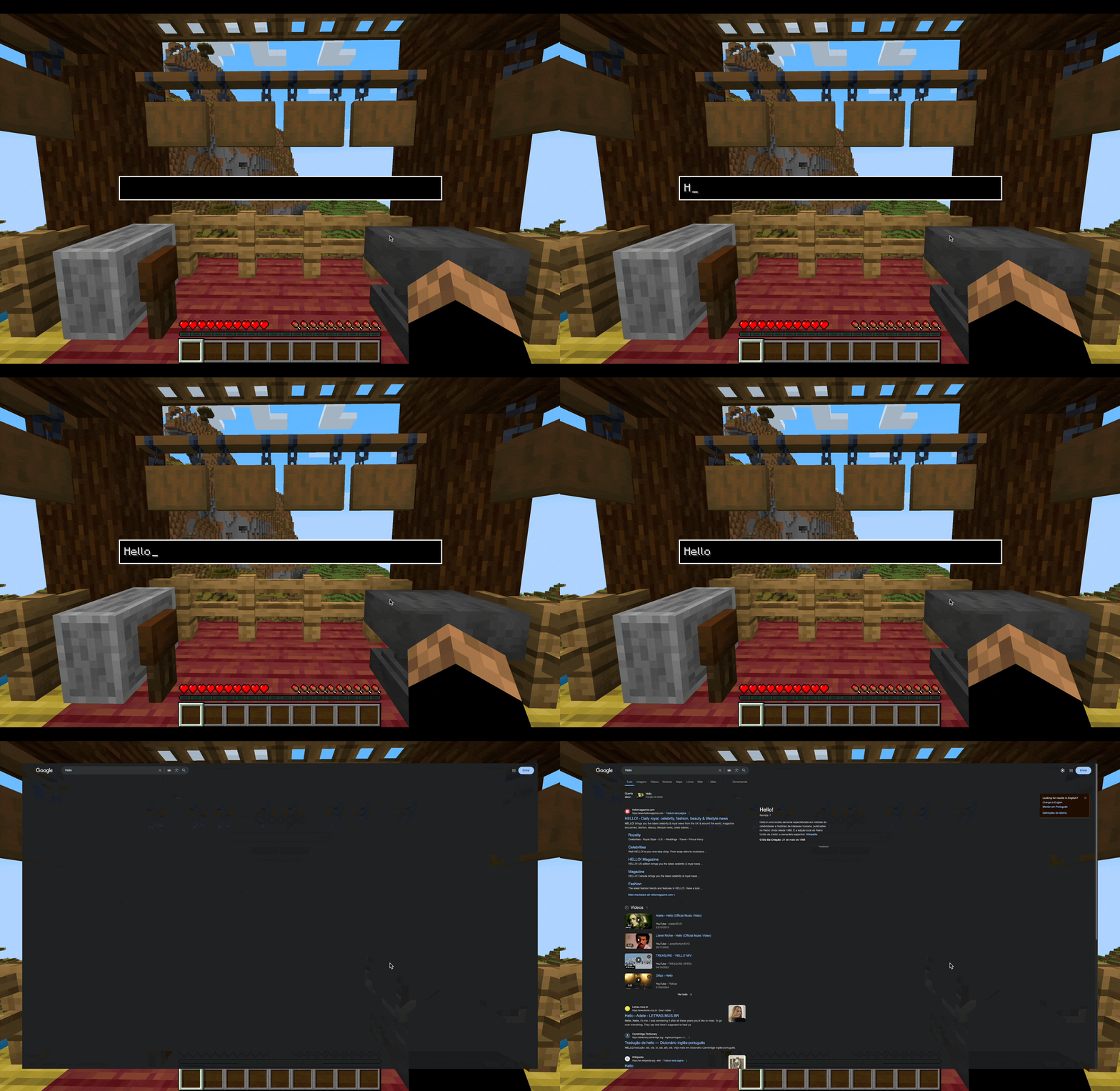 The Search Bar is a way to quickly search stuff on your preferred search engine. You can access it directly from in-game without entering the browser screen first with the Backspace key. From the browser screen access it with CTRL + Space.
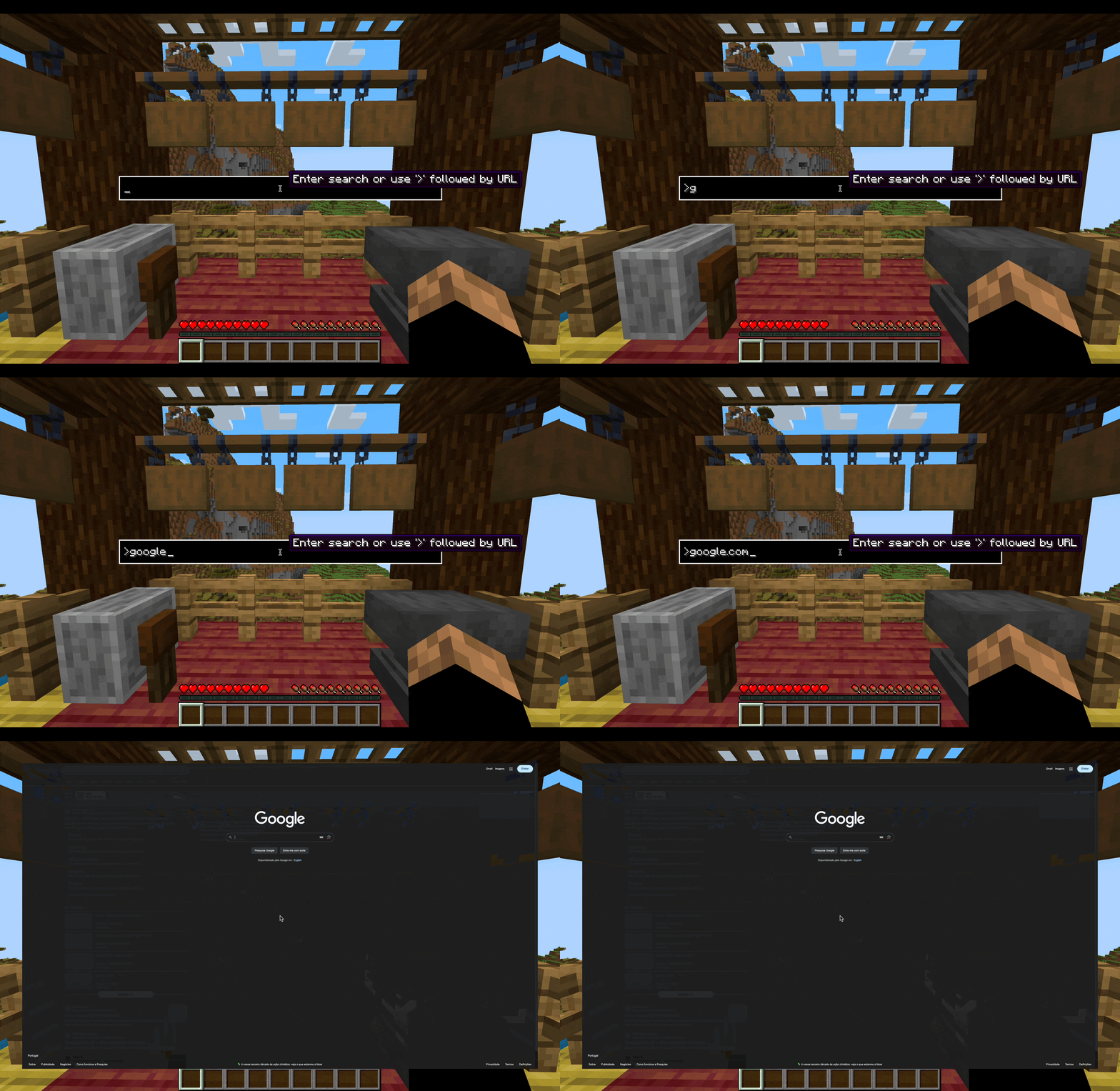 You can also directly enter URLs in the Search Bar to directly visit websites. Just write '>' before your URL. By default, the Search Bar will always search whatever you write on your preferred search engine, even if it's a URL.
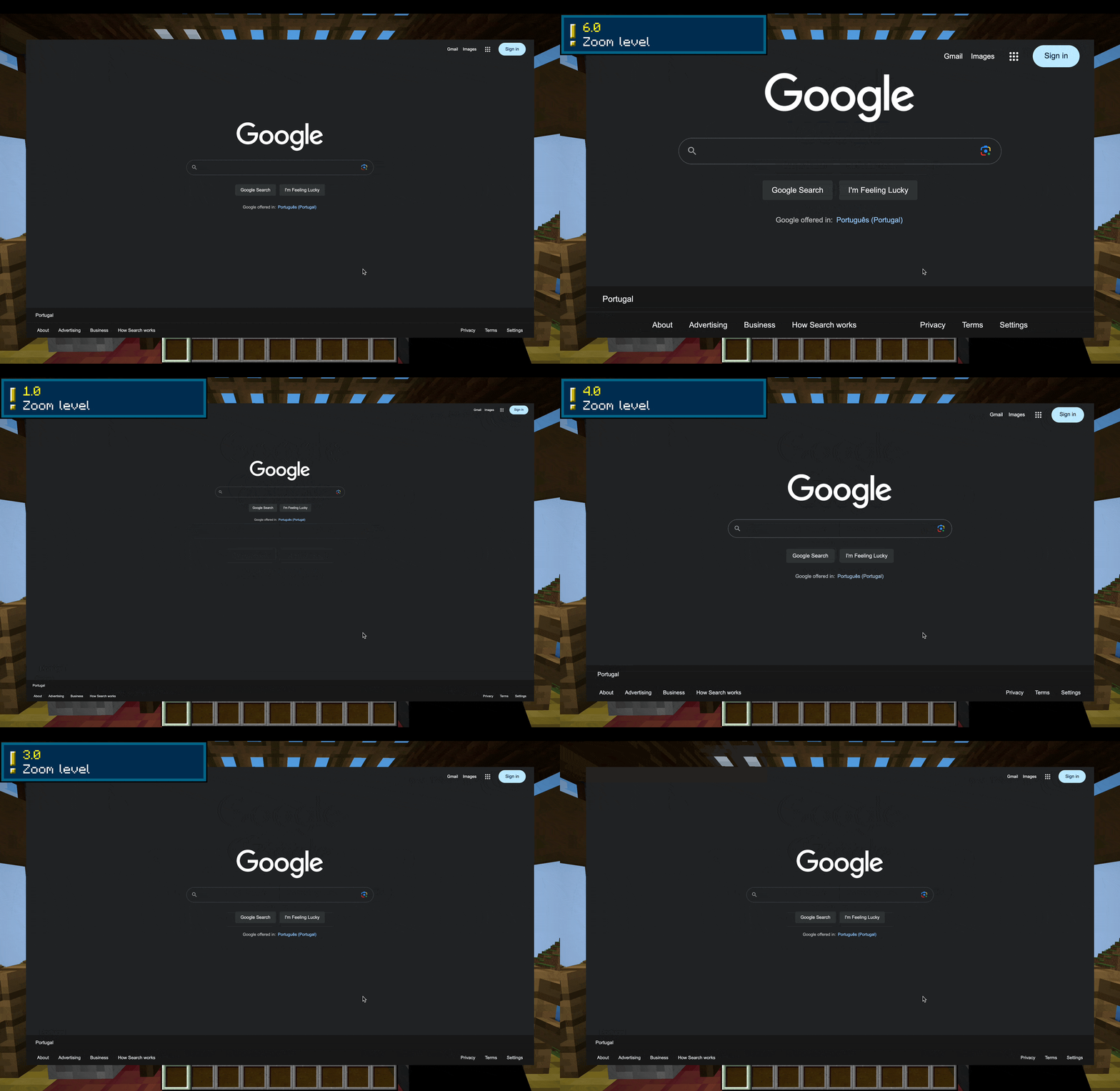 Zoom in and out with CTRL + Scroll.
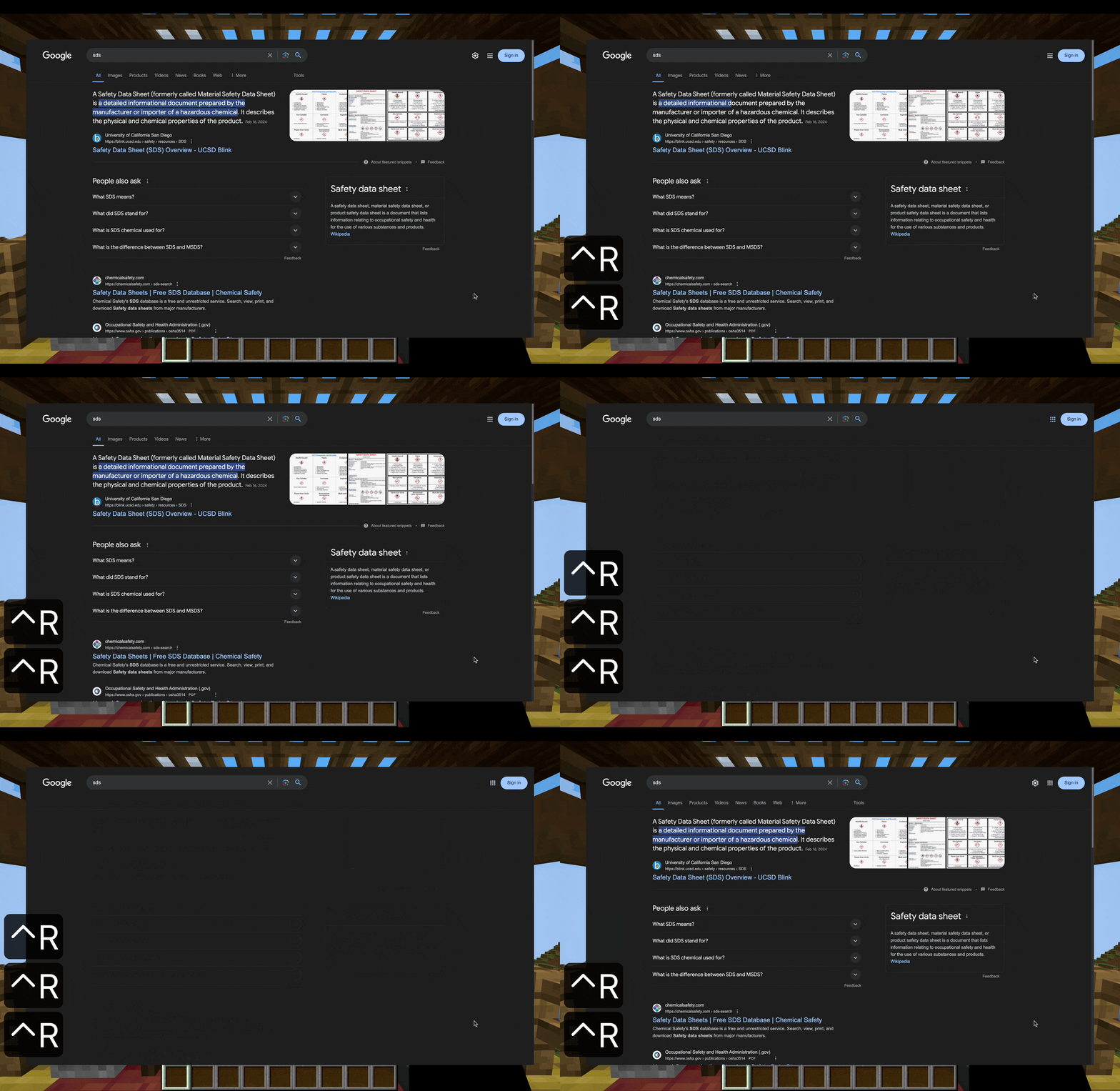 Press CTRL + R to refresh.
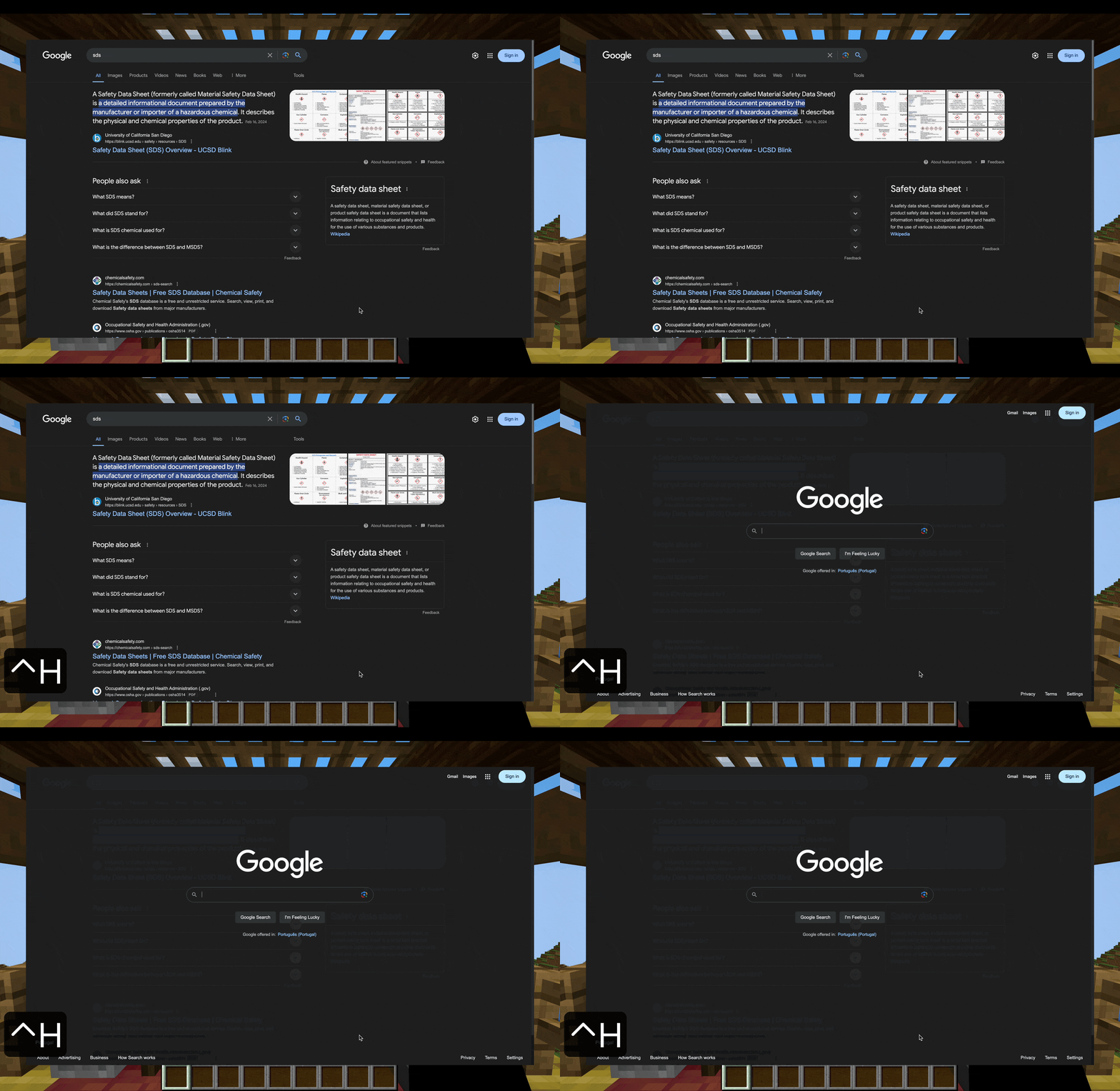 CTRL + H will return you to the home page.
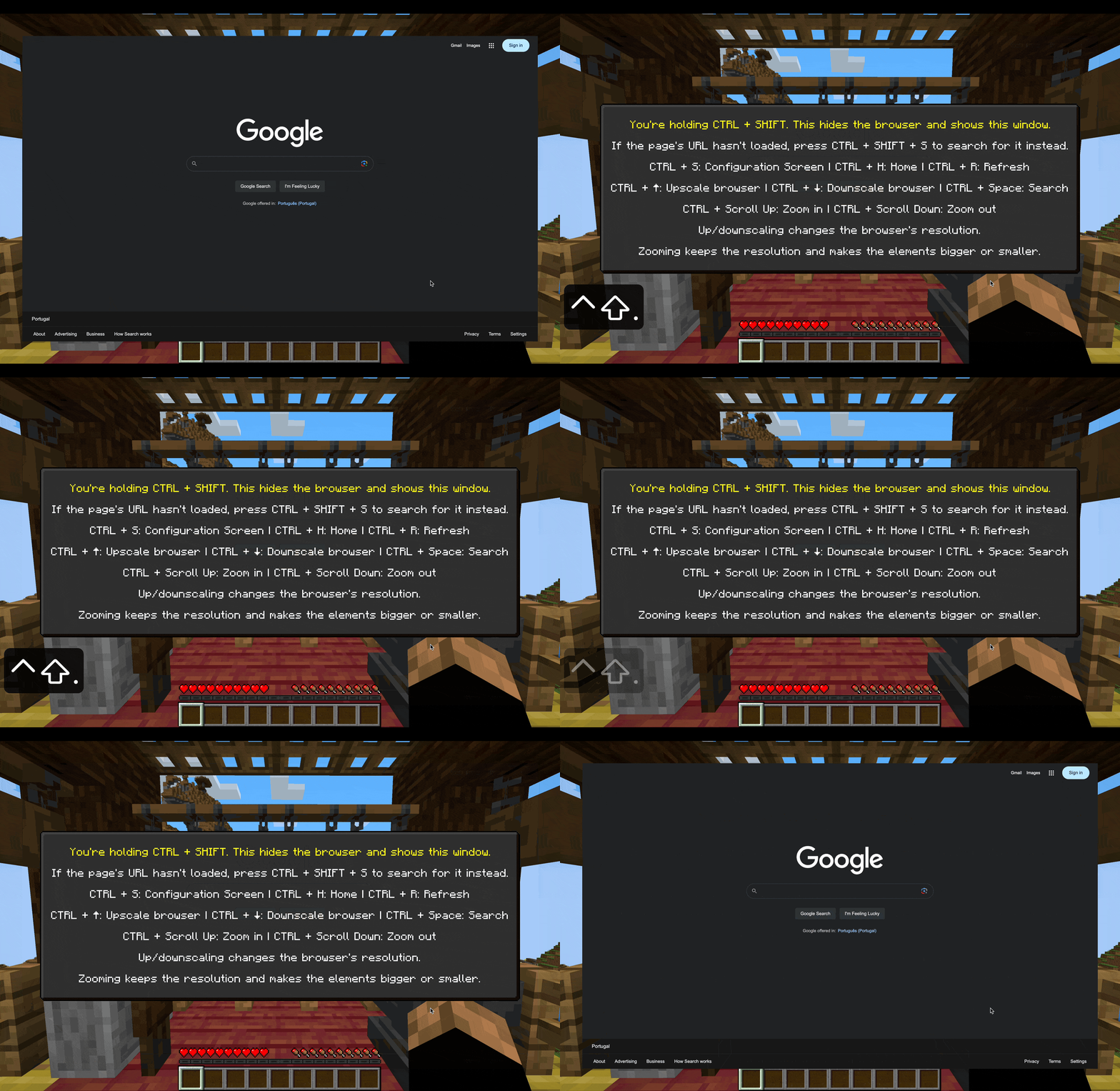 Pressing CTRL + SHIFT will reveal the help window, with all of the shortcuts.
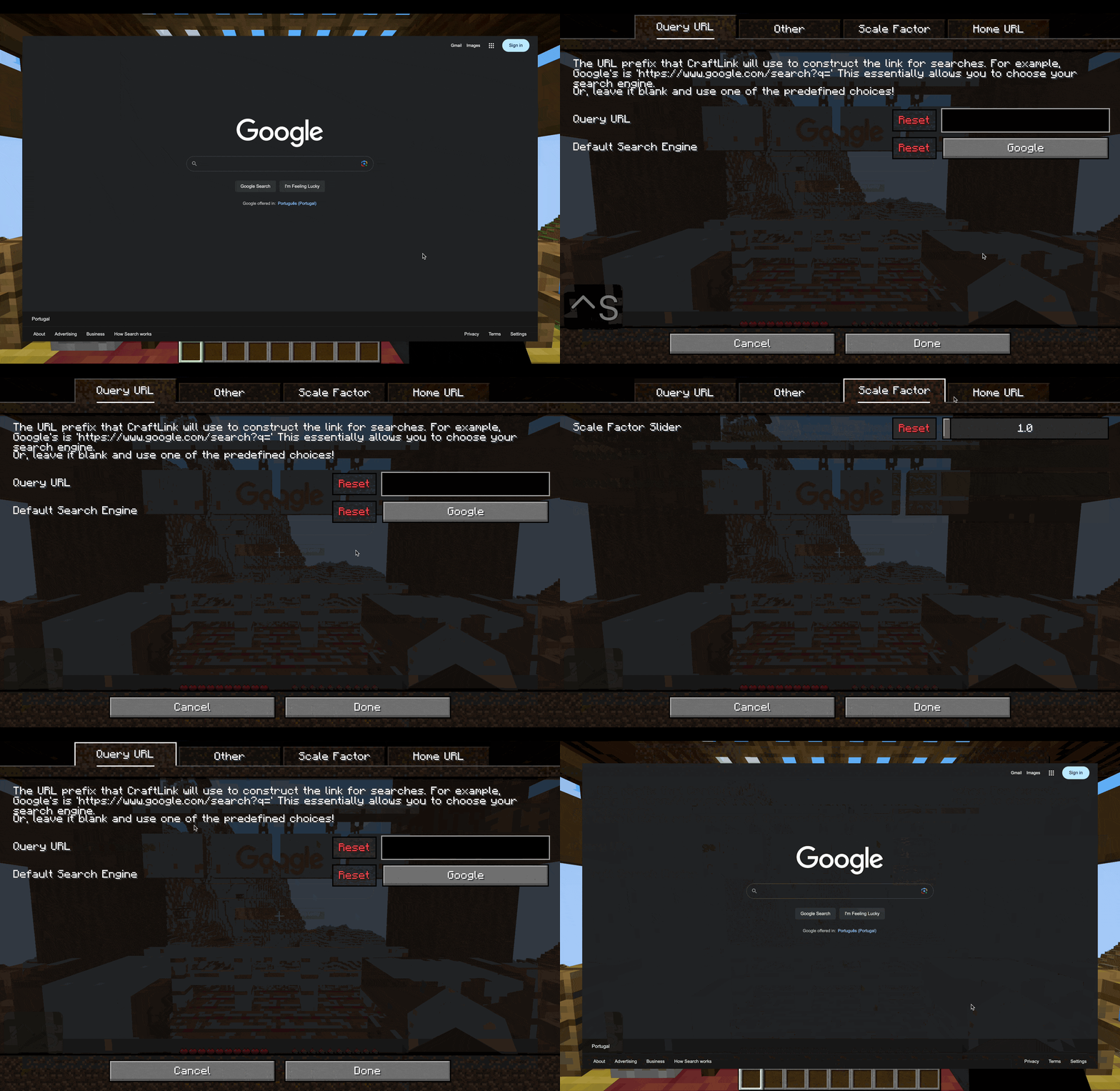 CTRL + S will reveal the Settings / Config Screen.
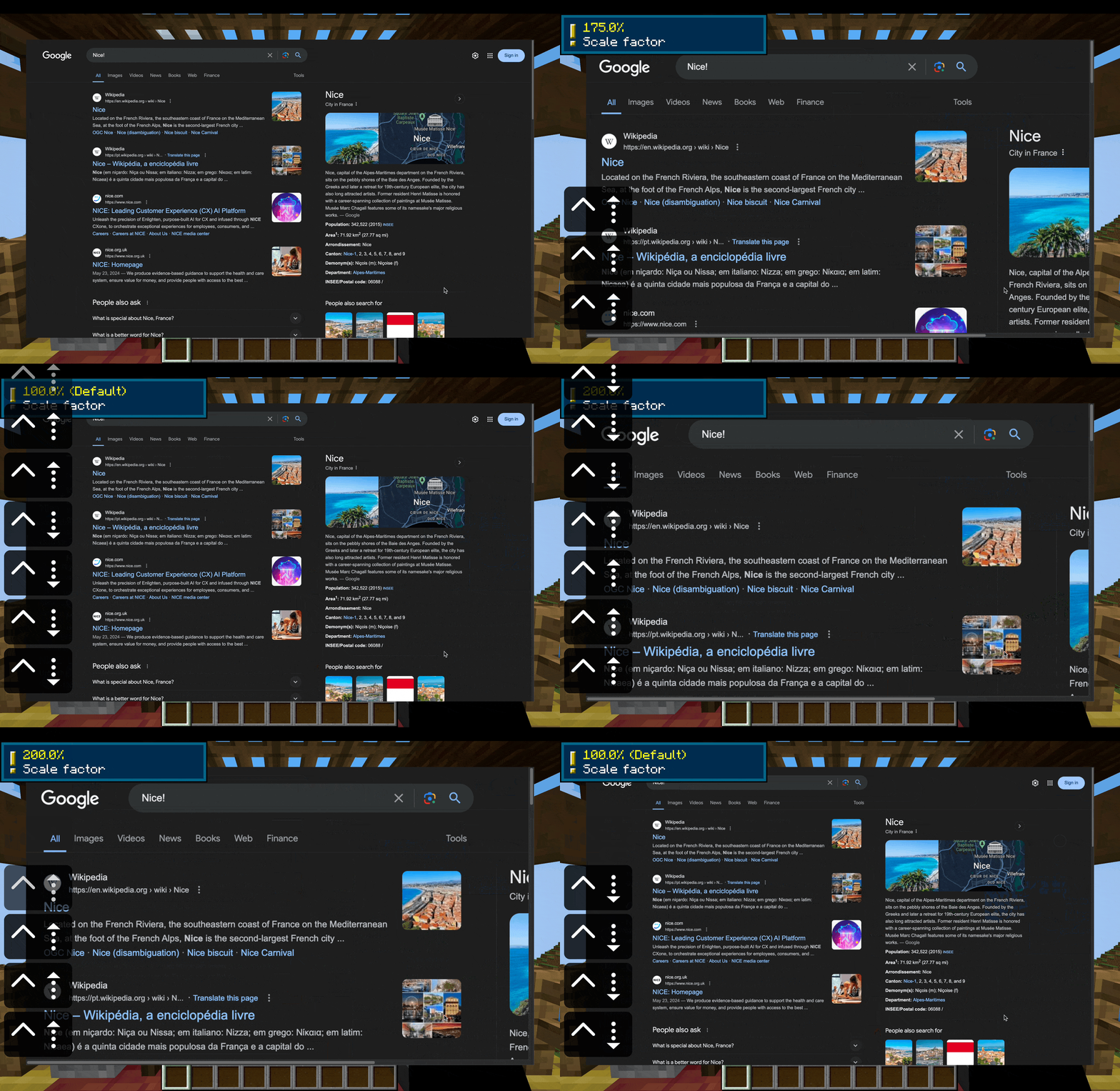 You can change the page's scale with CTRL + (Up / Down arrow). This changes the resolution of the page. I recommend using zoom instead for most cases.
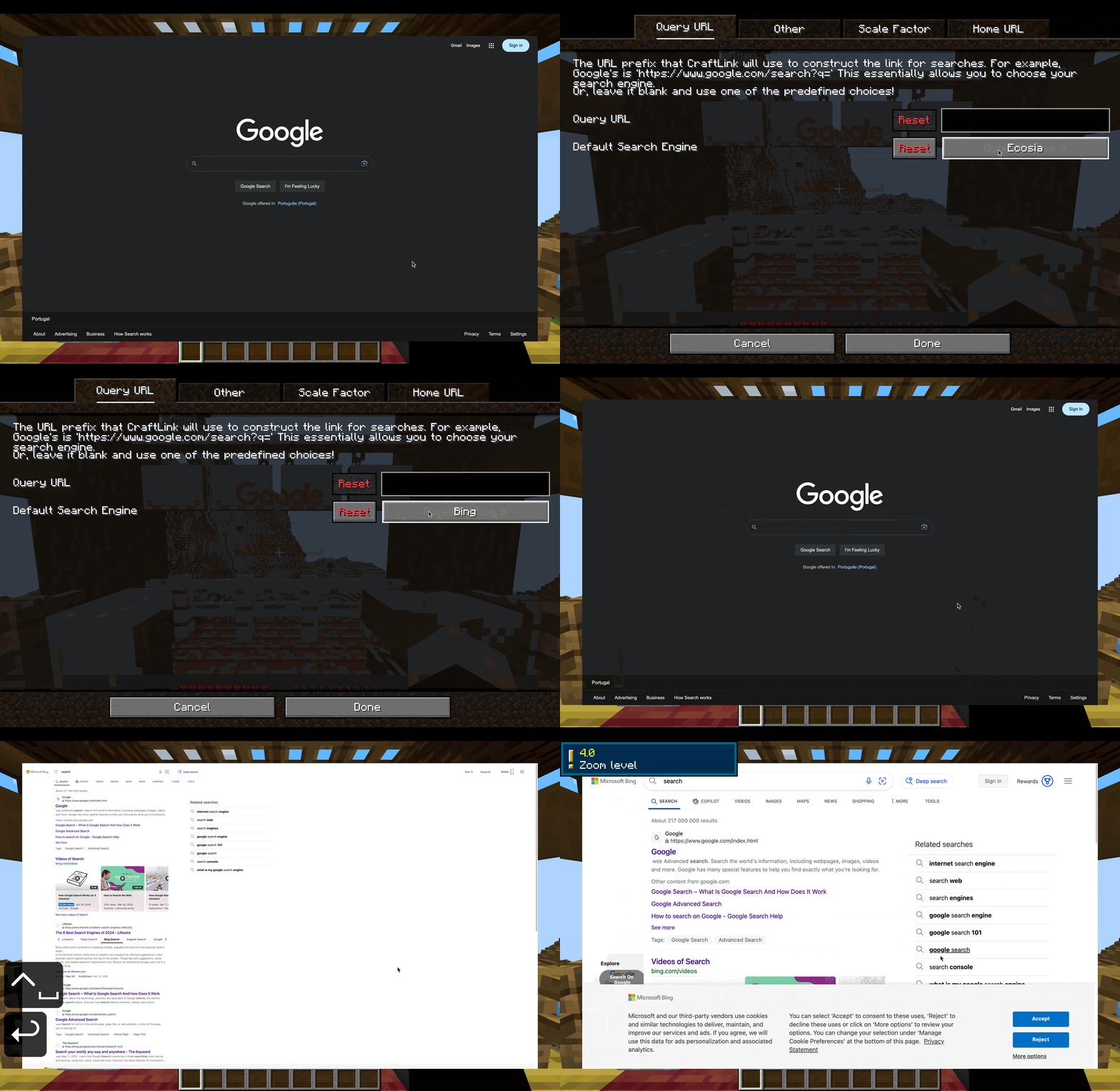 You can change the default search engine! Here I changed it to Bing.
Configurability + Performance
The heavy lifting is done with MCEF, owo-lib, and MidnightLib, which are known and tested libraries, so it should ensure smooth performance without impacting your game.
The config screen also includes detailed explanations for the configurations.
- The home page URL. The home page is the page that is opened when you first open the browser in a session, or when you return to it with CTRL + H. - Google by default
- You can choose one of the default choices (presets), Google, Bing, Yahoo, DuckDuckGo, Ecosia, and Ask, or you can use your own custom url for the home page.
- The default scale factor - 1.0 (100%) by default
- The search engine (which will be used by the search bar) - Google by default
- You can choose one of the default choices (presets), Google, Bing, Yahoo, DuckDuckGo, Ecosia, and Ask, or you can use your own custom query url prefix for searches.
- "Activate Help Text Overlay". This activates an overlay text displaying basic keyboard shortcut controls for the browser, while you hold CTRL. - Off by default
- "Activate Loading Message". This activates a "Loading..." overlay text while the browser is loading a page. - Off by default.
Other features
- CraftLink allows you to access the config screen through ModMenu.
- This mod opens links directly from in-game chat in the browser.
- A help overlay when pressing control (default off)
- A "Loading..." overlay when the browser is loading a page (default off)
- An easter egg in the configuration screen :)
Note: The browser will ALWAYS try to load a page. If the page doesn't exist, it will display a blank page. This might change in the future, but I want to make sure the error detection algorithm is perfect and doesn't spit out an error where there isn't one. If this happens, press CTRL+SHIFT+S, and this will conveniently search the failed URL on your search engine of choice automatically.
Documented
I wrote a wiki page, but the mod itself includes a built-in help window, accessible with [CTRL + SHIFT].
Licensing
This mod is licensed under the MIT License.
This is my first mod. I hope you like it.
CraftLink is a mod that adds an integrated minimalistic web browser to your game, perfect for doing quick web searches while minecrafting.
Simplicity
Simplicity is the main goal of this mod. It isn't as featureful as a full browser like Google Chrome or Safari, but the mod is meant for the game - the game isn't meant for the mod. CraftLink is a tool, not a gadget.
Efficiency
It won't make you mine faster, but it will make you search faster. The mod includes an easily accessible Search Bar allowing you to quickly search for anything, or directly visit a website. There are intuitive shortcuts for zooming, scaling, and refreshing.
Features
If you wish for a more detailed and/or technical description, visit the wiki.
The Search Bar is a way to quickly search stuff on your preferred search engine. You can access it directly from in-game without entering the browser screen first with the Backspace key. From the browser screen access it with CTRL + Space.
You can also directly enter URLs in the Search Bar to directly visit websites. Just write '>' before your URL. By default, the Search Bar will always search whatever you write on your preferred search engine, even if it's a URL.
Zoom in and out with CTRL + Scroll.
Press CTRL + R to refresh.
CTRL + H will return you to the home page.
Pressing CTRL + SHIFT will reveal the help window, with all of the shortcuts.
CTRL + S will reveal the Settings / Config Screen.
You can change the page's scale with CTRL + (Up / Down arrow). This changes the resolution of the page. I recommend using zoom instead for most cases.
You can change the default search engine! Here I changed it to Bing.
Configurability + Performance
The heavy lifting is done with MCEF, owo-lib, and MidnightLib, which are known and tested libraries, so it should ensure smooth performance without impacting your game.
So, what is configurable?
The config screen also includes detailed explanations for the configurations.
- The home page URL. The home page is the page that is opened when you first open the browser in a session, or when you return to it with CTRL + H. - Google by default
- You can choose one of the default choices (presets), Google, Bing, Yahoo, DuckDuckGo, Ecosia, and Ask, or you can use your own custom url for the home page.
- The default scale factor - 1.0 (100%) by default
- The search engine (which will be used by the search bar) - Google by default
- You can choose one of the default choices (presets), Google, Bing, Yahoo, DuckDuckGo, Ecosia, and Ask, or you can use your own custom query url prefix for searches.
- "Activate Help Text Overlay". This activates an overlay text displaying basic keyboard shortcut controls for the browser, while you hold CTRL. - Off by default
- "Activate Loading Message". This activates a "Loading..." overlay text while the browser is loading a page. - Off by default.
Other features
- CraftLink allows you to access the config screen through ModMenu.
- This mod opens links directly from in-game chat in the browser.
- A help overlay when pressing control (default off)
- A "Loading..." overlay when the browser is loading a page (default off)
- An easter egg in the configuration screen :)
Special note
Note: The browser will ALWAYS try to load a page. If the page doesn't exist, it will display a blank page. This might change in the future, but I want to make sure the error detection algorithm is perfect and doesn't spit out an error where there isn't one. If this happens, press CTRL+SHIFT+S, and this will conveniently search the failed URL on your search engine of choice automatically.
Documented
I wrote a wiki page, but the mod itself includes a built-in help window, accessible with [CTRL + SHIFT].
Licensing
This mod is licensed under the MIT License.
Screenshots
Gallery
-
General Showcase The browser has a simple UI. You can use the search bar to quickly enter websites and search queries.
-
The Search Bar The Search Bar is a way to quickly search stuff on your preferred search engine. You can access it directly from in-game without entering the browser screen first with the Backspace key. From the browser screen access it with CTRL + Space.
-
Search for a URL You can also directly enter URLs in the Search Bar to directly visit websites. Just write '>' before your URL. By default, the Search Bar will always search whatever you write on your preferred search engine, even if it's a URL.
-
Zooming in and out Zoom in and out with CTRL + Scroll.
-
Refresh Press CTRL + R to refresh.
-
Home CTRL + H will return you to the home page.
-
Help Window Pressing CTRL + SHIFT will reveal the help window, with all of the shortcuts.
-
Settings CTRL + S will reveal the Settings / Config Screen.
-
Adjusting the scale You can change the page's scale with CTRL + (Up / Down arrow). This changes the resolution of the page. I recommend using zoom instead for most cases.
-
Search engine You can change the default search engine! Here I changed it to Bing.
Versions
Files
Relations
Project Relations
More like this
Similar Mods
Suggestions use data such as tags, dependencies, dependents, descriptions, titles, and more to rank how much they overlap with this mod.
On ModDex
Community snapshot
By the numbers
Statistics
 (opens in a new tab)
Get it on
Available Platforms
On ModDex
Community snapshot
By the numbers