Community listing page, reviews here may not be monitored by the author.
Ctrl+Z


No reviews yet
Undo & Redo things, useful for redstone or building
Community voices
Reviews
No reviews yet. Be the first to review this project!
Get it on
Available Platforms
Compatibility
Supported Environments
Runs entirely on the client. Works on vanilla servers.
About
Project Details
For authors
Embed Badge
If you're the author of this project, you can embed a live badge anywhere that supports HTML or Markdown. It updates automatically whenever ratings change.
Use HTML for any page that supports it, or Markdown for README files and Markdown-based descriptions.
Identifiers
Platform IDs
About
Description
Ctrl+Z Mod
Demo
Features
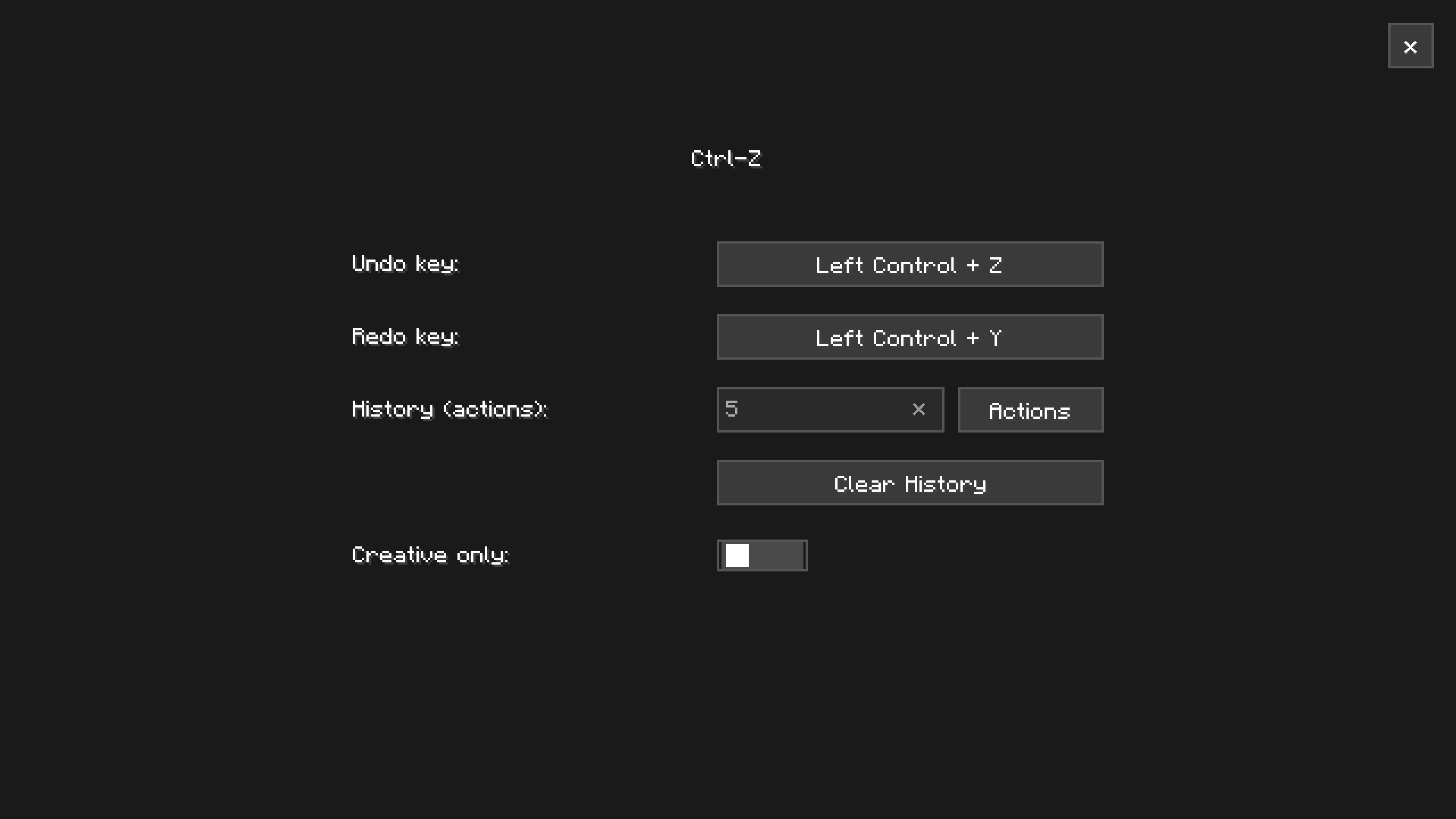
In-Game Undo/Redo History Undo and redo block placements, changes, and world edits directly
Configurable History Limit Choose how much history is kept, either by number of actions (e.g. last 5 actions) or by time (e.g. last few minutes/seconds)
Creative-Only Mode Optionally restrict undo/redo to Creative mode only, so it never interferes with Survival gameplay
Note: The default keybinds are Ctrl+Z to undo and Ctrl+Y to redo. The default keybind to open the history menu is Z. Menu keybind can be changed in the vanilla keybind menu.
How to Report Issues
If you encounter bugs, crashes, or have suggestions for improvements:
- Open an issue on the GitHub Issue Tracker
- Or join the Discord Server to chat directly with me and the community
When reporting issues, please include:
- Your Minecraft version
- Fabric version
- Vanilib version
- List of installed mods
- Any relevant crash logs or game logs
Ctrl+Z Mod
Demo
Features
-
In-Game Undo/Redo History Undo and redo block placements, changes, and world edits directly
-
Configurable History Limit Choose how much history is kept, either by number of actions (e.g. last 5 actions) or by time (e.g. last few minutes/seconds)
-
Creative-Only Mode Optionally restrict undo/redo to Creative mode only, so it never interferes with Survival gameplay
Note: The default keybinds are Ctrl+Z to undo and Ctrl+Y to redo. The default keybind to open the history menu is Z. Menu keybind can be changed in the vanilla keybind menu.
How to Report Issues
If you encounter bugs, crashes, or have suggestions for improvements:
- Open an issue on the GitHub Issue Tracker
- Or join the Discord Server to chat directly with me and the community
When reporting issues, please include:
- Your Minecraft version
- Fabric version
- Vanilib version
- List of installed mods
- Any relevant crash logs or game logs
Screenshots
Gallery
Versions
Files
Relations
Project Relations
More like this
Similar Mods
Suggestions use data such as tags, dependencies, dependents, descriptions, titles, and more to rank how much they overlap with this mod.
On ModDex
Community snapshot
By the numbers
Statistics
Want to reach Minecraft players?
We're looking for a server hosting partner to feature here and other parts of the site. Interested? Send us a message!
Get in touchGet it on
Available Platforms
On ModDex
Community snapshot
By the numbers