Community listing page, reviews here may not be monitored by the author.
Custom Book Author

No reviews yet
Change the author and name of written books
Community voices
Reviews
No reviews yet. Be the first to review this project!
Get it on
Available Platforms
About
Project Details
For authors
Embed Badge
If you're the author of this project, you can embed a live badge anywhere that supports HTML or Markdown. It updates automatically whenever ratings change.
Use HTML for any page that supports it, or Markdown for README files and Markdown-based descriptions.
Identifiers
Platform IDs
Resources
External Links
About
Description

Discord: The Quin Studios community hub, and semi-regular news
Instagram: Texture-by-texture progress for my resource pack, Immersion, and general Quin Studios news
Patreon: In-depth update and development progress posts for large projects
If you like my work, please consider supporting me on Patreon
About
This datapack allows you to customize and change the author and title of a written book. Supports Minecraft versions 1.18+.
To change the author name of a book, just follow these steps:
1. Take a Book and Quill, and rename it to "Author" with an anvil.
2. On the first page, write the author name, however you want it to display.
3. Put the named book and quill in your offhand, and open a written book that you want to change the author of.
4. And voila, you're done! The new author name should now display properly.
You can change book titles with this same method, only using a book and quill named "Title" instead of "Author". This method can be used to overcome the vanilla character limit for book titles, allowing you to now make books with titles potentially stretching even beyond the edges of your screen.
Installation
New World:
1. Select Data Packs in the world creation menu (in 1.19.4+, select the More tab at the top of the screen first)
2. Drag and drop the download into the Minecraft window, then select Yes to add the pack
3. Click the arrow on the pack icon to load the pack, and then select Done
4. Load and play your world
Existing World:
1. Navigate to your world folder. You can open it from the worlds menu by selecting your world, Edit,
and then Open World Folder
2. Go into the datapacks folder, and move the download there
3. Load your world
4. Type /reload
Note that if you are installing the datapack into a pre-existing world, you will need to temporarily enable cheats in order to reload the datapack. Cheats do not need to be enabled after reloading, and are not necessary for new worlds.
Screenshots
Gallery
-
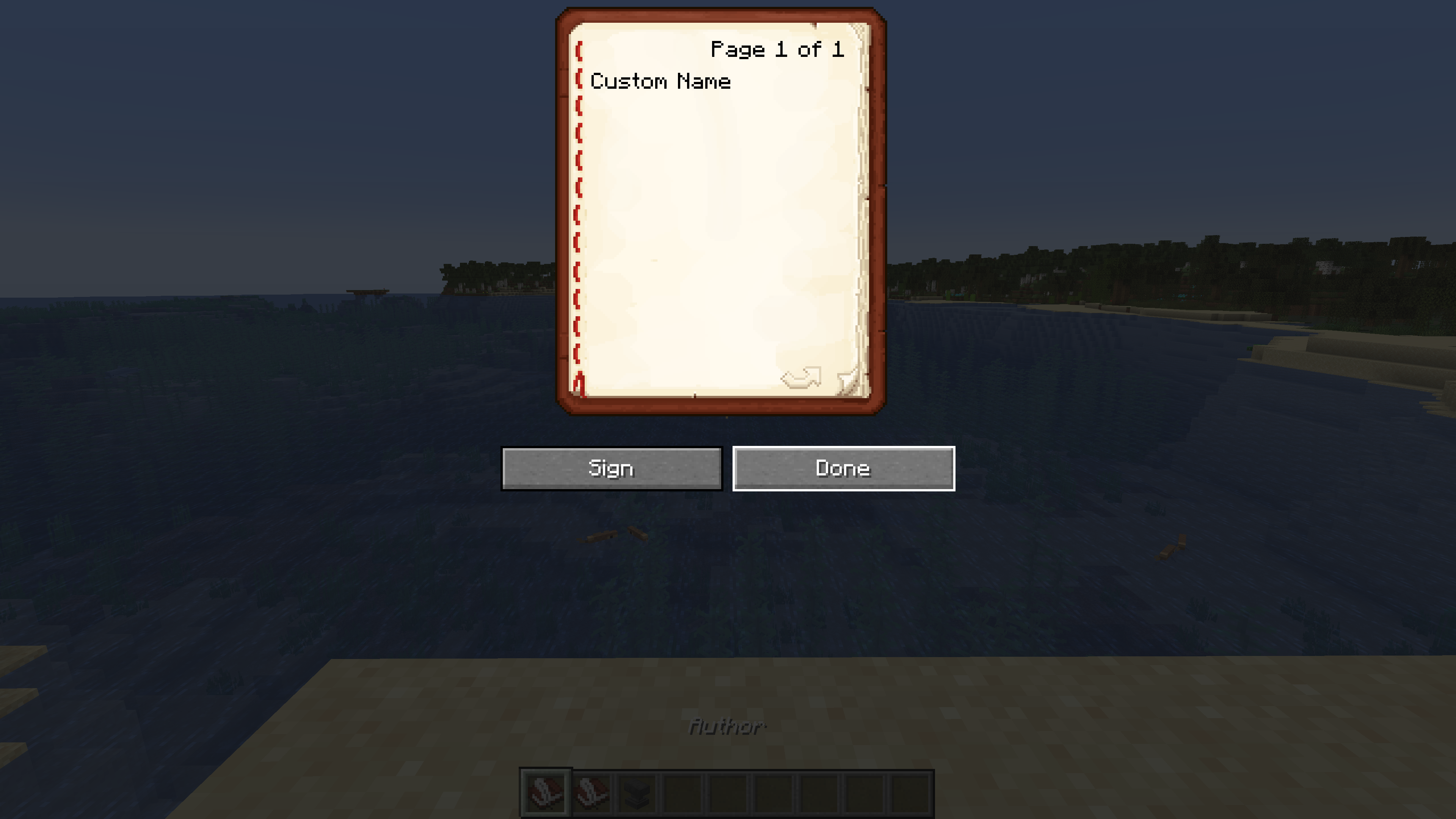 Custom Book Author Step 2 (write name in book and quill)
 -
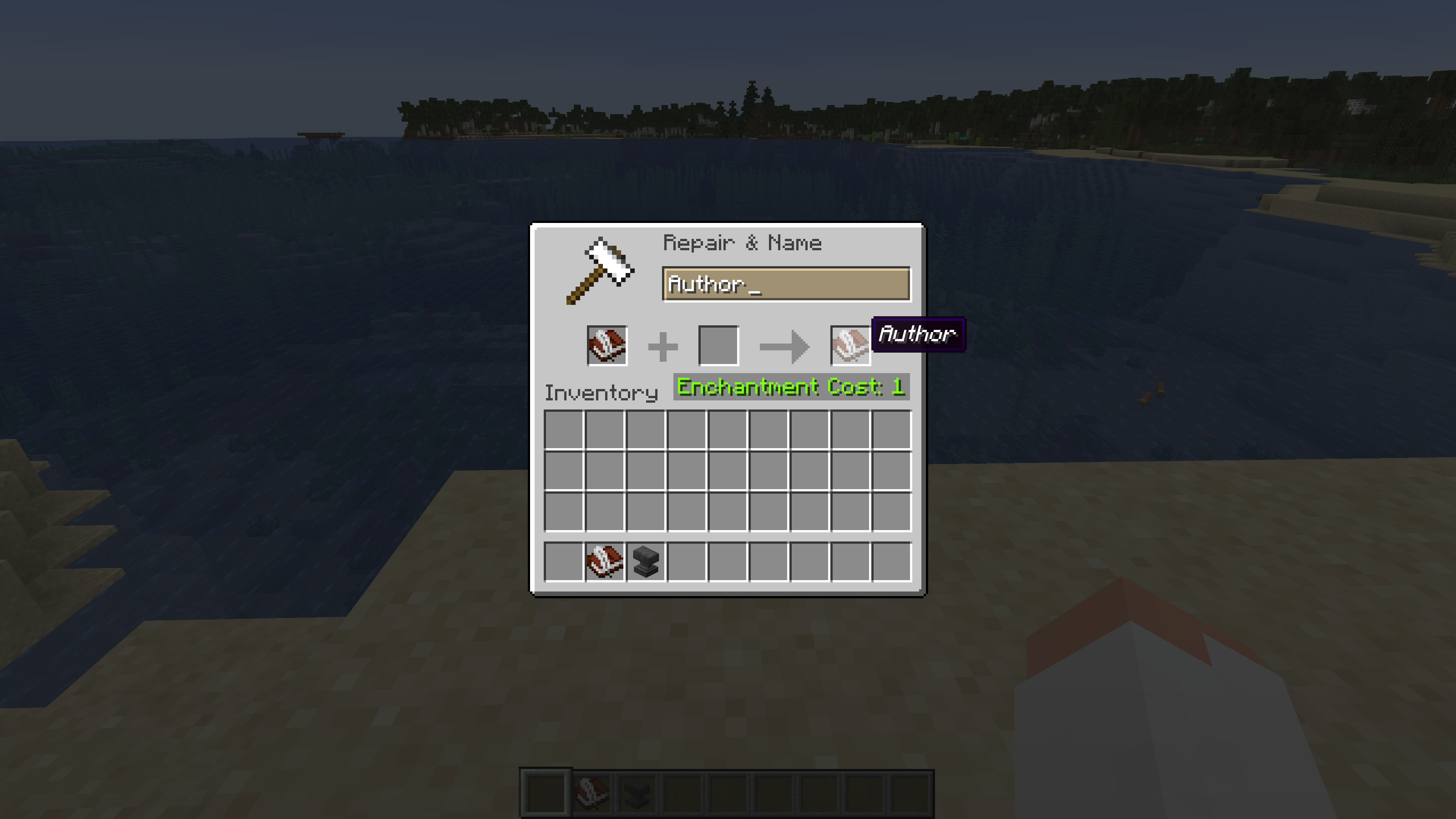 Custom Book Author Step 1 (rename book and quill in anvil)
 -
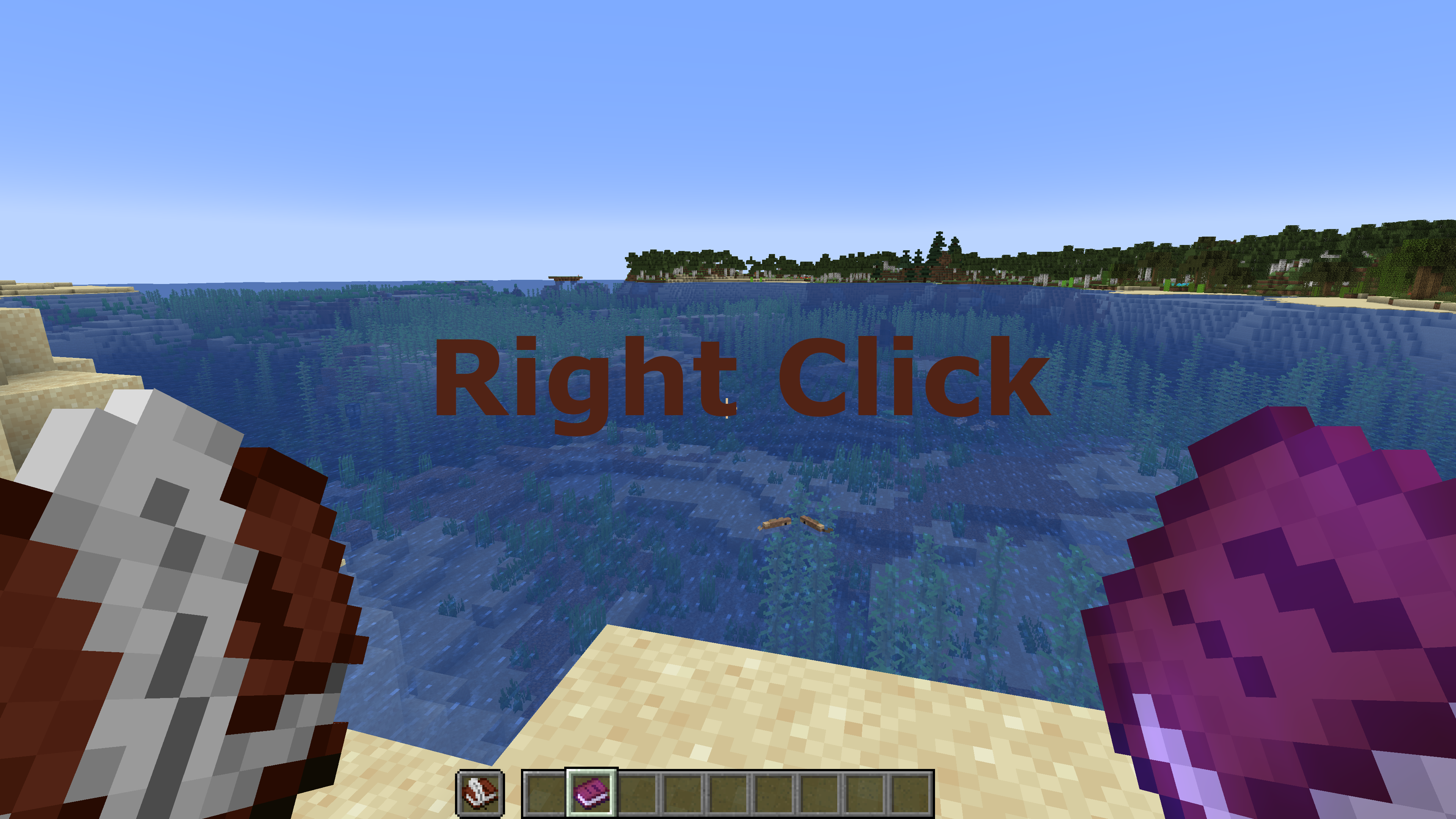 Custom Book Author Step 3 (hold book and quill in offhand, open written book)
 -
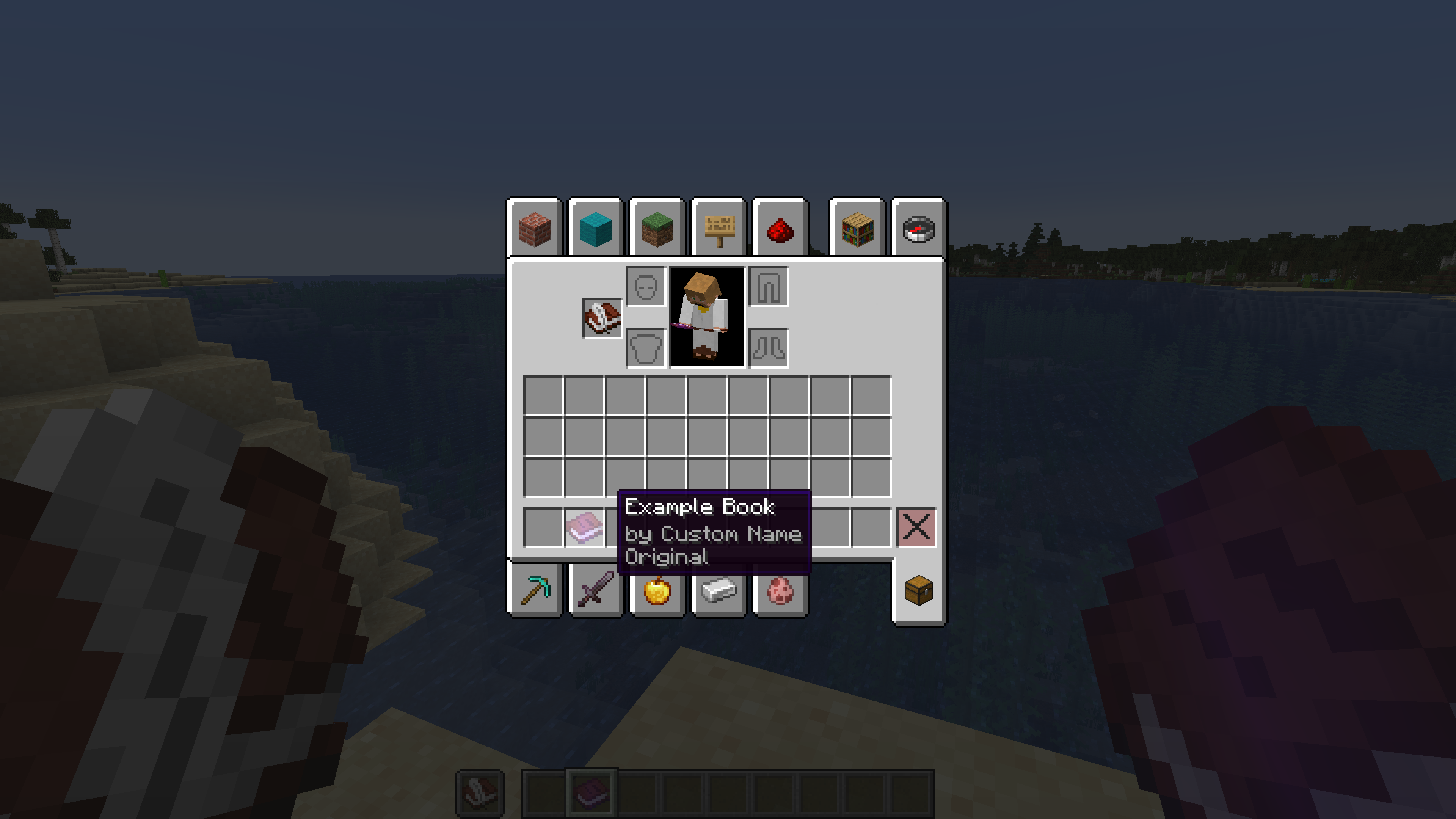 Custom Book Author Example of a renamed author
 -
 Custom Book Author Cover Image
 -
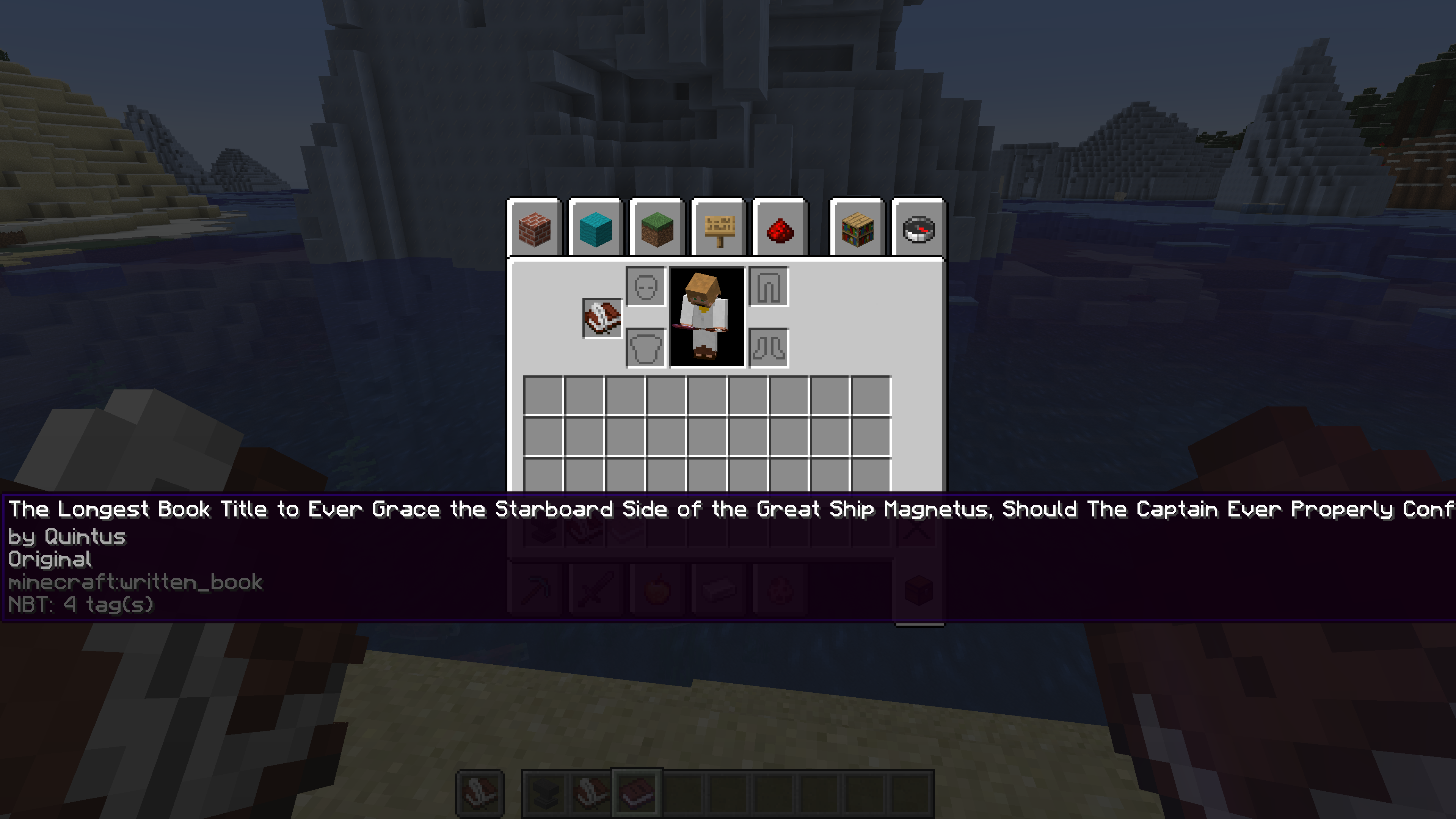 Custom Book Author Example of a renamed book title
Versions
Files
Relations
Project Relations
More like this
Similar Mods
Suggestions use data such as tags, dependencies, dependents, descriptions, titles, and more to rank how much they overlap with this mod.
On ModDex
Community snapshot
By the numbers
Statistics

Want to reach Minecraft players?
We're looking for a server hosting partner to feature here and other parts of the site. Interested? Send us a message!
Get in touchGet it on
Available Platforms
On ModDex
Community snapshot
By the numbers
Statistics
Resources