Community listing page, reviews here may not be monitored by the author.
Damage Engine


No reviews yet
Display damage information on the UI
Community voices
Reviews
No reviews yet. Be the first to review this project!
Get it on
Available Platforms
Compatibility
Supported Environments
Must be installed on both the client and the server.
Works on the client or the server alone, but does more when on both.
Varies by version.
About
Project Details
For authors
Embed Badge
If you're the author of this project, you can embed a live badge anywhere that supports HTML or Markdown. It updates automatically whenever ratings change.
Use HTML for any page that supports it, or Markdown for README files and Markdown-based descriptions.
Identifiers
Platform IDs
About
Description
Damage Engine
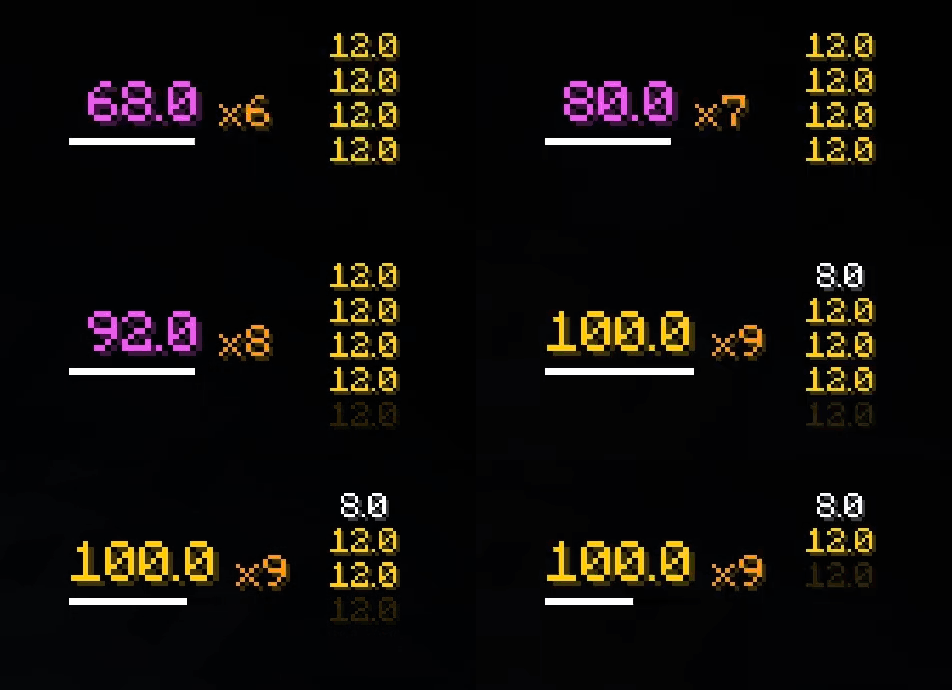
Damage Engine displays comprehensive combat information on your HUD — total damage, combo counter, damage history, target entity info, floating damage numbers, and a rating system.
Requires installation on both client and server.
HUD Modules
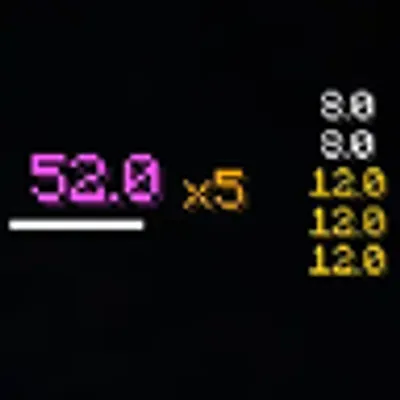
- Total Damage — Accumulated damage in the current combat session, with configurable color thresholds (e.g., white → blue → magenta → gold at different damage milestones).
- Combo Counter — Shows how many hits you've landed in a row (e.g., "x5").
- Progress Bar — A bar that instantly refills on hit and smoothly drains over time, indicating when the combo/damage session will reset.
- Damage History — A scrolling list of recent individual damage values, newest on top, with slide-in and fade-out animations.
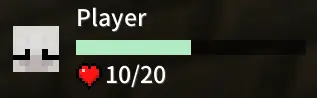
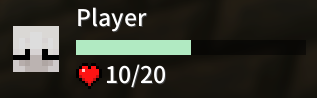
- Target Info Panel — Displays the last entity you hit: player avatar head (for players), entity name, HP values, and an animated health bar with damage tail and heal effects.
- Floating Damage Indicators — World-space numbers that pop up from hit targets or projectiles, with distinct animations for normal hits, crits, and kills ("Kill!"). Supports distance-based scaling.
- Rating System — Earn a grade (S / A / B / C / D) based on combo count, normal hits, and crits in each combat session. All scoring weights and grade thresholds are fully configurable.
HUD Editor
Each module can be independently repositioned and resized via a drag-and-drop HUD editor, with undo/redo support.
Configurable Options
- Show/hide each HUD module individually.
- Custom colors for progress bar, combo, history entries, normal/crit damage, health bars, floating indicators, and kill text.
- Configurable color thresholds for total damage (define color tiers at any damage value).
- Adjustable combo reset time, history entry limit (1–50), history display duration, and decimal places (0–10).
- F1 compatibility — optionally hide the HUD when the vanilla GUI is hidden.
- Debug mode — optionally print raw damage info to chat or show current rating score in the action bar.
- Full
config/damage-engine/config.jsonfor manual editing.
Key Bindings
All keys are unbound by default and can be assigned in the controls menu:
- Open Config — Opens the configuration GUI.
- Toggle HUD — Show/hide the entire Damage Engine HUD.
- Clear Damage — Reset the current damage session and clear all floating indicators.
Commands
/damage_engine clear— Clears current damage data (same as the key binding).
Feedback & License
- Issues and suggestions: https://github.com/Ovear-Mitama/Damage-Engine/issues
- Licensed under the MIT license.
Damage Engine


Damage Engine displays comprehensive combat information on your HUD — total damage, combo counter, damage history, target entity info, floating damage numbers, and a rating system.
Requires installation on both client and server.
HUD Modules
- Total Damage — Accumulated damage in the current combat session, with configurable color thresholds (e.g., white → blue → magenta → gold at different damage milestones).
- Combo Counter — Shows how many hits you've landed in a row (e.g., "x5").
- Progress Bar — A bar that instantly refills on hit and smoothly drains over time, indicating when the combo/damage session will reset.
- Damage History — A scrolling list of recent individual damage values, newest on top, with slide-in and fade-out animations.
- Target Info Panel — Displays the last entity you hit: player avatar head (for players), entity name, HP values, and an animated health bar with damage tail and heal effects.
- Floating Damage Indicators — World-space numbers that pop up from hit targets or projectiles, with distinct animations for normal hits, crits, and kills ("Kill!"). Supports distance-based scaling.
- Rating System — Earn a grade (S / A / B / C / D) based on combo count, normal hits, and crits in each combat session. All scoring weights and grade thresholds are fully configurable.
HUD Editor
Each module can be independently repositioned and resized via a drag-and-drop HUD editor, with undo/redo support.
Configurable Options
- Show/hide each HUD module individually.
- Custom colors for progress bar, combo, history entries, normal/crit damage, health bars, floating indicators, and kill text.
- Configurable color thresholds for total damage (define color tiers at any damage value).
- Adjustable combo reset time, history entry limit (1–50), history display duration, and decimal places (0–10).
- F1 compatibility — optionally hide the HUD when the vanilla GUI is hidden.
- Debug mode — optionally print raw damage info to chat or show current rating score in the action bar.
- Full
config/damage-engine/config.jsonfor manual editing.
Key Bindings
All keys are unbound by default and can be assigned in the controls menu:
- Open Config — Opens the configuration GUI.
- Toggle HUD — Show/hide the entire Damage Engine HUD.
- Clear Damage — Reset the current damage session and clear all floating indicators.
Commands
/damage_engine clear— Clears current damage data (same as the key binding).
Feedback & License
- Issues and suggestions: https://github.com/Ovear-Mitama/Damage-Engine/issues
- Licensed under the MIT license.
Screenshots
Gallery
-
 HUD updata
 -
 mod GUI
 -
 Information shows
Versions
Files
Relations
Project Relations
More like this
Similar Mods
Suggestions use data such as tags, dependencies, dependents, descriptions, titles, and more to rank how much they overlap with this mod.
On ModDex
Community snapshot
By the numbers
Statistics
Want to reach Minecraft players?
We're looking for a server hosting partner to feature here and other parts of the site. Interested? Send us a message!
Get in touchGet it on
Available Platforms
On ModDex
Community snapshot
By the numbers