
Community listing page, reviews here may not be monitored by the author.
Debug Properties Plus

No reviews yet
A convenient UI and command to modify debug properties at runtime.

Community voices
Reviews
No reviews yet. Be the first to review this project!
Get it on
Available Platforms
Compatibility
Supported Environments
Must be installed on both the client and the server.
Works on the client or the server alone, but does more when on both.
Varies by version.
About
Project Details
For authors
Embed Badge
If you're the author of this project, you can embed a live badge anywhere that supports HTML or Markdown. It updates automatically whenever ratings change.
Use HTML for any page that supports it, or Markdown for README files and Markdown-based descriptions.
Identifiers
Platform IDs
About
Description
Debug Properties Plus
Debug properties exist for debugging purposes only. They might corrupt your world! Only use this mod if you know what you are doing.
This is a Minecraft fabric mod that adds a convenient UI to modify debug properties at runtime. The UI can be opened using F3+F7 (can be changed in controls) and using Mod Menu. This also allows changing debug properties of the server when the mod is also installed on the server and the player has OP permissions.
Additionally, adds a /debugproperties command to set properties on the server, even when the mod is not installed on
the client.
Because debug properties are very diverse, the mod differentiates between different types:
Client properties:
These properties affect some behavior of the client. Those properties can be set globally and then affect all sessions and worlds
- Some of these properties (mostly debug renderers) require the player to have OP permissions. A warning is shown when permissions are missing.
- Some of these properties don't work at all in multiplayer. A warning is shown when on a server.
Global server properties:
These properties affect the behavior of the server. They are set globally and affect all worlds in singleplayer, but need to be set separately on a server. They require OP permissions to set on a server and can't be changed by visitors of a LAN sessions (as that would affect the properties of the host even in different worlds).
Per world properties:
Those are the most dangerous properties, as they affect the world directly (i.e. an inadvertently enabled property can cause lasting damage to a world). Therefore, they are set on a per-world basis and have to be enabled seperately for each world.
During world creation, there is an option to set those properties before the world is created. Default values can be set when opening the F3+F7 menu while in the main menu. To set on a server, they require OP permissions, but they can be set by visitors of LAN sessions.
Ineffective properties:
Some properties have no effect in vanilla and are therefore not handled at all.
Screenshots
Gallery
-
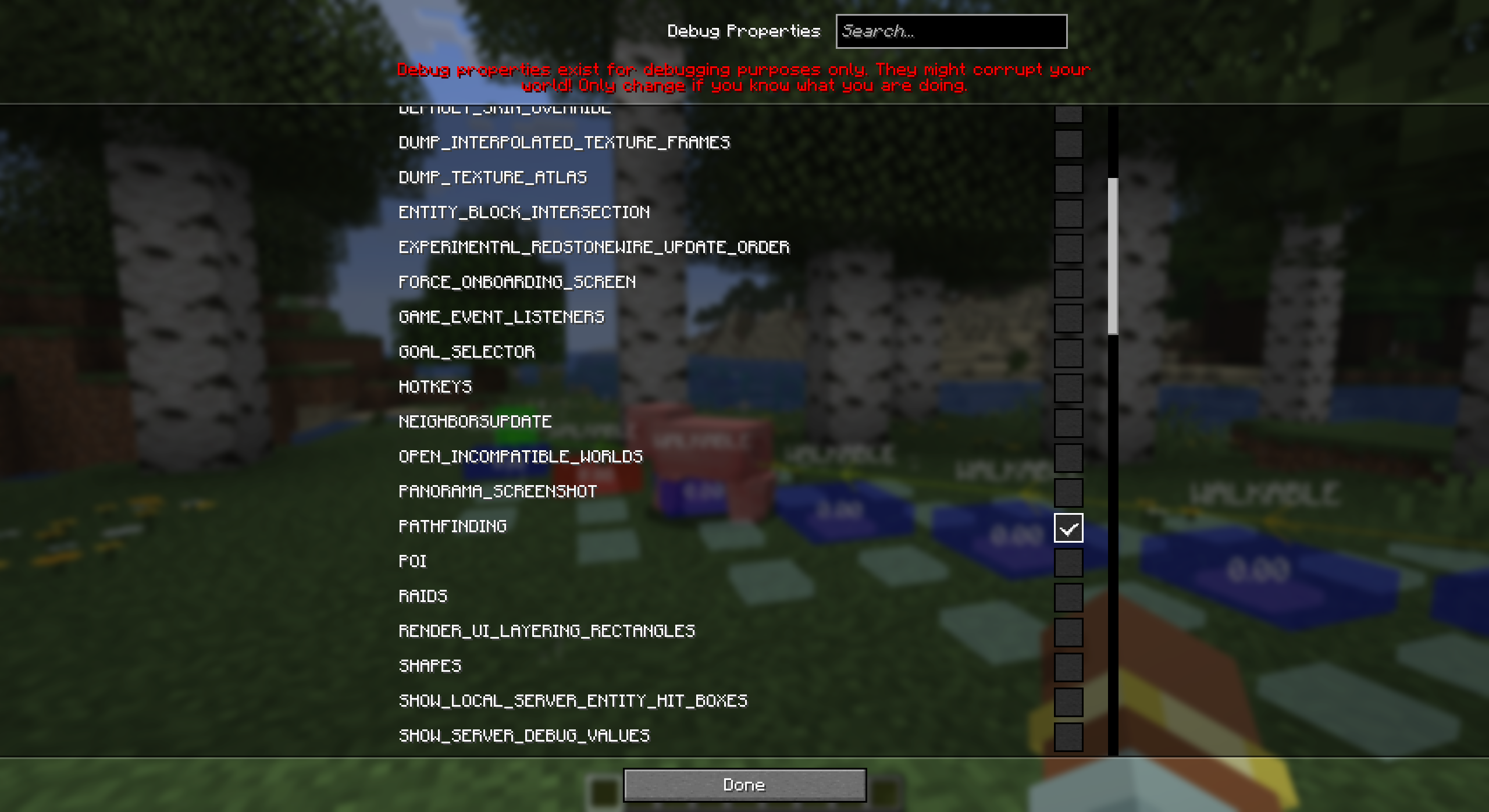 Changing debug properties This mod allows changing debug properties on the fly. Here the PATHFINDING debug property is enabled which enables a debug renderer showing the paths mobs are taking.
 -
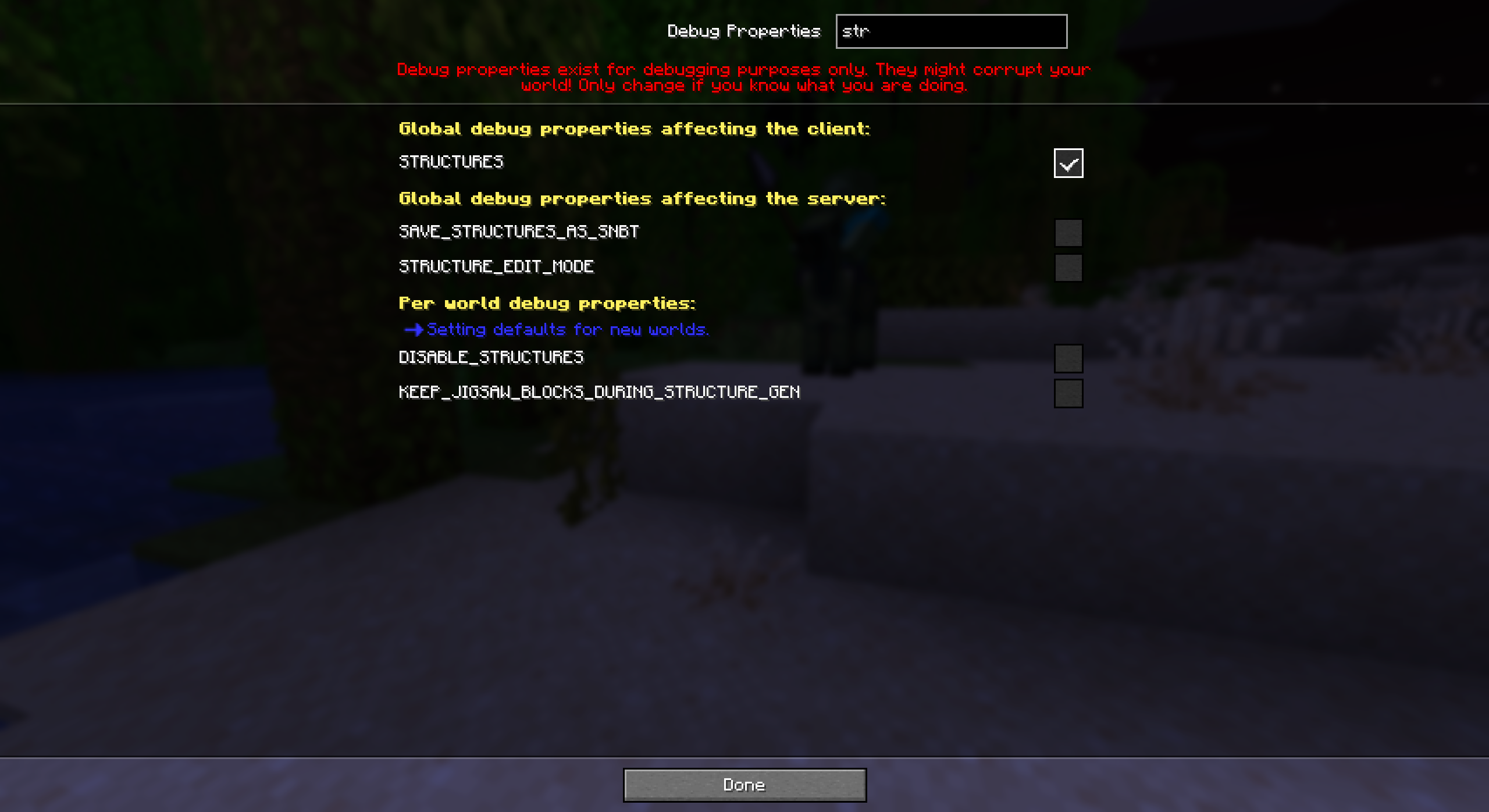 Searching debug properties A search box allows searching for specific debug properties. Here we search for debug properties related to structures. Since we are in the main menu, some property changes will only affect new worlds.
 -
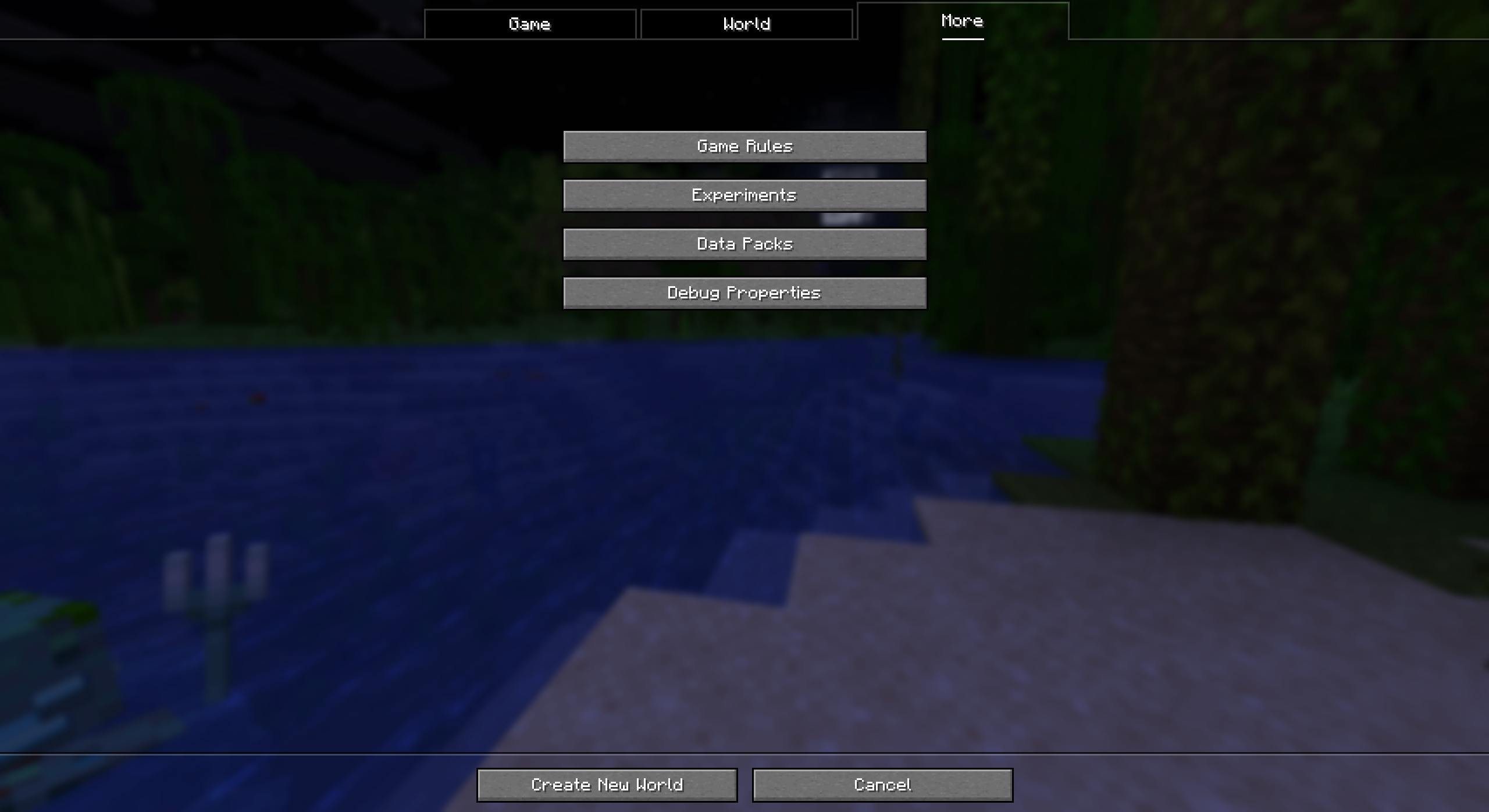 World creation When creating a new world, a new button in the "More" tab allows setting the debug properties that are set per-world.
Versions
Files
Relations
Project Relations
More like this
Similar Mods
Suggestions use data such as tags, dependencies, dependents, descriptions, titles, and more to rank how much they overlap with this mod.
On ModDex
Community snapshot
By the numbers
Statistics

 (opens in a new tab)
Get it on
Available Platforms
On ModDex
Community snapshot
By the numbers