
Community listing page, reviews here may not be monitored by the author.
Dex Cosmetics

No reviews yet
Hats. Wings. Snowstorm Particles. Custom item skins. All server-side. Your players don't install a thing.
Community voices
Reviews
No reviews yet. Be the first to review this project!
Get it on
Available Platforms
Compatibility
Supported Environments
Runs entirely on the server. Also works in singleplayer.
About
Project Details
For authors
Embed Badge
If you're the author of this project, you can embed a live badge anywhere that supports HTML or Markdown. It updates automatically whenever ratings change.
Use HTML for any page that supports it, or Markdown for README files and Markdown-based descriptions.
Identifiers
Platform IDs
Resources
External Links
About
Description
Dex Cosmetics
A server-side cosmetics mod for Fabric 1.21.1. Hats, back items (capes, wings, backpacks), item skins, and visual effects (particles, glow outlines, Bedrock-format particles). 100% server-installed — vanilla clients see everything through Polymer's auto-served resource pack.
Requirements
- Minecraft: 1.21.1
- Mod loader: Fabric 0.19.2 or newer
- Server-side only — clients run vanilla; no client install required
Dependencies
| Dependency | Version | Type | Role |
|---|---|---|---|
fabric-api |
0.116.12+1.21.1 | Required | Core Fabric APIs (events, commands, networking) |
fabric-language-kotlin |
1.13.11 / Kotlin 2.3.21 | Required | Mod is written in Kotlin |
polymer |
0.9.19+1.21.1 | Required | Server-side custom items + model registration |
text-placeholder-api |
2.4.2+1.21 | Required (transitive) | MiniMessage-style text parsing |
LuckPerms |
5.4 API | Optional | Permission checks for admin commands; falls back to vanilla op-level if absent |
Cobblemon |
1.7.3+1.21.1 | Optional | Needed only for snowstorm-particle effects; gated at runtime |
Installation
- Drop the mod jar into your server's
mods/folder along with its required dependencies (Fabric API, Fabric Language Kotlin, all four Polymer modules, sgui, placeholder-api). - Start the server once — on first run it generates
config/dex_cosmetics/with the default settings file, bundled example cosmetics, and the directory layout for adding your own. - (Optional) Install LuckPerms if you want permission-based admin command access. Without it, admin commands gate on op level 4.
- (Optional) Install Cobblemon if you want snowstorm-particle effects. Without it those cosmetics still load but render nothing.
Clients connect normally — Polymer-autohost serves the resource pack automatically on join. The pack is marked required by default; players who decline will be kicked. This is configurable.
Configuration
Global config — config/dex_cosmetics/config.json
{
  "require_resource_pack": true,
  "resource_pack_kick_message": "This server requires the Dex Cosmetics resource pack.",
  "autosave_interval_seconds": 300,
  "particle_tick_budget_per_player": 32,
  "admin_permission": "dexcosmetics.admin",
  "allow_item_skin_sharing": true,
  "rename_item_to_skin_name": false,
  "resource_pack_mode": "auto",
  "custom_model_data_start": 2000,
  "menu_categories": {
    "ITEM": true,
    "HAT": true,
    "BACK": true,
    "EFFECT": true,
    "BALLOON": false,
    "POKEMON": false
  },
  "menu_focus": "HAT"
}
require_resource_pack— whentrue, clients who decline the pack are kicked withresource_pack_kick_message. Setfalseto allow players in without it (they'll see vanilla everything).autosave_interval_seconds— currently informational; player data is persisted on every grant/revoke/equip.particle_tick_budget_per_player— currently informational; particle cosmetics throttle viainterval_ticksper cosmetic.admin_permission— LuckPerms permission node checked for/cosmetics give/take/list/reload/generatepack. Without LuckPerms, op-level 4 is required.allow_item_skin_sharing— whentrue(default), skinned items keep their skin when dropped/traded. Whenfalse, the skin component is stripped the moment a non-owner picks the item up.rename_item_to_skin_name— whentrue, items with an applied skin show the cosmetic's display name instead of the vanilla item name. Name override happens at sync time on the client copy, so trading doesn't permanently rename the underlying stack.
Cosmetic definitions — config/dex_cosmetics/cosmetics/<type>/<id>.json
One JSON file per cosmetic, grouped into four subdirectories:
hats/— head equipment (type: HAT)back/— capes, wings, backpacks (type: BACK)items/— held-item skins (type: ITEM)effects/— particles, glow, snowstorm (type: EFFECT)
Each file defines:
{
  "id": "my_cosmetic",
  "type": "HAT",
  "display_name": "<gold>My Hat</gold>",
  "description": ["Lore line 1", "Lore line 2"],
  "model": "dex_cosmetics:hats/my_cosmetic",
  "texture": "dex_cosmetics:hats/my_cosmetic/my_cosmetic",
  "model_parent": "minecraft:item/generated",
  "transform": {
    "offset_x": 0, "offset_y": 0, "offset_z": 0,
    "scale_x": 1, "scale_y": 1, "scale_z": 1
  }
}
Per type:
- HAT — uses
transformto bake an offset/scale into the model'sdisplay.headperspective. - BACK — only
scale.xis read (uniform scale via SCALE attribute). Position is fixed by vanilla armor-stand mount logic. - ITEM — needs
item_skin: { compatible_items: [...] }. Each entry is an item id (minecraft:diamond_sword) or tag (#minecraft:swords). - EFFECT — needs
effect: { kind: "particle" | "glow" | "snowstorm", ... }. See bundled examples incosmetics/effects/.
Models — config/dex_cosmetics/model/<type>/<id>.json
Drop a Blockbench export here named after the cosmetic id; the pack will use it automatically. If absent, a simple {parent, layer0} model is created from the cosmetic's model_parent and texture fields.
For held tools (item skins, etc.), make sure the model has "parent": "minecraft:item/handheld" and a proper display.
Textures — config/dex_cosmetics/textures/<type>/<id>/<png>
A file at textures/hats/my_hat/example.png appears in the pack as assets/dex_cosmetics/textures/hats/my_hat/example.png and is referenceable as dex_cosmetics:hats/my_hat/example. .mcmeta files alongside PNGs pass through, so animated textures work.
Snowstorm particles — config/dex_cosmetics/snowstorm_particles/<id>.particle.json
Bedrock-format particle definitions. The description.identifier field inside the JSON is what an EFFECT cosmetic references via effect.snowstorm.particle_id. Cobblemon's BedrockParticleEffectRepository picks them up at pack-build time.
Features
Cosmetic types
Hats — sent via fake EntityEquipmentUpdateS2CPacket so vanilla's helmet-bone armor pipeline renders them. Head rotation, pitch-based forward shift, perfect tracking. The wearer's real helmet stays in their inventory untouched.
Back items — invisible marker entity mounted as a passenger of the wearer, with the cosmetic item in the HEAD equipment slot. Automatically hides during SWIMMING / FALL_FLYING / SLEEPING / SPIN_ATTACK poses and respawns on pose exit.
Item skins — players apply skins through the cosmetics GUI by holding the target item and clicking the skin icon. Optional config to strip the skin when a non-owner picks the item up.
Effects — three flavors via the kind field:
- Particle: vanilla particles. Two authoring modes — built-in curated shapes (
point/trail/halo/orbit/square) parameterized by particle type + count + radius, OR raw vanilla commands run at the wearer's position with op-level + silent feedback. - Glow: vanilla GLOWING status effect refreshed each tick. Per-cosmetic outline color via scoreboard team membership (one
dex_glow_<formatting>team per Formatting color). - Snowstorm: Bedrock-format particle burst via Cobblemon's
SpawnSnowstormParticlePacket. Throttled byinterval_ticks, broadcast withinbroadcast_radiusblocks of the wearer.
Per-player ownership
SQLite-backed per-player ownership of cosmetics. Players see their full catalog in the GUI but can only equip cosmetics they own. Admins grant/revoke via commands.
Storage lives in <world>/dex_cosmetics/cosmetics.db. Two tables: player_owned (uuid, cosmetic_id) and player_equipped (uuid, type, cosmetic_id). Schema is created on first run.
Crate / shop integration
Existing crate plugins, shops, and loot tables grant cosmetics by running:
/cosmetics give <player> <cosmetic_id>
(or /cosmetics take to revoke). This is the supported integration point — anything that can execute a console command can give cosmetics.
Player commands
| Command | Permission | Description |
|---|---|---|
/cosmetics |
none | Opens the cosmetics GUI |
/cosmetics remove |
none | Removes any applied skin from the held item |
/cosmetics give <player> <id> |
admin | Grants ownership of a cosmetic |
/cosmetics take <player> <id> |
admin | Revokes ownership |
/cosmetics list <player> |
admin | Lists what the player owns |
/cosmetics reload |
admin | Reloads all cosmetic configs and rebuilds the resource pack |
/cosmetics generatepack |
admin | Manually generates resource pack |
Resource pack assembly happens at SERVER_STARTING after tag load:
CosmeticItems.registerAllallocates a CMD per cosmetic + per (skin, item) variant viaPolymerResourcePackUtils.requestModel.DexCosmetics.buildResourcePacktriggers Polymer'sRESOURCE_PACK_CREATION_EVENT.- The event handlers run
pipeUserTextures,pipeSnowstormParticles,PackModelGenerator.writeAll,GlowIconGenerator.writeAll, and write the blocks + particles atlas overrides. - polymer-autohost serves the resulting
polymer/resource_pack.zipon subsequent joins.
Making a cosmetic
- Model: in Blockbench, design the cosmetic. Use Java Block/Item project type so the export includes
parentanddisplayblocks. - Texture: export the PNG and drop it under
config/dex_cosmetics/textures/<type>/<id>/<id>.png. - Cosmetic config: write a JSON file under
config/dex_cosmetics/cosmetics/<type>/<id>.json(mirror the bundled examples). - Model file (optional but common): if you have a Blockbench export with multiple textures, custom elements, etc., save it as
config/dex_cosmetics/model/<type>/<id>.json. - Reload:
/cosmetics reloador restart the server. Players need to reconnect to re-download the updated pack.
Screenshots
Gallery
-
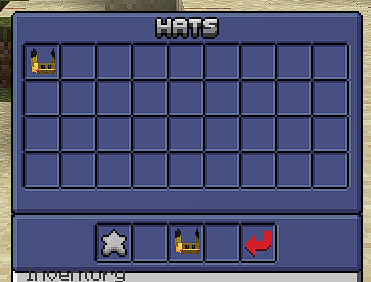 Hats Menu
 -
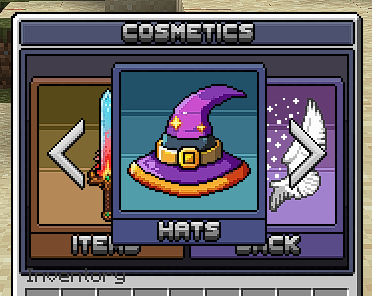 Menu GUI
 -
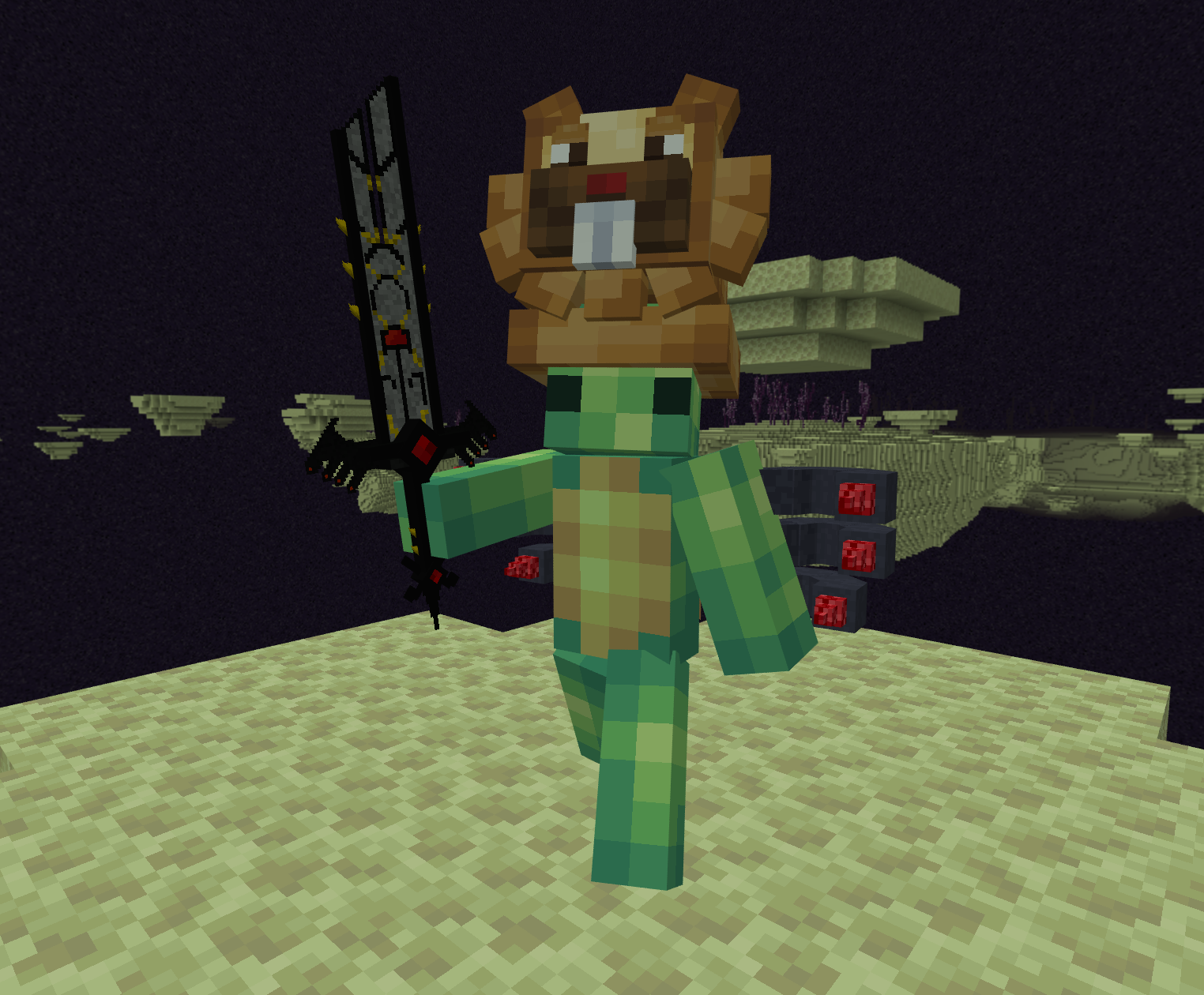 Icon
Icon
Versions
Files
Relations
Project Relations
More like this
Similar Mods
Suggestions use data such as tags, dependencies, dependents, descriptions, titles, and more to rank how much they overlap with this mod.
On ModDex
Community snapshot
By the numbers
Statistics

Want to reach Minecraft players?
We're looking for a server hosting partner to feature here and other parts of the site. Interested? Send us a message!
Get in touchGet it on
Available Platforms
On ModDex
Community snapshot
By the numbers
Statistics
Resources