Community listing page, reviews may not be monitored by the author.
Elegant Armour


No reviews yet
An elegant way of hiding you and your friends equipment.

Community voices
Reviews
No reviews yet. Be the first to review this project!
Get it on
Available Platforms
Compatibility
Supported Environments
Runs entirely on the client. Works on vanilla servers.
About
Project Details
For authors
Embed Badge
If you're the author of this project, you can embed a live badge anywhere that supports HTML or Markdown. It updates automatically whenever ratings change.
Use HTML for any page that supports it, or Markdown for README files and Markdown-based descriptions.
Identifiers
Platform IDs
About
Description
Want to host a server with Elegant Armour?
 Rent your own Minecraft server here!
This mod lets you hide your armour, or make it use a slimmer model, in order to better show off your skin.
You can also choose options for each player individually.
More information about the mod can be found here: https://modrinth.com/mod/elegantarmour

Want to host a server with Elegant Armour? |
|---|
|
| Rent your own Minecraft server here! |
Features
- Hide your armour.
- Choose a thinner armour model.
- Set default settings for all players.
- Choose specific options for individual players.
- Install on server to see other player's options.
Using The Mod
Selecting A Player
You can access the mod's menu through the Social interactions screen, through a new icon next to each user who is on the server at the time.
You can also change the default settings next to your own entry.

Changing Player Settings
In the menu you can choose each individual armour item to either force it to be hidden or shown, or just go along with the default.
Elytras are decided separately from chestplates.
You can also choose a smaller armour model, giving the armour a slimmer fit.
Changing Default Settings
If you choose the default option next to your player you can edit the default settings.
These will apply to all players, overriding their personal settings, only overridden by your personal settings for any specific player.

Screenshots
Gallery
-
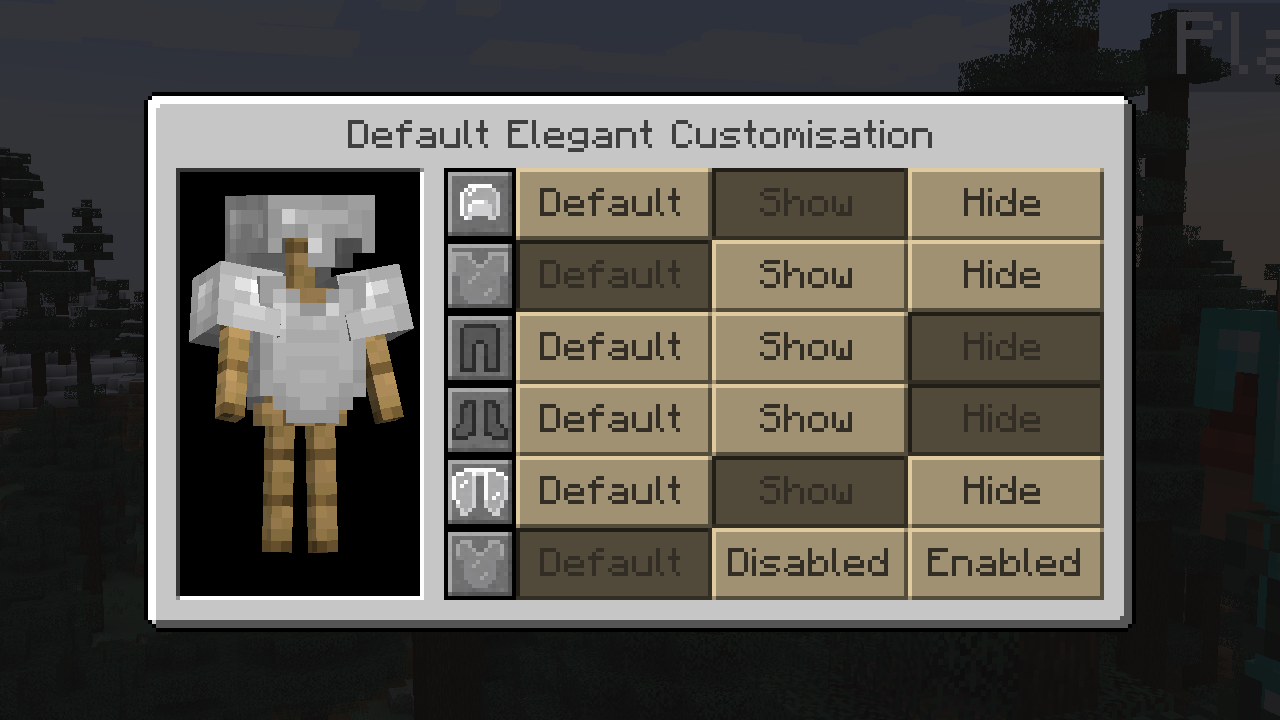 Default Customisation Menu
 -
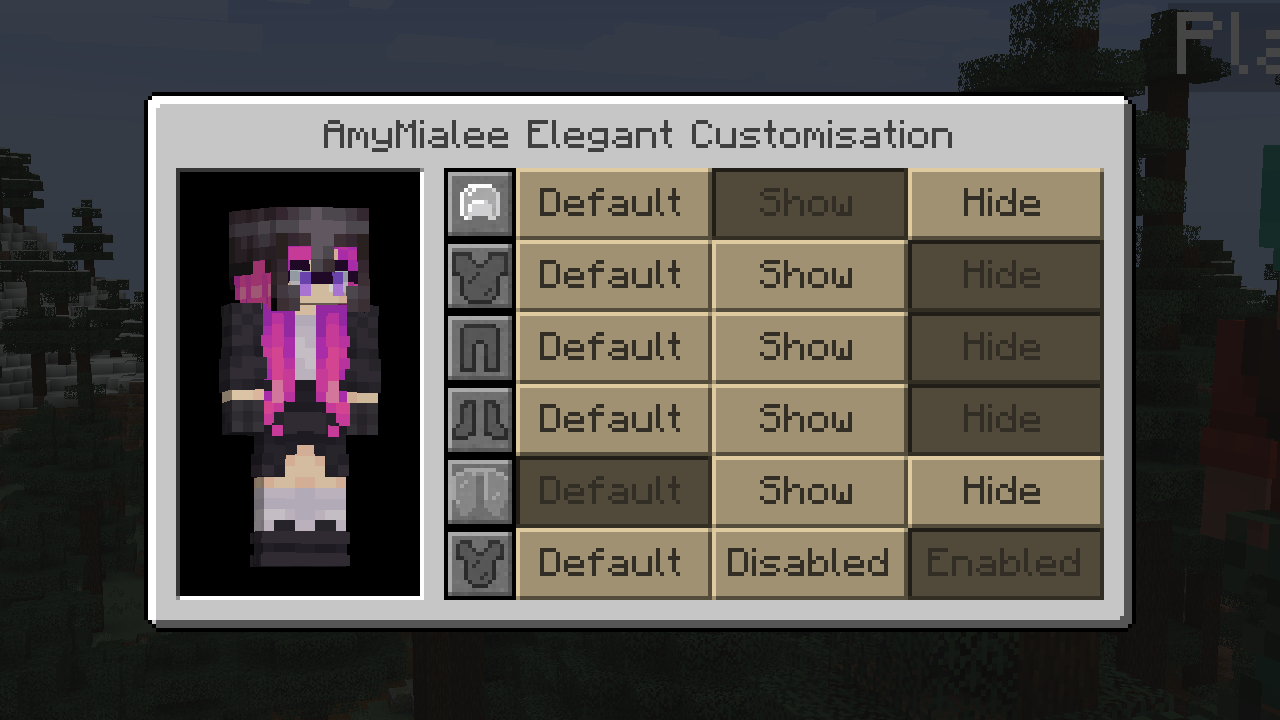 Customisation Menu
 -
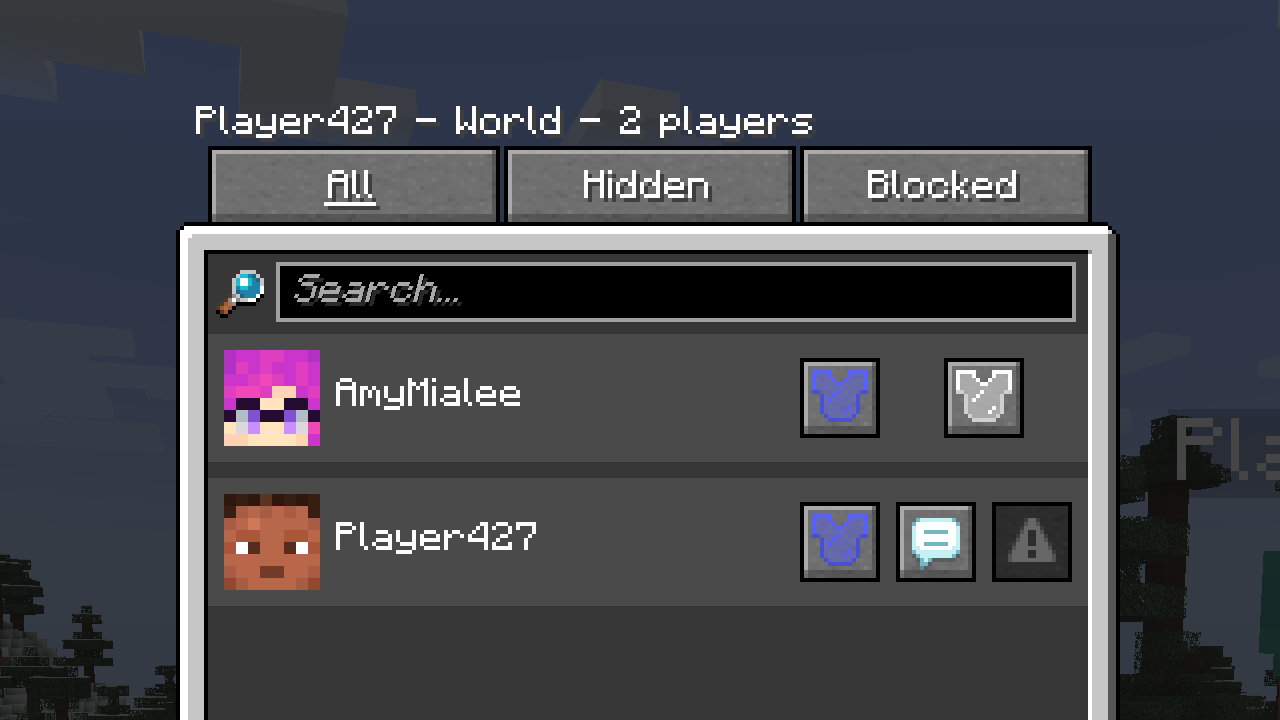 Social Interactions Screen
-
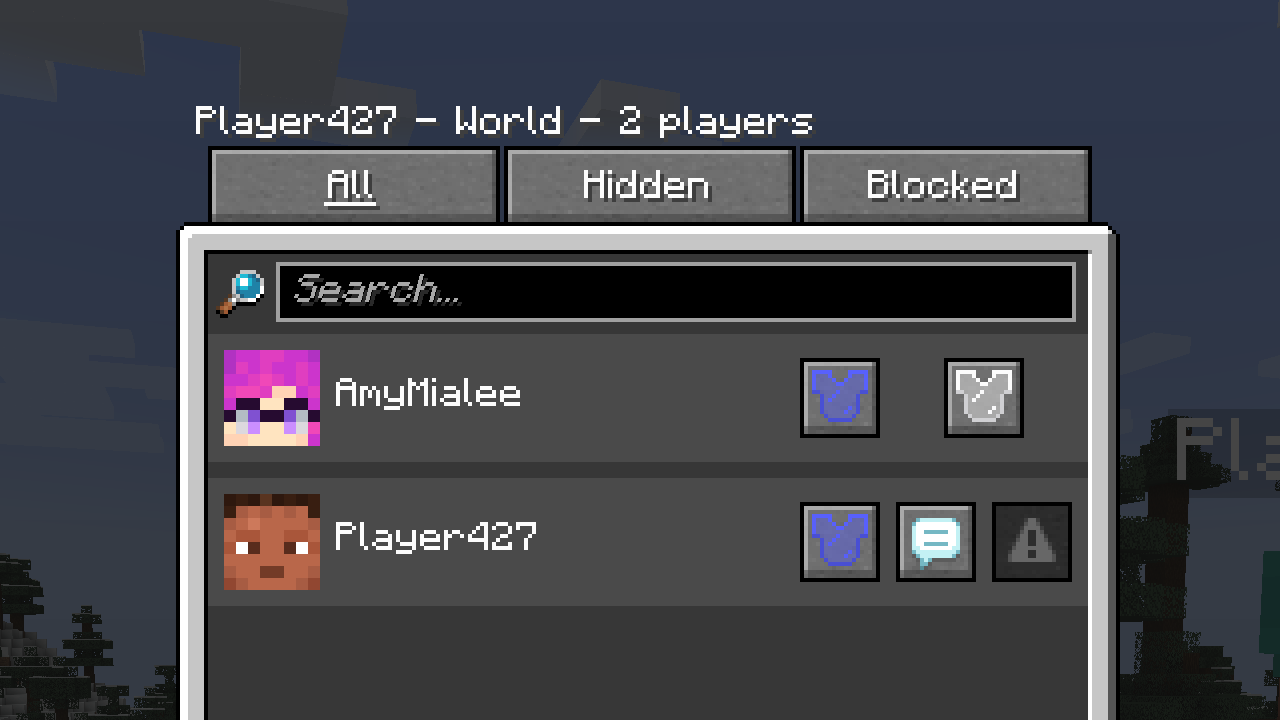 Social Interactions Menu Showing the new options found in the Social Interactions Menu.
 -
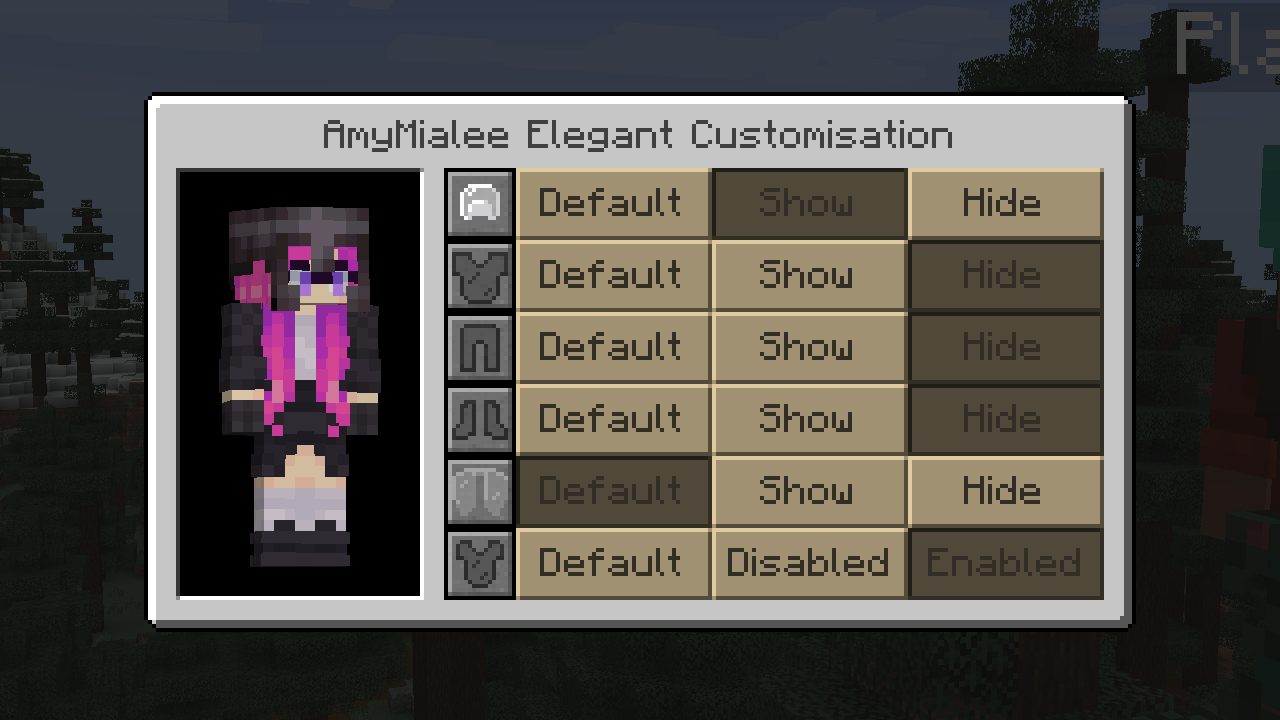 Customisation Menu Showing the Customisation Menu for an individual player.
 -
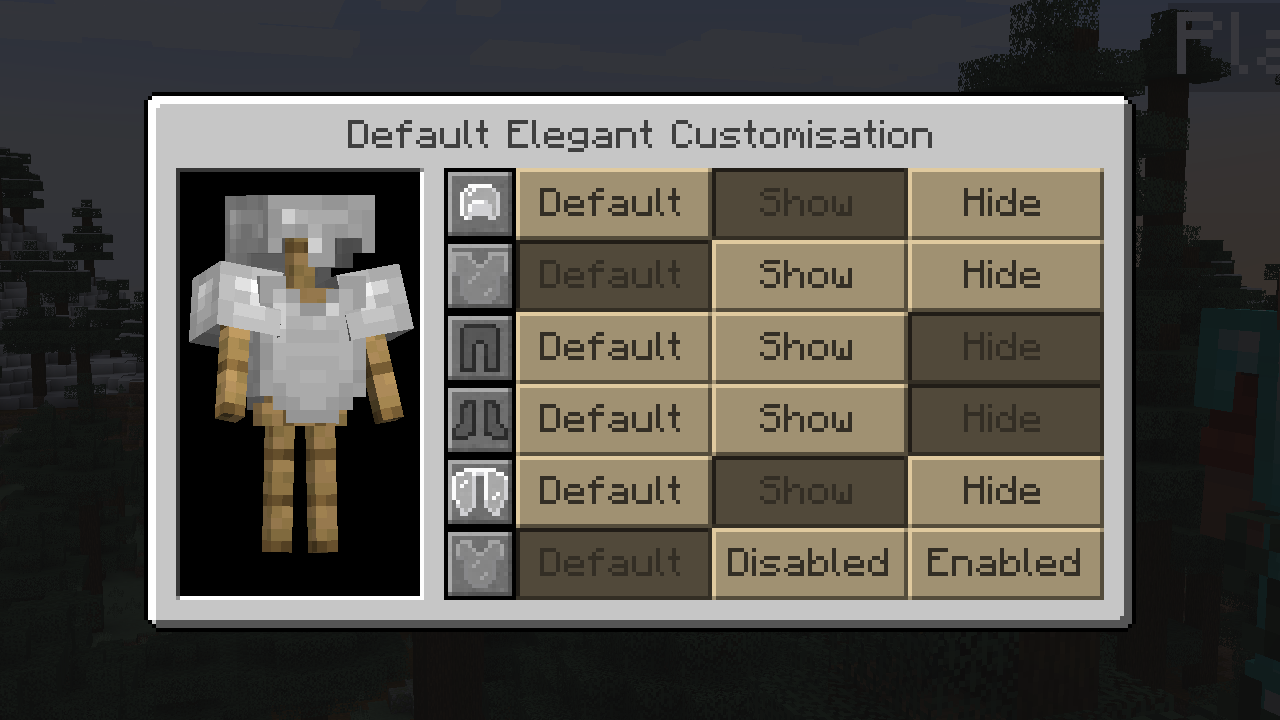 Default Menu Showing the Default Customisation Menu, used to set the default settings of the mod.
Versions
Files
Relations
Project Relations
More like this
Similar Mods
Suggestions use data such as tags, dependencies, dependents, descriptions, titles, and more to rank how much they overlap with this mod.
On ModDex
Community snapshot
By the numbers
Statistics
 (opens in a new tab)
Get it on
Available Platforms
On ModDex
Community snapshot
By the numbers