
Community listing page, reviews here may not be monitored by the author.
Elytra+

No reviews yet
Adds various quality of life improvements around the Elytra. Including a dedicated inventory slot
Community voices
Reviews
No reviews yet. Be the first to review this project!
Get it on
Available Platforms
Compatibility
Supported Environments
Required on the client. Installing it on the server adds functionality.
About
Project Details
For authors
Embed Badge
If you're the author of this project, you can embed a live badge anywhere that supports HTML or Markdown. It updates automatically whenever ratings change.
Use HTML for any page that supports it, or Markdown for README files and Markdown-based descriptions.
Identifiers
Platform IDs
Resources
External Links
About
Description
ElytraPlus
A dedicated elytra slot — wear your wings and your chestplate — plus a full suite of flight tools, all in a clean in-game menu.
Slot an elytra in its own equipment slot (next to your armor) and glide while wearing a chestplate, then customize everything from the ElytraPlus screen. Open your inventory and click the ⚙ gear next to the elytra slot — or run /elytraplus — to explore all of it. Every feature below is toggleable in-game.
The dedicated slot
- A new equipment slot just for your elytra (or any glider) — fly while wearing a chestplate
- Works in the creative inventory too
- Auto-equip a picked-up elytra into the slot
- Render your wings from the slot on your back
- Slot-only gliding option (ignore a chest-worn elytra)
- Quick-swap keybind to move an elytra in/out of the slot
- Wear % display — on the slot and/or a draggable on-screen indicator, colour-coded green→red
Flight HUD & info
- In-flight HUD: pitch (with optimal-angle colouring), speed, altitude, heading, and estimated flight time — fully draggable
- Flight-time estimate in elytra tooltips
- Low-durability alert (HUD flash + optional chime) before your wings break
Particle trails (with a live editor)
- Stream a trail behind any gliding player — Particles, a solid swept Ribbon, or Both
- Presets (End Rod, Flame, Soul Flame, Cloud, Snowflake, Heart, Rainbow) or a custom colour picker; adjustable length, density, and thickness
- A two-pane editor with a live preview of your character: place emitters by dragging them onto body parts or wing tips — trails ride your actual animated wings in flight
Flight assists
- Easy takeoff — launch into a glide from the ground (no cliff needed)
- Pitch-lock (hold) and auto-level autopilot
- Boost keybind (fire a rocket) and auto-firework when you slow down
- Safe flight — no more lethal wall-smack/kinetic damage
- Unbreakable elytra option
Fly-to autopilot & locations
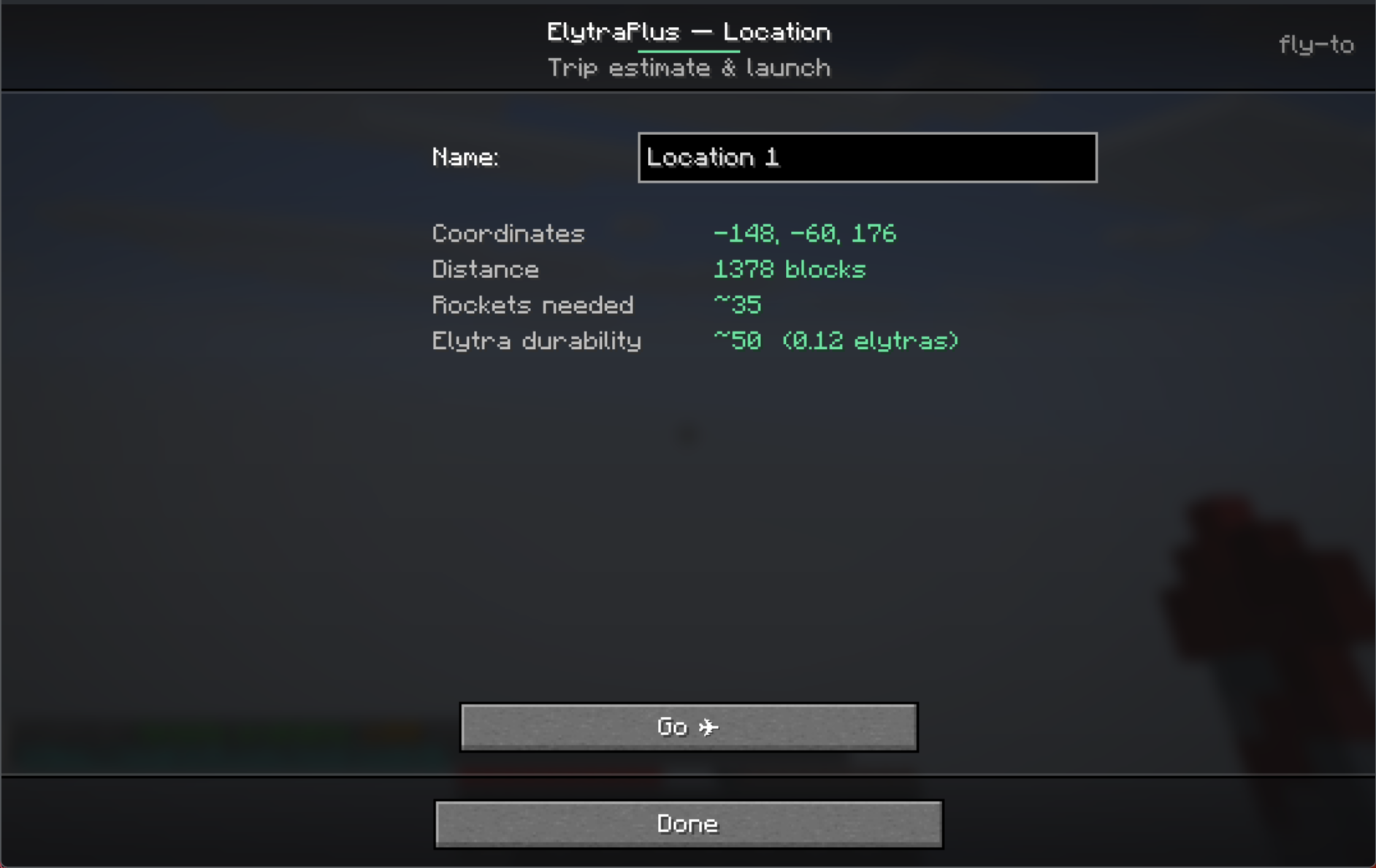
- Save flight locations; each shows its estimated rockets needed
- Click a location for a detail view (name it, see distance / rockets / elytra durability) and Go
- Auto-takeoff, rocket-powered cruise to a configurable cruise height and min speed, then a gentle no-rocket float-down landing
- Flight estimator tool — enter a distance to get the optimal height, angle, speed, rockets, and elytra usage
Server / operator controls
- A built-in Server Admin menu (operators only) to allow/disable each cheaty function server-wide — easy takeoff, fly-to, item-less boost, quick-swap, safe flight, unbreakable elytra
- All assists are opt-in; the cheaty ones are server-enforceable
Command & keybinds
/elytraplusopens the settings menu (handy if you can't reach the inventory button)- Keybinds are unbound by default (set them in Options → Controls → Gameplay): Takeoff, Firework boost, Quick-swap elytra, Pitch lock (hold), Toggle auto-level
Client vs. server
- Pure client-side (work on any server): flight HUD, tooltips, particle trails, pitch-lock/auto-level, alerts, all the menus.
- Gameplay features (the slot itself, takeoff, boost, quick-swap, safe-flight, never-breaks, fly-to): need ElytraPlus installed on the server too (or single-player). On a vanilla server, only the client cosmetics work.
Requirements
- Minecraft 26.1.2 · Fabric / Forge / NeoForge
- CodxLib (required, like Fabric API) — powers the UI, networking, config, and update checks
- Fabric API on Fabric
Short description
A dedicated elytra slot so you can glide while wearing a chestplate — plus a flight HUD, customizable trails with a live emitter editor, easy takeoff, fly-to autopilot with a rocket estimator, flight assists, and operator controls. Explore it all from the in-game menu. Fabric / Forge / NeoForge.
Screenshots
Gallery
-
 Auto fly info
 -
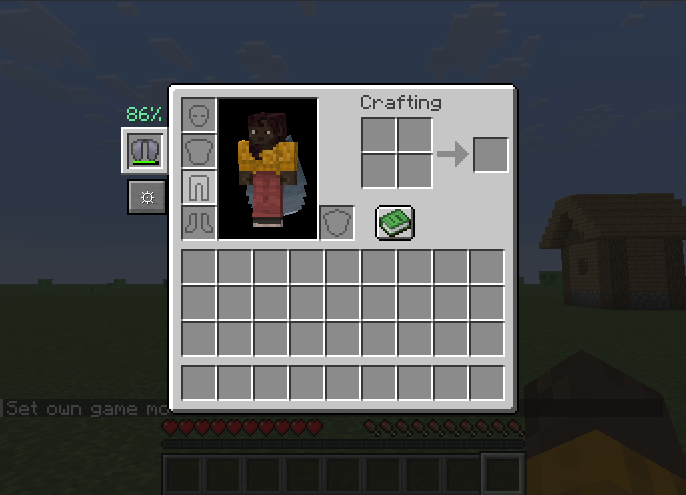 The new slot with menu button below it
 -
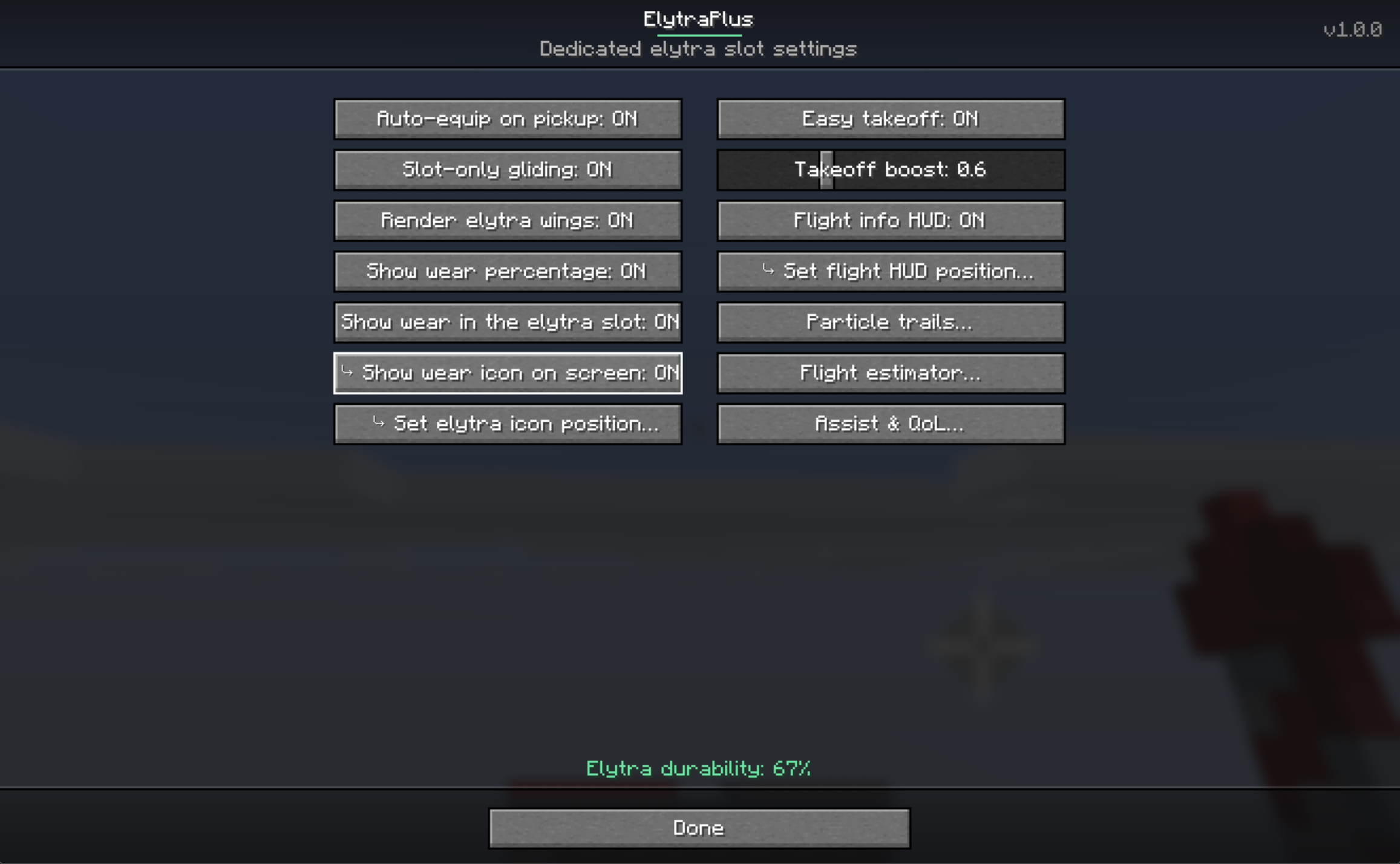 The menu The menu
 -
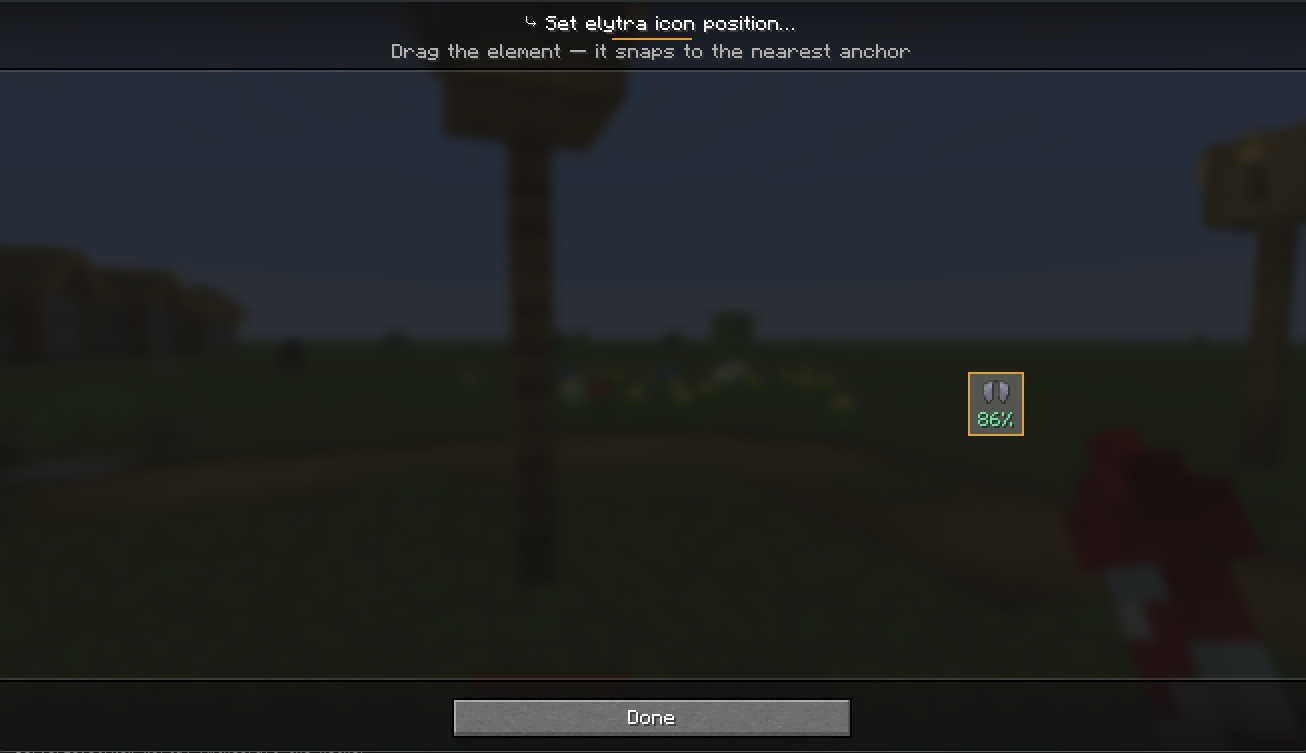 drag and drop Drag and drop the icon to where you would like
 -
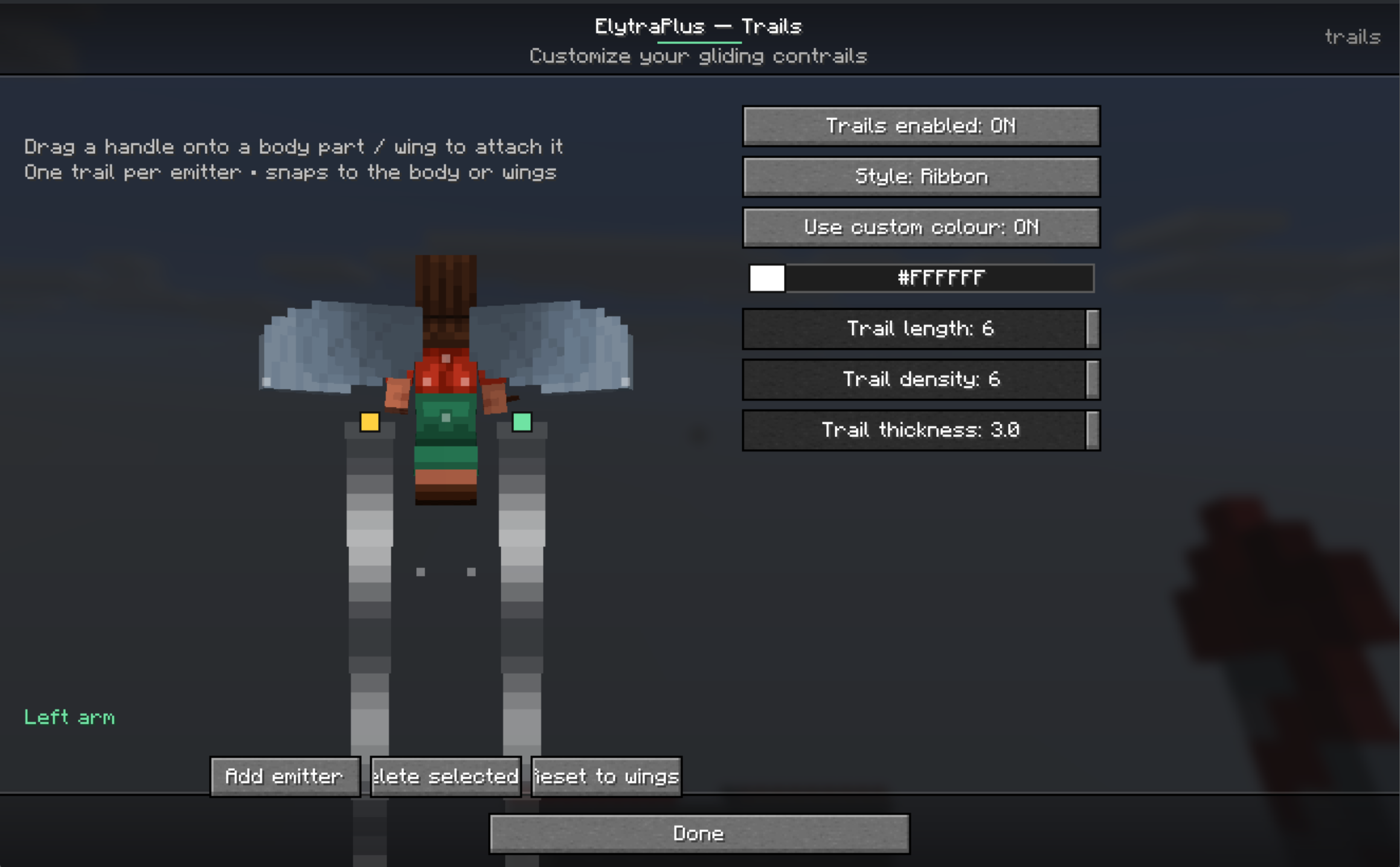 Contrail preview See a live preview of your custom contrails
 -
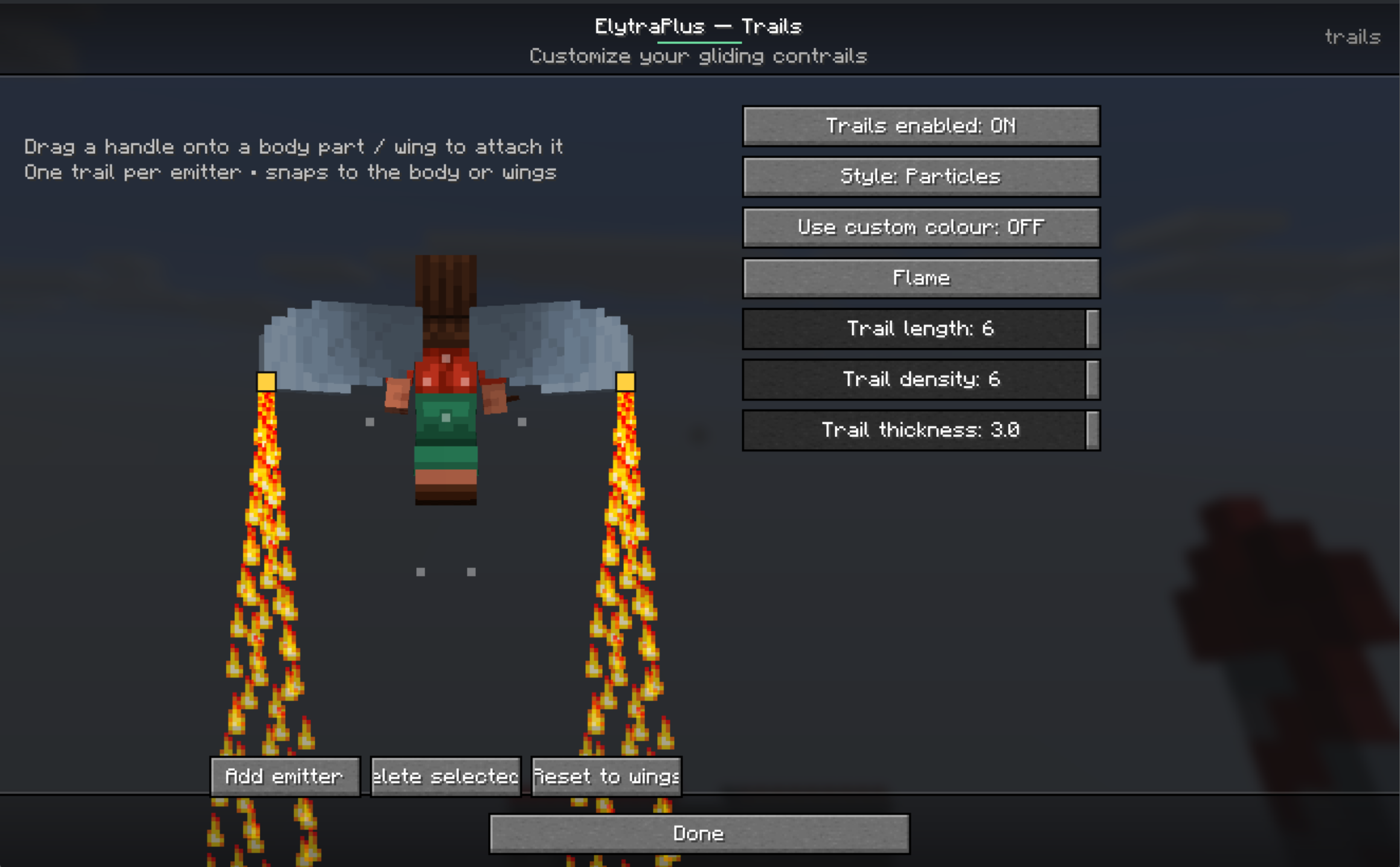 Add contrails with lines or particles See a live preview of your custom contrails
 -
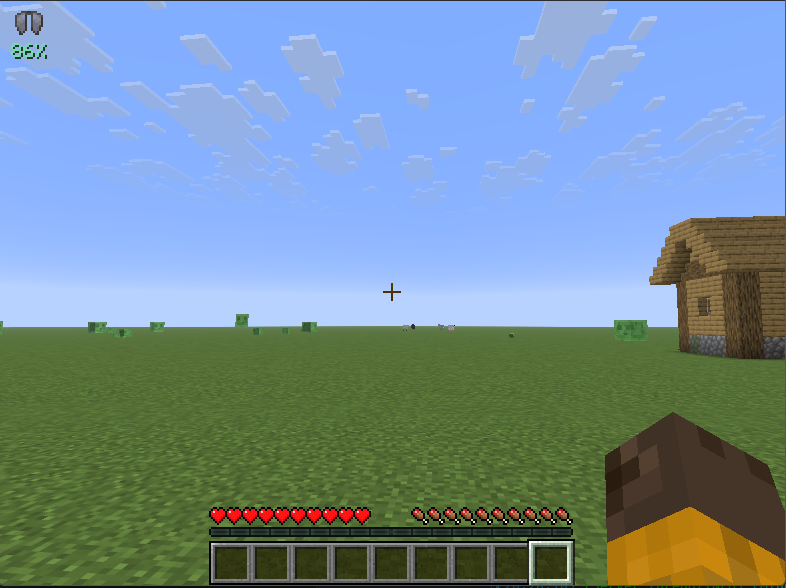 Top left where i put the icon
 -
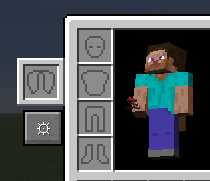 Elytra slot
 -
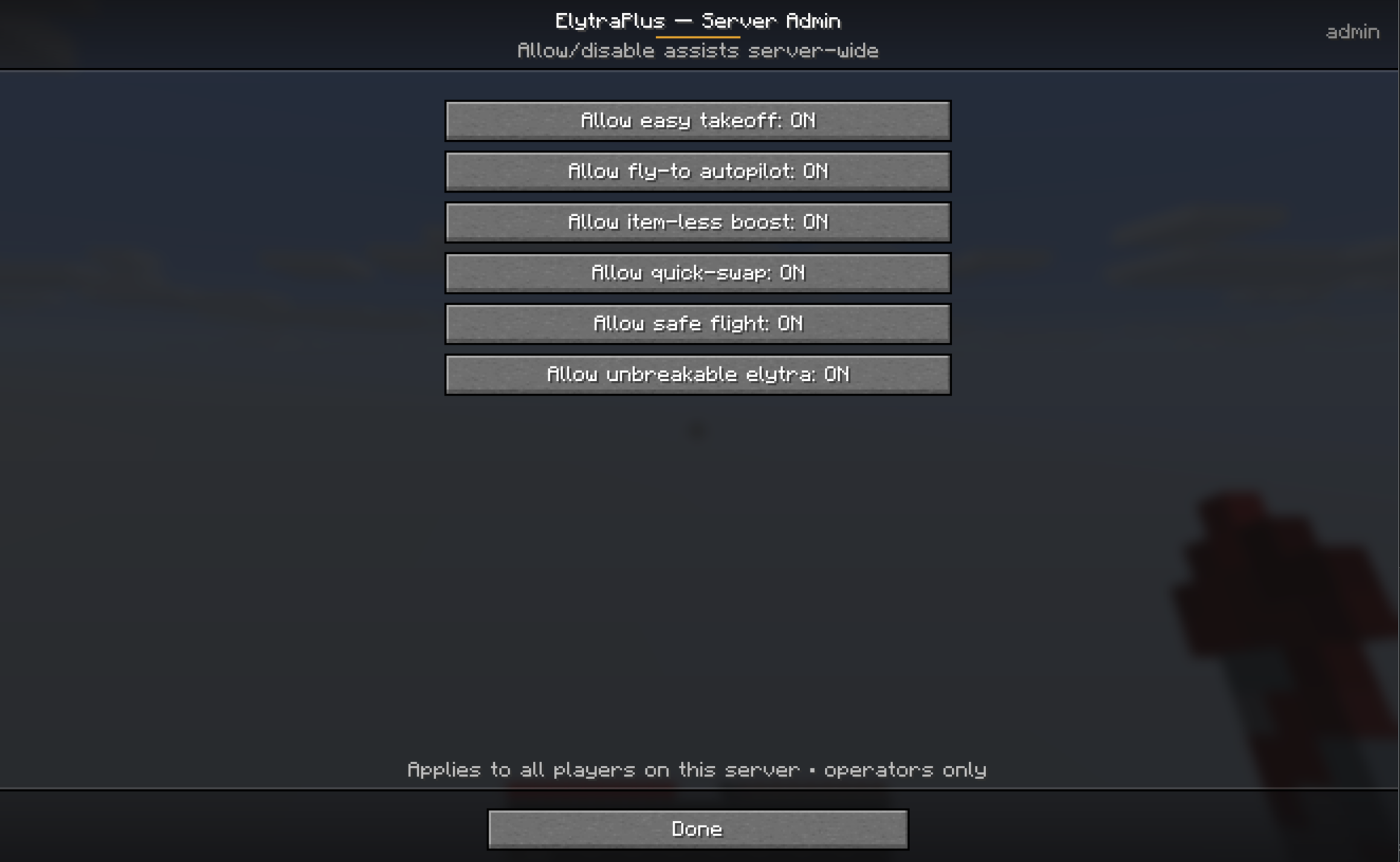 Block cheaty functions As a server admin you can choose what your players are allowed to use with the mod
 -
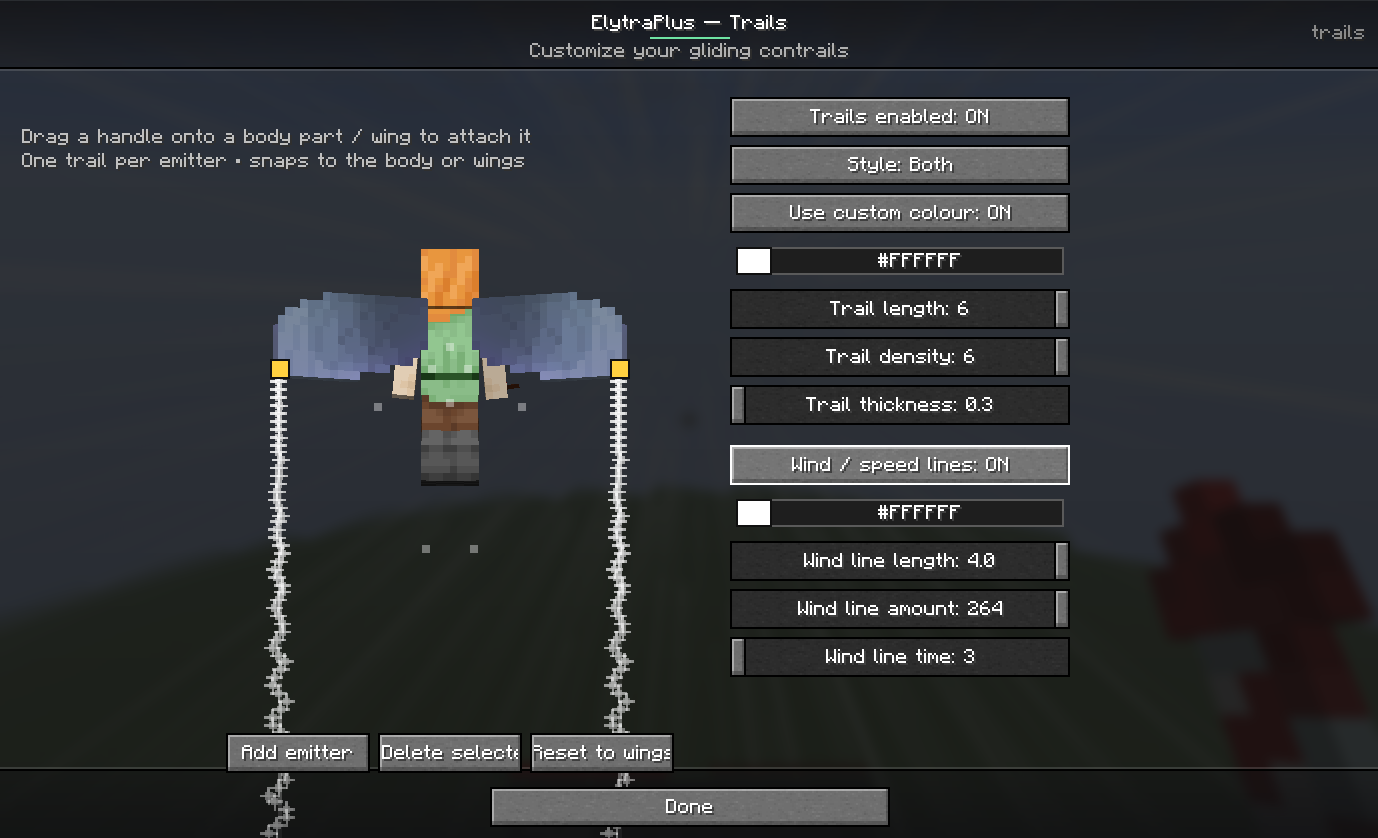 Windlines menu
 -
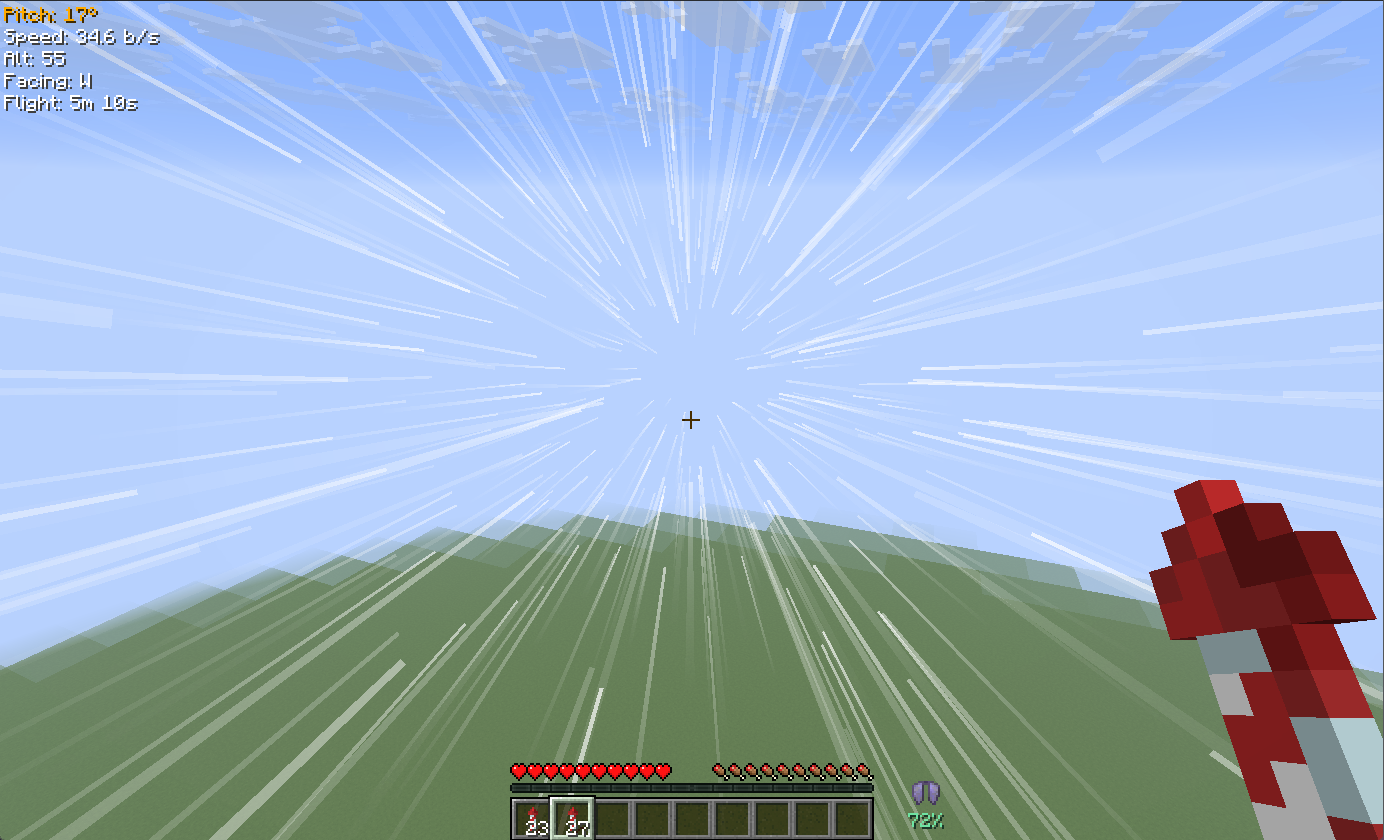 Windlines
 -
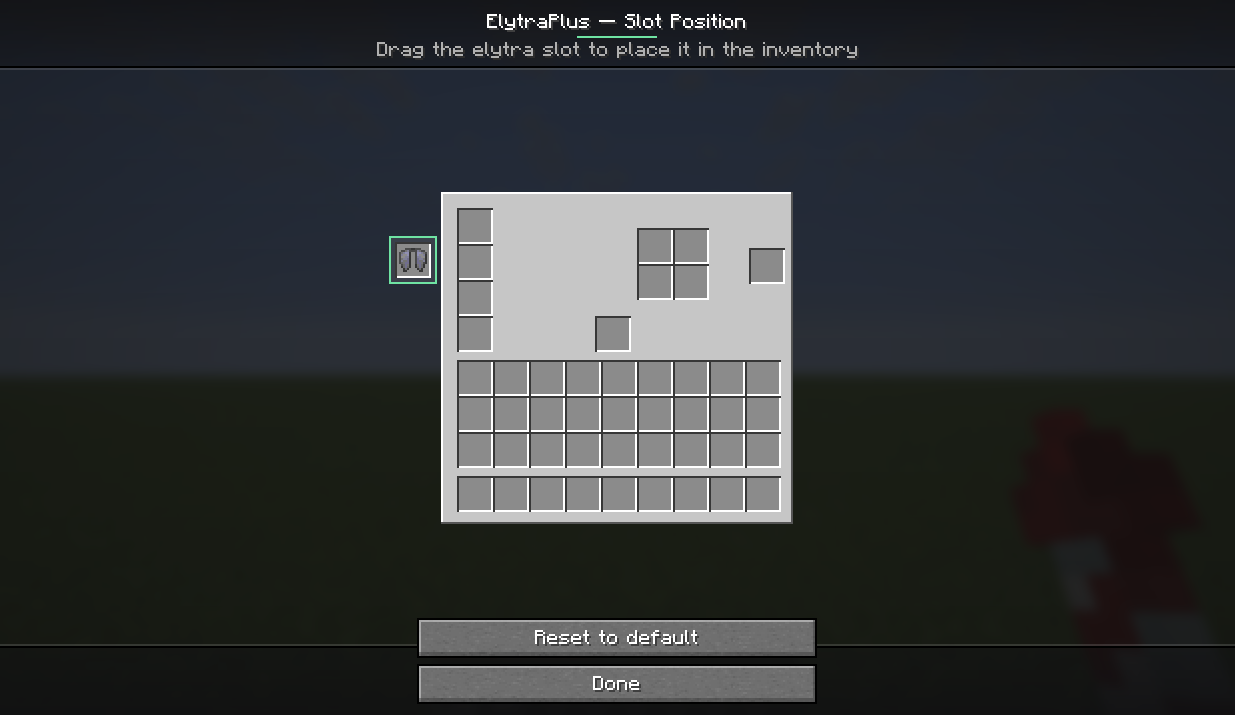 Drag and drop Drag and drop where you want to have the new slot for the elytra, so it's always how you like it.
 -
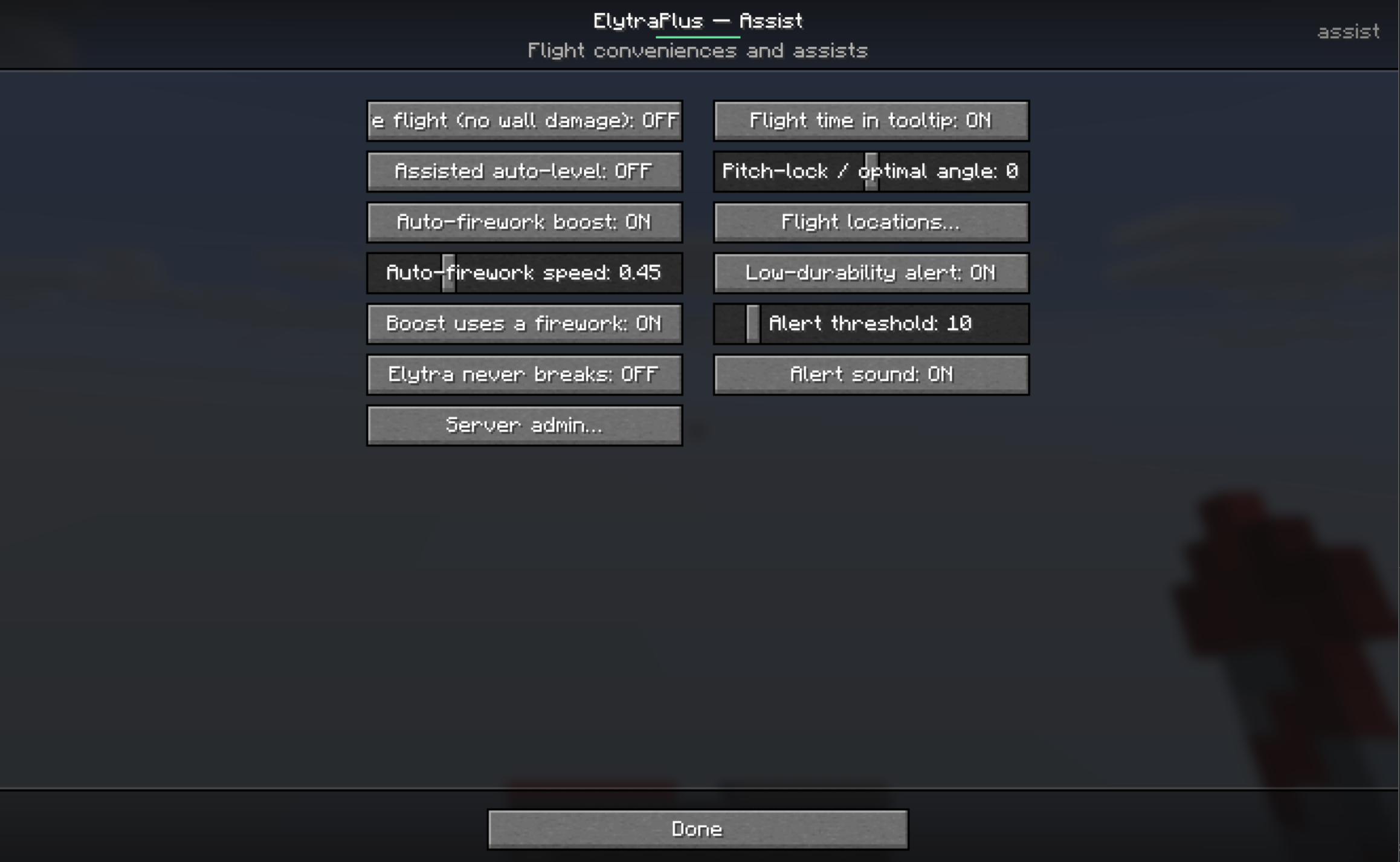 Assists and QoL Auto fly with the elytra, easy take off etc
 -
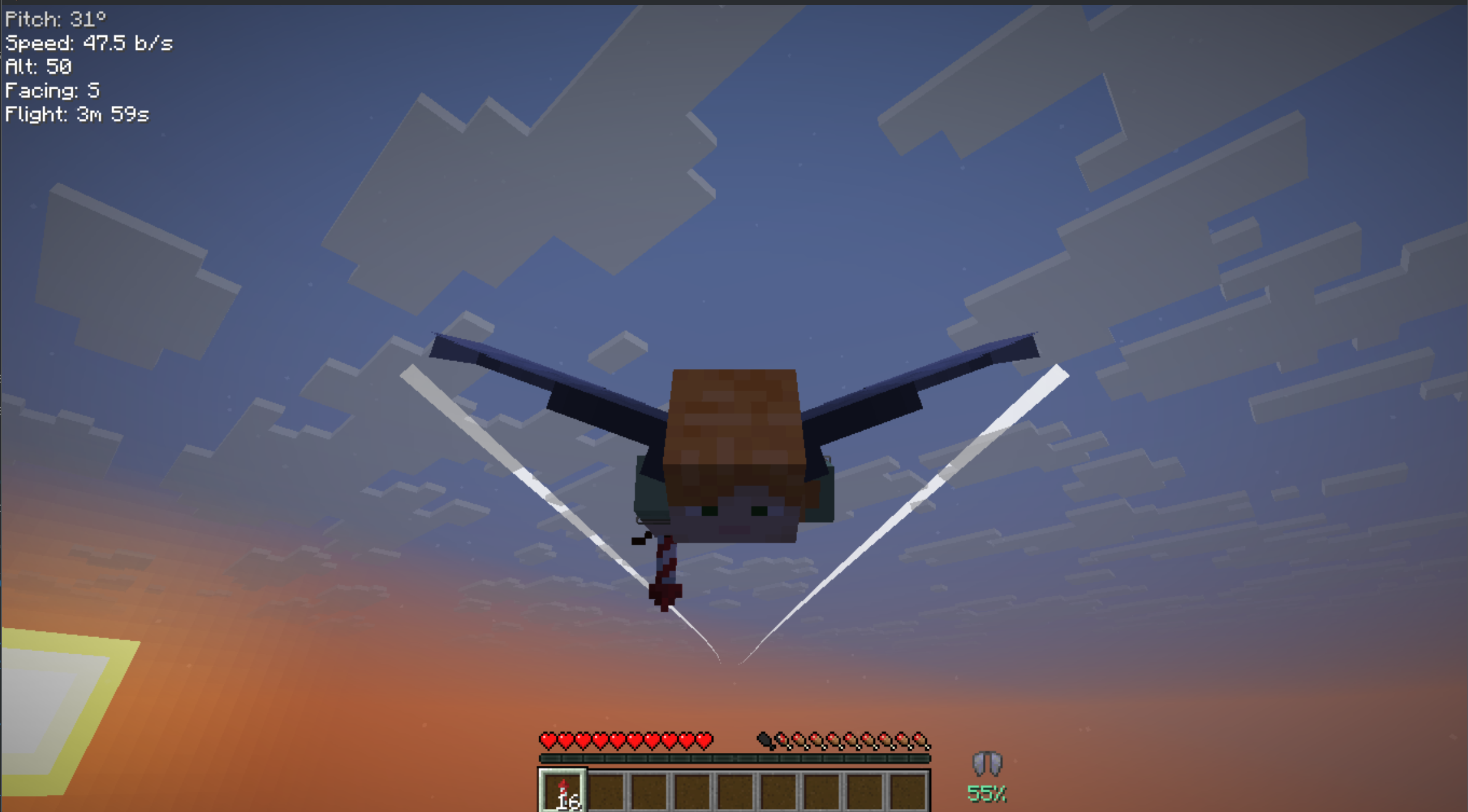 contrails
 -
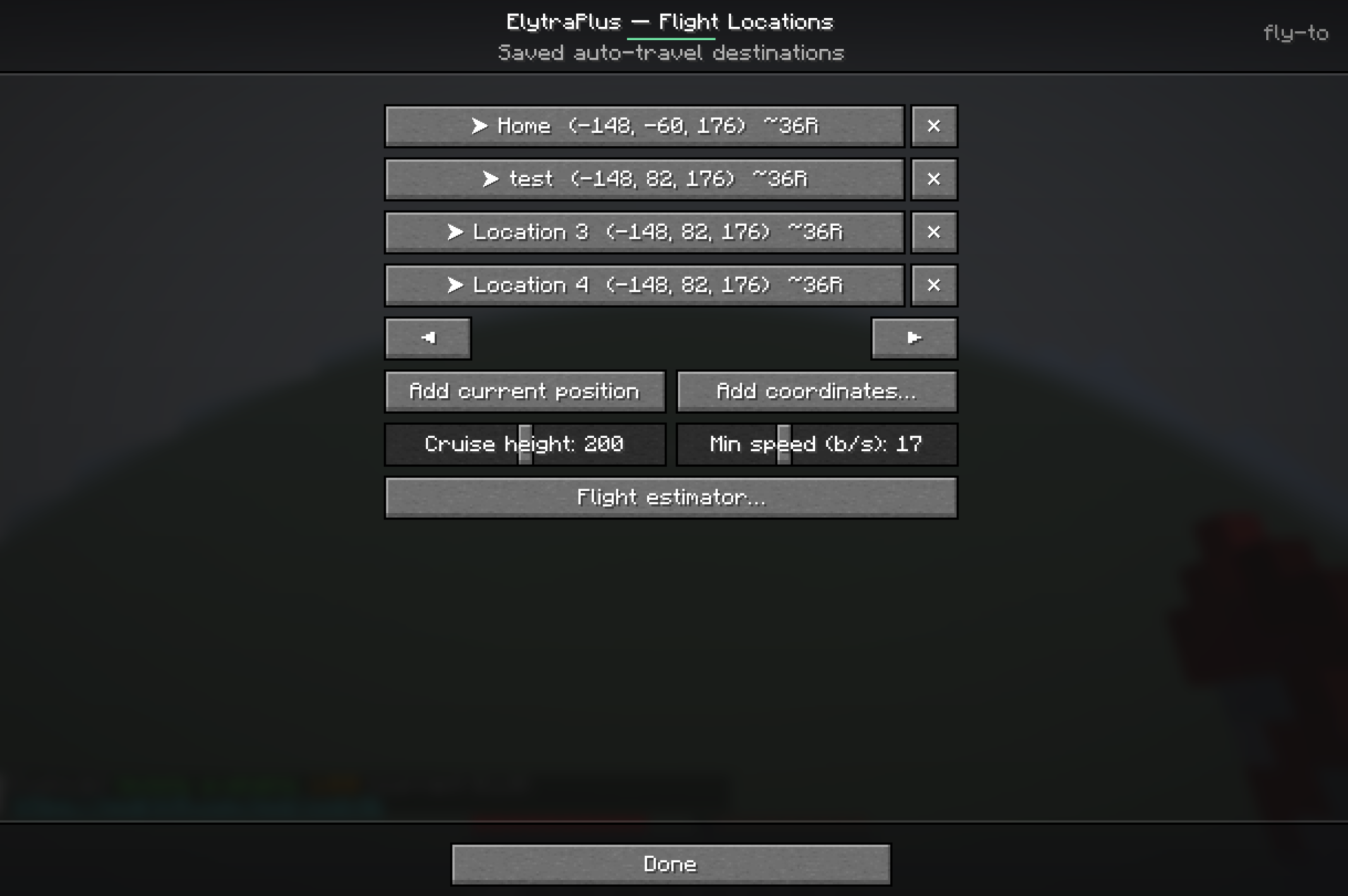 Auto fly Set and add locations to auto fly to
 -
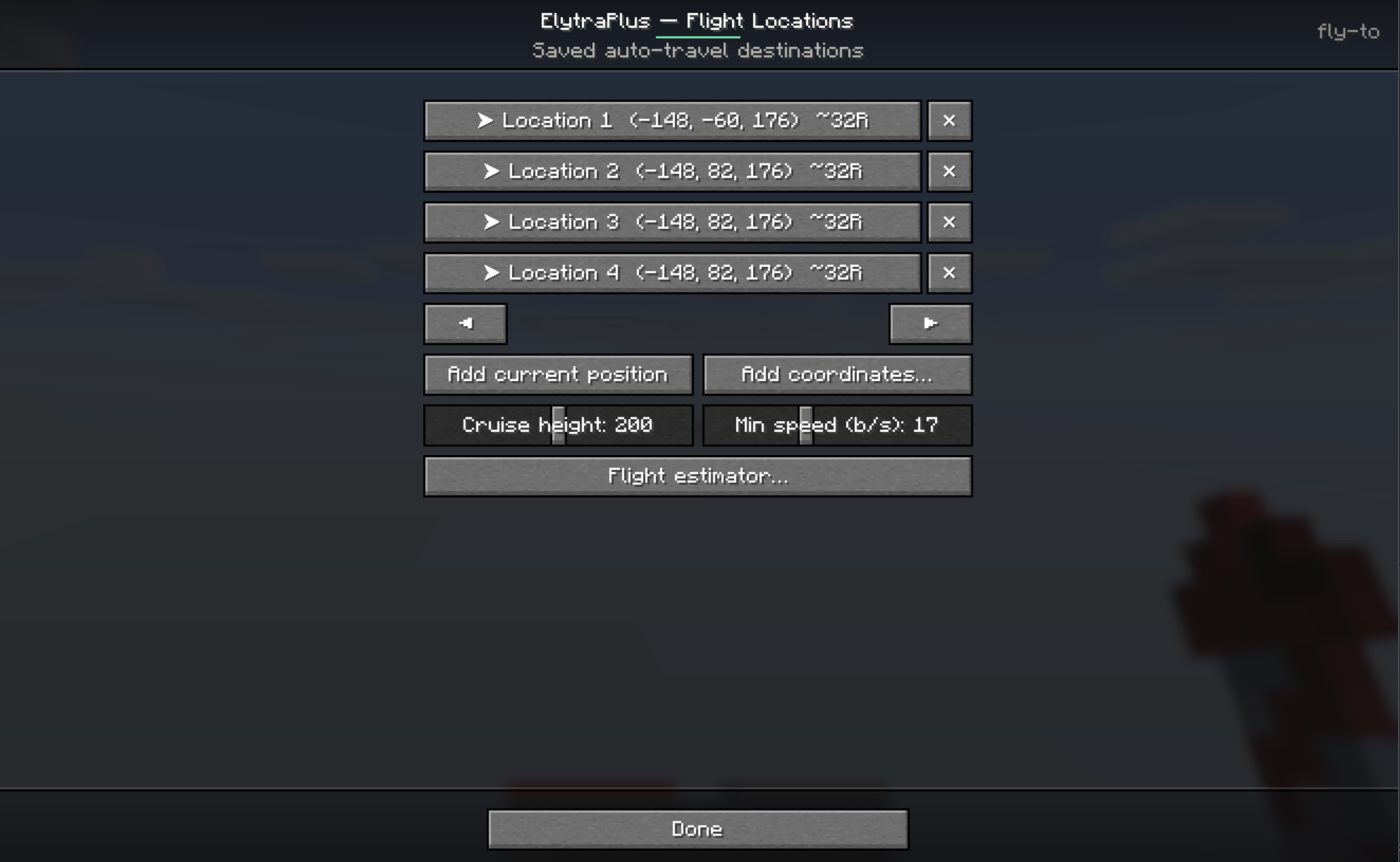 Auto fly Auto fly to a set location, save locations, see how many rockets (R) you need.
 -
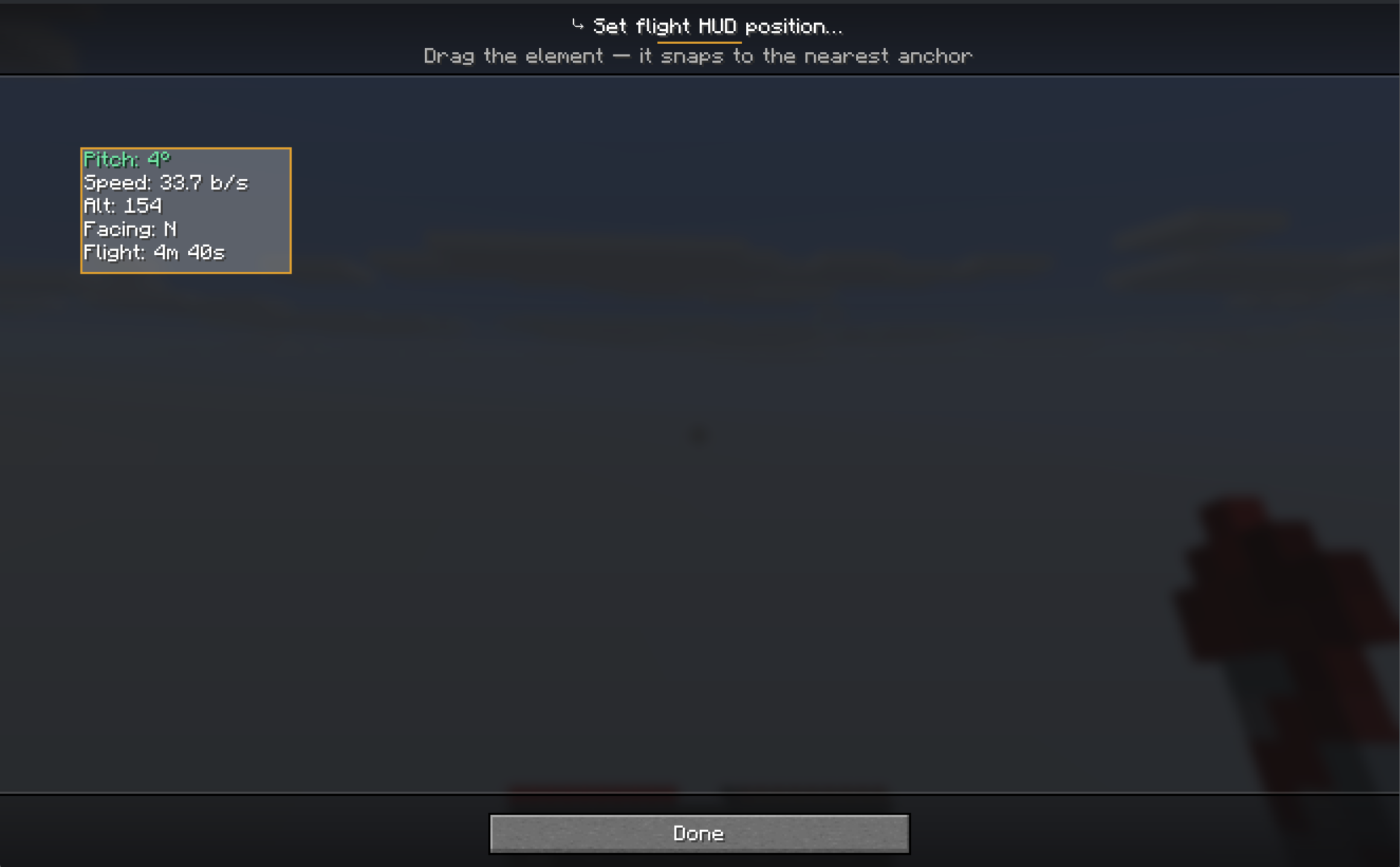 Drag and drop Flight Info Determine where you want to see the flight info (if enabled)
 -
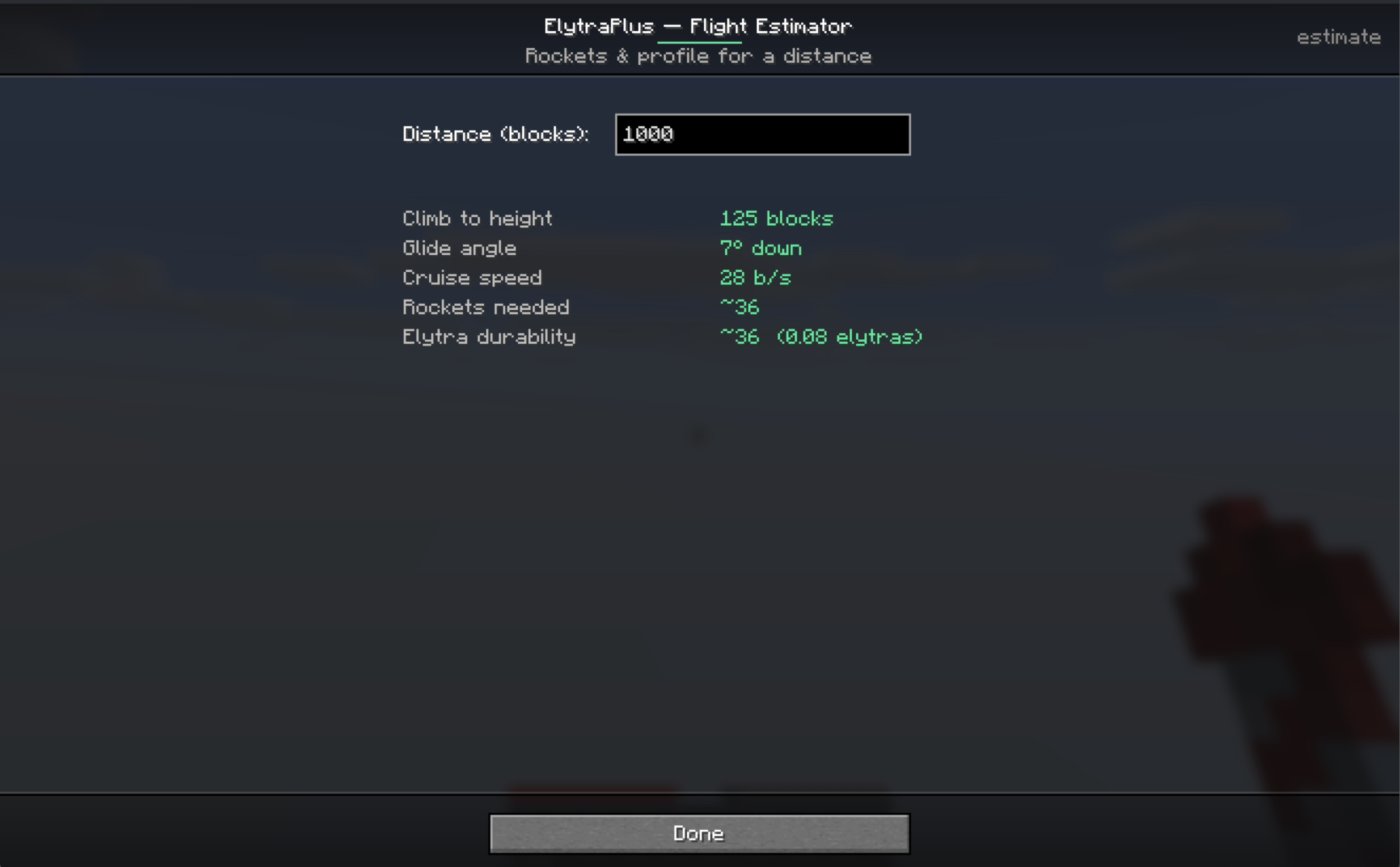 Flight estimator Estimate how many elytras and rockets do you need
Versions
Files
Relations
Project Relations
More like this
Similar Mods
Suggestions use data such as tags, dependencies, dependents, descriptions, titles, and more to rank how much they overlap with this mod.
On ModDex
Community snapshot
By the numbers
Statistics

Want to reach Minecraft players?
We're looking for a server hosting partner to feature here and other parts of the site. Interested? Send us a message!
Get in touchGet it on
Available Platforms
On ModDex
Community snapshot
By the numbers
Statistics
Resources