
Community listing page, reviews here may not be monitored by the author.
Health HUD

No reviews yet
Show hearts for health above, under, left or right of the player. Show damage or heal numbers.

Community voices
Reviews
No reviews yet. Be the first to review this project!
Get it on
Available Platforms
Compatibility
Supported Environments
Runs entirely on the client. Works on vanilla servers.
About
Project Details
For authors
Embed Badge
If you're the author of this project, you can embed a live badge anywhere that supports HTML or Markdown. It updates automatically whenever ratings change.
Use HTML for any page that supports it, or Markdown for README files and Markdown-based descriptions.
Identifiers
Platform IDs
Resources
External Links
About
Description
HealthHUD
See the health of every nearby entity at a glance — floating hearts above their heads and damage numbers that fly off when they take a hit.
Features
Health Bars
Floating hearts rendered in world space above every living entity. Supports multiple display modes:
- Hearts — classic heart icons that fill and empty with health
- Numeric — shows
12.5 / 20style text - Percentage — shows health as a
%
The bar colour shifts from green → yellow → red as health drops.
Floating Damage & Heal Numbers
When an entity takes damage, a red number drifts upward from them. Healing shows a green number. Both fade out smoothly and drift at a configurable speed. No dark background — just clean coloured text in the world.
In-game Settings GUI
Open the settings screen any time with /healthhud. Adjust everything without touching a config file:
| Setting | Description |
|---|---|
| Health Bar Mode | Switch between Hearts / Numeric / Percentage |
| Damage Numbers | Toggle damage numbers on/off |
| Healing Numbers | Toggle healing numbers on/off |
| Bar Position | Above / Below / Left / Right of the entity |
| Health Bar Size | Scale the hearts up or down |
| Damage Number Size | Scale the floating numbers |
| Entity Offset | Push the bar closer or further from the entity |
| Float Speed | How fast damage numbers drift upward |
| Hearts Per Row | How many hearts per row before wrapping |
Usage
- Open settings:
/healthhudin chat or the chat bar - Hearts are shown for all living entities within 32 blocks
- Your own health bar is hidden in first-person view
Credits
Made by codx
Screenshots
Gallery
-
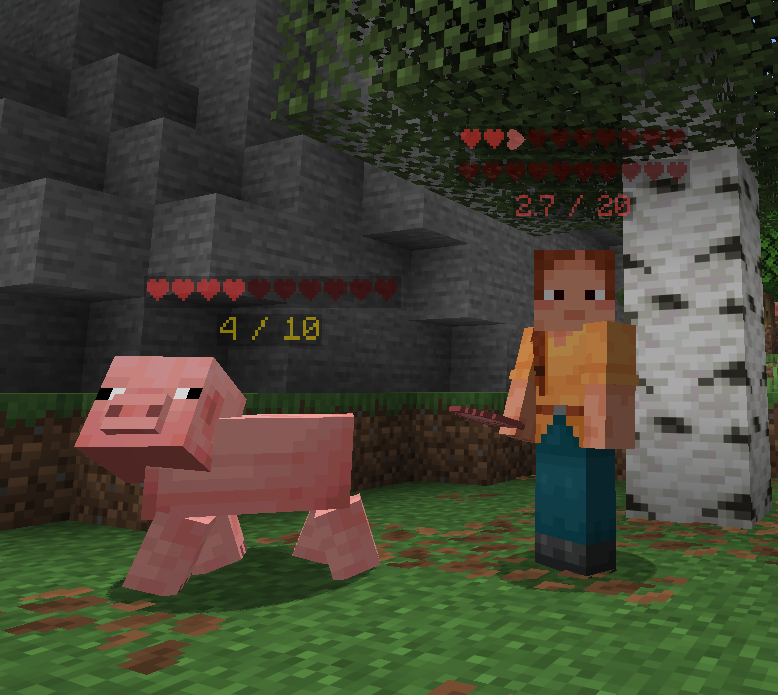 Showing our health hearts Showing our health hearts
 -
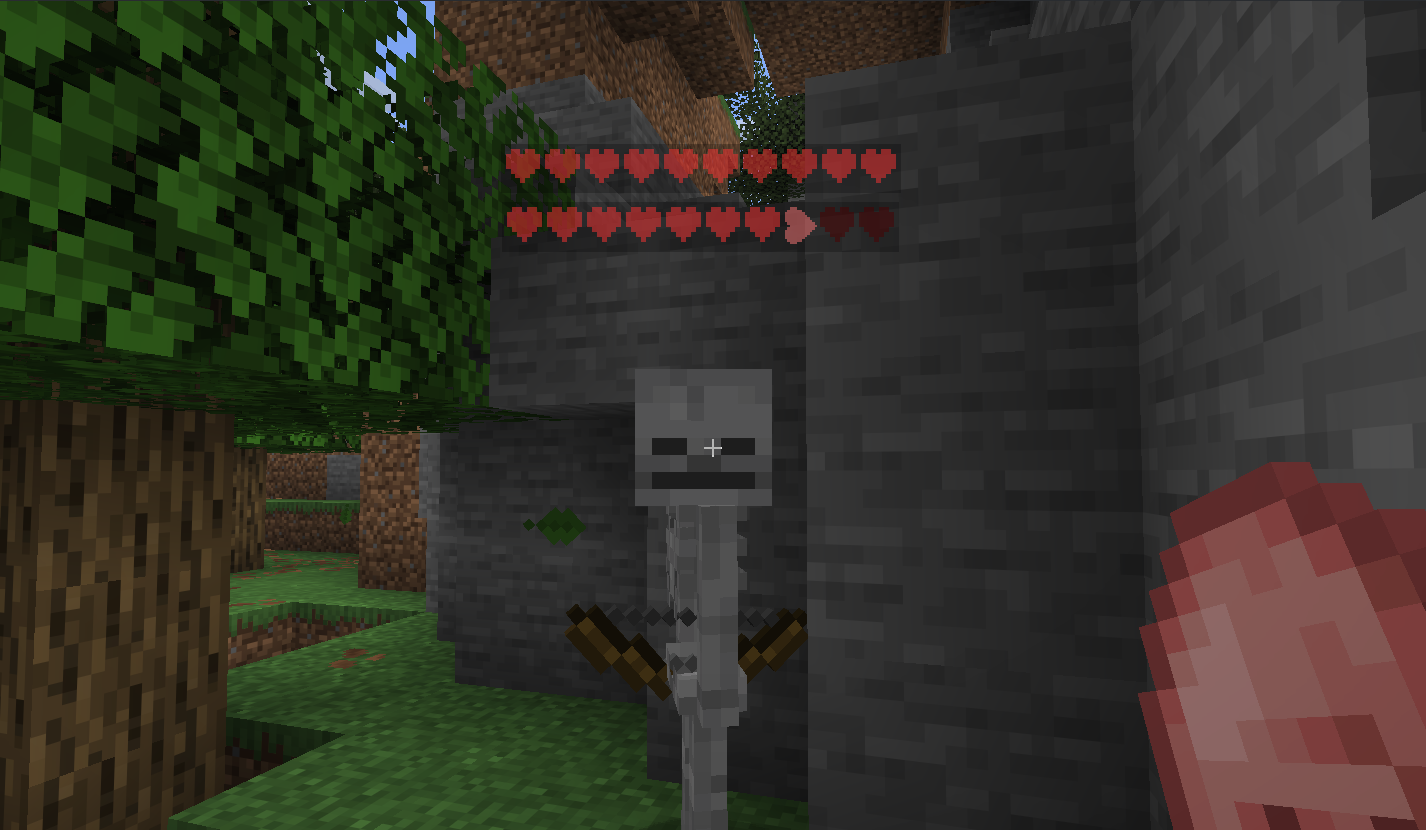 Only showing hearts Only showing hearts
 -
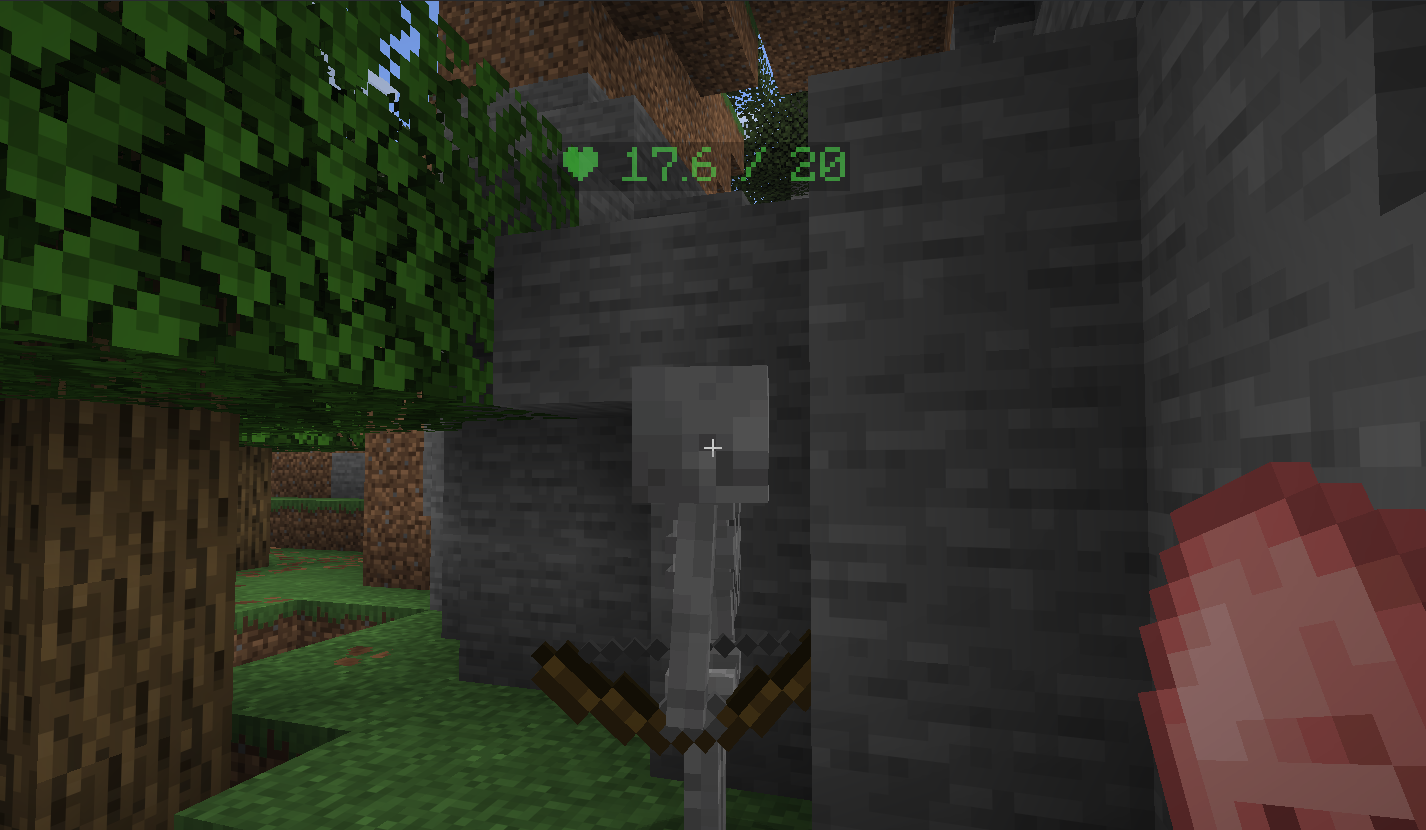 Only showing numbers Only showing numbers
 -
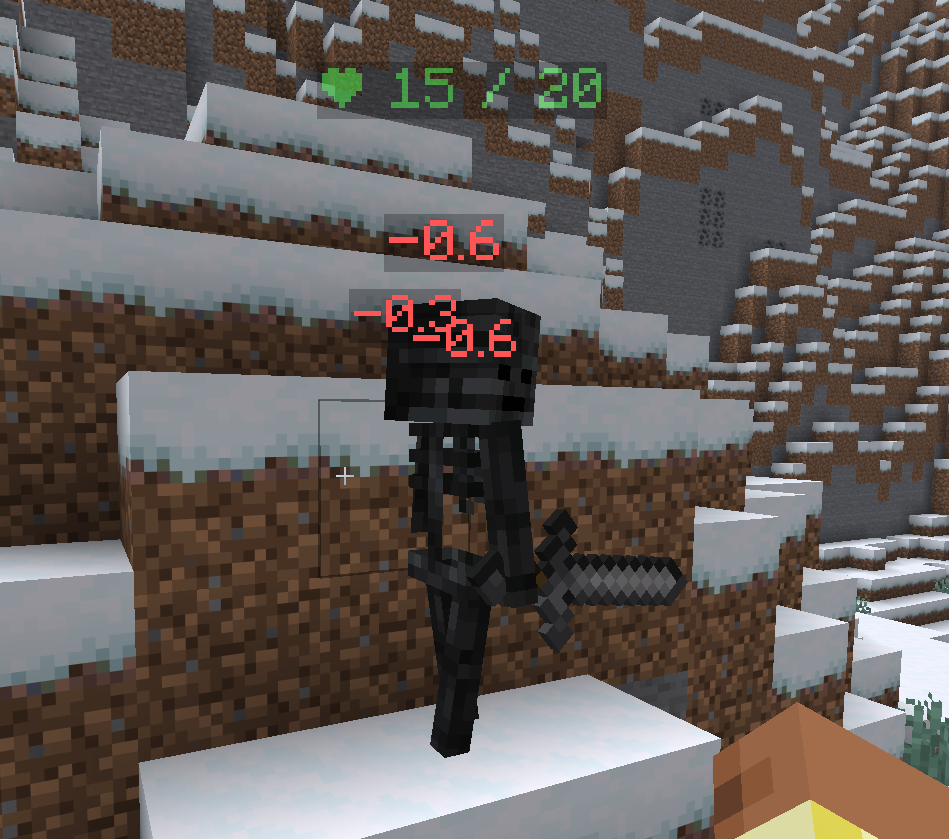 Damage numbers Floating damage numbers
 -
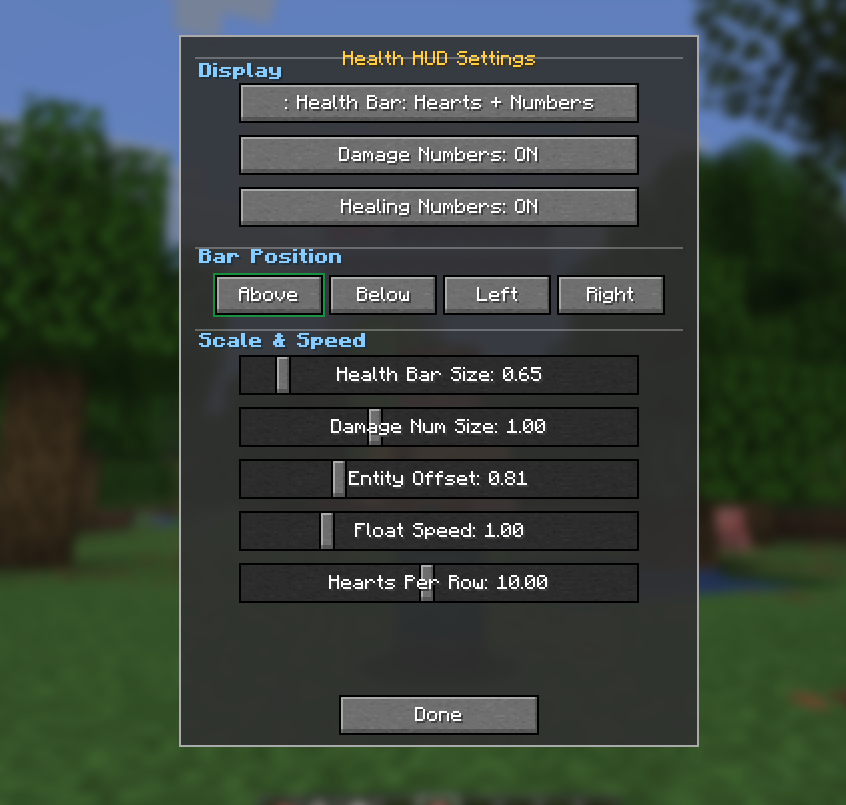 Menu overview Menu overview
Versions
Files
Relations
Project Relations
More like this
Similar Mods
Suggestions use data such as tags, dependencies, dependents, descriptions, titles, and more to rank how much they overlap with this mod.
On ModDex
Community snapshot
By the numbers
Statistics

 (opens in a new tab)
Get it on
Available Platforms
On ModDex
Community snapshot
By the numbers
Statistics
Resources