
Community listing page, reviews here may not be monitored by the author.
Glowing Eyes


No reviews yet
Glowing Eyes is a Minecraft Mod to make your eyes glow, inspired by the Vampirism mod!
Community voices
Reviews
No reviews yet. Be the first to review this project!
Get it on
Available Platforms
Compatibility
Supported Environments
Required on the client. Installing it on the server adds functionality.
About
Project Details
For authors
Embed Badge
If you're the author of this project, you can embed a live badge anywhere that supports HTML or Markdown. It updates automatically whenever ratings change.
Use HTML for any page that supports it, or Markdown for README files and Markdown-based descriptions.
Identifiers
Platform IDs
About
Description
Glowing Eyes
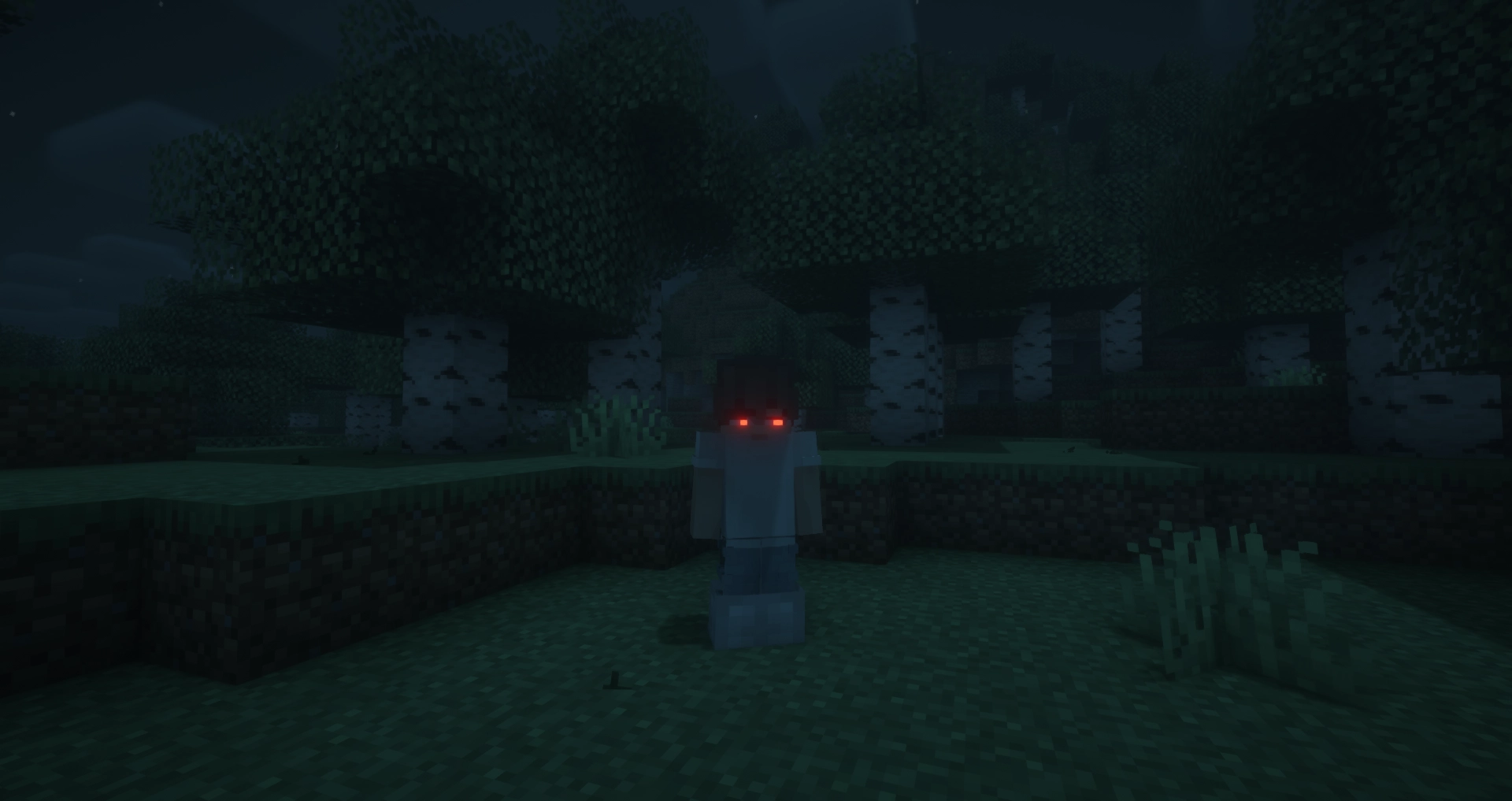
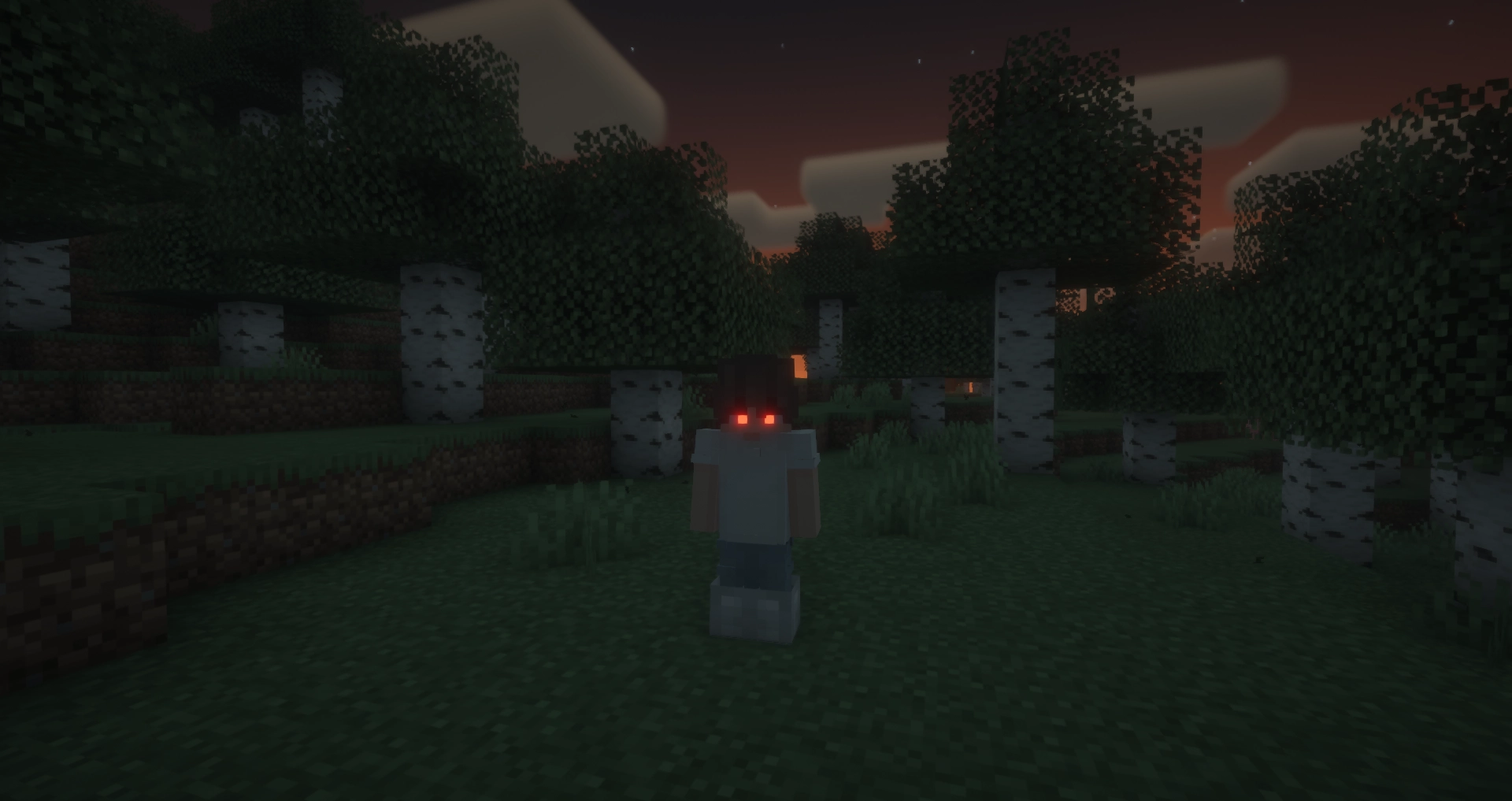
Glowing Eyes is a Minecraft mod that lets you customize and make your character’s eyes glow! Inspired by the Vampirism mod, this mod adds a detailed eye editor with color selection, presets, and new customization options. Stand out in the dark with glowing eyes!
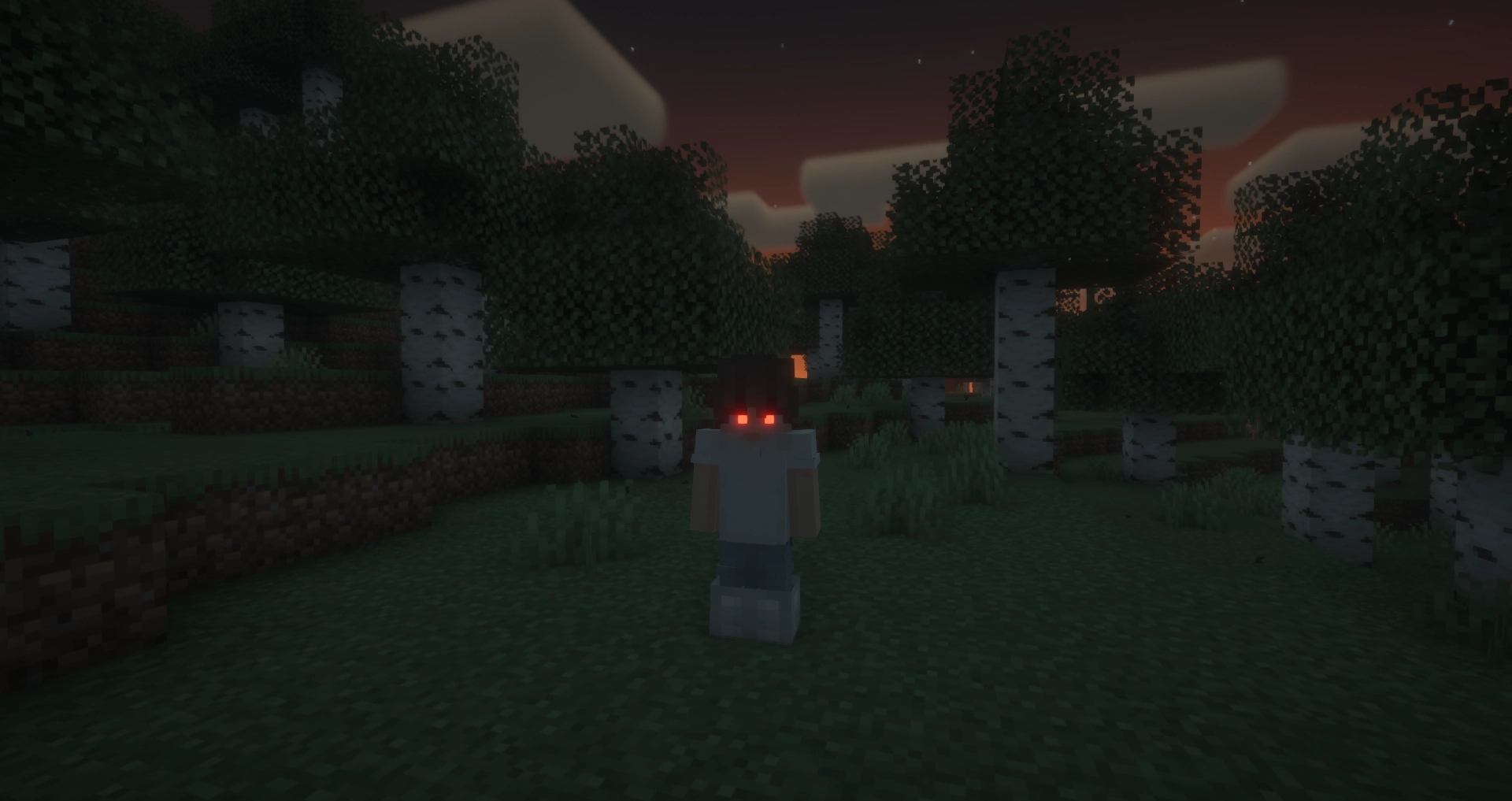
With Fresh Moves support!
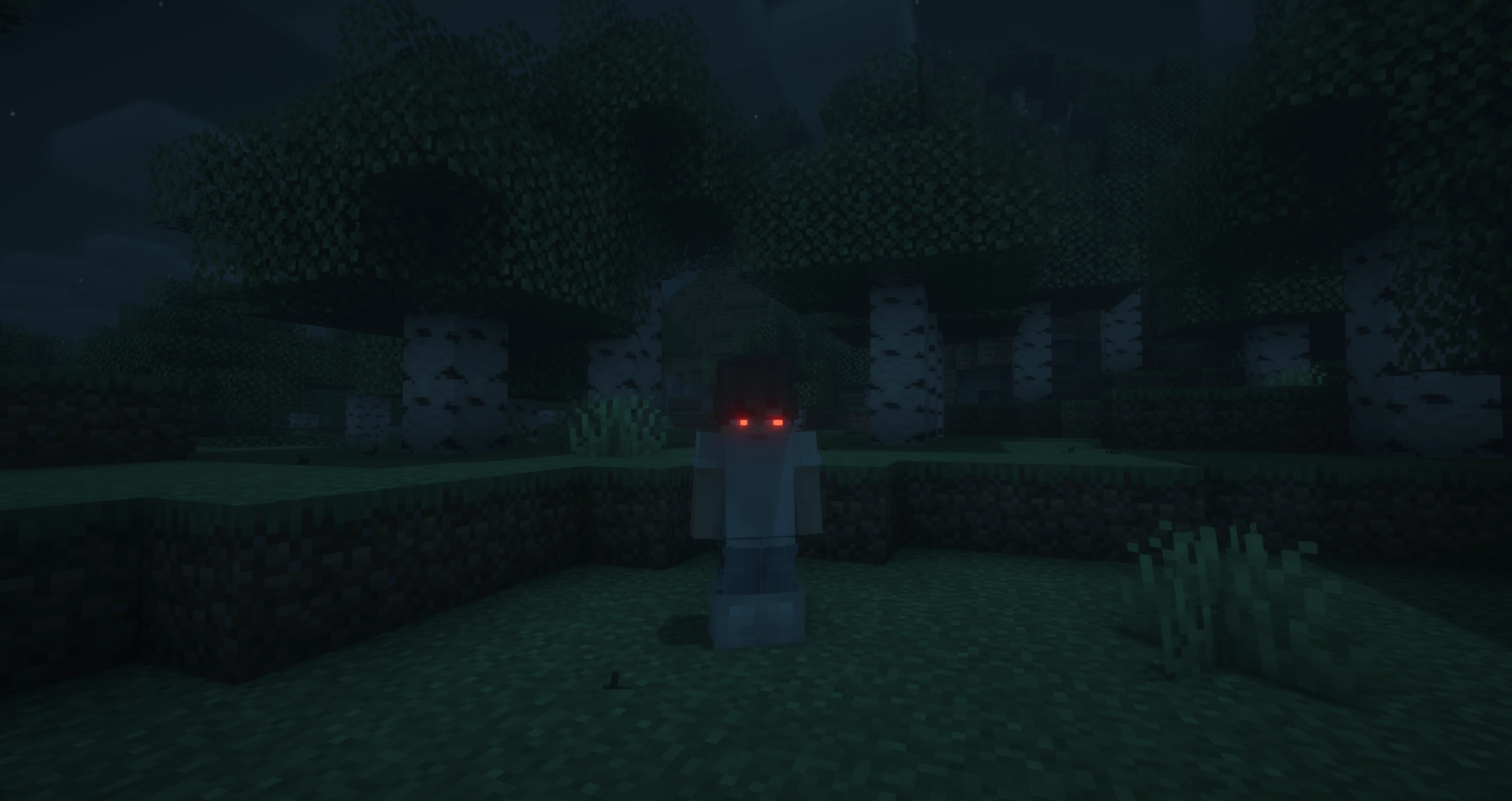
FAQ
Does this mod work in multiplayer?
Yes, however, the mod must be installed on both the server and the client for it to work properly. Players that do not have the mod can still play, but will not see the glowing eyes.
Why doesn’t the mod work / why don’t my eyes glow?
Most likely, you accidentally turned off your eyes. The default keybinding to toggle glowing eyes on and off is G. If that doesn’t fix the issue, please report a bug on the GitHub issues tab or in the Discord server.
Usage
General Usage
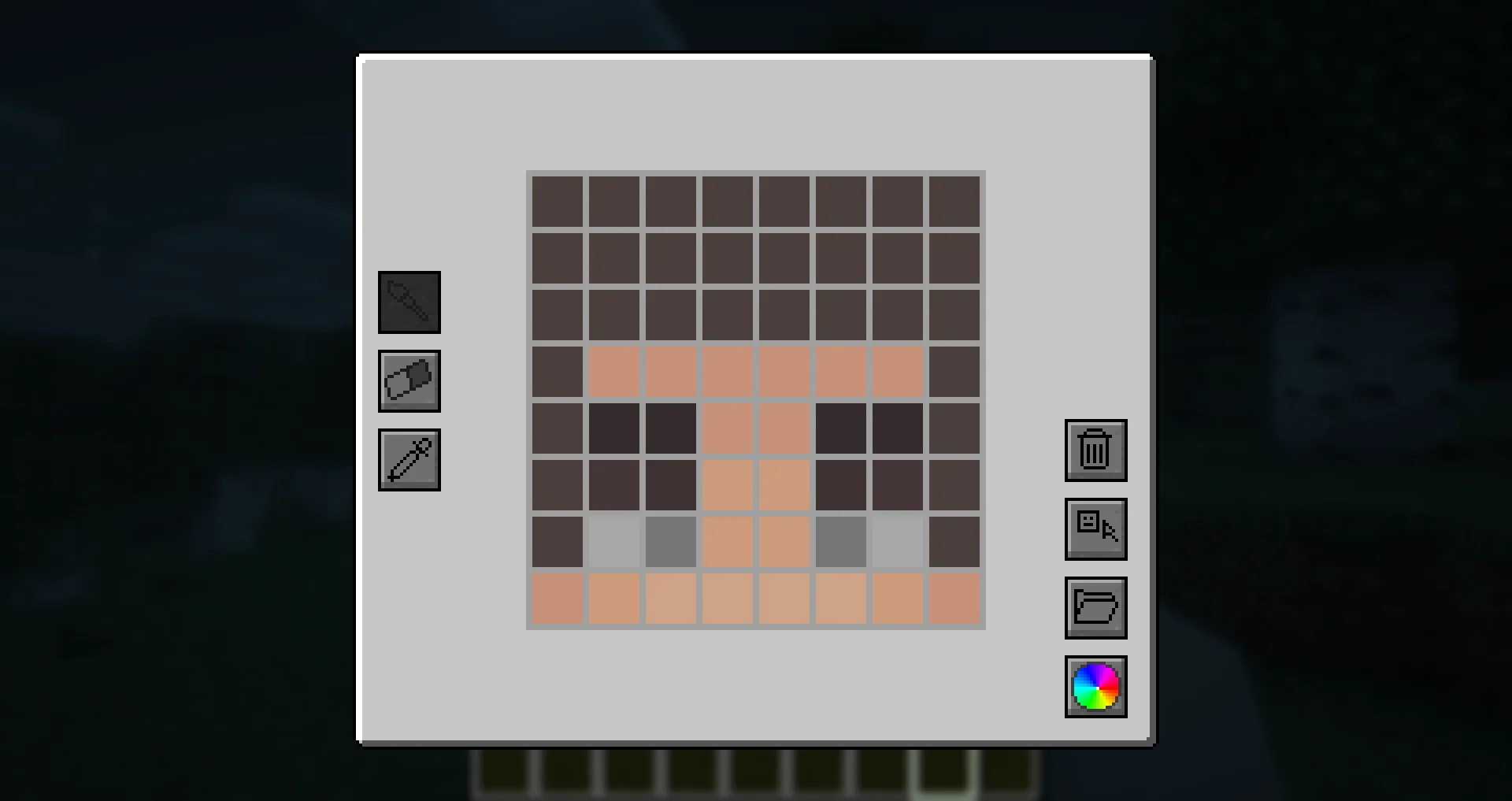
To access the eye editor, use the /eyes command or press the keybinding (H by default). This will open the customization menu, where you can tweak your glowing eyes.
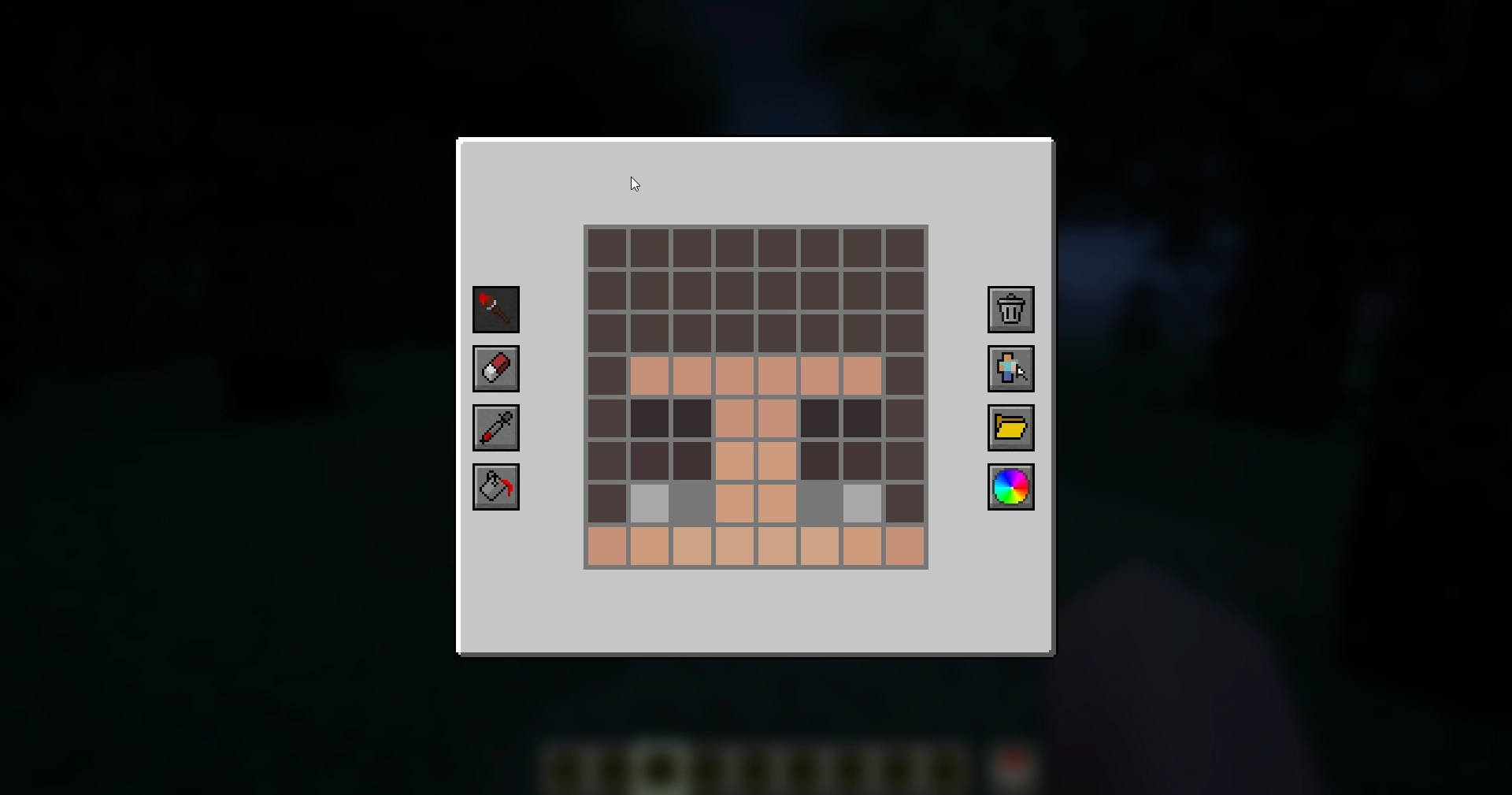
- Left side: Drawing, erasing and color picking tools to design your glowing eyes.
- Right side: Preset manager, color picker, and two additional buttons:
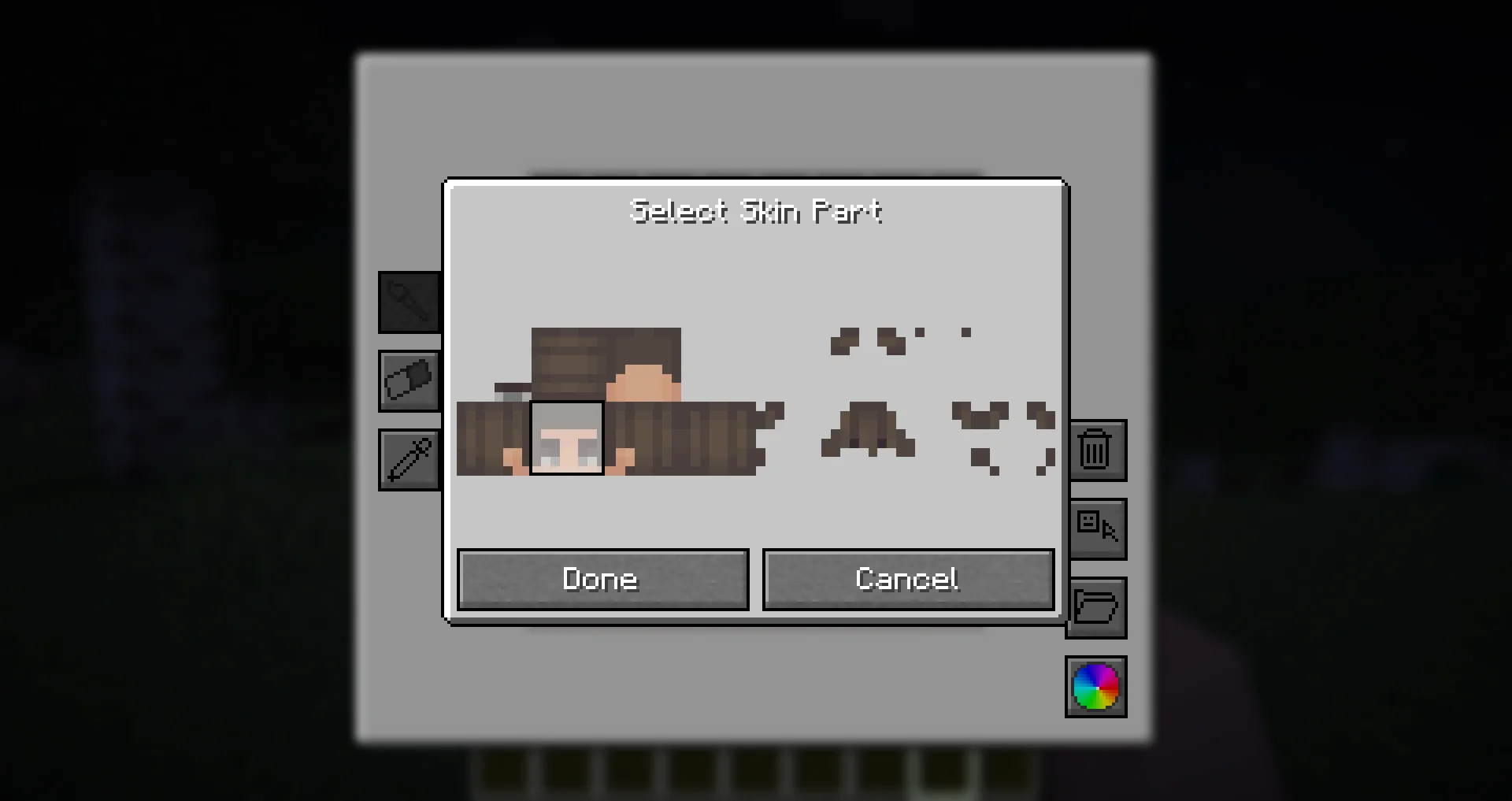
- Skin part selector: Choose which part of the skin you want to apply glowing eyes to.
- Reset button: Completely removes your current eyes, including other skin parts (but not presets).
Skin Parts
With the skin parts system, you are no longer limited to adding eyes only to the front of your character’s head. Now, you can apply glowing eyes anywhere on your head and head overlay!
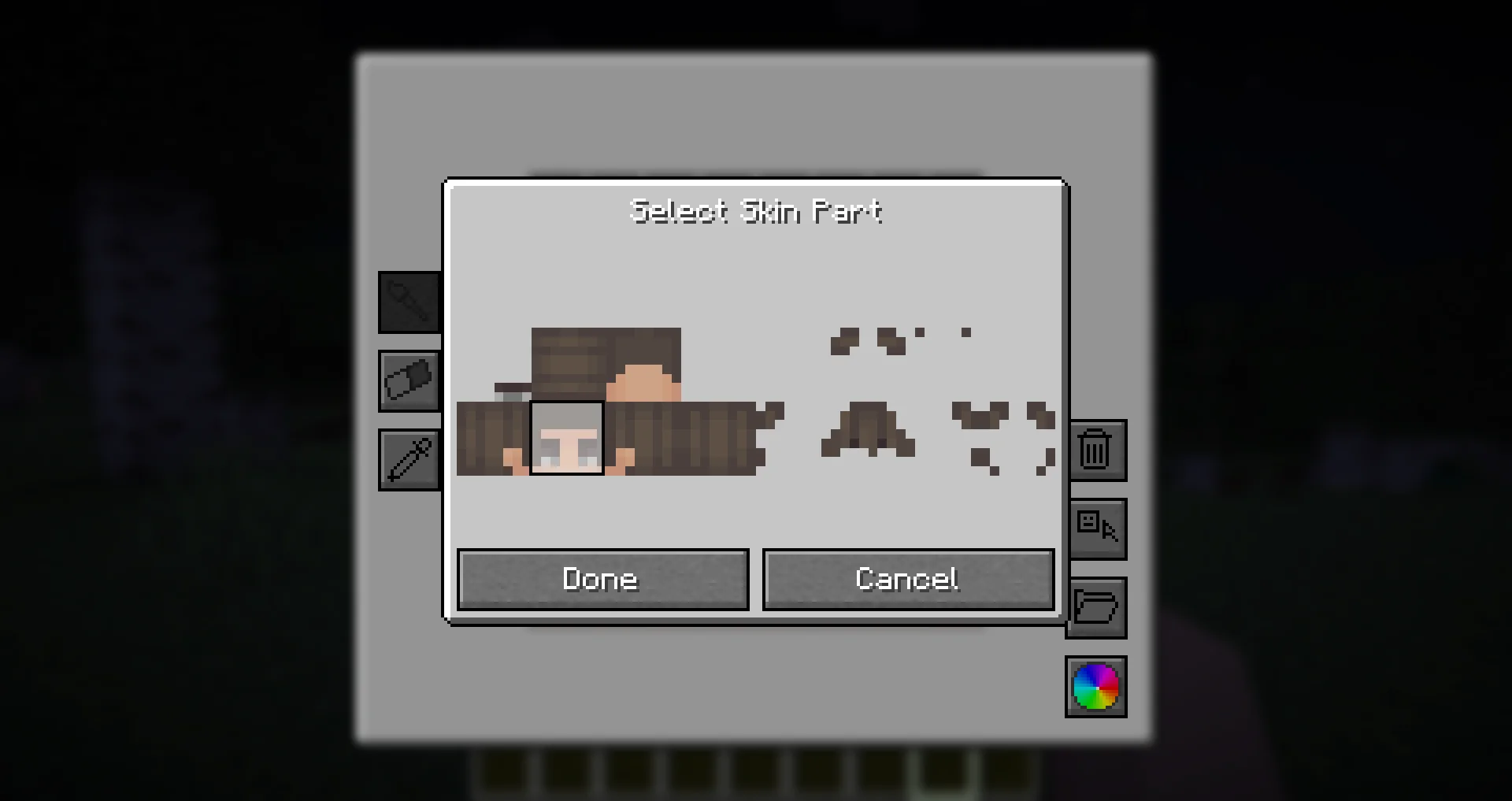
This feature allows for more creative and unique glowing eye designs, such as side or back-facing eyes!
Presets
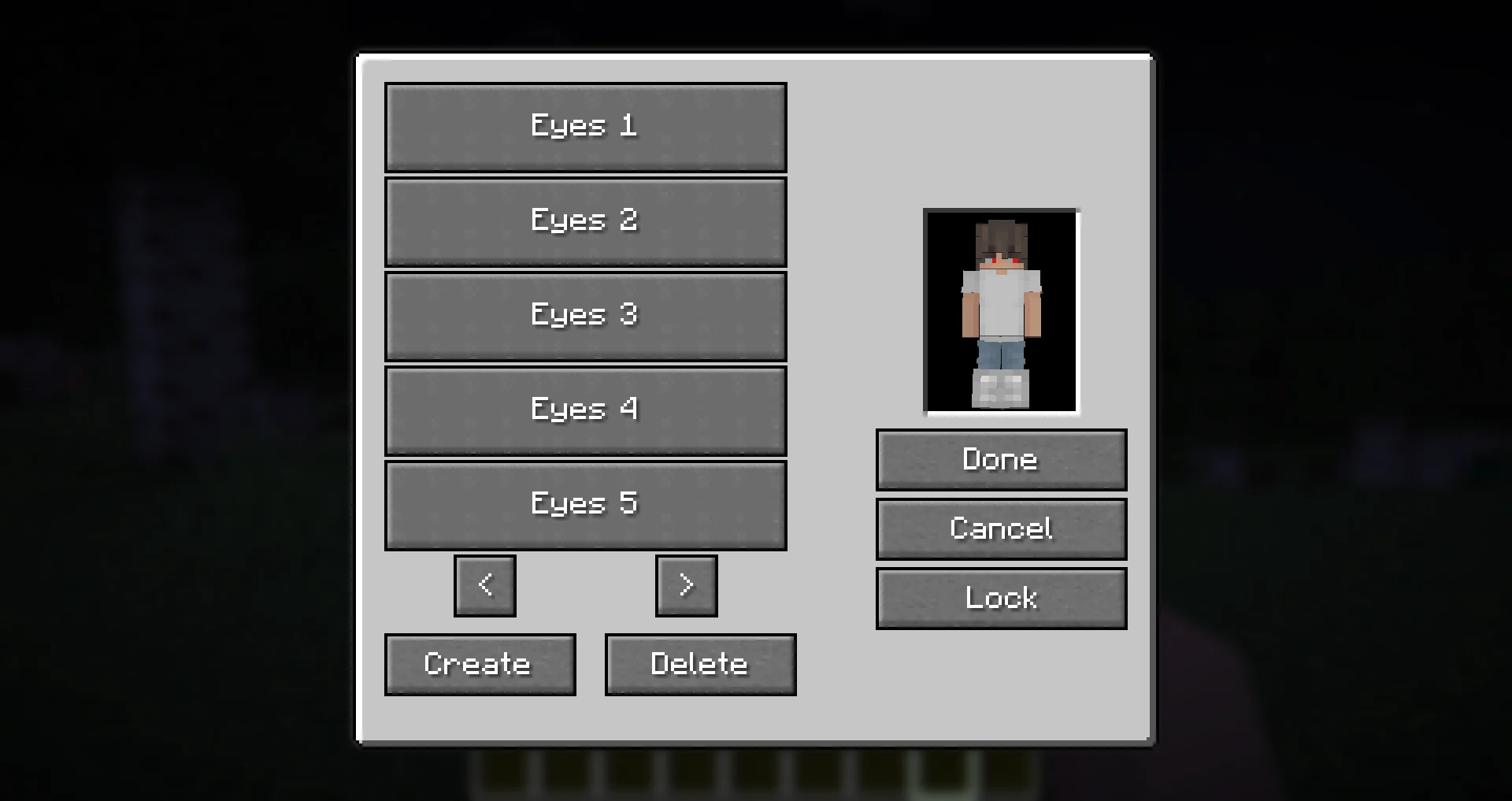
Presets allow you to save and quickly switch between different glowing eye designs.
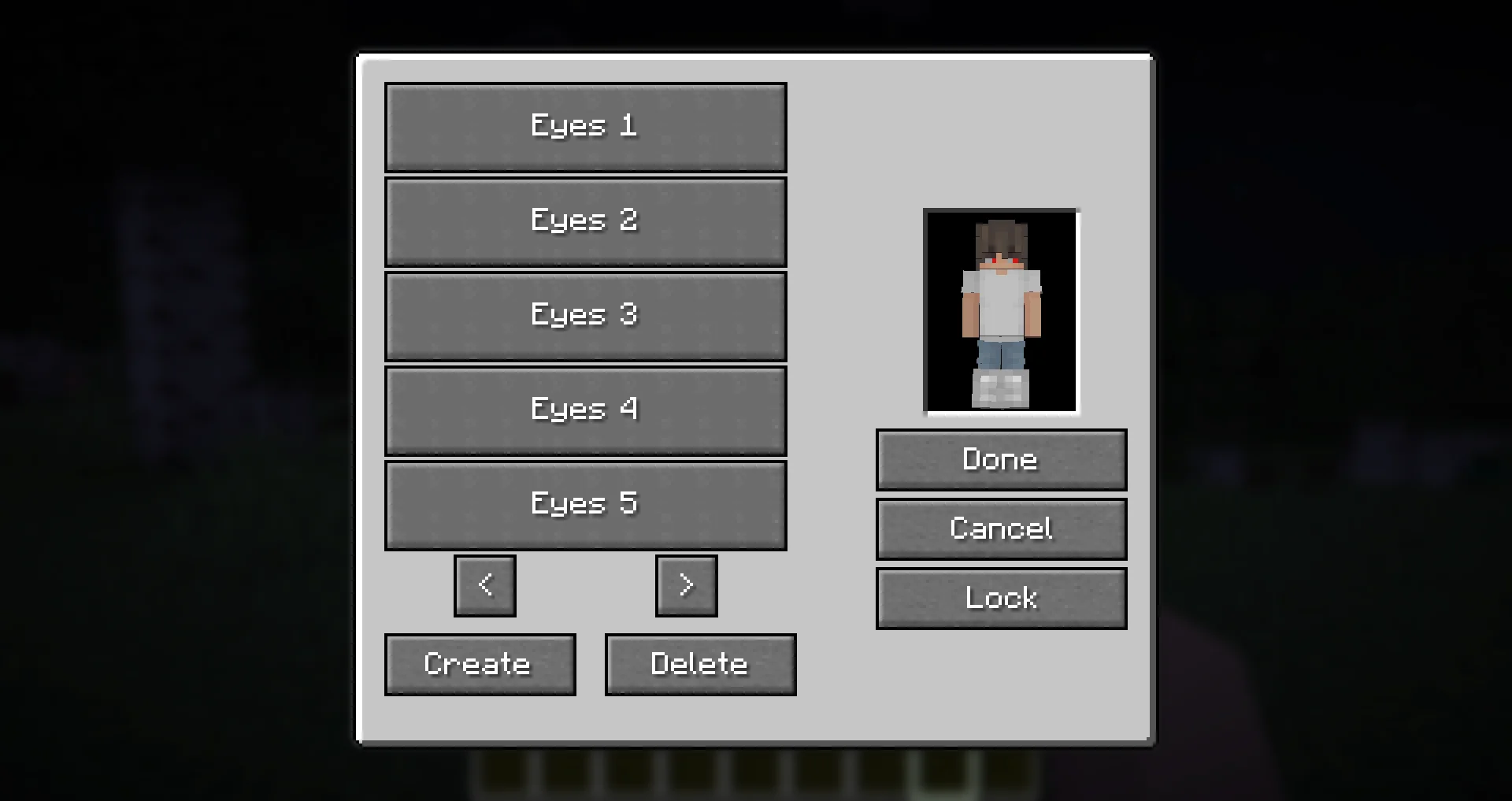
- The preset menu lets you create, save, and apply different presets.
- All presets are saved in the
presets.jsonfile in your Minecraft directory. - Easily experiment with different glowing eye styles without losing your designs!
Need Support?
If you need help, have a question, or just want to chat, join the Discord server. To report bugs or suggest features, please use the GitHub repository.
Thanks!
Big thanks to Olivo for helping with the editor GUI screen! If not him, this all would not be possible! Thanks to the Vampirism mod and its authors/contributors for the idea, inspiration, and some code, please check them out! Huge thanks to the Modded Minecraft Discord Server for their help with coding!
Glowing Eyes
Glowing Eyes is a Minecraft mod that lets you customize and make your character’s eyes glow! Inspired by the Vampirism mod, this mod adds a detailed eye editor with color selection, presets, and new customization options. Stand out in the dark with glowing eyes!
With Fresh Moves support!
FAQ
Does this mod work in multiplayer?
Yes, however, the mod must be installed on both the server and the client for it to work properly. Players that do not have the mod can still play, but will not see the glowing eyes.
Why doesn’t the mod work / why don’t my eyes glow?
Most likely, you accidentally turned off your eyes. The default keybinding to toggle glowing eyes on and off is G. If that doesn’t fix the issue, please report a bug on the GitHub issues tab or in the Discord server.
Usage
General Usage
To access the eye editor, use the /eyes command or press the keybinding (H by default). This will open the customization menu, where you can tweak your glowing eyes.
- Left side: Drawing, erasing and color picking tools to design your glowing eyes.
- Right side: Preset manager, color picker, and two additional buttons:
- Skin part selector: Choose which part of the skin you want to apply glowing eyes to.
- Reset button: Completely removes your current eyes, including other skin parts (but not presets).
Skin Parts
With the skin parts system, you are no longer limited to adding eyes only to the front of your character’s head. Now, you can apply glowing eyes anywhere on your head and head overlay!
This feature allows for more creative and unique glowing eye designs, such as side or back-facing eyes!
Presets
Presets allow you to save and quickly switch between different glowing eye designs.
- The preset menu lets you create, save, and apply different presets.
- All presets are saved in the
presets.jsonfile in your Minecraft directory. - Easily experiment with different glowing eye styles without losing your designs!
Need Support?
If you need help, have a question, or just want to chat, join the Discord server. To report bugs or suggest features, please use the GitHub repository.
Thanks!
Big thanks to Olivo for helping with the editor GUI screen! If not him, this all would not be possible! Thanks to the Vampirism mod and its authors/contributors for the idea, inspiration, and some code, please check them out! Huge thanks to the Modded Minecraft Discord Server for their help with coding!
Screenshots
Gallery
-
 glowingeyes_presets.webp glowingeyes_presets.webp
 -
 glowingeyes_skinpartselector.webp glowingeyes_skinpartselector.webp
 -
 glowingeyes_editor.webp glowingeyes_editor.webp
 -
 glowingeyes_preview_freshmoves.webp glowingeyes_preview_freshmoves.webp
 -
 glowingeyes_preview.webp glowingeyes_preview.webp
-
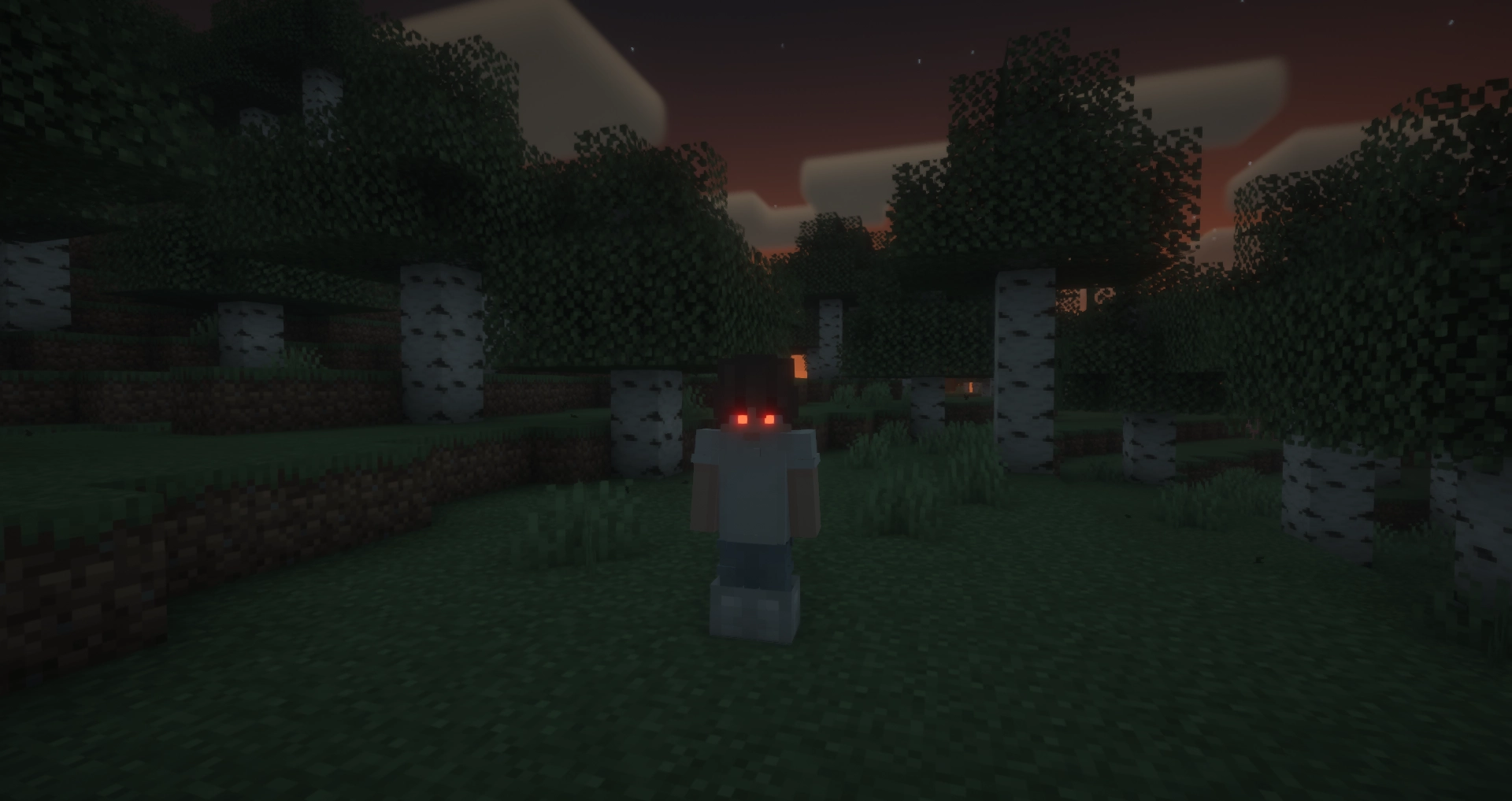 Glowing Eyes Preview Preview of the mod in action, with BSL shaders.
 -
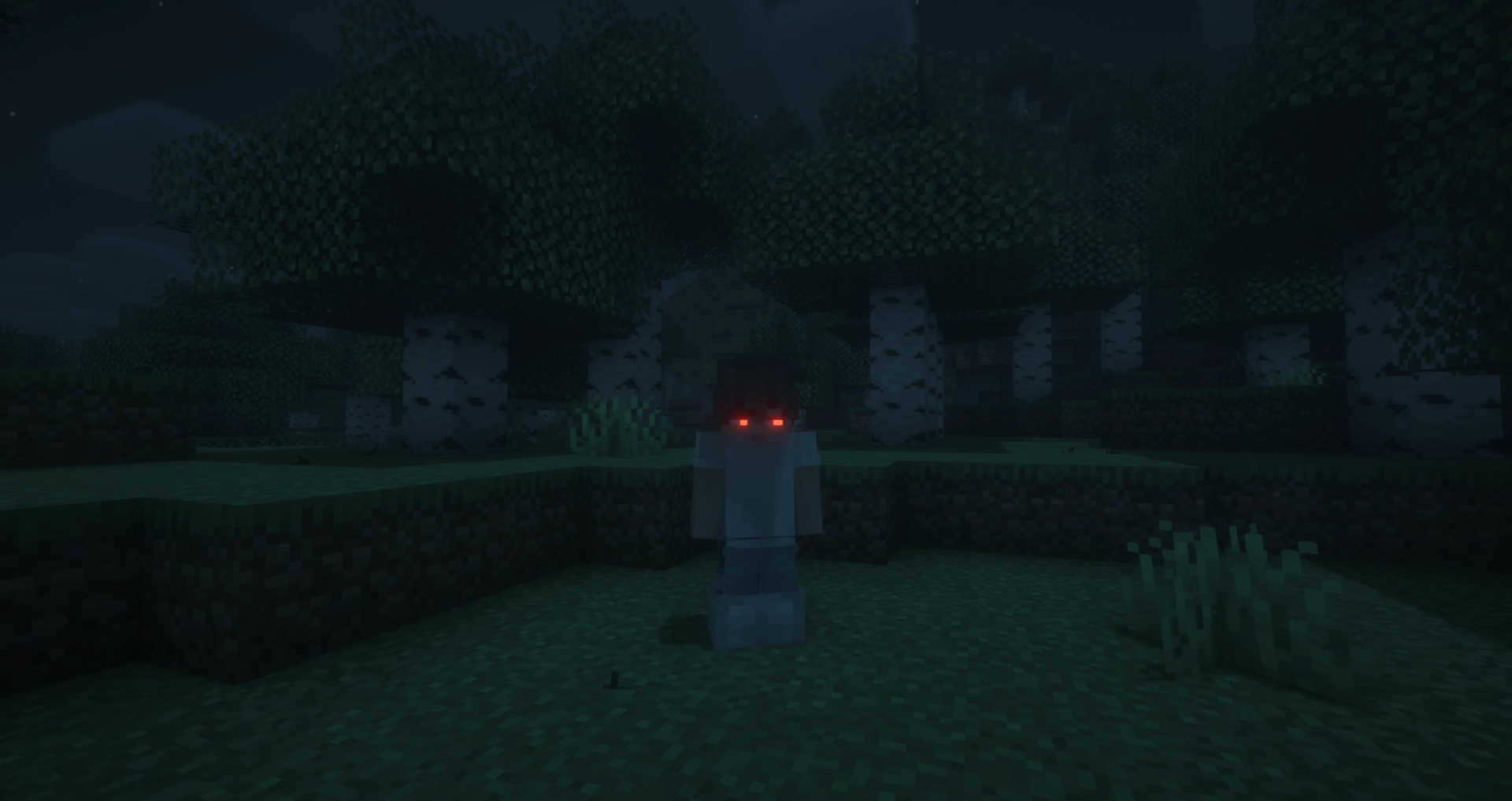 Glowing Eyes Preview with Fresh Moves Preview of the mod with Fresh Moves and BSL Shaders.
 -
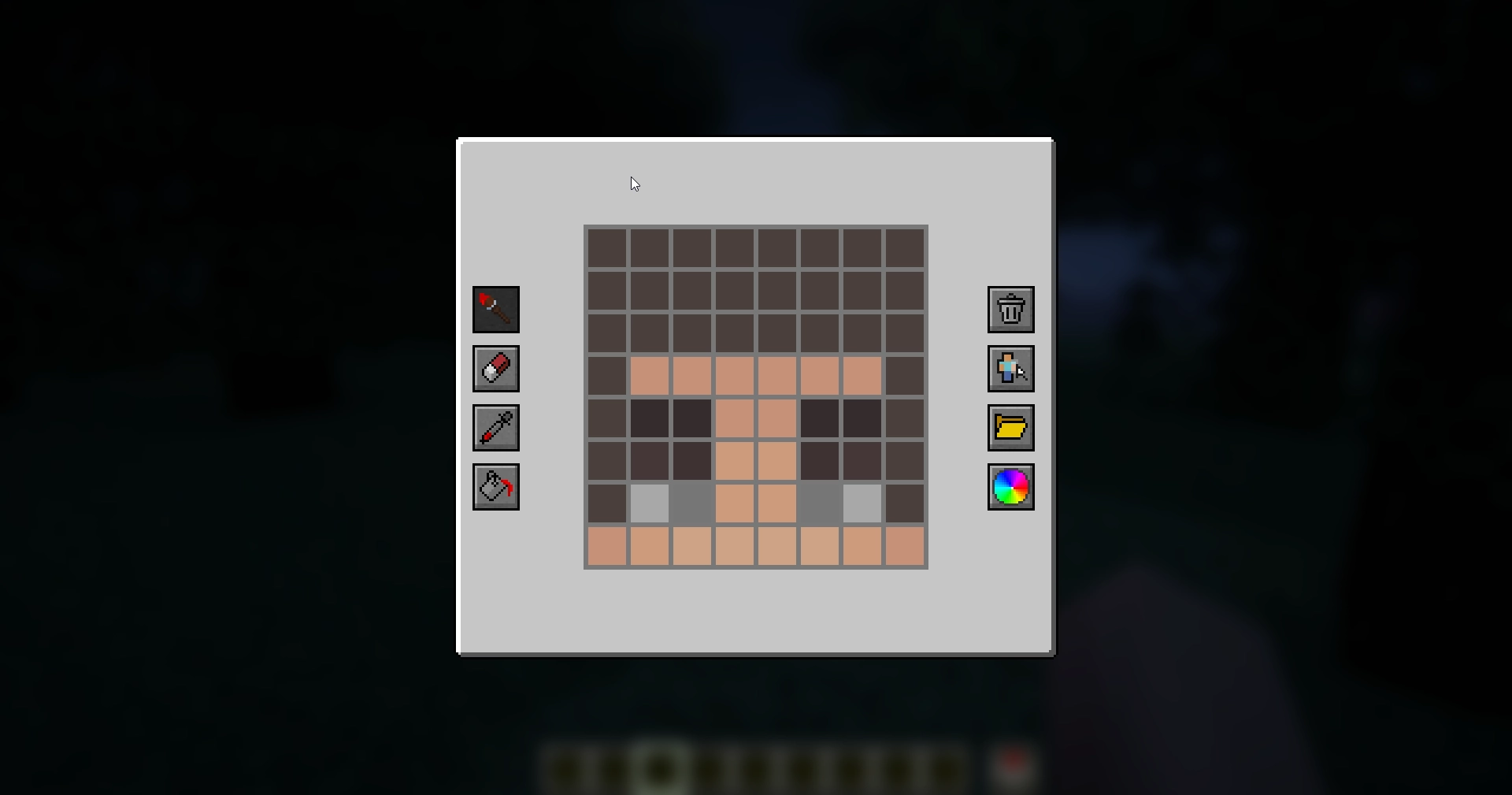 Editor Screen The old editor screen.
 -
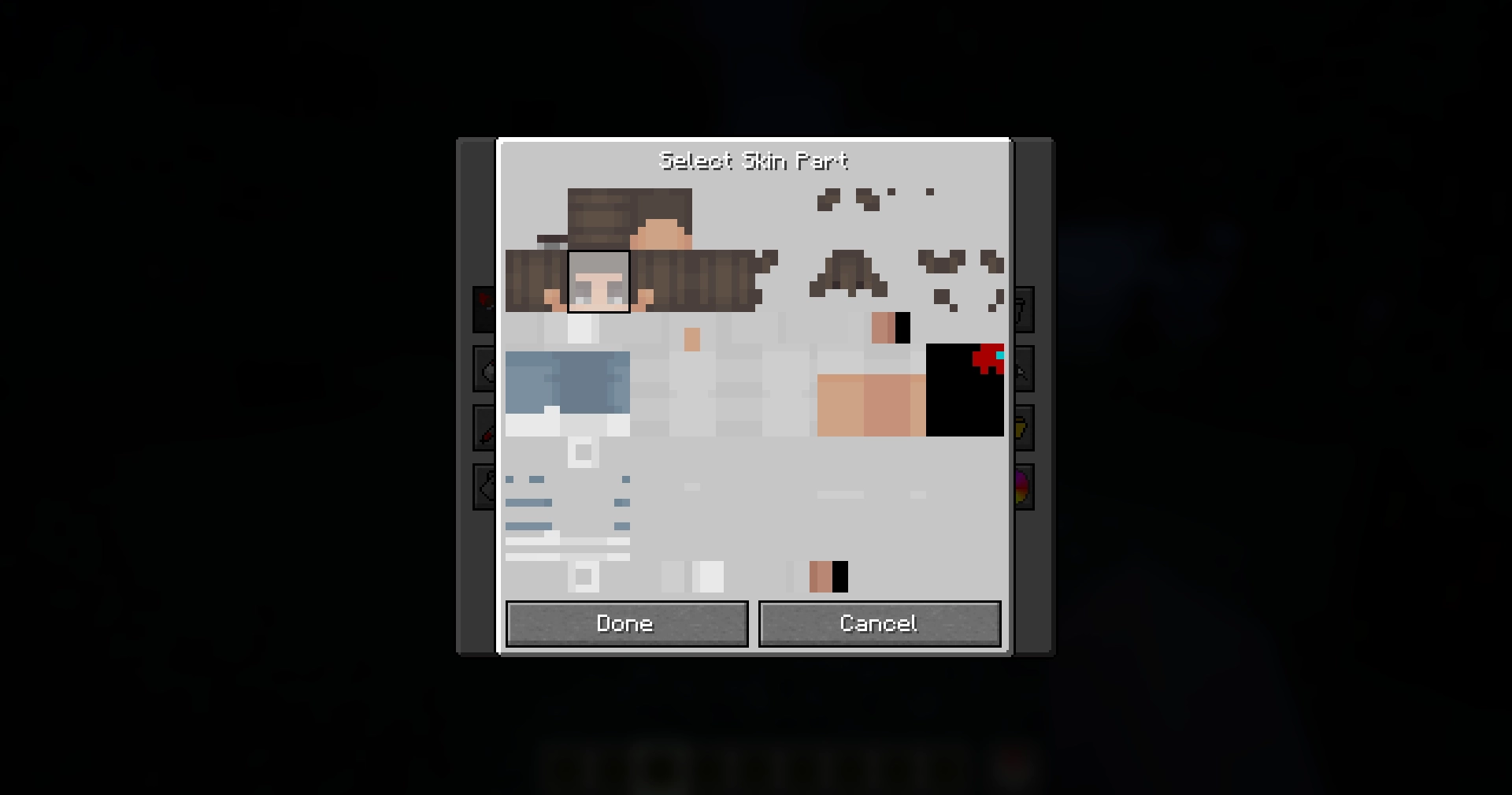 Skin Part Selection Menu The menu for selecting where on the skin to draw.
 -
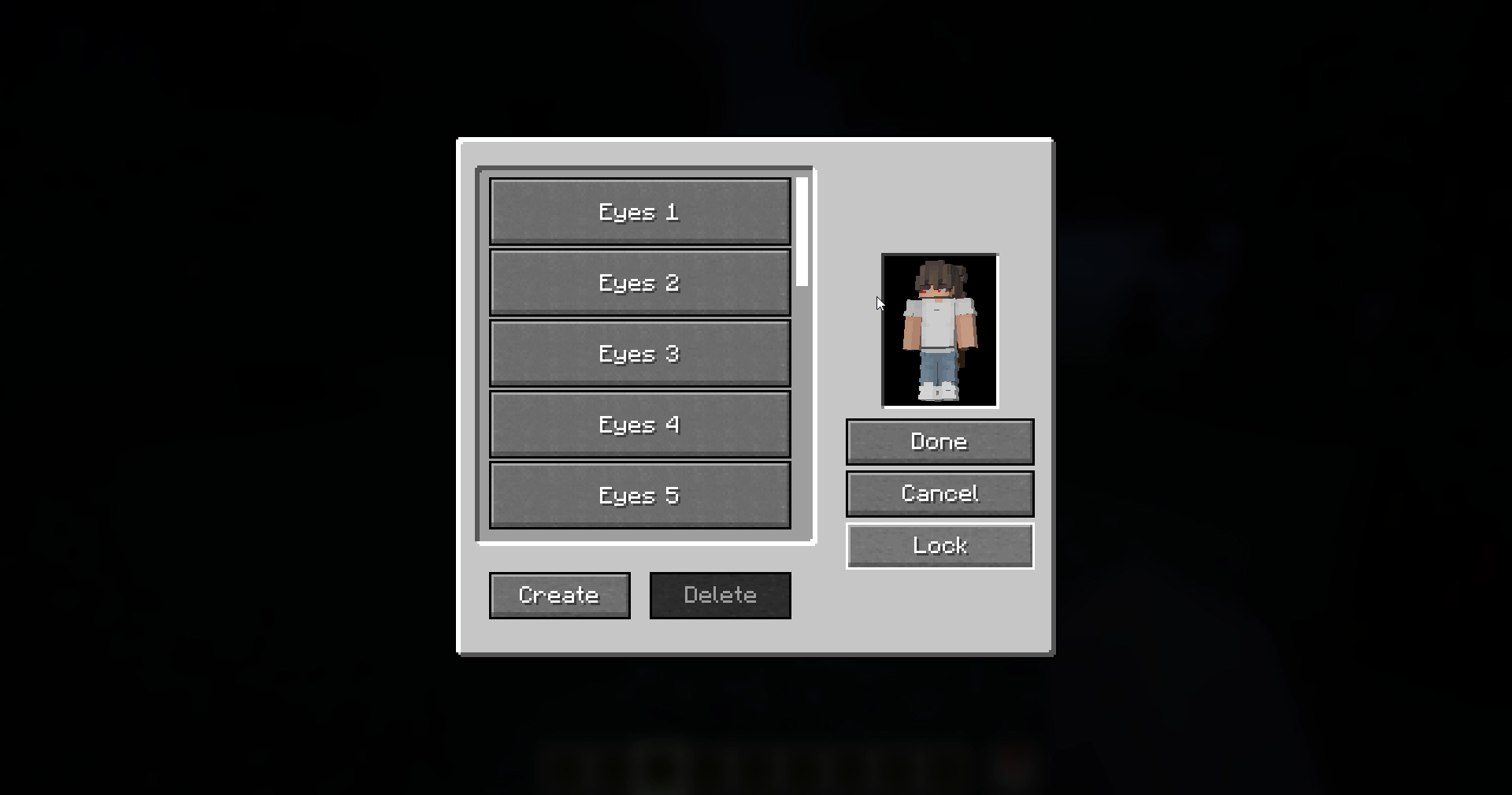 Presets Screen The preset menu.
 -
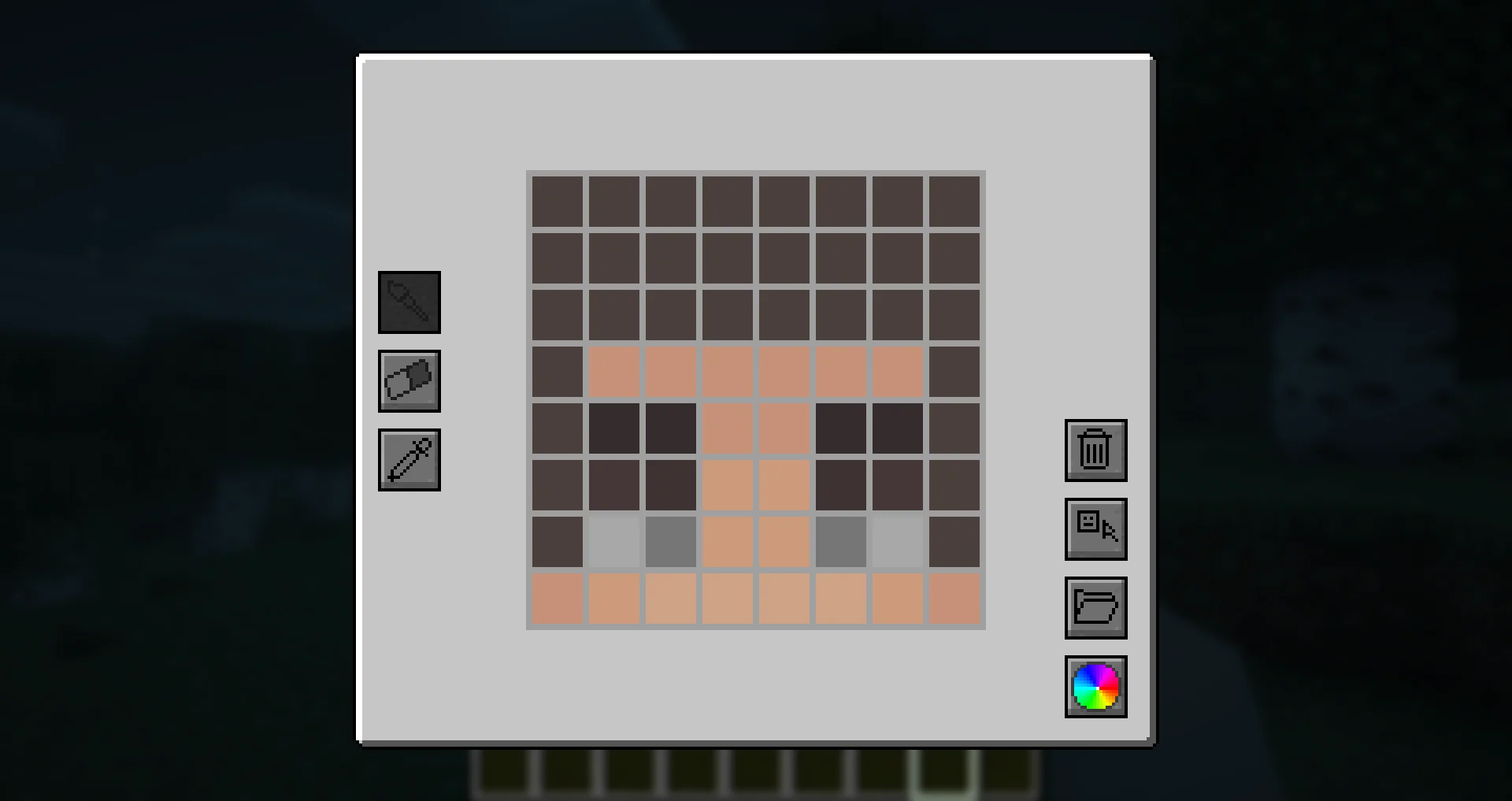 Editor Screen (Old) The editor screen.
 -
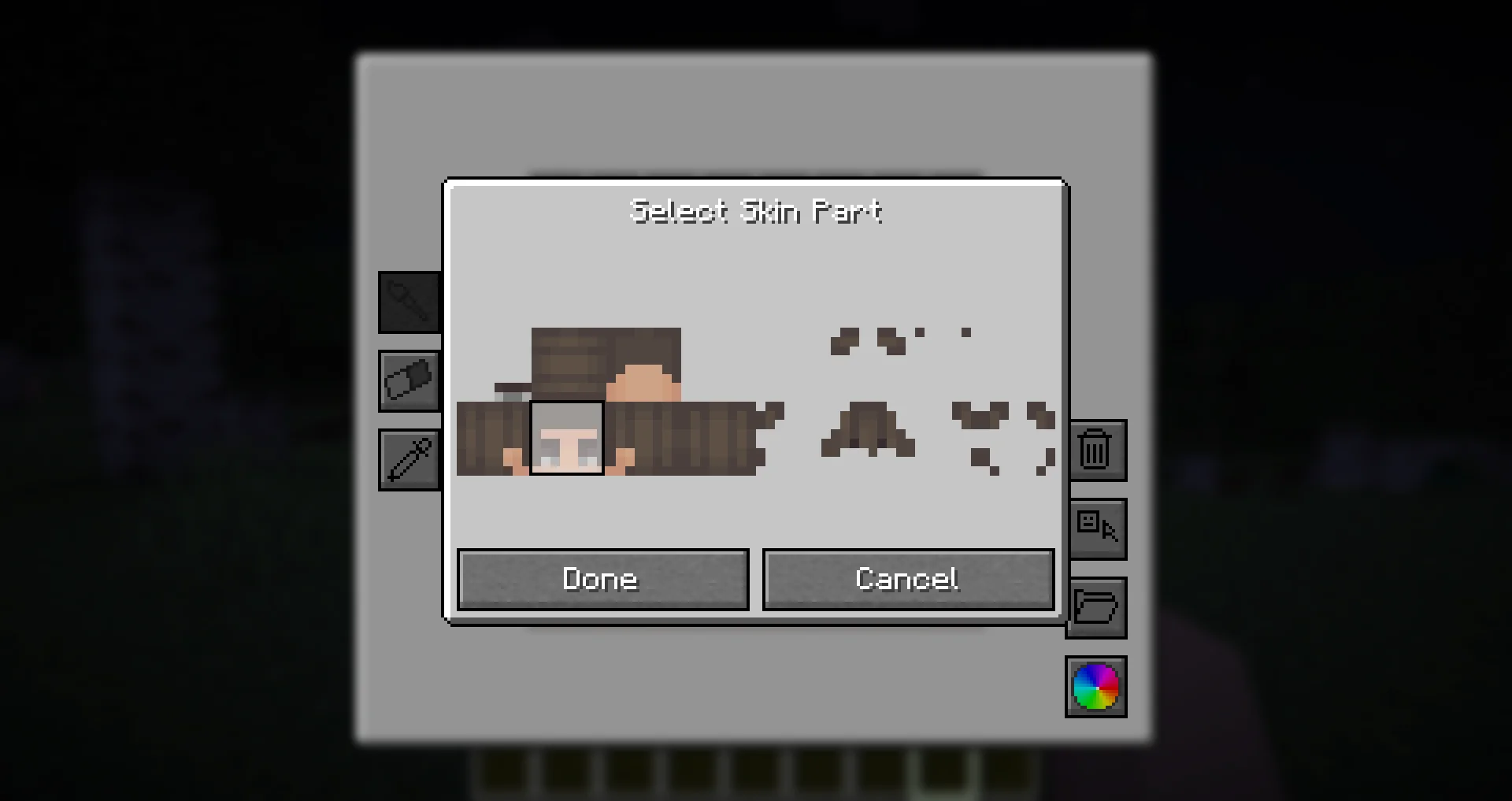 Skin Part Selection Menu (Old) The old menu for selecting where on the skin to draw.
 -
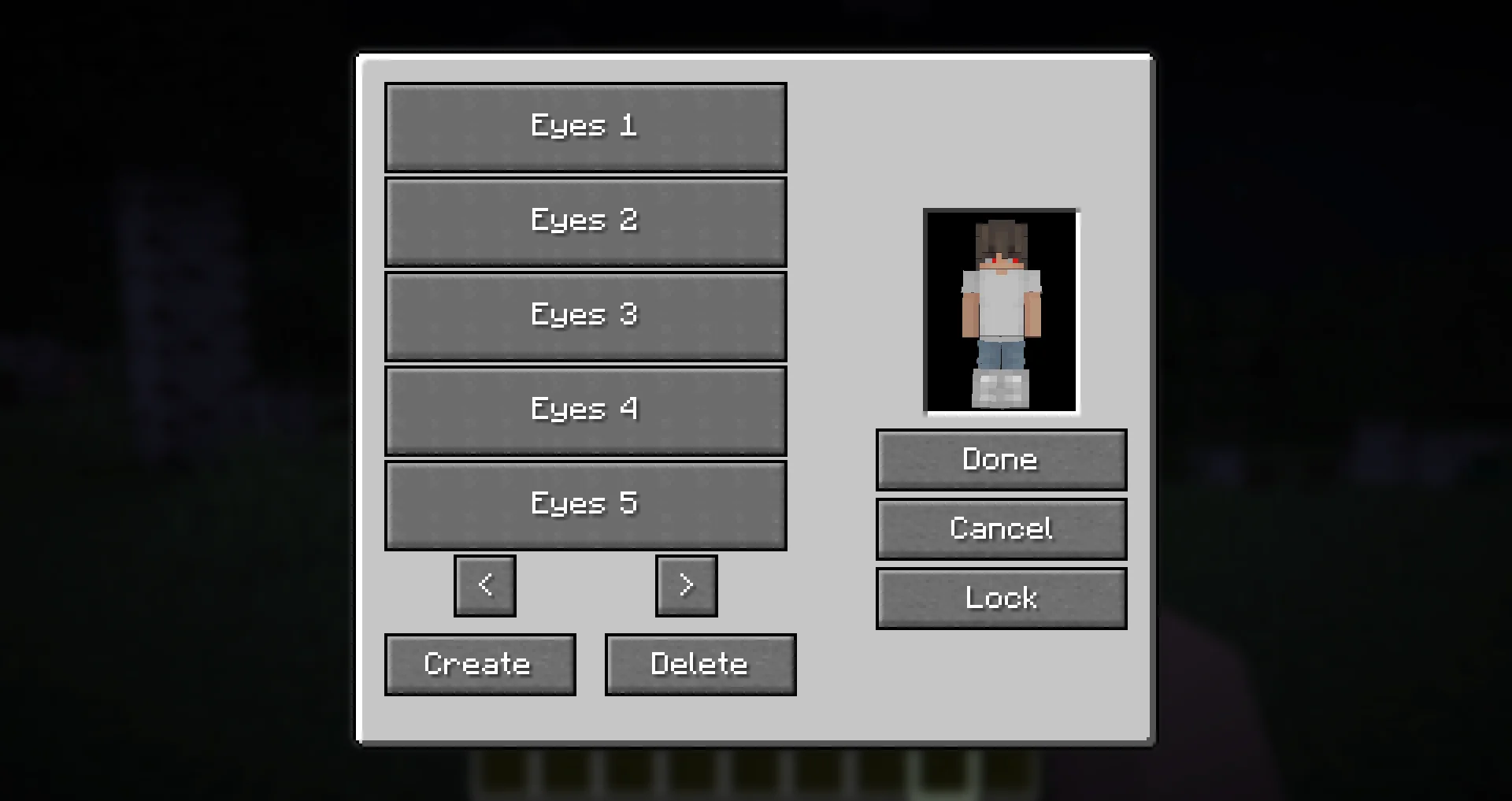 Presets Screen (Old) The old preset menu.
Versions
Files
Relations
Project Relations
More like this
Similar Mods
Suggestions use data such as tags, dependencies, dependents, descriptions, titles, and more to rank how much they overlap with this mod.
On ModDex
Community snapshot
By the numbers
Statistics
Want to reach Minecraft players?
We're looking for a server hosting partner to feature here and other parts of the site. Interested? Send us a message!
Get in touchGet it on
Available Platforms
On ModDex
Community snapshot
By the numbers