
Community listing page, reviews here may not be monitored by the author.
Graduated Cylinders


No reviews yet
Gives finer control over moving fluids between tanks
Community voices
Reviews
No reviews yet. Be the first to review this project!
Get it on
Available Platforms
Compatibility
Supported Environments
Must be installed on both the client and the server.
About
Project Details
For authors
Embed Badge
If you're the author of this project, you can embed a live badge anywhere that supports HTML or Markdown. It updates automatically whenever ratings change.
Use HTML for any page that supports it, or Markdown for README files and Markdown-based descriptions.
Identifiers
Platform IDs
About
Description
Take away the pain of manual fluid management and give finer control over moving fluids between tanks.
While holding any item which can contain fluids in your main hand (i.e. a bucket, Thermal Expansions' reservoir, a Mekanism tank, etc.), punch any placed block which can also hold fluids (i.e. a Tinkers' Construct seared tank, Extra Utilities 2 drum, GregTech machines, etc.) to open the transfer GUI. Here, you can choose the amount in milibuckets to transfer and the direction. You can also transfer fluids between two items, by right-clicking one on top of the other in an inventory.
Also supports the Mekanism Gas API! Do manual chemistry a bit easier now without worrying about voiding precious gasses in machines.
All keybinds and shortcuts, for reference:
Jump: Toggle fluid transfer direction
Shift+Jump: Cycle GUI mode
Tab: Select next fluid
Shift+Tab: Select previous fluid
Inventory Open/Close: Do transfer
Escape: Cancel transfer
Scroll Wheel: Change transfer amount
Move forward/back: ^^
Up/down arrow keys: ^^
Move left/right: Shift text cursor
Left/right arrow keys: ^^
Enter: Replace math expression in text box with its value
Right click text box: Clear text and set transfer amount to 0
Click fluid: Select fluid
Right click fluid: Select fluid and set transfer amount to fluid amount
Click+drag: Rotate 3D scene
Right click side of block (3D scene): Select side of block to interact with
Middle click: Toggle rendering of neighboring blocks in 3D scene
Crouch (when opening the GUI): Flips the default transfer direction
Graduated Cylinders
Take away the pain of manual fluid management and give finer control over moving fluids between tanks.
Overview
While holding any item which can contain fluids in your main hand (i.e. a bucket, Thermal Expansions' reservoir, a Mekanism tank, etc.), punch any placed block which can also hold fluids (i.e. a Tinkers' Construct seared tank, Extra Utilities 2 drum, GregTech machines, etc.) to open the transfer GUI. Here, you can choose the amount in milibuckets to transfer and the direction. You can also transfer fluids between two items, by right-clicking one on top of the other in an inventory.
Also supports the Mekanism Gas API! Do manual chemistry a bit easier now without worrying about voiding precious gasses in machines.
All keybinds and shortcuts, for reference:
Jump: Toggle fluid transfer direction
Shift+Jump: Toggle ingot mode
Tab: Select next fluid
Shift+Tab: Select previous fluid
Inventory Open/Close: Do transfer
Escape: Cancel transfer
Scroll Wheel: Change transfer amount
Move forward/back: ^^
Up/down arrow keys: ^^
Move left/right: Shift text cursor
left/right arrow keys: ^^
Right click text box: Clear text and set transfer amount to 0
Click fluid: Select fluid
Right click fluid: Select fluid and set transfer amount to fluid amount
Click+drag: Rotate 3D scene
Right click side of block (in 3D scene): Select side of block to interact with
Middle click: Toggle rendering of neighboring blocks in 3D scene
Crouch (when opening the GUI): Flips the default transfer direction
Sprint (when opening the GUI): Immediately enters ingot mode
Screenshots
Gallery
-
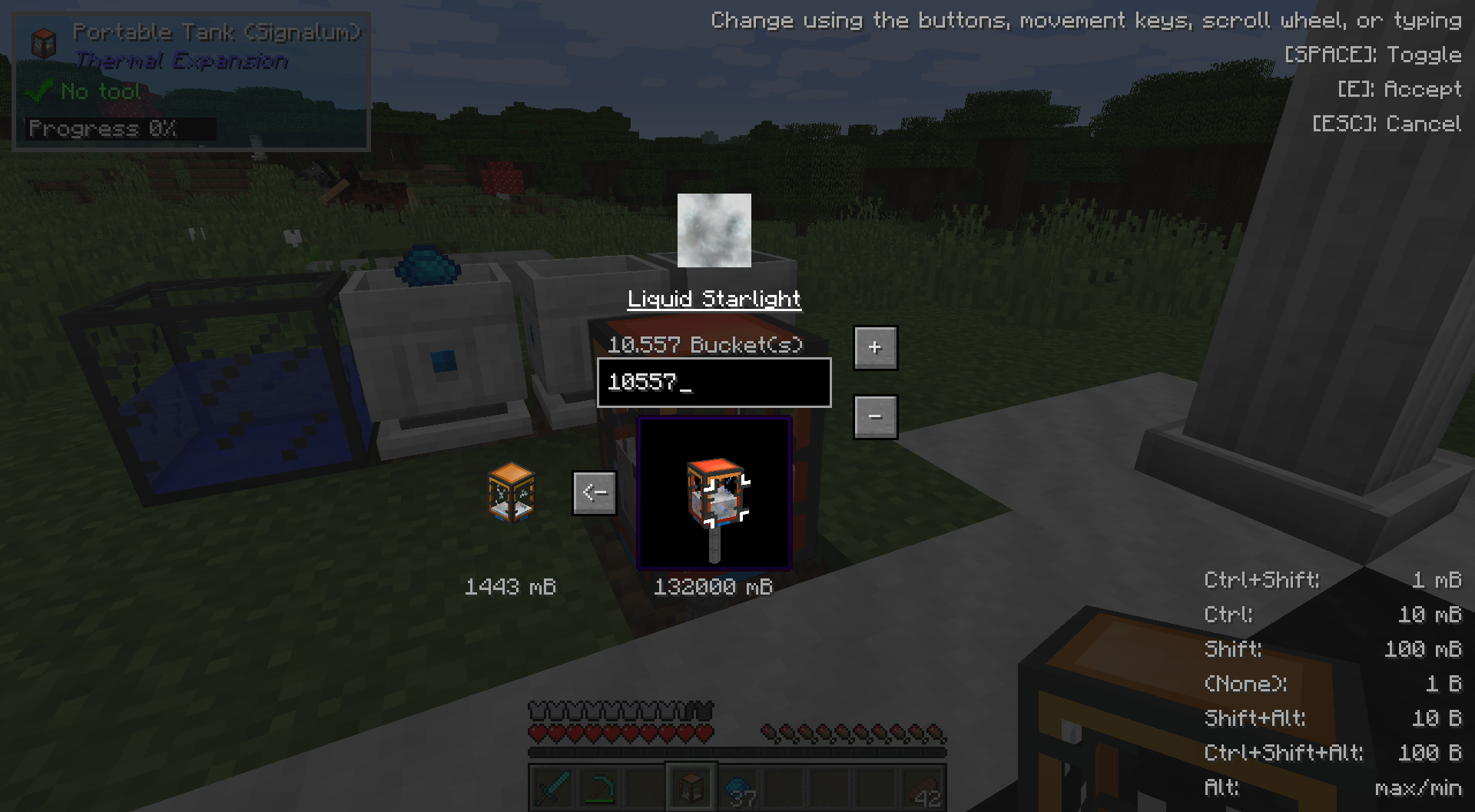 Transferring Fluids Another example of transferring a fluid
 -
Selecting a Fluid or Face You can choose a specific side to interact with through the tank in the world, as well as a specific fluid in that tank
-
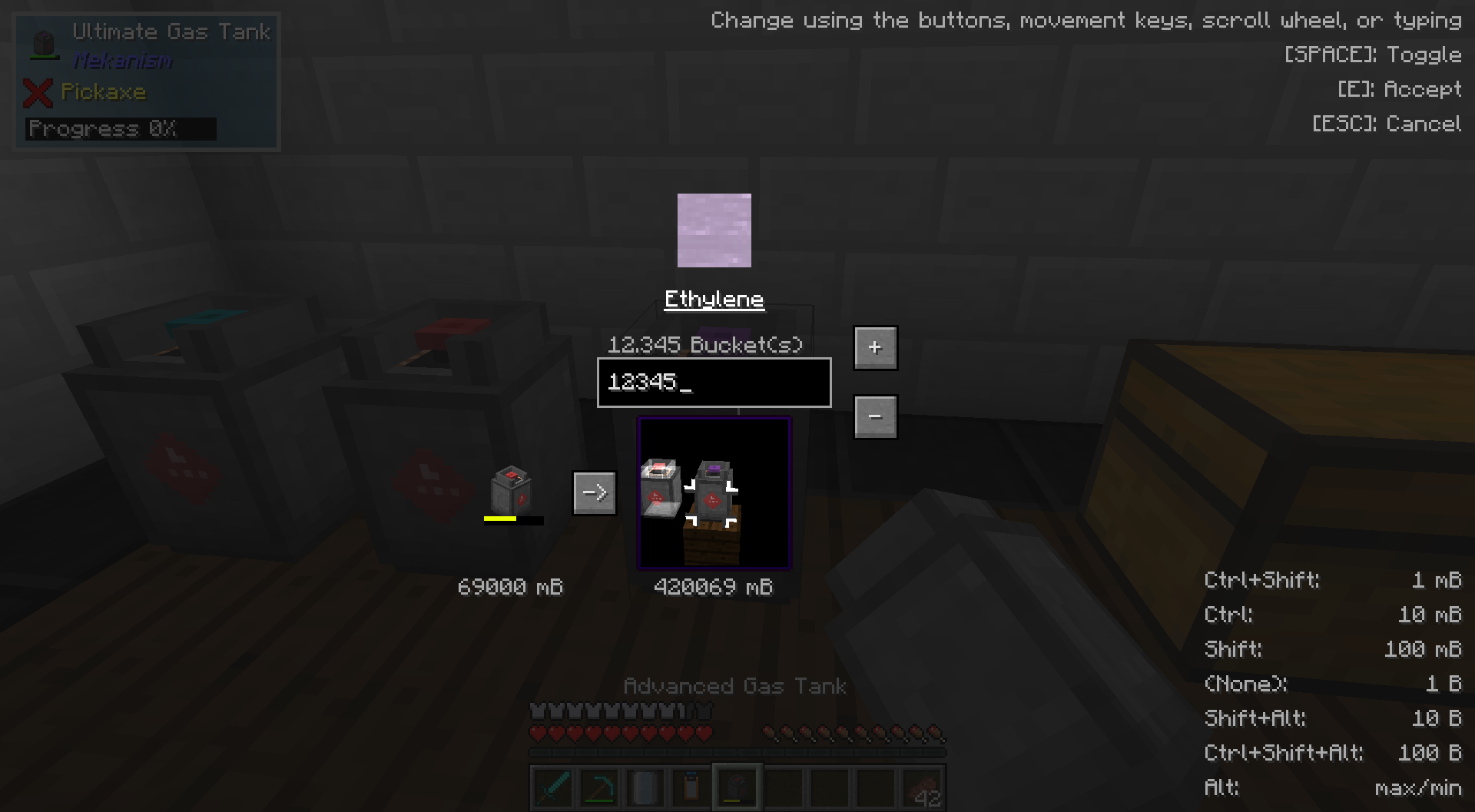
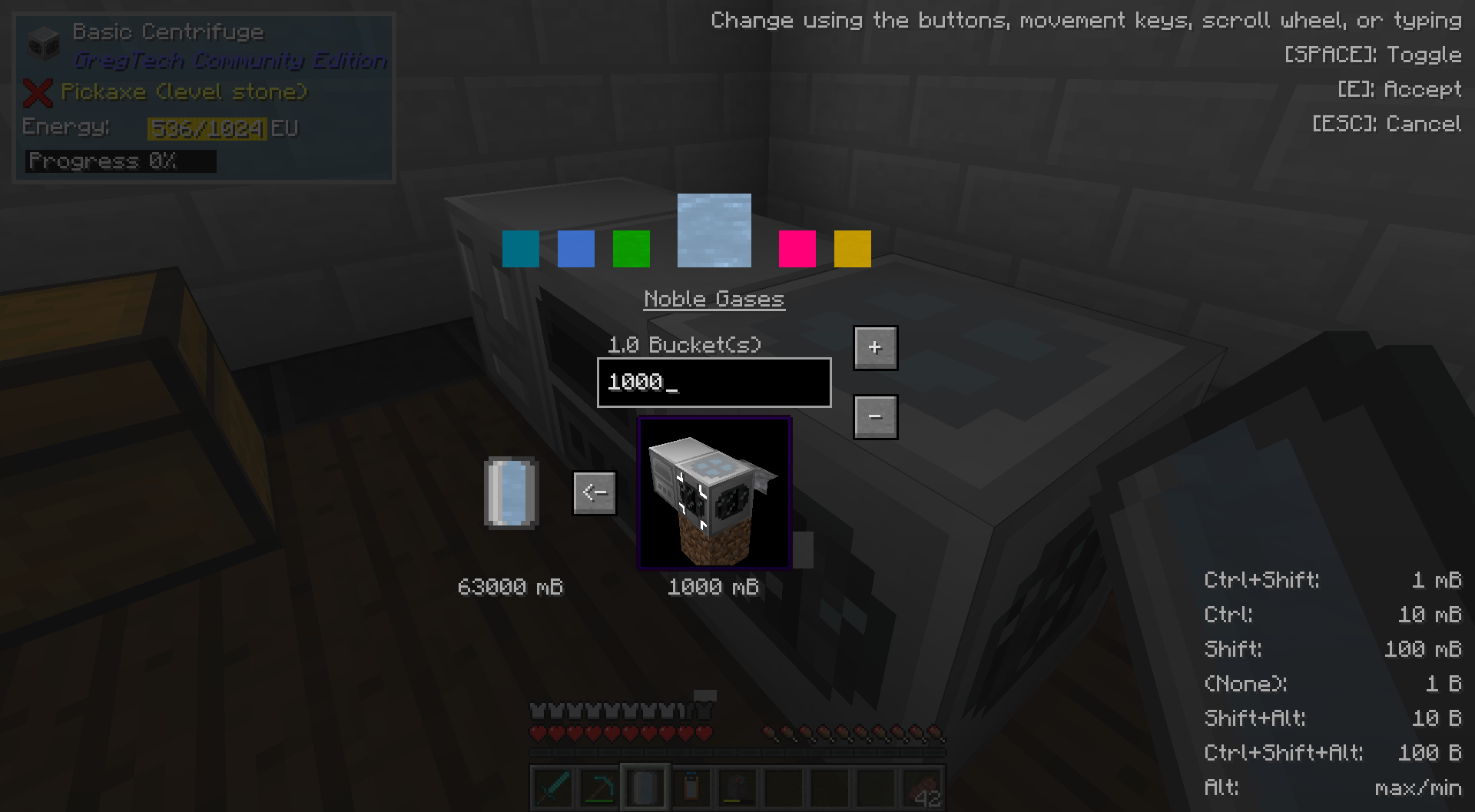 Transferring Fluids You can specify an exact amount in milibuckets to transfer, and the direction of the transfer
 -
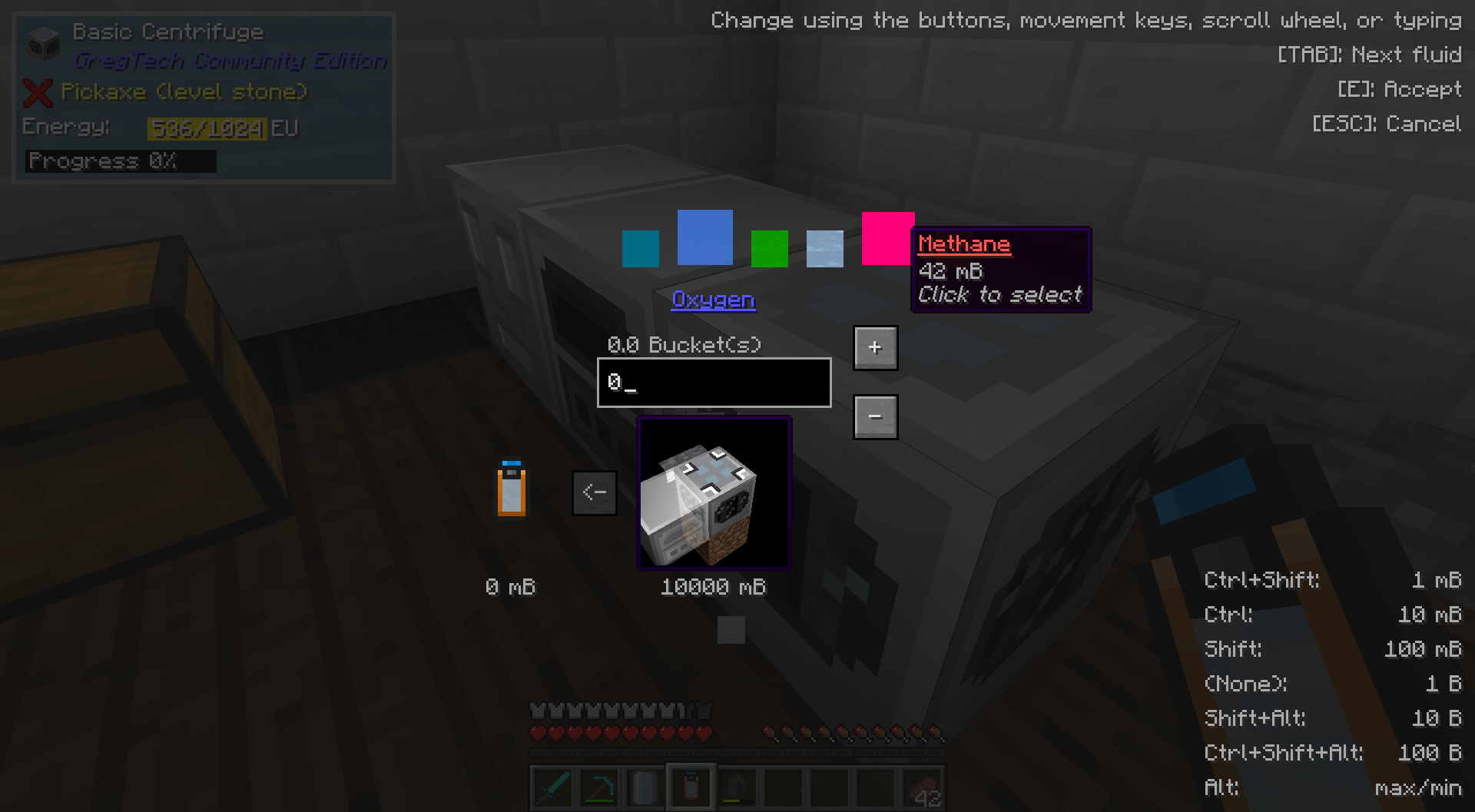
Mekanism Gasses Support is for transporting Mekanism Gasses is optionally available
-
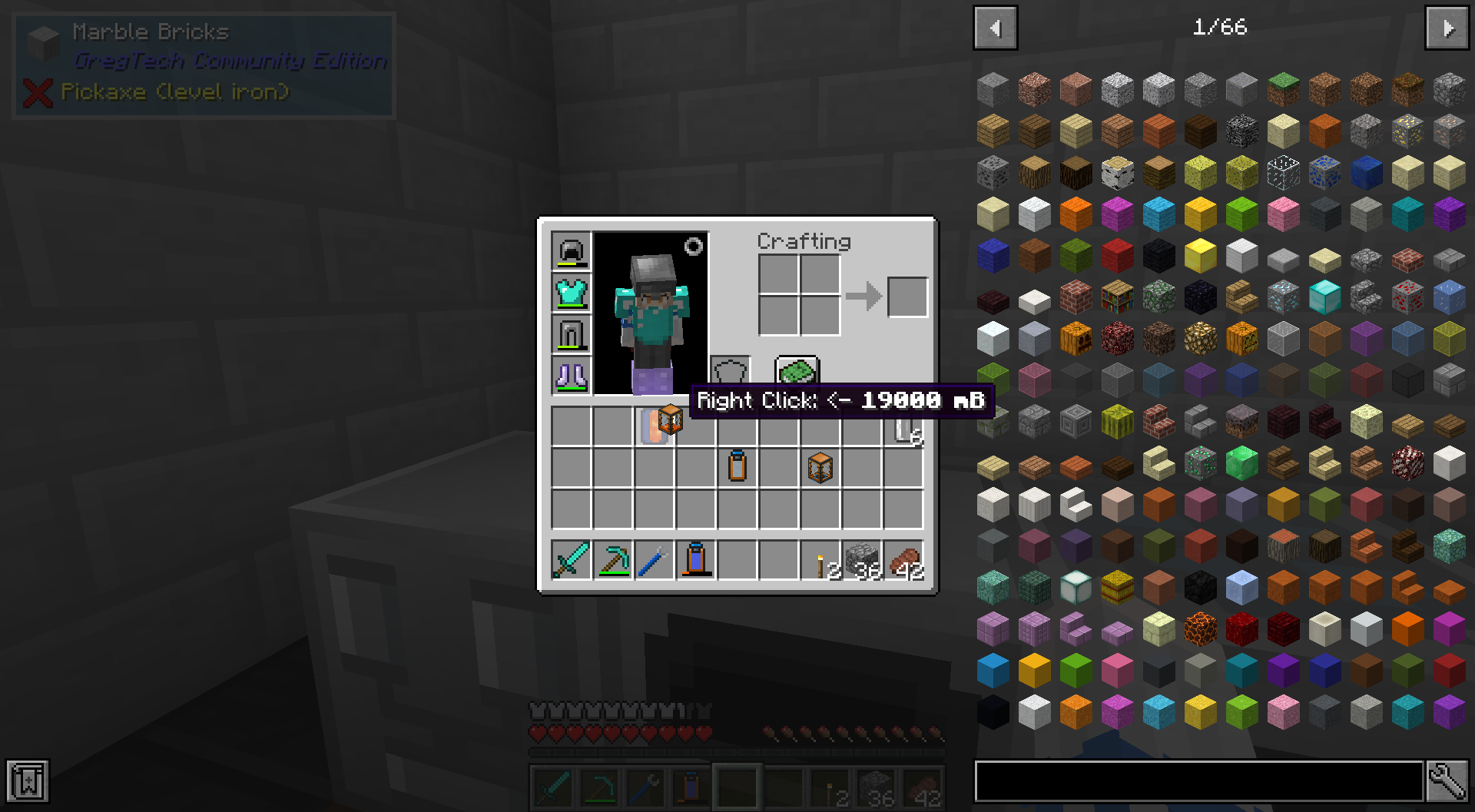
Transferring between two items You can transfer fluids or gasses between two items in an inventory. Handy for filling a large quantity of buckets, or easily collecting fluids into a single item!
-
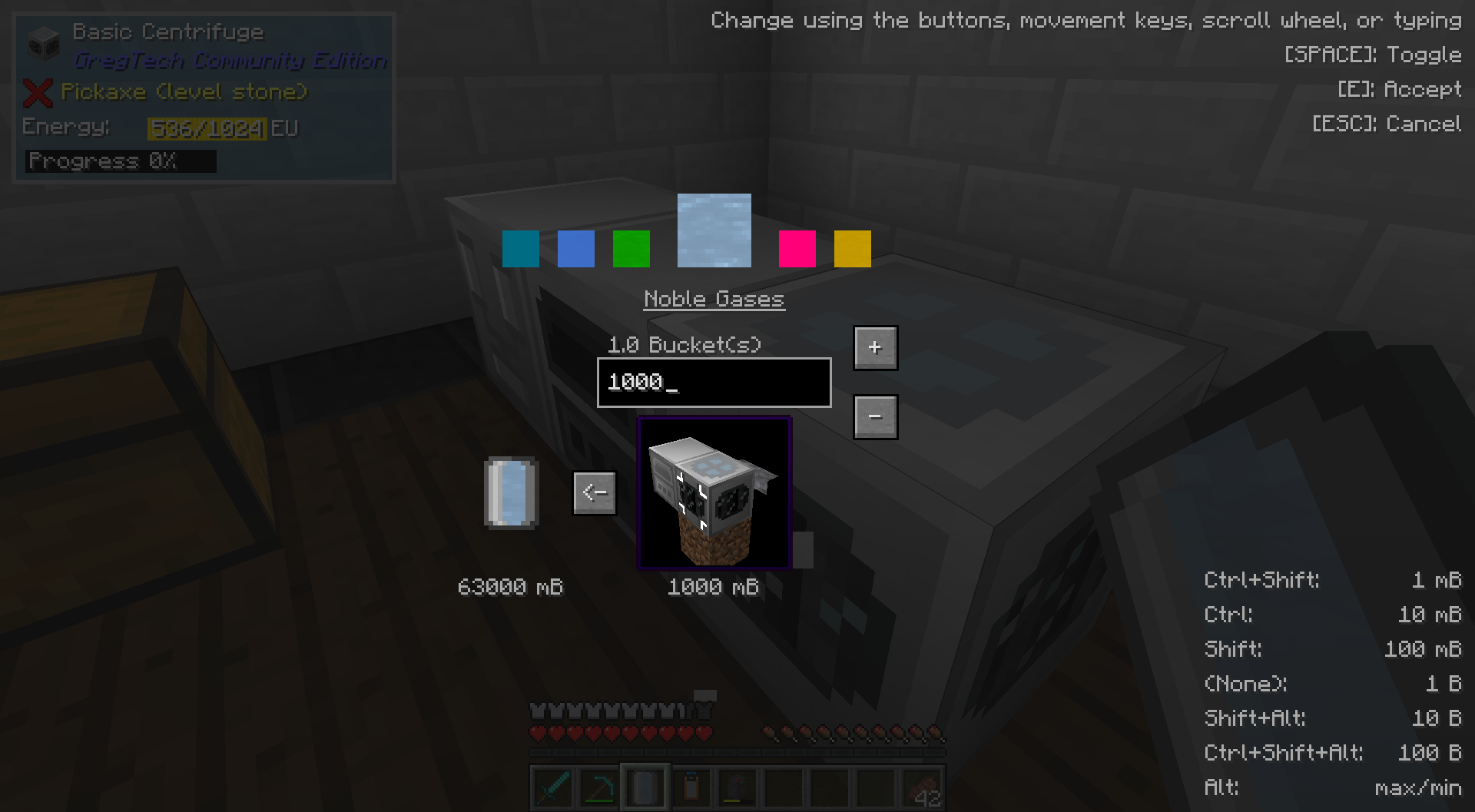 Transferring Fluids You can specify an exact amount in milibuckets to transfer, and the direction of the transfer
 -
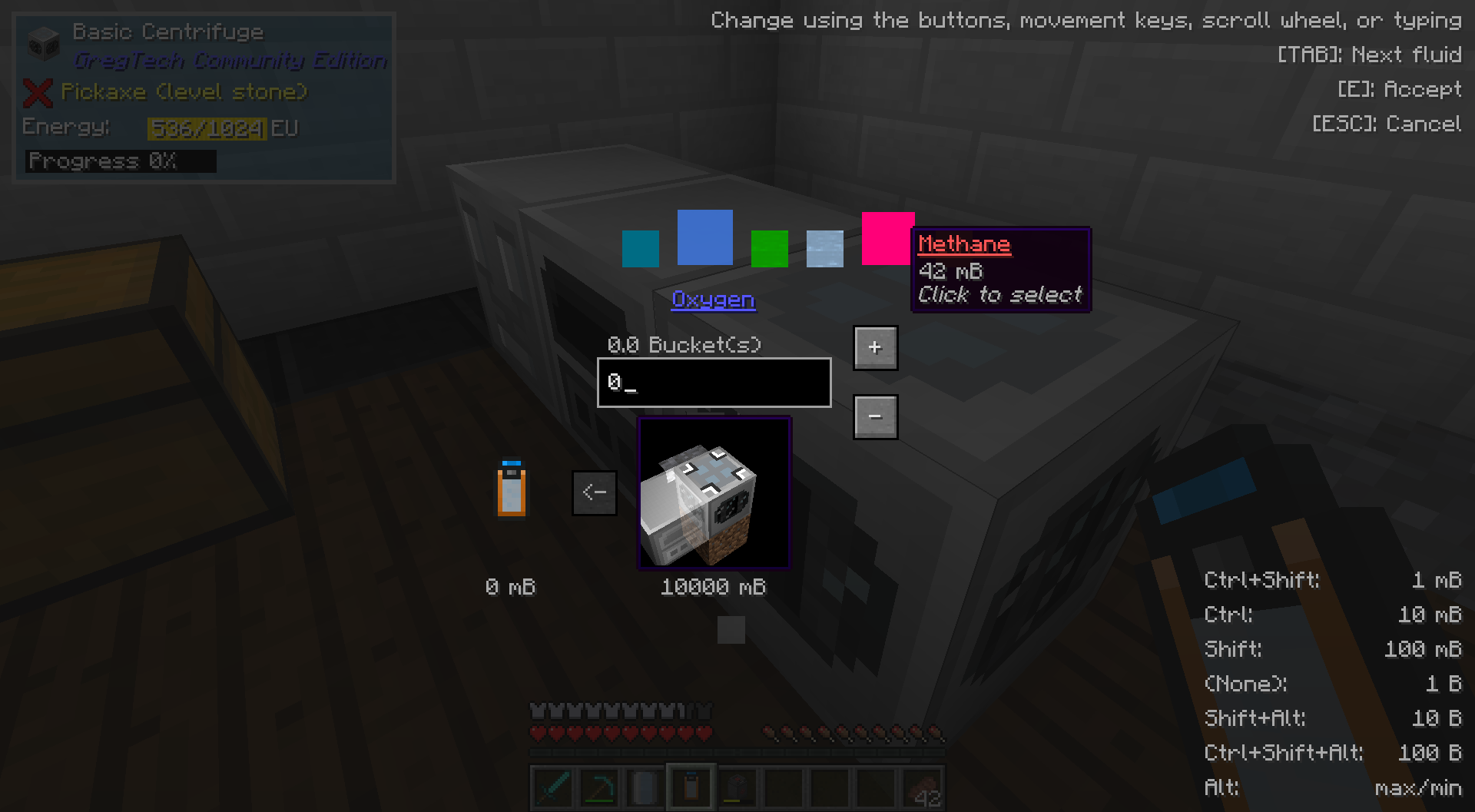 Selecting a Fluid or Face You can choose a specific side to interact with through the tank in the world, as well as a specific fluid in that tank
 -
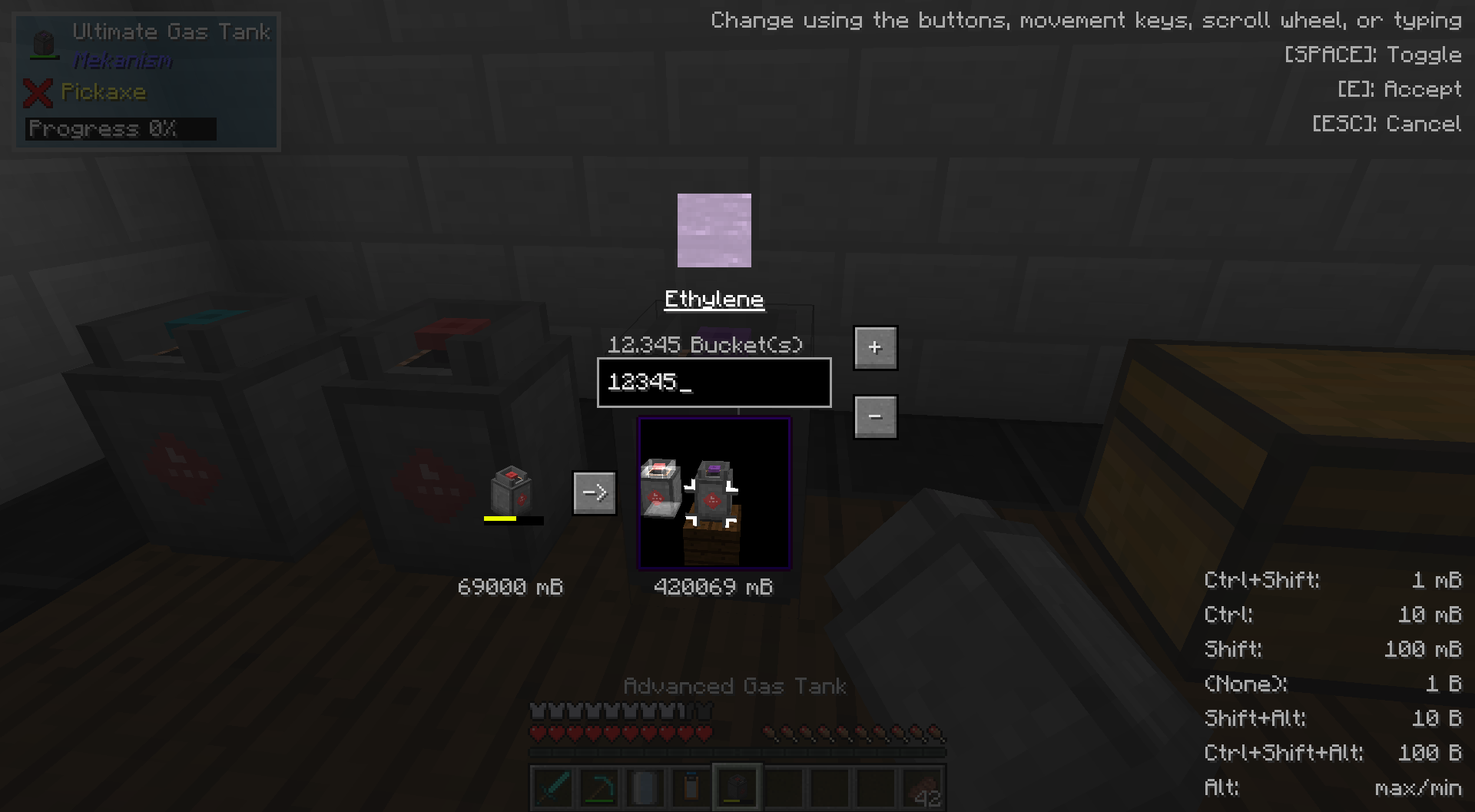 Mekanism Gasses Support is for transporting Mekanism Gasses is optionally available
 -
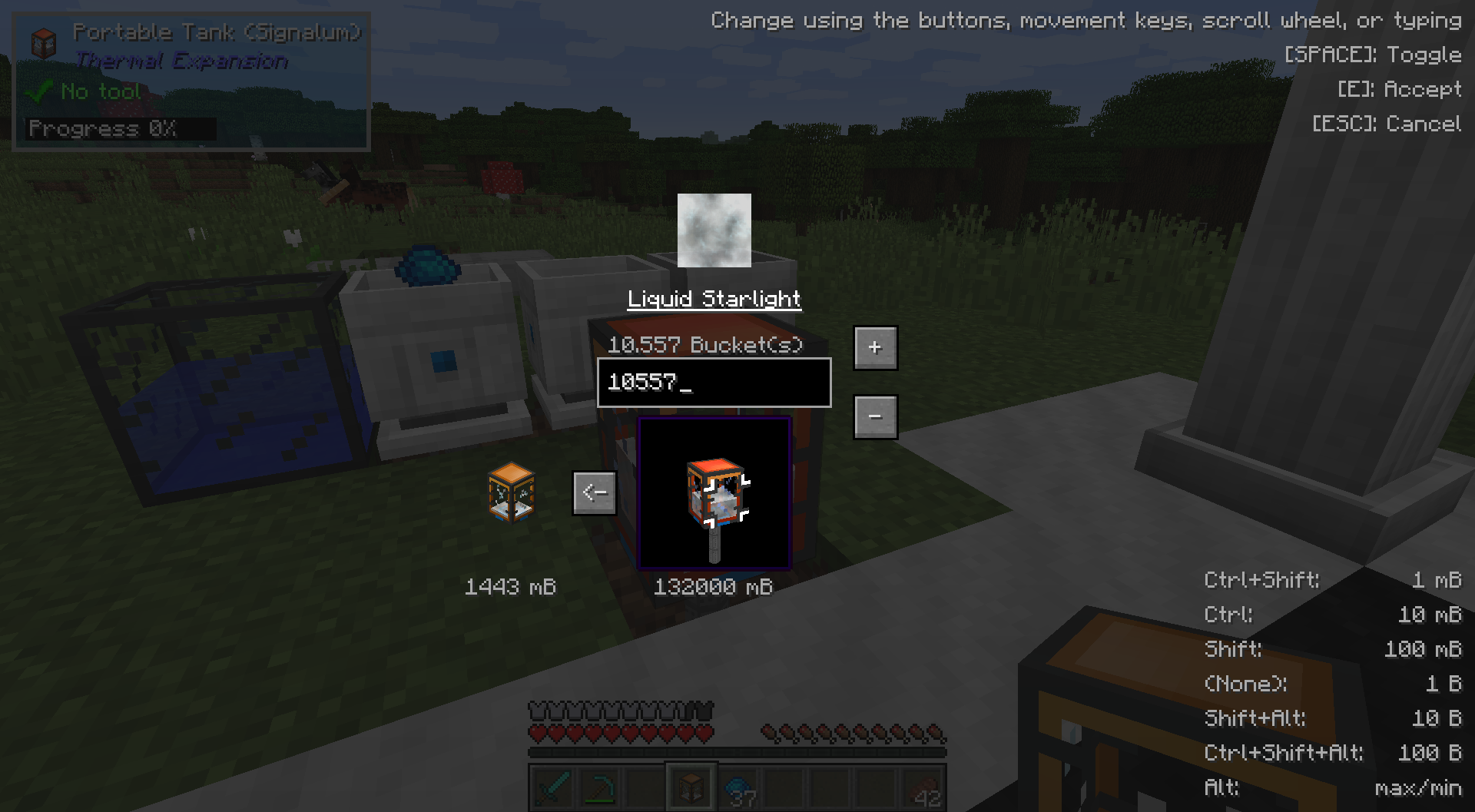 Transferring Fluids #2 Another example of transferring a fluid
 -
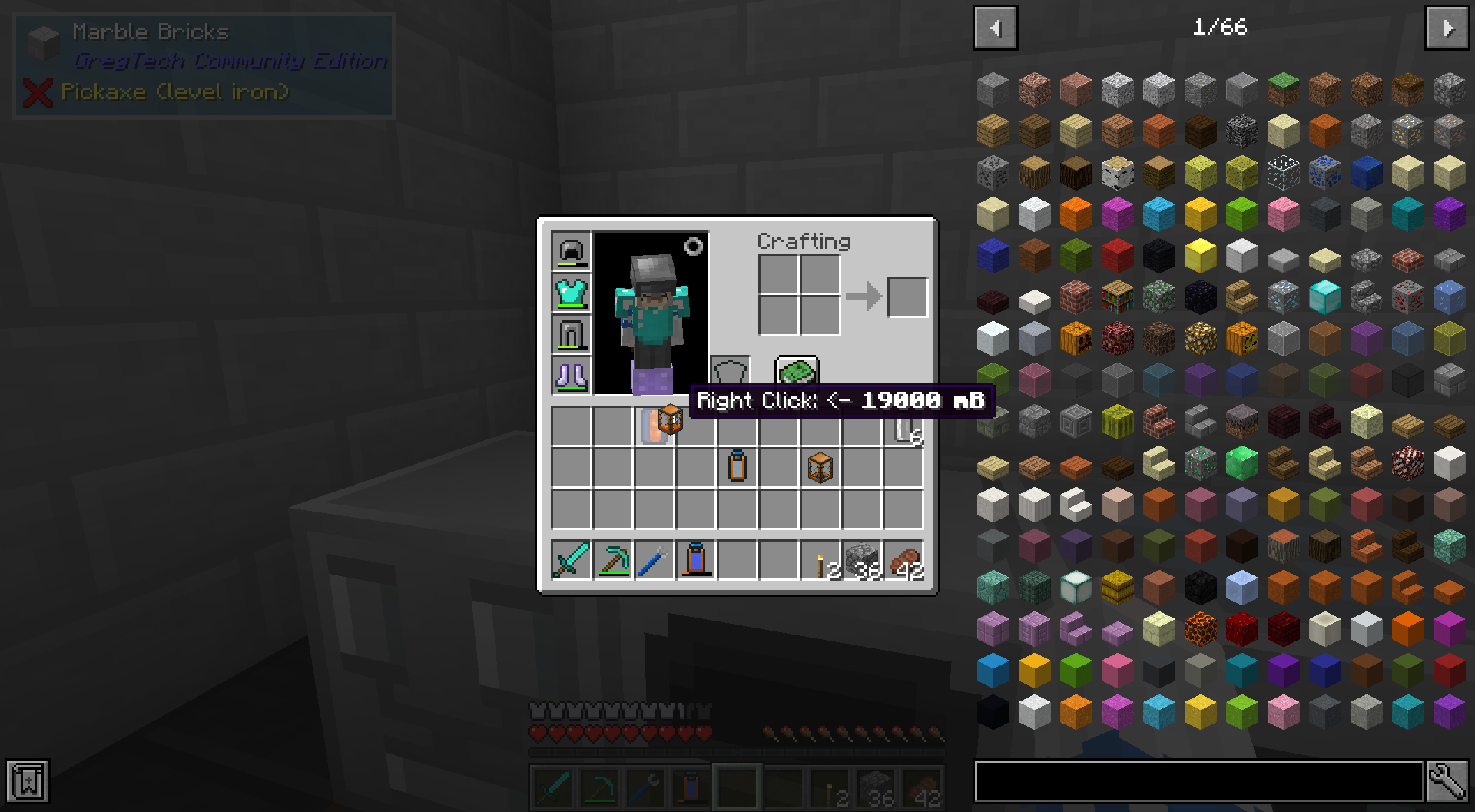 Inventory Transfer You can transfer fluids or gasses between two items in an inventory. Handy for filling a large quantity of buckets, or easily collecting fluids into a single item!
Versions
Files
Relations
Project Relations
More like this
Similar Mods
Suggestions use data such as tags, dependencies, dependents, descriptions, titles, and more to rank how much they overlap with this mod.
On ModDex
Community snapshot
By the numbers
Statistics
Want to reach Minecraft players?
We're looking for a server hosting partner to feature here and other parts of the site. Interested? Send us a message!
Get in touchGet it on
Available Platforms
On ModDex
Community snapshot
By the numbers