
Joy of Painting
Mix colors, draw paintings and hang them on your wall
Designed to be relaxing and comfortable with little challenge, often including elements like peaceful villages, farming, and gentle exploration.
Used for mods with little to no gameplay elements.
Improves the visual aspects of the game with better textures, models, etc.
Adds decorative items and furniture for more detailed building.
Forge is a popular mod loader for versions 1.1+ of Minecraft.
Neoforge is a fork of the Minecraft Forge available for versions 1.20.1+ of Minecraft. Many Forge mods are compatible with Neoforge and vice versa.
Fabric is a mod loader for versions 1.14+ of Minecraft, particularly popular for client side and optimization mods.
Community voices
Reviews
Click once to include, again to exclude, again to clear
No reviews yet. Be the first to review this project!
Get it on
Available Platforms
Compatibility
Supported Environments
About
Project Details
For authors
Embed Badge
If you're the author of this project, you can embed a live badge anywhere that supports HTML or Markdown. It updates automatically whenever ratings change.
Use HTML for any page that supports it, or Markdown for README files and Markdown-based descriptions.
Identifiers
Platform IDs
About
Description
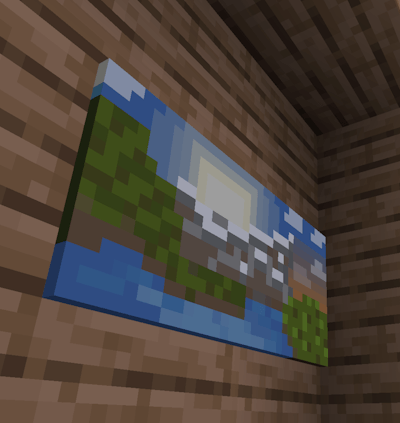
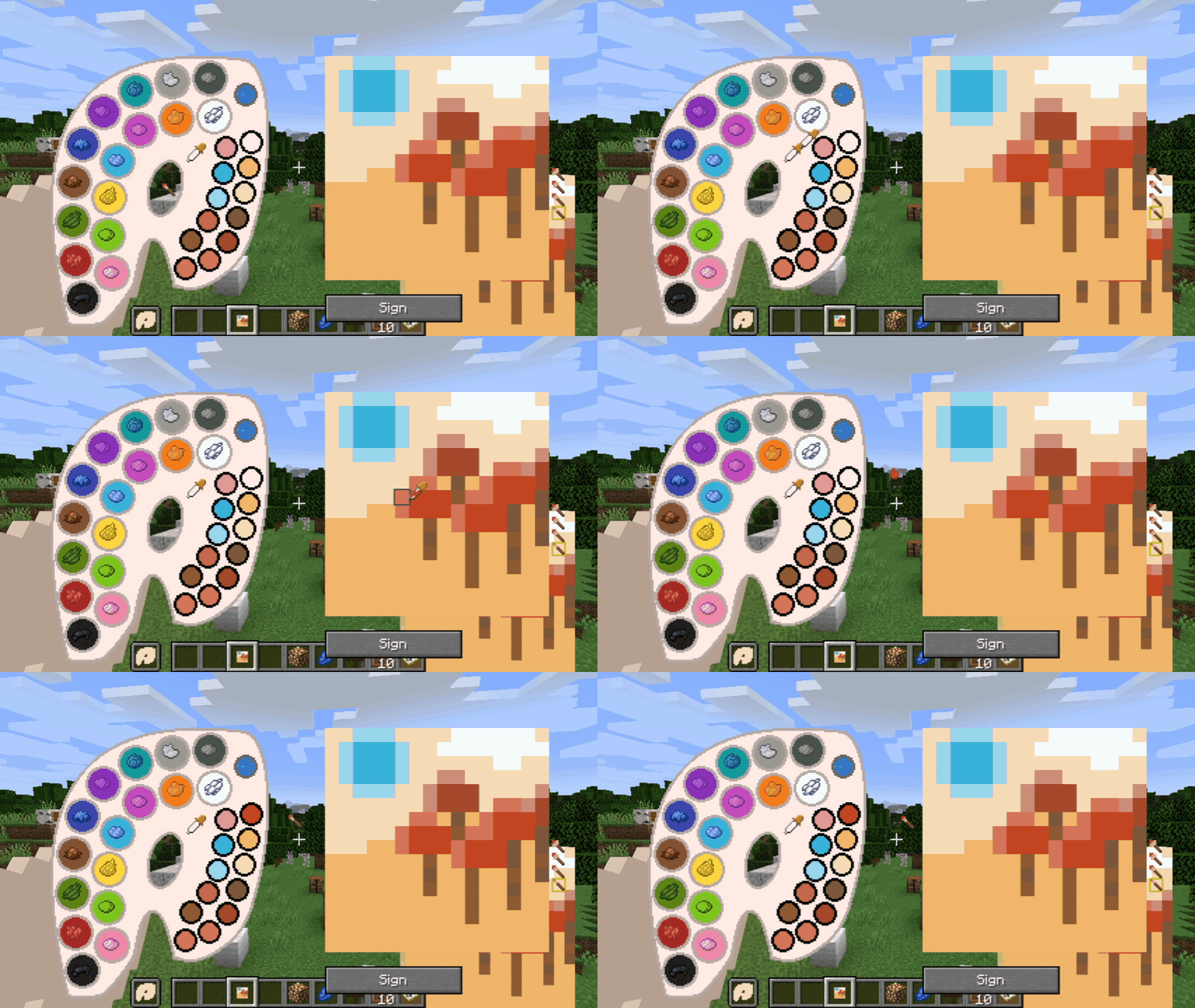
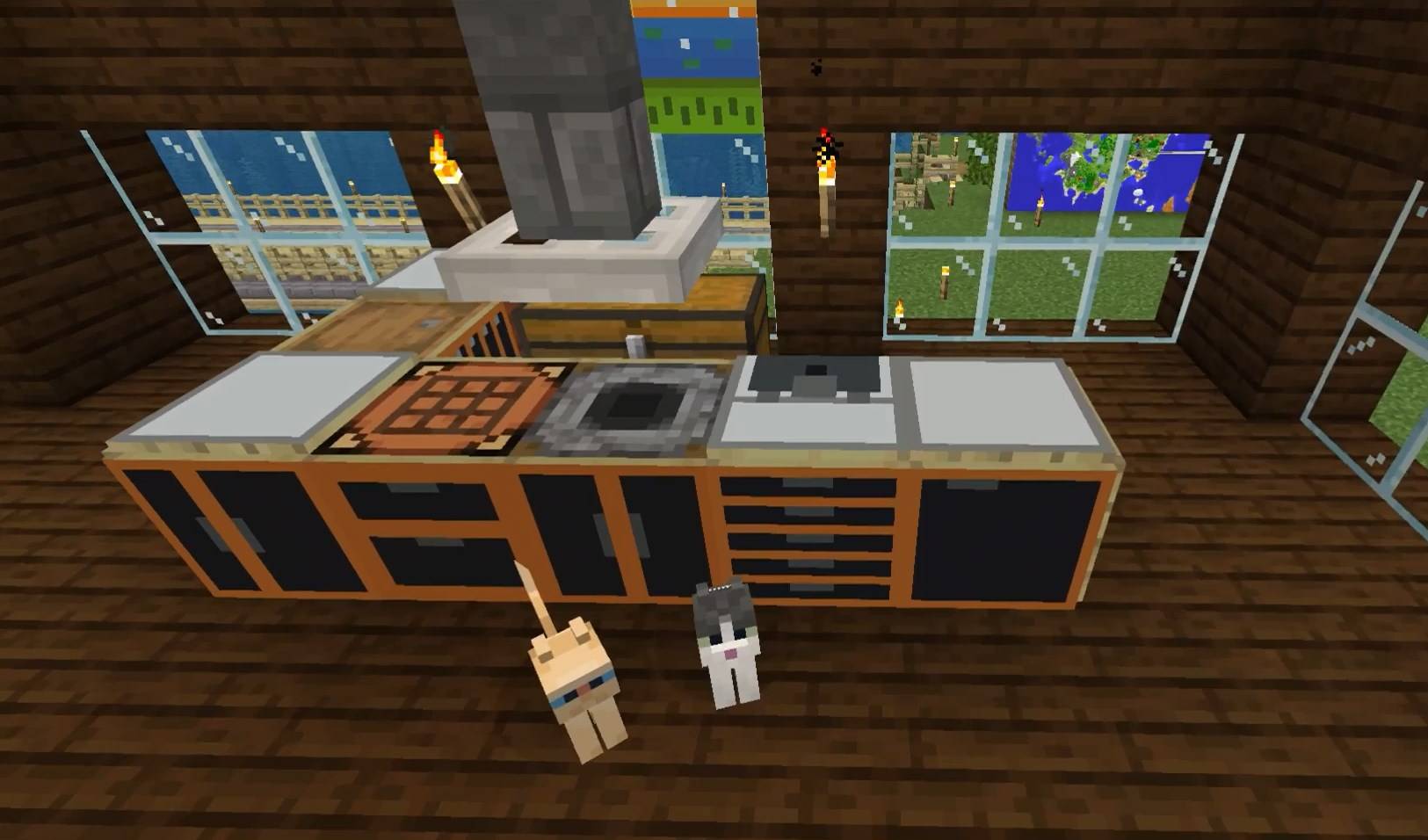
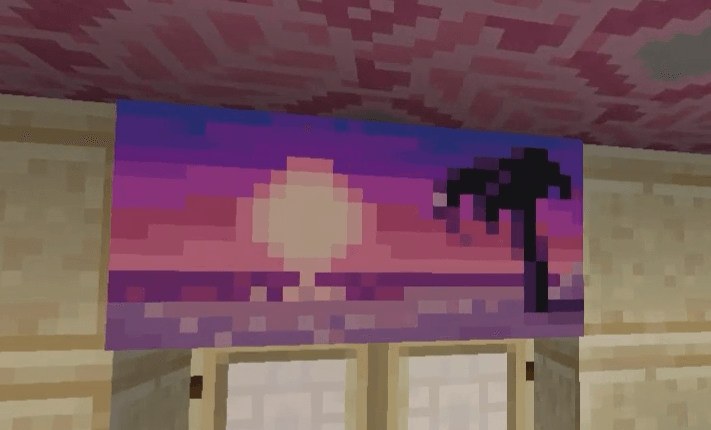
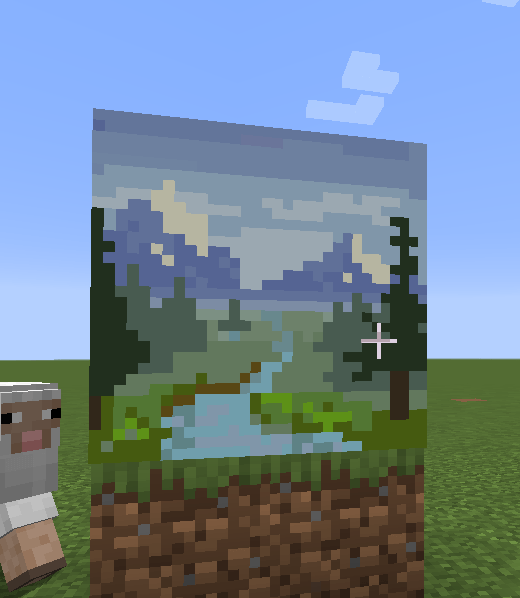
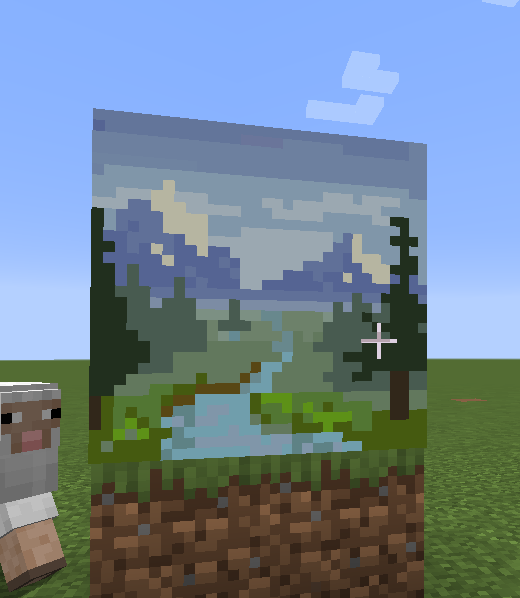
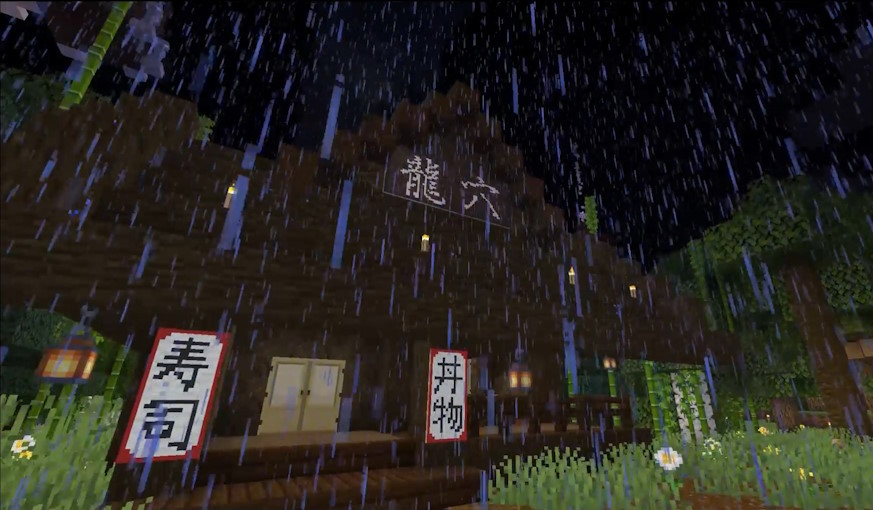
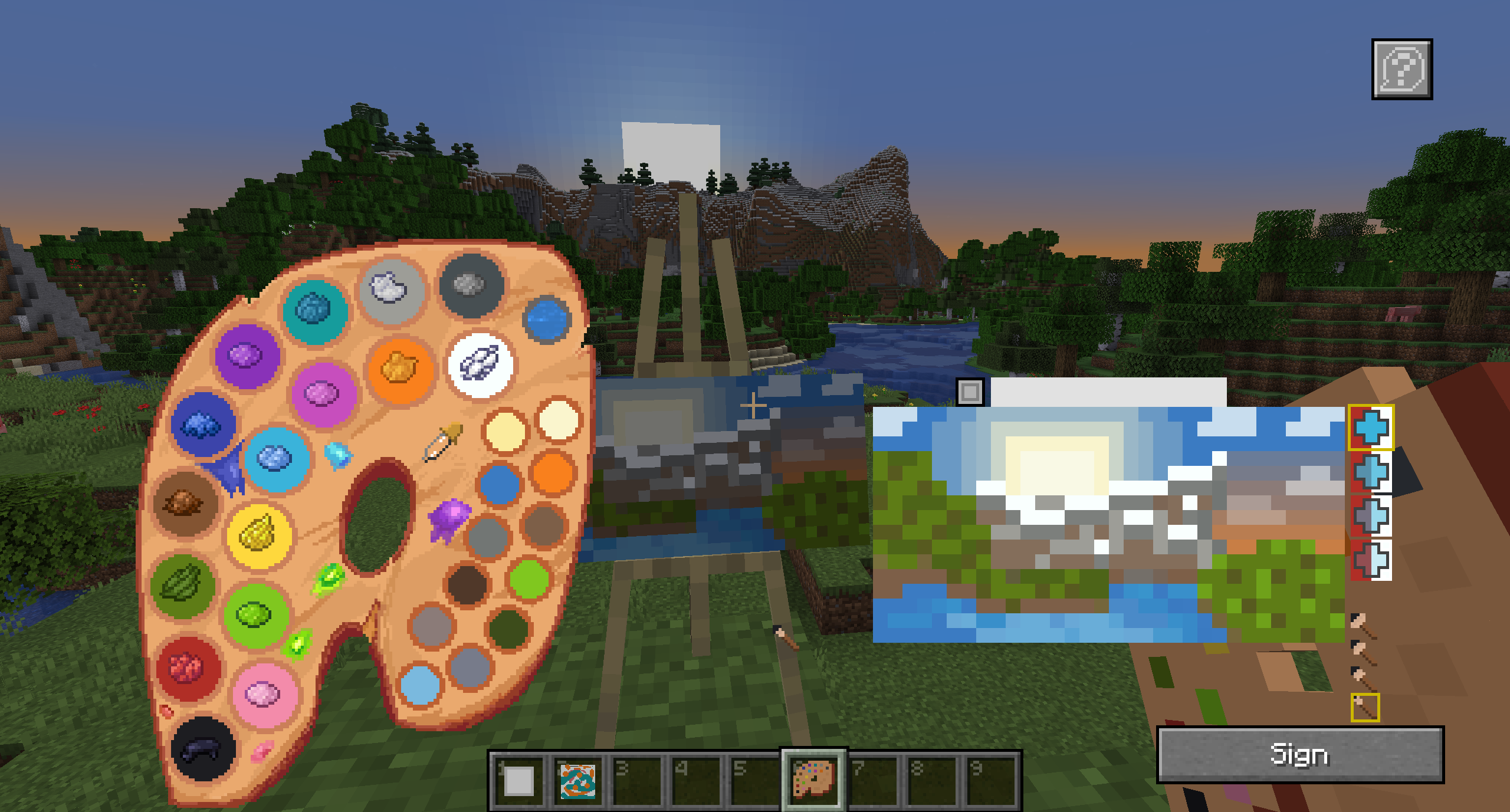
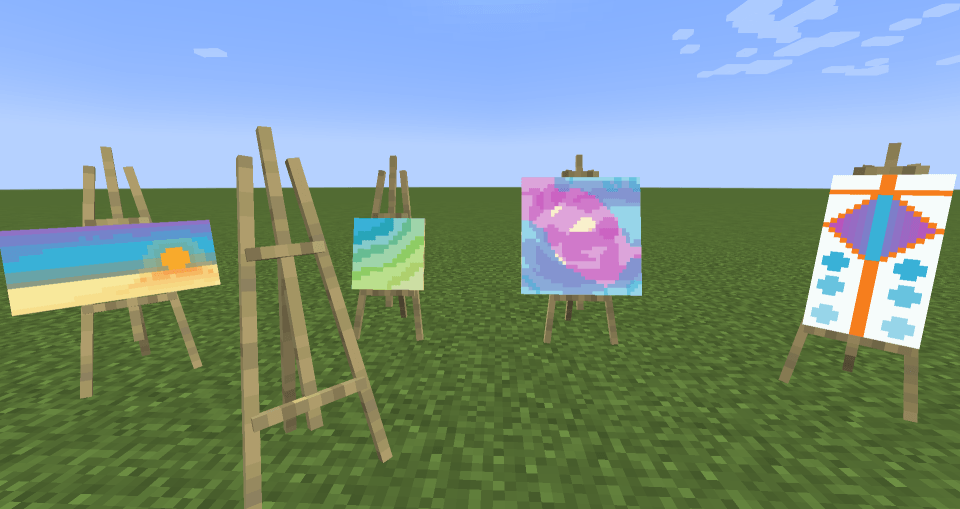
This mod lets you craft a blank canvas and a palette, with which you can paint your own pictures and hang them on a wall like the vanilla paintings. Let your creativity roam free or paint memes and experience the joy of painting.
If you are interested in making music as well, check Music Maker Mod, or check my other mods:
Features
- Color mixing mechanic faithful to vanilla and fun to use
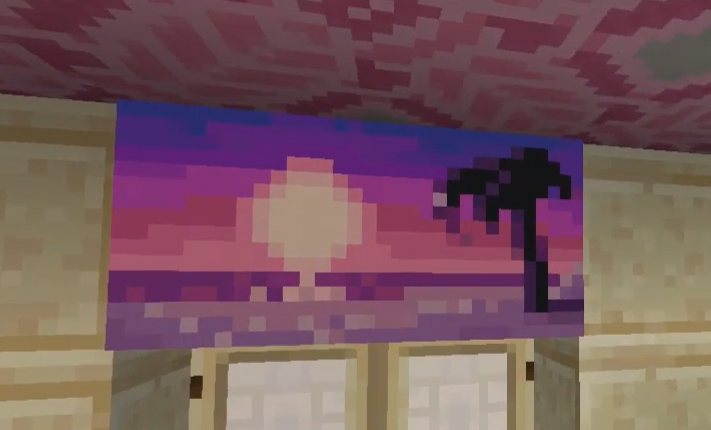
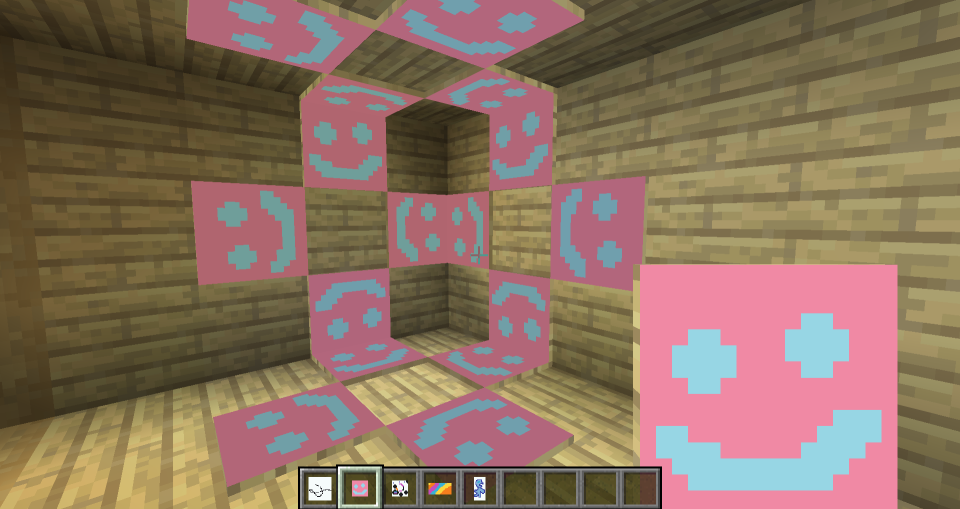
- Painted canvases can be hung on a wall (small ones can also be put on the floor or ceiling)
- Multiple brush sizes and brush opacity
- Multiple canvas sizes and shapes
- All 16 million colors are available (as long as you can mix them)
- Undo mistakes with CTRL+Z
- You can see the paintings while on hand and in the inventory too
- Pleasant painting sound effects
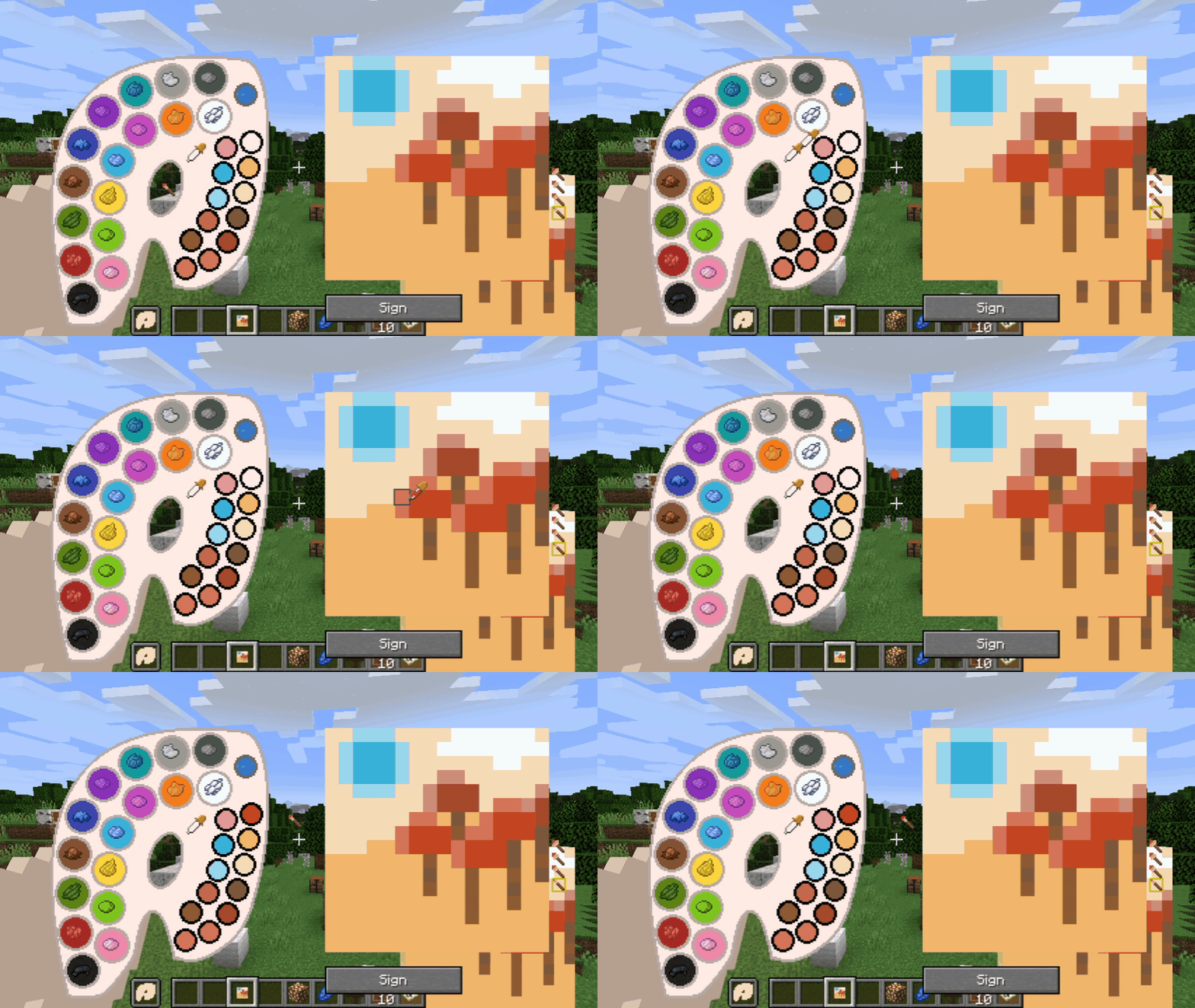
- Color picking tool on full palettes
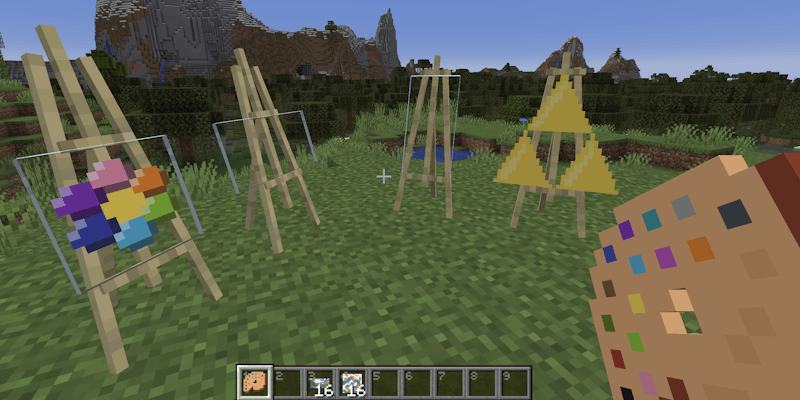
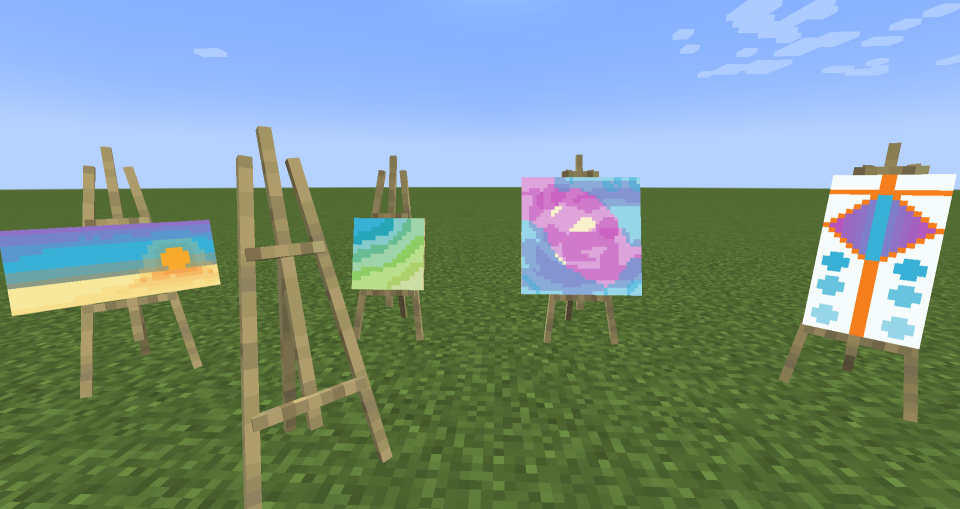
- Easels you can paint on
- Toggleable tooltips on the painting GUI
- Importing and exporting paintings to files via commands
- Canvas and palette in the GUI can be moved anywhere, so that you can see your reference objects
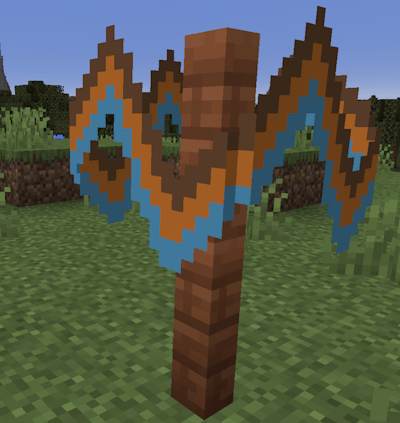
- Painting the canvas sides (frames)
- Glass canvases for transparent paintings
Note about Forge/Neoforge after 1.21:
Starting with Minecraft 1.21, there is only one version (for Fabric), and you can use it on Neoforge with Sinytra connector and Forgified fabric api. The other forge won't be supported. I will try to keep the mod working with Sinytra connector.
New features in 1.21.1-2.0.0 and 1.20.1-2.0.0


- Glass canvases that make transparent paintings!
- Ability to paint side frames! Click the toggle frames button next to the canvas holder in the GUI to paint the frames. You can also paint glass canvas frames transparent to make them invisible.
- You can now stack signed paintings up to 16 items.
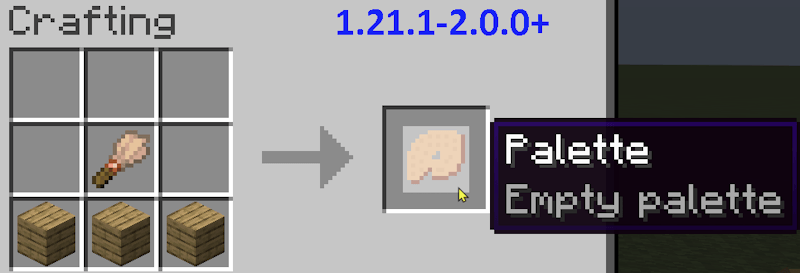
- Changed palette recipe to require a brush. Now that it is a regular recipe, it will show up in the recipe book.
- Other small improvements
Usage Guide
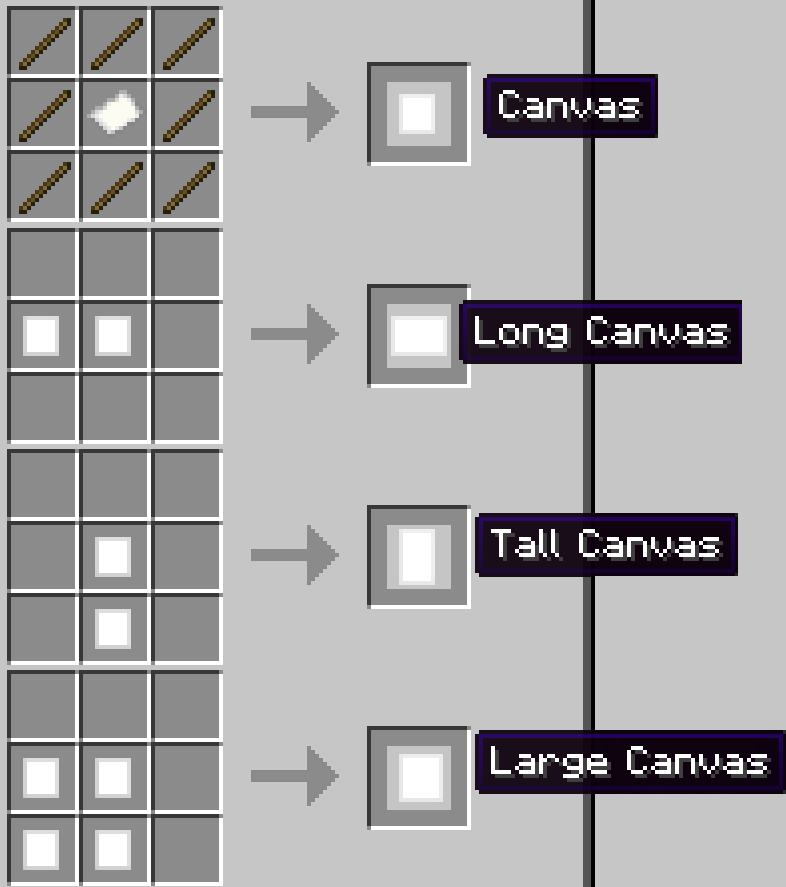
- First, craft a palette and a canvas. Crafting recipes are given below.
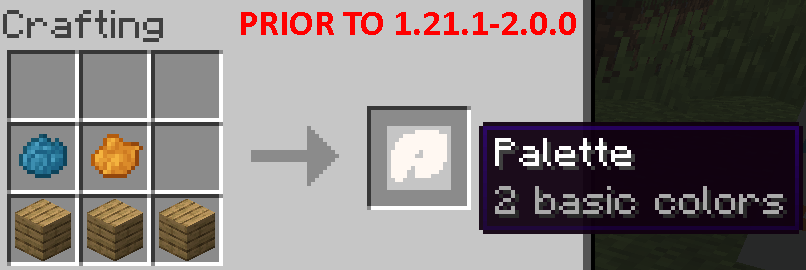
- Prior to 1.21.1-2.0.0, you need at least one dye to craft a palette. Starting with that version, the palette recipe uses a brush and does not need dyes.
- You can then fill the palette by crafting it with dyes that it doesn't have. Each dye corresponds to a basic color in the palette.
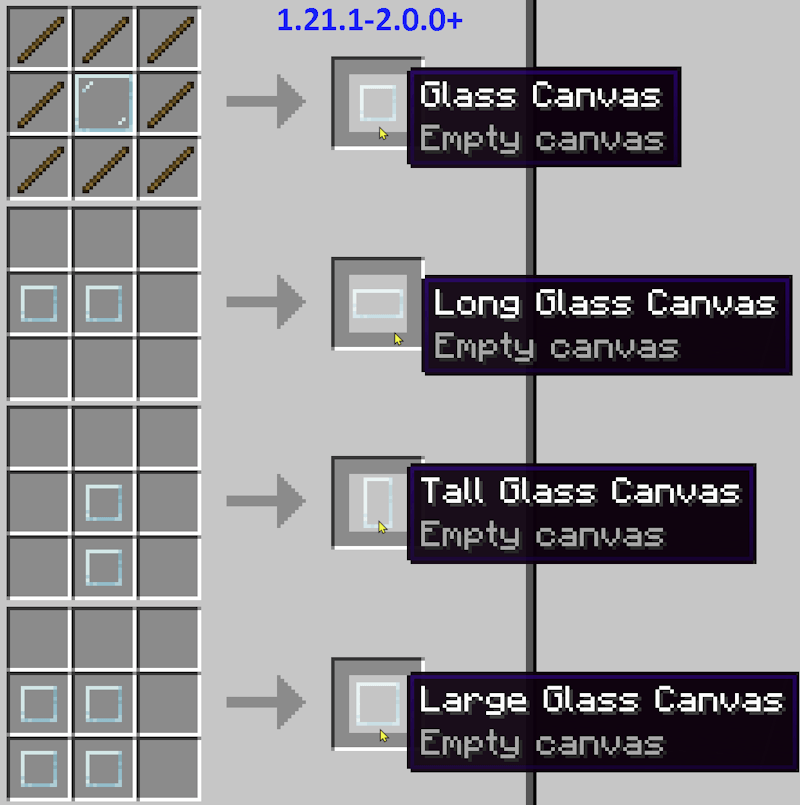
- There are four canvas sizes. The basic one is 1 block sized. The others are 1x2, 2x1 and 2x2 block sized.
- Right click with a canvas to view its content.
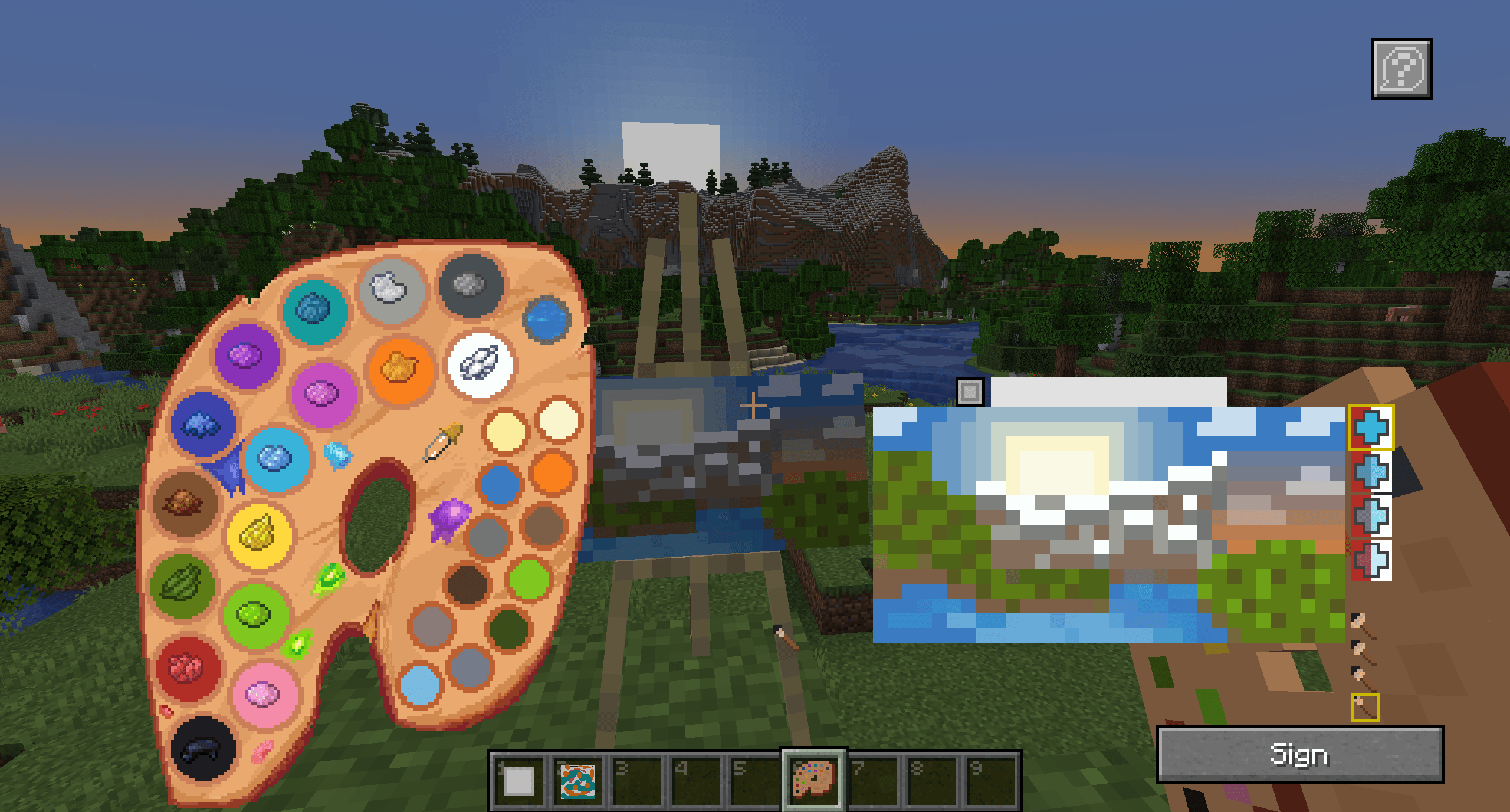
- Right click with a palette to open its GUI, where you can mix custom colors.
- Using a canvas in one hand and a palette on the other opens the painting GUI. You can mix colors here as well.
- You can also place the canvas on an easel and right click the easel with a palette at hand.
- The color mixing rules work the same way as the vanilla leather armor dyeing mechanic.
- Change the brush size or opacity with the mouse wheel or by clicking on the GUI element
- Undo mistakes with the CTRL+Z shortcut
- After painting a canvas, you can hang it on a wall similar to vanilla paintings.
- Sign a painting to give it a name and make it unchangeable.
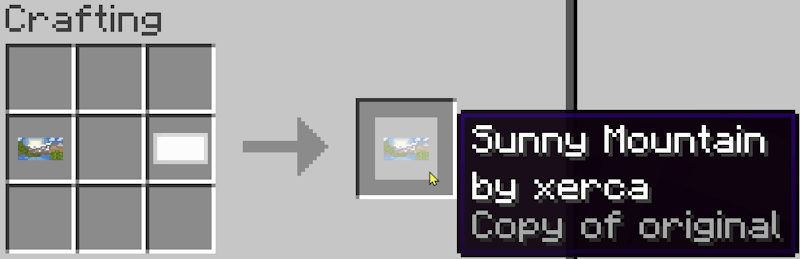
- Copy signed paintings by crafting them together with an empty canvas of the same shape.
Import/Export guide:
- Commands are: "/paintexport <filename>" and "/paintimport <filename>"
- You can import/export paintings between worlds and servers.
- Paintings are imported from and exported to a "paintings" folder inside your minecraft directory.
- In order to import a painting in survival mode, you need to hold an empty canvas and a full palette on your hands.
Crafting Recipes
Canvas types:

Glass canvases (1.21.1-2.0.0 and newer versions):

To craft a palette before 1.21.1-2.0.0, you need at least one kind of dye:

Starting with 1.21.1-2.0.0, you need a brush:

You can fill an existing palette with other dyes later:

You can copy signed paintings:

Crafting an easel:
Community
There is a Discord server, where you can share your creations with the world!
About shaders:
The newer versions (1.18.2 and above) seem to work fine with most shaders, but there is no guarantee that it will work with every shader. Unfortunately, there is not much I can do in case it doesn't work.
Credits
- Credits to Edgewalker_Blue for providing the Simplified Chinese translation.
- Credits to SamKMadden for providing the Japanese and Swedish translations.
- Credits to Bionic for commissioning the Fabric port. Thanks to him, I feel motivated to port not only this, but also my other mods to Fabric.
This mod lets you craft a blank canvas and a palette, with which you can paint your own pictures and hang them on a wall like the vanilla paintings. Let your creativity roam free or paint memes and experience the joy of painting.
If you are interested in making music as well, check Music Maker Mod, or check my other mods:
Features
- Color mixing mechanic faithful to vanilla and fun to use
- Painted canvases can be hung on a wall (small ones can also be put on the floor or ceiling)
- Multiple brush sizes and brush opacity
- Multiple canvas sizes and shapes
- All 16 million colors are available (as long as you can mix them)
- Undo mistakes with CTRL+Z
- You can see the paintings while on hand and in the inventory too
- Pleasant painting sound effects
- Color picking tool on full palettes
- Easels you can paint on
- Toggleable tooltips on the painting GUI
- Importing and exporting paintings to files via commands
- Canvas and palette in the GUI can be moved anywhere, so that you can see your reference objects
- Painting the canvas sides (frames)
- Glass canvases for transparent paintings
Note about Forge/Neoforge after 1.21:
Starting with Minecraft 1.21, every major version will have Fabric support, and only certain versions will have Neoforge support. For other versions, you can try the Fabric file using Neoforge with Sinytra connector and Forgified fabric api. The other Forge won't be supported.
New features in 1.21.1-2.0.0 and 1.20.1-2.0.0


- Glass canvases that make transparent paintings!
- Ability to paint side frames! Click the toggle frames button next to the canvas holder in the GUI to paint the frames. You can also paint glass canvas frames transparent to make them invisible.
- You can now stack signed paintings up to 16 items.
- Changed palette recipe to require a brush. Now that it is a regular recipe, it will show up in the recipe book.
- Other small improvements
Usage Guide
- First, craft a palette and a canvas. Crafting recipes are given below.
- Prior to 1.21.1-2.0.0, you need at least one dye to craft a palette. Starting with that version, the palette recipe uses a brush and does not need dyes.
- You can then fill the palette by crafting it with dyes that it doesn't have. Each dye corresponds to a basic color in the palette.
- There are four canvas sizes. The basic one is 1 block sized. The others are 1x2, 2x1 and 2x2 block sized.
- Right click with a canvas to view its content.
- Right click with a palette to open its GUI, where you can mix custom colors.
- Using a canvas in one hand and a palette on the other opens the painting GUI. You can mix colors here as well.
- You can also place the canvas on an easel and right click the easel with a palette at hand.
- The color mixing rules work the same way as the vanilla leather armor dyeing mechanic.
- Change the brush size or opacity with the mouse wheel or by clicking on the GUI element
- Undo mistakes with the CTRL+Z shortcut
- After painting a canvas, you can hang it on a wall similar to vanilla paintings.
- Sign a painting to give it a name and make it unchangeable.
- Copy signed paintings by crafting them together with an empty canvas of the same shape.
Import/Export guide:
- Commands are: "/paintexport <filename>" and "/paintimport <filename>"
- You can import/export paintings between worlds and servers.
- Paintings are imported from and exported to a "paintings" folder inside your minecraft directory.
- In order to import a painting in survival mode, you need to hold an empty canvas and a full palette on your hands.
Crafting Recipes
Canvas types:

Glass canvases (1.21.1-2.0.0 and newer versions):

To craft a palette before 1.21.1-2.0.0, you need at least one kind of dye:

Starting with 1.21.1-2.0.0, you need a brush:

You can fill an existing palette with other dyes later:

You can copy signed paintings:

Crafting an easel:
Community
There is a Discord server, where you can share your creations with the world!
About shaders:
The newer versions (1.18.2 and above) seem to work fine with most shaders, but there is no guarantee that it will work with every shader. Unfortunately, there is not much I can do in case it doesn't work.
Credits
- Credits to Edgewalker_Blue for providing the Simplified Chinese translation.
- Credits to SamKMadden for providing the Japanese and Swedish translations.
- Credits to Bionic for commissioning the Fabric port. Thanks to him, I feel motivated to port not only this, but also my other mods to Fabric.
Screenshots
Gallery
Versions
Files
Relations
Project Relations
More like this
Similar Mods
Suggestions use data such as tags, dependencies, dependents, descriptions, titles, and more to rank how much they overlap with this mod.
On ModDex
Community snapshot
By the numbers
Statistics
Want to reach Minecraft players?
We're looking for a server hosting partner to feature here and other parts of the site. Interested? Send us a message!
Get in touchGet it on
Available Platforms
On ModDex
Community snapshot
By the numbers