Community listing page, reviews may not be monitored by the author.
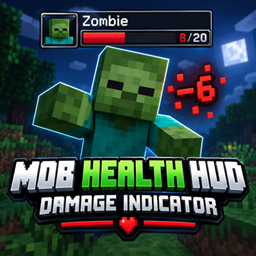
Mob Health Hud (Damage Indicator)

No reviews yet
Mob Health Hud (Damage Indicator) enemy health display, boss health bar, health overlay, mob HP, health tracker, combat HUD, health indicator mod, Forge, damage display. Used In CursedFoundrys Anime Minecraft Modpacks Naruto Tensura Bleach

Community voices
Reviews
No reviews yet. Be the first to review this project!
Get it on
Available Platforms
About
Project Details
For authors
Embed Badge
If you're the author of this project, you can embed a live badge anywhere that supports HTML or Markdown. It updates automatically whenever ratings change.
Use HTML for any page that supports it, or Markdown for README files and Markdown-based descriptions.
Identifiers
Platform IDs
Resources
External Links
About
Description

Mob Health HUD is a lightweight client-side combat HUD mod designed to make fighting mobs and players much easier to read.
When you target or hit an entity, a compact HUD appears showing useful combat information without taking over your screen.
Features include:
- Mob and player health display
- Current and maximum HP
- Health percentage
- Armor value
- Distance to target
- Live entity/player portrait
- Smooth animated health bar
- Delayed damage trail effect
- Floating damage numbers above entities
- Custom HUD colours
- Adjustable HUD size
- Toggleable HUD and damage numbers
- In-game settings menu
- Rebindable settings key
The settings menu can be opened with V by default.
Mob Health HUD is completely client-side, making it easy to use in singleplayer or on multiplayer servers without needing the server to install the mod.
Play this pack with friends
-
Choose your server: Visit Apex Hosting, select Minecraft hosting, and choose a plan suitable for this modpack.
-
Complete checkout: Create your account and follow the payment steps.
-
Install the modpack: Open your server panel and select this pack if it’s available in the installer. If it isn’t listed, follow Apex’s custom modpack instructions or contact support.
-
Start playing: Start the server, copy its address, and share it with your friends. Everyone needs the same modpack version installed.
Unsure which plan to choose? Ask Apex support before buying and tell them the pack name and how many people will play.
Screenshots
Gallery
-
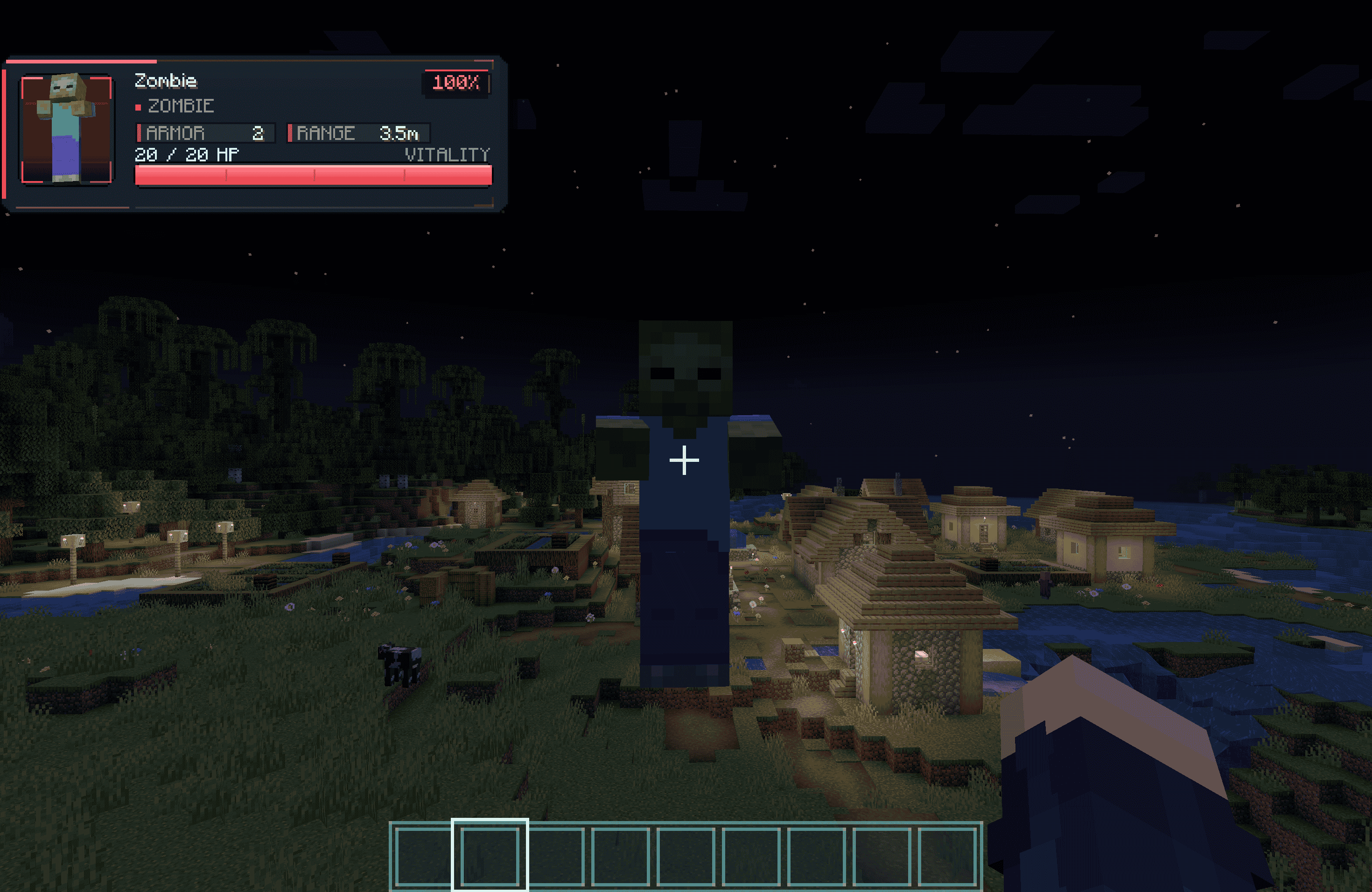 image-attachment_4af9e26e-7c16-4ae2-85d6-c960ec45933d.png
-
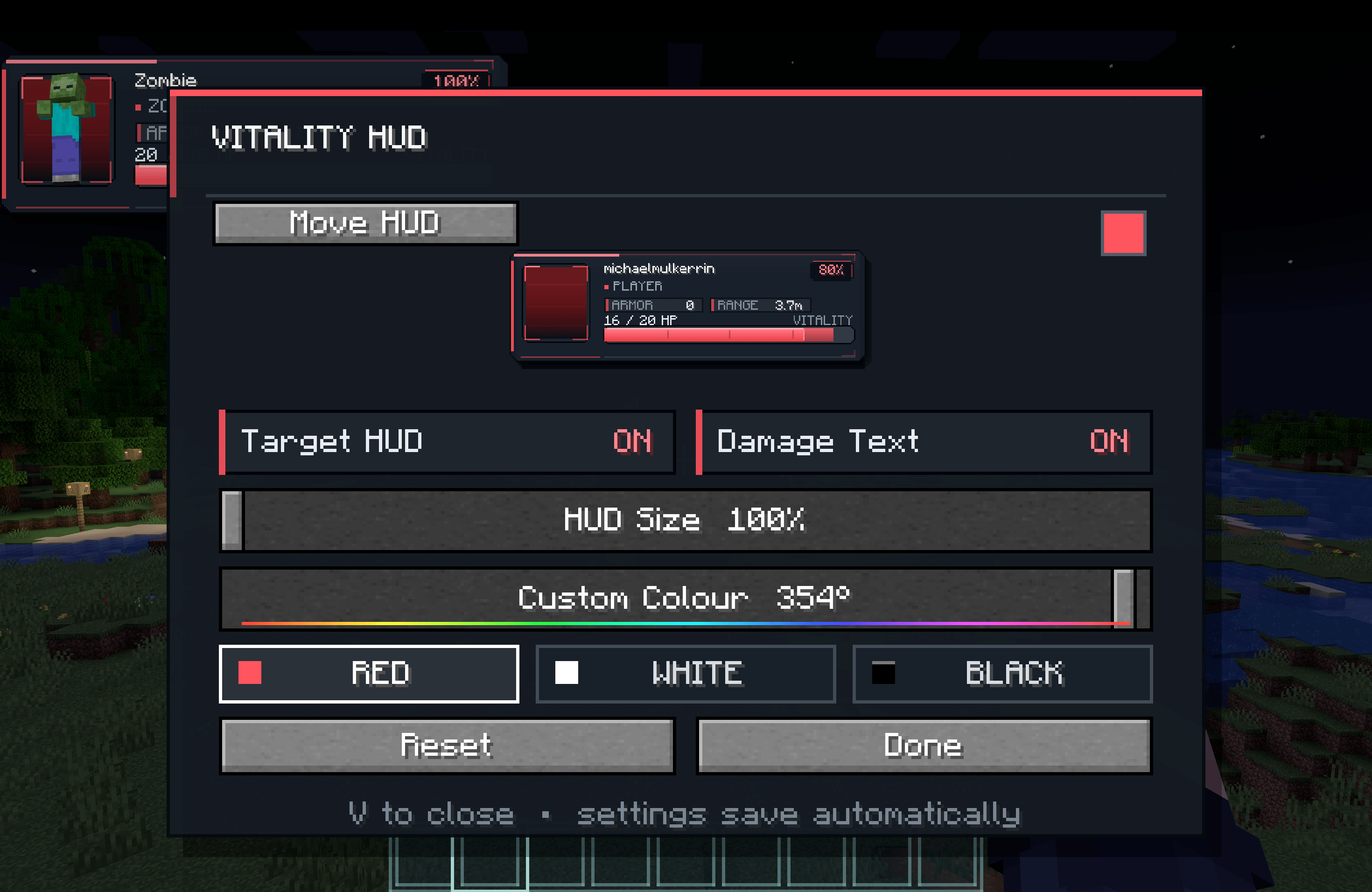 image-attachment_0108bd48-ae7a-4cc3-9f8f-4e18ae83fda7.png
Versions
Files
Relations
Project Relations
More like this
Similar Mods
Suggestions use data such as tags, dependencies, dependents, descriptions, titles, and more to rank how much they overlap with this mod.
On ModDex
Community snapshot
By the numbers
Statistics

Get it on
Available Platforms
On ModDex
Community snapshot
By the numbers
Statistics
Resources