
Community listing page, reviews here may not be monitored by the author.
MT Inventory Weight


No reviews yet
Experience Minecraft with realistic weight mechanics! Manage your load, balance inventory, and enhance survival and RPG-like gameplay.

Community voices
Reviews
No reviews yet. Be the first to review this project!
Get it on
Available Platforms
Compatibility
Supported Environments
Must be installed on both the client and the server.
About
Project Details
For authors
Embed Badge
If you're the author of this project, you can embed a live badge anywhere that supports HTML or Markdown. It updates automatically whenever ratings change.
Use HTML for any page that supports it, or Markdown for README files and Markdown-based descriptions.
Identifiers
Platform IDs
About
Description

MT Inventory Weight
MT Inventory Weight adds a configurable weight system to Minecraft. Your inventory is no longer just limited by slots — every item has weight, and carrying too much can slow you down, weaken combat, and apply the Overload effect.
The mod is made for survival, RPG, and modpack gameplay where choosing what to carry actually matters.

Features
- Automatic item weights
Most vanilla and modded items receive calculated weights automatically. - Datapack custom weights
Item weights and armor pocket values are now data-driven through datapacks. - fzzy_config support
Configure server and client settings in-game. Server settings can update live. - Mod Menu support
Optional easy access to config screens through Mod Menu. - Armor pockets
Armor can increase max carry weight through pockets. - Overload effect
Carrying too much weight applies penalties. Strength and Haste can reduce overload severity. - HUD display
Choose between the classic sprite HUD or a simple bar HUD. - Item tooltips
Tooltips show item weight, stack weight, armor pockets, and container contents weight. - Backpack and shulker support
Supported containers count stored items with reduced effective weight. - Trinkets compatibility
Equipped Trinkets items can count toward carried weight when Trinkets is installed. - Multiplayer support
Works in singleplayer, LAN, and dedicated servers with synced server values. - Add-on API
Developers can add compatibility through the publiccom.megatrex4.api.v1API.
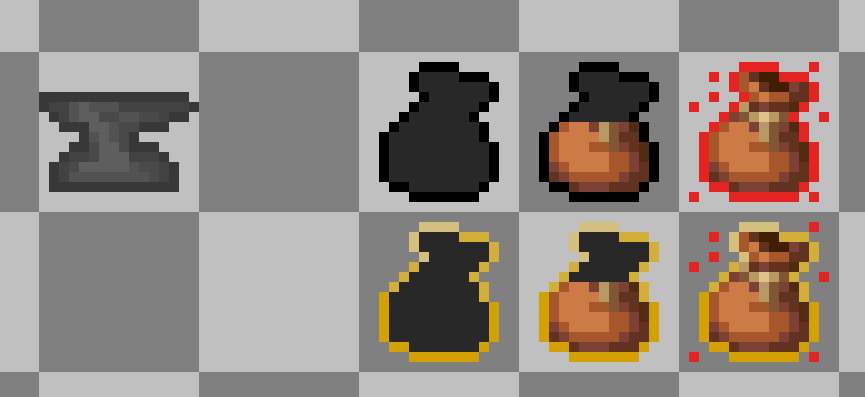
Configuration
MT Inventory Weight uses fzzy_config.
You can configure:
- max carry weight
- item category weights
- pocket capacity
- overload penalty strength
- realistic mode
- HUD style and position
- tooltip visibility
Specific item weights are configured with datapacks:
data/<namespace>/inventory_weight/items/*.jsonPocket values are configured with datapacks:
data/<namespace>/inventory_weight/pockets/*.jsonCloth Config is no longer required.
Useful Links
Thank you for your support and interest in MT Inventory Weight!
MT Inventory Weight
MT Inventory Weight adds a configurable weight system to Minecraft. Your inventory is no longer just limited by slots — every item has weight, and carrying too much can slow you down, weaken combat, and apply the Overload effect.
The mod is made for survival, RPG, and modpack gameplay where choosing what to carry actually matters.
Features
-
Automatic item weights
Most vanilla and modded items receive calculated weights automatically. -
Datapack custom weights
Item weights and armor pocket values are now data-driven through datapacks. -
fzzy_config support
Configure server and client settings in-game. Server settings can update live. -
Mod Menu support
Optional easy access to config screens through Mod Menu. -
Armor pockets
Armor can increase max carry weight through pockets. -
Overload effect
Carrying too much weight applies penalties. Strength and Haste can reduce overload severity. -
HUD display
Choose between the classic sprite HUD or a simple bar HUD. -
Item tooltips
Tooltips show item weight, stack weight, armor pockets, and container contents weight. -
Backpack and shulker support
Supported containers count stored items with reduced effective weight. -
Trinkets compatibility
Equipped Trinkets items can count toward carried weight when Trinkets is installed. -
Multiplayer support
Works in singleplayer, LAN, and dedicated servers with synced server values. -
Add-on API
Developers can add compatibility through the publiccom.megatrex4.api.v1API.
HUD preview
Configuration
MT Inventory Weight uses fzzy_config.
You can configure:
- max carry weight
- item category weights
- pocket capacity
- overload penalty strength
- realistic mode
- HUD style and position
- tooltip visibility
Specific item weights are configured with datapacks:
data/<namespace>/inventory_weight/items/*.json
Pocket values are configured with datapacks:
data/<namespace>/inventory_weight/pockets/*.json
Cloth Config is no longer required.
Useful Links
Thank you for your support and interest in MT Inventory Weight!
Screenshots
Gallery
-
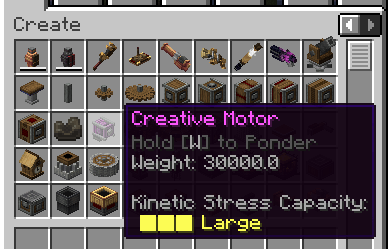 Creative item from Create
 -
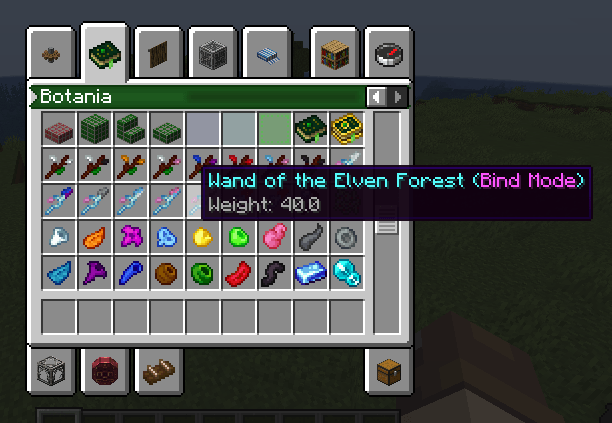 Botanian items Weight Tooltips
 -
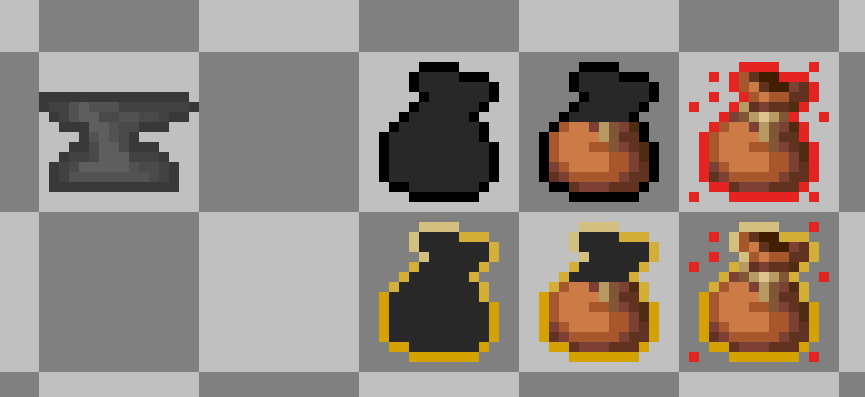 Icon and overload effect
 -
 Oveloaded player
-
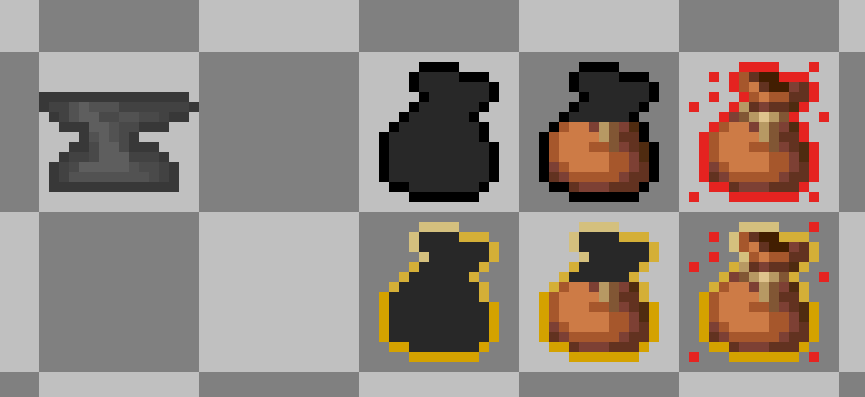 Icons
Icons -
 Player with overload effect
 -
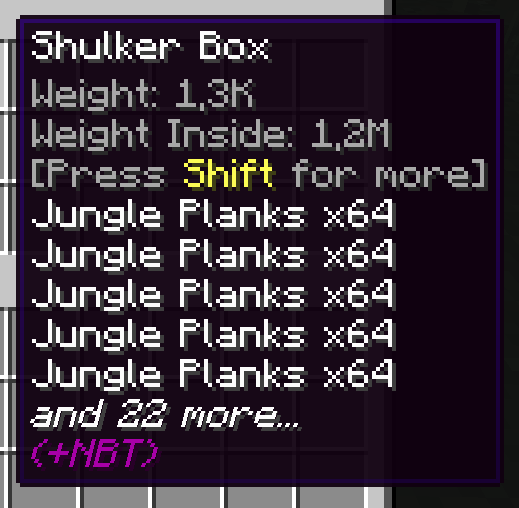 Weight Tooltip
Versions
Files
Relations
Project Relations
More like this
Similar Mods
Suggestions use data such as tags, dependencies, dependents, descriptions, titles, and more to rank how much they overlap with this mod.
On ModDex
Community snapshot
By the numbers
Statistics
 (opens in a new tab)
Get it on
Available Platforms
On ModDex
Community snapshot
By the numbers