Community listing page, reviews here may not be monitored by the author.
MUSYNC - Music Sync for Multiplayer

No reviews yet
A multiplayer music sync mod for minecraft.supports custom music,playback options,playlist feature etc.

Community voices
Reviews
No reviews yet. Be the first to review this project!
Get it on
Available Platforms
 Modrinth
Compatibility
Supported Environments
Must be installed on both the client and the server.
About
Project Details
For authors
Embed Badge
If you're the author of this project, you can embed a live badge anywhere that supports HTML or Markdown. It updates automatically whenever ratings change.
Use HTML for any page that supports it, or Markdown for README files and Markdown-based descriptions.
Identifiers
Platform IDs
Resources
External Links
About
Description
MuSync
MuSync synchronizes Minecraft background music across a server, ensuring every player hears the exact same track at the exact same time, with the exact same playback position.
Features
Server-Wide Synchronization: MuSync keeps background music aligned across all connected players. If someone joins late, changes dimensions, or forces a resync, their client automatically catches up to the current track's live timestamp instead of starting from the beginning.
Autonomous Dimension Streams: During normal gameplay, each active dimension runs its own independent music stream. The Overworld, Nether, and End maintain their own timing and track selection, reacting naturally to events like biome changes, the Ender Dragon fight, or the credits sequence.
Universal Playlist Mode: The moment an operator manually plays a track or starts a queue, MuSync overrides the autonomous streams and collapses playback into a single, server-wide broadcast. Everyone hears the same music regardless of their dimension until the playlist ends and normal dimension streams resume.
Client-Only Standalone Mode: Even when playing on a server without MuSync installed, the mod acts as a fully featured local music engine. You can queue, shuffle, and control tracks locally just as you would on a server.
Custom Music & Hotloading: MuSync supports custom tracks (.ogg, .wav, .mp3) provided by server resource packs, mods, or the custom music folder. Operators can hotload new custom tracks without restarting the server. If players are missing custom tracks, the server can transfer them directly and cache them locally to save bandwidth on future plays.
Exact Vanilla Track History: When repeating or skipping back to vanilla music, MuSync remembers the exact track variant that played. If a specific creative track played, repeating it replays that exact song instead of randomly rolling the music pool again.
Playback Controls: Build a queue, shuffle it, or set it to repeat. The mod includes standard playback controls (Play, Pause, Stop, Skip, and Previous). The "Previous" function remembers a history of played tracks and lets you skip backward to hear them again.
Live Seeking: The main control panel includes a seek bar. Dragging it updates the live track position for the entire server simultaneously.
Custom Autonomous Delays: Operators can override the vanilla delay gaps between automatic music tracks, setting custom minimum and maximum tick delays for any dimension.
Cross-Version Support: MuSync currently supports 1.19.2 (Forge/Fabric), 1.20.1 (Forge/Fabric), and 1.21.1 to 1.21.11 (Fabric/NeoForge).
UI Controls
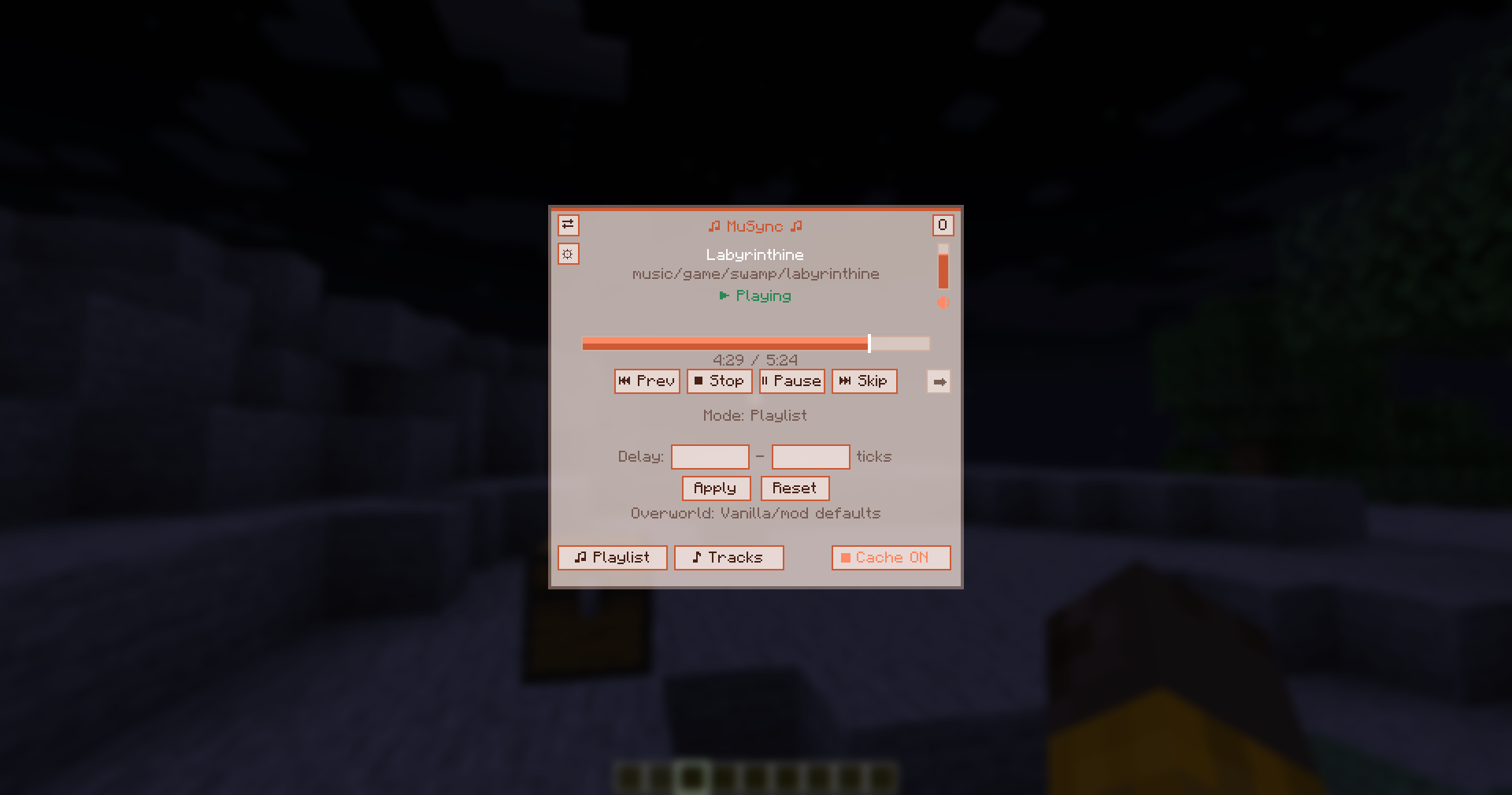
Open the control panel using the assigned keybind or /musync gui. Most management features require OP privileges.
- Sync: Resyncs your local client to the server's live playback state.
- Dimension Menu: Switch the interface to view the active streams for different dimensions and see which players are listening to them.
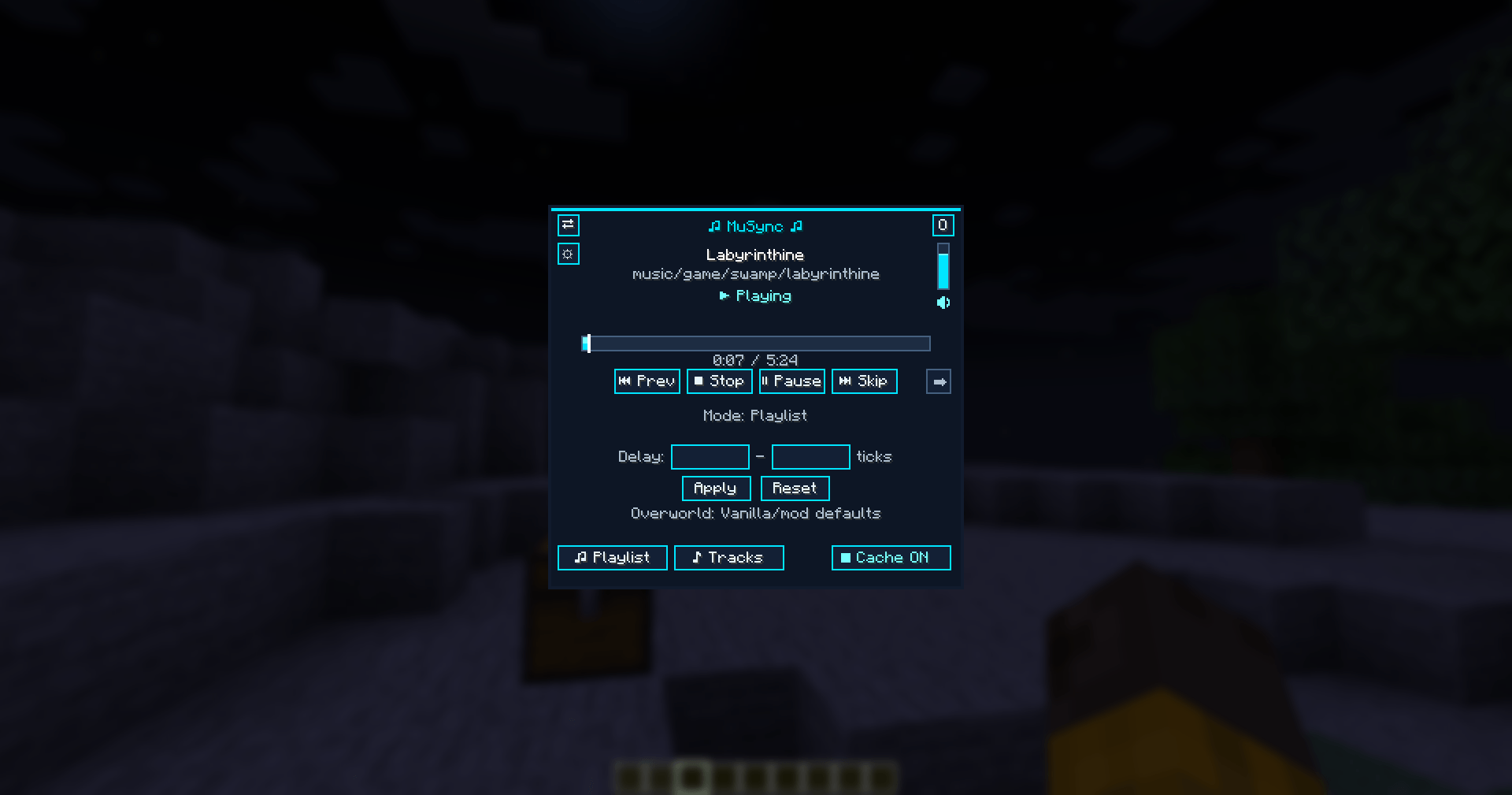
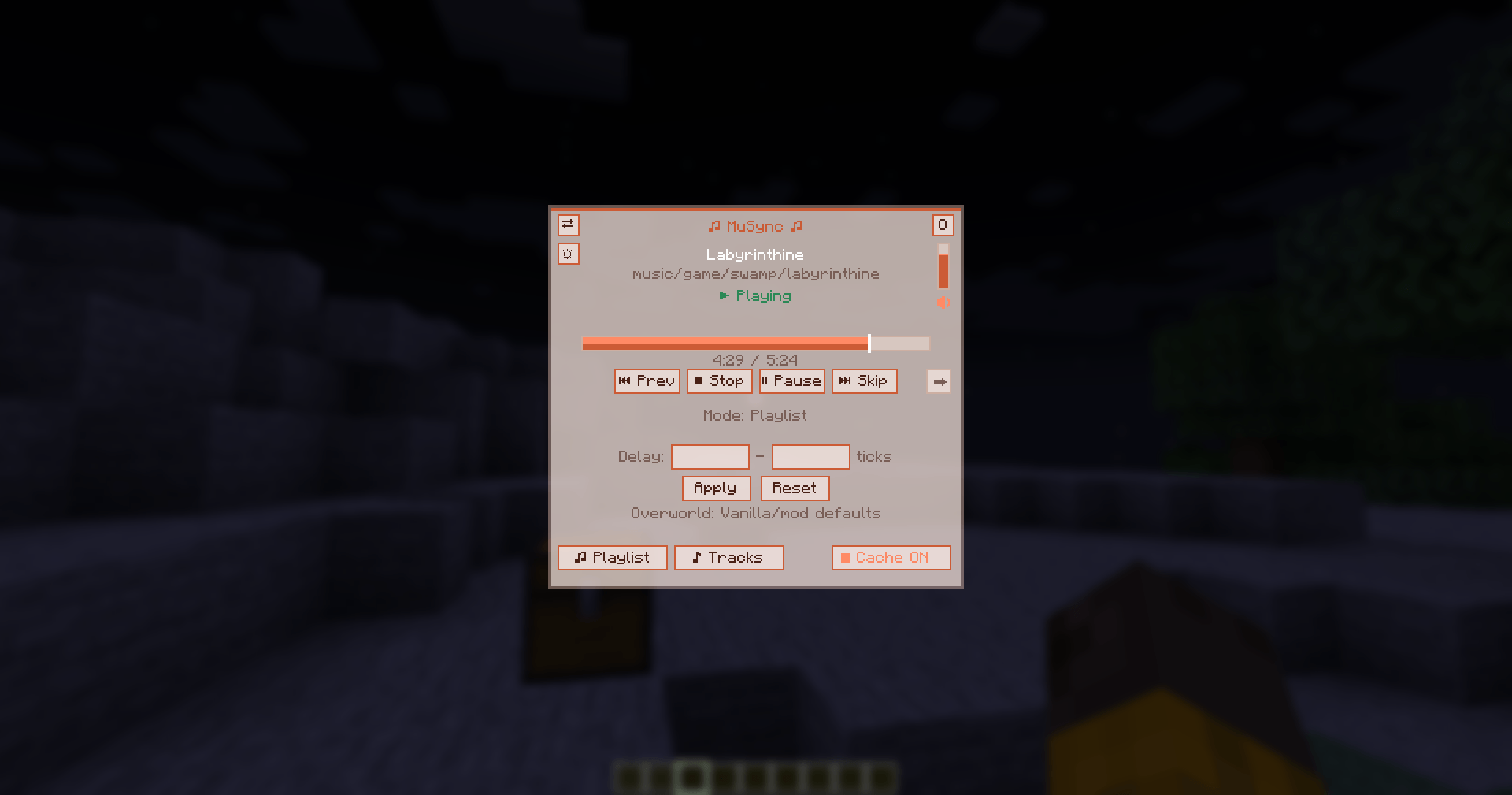
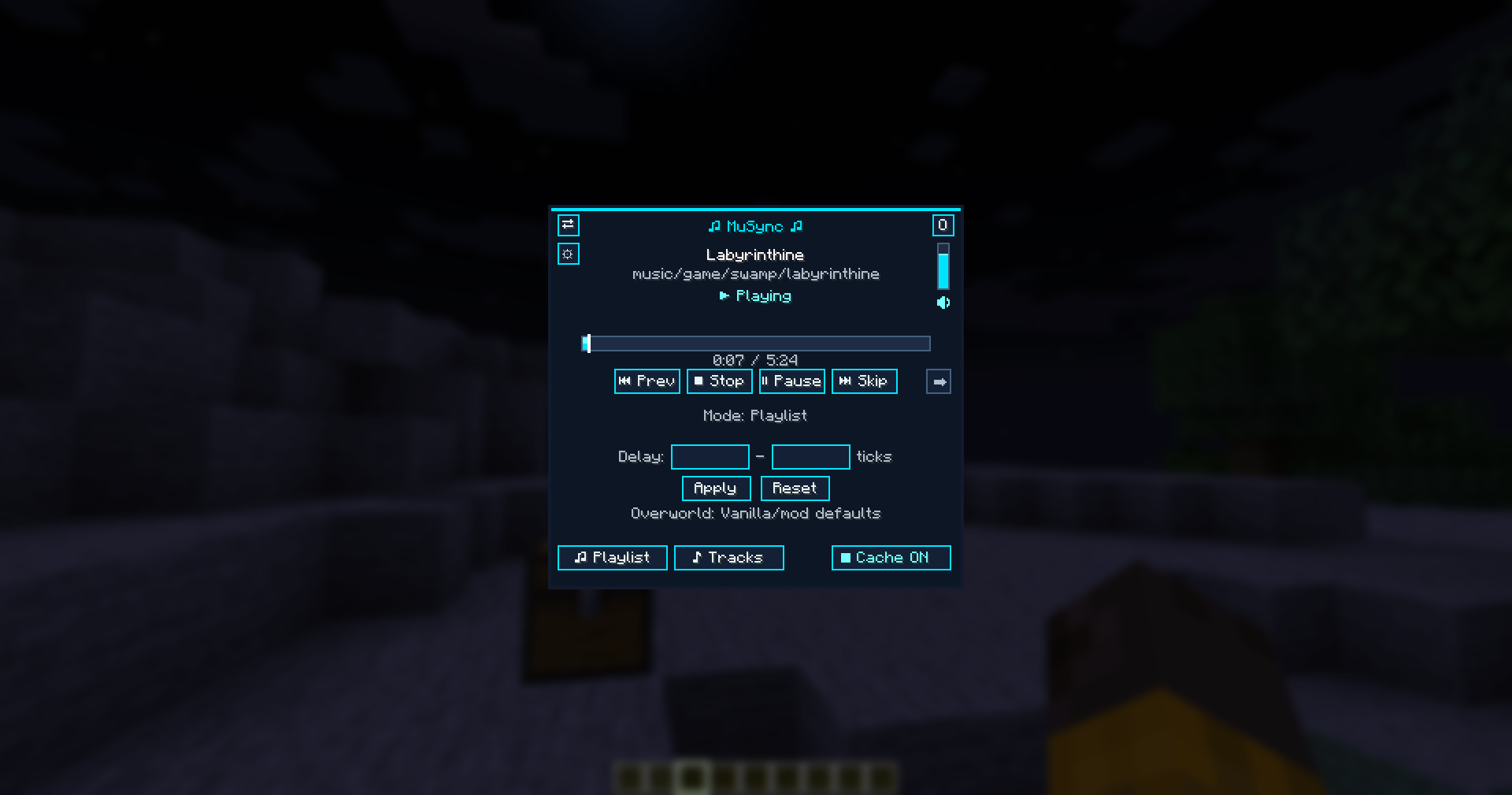
- Playback Controls: Previous, Stop, Pause, and Skip buttons for the current stream.
- Seek Bar: Drag to scrub through the active track.
- Repeat: Cycles through repeat off, repeat track, repeat playlist, shuffle, and shuffle-repeat.
- Delay: Set and apply custom minimum and maximum playback delays for the selected dimension.
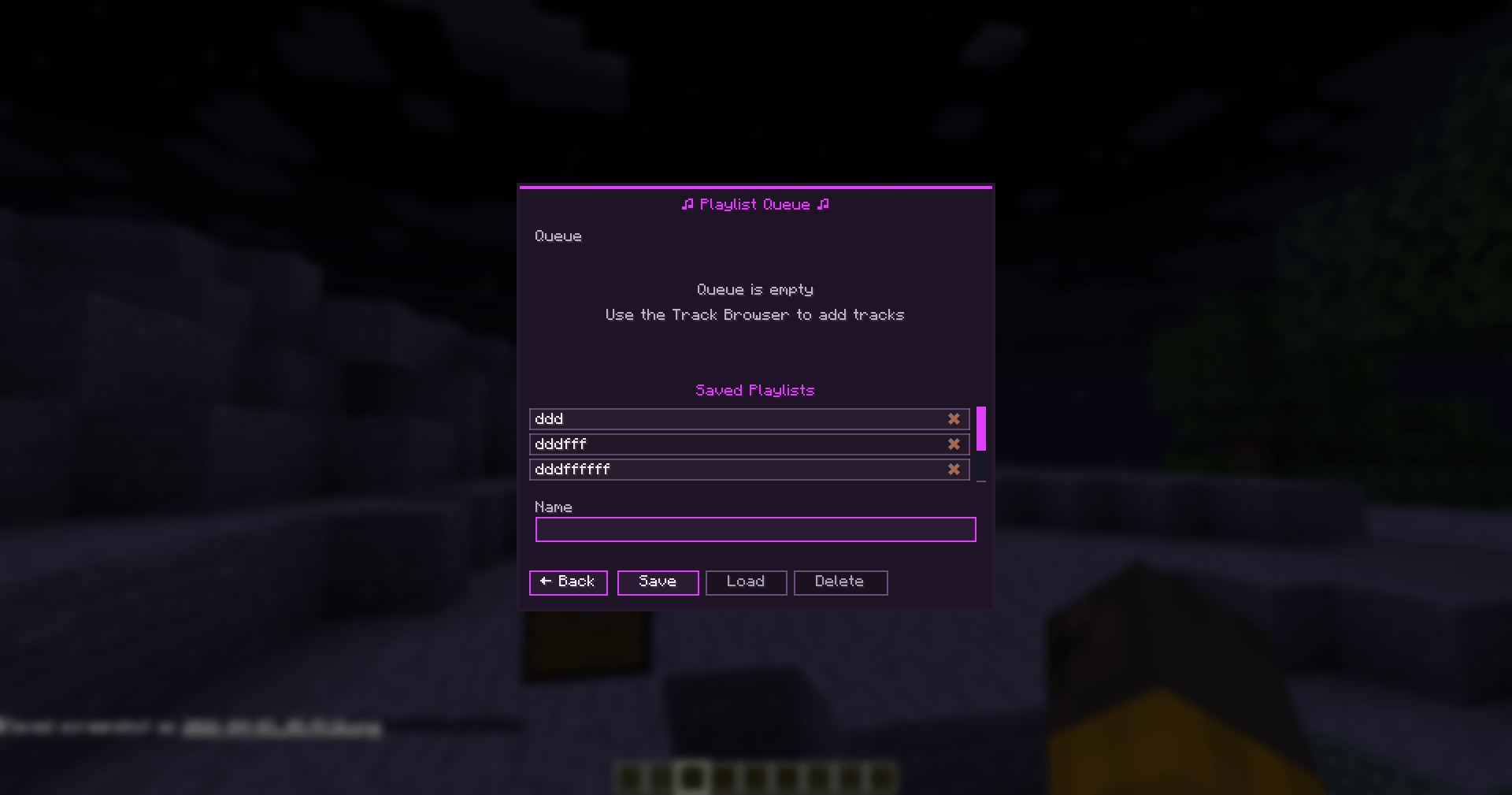
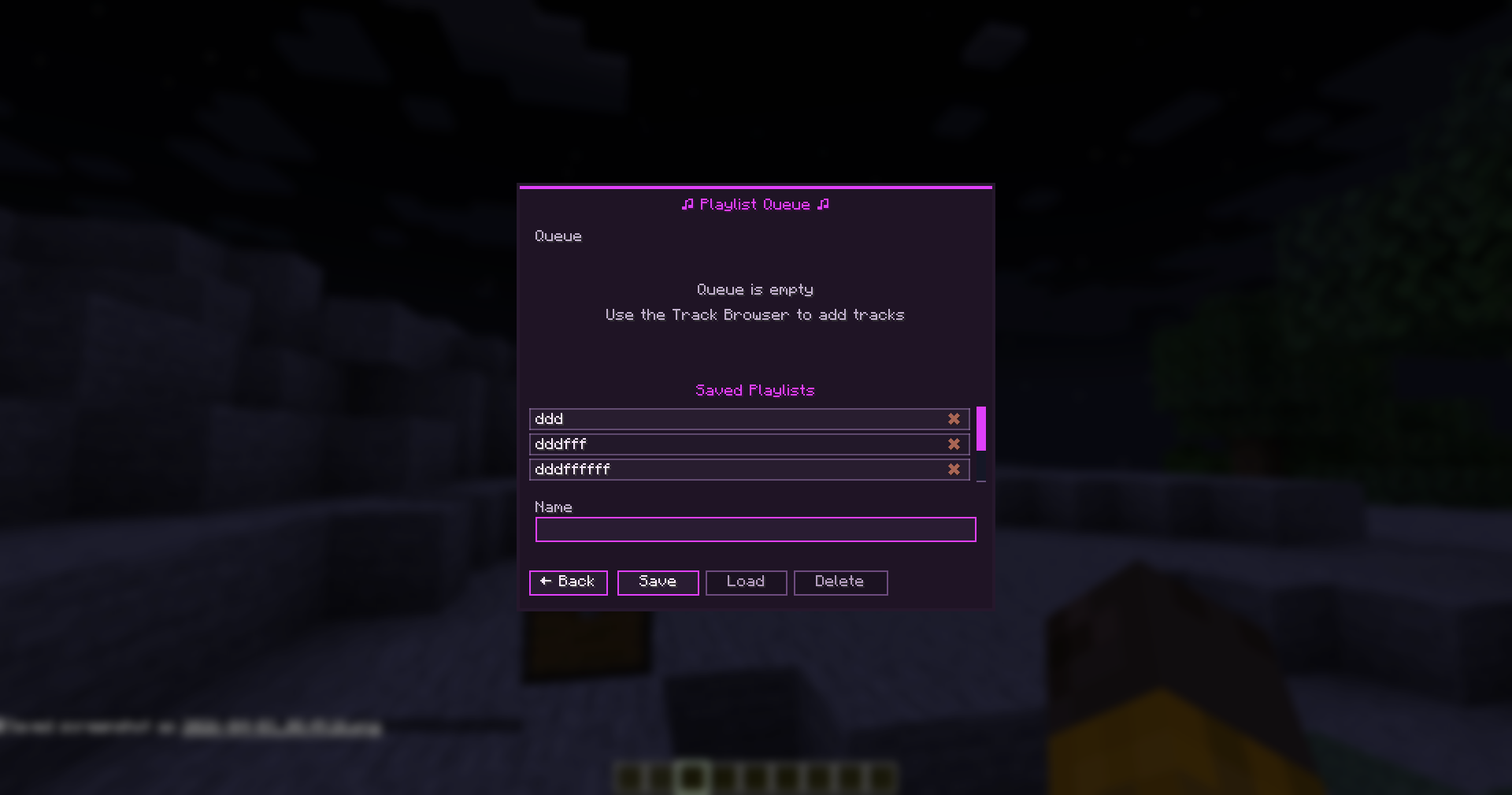
- Playlist: Open the queue to inspect upcoming tracks, remove entries, or save and load your queues locally.
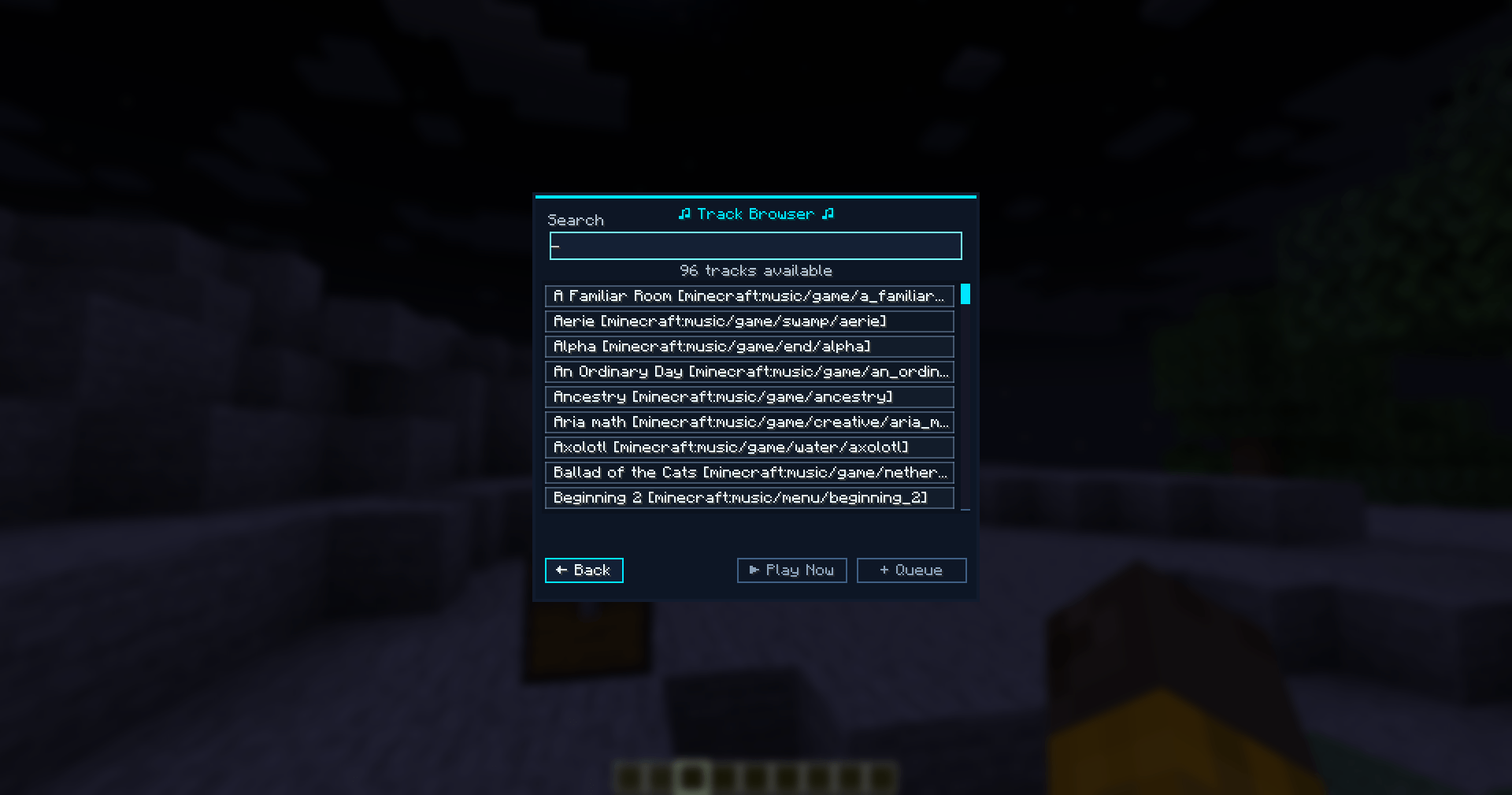
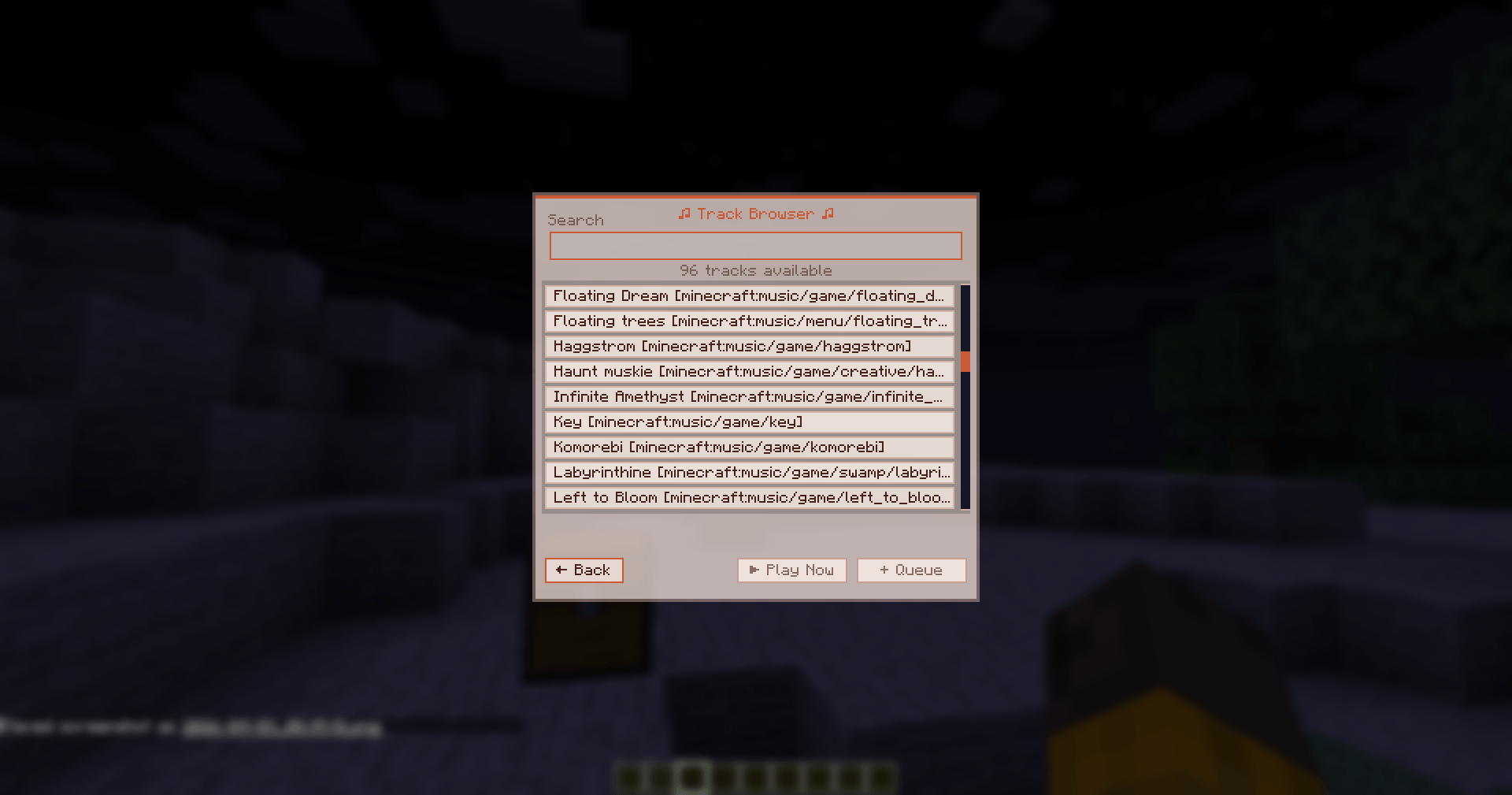
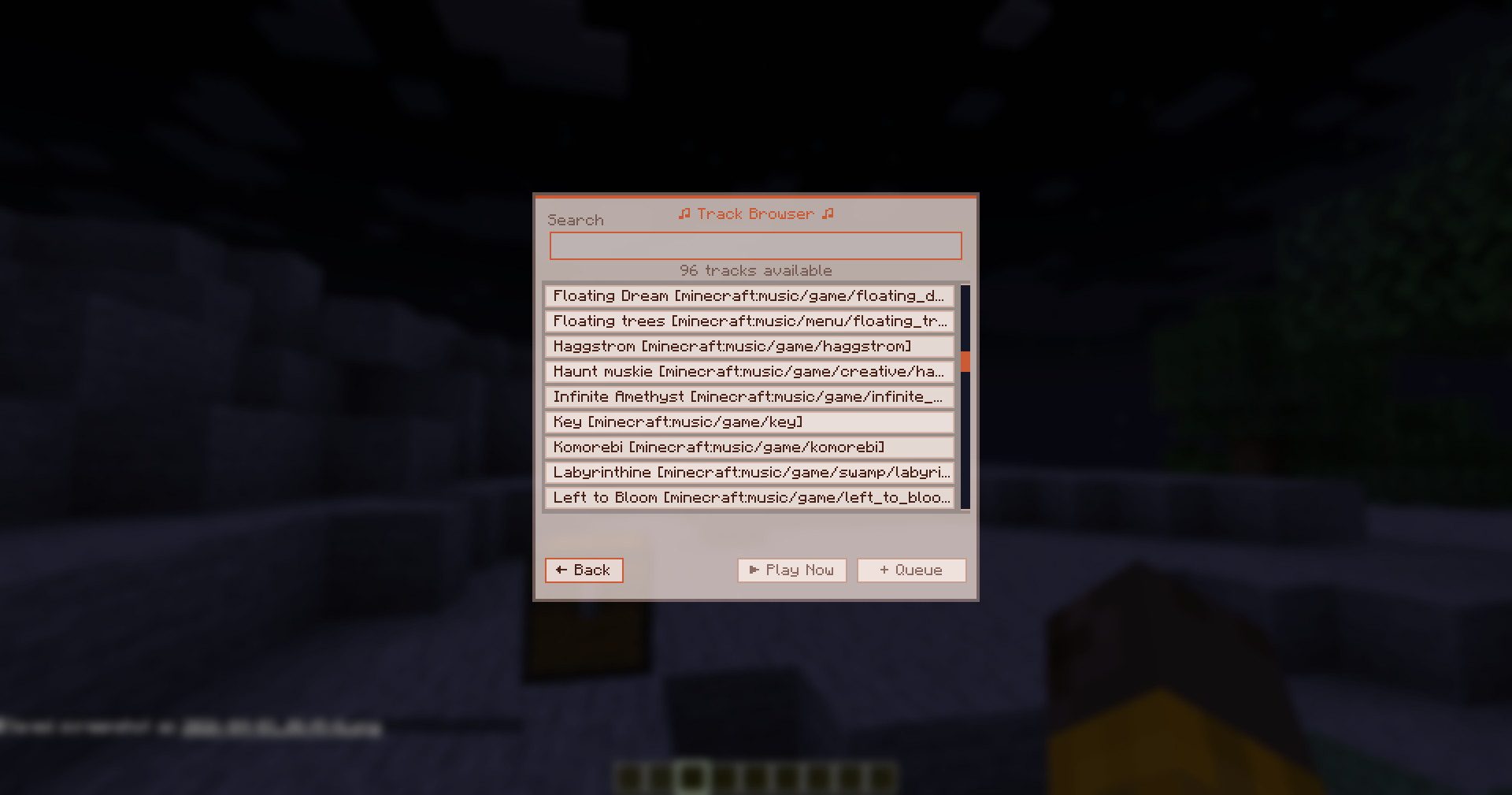
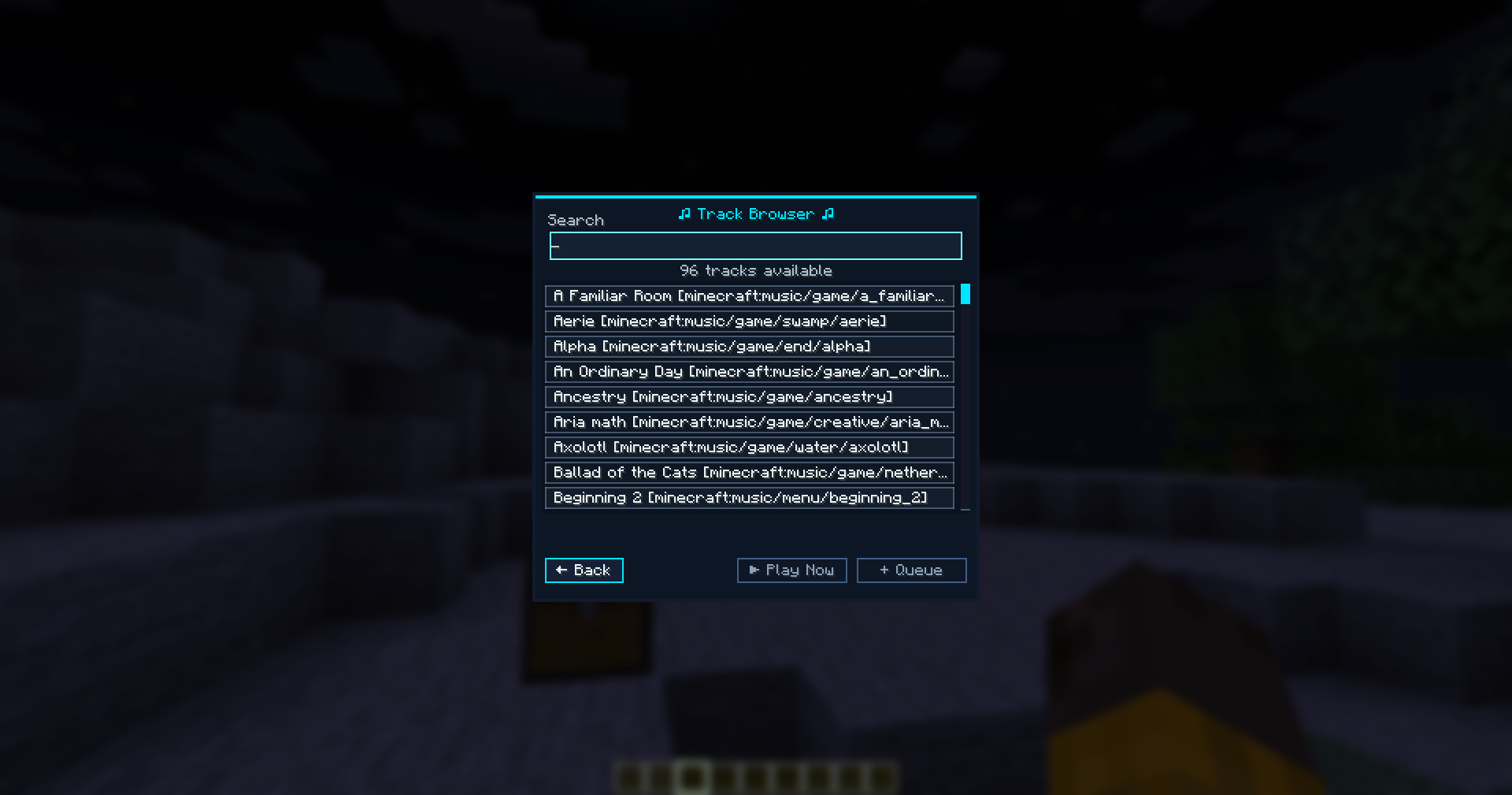
- Tracks: Open the track browser to play or queue any available vanilla or custom track.
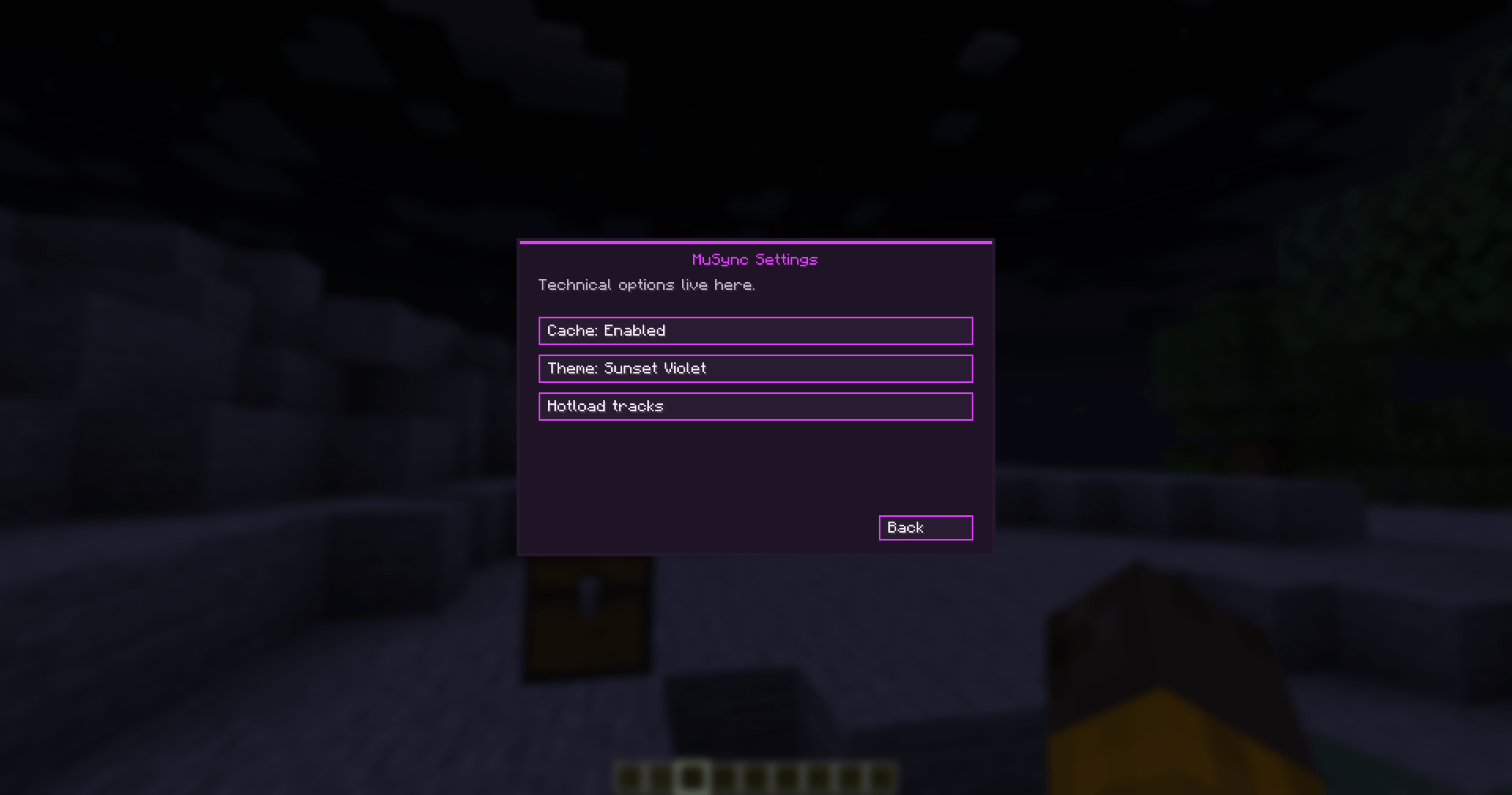
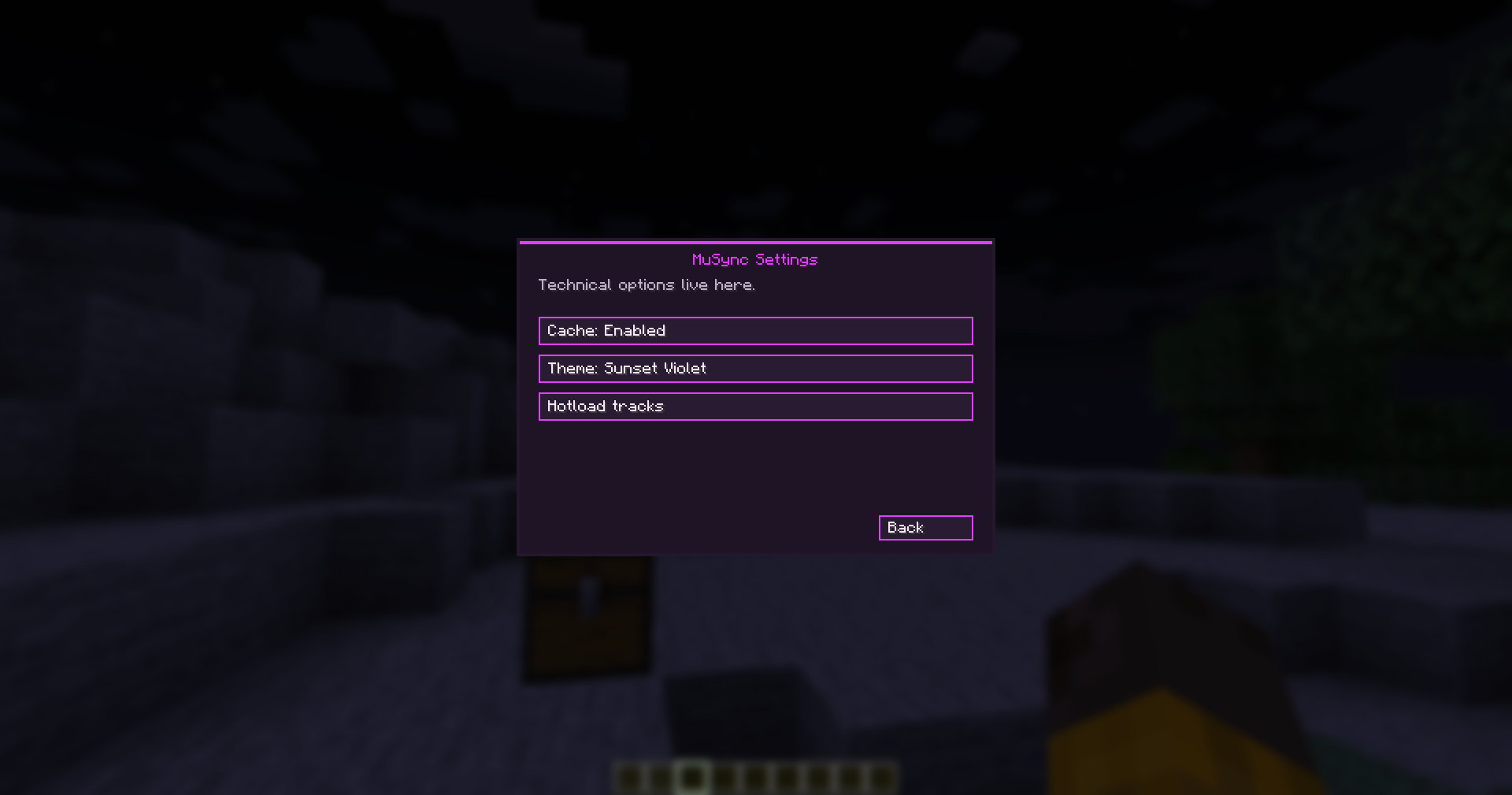
- Cache: Toggles the local disk caching for downloaded custom tracks.
Commands
These operator commands control the server stream without needing the GUI:
/musync gui- Opens the control panel./musync play <track>- Immediately plays a specific track./musync stop- Stops the active server stream./musync pause- Pauses the current stream./musync resume- Resumes the current stream./musync skip- Skips to the next track in the queue./musync queue <track>- Adds a track to the playlist./musync status- Prints detailed playback, timing, and queue data./musync sync- Forces a resync for all clients./musync delay- Shows the current dimension's custom delay./musync delay reset- Clears the delay override for the current dimension./musync delay <min> <max>- Sets a custom automatic delay range for the current dimension.
Keybinds
These keybinds allow immediate control without opening the menu. Using management keybinds while connected to a server requires OP privileges.
- GUI: Opens the main control panel.
- Skip Track: Skips the current song.
- Pause/Resume: Pauses or resumes playback.
- Stop Music: Stops playback entirely.
- Previous Track: Skips backward to the previously played track.
MuSync
MuSync synchronizes Minecraft background music across a server, ensuring every player hears the exact same track at the exact same time, with the exact same playback position.
Features
Server-Wide Synchronization: MuSync keeps background music aligned across all connected players. If someone joins late, changes dimensions, or forces a resync, their client automatically catches up to the current track's live timestamp instead of starting from the beginning.
Autonomous Dimension Streams: During normal gameplay, each active dimension runs its own independent music stream. The Overworld, Nether, and End maintain their own timing and track selection, reacting naturally to events like biome changes, the Ender Dragon fight, or the credits sequence.
Universal Playlist Mode: The moment an operator manually plays a track or starts a queue, MuSync overrides the autonomous streams and collapses playback into a single, server-wide broadcast. Everyone hears the same music regardless of their dimension until the playlist ends and normal dimension streams resume.
Client-Only Standalone Mode: Even when playing on a server without MuSync installed, the mod acts as a fully featured local music engine. You can queue, shuffle, and control tracks locally just as you would on a server.
Custom Music & Hotloading: MuSync supports custom tracks (.ogg, .wav, .mp3) provided by server resource packs, mods, or the custom music folder. Operators can hotload new custom tracks without restarting the server. If players are missing custom tracks, the server can transfer them directly and cache them locally to save bandwidth on future plays.
Exact Vanilla Track History: When repeating or skipping back to vanilla music, MuSync remembers the exact track variant that played. If a specific creative track played, repeating it replays that exact song instead of randomly rolling the music pool again.
Playback Controls: Build a queue, shuffle it, or set it to repeat. The mod includes standard playback controls (Play, Pause, Stop, Skip, and Previous). The "Previous" function remembers a history of played tracks and lets you skip backward to hear them again.
Live Seeking: The main control panel includes a seek bar. Dragging it updates the live track position for the entire server simultaneously.
Custom Autonomous Delays: Operators can override the vanilla delay gaps between automatic music tracks, setting custom minimum and maximum tick delays for any dimension.
Cross-Version Support: MuSync currently supports 1.19.2 (Forge/Fabric), 1.20.1 (Forge/Fabric), and 1.21.1 to 1.21.11 (Fabric/NeoForge).
UI Controls
Open the control panel using the assigned keybind or /musync gui. Most management features require OP privileges.
Sync: Resyncs your local client to the server's live playback state. Dimension Menu: Switch the interface to view the active streams for different dimensions and see which players are listening to them. Playback Controls: Previous, Stop, Pause, and Skip buttons for the current stream. Seek Bar: Drag to scrub through the active track. Repeat: Cycles through repeat off, repeat track, repeat playlist, shuffle, and shuffle-repeat. Delay: Set and apply custom minimum and maximum playback delays for the selected dimension. Playlist: Open the queue to inspect upcoming tracks, remove entries, or save and load your queues locally. Tracks: Open the track browser to play or queue any available vanilla or custom track. Cache: Toggles the local disk caching for downloaded custom tracks. Commands
These operator commands control the server stream without needing the GUI:
/musync gui - Opens the control panel. /musync play - Immediately plays a specific track. /musync stop - Stops the active server stream. /musync pause - Pauses the current stream. /musync resume - Resumes the current stream. /musync skip - Skips to the next track in the queue. /musync queue - Adds a track to the playlist. /musync status - Prints detailed playback, timing, and queue data. /musync sync - Forces a resync for all clients. /musync delay - Shows the current dimension's custom delay. /musync delay reset - Clears the delay override for the current dimension. /musync delay - Sets a custom automatic delay range for the current dimension. Keybinds
These keybinds allow immediate control without opening the menu. Using management keybinds while connected to a server requires OP privileges.
GUI: Opens the main control panel. Skip Track: Skips the current song. Pause/Resume: Pauses or resumes playback. Stop Music: Stops playback entirely. Previous Track: Skips backward to the previously played track.
Screenshots
Gallery
-
 2026-04-03_08.49.01.png 2026-04-03_08.49.01.png
 -
 2026-04-03_08.49.13.png 2026-04-03_08.49.13.png
 -
 2026-04-03_08.49.26.png 2026-04-03_08.49.26.png
 -
 2026-04-03_08.49.30.png 2026-04-03_08.49.30.png
 -
 2026-04-03_08.49.41.png 2026-04-03_08.49.41.png
 -
 2026-04-03_08.49.46.png 2026-04-03_08.49.46.png
Versions
Files
Relations
Project Relations
More like this
Similar Mods
Suggestions use data such as tags, dependencies, dependents, descriptions, titles, and more to rank how much they overlap with this mod.
On ModDex
Community snapshot
By the numbers
Statistics
 (opens in a new tab)
Get it on
Available Platforms
Modrinth
On ModDex
Community snapshot
By the numbers
Statistics
Resources