Community listing page, reviews here may not be monitored by the author.
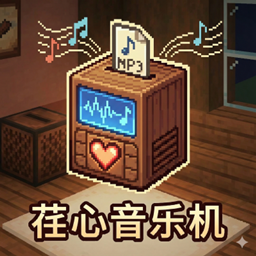
Renxin Music Player


No reviews yet
This is Renxin's Music Player, where you can play any tunes you like and share them with your friends!
Community voices
Reviews
No reviews yet. Be the first to review this project!
Get it on
Available Platforms
Compatibility
Supported Environments
The author has not specified where this runs.
About
Project Details
For authors
Embed Badge
If you're the author of this project, you can embed a live badge anywhere that supports HTML or Markdown. It updates automatically whenever ratings change.
Use HTML for any page that supports it, or Markdown for README files and Markdown-based descriptions.
Identifiers
Platform IDs
Resources
External Links
About
Description
🎵 Renxin Music Machine (CP Music Mod)
Custom music, everywhere you go! Share your playlist with friends on the server!
📖 Introduction
Renxin Music Machine is a lightweight yet powerful Fabric mod designed to solve the problem of music sharing in multiplayer games. No longer limited to vanilla discs, you can upload and burn your local .mp3 files onto custom discs. Most importantly, we introduced the Portable Walkman, allowing music to follow you as you move, making you a walking BGM player!
This mod features deep network optimization, utilizing Lazy Loading and Local Caching technologies to ensure smooth performance in multiplayer servers without lag.
✨ Key Features
📀 Custom Burning System: Burn any
.mp3file onto a blank disc (supports files up to 10MB).🎧 Portable Walkman: Not just a stationary jukebox block, but a handheld player! The music follows the holder, and players around you can hear it.
🔄 Playback Modes: Supports Sequential, Loop One, Shuffle, and Loop List modes.
⚡ Performance Optimized:
On-Demand Downloading: Only players within hearing range will download the music data.
Permanent Caching: Downloaded music is automatically saved locally (
.minecraft/cp-cache/), ensuring zero latency and zero bandwidth usage for replay.Anti-Crash: Automatically detects and blocks fake MP3 files to prevent client crashes.
🛠️ Global Configuration: Adjust broadcast distance via commands with persistent saving.
🧩 Recipes
Blank Disc: The base item for your music.
- Recipe:
Clay Ball+Black Dye+Clay Ball(Horizontal).
- Recipe:
Music Burner: Used to upload music and write to a blank disc.
- Recipe: Check REI/JEI in-game.
Music Player: A block placed on the ground to play music.
- Recipe: Check REI/JEI in-game.
Portable Walkman:
- Recipe:
Iron Ingot+Jukebox+Iron Ingot(Middle Row), withGold Ingotbelow.
- Recipe:
Disc Copying:
- Recipe:
Existing Disc+Slime Ball+Gold Ingot= Copied Disc.
- Recipe:
🎮 How to Use
Burning Music:
Place the Music Burner, right-click to open the GUI.
Put a Blank Disc in the input slot.
Click the "Burn" button and select an
.mp3file from your computer (<10MB).Wait for the upload to finish and take your custom disc.
Playing Music:
Block Mode: Put the disc into the Music Player. Music plays in a fixed area.
Walkman Mode: Hold the Portable Walkman, right-click to open the GUI, and put multiple discs into its inventory. Click play, and the music follows you!
Controls: The Walkman GUI supports Prev, Next, Play/Pause, and Loop Mode switching.
💻 Commands
/cp distance <value>Description: Sets the global music broadcast distance (Default: 64 blocks).
Note: Applies to all players and machines. Larger values mean sound travels further with smoother attenuation.
/cp info- Description: Check the current broadcast distance setting.
⚠️ Server Notes
This mod must be installed on both the Server and Client.
Network Optimization: The mod includes built-in congestion prevention. When multiple players listen together, the server only sends tiny control packets; audio data is transmitted peer-to-peer upon request and only once.
Cache: Audio cache is stored in
.minecraft/cp-cache. You can manually delete this folder to clear space if needed.
🎵 Renxin Music Machine (CP Music Mod) Custom music, everywhere you go! Share your playlist with friends on the server!
📖 Introduction Renxin Music Machine is a lightweight yet powerful Fabric mod designed to solve the problem of music sharing in multiplayer games. No longer limited to vanilla discs, you can upload and burn your local .mp3 files onto custom discs. Most importantly, we introduced the Portable Walkman, allowing music to follow you as you move, making you a walking BGM player!
This mod features deep network optimization, utilizing Lazy Loading and Local Caching technologies to ensure smooth performance in multiplayer servers without lag.
✨ Key Features 📀 Custom Burning System: Burn any .mp3 file onto a blank disc (supports files up to 10MB).
🎧 Portable Walkman: Not just a stationary jukebox block, but a handheld player! The music follows the holder, and players around you can hear it.
🔄 Playback Modes: Supports Sequential, Loop One, Shuffle, and Loop List modes.
⚡ Performance Optimized:
On-Demand Downloading: Only players within hearing range will download the music data.
Permanent Caching: Downloaded music is automatically saved locally (.minecraft/cp-cache/), ensuring zero latency and zero bandwidth usage for replay.
Anti-Crash: Automatically detects and blocks fake MP3 files to prevent client crashes.
🛠️ Global Configuration: Adjust broadcast distance via commands with persistent saving.
🧩 Recipes Blank Disc: The base item for your music.
Recipe: Clay Ball + Black Dye + Clay Ball (Horizontal).
Music Burner: Used to upload music and write to a blank disc.
Recipe: Check REI/JEI in-game.
Music Player: A block placed on the ground to play music.
Recipe: Check REI/JEI in-game.
Portable Walkman:
Recipe: Iron Ingot + Jukebox + Iron Ingot (Middle Row), with Gold Ingot below.
Disc Copying:
Recipe: Existing Disc + Slime Ball + Gold Ingot = Copied Disc.
🎮 How to Use Burning Music:
Place the Music Burner, right-click to open the GUI.
Put a Blank Disc in the input slot.
Click the "Burn" button and select an .mp3 file from your computer (<10MB).
Wait for the upload to finish and take your custom disc.
Playing Music:
Block Mode: Put the disc into the Music Player. Music plays in a fixed area.
Walkman Mode: Hold the Portable Walkman, right-click to open the GUI, and put multiple discs into its inventory. Click play, and the music follows you!
Controls: The Walkman GUI supports Prev, Next, Play/Pause, and Loop Mode switching.
💻 Commands /cp distance
Description: Sets the global music broadcast distance (Default: 64 blocks).
Note: Applies to all players and machines. Larger values mean sound travels further with smoother attenuation.
/cp info
Description: Check the current broadcast distance setting.
⚠️ Server Notes This mod must be installed on both the Server and Client.
Network Optimization: The mod includes built-in congestion prevention. When multiple players listen together, the server only sends tiny control packets; audio data is transmitted peer-to-peer upon request and only once.
Cache: Audio cache is stored in .minecraft/cp-cache. You can manually delete this folder to clear space if needed.
Screenshots
Gallery
Versions
Files
Relations
Project Relations
More like this
Similar Mods
Suggestions use data such as tags, dependencies, dependents, descriptions, titles, and more to rank how much they overlap with this mod.
On ModDex
Community snapshot
By the numbers
Statistics
Want to reach Minecraft players?
We're looking for a server hosting partner to feature here and other parts of the site. Interested? Send us a message!
Get in touchGet it on
Available Platforms
On ModDex
Community snapshot
By the numbers
Statistics
Resources