Community listing page, reviews here may not be monitored by the author.
Net Music


No reviews yet
A CD player that can directly play NetEase Cloud network streaming music

Community voices
Reviews
No reviews yet. Be the first to review this project!
Get it on
Available Platforms
Compatibility
Supported Environments
Must be installed on both the client and the server.
About
Project Details
For authors
Embed Badge
If you're the author of this project, you can embed a live badge anywhere that supports HTML or Markdown. It updates automatically whenever ratings change.
Use HTML for any page that supports it, or Markdown for README files and Markdown-based descriptions.
Identifiers
Platform IDs
About
Description
Introduce
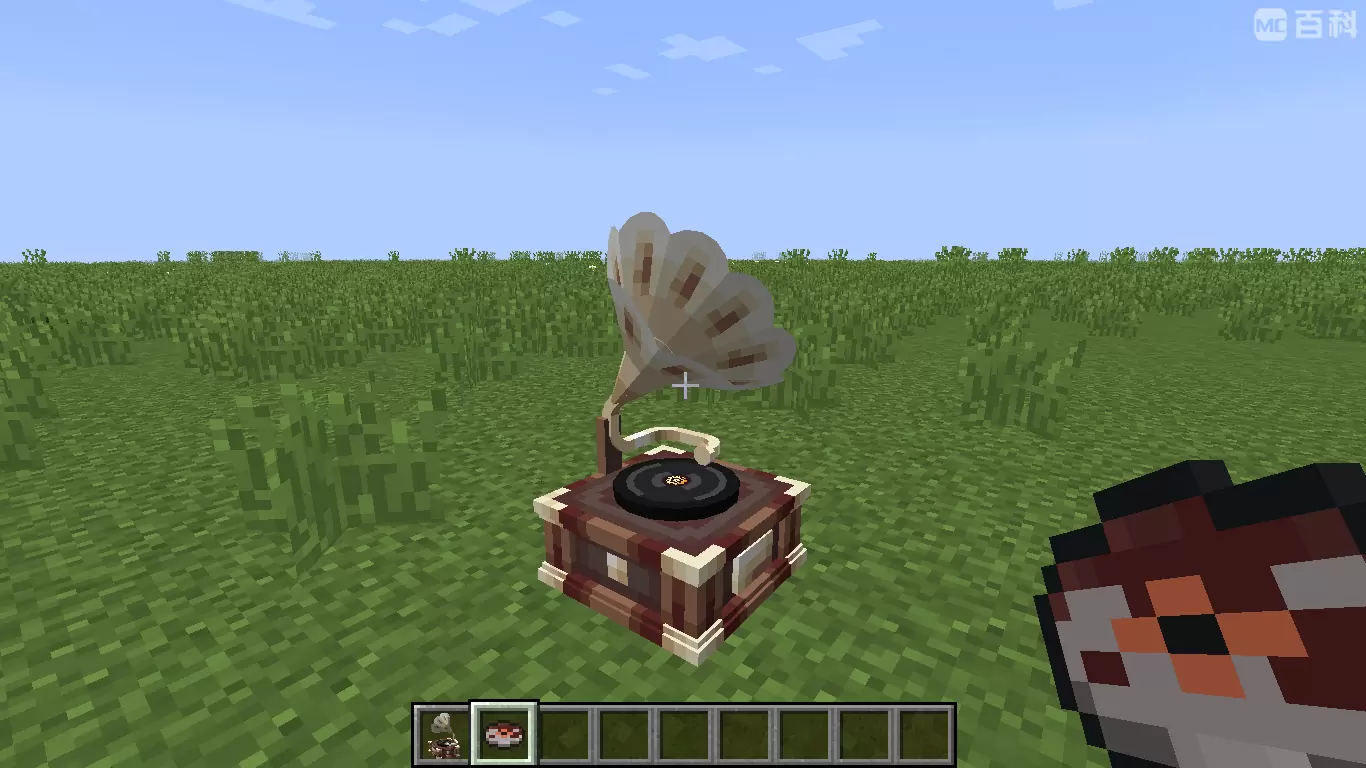
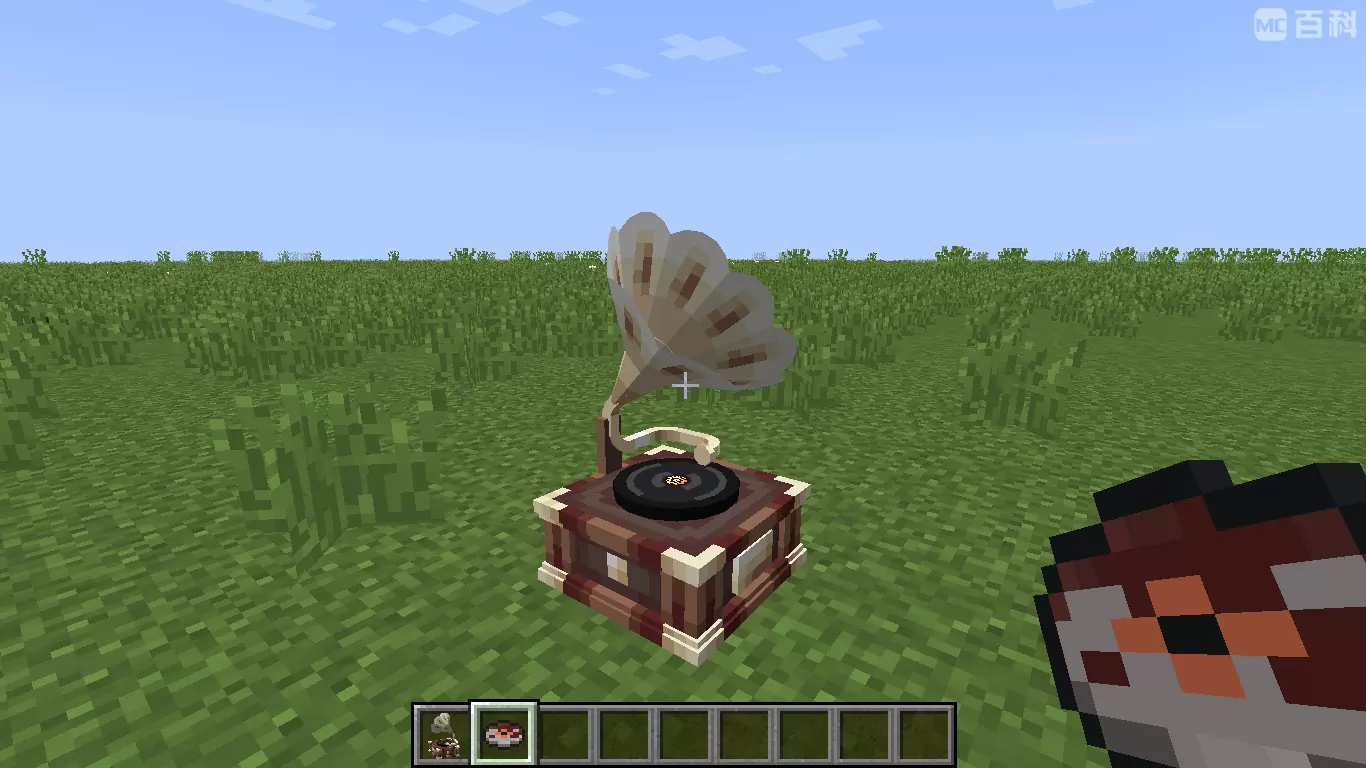
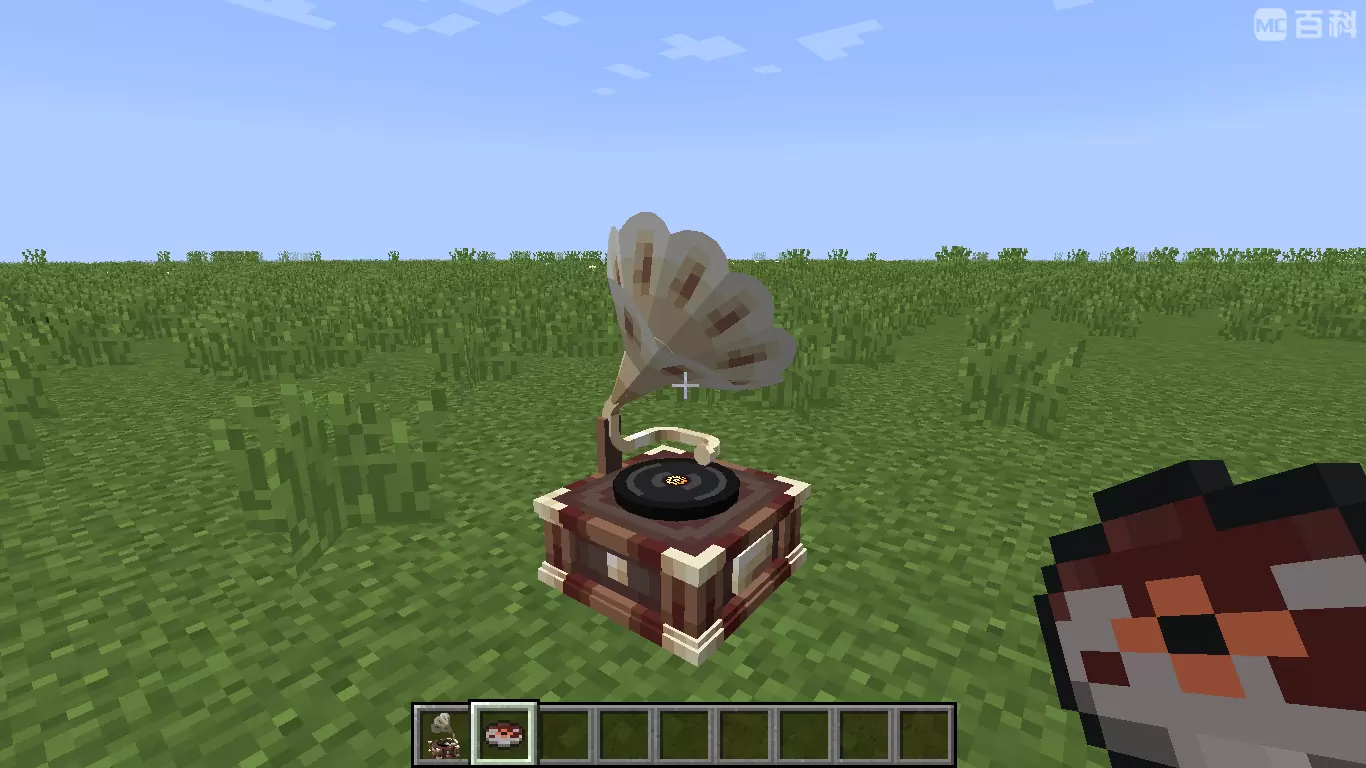
This mod adds a CD player that can directly play network-streamed music. Its behavior is exactly the same as the vanilla CD player. Other players near the CD player can also hear the music you play!
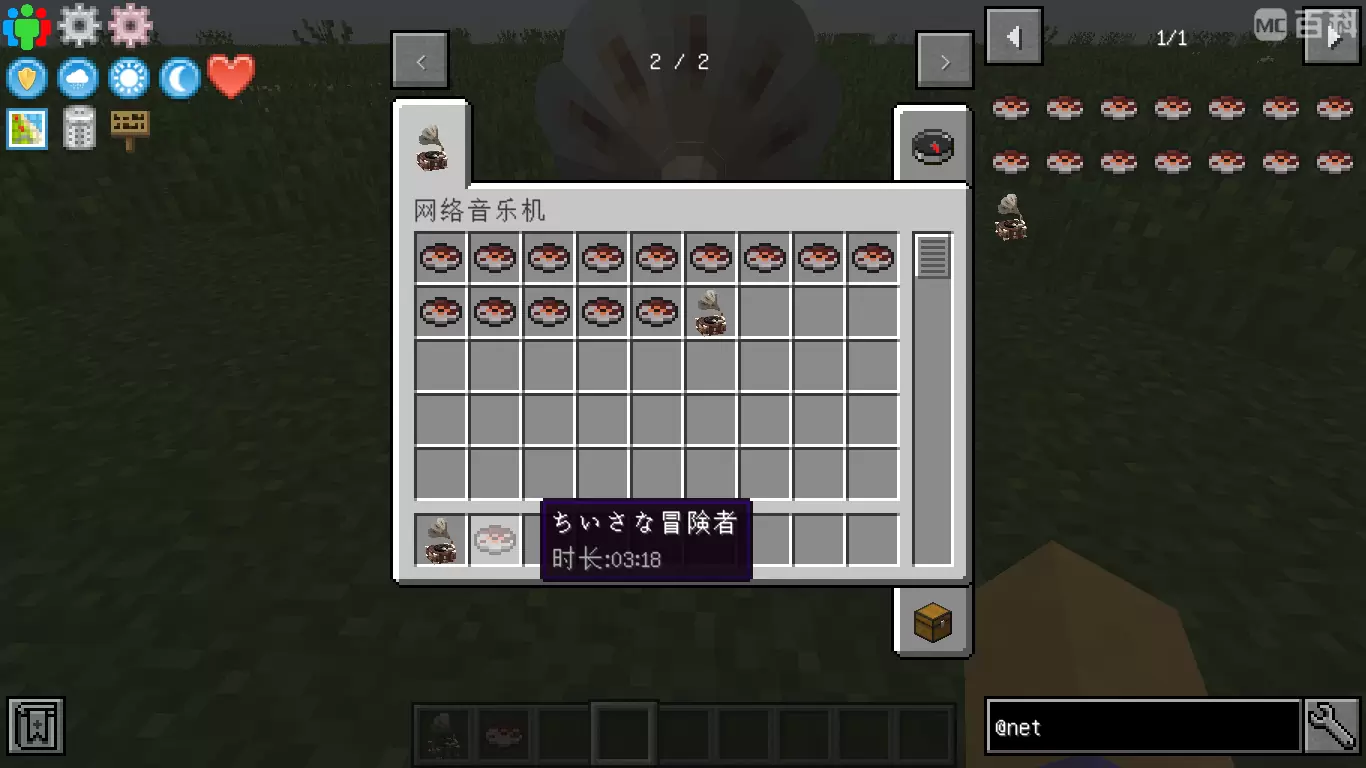
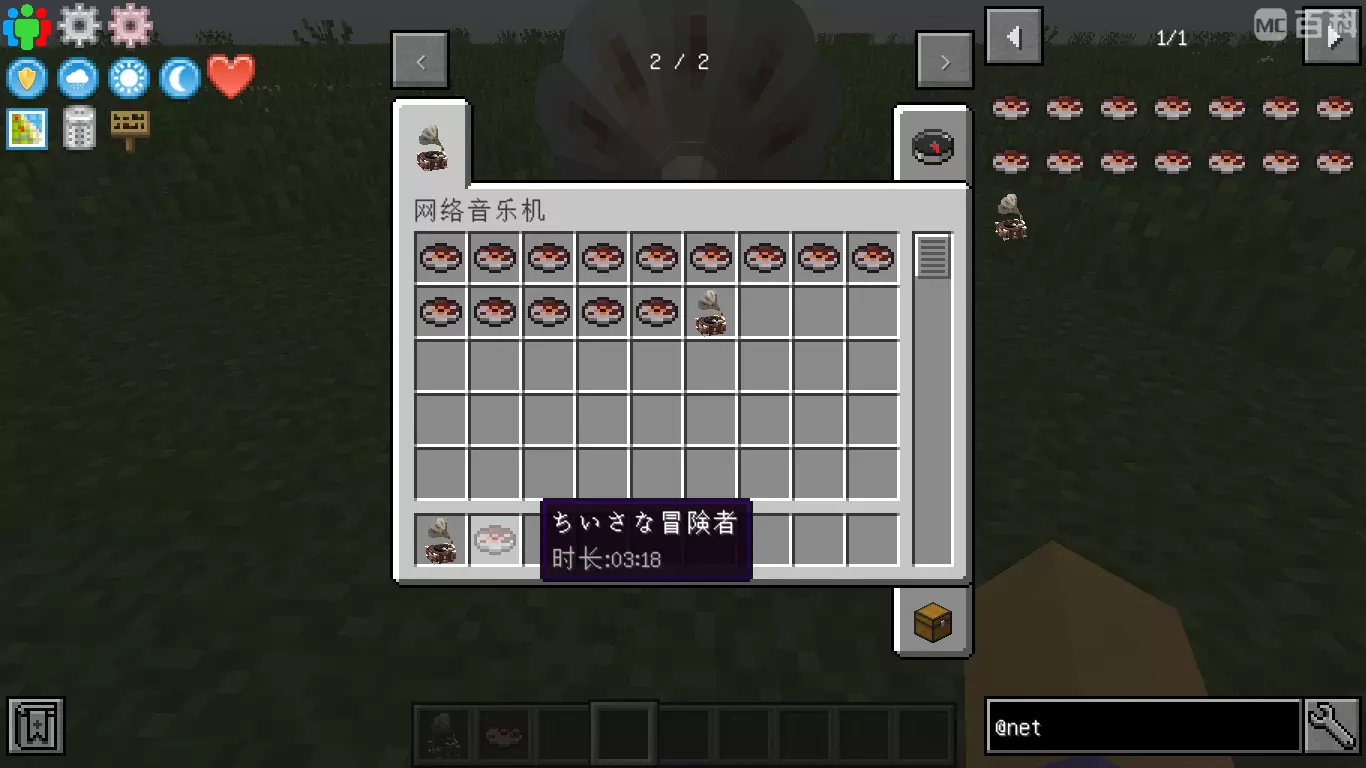
The songs played on the CD can be customized through NBT data, and support for NetEase Cloud Music has been specially added!
How to Play Custom Music on Server
Plan A: Google Drive
- Make sure NetMusic mod is installed on both server and client side.
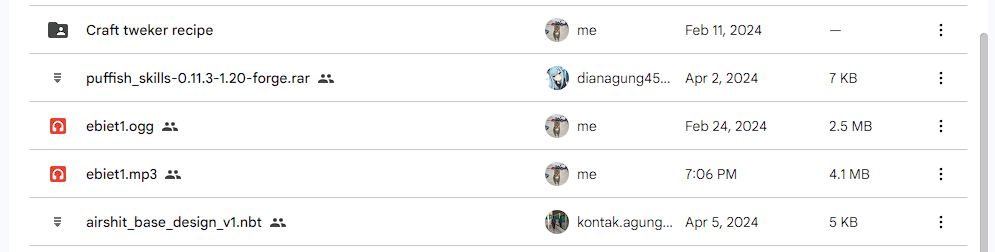
- Upload your song to Google Drive (Only MP3 format is supported).
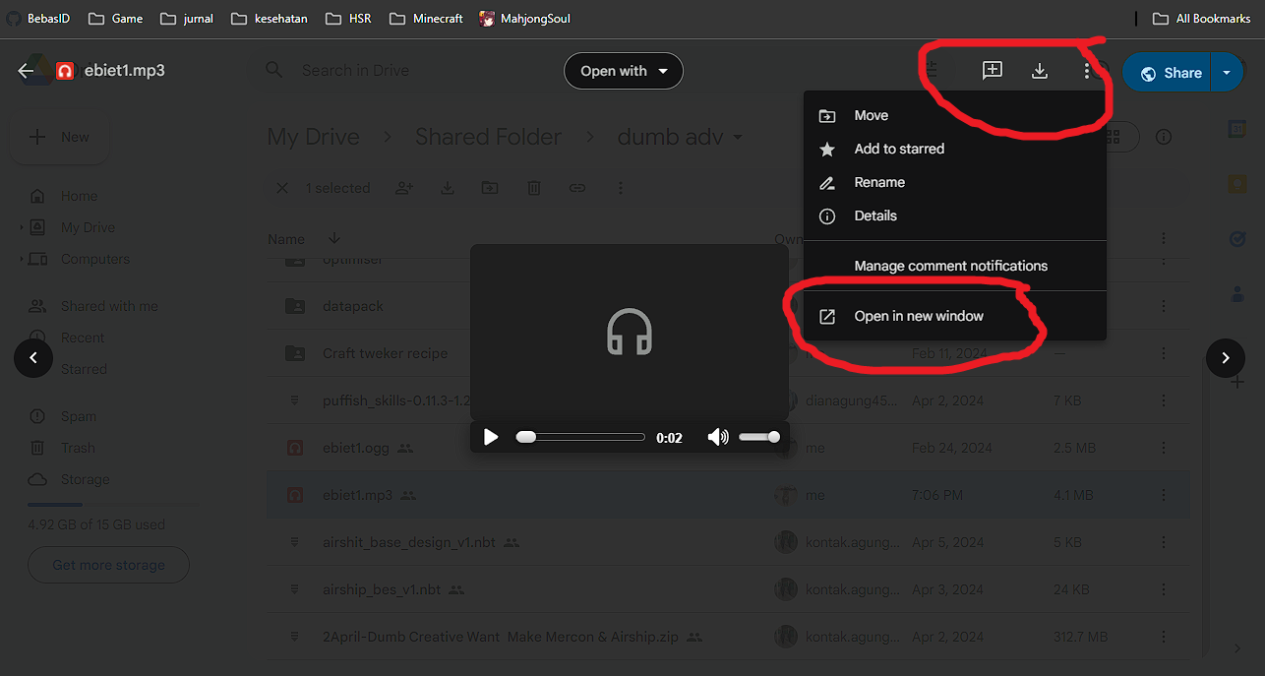
3. Double click on the file, and select the 3 dot icon on the top right. Click "Open in a new window" option.
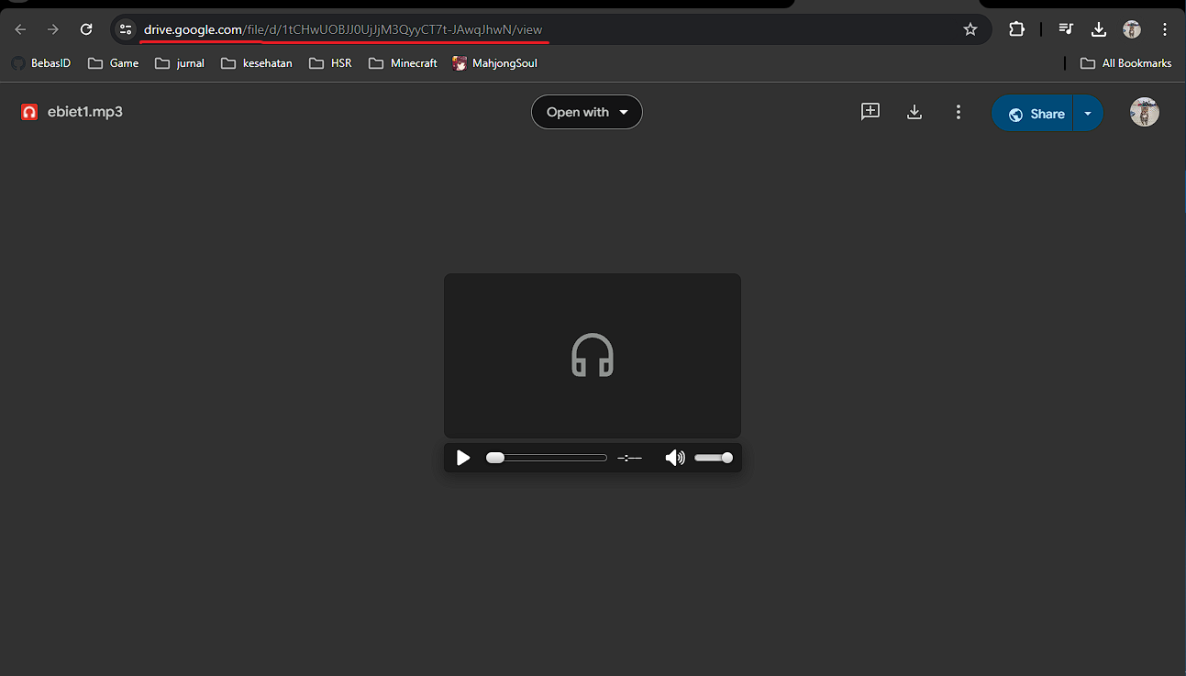
 4. In the new window, copy the link in the URL box.
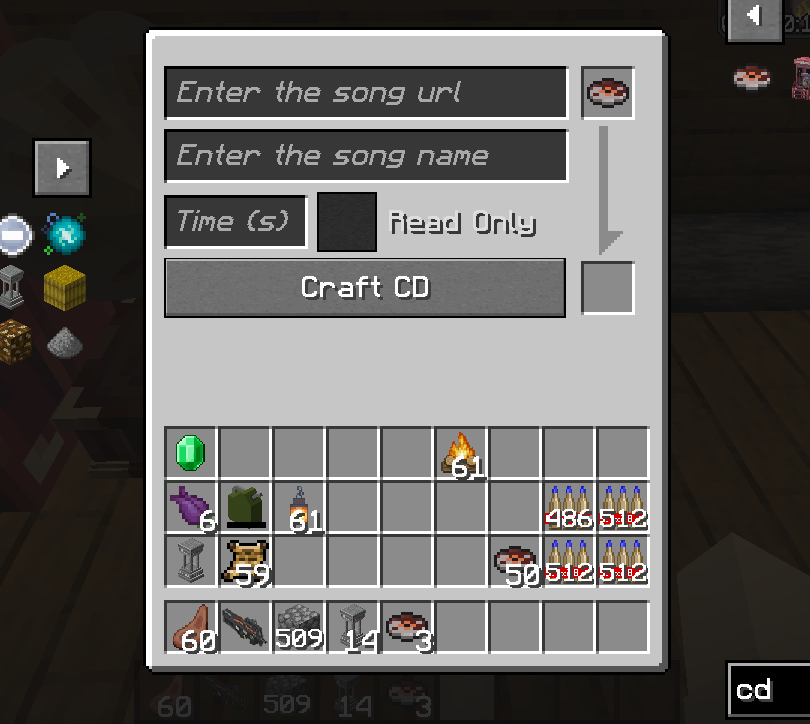
 5. Open the in-game GUI, and fill in the details below:"
- Enter the song url: Paste the link here
- Enter the song name: Input the song name
- Time (s): the duration of the song in seconds
6. In the event where the song cannot be played, you will need to convert your link using the template below:
https://drive.usercontent.google.com/download?id={your ID}&export=download&authuser=0
delete and paste Gdrive id example link
1tCHwUOBJJ0UjJjM3QyyCT7t-JAwqJhwN

Plan B: YouTube
- find you music youtube url link, I gave you some example :
https://www.youtube.com/watch?v=UqP8rZu6xLM
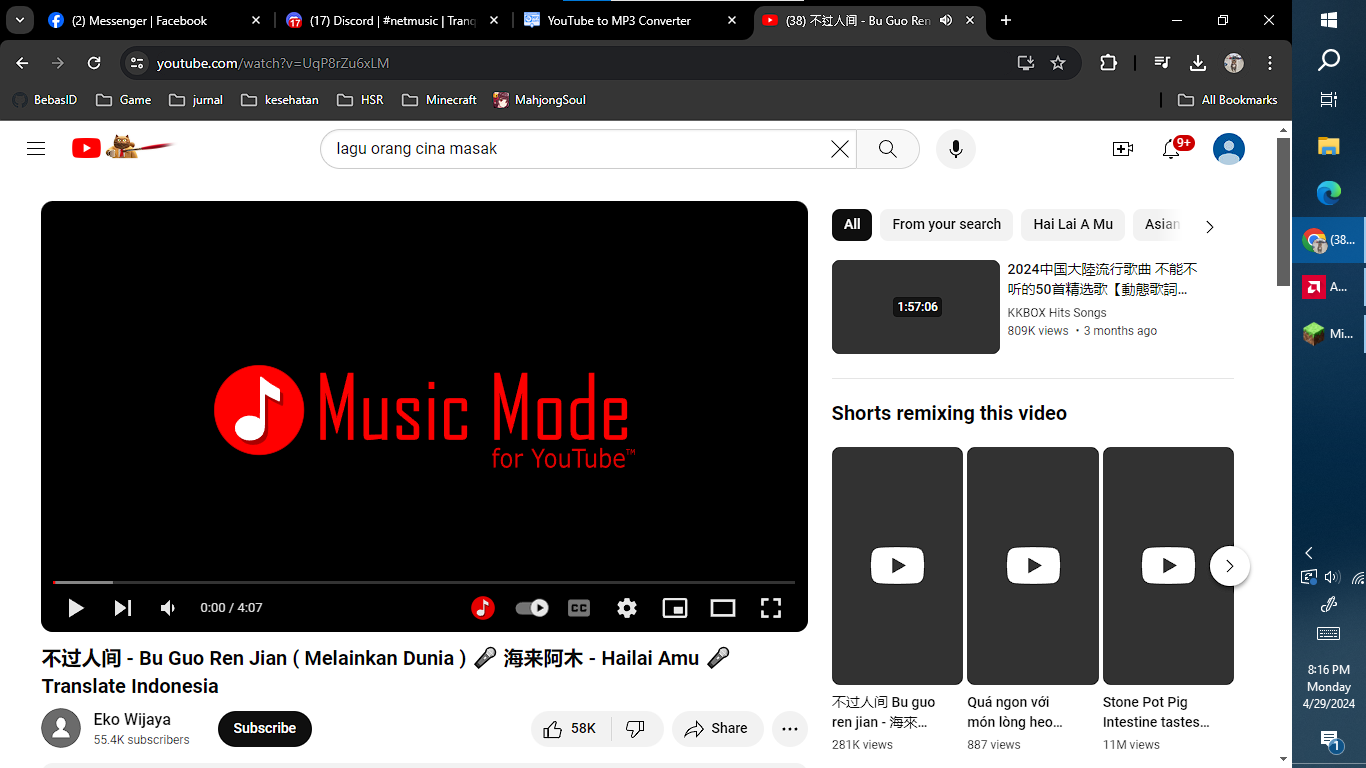
2. now paste your link at yt2mp3 converter: https://mp3-convert.org/youtube-to-mp3-converterss/
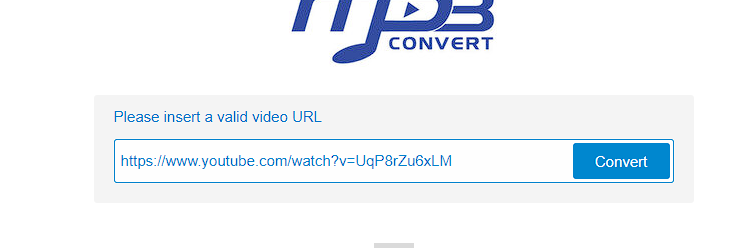
3. convert and you got 2 section download and convert next.
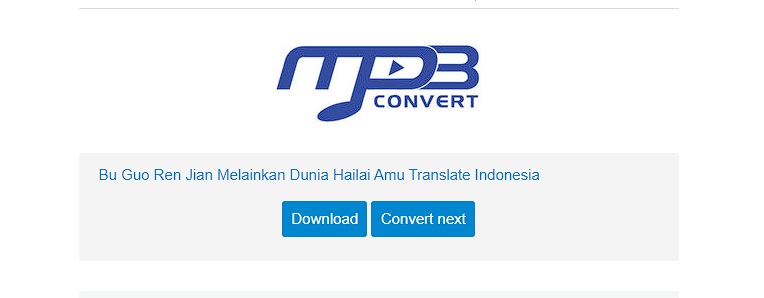
4. Right klik download section and copy link address
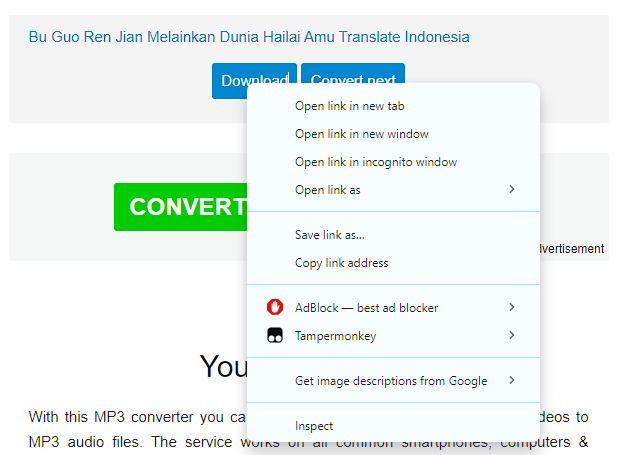
5. input at song url in game, dont forget to input song time

Thanks to Kucing, luckyu19 for the help
Introduce
This mod adds a CD player that can directly play network-streamed music. Its behavior is exactly the same as the vanilla CD player. Other players near the CD player can also hear the music you play!
The songs played on the CD can be customized through NBT data, and support for NetEase Cloud Music has been specially added!
How to Play Custom Music on Server
Plan A: Google Drive
- Make sure NetMusic mod is installed on both server and client side.
- Upload your song to Google Drive (Only MP3 format is supported).
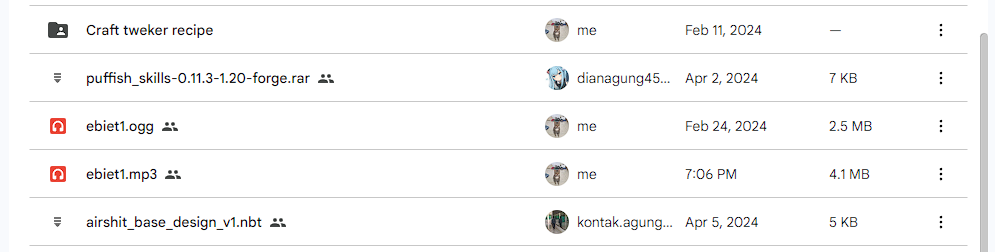
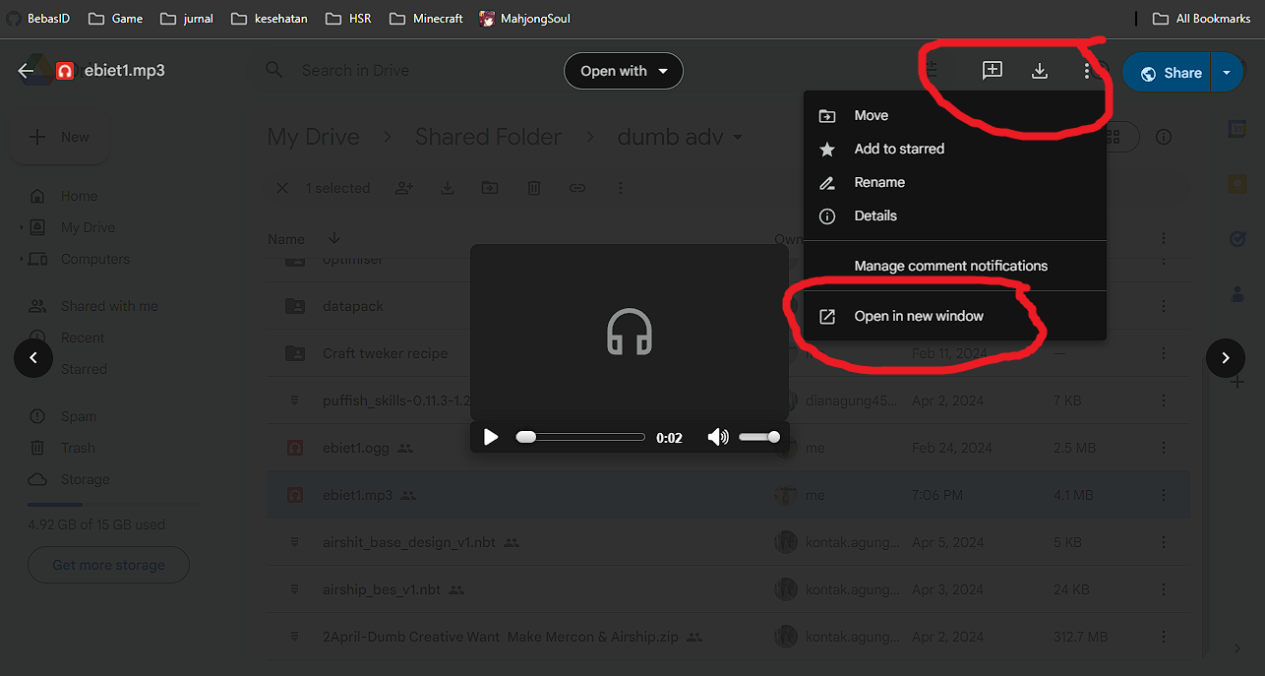
3. Double click on the file, and select the 3 dot icon on the top right. Click "Open in a new window" option.
4. In the new window, copy the link in the URL box.
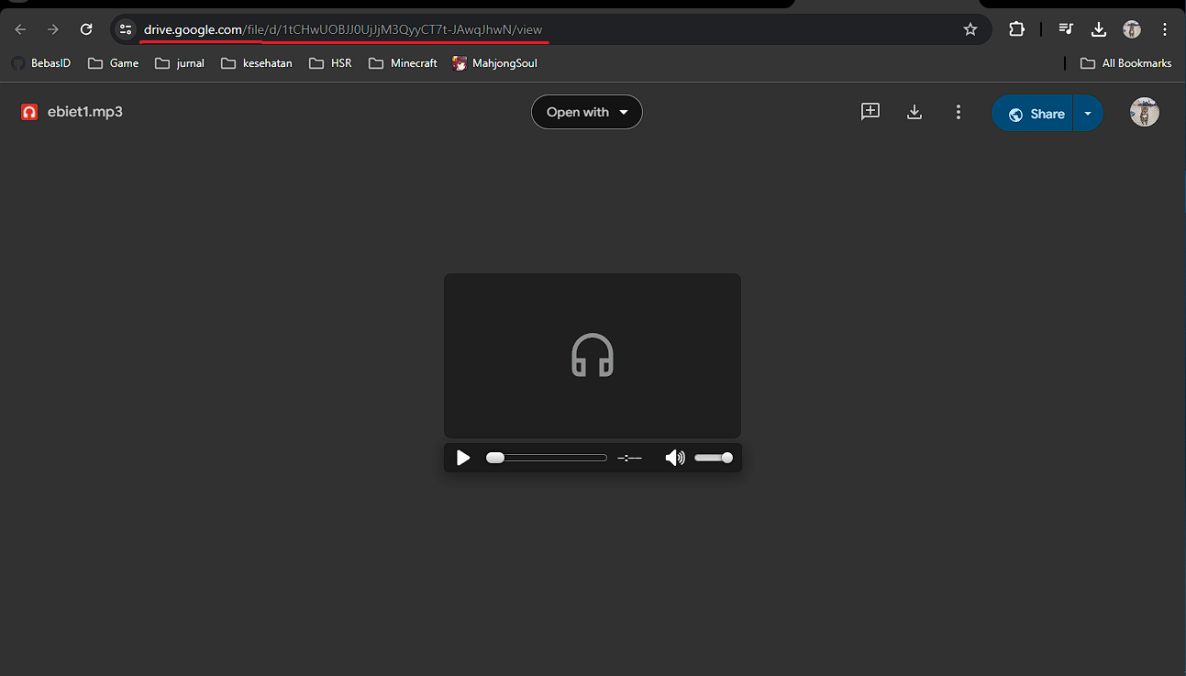
5. Open the in-game GUI, and fill in the details below:"
- Enter the song url: Paste the link here
- Enter the song name: Input the song name
- Time (s): the duration of the song in seconds
6. In the event where the song cannot be played, you will need to convert your link using the template below:
https://drive.usercontent.google.com/download?id={your ID}&export=download&authuser=0
delete {your ID} and paste Gdrive id example link
1tCHwUOBJJ0UjJjM3QyyCT7t-JAwqJhwN

Plan B: YouTube
- find you music youtube url link, I gave you some example :
https://www.youtube.com/watch?v=UqP8rZu6xLM
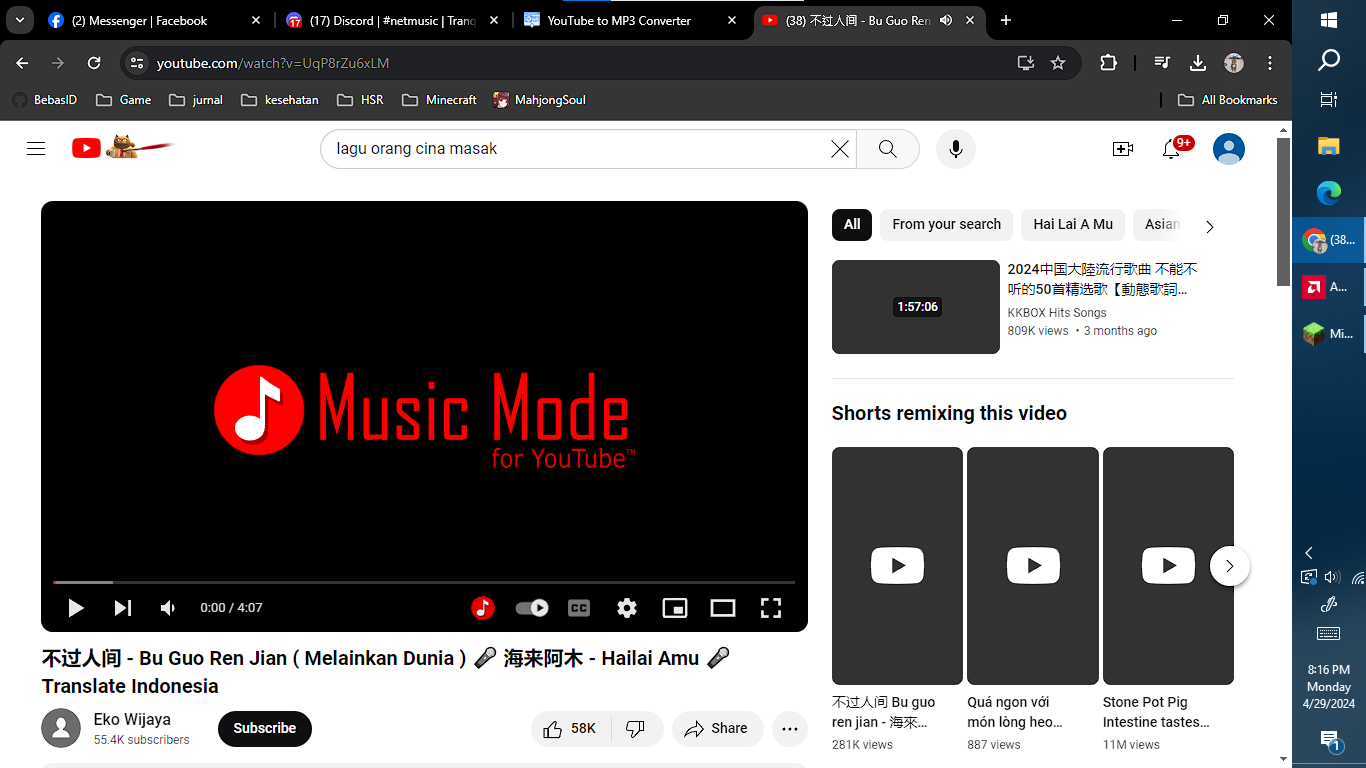
2. now paste your link at yt2mp3 converter: https://mp3-convert.org/youtube-to-mp3-converterss/
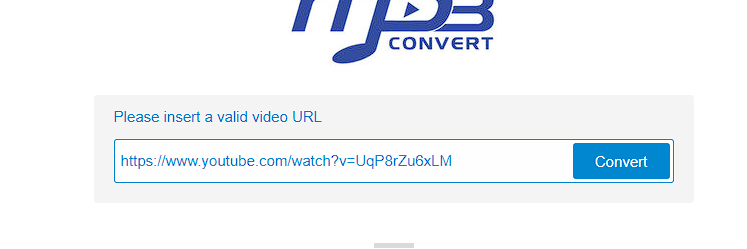
3. convert and you got 2 section download and convert next.
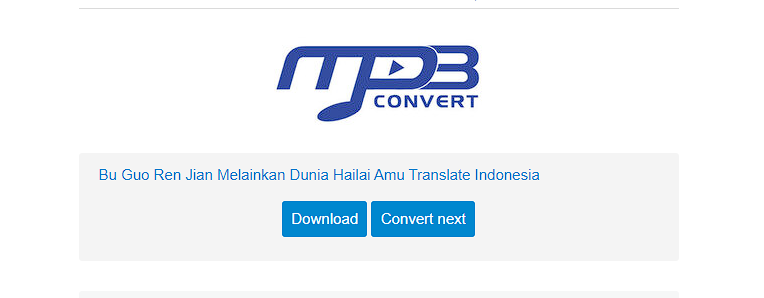
4. Right klik download section and copy link address
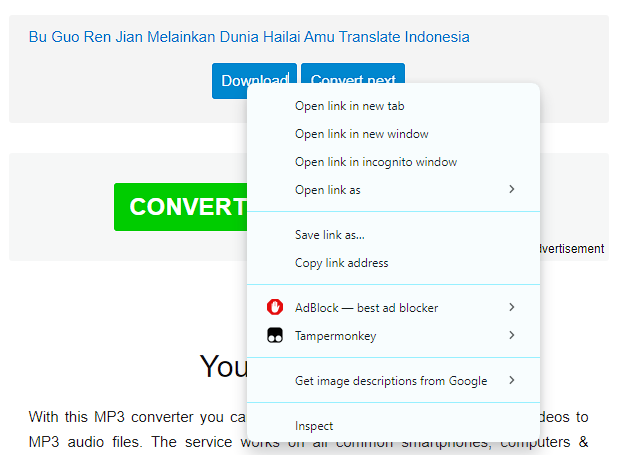
5. input at song url in game, dont forget to input song time

Thanks to Kucing, luckyu19 for the help
Screenshots
Gallery
Versions
Files
Relations
Project Relations
More like this
Similar Mods
Suggestions use data such as tags, dependencies, dependents, descriptions, titles, and more to rank how much they overlap with this mod.
On ModDex
Community snapshot
By the numbers
Statistics
 (opens in a new tab)
Get it on
Available Platforms
On ModDex
Community snapshot
By the numbers