
Community listing page, reviews here may not be monitored by the author.
Radial Teleport - ラジアル・テレポート(緒方 水輝@Vtuber)


No reviews yet
日本語の説明があります。Hold right-click for a radial teleport menu — spawn, online players, and personal waypoints. Save/edit waypoints in dedicated screens. NeoForge 26.x, no OP required.
Community voices
Reviews
No reviews yet. Be the first to review this project!
Get it on
Available Platforms
Compatibility
Supported Environments
Must be installed on both the client and the server.
About
Project Details
For authors
Embed Badge
If you're the author of this project, you can embed a live badge anywhere that supports HTML or Markdown. It updates automatically whenever ratings change.
Use HTML for any page that supports it, or Markdown for README files and Markdown-based descriptions.
Identifiers
Platform IDs
About
Description
Radial Teleport
Teleport Compass with a radial menu for NeoForge 26.x.
Features
- Hold right-click to open the radial UI — world spawn, online players, personal waypoints
- Waypoint save / edit screens — modifier key + right-click to save; center hub click to edit
- Configurable teleport cooldown, waypoint limit, and crafting recipe toggle
- No operator permissions required for normal use
- Safe landing — searches nearby blocks for standing room when the exact destination is blocked
Optional integrations
| Mod | Effect |
|---|---|
| Nickname | Player slices show nicknames |
| Guide Lib | In-game manual and Codex entry |
Notes
- Waypoints store exact coordinates; if terrain changes, teleport may shift to the nearest safe spot within a few blocks
- Recommended with Nickname for readable player labels on the radial menu
Credits
This mod was developed with partial assistance from AI (Claude, Gemini, etc.) to improve development efficiency and optimize code. All game balance decisions and playtesting were performed manually by the developer. If you encounter any unexpected issues, please report them via GitHub Issues.
ラジアルテレポート
NeoForge 26.x 用のラジアルメニュー付きテレポートコンパス。
機能
- 右クリックを長押ししてラジアル UI を開く — ワールドスポーン、オンラインプレイヤー、個人ウェイポイント
- ウェイポイントの保存/編集画面 — 修飾キー + 右クリックで保存、中央のハブをクリックして編集
- テレポートのクールダウン、ウェイポイントの上限、クラフトレシピのオン/オフを切り替え可能
- 通常の使用にはオペレーター権限(権管理限)は不要
- 安全な着地 — 正確な目的地が塞がれている場合、周囲のブロックから立ち位置を確保
オプションの連携機能
| MOD | 効果 |
|---|---|
| Nickname | プレイヤーのスライスにニックネームを表示 |
| Guide Lib | ゲーム内マニュアルおよびコーデックス項目 |
注意事項
- ウェイポイントは正確な座標を保存します。地形が変化した場合、テレポート先は数ブロック以内の最も近い安全な場所へずれることがあります
- ラジアルメニュー上でプレイヤーラベルを読みやすくするため、Nicknameとの併用を推奨します
クレジット
本MODは、開発効率の向上とコードの最適化を目的として、AI(Claude、Geminiなど)による一部支援を受けて開発されました。ゲームバランスの決定およびプレイテストはすべて、開発者によって手動で行われました。予期せぬ問題が発生した場合は、GitHub Issues を通じて報告してください。
Radial Teleport
Teleport Compass with a radial menu for NeoForge 26.x.
Features
- Hold right-click to open the radial UI — world spawn, online players, personal waypoints
- Waypoint save / edit screens — modifier key + right-click to save; center hub click to edit
- Configurable teleport cooldown, waypoint limit, and crafting recipe toggle
- No operator permissions required for normal use
- Safe landing — searches nearby blocks for standing room when the exact destination is blocked
Optional integrations
| Mod | Effect |
|---|---|
| Nickname | Player slices show nicknames |
| Guide Lib | In-game manual and Codex entry |
Notes
- Waypoints store exact coordinates; if terrain changes, teleport may shift to the nearest safe spot within a few blocks
- Recommended with Nickname for readable player labels on the radial menu
Credits
This mod was developed with partial assistance from AI (Claude, Gemini, etc.) to improve development efficiency and optimize code. All game balance decisions and playtesting were performed manually by the developer. If you encounter any unexpected issues, please report them via GitHub Issues.
ラジアルテレポート
NeoForge 26.x 用のラジアルメニュー付きテレポートコンパス。
機能
- 右クリックを長押ししてラジアル UI を開く — ワールドスポーン、オンラインプレイヤー、個人ウェイポイント
- ウェイポイントの保存/編集画面 — 修飾キー + 右クリックで保存、中央のハブをクリックして編集
- テレポートのクールダウン、ウェイポイントの上限、クラフトレシピのオン/オフを切り替え可能
- 通常の使用には**オペレーター権限(権管理限)**は不要
- 安全な着地 — 正確な目的地が塞がれている場合、周囲のブロックから立ち位置を確保
オプションの連携機能
| MOD | 効果 |
|---|---|
| Nickname | プレイヤーのスライスにニックネームを表示 |
| Guide Lib | ゲーム内マニュアルおよびコーデックス項目 |
注意事項
- ウェイポイントは正確な座標を保存します。地形が変化した場合、テレポート先は数ブロック以内の最も近い安全な場所へずれることがあります
- ラジアルメニュー上でプレイヤーラベルを読みやすくするため、Nicknameとの併用を推奨します
クレジット
本MODは、開発効率の向上とコードの最適化を目的として、AI(Claude、Geminiなど)による一部支援を受けて開発されました。ゲームバランスの決定およびプレイテストはすべて、開発者によって手動で行われました。予期せぬ問題が発生した場合は、GitHub Issues を通じて報告してください。
Screenshots
Gallery
-
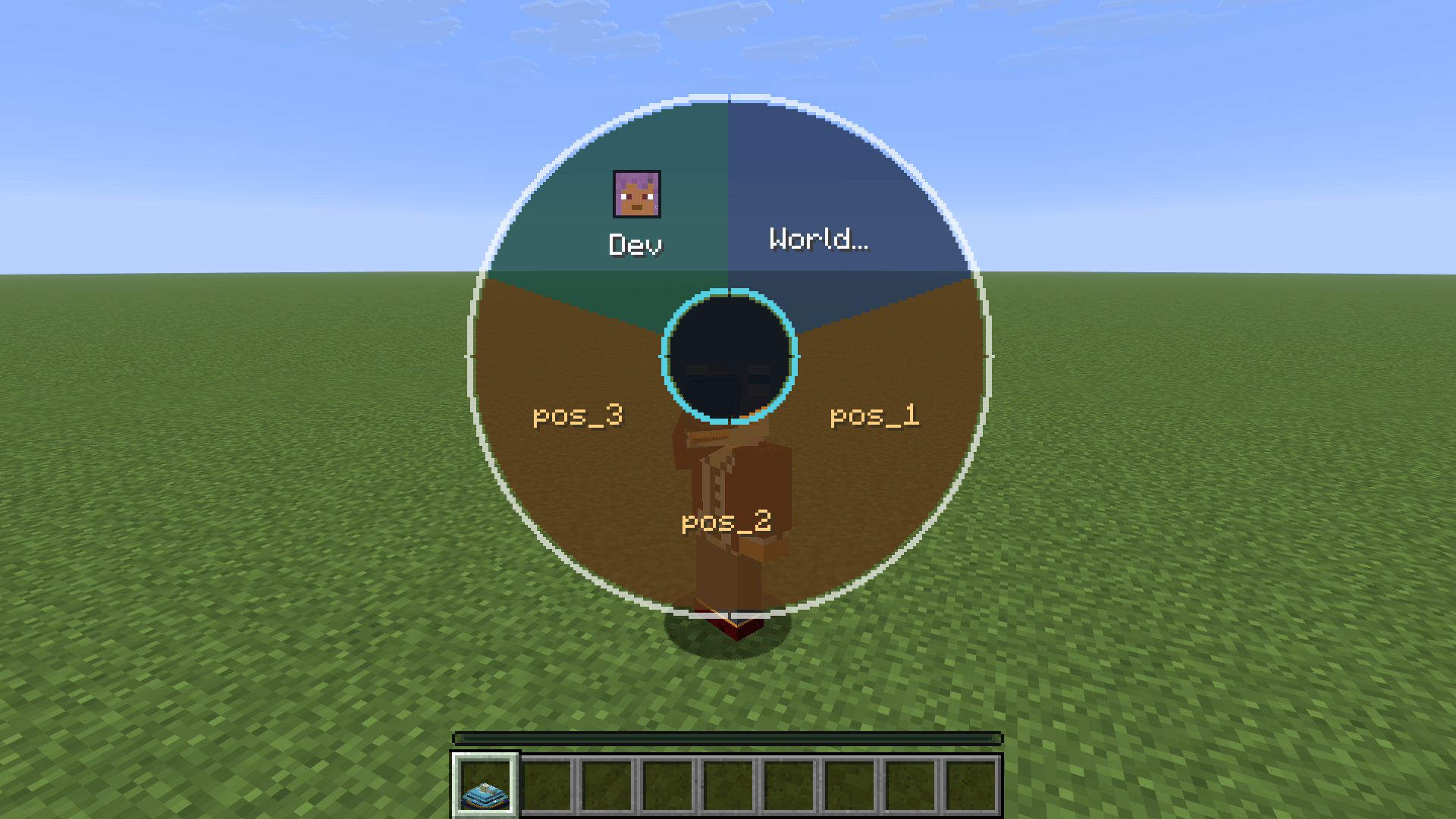 Radial menu open Radial menu open (spawn + players + waypoint slices)
 -
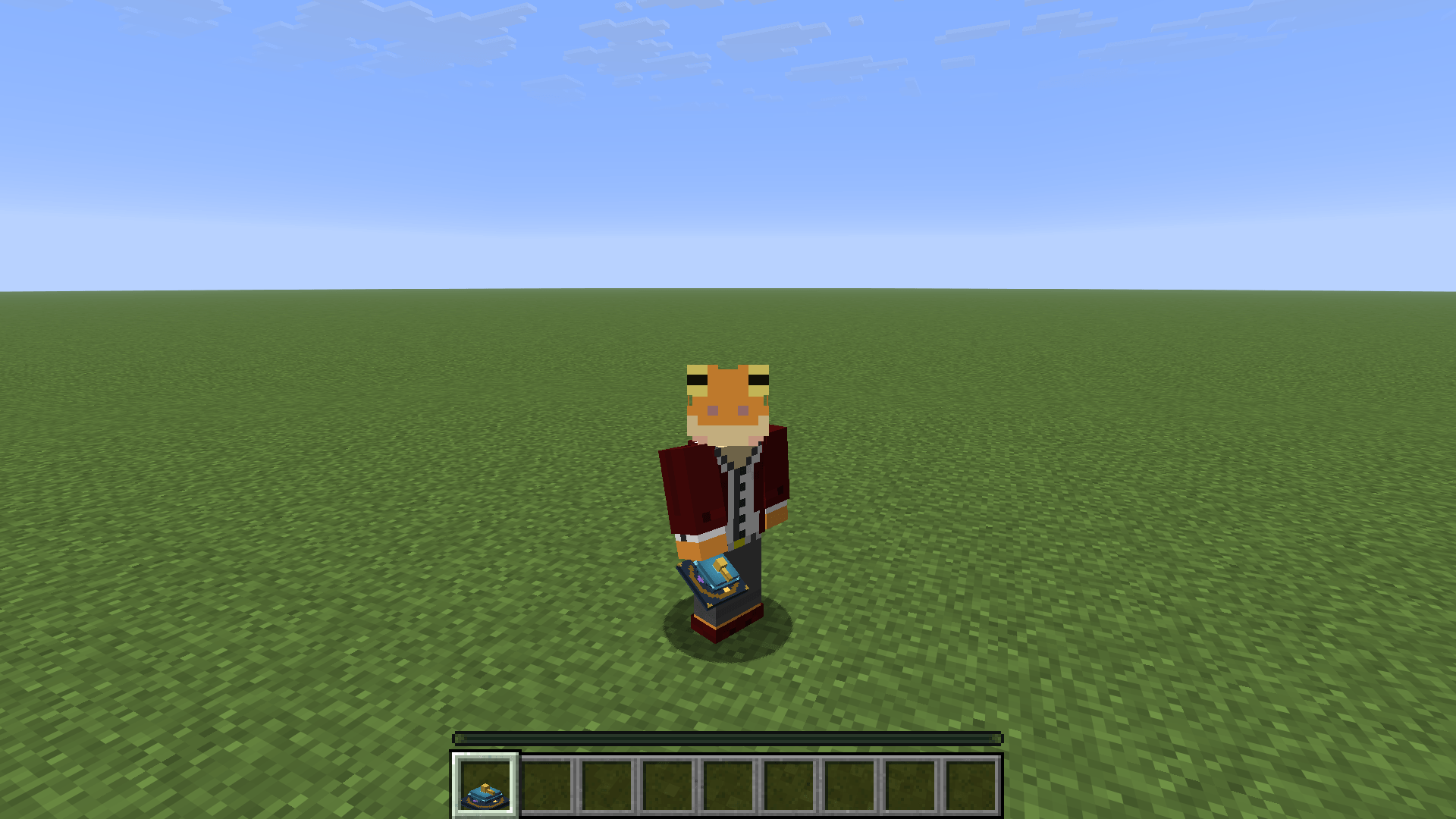 Teleport compass in hand Teleport compass in hand
 -
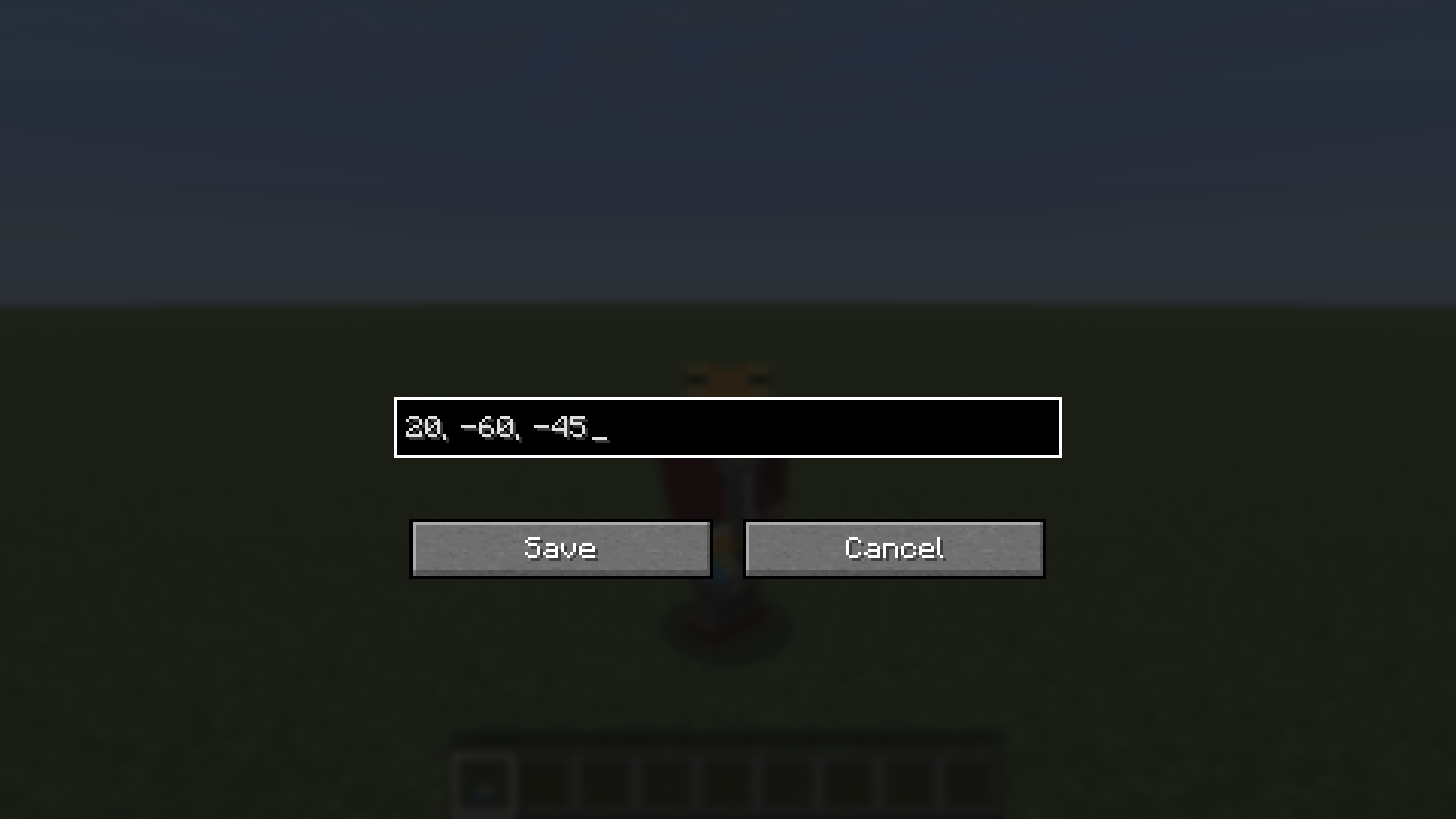 Waypoint save screen Waypoint save screen (modifier + right-click)
 -
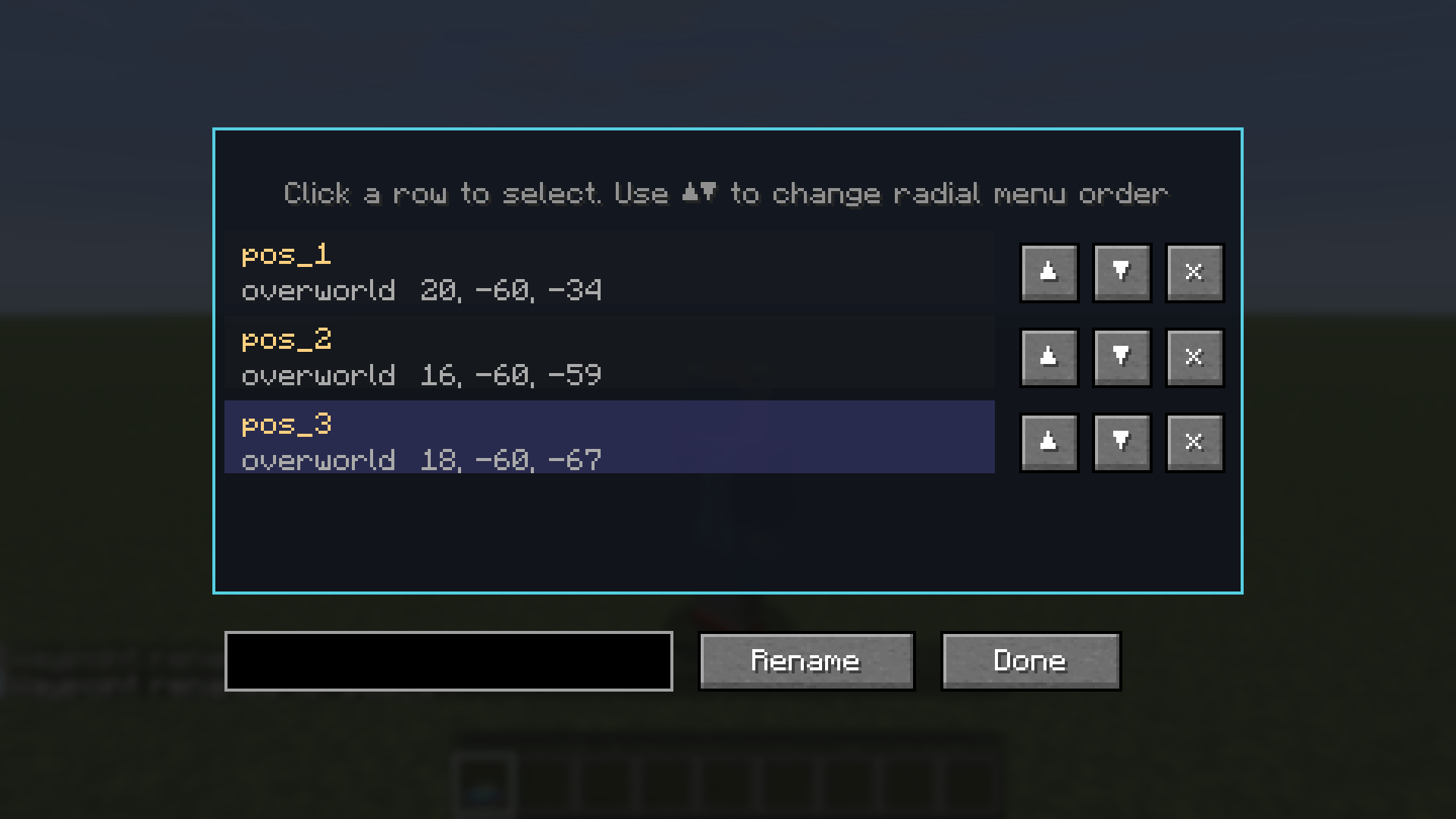 Waypoint edit screen Waypoint edit screen (center hub click)
 -
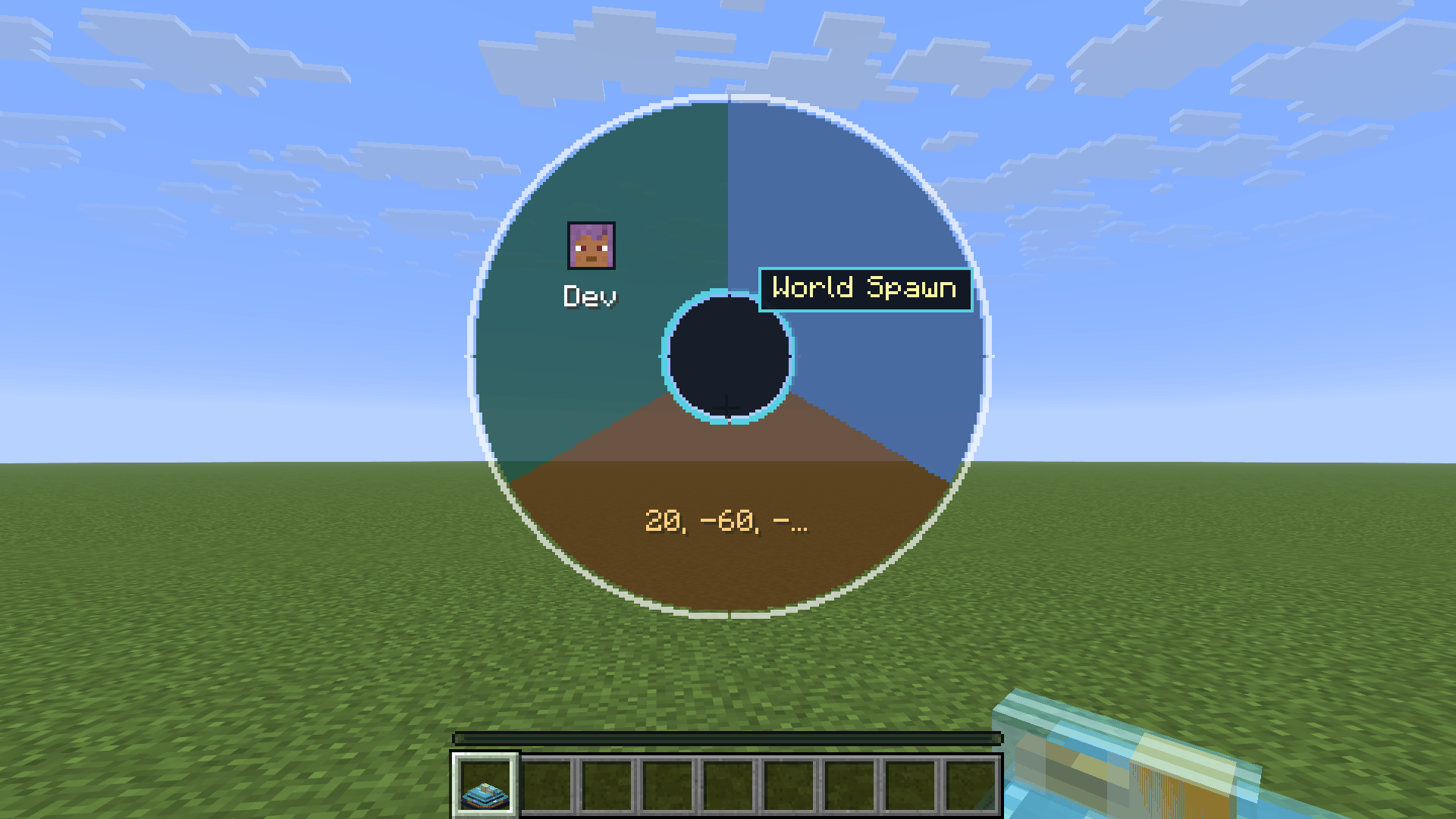 Hover tooltip showing full waypoint name Hover tooltip showing full waypoint name
 -
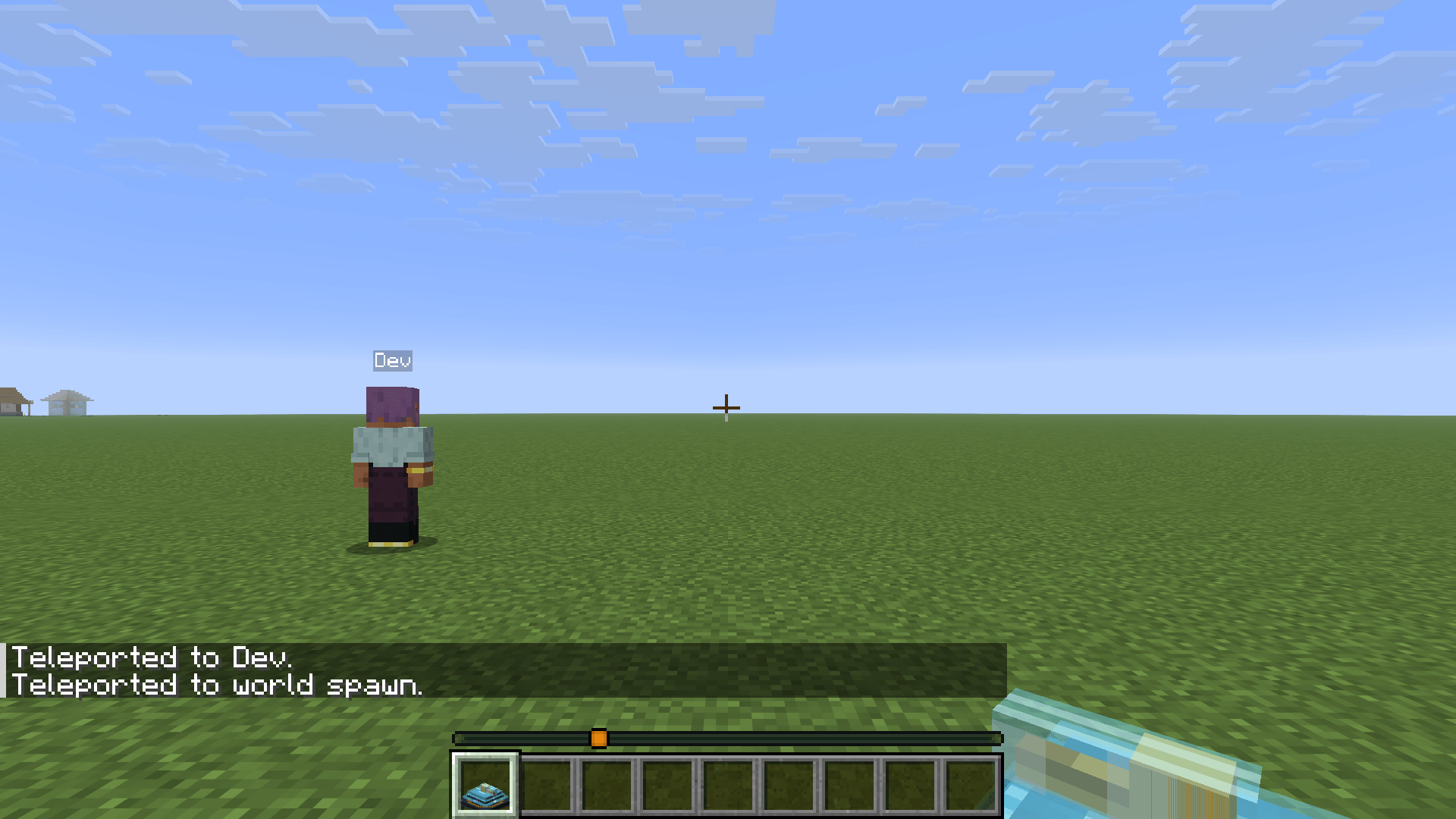 After teleport at destination After teleport at destination
-
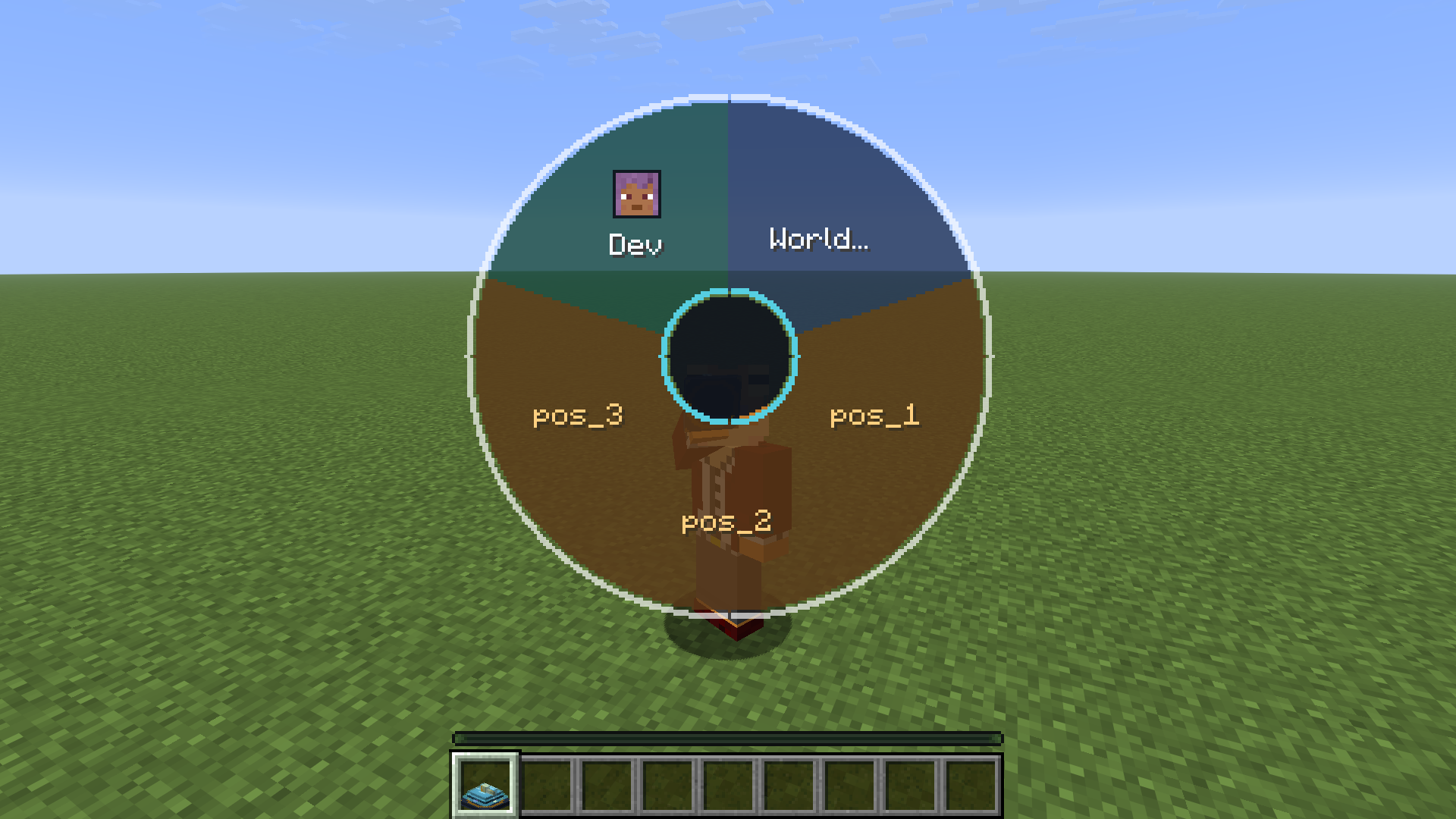 Radial menu open Radial menu open (spawn + players + waypoint slices)
 -
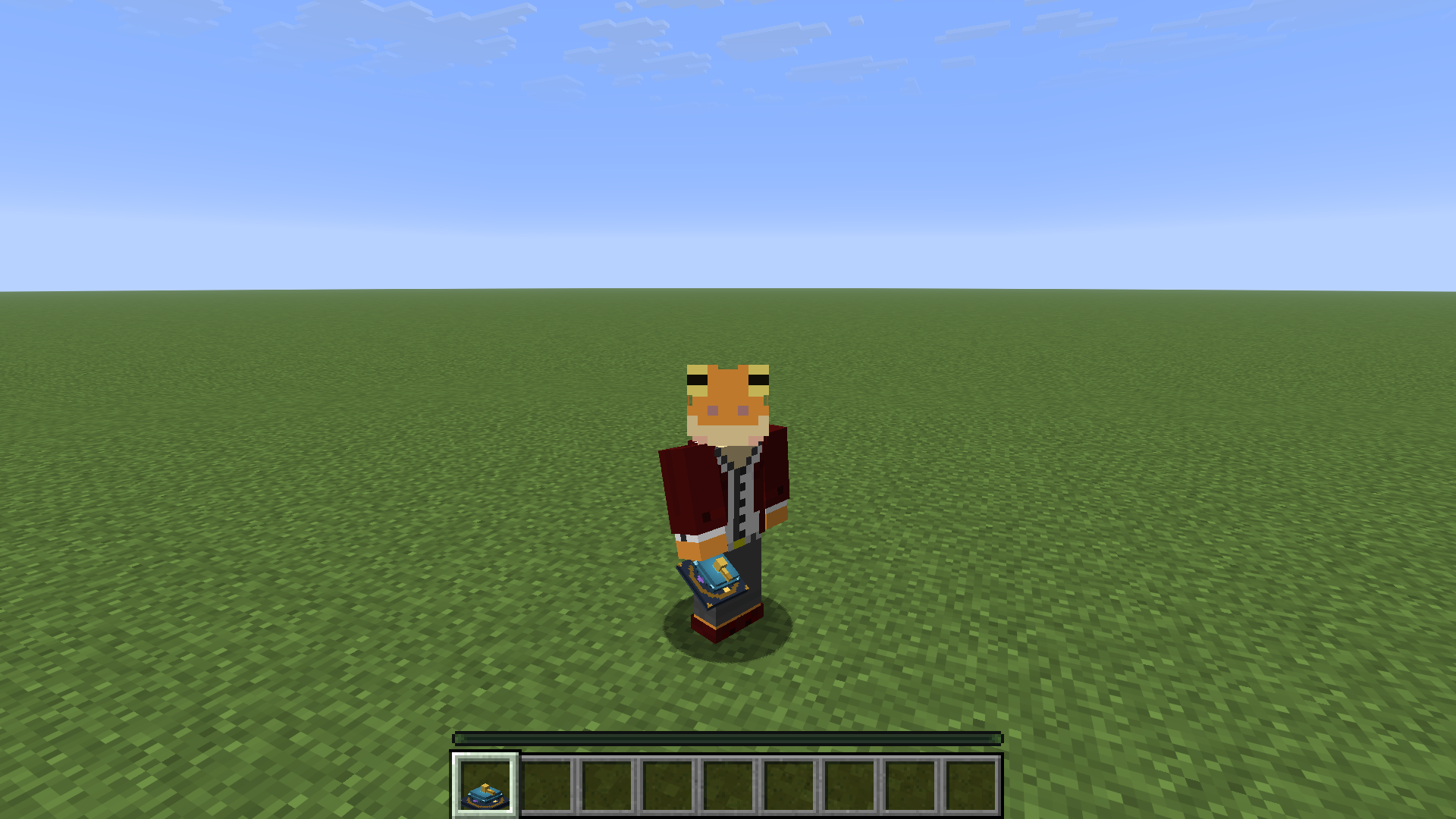 Teleport compass in hand Teleport compass in hand
 -
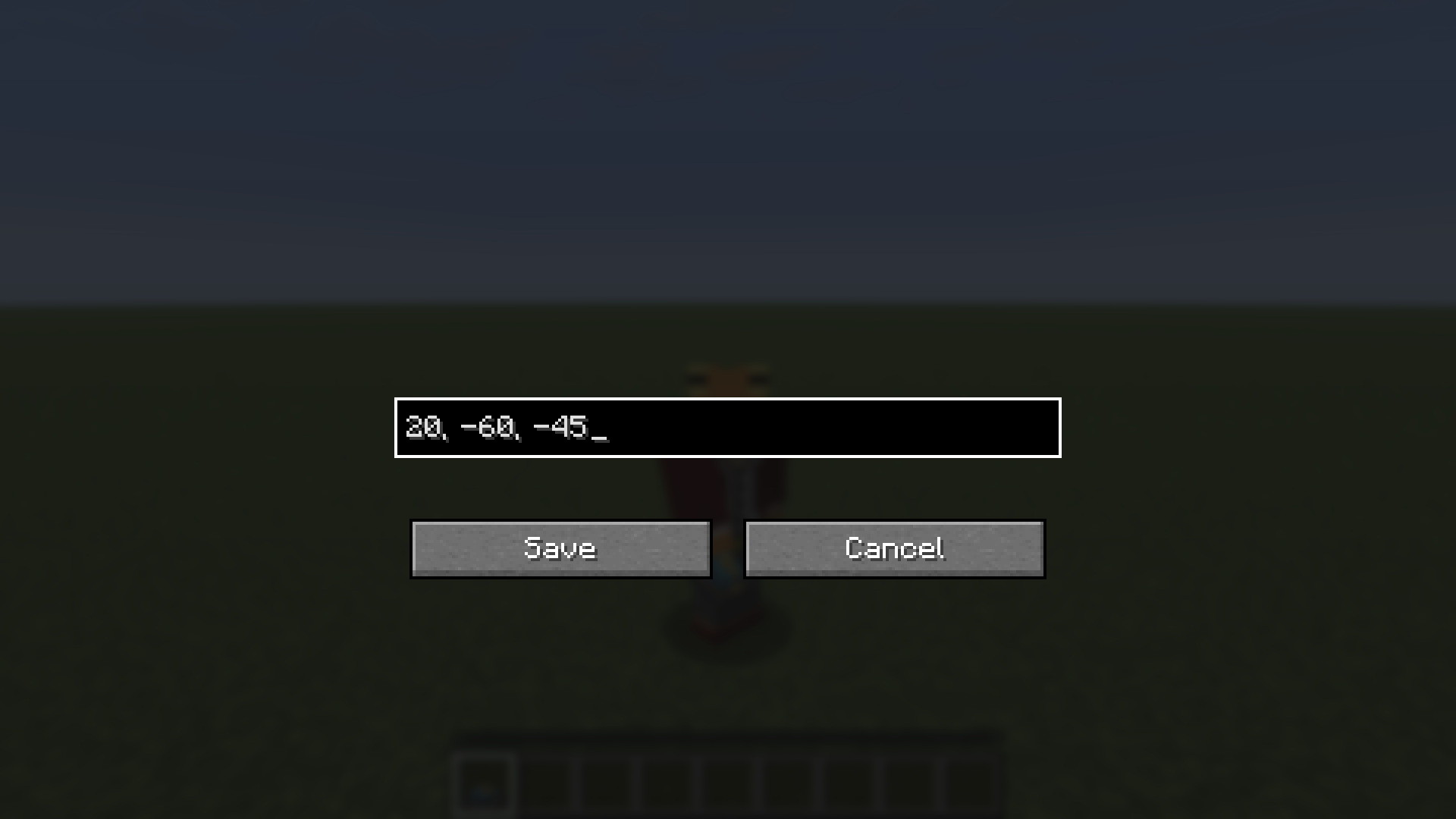 Waypoint save screen Waypoint save screen (modifier + right-click)
 -
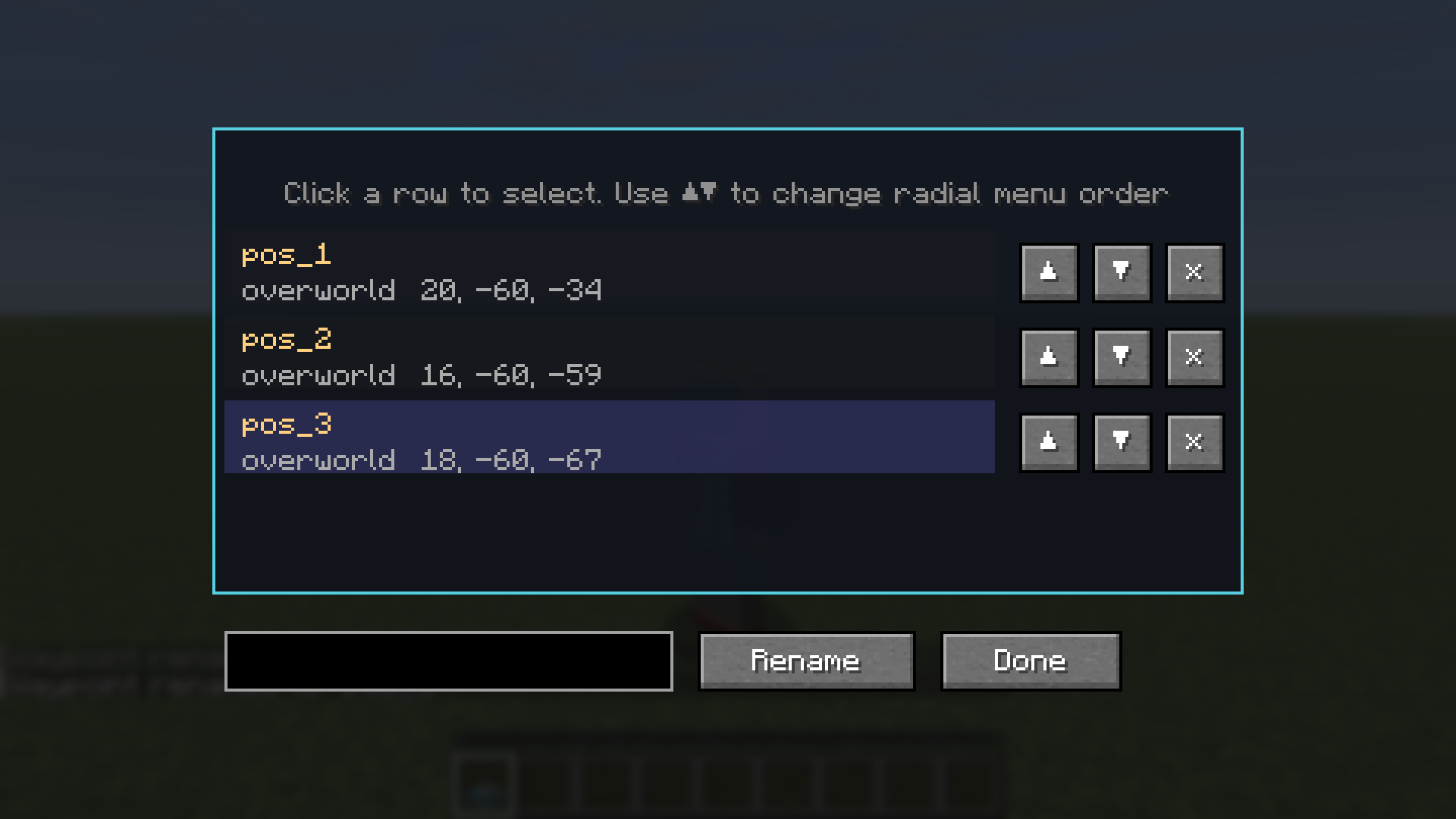 Waypoint edit screen Waypoint edit screen (center hub click)
 -
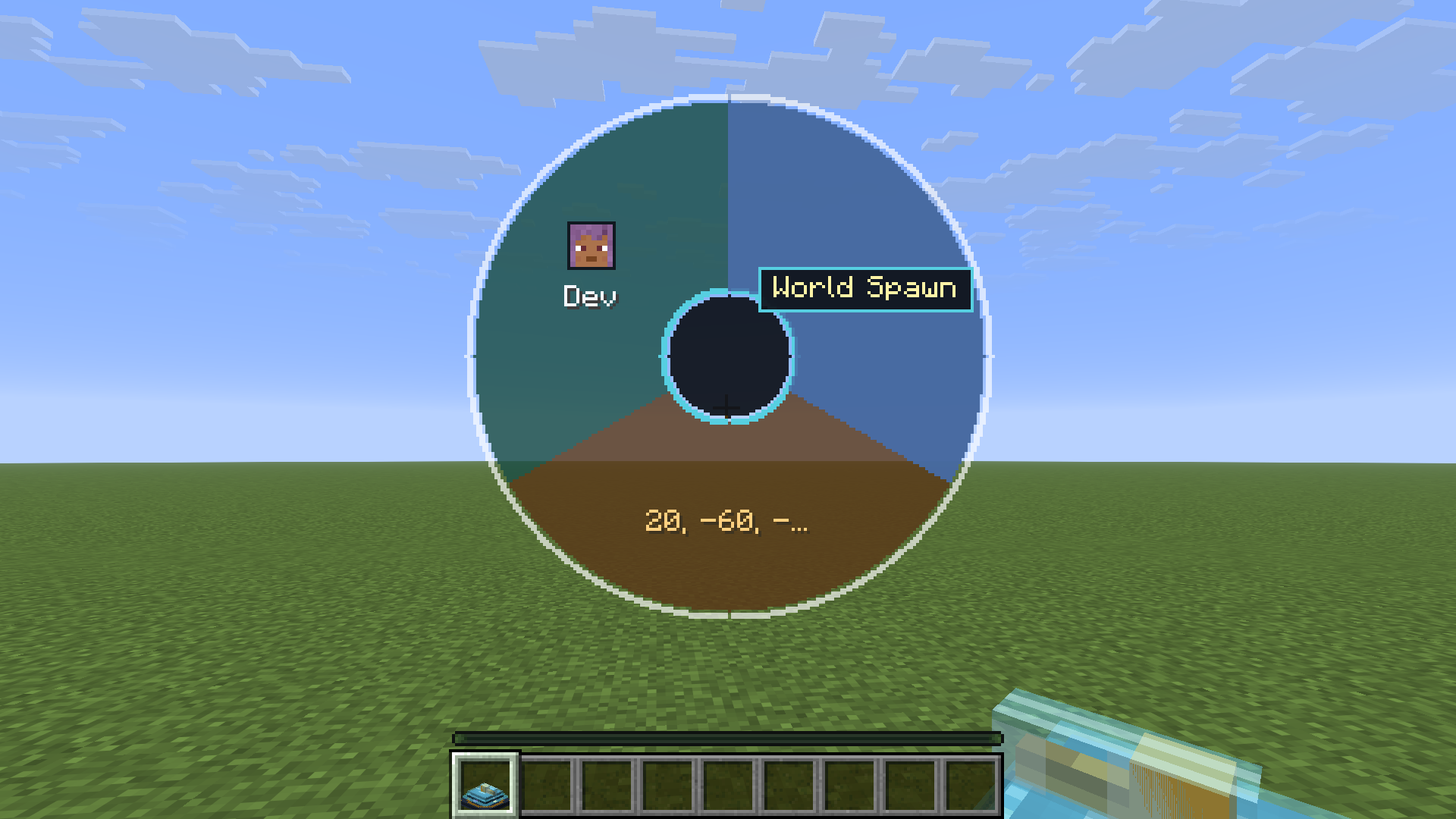 Hover tooltip showing full waypoint name Hover tooltip showing full waypoint name
 -
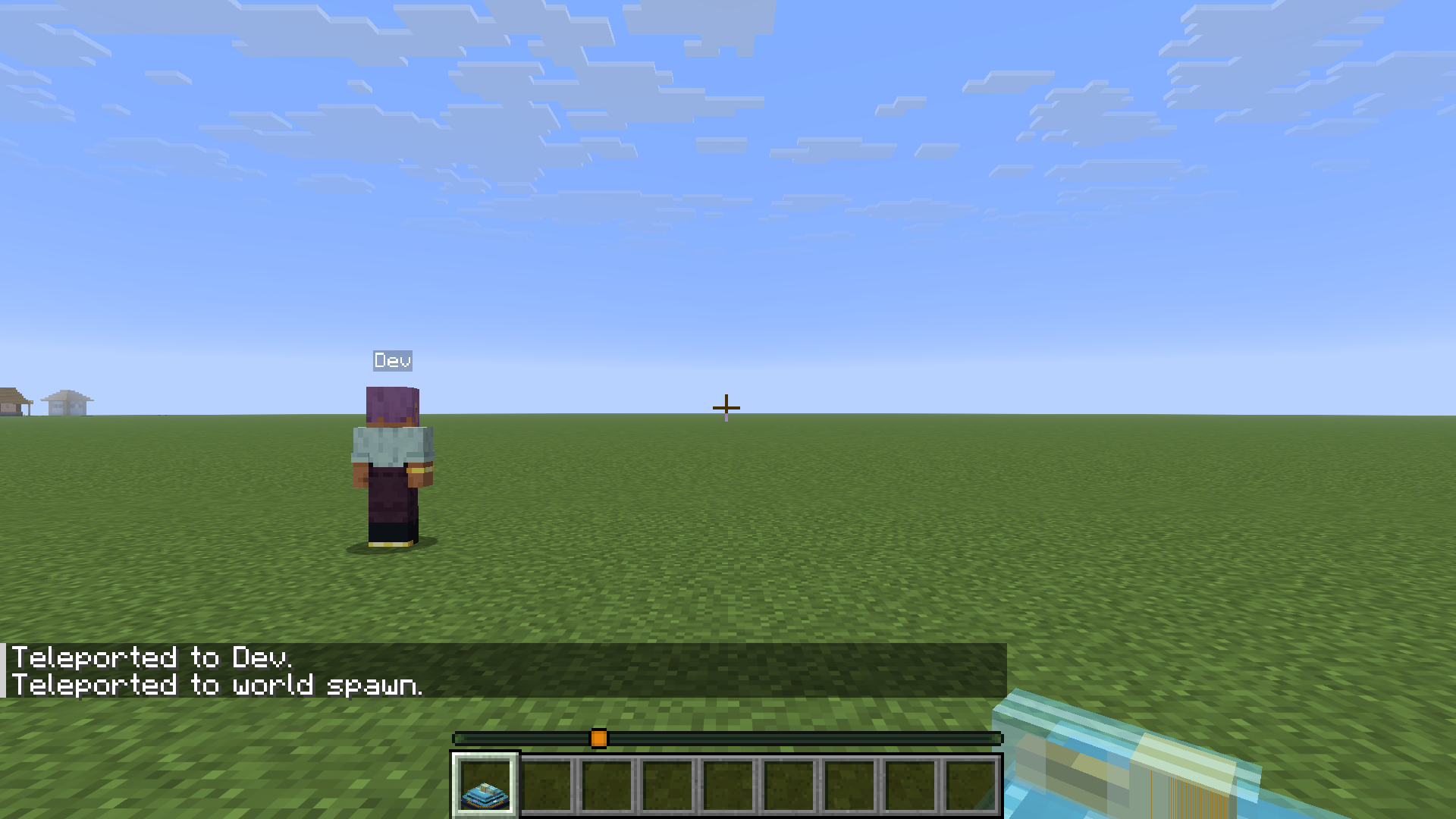 After teleport at destination After teleport at destination
Versions
Files
Relations
Project Relations
More like this
Similar Mods
Suggestions use data such as tags, dependencies, dependents, descriptions, titles, and more to rank how much they overlap with this mod.
On ModDex
Community snapshot
By the numbers
Statistics
Want to reach Minecraft players?
We're looking for a server hosting partner to feature here and other parts of the site. Interested? Send us a message!
Get in touchGet it on
Available Platforms
On ModDex
Community snapshot
By the numbers