
Community listing page, reviews here may not be monitored by the author.
Orbit

No reviews yet
Command / Keybind Macro Wheel

Community voices
Reviews
No reviews yet. Be the first to review this project!
Get it on
Available Platforms
Compatibility
Supported Environments
Runs entirely on the client. Works on vanilla servers.
About
Project Details
For authors
Embed Badge
If you're the author of this project, you can embed a live badge anywhere that supports HTML or Markdown. It updates automatically whenever ratings change.
Use HTML for any page that supports it, or Markdown for README files and Markdown-based descriptions.
Identifiers
Platform IDs
About
Description
Orbit


Information
A honestly quite incredible mod allowing you to bind keys and or commands to a singular keybind, opening orbital menu to hover and seamlessly trigger the option you have set. The amount of Buttons is configurable through modmenu. (It is recommended to have at least 3 buttons and no more than 16)
Usage
To open the Menu, press the Default keybind of Y. You can change this in the Controls Menu.
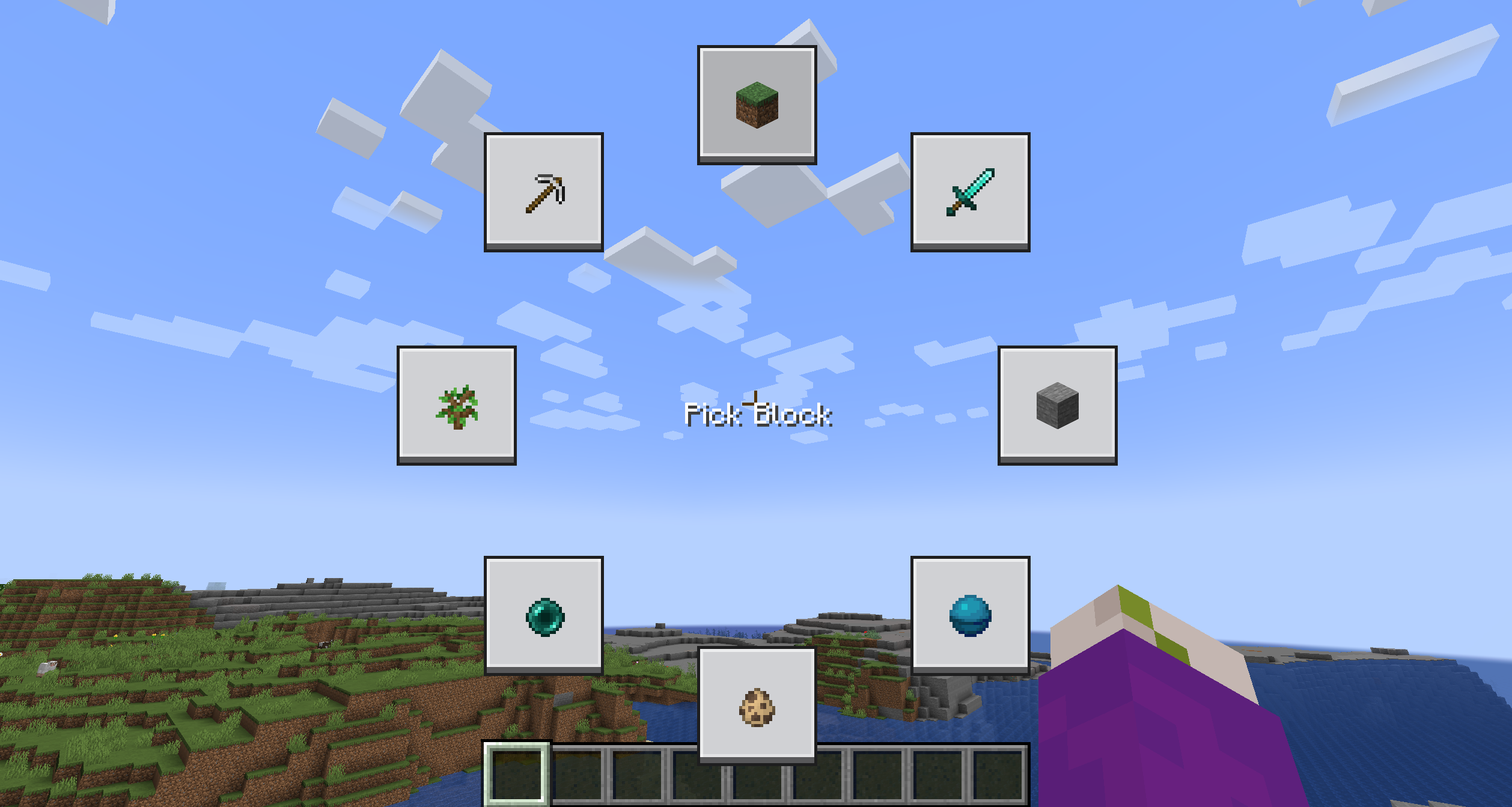 The Menu is going to be quite empty, to edit a button, simply shift click it while holding the menu open.
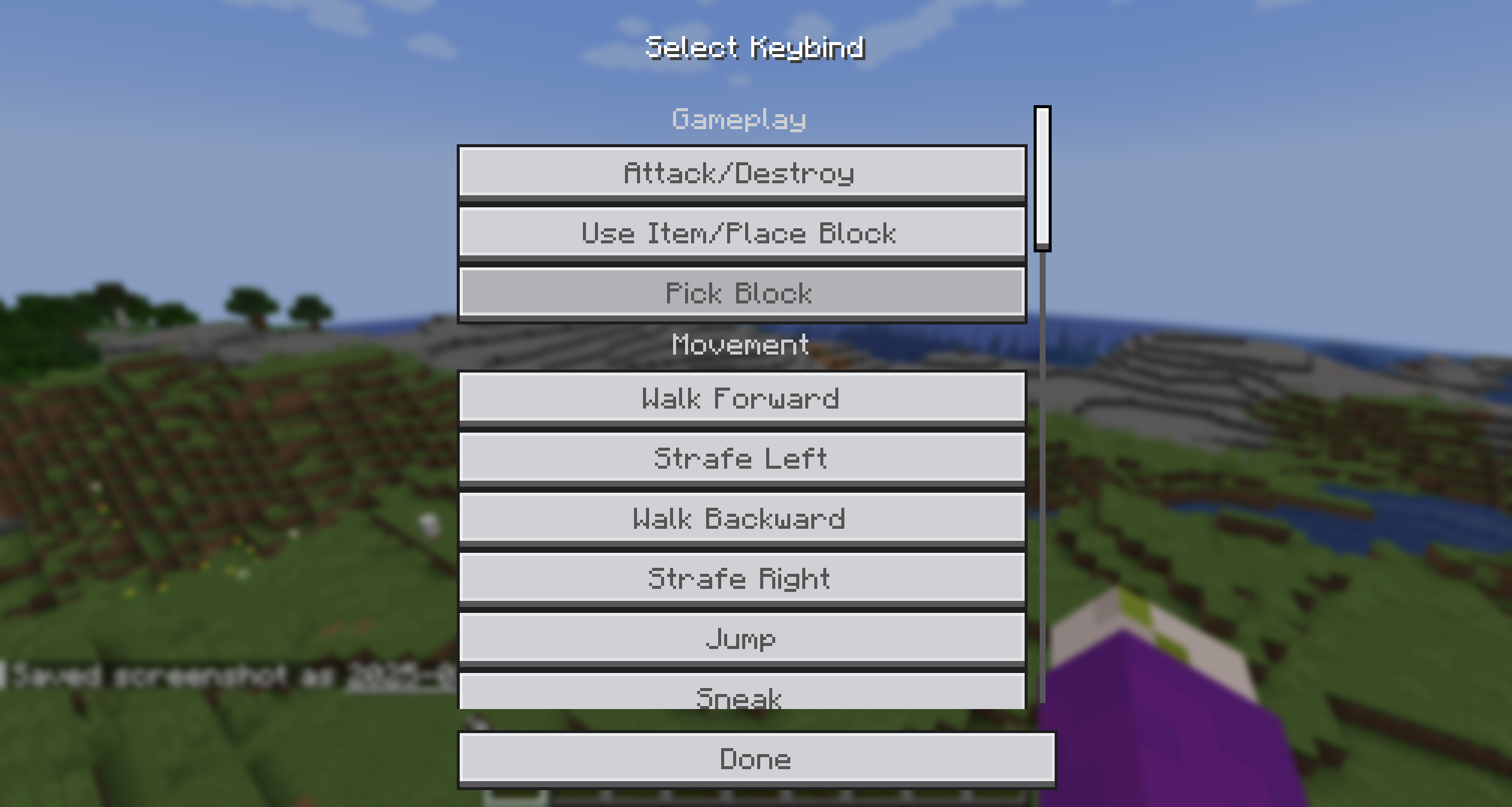
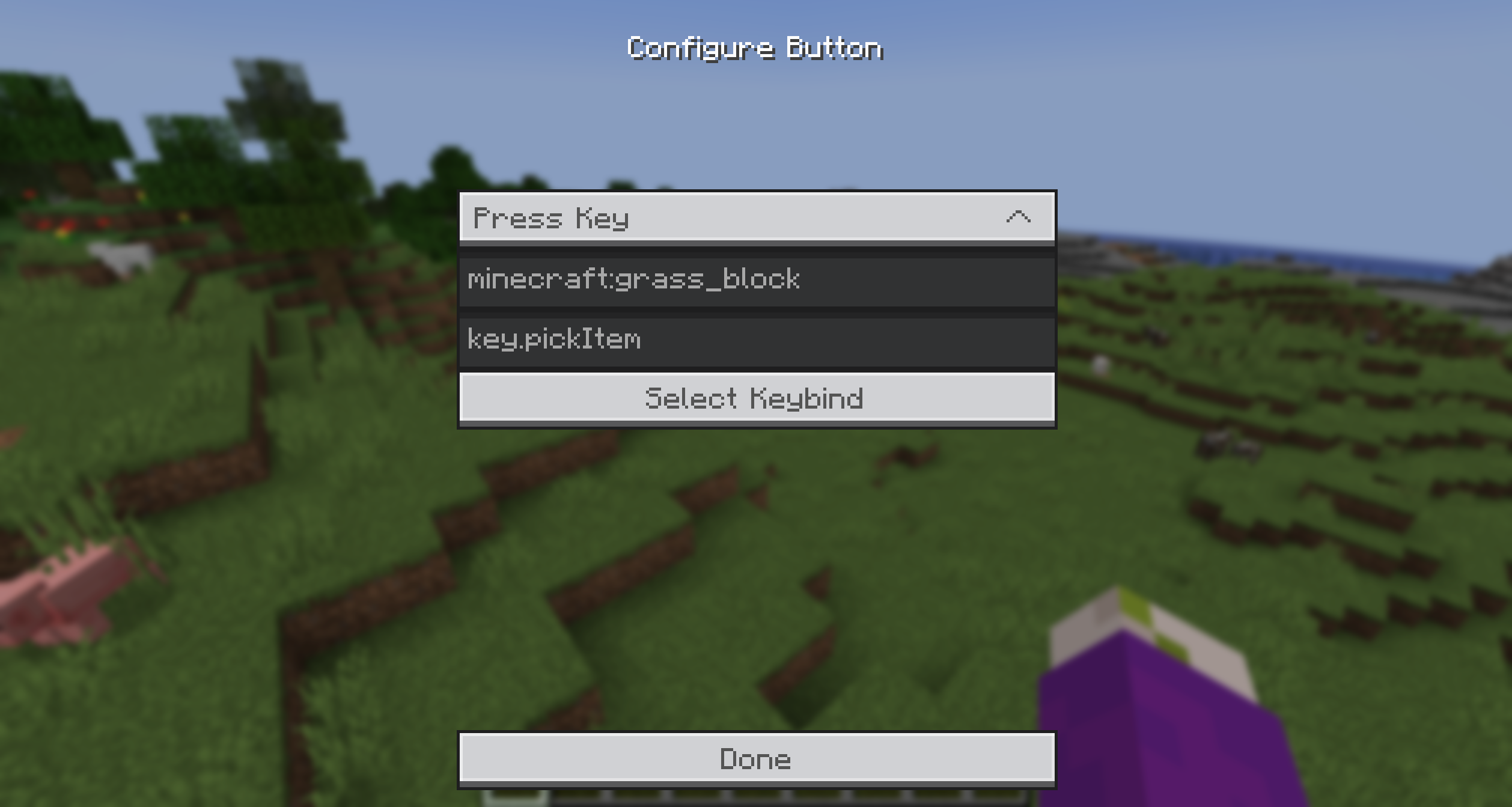 You can select from the provided Actions and enter a command/keybind. To make it easier to get the keybind ID, you can simply click the Keybind Selection Button and pick one from the dynamic List.
 Additionally, you can add an item icon to the button by typing the item ID in the Item ID field.
Then simply, press the key, hover over the option you want to trigger and release the key! It's that simple!
Bisect Partnership

Community
For any questions or support you can join my discord by clicking the button below!

Screenshots
Gallery
-
Orbit Wheel The Customizable and MATHEMATICAL wheel!
-
Button Configuration Button Configuration Screen
-
Keybind Selection Helper Menu to select a Keybind
Versions
Files
Relations
Project Relations
More like this
Similar Mods
Suggestions use data such as tags, dependencies, dependents, descriptions, titles, and more to rank how much they overlap with this mod.
On ModDex
Community snapshot
By the numbers
Statistics

 (opens in a new tab)
Get it on
Available Platforms
On ModDex
Community snapshot
By the numbers