
Community listing page, reviews here may not be monitored by the author.
Player Ping

No reviews yet
Lets you ping other players to get their latency on the server
Community voices
Reviews
No reviews yet. Be the first to review this project!
Get it on
Available Platforms
About
Project Details
For authors
Embed Badge
If you're the author of this project, you can embed a live badge anywhere that supports HTML or Markdown. It updates automatically whenever ratings change.
Use HTML for any page that supports it, or Markdown for README files and Markdown-based descriptions.
Identifiers
Platform IDs
About
Description
📊 PingPlayer
🚀 A lightweight ping and IP management plugin for Minecraft servers
✨ Features
- 🔍 Check Player Ping - View your own or other players' latency with
/ping [player] - 🌐 IP Lookup - Easily access player IP addresses with
/ip <player> - 📋 Tablist Integration - See ping values directly in the tab list with color coding
- ⚙️ Fully Configurable - Customize ping thresholds to suit your server
- 🎯 Permissions Based - Control which players have access to each feature
- 🚦 Visual Indicators - Color-coded ping display makes it easy to identify connection quality
📝 Commands
| Command | Description |
|---|---|
📊 /ping |
Check your own ping |
📊 /ping <player> |
Check another player's ping |
🌐 /ip <player> |
View a player's IP address |
⚙️ /pingplayer reload |
Reload the plugin configuration |
❓ /pingplayer help |
Display admin command help |
🛡️ Permissions
pingplayer.ping- Use the ping commandpingplayer.ip- View player IP addressespingplayer.settings- Access admin commandspingplayer.viewping- View ping on tablist
🎨 Ping Quality Indicators
PingPlayer automatically color-codes ping values for easy recognition:
- 🟢 Green — Excellent connection (0–50 ms)
- 🟡 Yellow — Good connection (51–100 ms)
- 🟠 Gold — Fair connection (101–200 ms)
- 🔴 Red — Poor connection (201–300 ms)
- 🟣 Dark Red — Terrible connection (301 ms and above)
All thresholds are fully customizable in the config.yml!
💻 Installation
- Download the PingPlayer.jar
- Drop it into your server's
/pluginsfolder - Restart your server
- Enjoy! 🎉
⚙️ Configuration
Simple, straightforward configuration with sensible defaults:
ping-thresholds:
  excellent: 50   # Green
  good: 100       # Yellow
  medium: 200     # Gold
  bad: 300        # Red
  # Anything higher = Dark Red
🔄 Compatibility
✅ Compatible with Paper servers and forks of it
✅ Works with Minecraft 1.21+
✅ Supports Folia
🤝 Support & Contributions
Having issues or want to contribute? Check out our GitHub repository!
📜 License
PingPlayer is available under the MIT License.
Screenshots
Gallery
-
 Running Command On a Player
 -
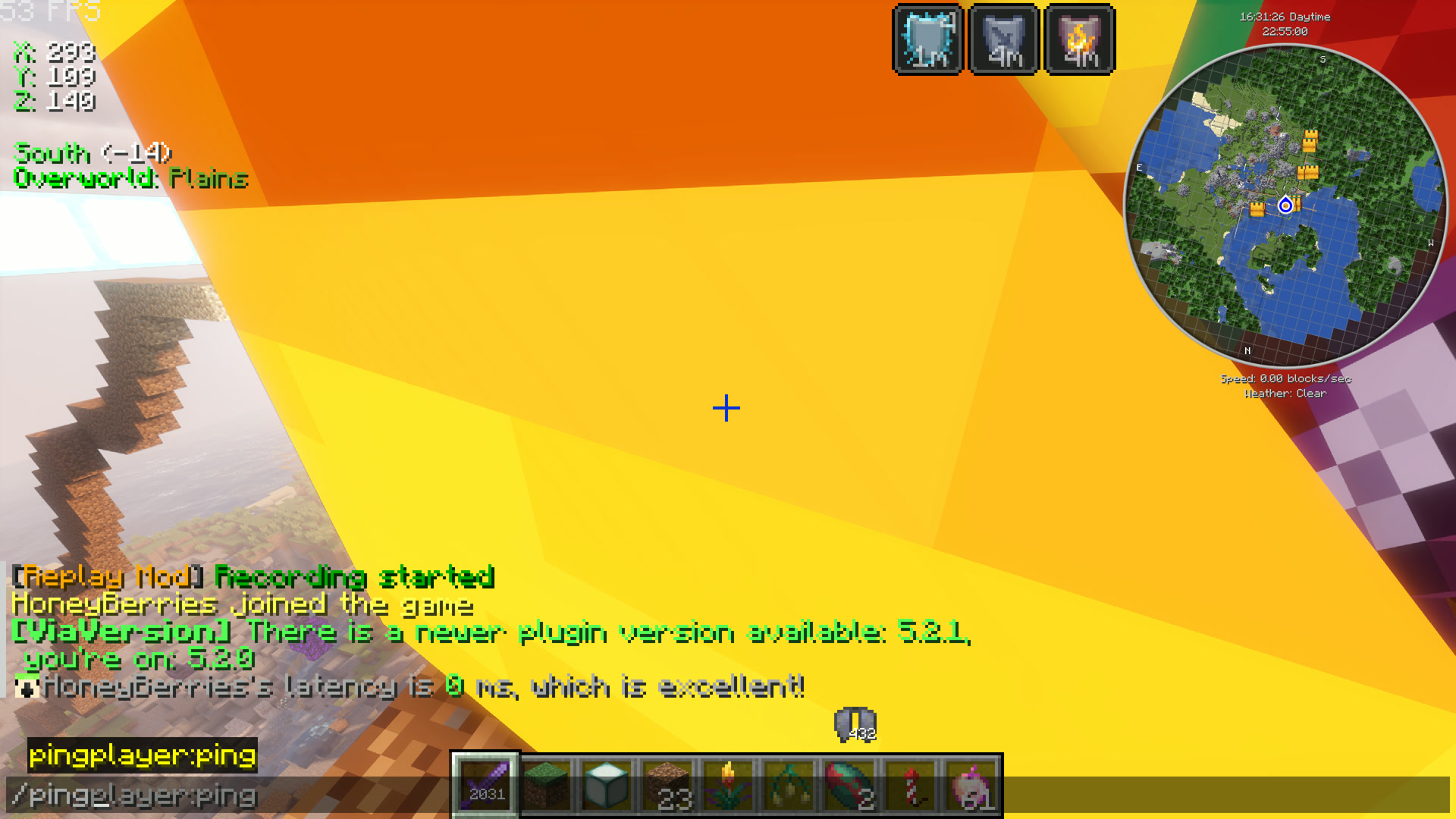 Running Command
 -
 Command Execution and Returning of Latency
Versions
Files
Relations
Project Relations
More like this
Similar Mods
Suggestions use data such as tags, dependencies, dependents, descriptions, titles, and more to rank how much they overlap with this mod.
On ModDex
Community snapshot
By the numbers
Statistics

Want to reach Minecraft players?
We're looking for a server hosting partner to feature here and other parts of the site. Interested? Send us a message!
Get in touchGet it on
Available Platforms
On ModDex
Community snapshot
By the numbers