
Community listing page, reviews here may not be monitored by the author.
Pushdozer


No reviews yet
A tool to quickly edit terrain in minecraft like a bulldozer.
Community voices
Reviews
No reviews yet. Be the first to review this project!
Get it on
Available Platforms
Compatibility
Supported Environments
Runs entirely on the client. Works on vanilla servers.
About
Project Details
For authors
Embed Badge
If you're the author of this project, you can embed a live badge anywhere that supports HTML or Markdown. It updates automatically whenever ratings change.
Use HTML for any page that supports it, or Markdown for README files and Markdown-based descriptions.
Identifiers
Platform IDs
About
Description
Pushdozer - Terrain Editing Tool

✨ Overview
Pushdozer is a powerful terrain editing mod designed specifically for Minecraft builders and creators. It makes terrain editing as simple and efficient as operating a bulldozer, providing intuitive multi-mode terrain operations, rich brush geometries, flexible elevation systems, and server-authoritative multiplayer synchronization with undo/redo functionality. Whether you're leveling mountains, digging tunnels, batch planting, or creating natural shorelines, Pushdozer makes all these tasks effortless.
🎯 Key Features
🛠️ Eight Working Modes
- Excavate Mode - Quickly clear large areas with support for layered excavation and block filtering
- Place Mode - Intelligently place surface blocks with adaptive biome support
- Smooth Mode - Intelligent terrain smoothing for handling steep edges and rough surfaces
- Surface Roughen - Add natural textures and roughness effects to terrain
- Surface Convert - Convert surface blocks to other types with multi-block mixing support
- Bone Meal - Use bone meal to promote plant growth
- Batch Plant - Intelligently plant trees, flowers, and grass with biome-adaptive support
- Shoreline Process - Create natural shorelines with support for beaches, embankments, and more
🎨 Eight Brush Geometries
- Sphere\Box\Octahedron\Cylinder\Cone\Ellipsoid\Tetrahedron\Triangular Prism
📐 Four Elevation Systems
- No Limit - Edit at any height freely, suitable for complex terrain
- Follow Player - Operation elevation follows player position
- Locked Once - Precise height control, perfect for leveling terrain
- Custom - Manually set specific heights
🖥️ Three Display Modes
- Wireframe - Display brush outlines with best performance
- Point Cloud - Show point cloud preview for intuitive visualization
- Hidden - No preview display, focus on operations
🔄 Undo/Redo System
- Support for 30-step operation history
- Real-time operation record saving
- Cooldown mechanism to prevent frequent undo/redo
⚙️ Installation:
Make sure you have:
- Installed Fabric Mod Loader (version >= 0.16.9)
- Downloaded and installed Fabric API
- Download the latest version of Pushdozer from the releases page
- Place the downloaded JAR file in your
.minecraft/modsfolder - Launch Minecraft and enjoy Pushdozer!
Pushdozer - Terrain Editing Tool
✨ Overview
Pushdozer is a powerful terrain editing mod designed specifically for Minecraft builders and creators. It makes terrain editing as simple and efficient as operating a bulldozer, providing intuitive multi-mode terrain operations, rich brush geometries, flexible elevation systems, and server-authoritative multiplayer synchronization with undo/redo functionality. Whether you're leveling mountains, digging tunnels, batch planting, or creating natural shorelines, Pushdozer makes all these tasks effortless.
🎯 Key Features
🛠️ Eight Working Modes
- Excavate Mode - Quickly clear large areas with support for layered excavation and block filtering
- Place Mode - Intelligently place surface blocks with adaptive biome support
- Smooth Mode - Intelligent terrain smoothing for handling steep edges and rough surfaces
- Surface Roughen - Add natural textures and roughness effects to terrain
- Surface Convert - Convert surface blocks to other types with multi-block mixing support
- Bone Meal - Use bone meal to promote plant growth
- Batch Plant - Intelligently plant trees, flowers, and grass with biome-adaptive support
- Shoreline Process - Create natural shorelines with support for beaches, embankments, and more
🎨 Eight Brush Geometries
- Sphere\Box\Octahedron\Cylinder\Cone\Ellipsoid\Tetrahedron\Triangular Prism
📐 Four Elevation Systems
- No Limit - Edit at any height freely, suitable for complex terrain
- Follow Player - Operation elevation follows player position
- Locked Once - Precise height control, perfect for leveling terrain
- Custom - Manually set specific heights
🖥️ Three Display Modes
- Wireframe - Display brush outlines with best performance
- Point Cloud - Show point cloud preview for intuitive visualization
- Hidden - No preview display, focus on operations
🔄 Undo/Redo System
- Support for 30-step operation history
- Real-time operation record saving
- Cooldown mechanism to prevent frequent undo/redo
⚙️ Installation:
Make sure you have:
- Installed Fabric Mod Loader (version >= 0.16.9)
- Downloaded and installed Fabric API
- Download the latest version of Pushdozer from the releases page
- Place the downloaded JAR file in your
.minecraft/modsfolder - Launch Minecraft and enjoy Pushdozer!
Screenshots
Gallery
-
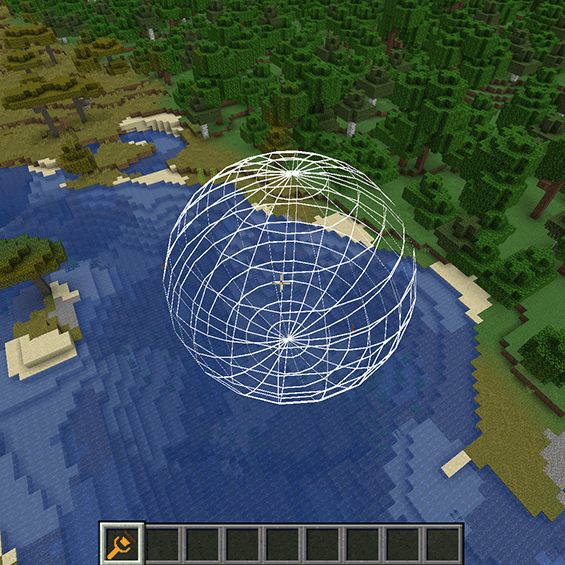 Sphere Wireframe.png Sphere Wireframe.png
 -
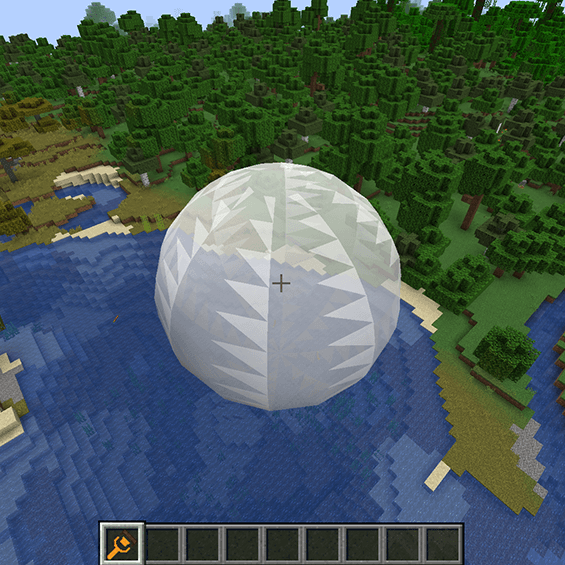 Sphere Surface.png Sphere Surface.png
 -
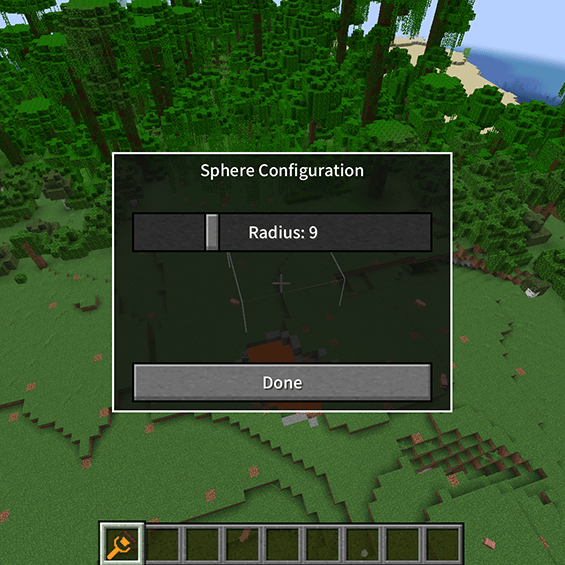 Sphere configuration.png Sphere configuration.png
 -
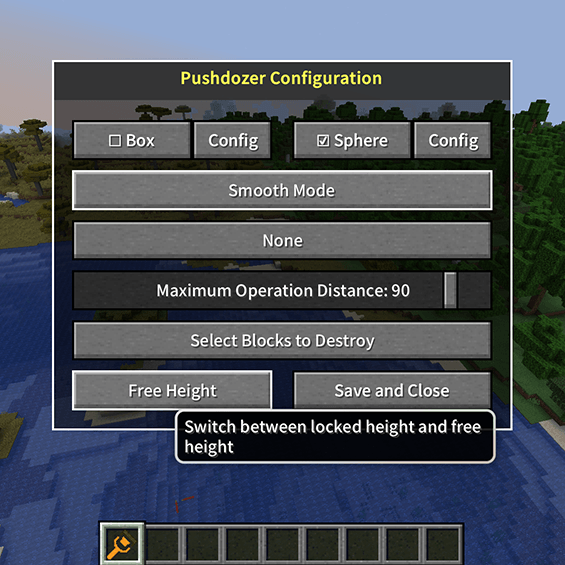 Height Locked.png Height Locked.png
 -
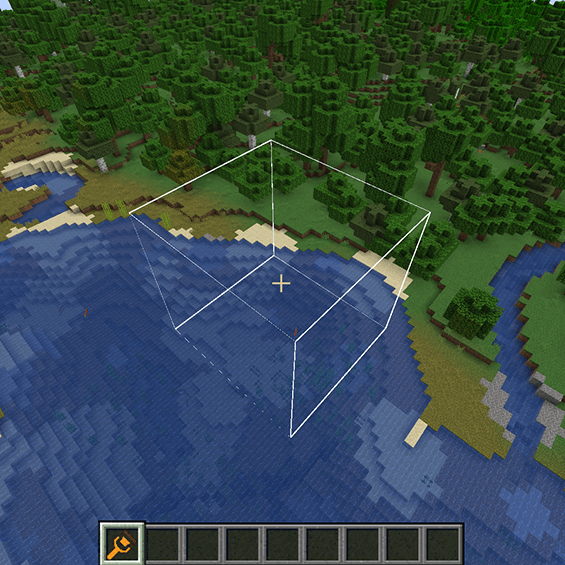 Box Wireframe.png Box Wireframe.png
 -
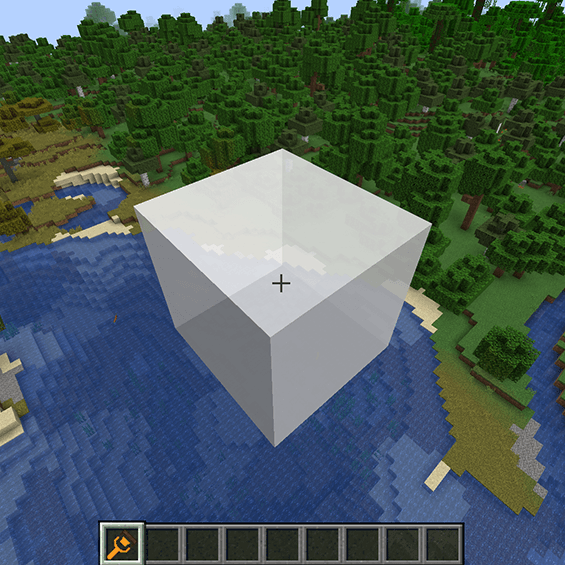 Box Surface.png Box Surface.png
 -
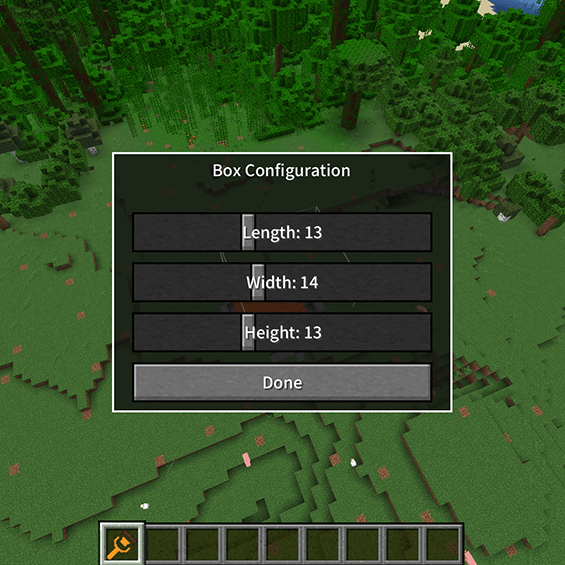 Box configuration.png Box configuration.png
 -
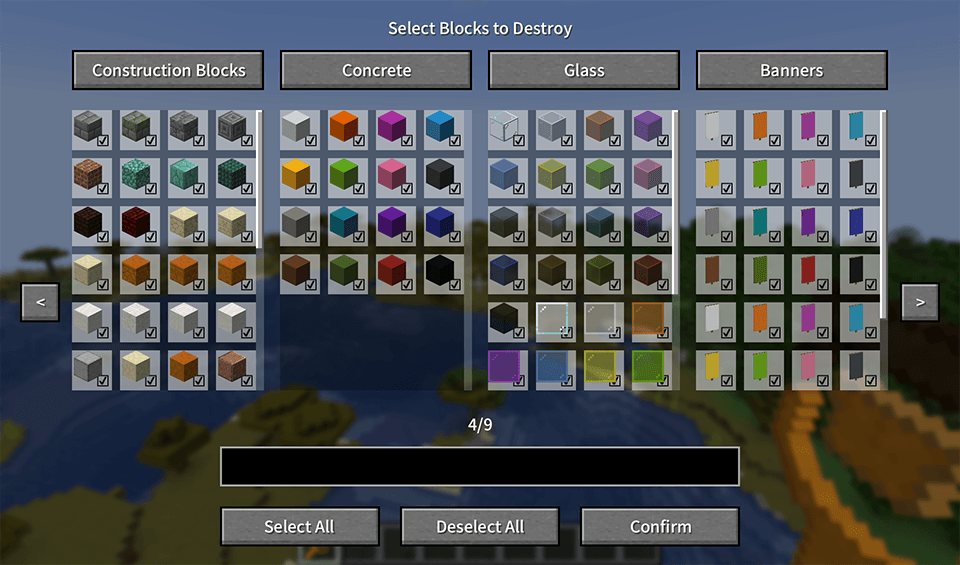 Block Selection Interface.png Block Selection Interface.png
-
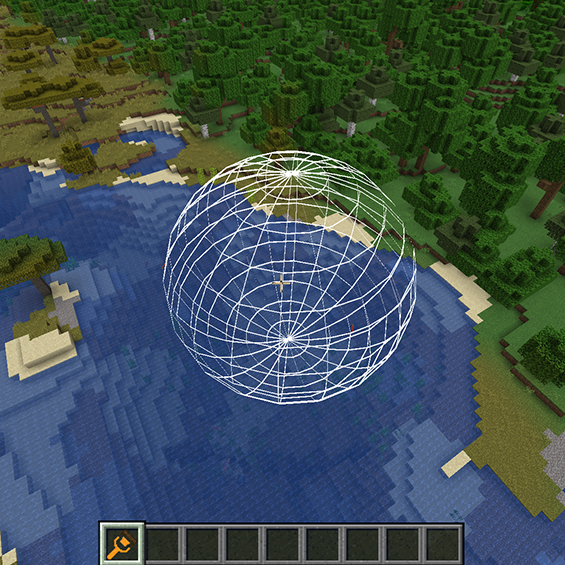 Sphere Wireframe Sphere brush Wireframe display mode
 -
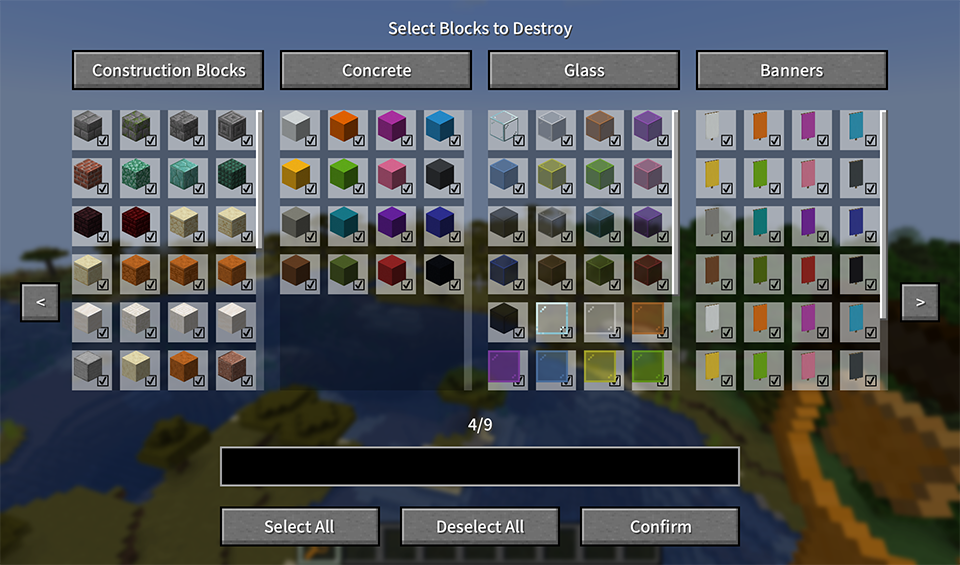 Block Selection Interface Block filter system, where you select blocks that are allowed to be destroyed
 -
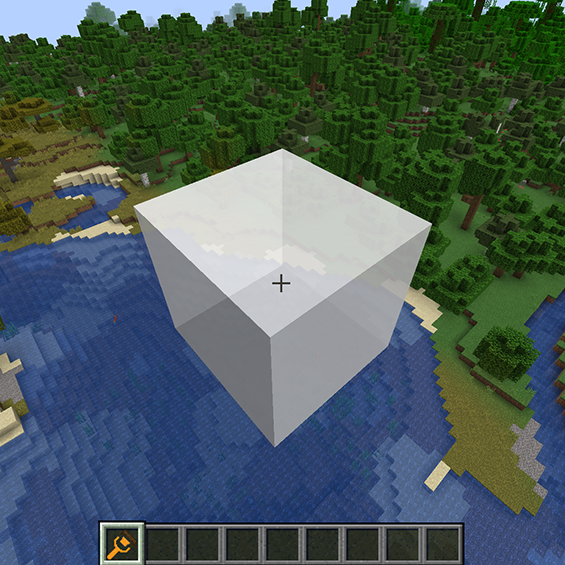 Box Surface The surface display mode of the box brush
 -
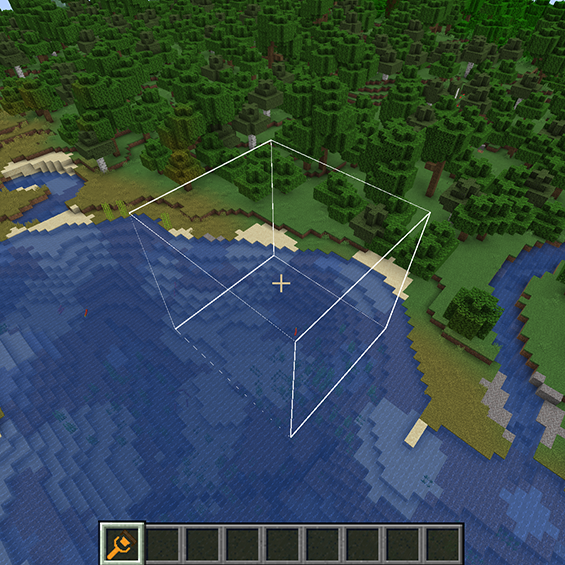 Box Wireframe Box brush Wireframe display mode
 -
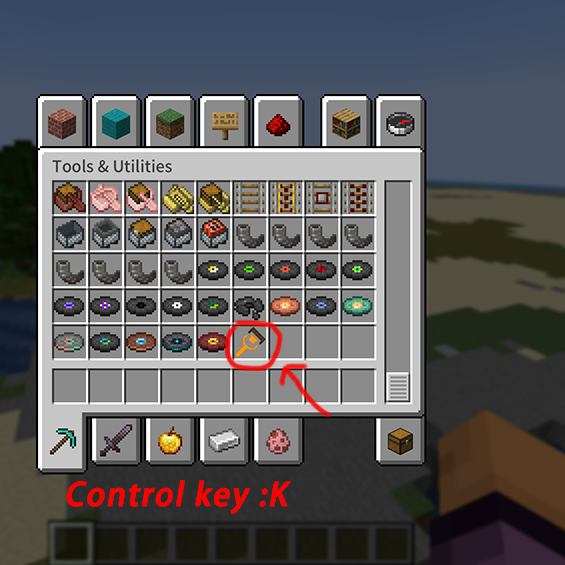 Tool position Found in Tool & Utilities
 -
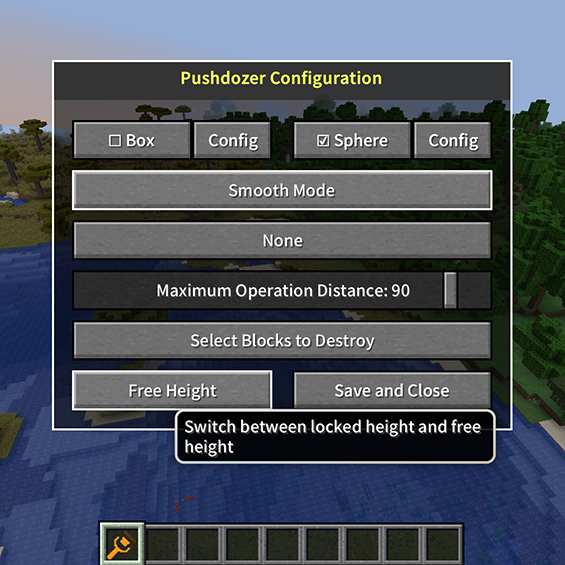 Height Locked The button to set the operating height is here
 -
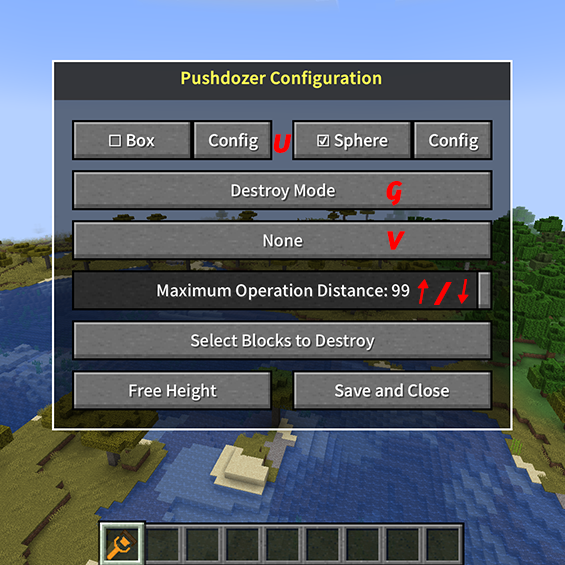 Tools menu When holding Pushdozer, press K to open Pushdozer configuration interface (key can be modified)
 -
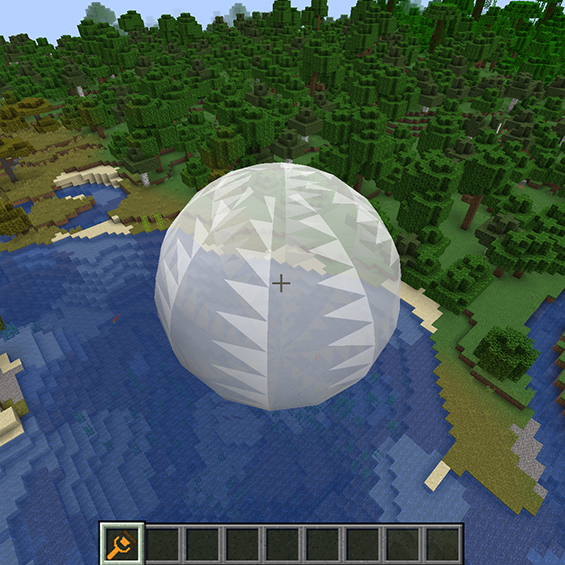 Sphere Surface The surface display mode of the sphere brush
Versions
Files
Relations
Project Relations
More like this
Similar Mods
Suggestions use data such as tags, dependencies, dependents, descriptions, titles, and more to rank how much they overlap with this mod.
On ModDex
Community snapshot
By the numbers
Statistics
Want to reach Minecraft players?
We're looking for a server hosting partner to feature here and other parts of the site. Interested? Send us a message!
Get in touchGet it on
Available Platforms
On ModDex
Community snapshot
By the numbers