
Mod

RealClockHUD
Rank 1,059
Rank 786 among mods

Quick rating

RealClockHUD

Overall rating distribution
0.5★ (no ratings)
1.0★ (no ratings)
1.5★ (no ratings)
2.0★ (no ratings)
2.5★ (no ratings)
3.0★ (no ratings)
1 rating (100%) · 3.5★
4.0★ (no ratings)
4.5★ (no ratings)
5.0★ (no ratings)
0.5★ 5★
Gameplay rating distribution
0.5★ (no reviews)
1.0★ (no reviews)
1.5★ (no reviews)
2.0★ (no reviews)
2.5★ (no reviews)
3.0★ (no reviews)
3.5★ (no reviews)
4.0★ (no reviews)
4.5★ (no reviews)
1 review (100%) · 5.0★
0.5★ 5★
Aesthetics rating distribution
0.5★ (no reviews)
1.0★ (no reviews)
1.5★ (no reviews)
2.0★ (no reviews)
2.5★ (no reviews)
1 review (100%) · 3.0★
3.5★ (no reviews)
4.0★ (no reviews)
4.5★ (no reviews)
5.0★ (no reviews)
0.5★ 5★
Performance rating distribution
0.5★ (no reviews)
1.0★ (no reviews)
1.5★ (no reviews)
2.0★ (no reviews)
2.5★ (no reviews)
3.0★ (no reviews)
3.5★ (no reviews)
4.0★ (no reviews)
4.5★ (no reviews)
1 review (100%) · 5.0★
0.5★ 5★

A simple client-side Fabric mod that shows the current time in-game. Fully configurable, works on any server.

QoL & Tweaks
Mod Loaders
Fabric
Minecraft
26.2

Community voices

Reviews

Versions
Loading versions…
Match includes

Click once to include, again to exclude, again to clear

Rating Any
Any 0.5 1.0 1.5 2.0 2.5 3.0 3.5 4.0 4.5 5.0
Min
Max
Play Status
Reviews
Time Played
hrs+
Verified developers only
Has developer response
List view
Grid view
Compact view
Sort by
Date
Rating
Helpful
Unhelpful
Edited
Sort ascending
Delete this review?

This removes your review from the project. You can write a new review after.

Review submitted for moderation

Your review has been sent to moderators, who will check that it meets our guidelines before it appears publicly.

3.5
annylianny

Reputation ranks

Explorer 0 pts
Contributor 100 pts
Guide 500 pts
Veteran 1,500 pts
Luminary 4,000 pts

Ranks only ever go up; points can drop but your rank stays.

About reputation ranks
Posted: July 5, 2026 at 6:56:52 PM UTC
MC 26.1
The version(s) the reviewer played
Gameplay
5.0
Aesthetics
3.0
Performance
5.0

RealClockHUD displays a real clock on your HUD.

That is what it sets out to do, and that is undeniably what it does. You get a digital clock displaying your current real-life system time as an overlay in your game. If you want it to, it can also display the real-life date, the in-game time and date, and the playtime of the current session.

However, despite the simple premise, there are some small oddities I wish the mod would improve upon.

For instance, while there is a respectable amount of configuration options, they are not compatible with the standard mod menu system of Fabric. The mod can only be configured by manually editing the config file, or using chat commands. This is strange; it is the only mod I have encountered thus far with a config that cannot be edited using the in-game mod options.

Another annoyance is that while the mod supports the 24-hour time format, it does not automatically enable it based on the locale or timezone of your system.

Lastly, while you can set RealClockHUD up to display the in-game and session time, you can not disable the real-time clock display separately to only show the in-game time or session data. This is a strange omission for something so obvious, in my opinion.

For a mod this straightforward, I wish it would have gone the extra… foot, really, to make its configuration a little more sensible.

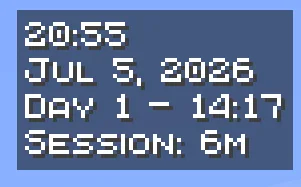
  • Screenshot 1: Does what it says on the tin
    Screenshot of the clock, showing both the time (20:55), the date (Jul 5, 2026), the in-game time (Day 1 – 14:17) and the session timer (Session: 6m)
0
0
3.5
annylianny

Reputation ranks

Explorer 0 pts
Contributor 100 pts
Guide 500 pts
Veteran 1,500 pts
Luminary 4,000 pts

Ranks only ever go up; points can drop but your rank stays.

About reputation ranks
Posted: July 5, 2026 at 6:56:52 PM UTC
MC 26.1
The version(s) the reviewer played
Gameplay
5.0
Aesthetics
3.0
Performance
5.0

RealClockHUD displays a real clock on your HUD.

That is what it sets out to do, and that is undeniably what it does. You get a digital clock displaying your current real-life system time as an overlay in your game. If you want it to, it can also display the real-life date, the in-game time and date, and the playtime of the current session.

However, despite the simple premise, there are some small oddities I wish the mod would improve upon.

For instance, while there is a respectable amount of configuration options, they are not compatible with the standard mod menu system of Fabric. The mod can only be configured by manually editing the config file, or using chat commands. This is strange; it is the only mod I have encountered thus far with a config that cannot be edited using the in-game mod options.

Another annoyance is that while the mod supports the 24-hour time format, it does not automatically enable it based on the locale or timezone of your system.

Lastly, while you can set RealClockHUD up to display the in-game and session time, you can not disable the real-time clock display separately to only show the in-game time or session data. This is a strange omission for something so obvious, in my opinion.

For a mod this straightforward, I wish it would have gone the extra… foot, really, to make its configuration a little more sensible.

  • Screenshot 1: Does what it says on the tin
    Screenshot of the clock, showing both the time (20:55), the date (Jul 5, 2026), the in-game time (Day 1 – 14:17) and the session timer (Session: 6m)
0
0
3.5
annylianny

Reputation ranks

Explorer 0 pts
Contributor 100 pts
Guide 500 pts
Veteran 1,500 pts
Luminary 4,000 pts

Ranks only ever go up; points can drop but your rank stays.

About reputation ranks
Posted: July 5, 2026 at 6:56:52 PM UTC
MC 26.1
The version(s) the reviewer played
0
0

Get it on

Available Platforms

Compatibility

Supported Environments

Dev Environment
Client Required
Server Unsupported

About

Project Details

Type
Mod
License
MIT License
Latest Version
realclock-1.1.0+26.1.x+26.2.jar
Authors
CurseForge
Modrinth

For authors

Embed Badge

If you're the author of this project, you can embed a live badge anywhere that supports HTML or Markdown. It updates automatically whenever ratings change.

Custom banner text
ModDex rating badge preview

Use HTML for any page that supports it, or Markdown for README files and Markdown-based descriptions.

Identifiers

Platform IDs

CurseForge ID
Modrinth ID

Resources

External Links

Source Issues Wiki Discord

About

Description

RealClockHUD

Displays the real-life system time as a HUD overlay in Minecraft.

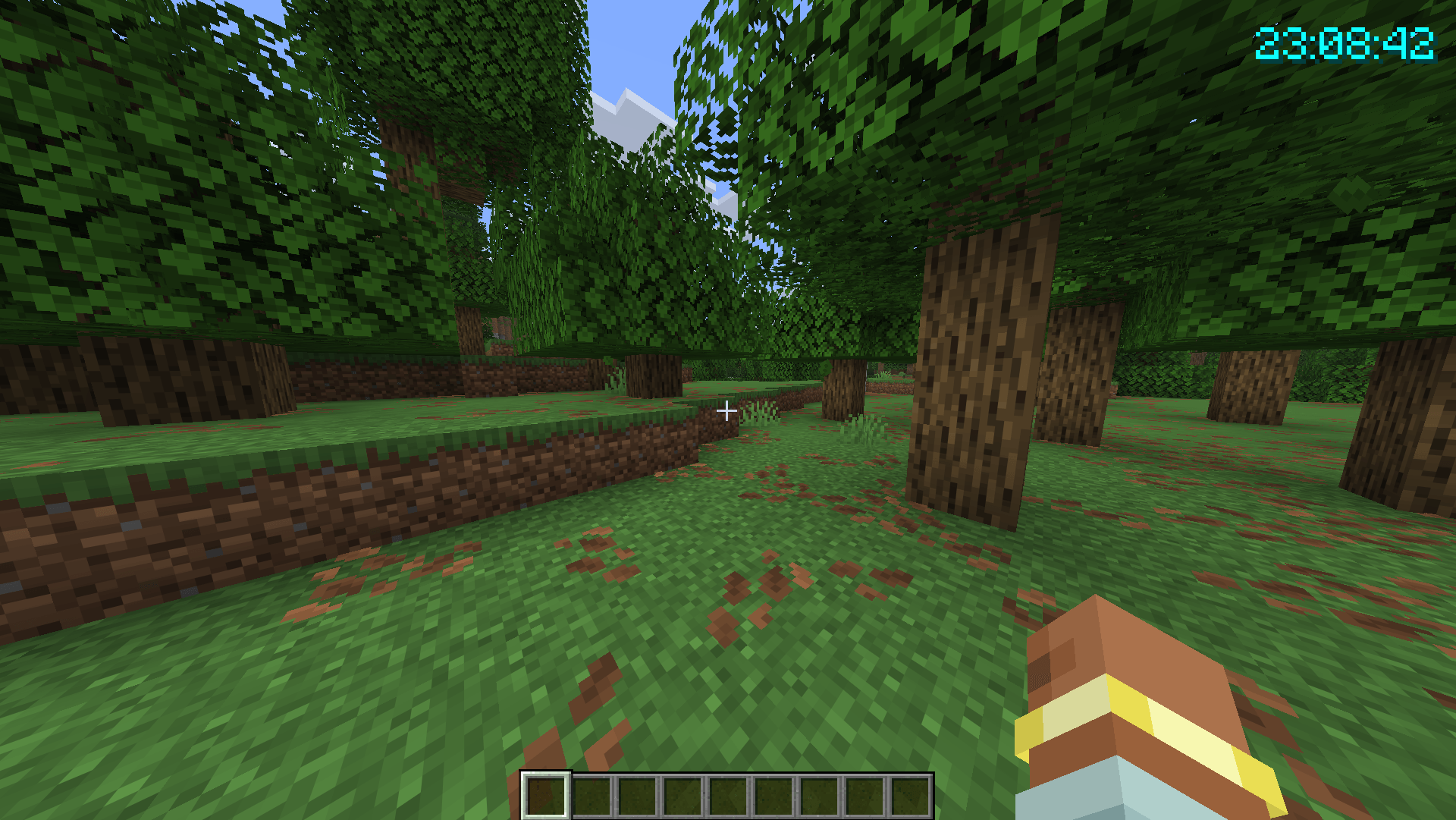
Preview of Original Settings

Note: This mod is client-side only and works on any server including vanilla. No server-side installation required.


Features

  • Real-life clock displayed as an in-game HUD overlay
  • 12-hour and 24-hour format toggle
  • Optional seconds display
  • Real-life date display (e.g. Jun 28, 2026)
  • In-game time display (e.g. Day 42 - 6:30am)
  • Session timer showing how long you've been playing (e.g. Session: 1h 23m)
  • Configurable corner positioning (top-left, top-right, bottom-left, bottom-right)
  • X/Y offset for fine-tuned placement
  • Custom text color (hex)
  • Optional background box
  • Optional text shadow
  • Keybind to toggle visibility (default: K, rebindable in Controls)
  • /realclock commands for all settings
  • Self-healing config - invalid or missing values are corrected and re-saved automatically
  • Hides during F1/F3 and screenshots

- Updated for 26.2

Settings/Commands

All settings are stored in .minecraft/config/realclock.json and can be edited manually. The config is self-healing - any invalid values will be reset to defaults automatically on next launch.

You can also change any setting using the /realclock command - no need to edit the config file directly. Changes take effect immediately and are saved automatically.

The clock can also be toggled with the K keybind (rebindable in Options > Controls).

Setting Command Default Description
24h /realclock 24h true false Use 24hr time format instead of 12hr
background /realclock background true true Show a dark box behind the clock
color /realclock color #FF0000 #FFFFFF Text color as a hex value
corner /realclock corner top-left top-right Clock position - top-left, top-right, bottom-left, bottom-right
date /realclock date true false Show the real-life date below the clock
gametime /realclock gametime true false Show the in-game day and time of day
offsetx /realclock offsetx 8 4 Horizontal nudge in pixels from the corner
offsety /realclock offsety 8 4 Vertical nudge in pixels from the corner
scale /realclock scale 1.5 1.0 Text scale - 1.0 is normal, 2.0 is double size
seconds /realclock seconds true false Show seconds alongside the time
sessiontimer /realclock sessiontimer true false Show how long you've been in the current session
shadow /realclock shadow true true Render a drop shadow behind the text
toggle /realclock toggle true Whether the clock is currently visible

Configuration

Config file is created automatically at .minecraft/config/realclock.json on first launch.

{
  "visible": true,
  "corner": "TOP_RIGHT",
  "use24Hour": false,
  "showSeconds": false,
  "color": 16777215,
  "scale": 1.0,
  "showDate": false,
  "showGameTime": false,
  "showSessionTimer": false,
  "showBackground": true,
  "textShadow": true,
  "offsetX": 4,
  "offsetY": 4
}

color is stored as a decimal integer. 16777215 = #FFFFFF (white).


RealClockHUD

Displays the real-life system time as a HUD overlay in Minecraft.

Preview of Original Settings

Features

  • Real-life clock displayed as an in-game HUD overlay
  • 12-hour and 24-hour format toggle
  • Optional seconds display
  • Real-life date display (e.g. Jun 28, 2026)
  • In-game time display (e.g. Day 42 - 6:30am)
  • Session timer showing how long you've been playing (e.g. Session: 1h 23m)
  • Configurable corner positioning (top-left, top-right, bottom-left, bottom-right)
  • X/Y offset for fine-tuned placement
  • Custom text color (hex)
  • Optional background box
  • Optional text shadow
  • Keybind to toggle visibility (default: K, rebindable in Controls)
  • /realclock commands for all settings
  • Self-healing config - invalid or missing values are corrected and re-saved automatically
  • Hides during F1/F3 and screenshots
  • Updated for 26.2

Settings/Commands

All settings are stored in .minecraft/config/realclock.json and can be edited manually. The config is self-healing - any invalid values will be reset to defaults automatically on next launch.

You can also change any setting using the /realclock command - no need to edit the config file directly. Changes take effect immediately and are saved automatically.

The clock can also be toggled with the K keybind (rebindable in Options > Controls).

Setting Command Default Description
24h /realclock 24h true false Use 24hr time format instead of 12hr
background /realclock background true true Show a dark box behind the clock
color /realclock color #FF0000 #FFFFFF Text color as a hex value
corner /realclock corner top-left top-right Clock position - top-left, top-right, bottom-left, bottom-right
date /realclock date true false Show the real-life date below the clock
gametime /realclock gametime true false Show the in-game day and time of day
offsetx /realclock offsetx 8 4 Horizontal nudge in pixels from the corner
offsety /realclock offsety 8 4 Vertical nudge in pixels from the corner
scale /realclock scale 1.5 1.0 Text scale - 1.0 is normal, 2.0 is double size
seconds /realclock seconds true false Show seconds alongside the time
sessiontimer /realclock sessiontimer true false Show how long you've been in the current session
shadow /realclock shadow true true Render a drop shadow behind the text
toggle /realclock toggle true Whether the clock is currently visible

Configuration

Config file is created automatically at .minecraft/config/realclock.json on first launch.

{
  "visible": true,
  "corner": "TOP_RIGHT",
  "use24Hour": false,
  "showSeconds": false,
  "color": 16777215,
  "scale": 1.0,
  "showDate": false,
  "showGameTime": false,
  "showSessionTimer": false,
  "showBackground": true,
  "textShadow": true,
  "offsetX": 4,
  "offsetY": 4
}

color is stored as a decimal integer. 16777215 = #FFFFFF (white).


Screenshots

Gallery

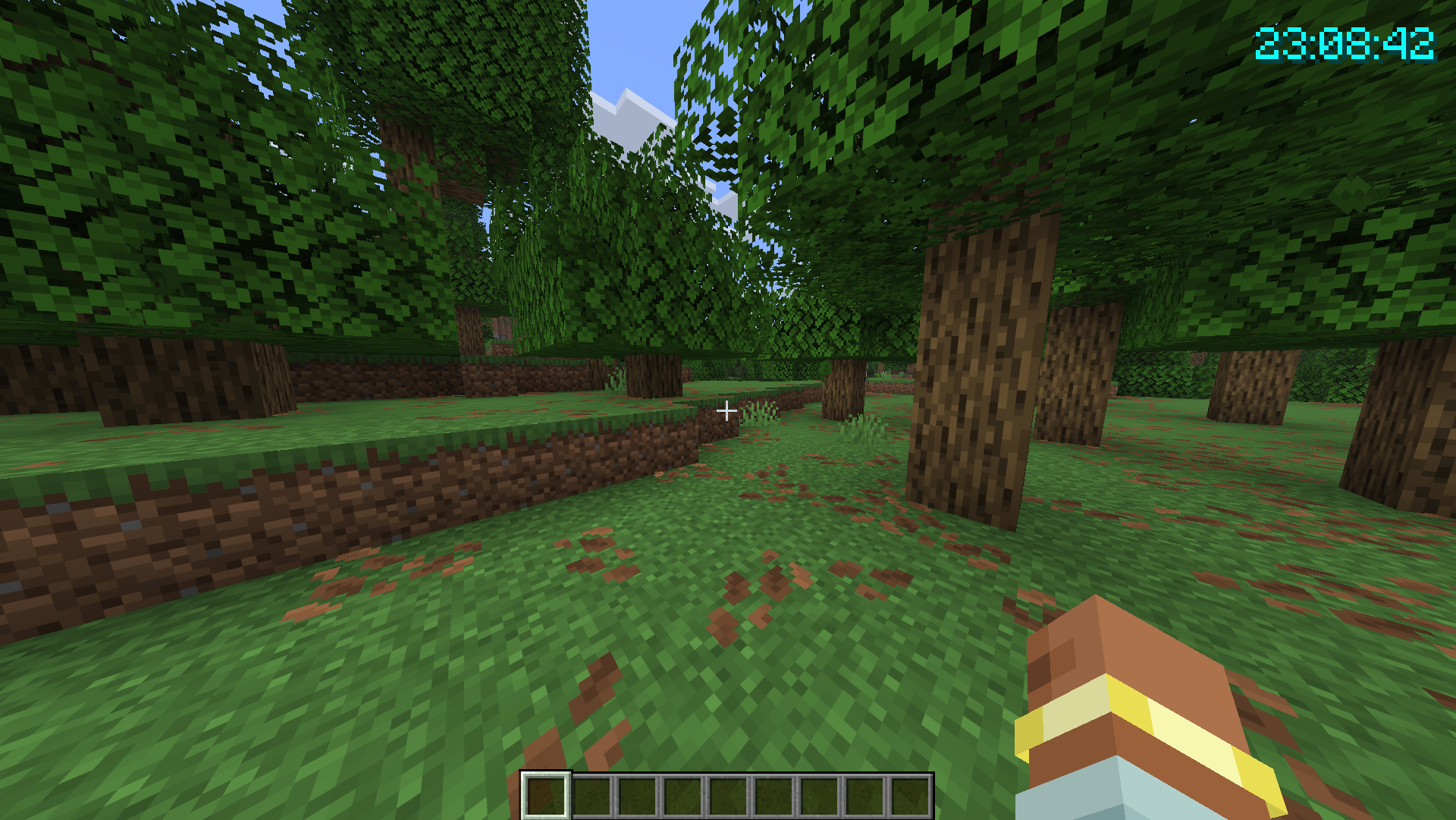
  • example.png
    example.png Example of HUD with slightly different settings (Colour: #0FFFFF, Background: False, 24h: true, Seconds:true)
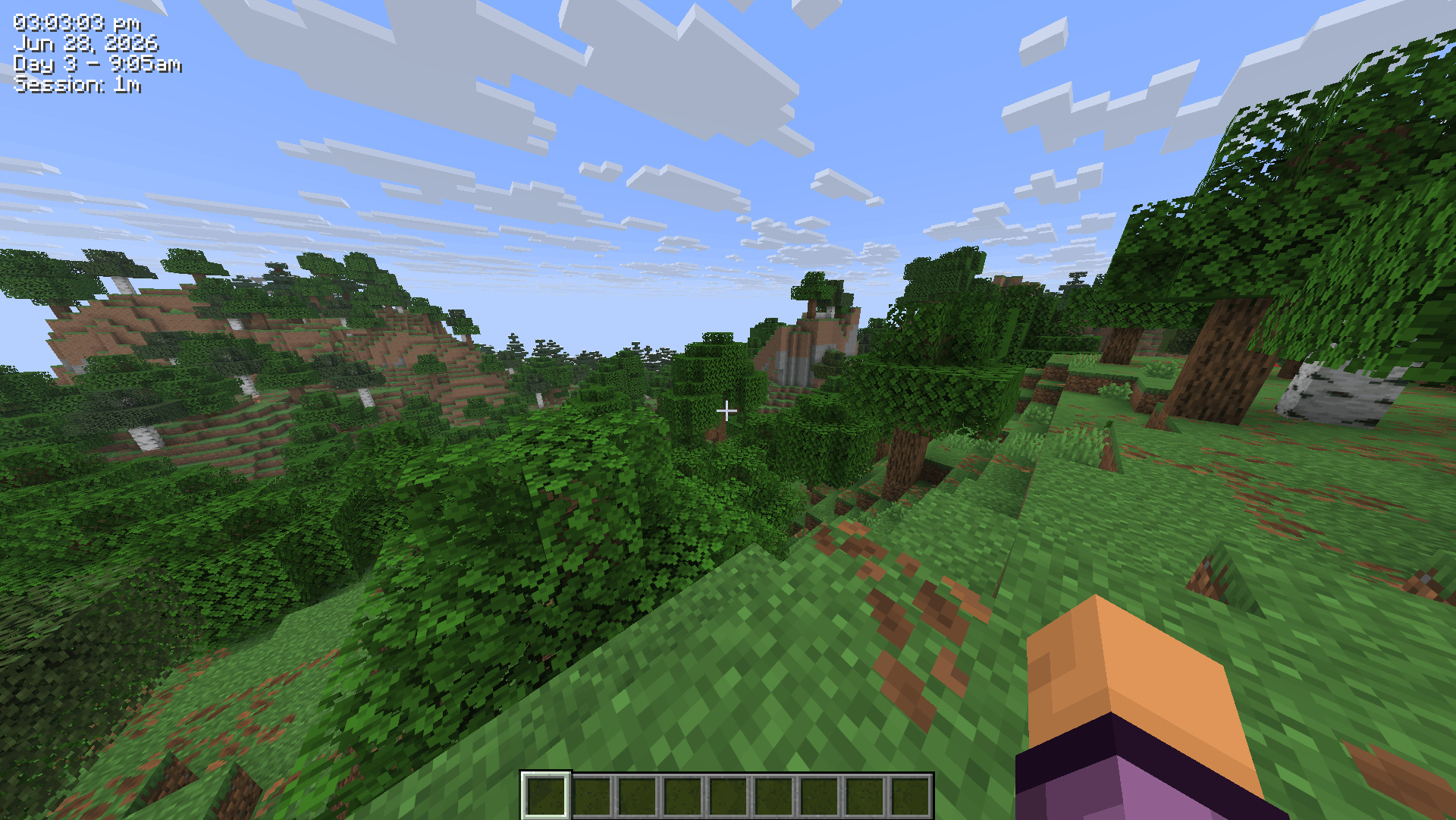
  • preview.png
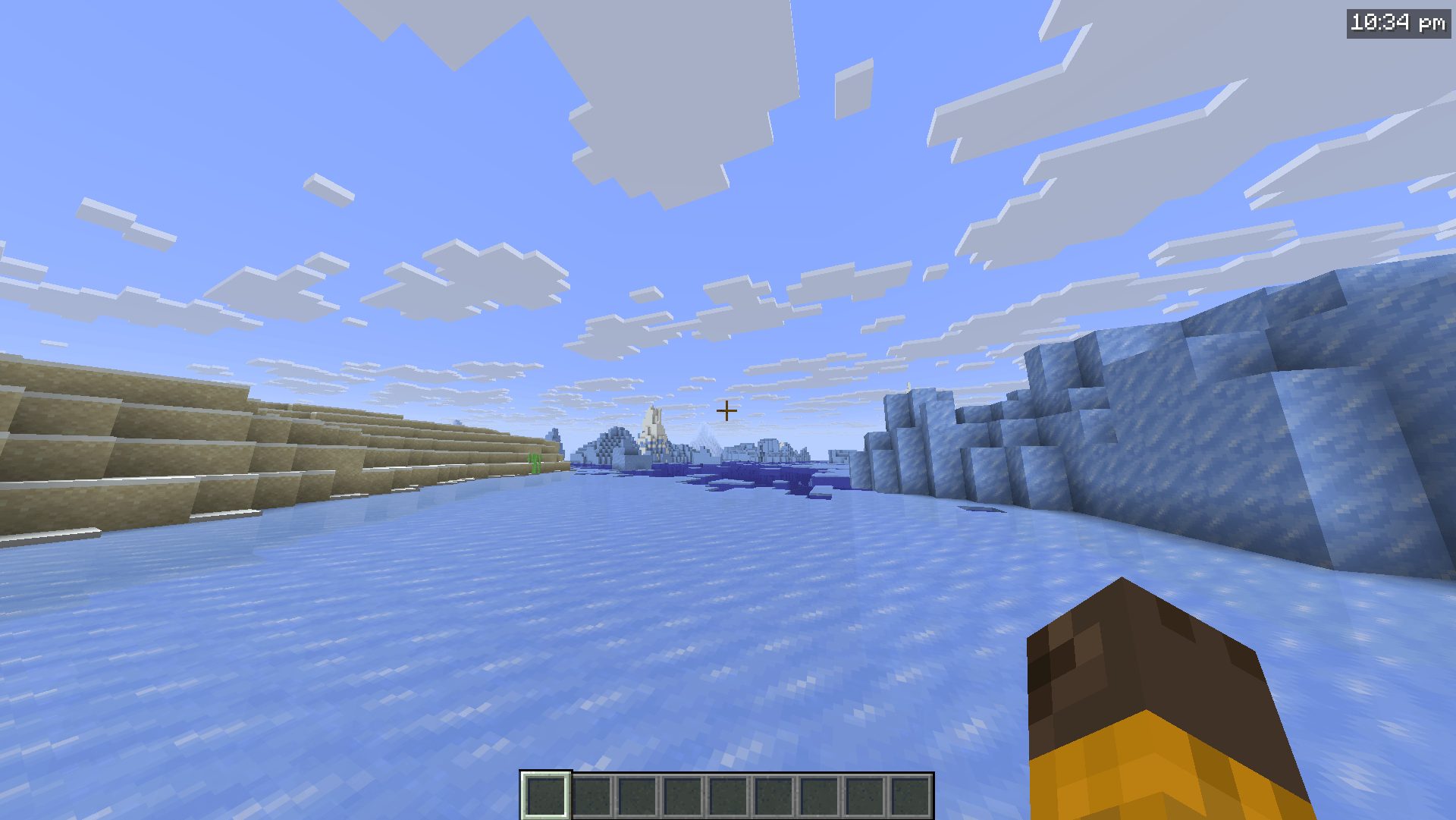
    preview.png Preview of the Clock HUD with default configuration
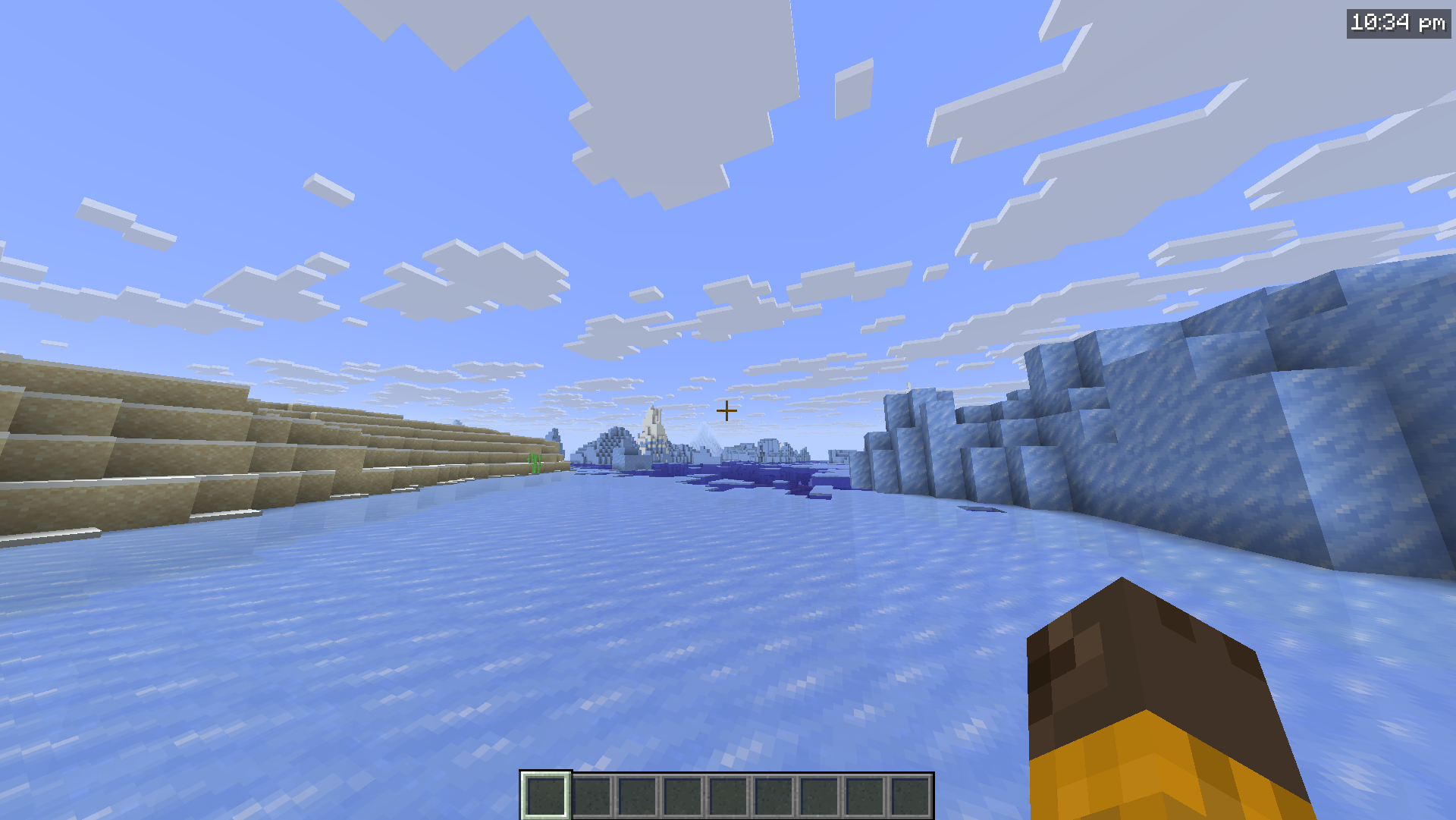
  • example2.png
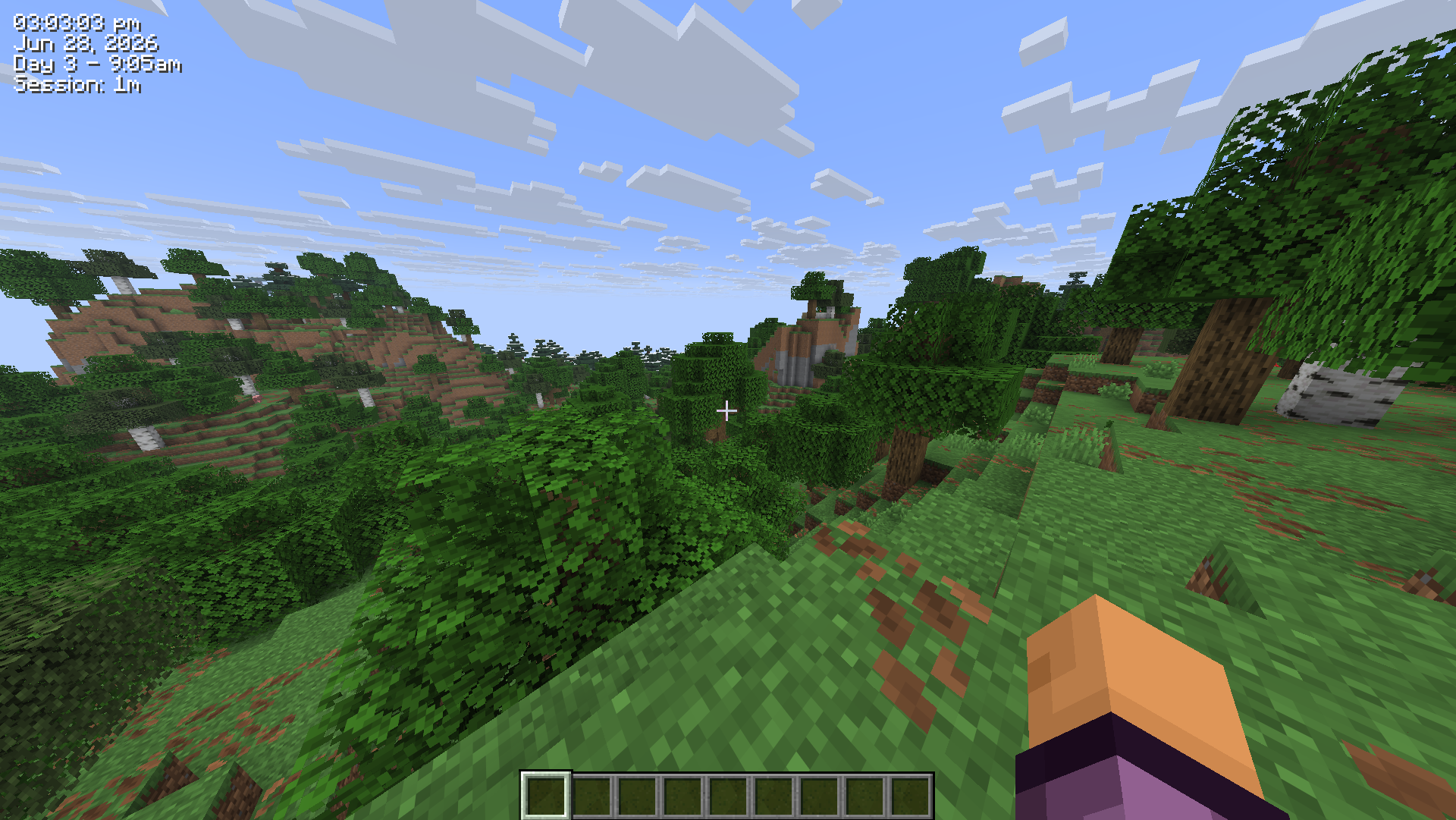
    example2.png Example of HUD with new settings (Colour: #0FFFFF, Background: False, Seconds:true, sessiontimer:true, date:true, gametime:true)
  • Example
    Example Example of HUD with slightly different settings (Colour: #0FFFFF, Background: False, 24h: true, Seconds:true)
  • Preview
    Preview Preview of the Clock HUD with default configuration
  • Screenshot 1: Does what it says on the tin
    Screenshot 1: Does what it says on the tin Screenshot of the clock, showing both the time (20:55), the date (Jul 5, 2026), the in-game time (Day 1 – 14:17) and the session timer (Session: 6m)

Versions

Files

Relations

Project Relations

More like this

Similar Mods

Suggestions use data such as tags, dependencies, dependents, descriptions, titles, and more to rank how much they overlap with this mod.

On ModDex

Community snapshot

1
Ratings
1
Followers
1
In stacks

By the numbers

Statistics

<1,000
Total Downloads
CurseForge
<1,000
Modrinth
<1,000
Last Updated
CurseForge
Created
CurseForge
Modrinth
Last synced
When ModDex last fetched and imported data for this project from CurseForge or Modrinth. High-traffic and active projects are checked more often.
Next pipeline sync