
Community listing page, reviews here may not be monitored by the author.
Custom Recipe

No reviews yet
Create, edit, and manage vanilla or modded recipes with a user-friendly UI for single-player and servers, across the latest Minecraft versions, backed by a responsive development team.
Community voices
Reviews
No reviews yet. Be the first to review this project!
Get it on
Available Platforms
Compatibility
Supported Environments
Must be installed on both the client and the server.
About
Project Details
For authors
Embed Badge
If you're the author of this project, you can embed a live badge anywhere that supports HTML or Markdown. It updates automatically whenever ratings change.
Use HTML for any page that supports it, or Markdown for README files and Markdown-based descriptions.
Identifiers
Platform IDs
About
Description
Custom Recipe
⚠️ For the best experience, use GUI Scale 1, 2, or 3 instead of Auto. ⚠️
Custom Recipe is a Fabric mod that lets you create, edit, manage, and control crafting recipes directly in Minecraft through a complete in-game interface.
Create shaped or shapeless recipes using vanilla or modded items, organize recipes globally or per world, manage existing recipes, and configure everything locally or on a dedicated server.
Supported Minecraft versions
Custom Recipe currently supports:
- 1.20.1
- 1.21.1
- 1.21.8
- 1.21.11
- 26.2
- 26.3
Install the release matching your exact Minecraft version.
Required: Fabric Loader + Fabric API Optional: Mod Menu, for quick access to the local editor.
Custom recipe creation
Create recipes directly from the in-game editor without manually writing datapack JSON files.
- Create shaped and shapeless crafting recipes.
- Use vanilla items and items from installed mods.
- Search through available items directly from the recipe creator.
- Configure ingredients, output items, and output quantities.
- Enable, disable, edit, inspect, or remove recipes at any time.
- Mark recipes as Known by default so they automatically appear in players' recipe books.
- Use custom recipes normally through Minecraft's green recipe book, including Shift-crafting.
Global Library and per-world recipes
Custom Recipe includes a recipe library designed to keep configurations organized.
- Maintain a Global Library of reusable recipes.
- Give each local world its own independent recipe configuration.
- Create recipes directly for a selected world.
- Copy recipes between a world and the Global Library.
- Quickly switch between worlds using the built-in world selector.
- Search worlds and identify the currently selected target directly from the interface.
This allows different worlds to use completely different recipe setups without manually moving configuration files.
Default and vanilla recipe management
Custom Recipe can also inspect and control recipes already available in Minecraft or added by other mods.
- Browse recipes using their actual crafting-grid layout.
- Search by output, ingredient, or recipe information.
- View recipes added by installed mods.
- Disable complete recipes when required.
- Control individual material variants when recipes accept interchangeable materials.
- Preview item tags and available ingredient variants.
- Preserve vanilla priority when a custom recipe conflicts with an existing recipe.
When replacing a vanilla recipe intentionally, the original recipe can be disabled directly from the editor.
Built-in recipe presets
Several optional recipes are included and can be enabled when needed, including recipes for items such as:
- Elytra
- Totem of Undying
- Enchanted Golden Apple
- Bottle o' Enchanting
- Heavy Core
Availability may depend on the selected Minecraft version.
Missing-mod and conflict handling
Custom Recipe includes safeguards for changing modpacks and recipe conflicts.
- Recipes referencing items from a removed mod are detected and disabled instead of silently breaking.
- Recipes can recover when the missing mod becomes available again.
- Identical recipe inputs and outputs are handled separately from recipes that only share the same ingredients.
- Client and server recipe catalogs stay separated, allowing different installed-mod lists without leaking unavailable items between environments.
Singleplayer and Mod Menu
In singleplayer, the complete editor can be accessed directly through the mod's interface.
With Mod Menu installed, Custom Recipe can also be opened through the standard Mods menu.
Changes can be prepared inside the editor and applied using the main Save action.
Dedicated servers
Custom Recipe also supports recipe management on Fabric servers.
Operators can use:
/customrecipe
to open the server recipe editor.
Server editing includes:
- Custom recipe creation and management.
- Default recipe management.
- Built-in recipe controls.
- Recipe validation against the server's available items.
- Operator-only configuration access.
- Staged changes that are applied when the configuration is saved.
For graphical server editing, install Custom Recipe on both the server and the operator's client.
Compatibility
Custom Recipe supports both client and server environments and is actively maintained across several Minecraft versions.
Because Minecraft's internal APIs change between releases, minor interface or implementation differences may exist between versions, but the goal is to keep the same core feature set wherever technically possible.
Choose the Modrinth release matching your exact Minecraft version before installing.
Screenshots
Gallery
-
-
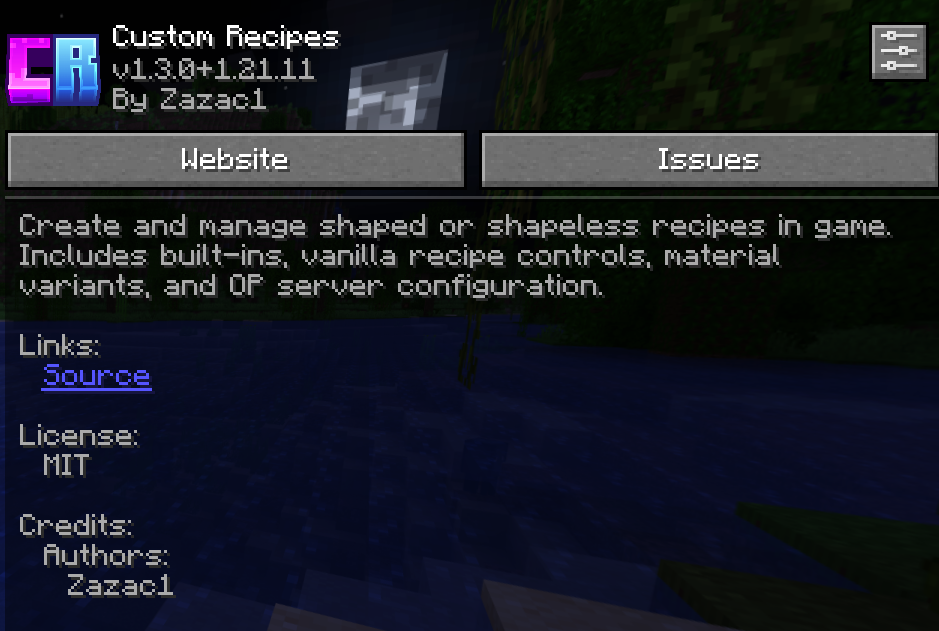 Mod Menu page
 -
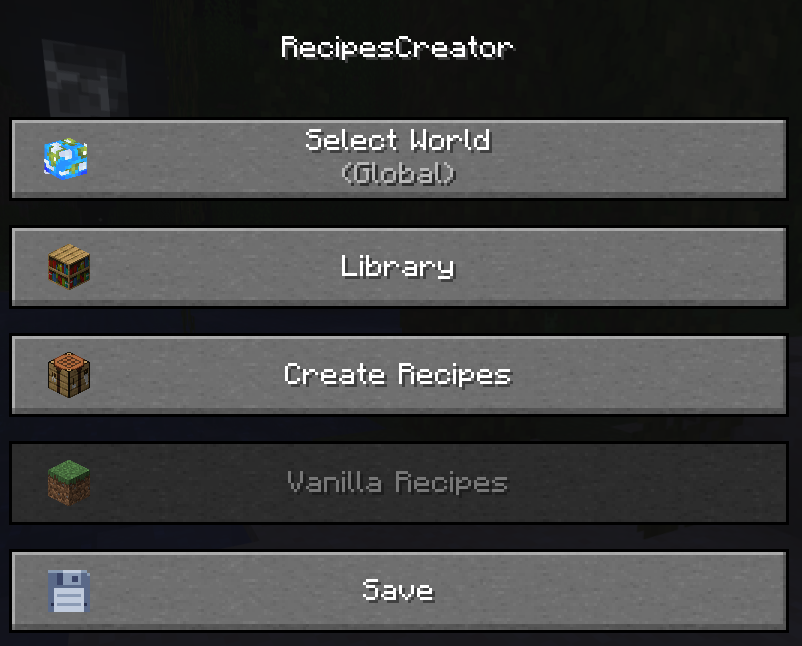 Main menu
 -
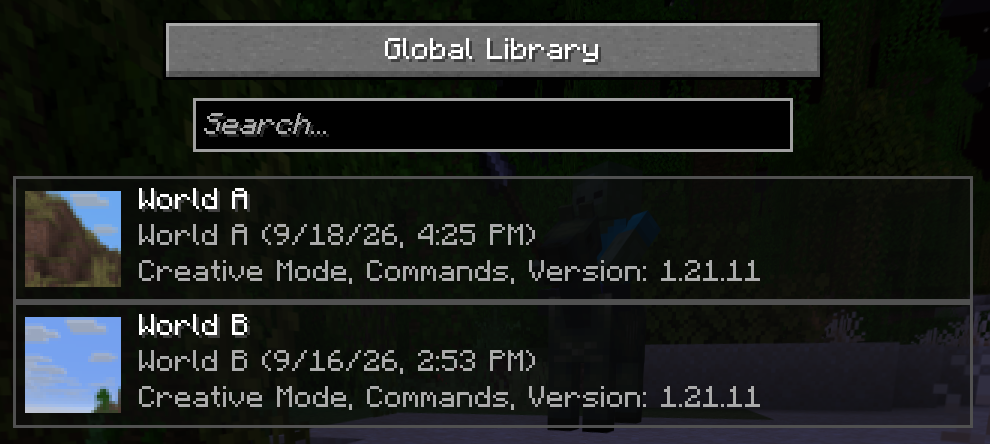 World Selector
 -
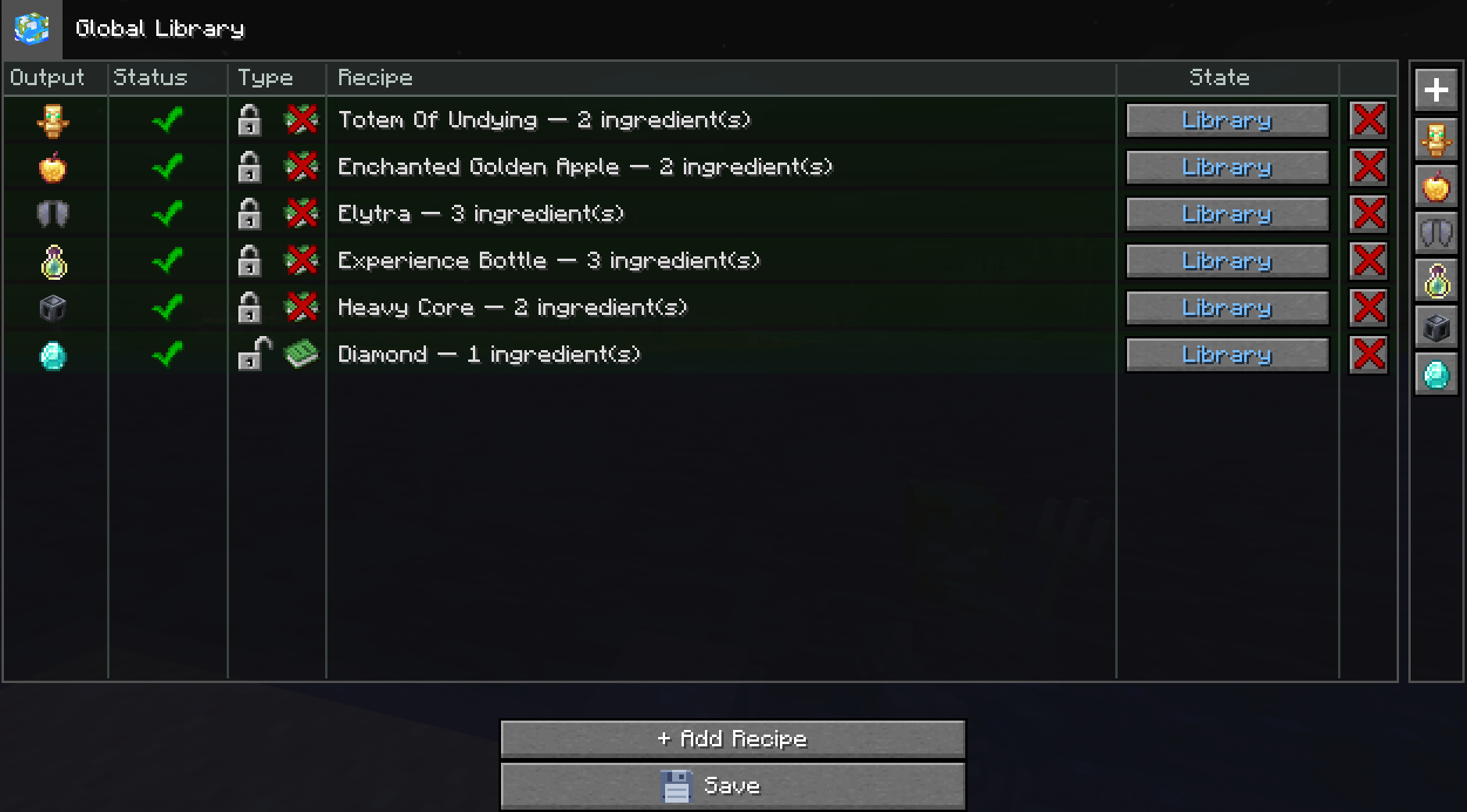 New libray
 -
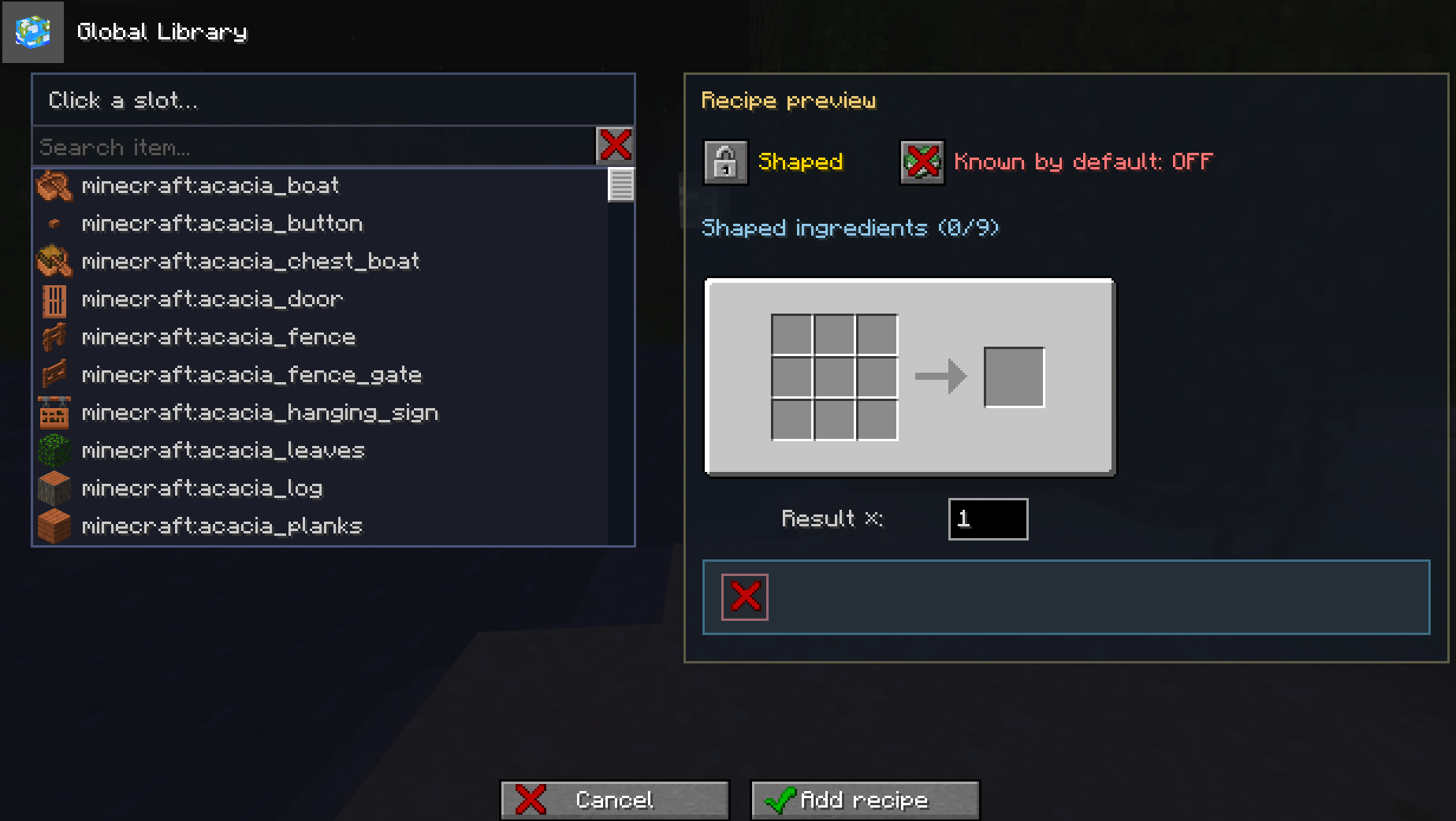 Recipe Creator Menu
 -
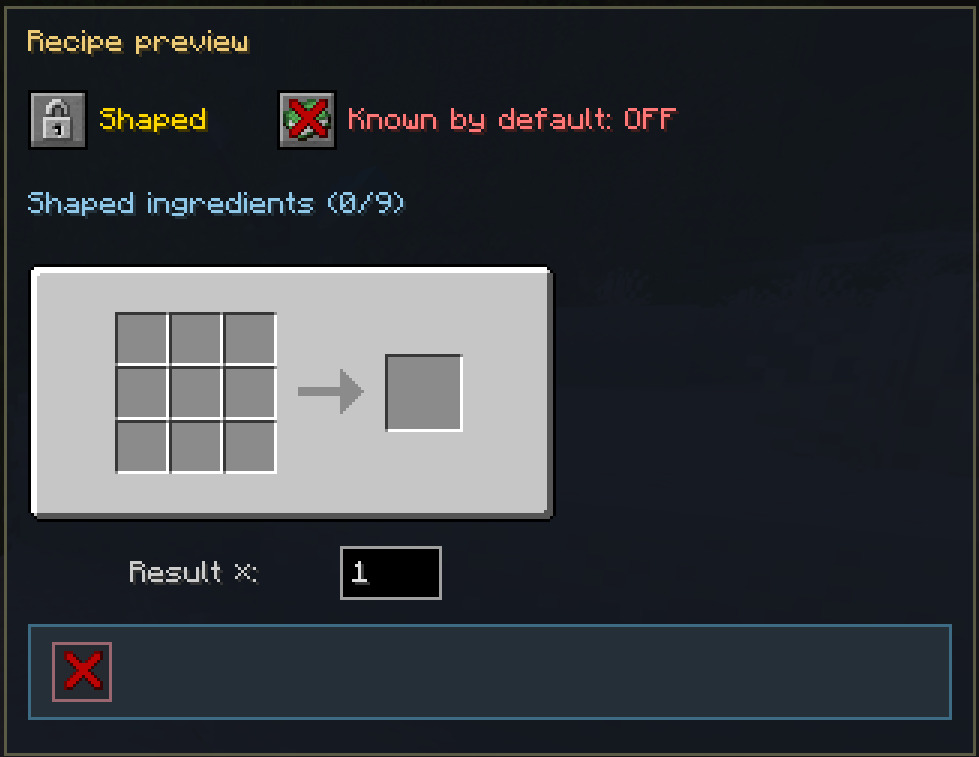 Shaped
 -
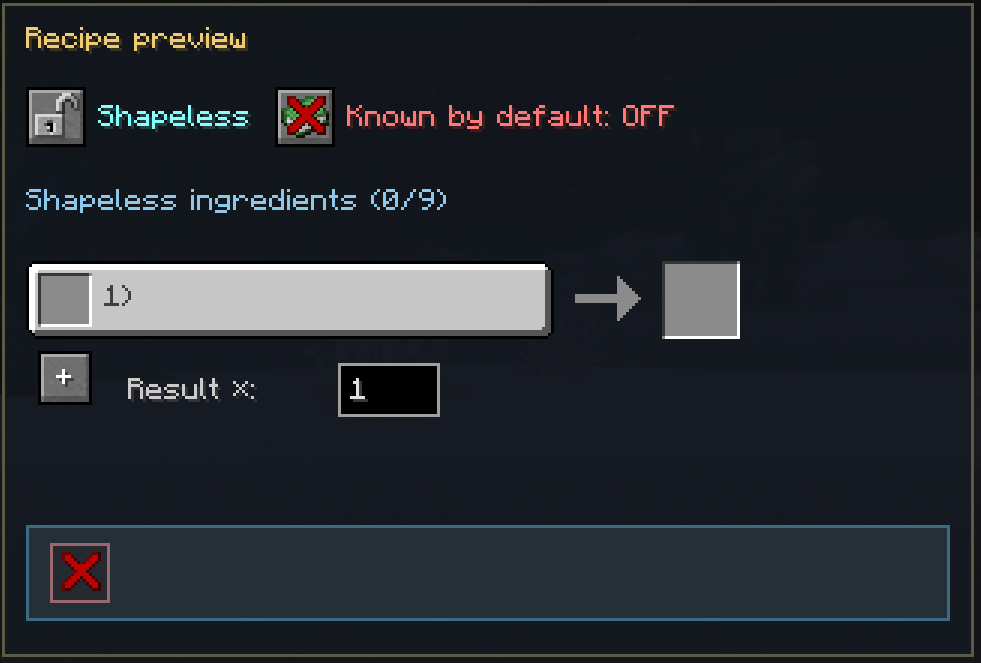 And Shapeless
 -
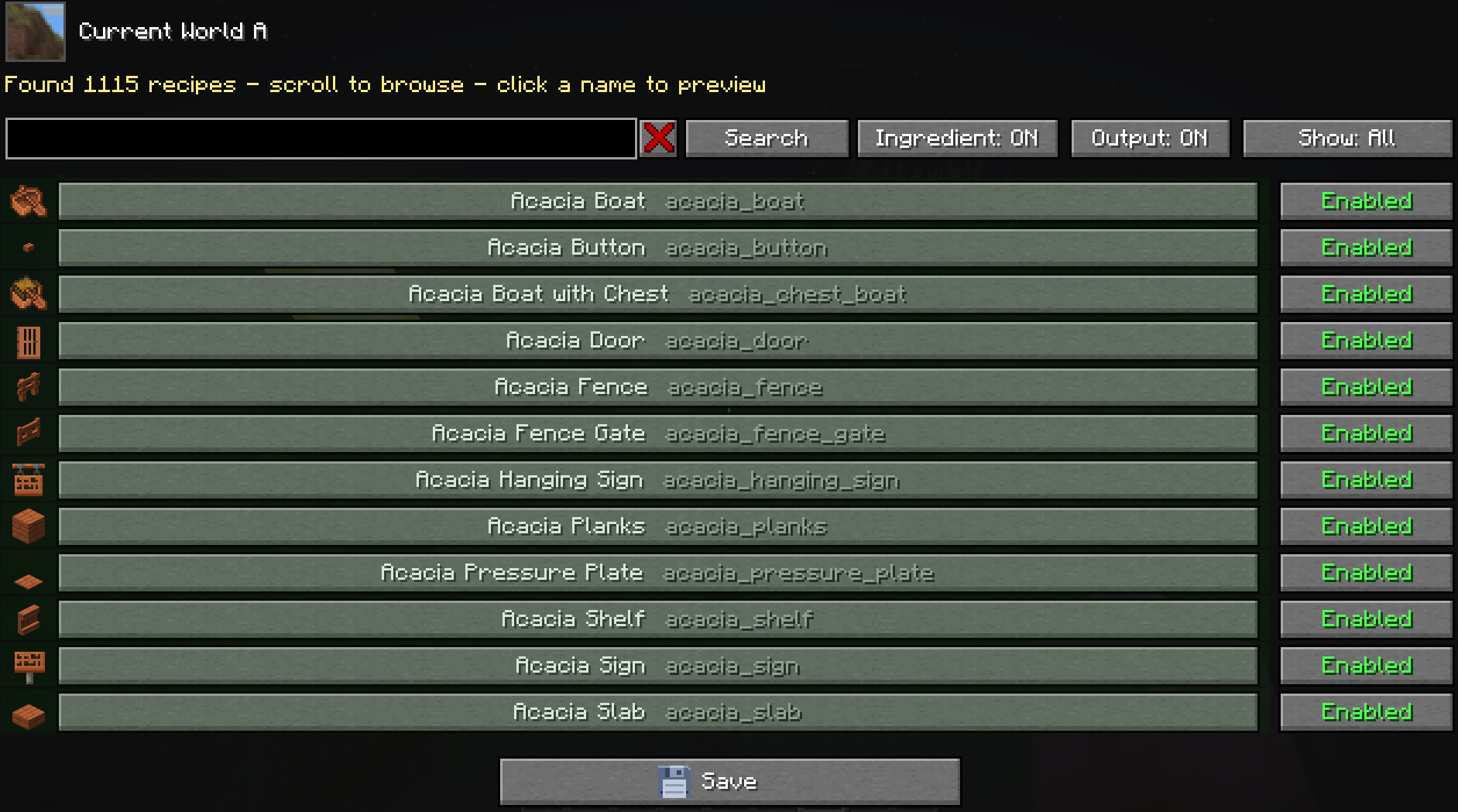 Vanilla recipe editor
Versions
Files
Relations
Project Relations
More like this
Similar Mods
Suggestions use data such as tags, dependencies, dependents, descriptions, titles, and more to rank how much they overlap with this mod.
On ModDex
Community snapshot
By the numbers
Statistics

Want to reach Minecraft players?
We're looking for a server hosting partner to feature here and other parts of the site. Interested? Send us a message!
Get in touchGet it on
Available Platforms
On ModDex
Community snapshot
By the numbers