Community listing page, reviews here may not be monitored by the author.
Shulker Peek


No reviews yet
Hover over any shulker box to instantly preview its full 9x3 contents in the tooltip. Color matched background tint, optional title and item counts, Shift-to-preview mode, keybind toggle, and in-game config support.
Community voices
Reviews
No reviews yet. Be the first to review this project!
Get it on
Available Platforms
Compatibility
Supported Environments
Runs entirely on the client. Works on vanilla servers.
About
Project Details
For authors
Embed Badge
If you're the author of this project, you can embed a live badge anywhere that supports HTML or Markdown. It updates automatically whenever ratings change.
Use HTML for any page that supports it, or Markdown for README files and Markdown-based descriptions.
Identifiers
Platform IDs
Resources
External Links
About
Description
ShulkerPeek : Shulker Box Tooltip Preview for Fabric, Forge and NeoForge
See inside any shulker box without opening it.
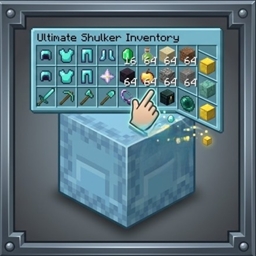
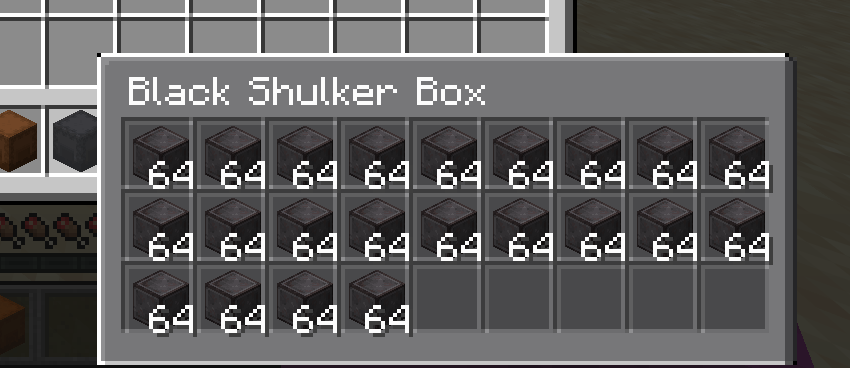
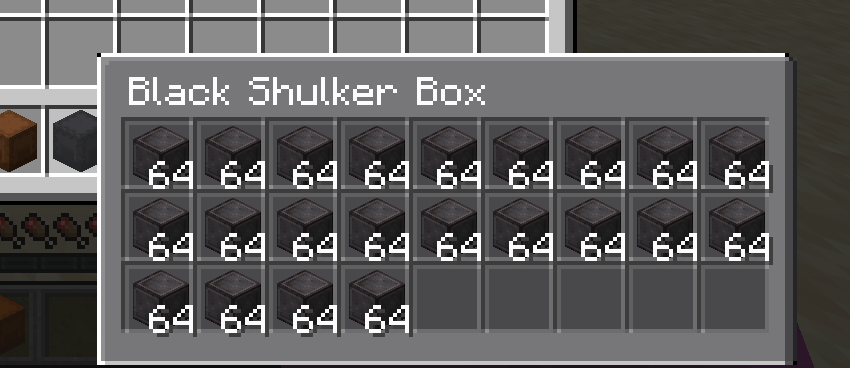
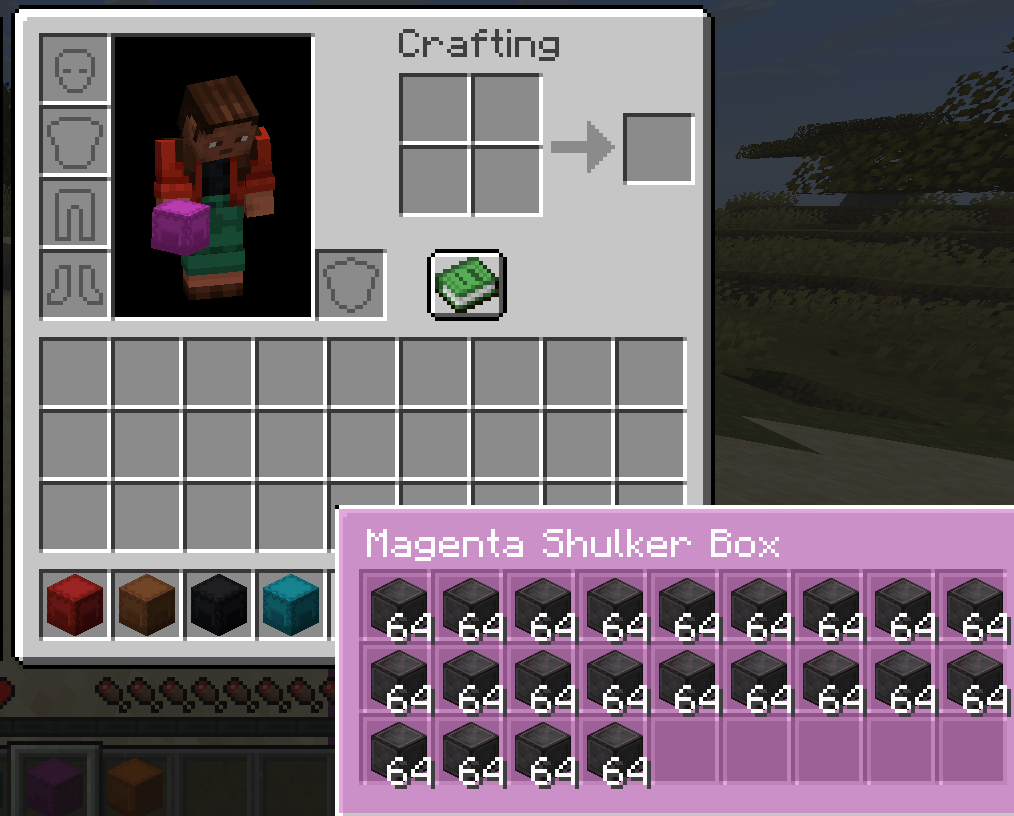
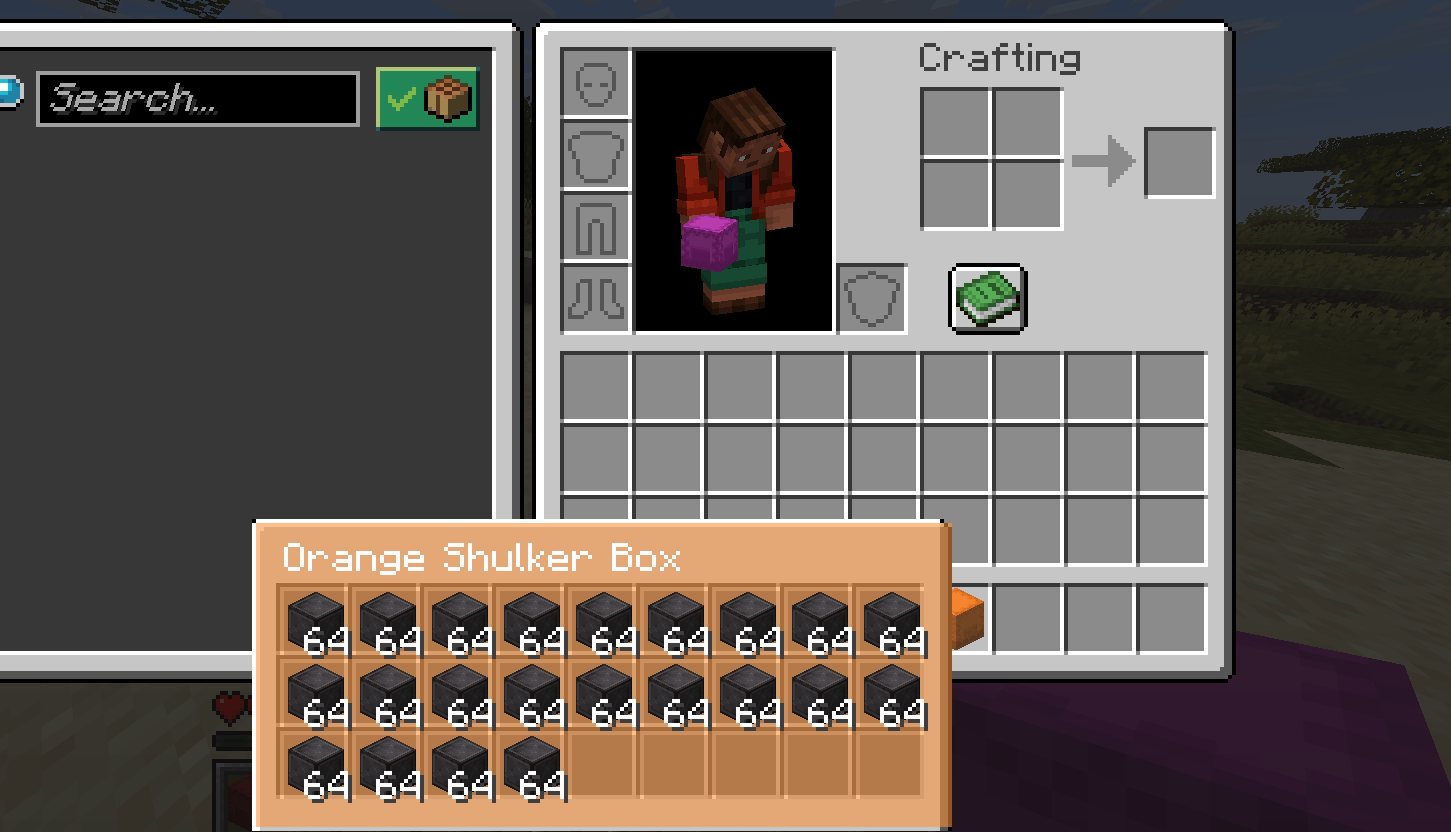
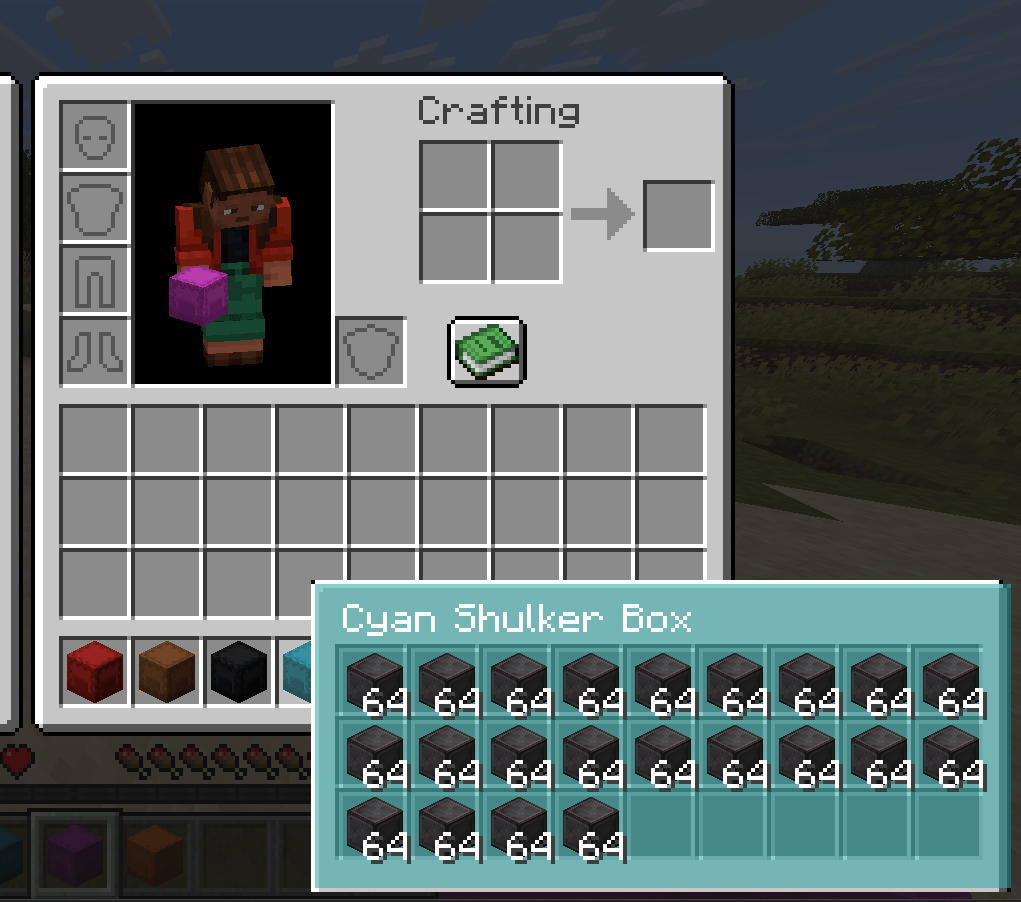
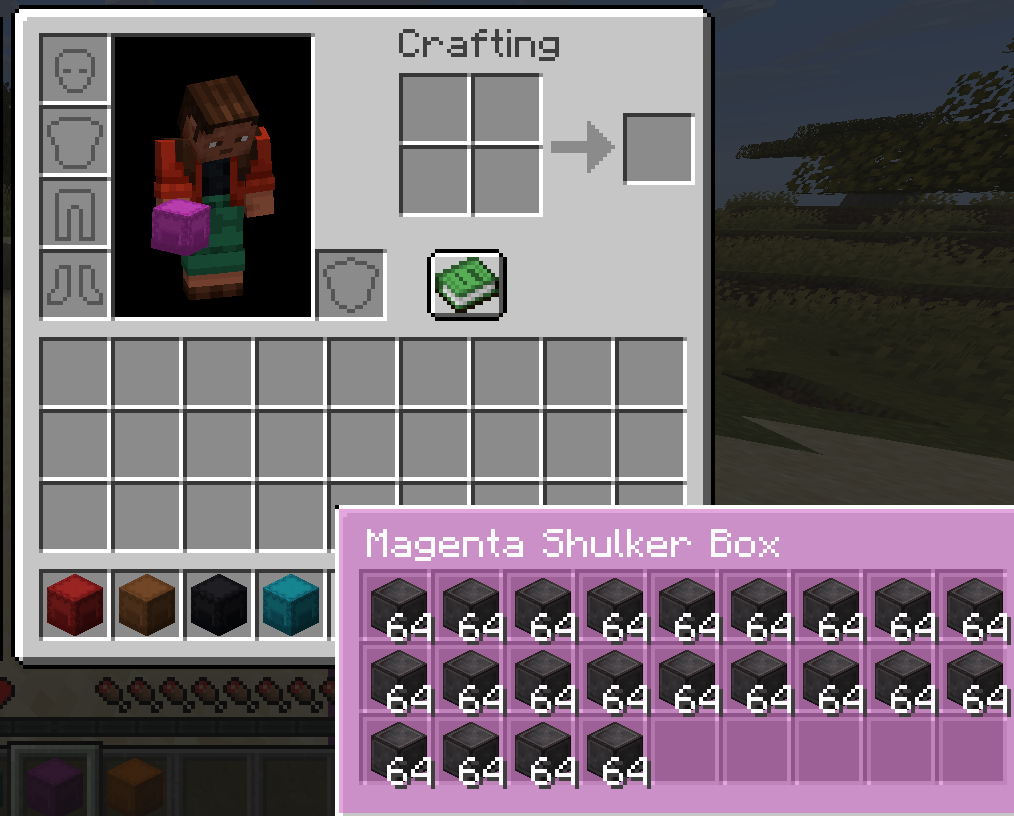
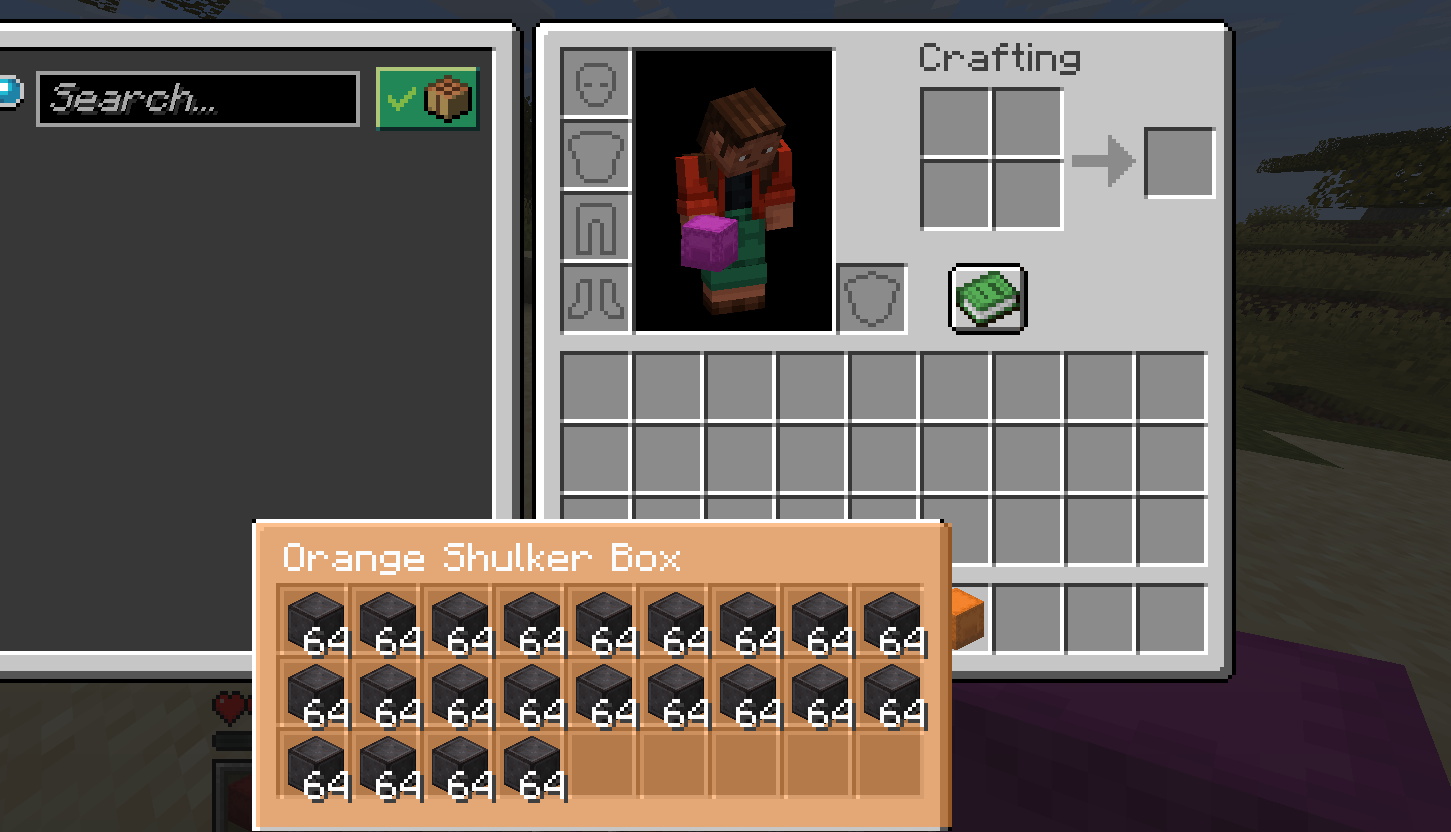
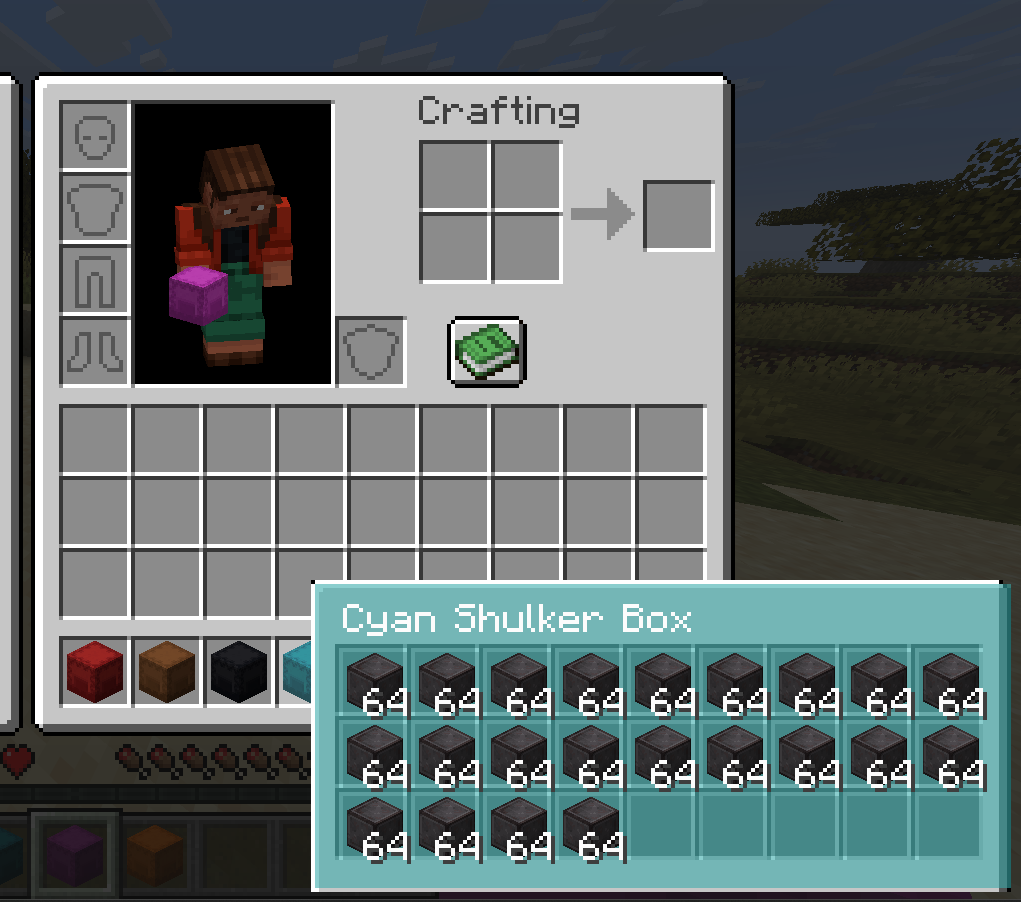
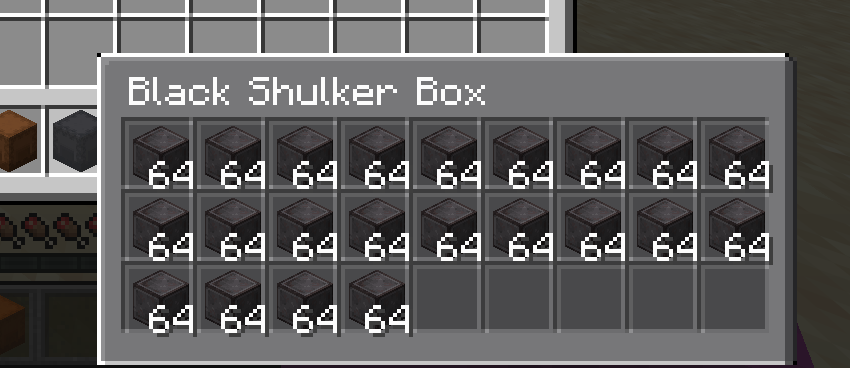
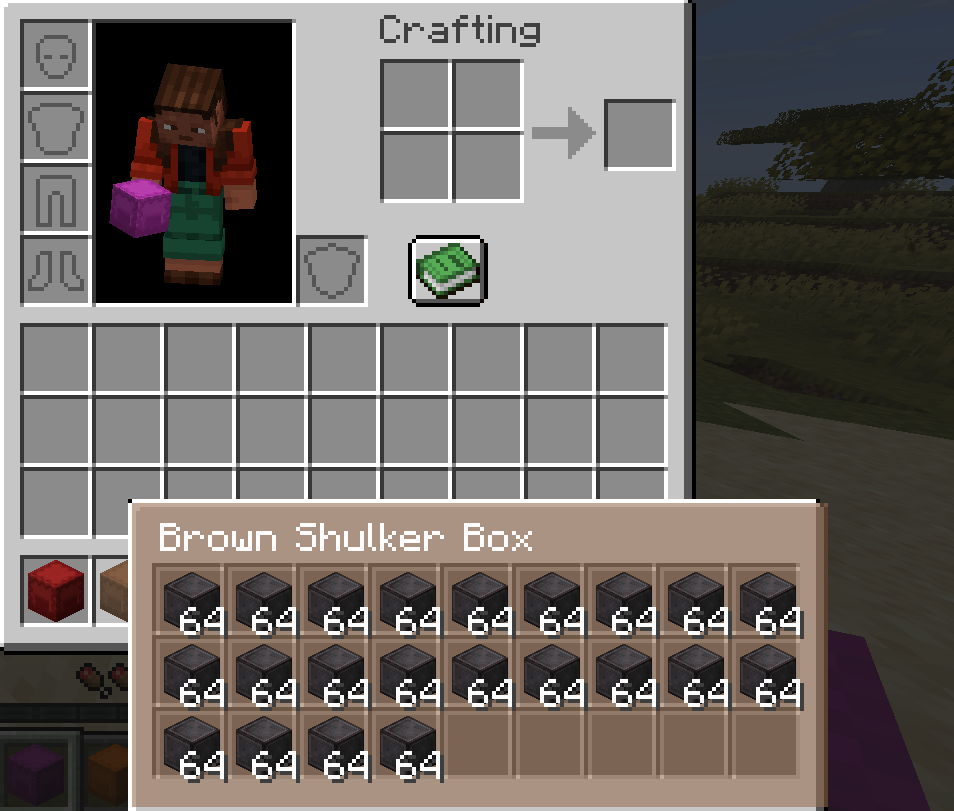
ShulkerPeek is a client-side shulker box tooltip preview mod. Hover over any shulker box in your inventory and instantly see its full shulker box contents in a clean 9x3 visual grid. No placing. No opening. No guessing what is inside.
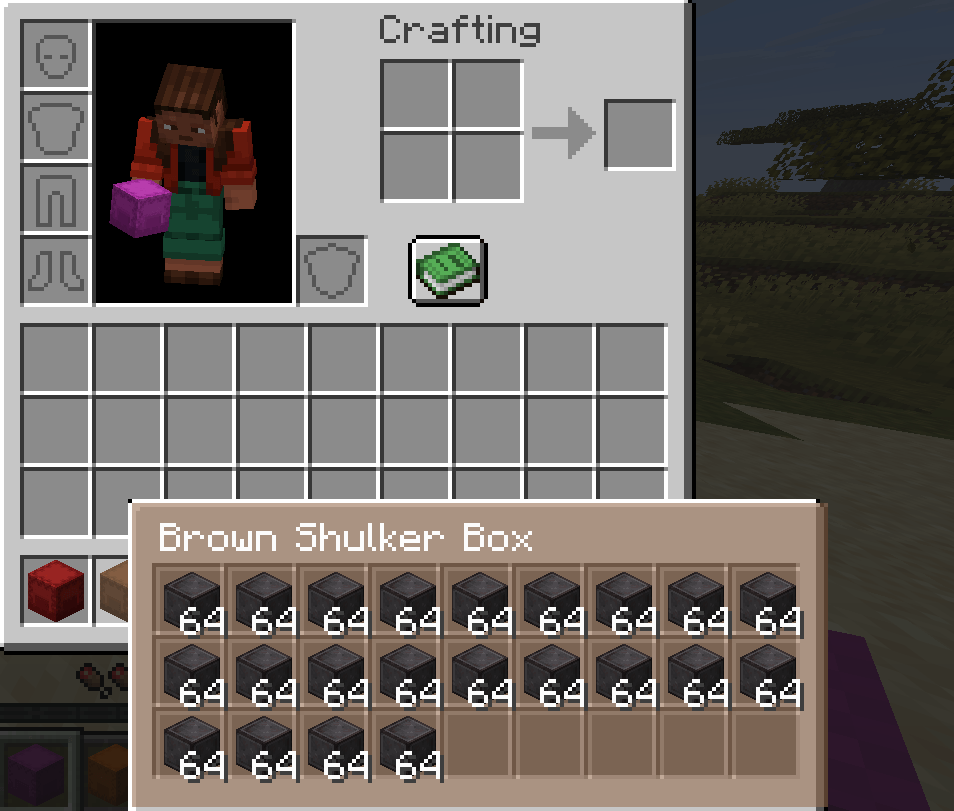
The tooltip background tint matches the box dye color so you can see inside shulker boxes at a glance before even reading the name. The fastest way to manage shulker box storage in survival, technical play, or any modpack with heavy item management.
How the shulker box tooltip preview works
When you hover over a shulker box item, ShulkerPeek checks for stored inventory data. If data is found, the default tooltip is replaced with a fully rendered shulker box contents grid showing all 27 slots. Box title, stack counts, and color tint are all optional and configurable.
Everything runs client-side only. ShulkerPeek reads item data already on the client and renders it visually. It does not send data to servers and needs no server-side installation works on any server.
Shulker box preview features
- Shulker box contents on hover no placing or opening required
- Full 9x3 visual grid matching the real shulker inventory layout
- Shulker box tooltip background tint matched to the dye color
- Optional box title or custom name shown above the contents grid
- Optional item stack count overlays on each slot
- Shift-to-show mode shulker preview only appears while holding Shift
- Keybind toggle to enable or disable the shulker tooltip instantly in-game
- Config file at config/shulkerpeek.json
- In-game config screen on Forge and NeoForge via the Mods menu
Perfect for shulker box storage management
ShulkerPeek is built for players who carry many shulker boxes and need fast identification. Instead of placing and opening multiple boxes to find the right one, hover and see inside shulker boxes in seconds.
- Large shulker box storage systems in survival worlds
- Technical Minecraft and building playthroughs with sorted item storage
- Modpacks with heavy inventory and item management
- Multiplayer servers where quick inventory sorting matters
Configuration
|
Setting |
Default |
Description |
|
Enabled |
true |
Master on/off toggle |
|
Require Shift |
false |
Show shulker box tooltip on hover by default |
|
Show title |
true |
Display box name above the contents grid |
|
Show item counts |
true |
Stack size overlay on each slot |
|
Color tint strength |
medium |
Intensity of the dye color tint |
|
Slot background darkness |
medium |
Visibility of individual slot backgrounds |
Config file: config/shulkerpeek.json
In-game config screen available on Forge and NeoForge.
Requirements
- Fabric: Fabric Loader and Fabric API required
- Forge: no extra dependencies required
- NeoForge: no extra dependencies required
What ShulkerPeek does not do
- Does not modify, move, or duplicate any items
- Does not add new blocks, items, or recipes
- Does not require placing the shulker box
- Does not send any data to servers
- Does not change any gameplay mechanics
ShulkerPeek: Shulker Box Tooltip Preview
See inside any shulker box without opening it.
ShulkerPeek is a client-side shulker box tooltip preview mod for Fabric, Forge, and NeoForge. Hover over any shulker box in your inventory and instantly see its full shulker box contents displayed in a clean 9x3 visual grid. The tooltip background tint matches the box dye color so you can see inside shulker boxes at a glance no placing, no opening, no guessing.
The fastest way to manage shulker box storage in survival, technical play, or any modpack with heavy item management.
How the shulker box tooltip preview works
When you hover over a shulker box item, ShulkerPeek checks for stored inventory data. If data is found, the standard tooltip is replaced with a fully rendered shulker box contents grid showing all 27 slots. Box title, stack counts, and background color tint are all optional and configurable.
Everything runs client-side only. ShulkerPeek reads item data already present on the client and renders it visually. It does not send data to servers and requires no server-side installation works on any server you join.
Features
See shulker box contents on hover without placing or opening the box
Full 9x3 visual grid matching the real shulker inventory layout
Shulker box tooltip background tint matched to the dye color
Optional box title or custom name shown above the contents grid
Optional item stack count overlays on each slot
Shift-to-show mode so the shulker preview only appears when holding Shift
Keybind toggle to enable or disable the shulker tooltip instantly in-game
Config file at config/shulkerpeek.json for manual editing
In-game config screen on Forge and NeoForge via the Mods menu
Perfect for shulker box storage management
ShulkerPeek is built for players who carry many shulker boxes and need fast identification. Instead of placing and opening multiple boxes to find the right one, hover and see inside shulker boxes in seconds.
Large shulker box storage systems in survival worlds Technical Minecraft and building playthroughs with sorted item storage Modpacks with heavy inventory and item management Multiplayer servers where quick inventory sorting matters
Configuration
| Setting | Default | Description |
|---|---|---|
| Enabled | true | Master on/off toggle |
| Require Shift | false | Show shulker box tooltip on hover by default |
| Show title | true | Display box name above the contents grid |
| Show item counts | true | Stack size overlay on each slot |
| Color tint strength | medium | Intensity of the dye color tint |
| Slot background darkness | medium | Visibility of individual slot backgrounds |
Config file: config/shulkerpeek.json
In-game config screen available on Forge and NeoForge.
Requirements
Fabric version: Fabric Loader and Fabric API required Forge version: no extra dependencies required NeoForge version: no extra dependencies required
What ShulkerPeek does not do
ShulkerPeek does not modify, move, or duplicate any items. It does not add blocks, items, or recipes. It does not require placing the shulker box. It does not send any data to servers. It is a purely visual, read-only shulker box tooltip enhancement with no effect on gameplay.

Screenshots
Gallery
-
 Screenshot 2026-03-13 185345.png Screenshot 2026-03-13 185345.png
 -
 Screenshot 2026-03-13 185324.png Screenshot 2026-03-13 185324.png
 -
 Screenshot 2026-03-13 185309.png Screenshot 2026-03-13 185309.png
 -
 Screenshot 2026-03-13 185254.png Screenshot 2026-03-13 185254.png
 -
 Screenshot 2026-03-13 185241.png Screenshot 2026-03-13 185241.png
Versions
Files
Relations
Project Relations
More like this
Similar Mods
Suggestions use data such as tags, dependencies, dependents, descriptions, titles, and more to rank how much they overlap with this mod.
On ModDex
Community snapshot
By the numbers
Statistics
Want to reach Minecraft players?
We're looking for a server hosting partner to feature here and other parts of the site. Interested? Send us a message!
Get in touchGet it on
Available Platforms
On ModDex
Community snapshot
By the numbers
Statistics
Resources