
Community listing page, reviews may not be monitored by the author.
Sidekick


No reviews yet
Formerly Not Enough Creativity. Extended inventory, noclip, teleport, and other superpowers for Creative mode.

Community voices
Reviews
No reviews yet. Be the first to review this project!
Get it on
Available Platforms
Compatibility
Supported Environments
Must be installed on both the client and the server.
Works on the client or the server alone, but does more when on both.
Varies by version.
About
Project Details
For authors
Embed Badge
If you're the author of this project, you can embed a live badge anywhere that supports HTML or Markdown. It updates automatically whenever ratings change.
Use HTML for any page that supports it, or Markdown for README files and Markdown-based descriptions.
Identifiers
Platform IDs
About
Description
Sidekick is a complete overhaul of the Creative inventory, and a large collection of useful superpowers to make creative building a breeze.
Starting as Not Enough Creativity, my first major 1.16+ mod inspired by Not Enough Items' Creative+ mode, Sidekick has been entirely rewritten for better mod compatibility, a smoother experience, and a well-designed protocol intended to be implementable by other mods and even plugins.
| |
|
|
|
| |
|
|
|
| |
|
|
|
| |
|
|
|
The Creative+ inventory uses Survival inventory code rather than Creative, meaning it is mostly server-side and isn't prone to the jank and desync that the vanilla Creative inventory has. Additionally, you get access to the 2x2 crafting grid — useful for dyeing items and the like.
All of the vanilla creative tabs are still available within the Creative+ inventory, but they are tucked away to a background tab panel for an inventory-focused workflow, and have a fairly different UX to the vanilla system — intended for quicker access and being slightly better about large amounts of Creative tabs.

Above the inventory, a collection of toggleable Powers can be found, which are:
- No Item Pickup - Disable pickup of stray items on the ground, to keep your inventory clear.
- Instant Kill - Greatly increase your punch damage to get rid of pesky mobs without carrying a sword around.
- Enable Health - Enable damage and show your health bar. You still can't die, except by the usual things that kill Creative players.
- No Break Delay - Disable the Creative break delay, to break blocks like a gold pick through netherrack.
- Full Bright - Ignore lighting, making everything appear fully lit. Does not change the fog.
- Phase - Freely pass through blocks like a Spectator.
- Long Reach - Increase your reach from 4-ish blocks to 12 blocks.
- Free Flight - Fly like old Classic mods, rather than the momentum-based vanilla system. Select full-3D or plane-lock in Options.
- Super Speed - Quadruples your flight speed.
Additionally, Sidekick offers a few configurable options that apply globally rather than per-world:
- Plane Lock - Ignore your vertical facing when moving in Free Flight mode, similar to vanilla flight.
- Pick Swap - Items that are displaced by pickblock are put into the extended inventory for later use, rather than deleted.
- Disable Animations - Disable the transitions and animations, for maximum no-nonsense efficiency.
- UI Sounds - Play audible feedback where vanilla doesn't.
- Creative Tabs - Show the vanilla creative tabs. May be undesirable for an item sidebar workflow.
- Delete Mode - Shift-clicking the Destroy Item button enters Destroy Mode instead of deleting everything. Disable for vanilla behavior.
- Night Owl - Make the Sidekick GUI darker, instead of pure vanilla style.

Sidekick is a complete overhaul of the Creative inventory, and a large collection of useful superpowers to make creative building a breeze.
Starting as Not Enough Creativity, my first major 1.16+ mod inspired by Not Enough Items' Creative+ mode, Sidekick has been entirely rewritten for better mod compatibility, a smoother experience, and a well-designed protocol intended to be implementable by other mods and even plugins.
The Creative+ inventory uses Survival inventory code rather than Creative, meaning it is mostly server-side and isn't prone to the jank and desync that the vanilla Creative inventory has. Additionally, you get access to the 2x2 crafting grid — useful for dyeing items and the like.
All of the vanilla creative tabs are still available within the Creative+ inventory, but they are tucked away to a background tab panel for an inventory-focused workflow, and have a fairly different UX to the vanilla system — intended for quicker access and being slightly better about large amounts of Creative tabs.
Above the inventory, a collection of toggleable Powers can be found, which are:
- No Item Pickup - Disable pickup of stray items on the ground, to keep your inventory clear.
- Instant Kill - Greatly increase your punch damage to get rid of pesky mobs without carrying a sword around.
- Enable Health - Enable damage and show your health bar. You still can't die, except by the usual things that kill Creative players.
- No Break Delay - Disable the Creative break delay, to break blocks like a gold pick through netherrack.
- Full Bright - Ignore lighting, making everything appear fully lit. Does not change the fog.
- Phase - Freely pass through blocks like a Spectator.
- Long Reach - Increase your reach from 4-ish blocks to 12 blocks.
- Free Flight - Fly like old Classic mods, rather than the momentum-based vanilla system. Select full-3D or plane-lock in Options.
- Super Speed - Quadruples your flight speed.
Additionally, Sidekick offers a few configurable options that apply globally rather than per-world:
- Plane Lock - Ignore your vertical facing when moving in Free Flight mode, similar to vanilla flight.
- Pick Swap - Items that are displaced by pickblock are put into the extended inventory for later use, rather than deleted.
- Disable Animations - Disable the transitions and animations, for maximum no-nonsense efficiency.
- UI Sounds - Play audible feedback where vanilla doesn't.
- Creative Tabs - Show the vanilla creative tabs. May be undesirable for an item sidebar workflow.
- Delete Mode - Shift-clicking the Destroy Item button enters Destroy Mode instead of deleting everything. Disable for vanilla behavior.
- Night Owl - Make the Sidekick GUI darker, instead of pure vanilla style.
Screenshots
Gallery
-
 Config (GIF, click to play) Completely normal config screen, nothing to see here
 -
 Destroy Mode (GIF, click to play) For precision mass destruction
 -
 Phasing (GIF, click to play) Walls? What walls?
 -
 Creative Tabs (GIF, click to play) Having a browse
 -
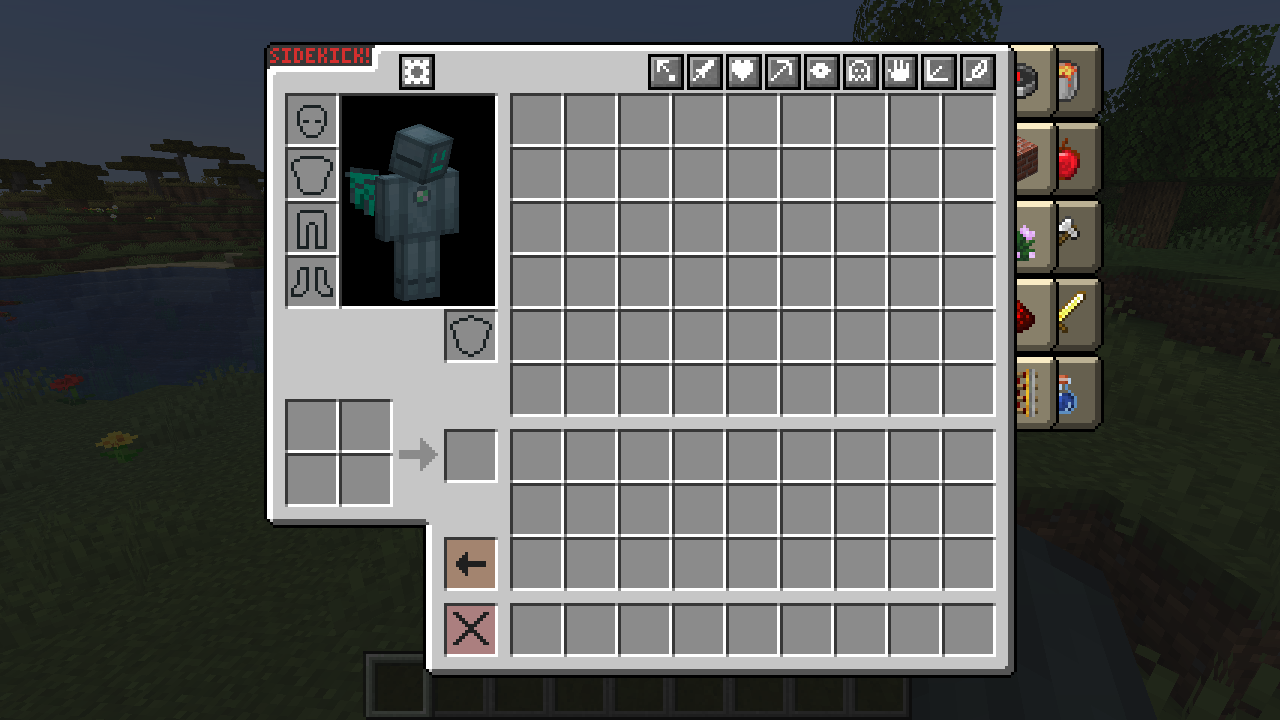 Creative+ Inventory
 -
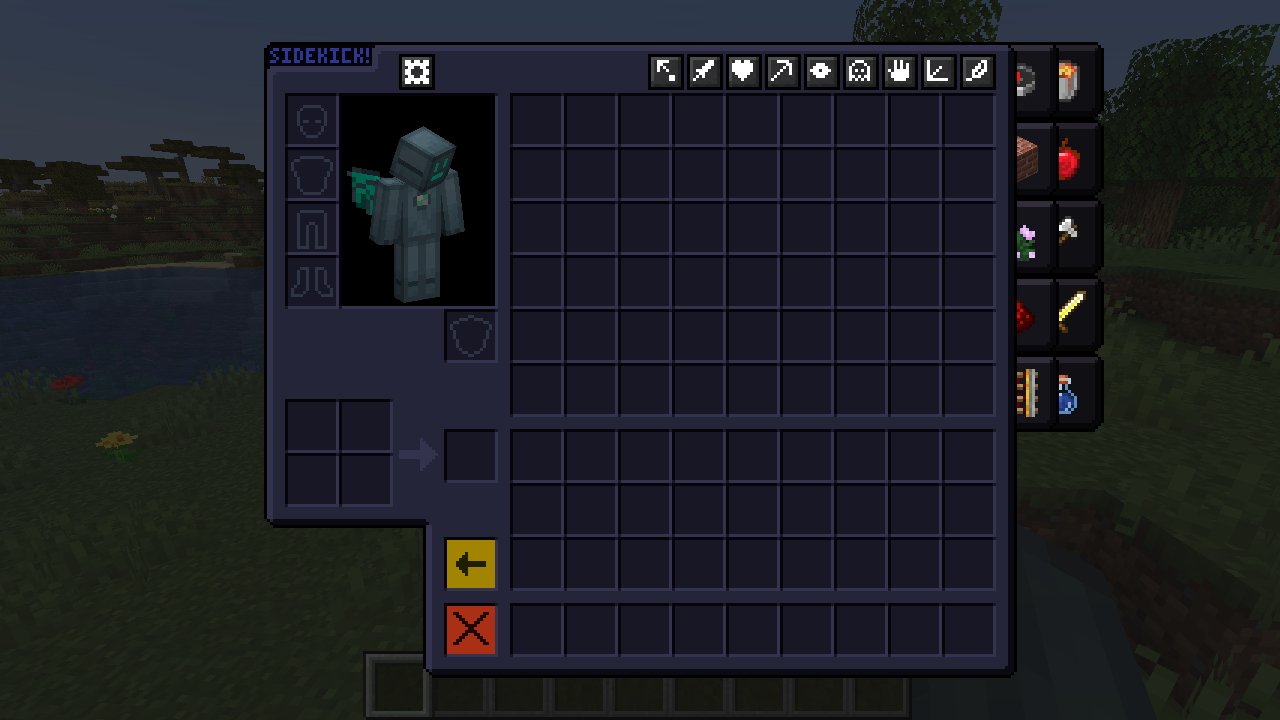 Dark Creative+ Inventory
-
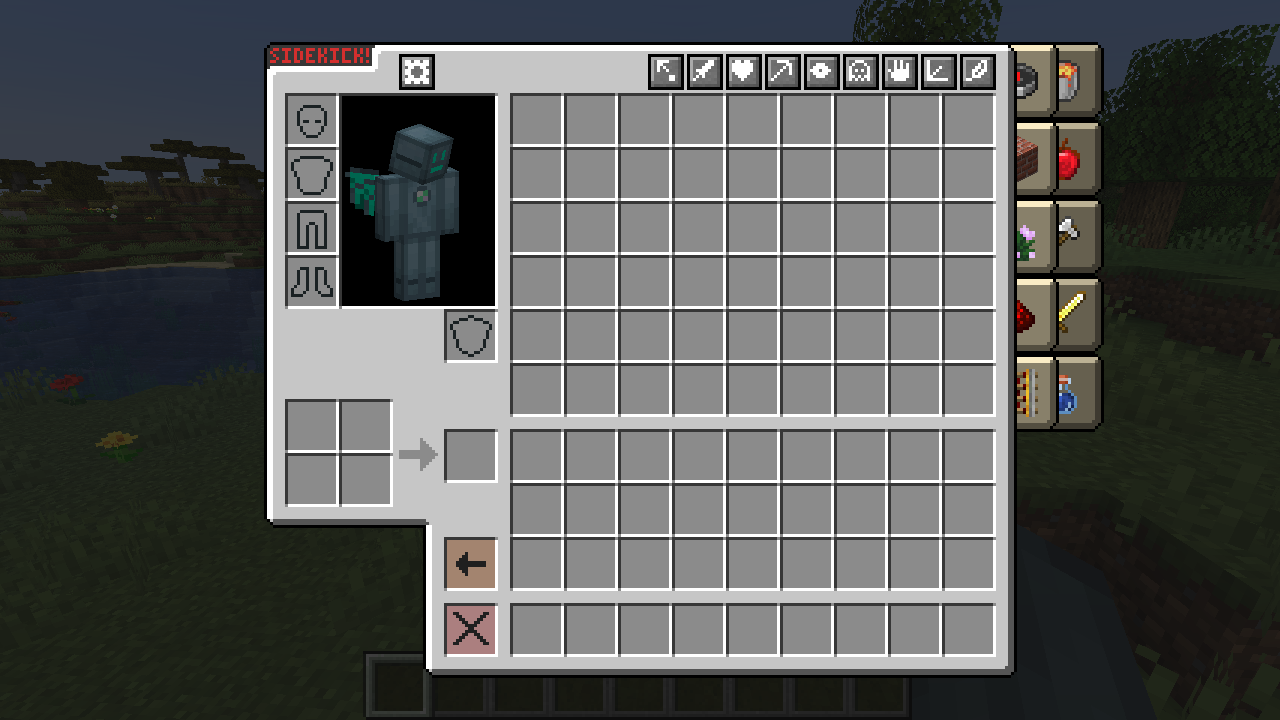 Inventory The Creative+ inventory.
 -
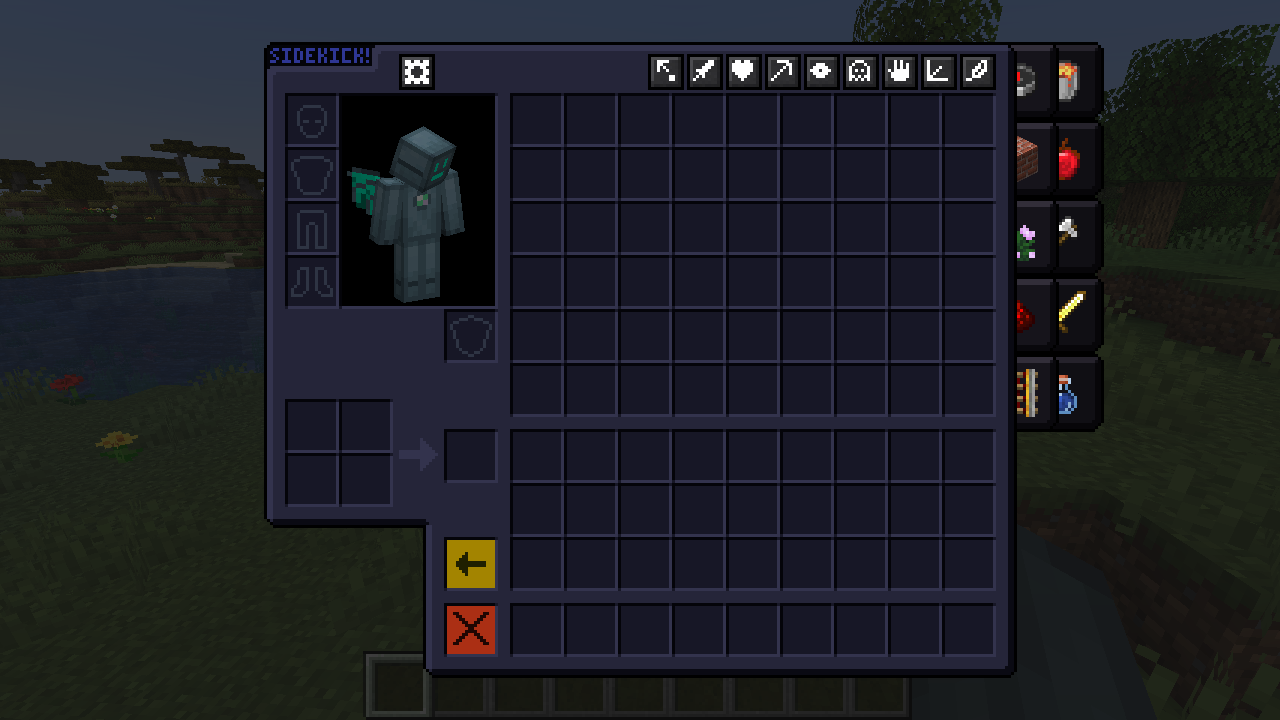 Dark Inventory
 -
 Config Completely normal configuration screen, nothing to see here
 -
 Destroy Mode For precision mass destruction
 -
 Creative Tabs Having a browse
 -
 Phasing Walls? What walls?
Versions
Files
Relations
Project Relations
More like this
Similar Mods
Suggestions use data such as tags, dependencies, dependents, descriptions, titles, and more to rank how much they overlap with this mod.
On ModDex
Community snapshot
By the numbers
Statistics

Get it on
Available Platforms
On ModDex
Community snapshot
By the numbers