Community listing page, reviews here may not be monitored by the author.
Simple Custom Early Loading


No reviews yet
Allows to customize the Neoforge and Forge early loading screen
Community voices
Reviews
No reviews yet. Be the first to review this project!
Get it on
Available Platforms
Compatibility
Supported Environments
Runs entirely on the client. Works on vanilla servers.
About
Project Details
For authors
Embed Badge
If you're the author of this project, you can embed a live badge anywhere that supports HTML or Markdown. It updates automatically whenever ratings change.
Use HTML for any page that supports it, or Markdown for README files and Markdown-based descriptions.
Identifiers
Platform IDs
About
Description
This mod allows the customization of Neoforge's early loading screen.


There is also a quite "hacky" version for Forge 1.20.1, 1.20.2, 1.20.4, 1.20.6.
I do not plan to continue supporting any other Forge versions due to technical reasons.
For newer versions, please use the NeoForge.
Currently, the window is not able to dynamically change its resolution when the window is resized.
I won't allow removing the Mojang logo.
Features:
- add and position custom images (see supported image formats)
- toggle and change the position of the progress bar
- toggle performance bar
- toggle NeoForge's fox
- toggle bottom left log
- toggle NeoForge's version (bottom right)
Installation - NeoForge:
- place the jar in the mods folder
- modify the
config/fml.tomlfile
# Early window provider
earlyWindowProvider = "SimpleCustomEarlyLoading"
# ... Other options ...
# Optionally set the window to be maximized
earlyWindowMaximized = true
Installation - Forge:
- place the jar in the mods folder
- forge version requires default
config/fml.tomlvalue
#Early window provider
earlyWindowProvider = "fmlearlywindow"
3 - Optional: update options.txt: darkMojangStudiosBackground:true
Unfortunately, the override is applied quite late, which may result in the original red early loading (or a white screen) to "flash" on the very game start. I can't do anything about that.
However, the red color of the original loading can be changed using darkMojangStudiosBackground:true in options.txt.
Supported image formats:
Animated images:
- APNG - must be created without unchanged pixels detection (each frame is rendered from scratch). The animation will respect the image timing and repeat count.
Static images:
- JPEG baseline & progressive (12 bpc/arithmetic not supported, same as stock IJG lib
- PNG 1/2/4/8/16-bit-per-channel
- TGA (not sure what subset, if a subset)
- BMP non-1bpp, non-RLE
- PSD (composited view only, no extra channels, 8/16 bit-per-channel)
- GIF (renders only single static frame, use APNG instead)
- HDR (radiance rgbE format)
- PIC (Softimage PIC)
- PNM (PPM and PGM binary only)
Configuration / Source code
For configuration instructions and the source code check the GitHub repository.
This mod allows the customization of Neoforge's early loading screen.

There is also a quite "hacky" version for Forge 1.20.1, 1.20.2, 1.20.4, 1.20.6.
I do not plan to continue supporting any other Forge versions due to technical reasons.
For newer versions, please use the NeoForge.
Currently, the window is not able to dynamically change its resolution when the window is resized.
I won't allow removing the Mojang logo.
Features:
- add and position custom images (see supported image formats)
- toggle and change the position of the progress bar
- toggle performance bar
- toggle NeoForge's fox
- toggle bottom left log
- toggle NeoForge's version (bottom right)
Installation - NeoForge:
- place the jar in the mods folder
- modify the
config/fml.tomlfile
# Early window provider
earlyWindowProvider = "SimpleCustomEarlyLoading"
# ... Other options ...
# Optionally set the window to be maximized
earlyWindowMaximized = true
Installation - Forge:
- place the jar in the mods folder
- forge version requires default
config/fml.tomlvalue
#Early window provider
earlyWindowProvider = "fmlearlywindow"
3 - Optional: update options.txt: darkMojangStudiosBackground:true
Unfortunately, the override is applied quite late, which may result in the original red early loading (or a white screen) to "flash" on the very game start. I can't do anything about that.
However, the red color of the original loading can be changed using darkMojangStudiosBackground:true in options.txt.
Supported image formats:
Animated images:
- APNG - must be created without unchanged pixels detection (each frame is rendered from scratch). The animation will respect the image timing and repeat count.
Static images:
- JPEG baseline & progressive (12 bpc/arithmetic not supported, same as stock IJG lib
- PNG 1/2/4/8/16-bit-per-channel
- TGA (not sure what subset, if a subset)
- BMP non-1bpp, non-RLE
- PSD (composited view only, no extra channels, 8/16 bit-per-channel)
- GIF (renders only single static frame, use APNG instead)
- HDR (radiance rgbE format)
- PIC (Softimage PIC)
- PNM (PPM and PGM binary only)
Configuration / Source code
For configuration instructions and the source code check the GitHub repository.
Screenshots
Gallery
-
 preview.png preview.png
 -
 SimpleCustomEarlyLoading.gif SimpleCustomEarlyLoading.gif
-
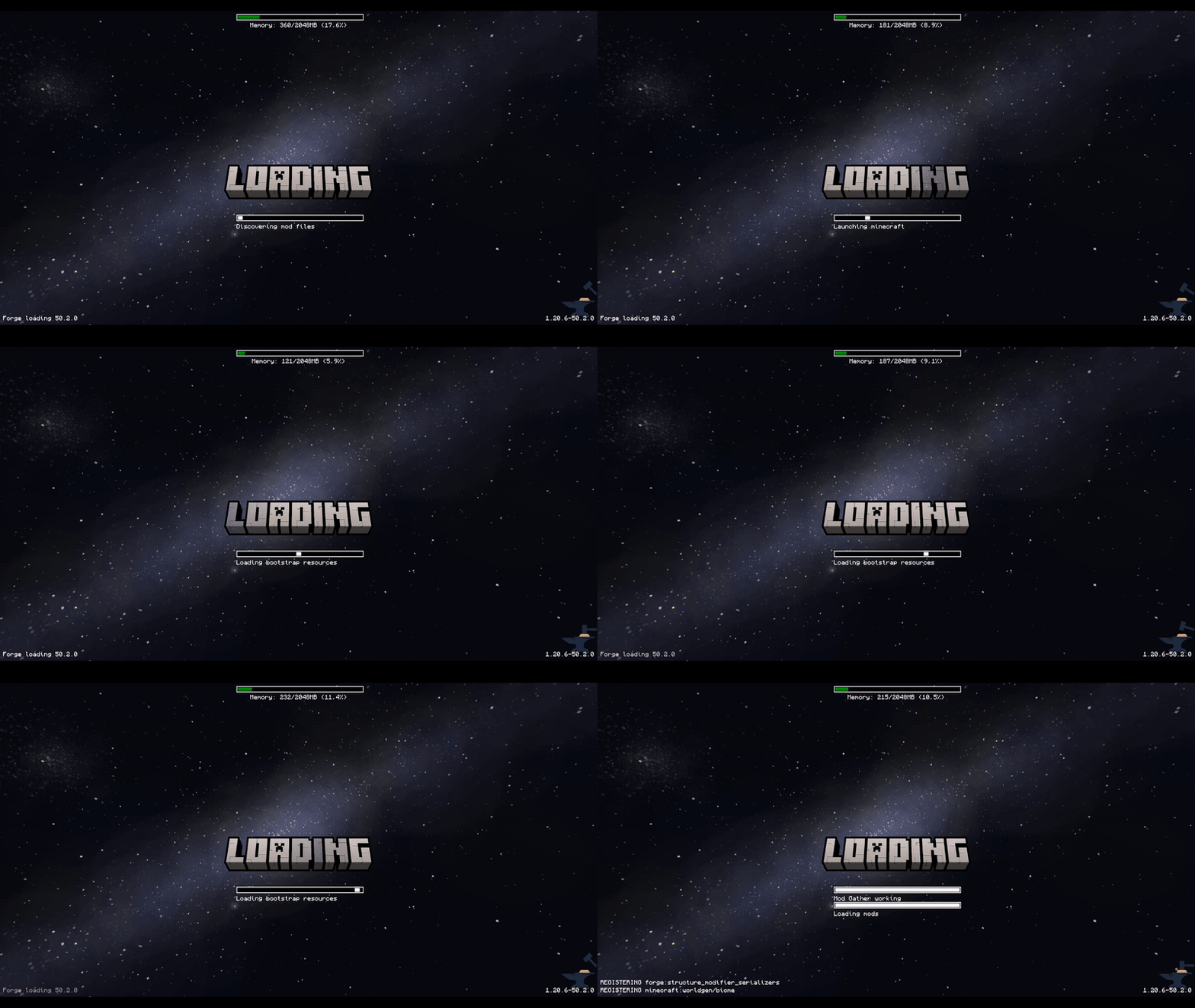
Animated loading
-
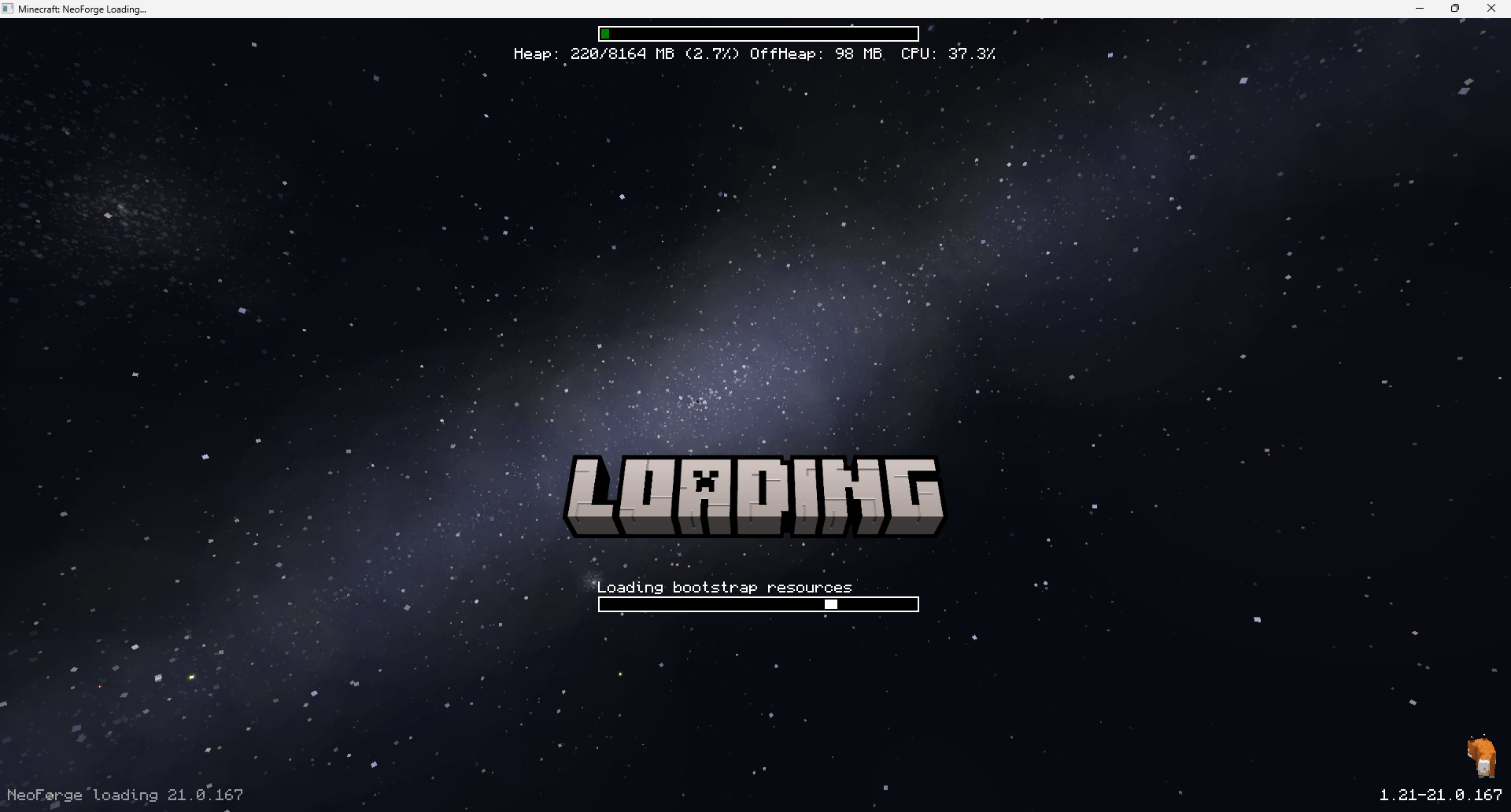
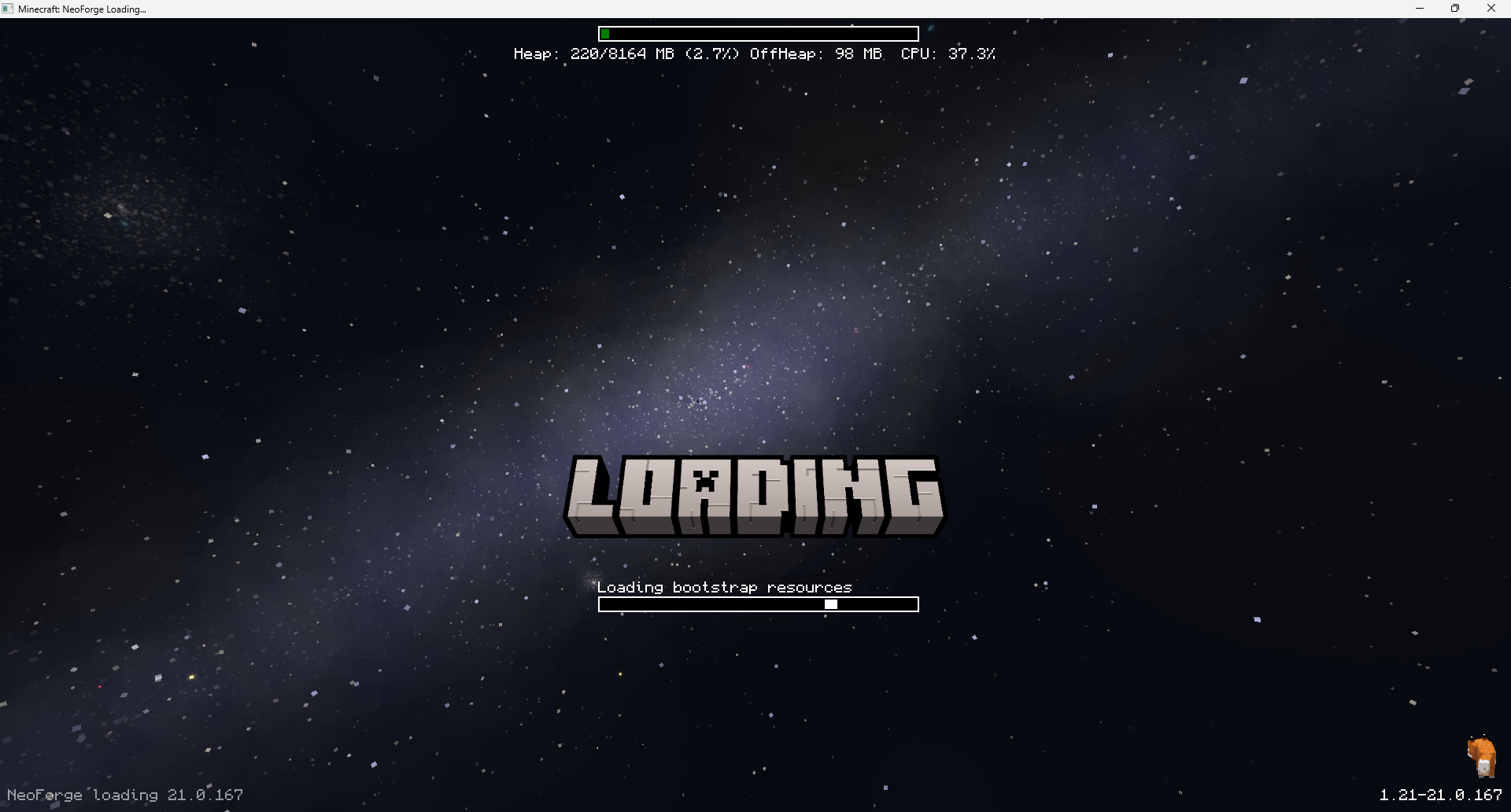 Neoforge Custom Early Loading The example adds custom background and loading text
Versions
Files
Relations
Project Relations
More like this
Similar Mods
Suggestions use data such as tags, dependencies, dependents, descriptions, titles, and more to rank how much they overlap with this mod.
On ModDex
Community snapshot
By the numbers
Statistics
Want to reach Minecraft players?
We're looking for a server hosting partner to feature here and other parts of the site. Interested? Send us a message!
Get in touchGet it on
Available Platforms
On ModDex
Community snapshot
By the numbers