
Community listing page, reviews here may not be monitored by the author.
Sound Controller


No reviews yet
Have complete control over the volume of all sounds played in the game!
Community voices
Reviews
No reviews yet. Be the first to review this project!
Get it on
Available Platforms
Compatibility
Supported Environments
Runs entirely on the client. Works on vanilla servers.
About
Project Details
For authors
Embed Badge
If you're the author of this project, you can embed a live badge anywhere that supports HTML or Markdown. It updates automatically whenever ratings change.
Use HTML for any page that supports it, or Markdown for README files and Markdown-based descriptions.
Identifiers
Platform IDs
About
Description
MIGRATION: Please note that this mod is still being actively developed, but due to the limitations and difficulties of managing CurseForge it has permanently migrated to Modrinth here.
This mod now supports NeoForge too.
What does Sound Controller do?
We've all dealt with that loud portal before, or those ridiculously loud mob farms. Have you every wanted to fine-tune just a single sound without needing to change the entire category?
Sound Controller will handle that for you! This is a client-side mod providing complete control over the sounds played in the game. It simply adds an extra button to your sound settings, providing you with a screen full of sound sliders. By utilising the Minecraft registry, this mod will also include all other sounds added to the game by your favourite mods.
Finally, in case the button in settings isn't enough, it has ModMenu support
Images
I perpetually have issues with images on CurseForge... so check out the images tab to see them.
Sound Controller



We've all dealt with that loud portal before, or those ridiculously loud mob farms. Perhaps you're even listening out for a particular mob while caving. Have you ever wanted to just fine-tune those specific sounds without being limited by the category sliders?
Sound Controller is a client-side Minecraft mod providing complete volume control over the sounds played in the game. It adds an extra set of options to your sound settings, providing you with per-sound volume sliders, custom regions, and presets!
This mod is available on GitHub and Modrinth. Support for CurseForge has been dropped, but very early Fabric versions can still be found there.
Features
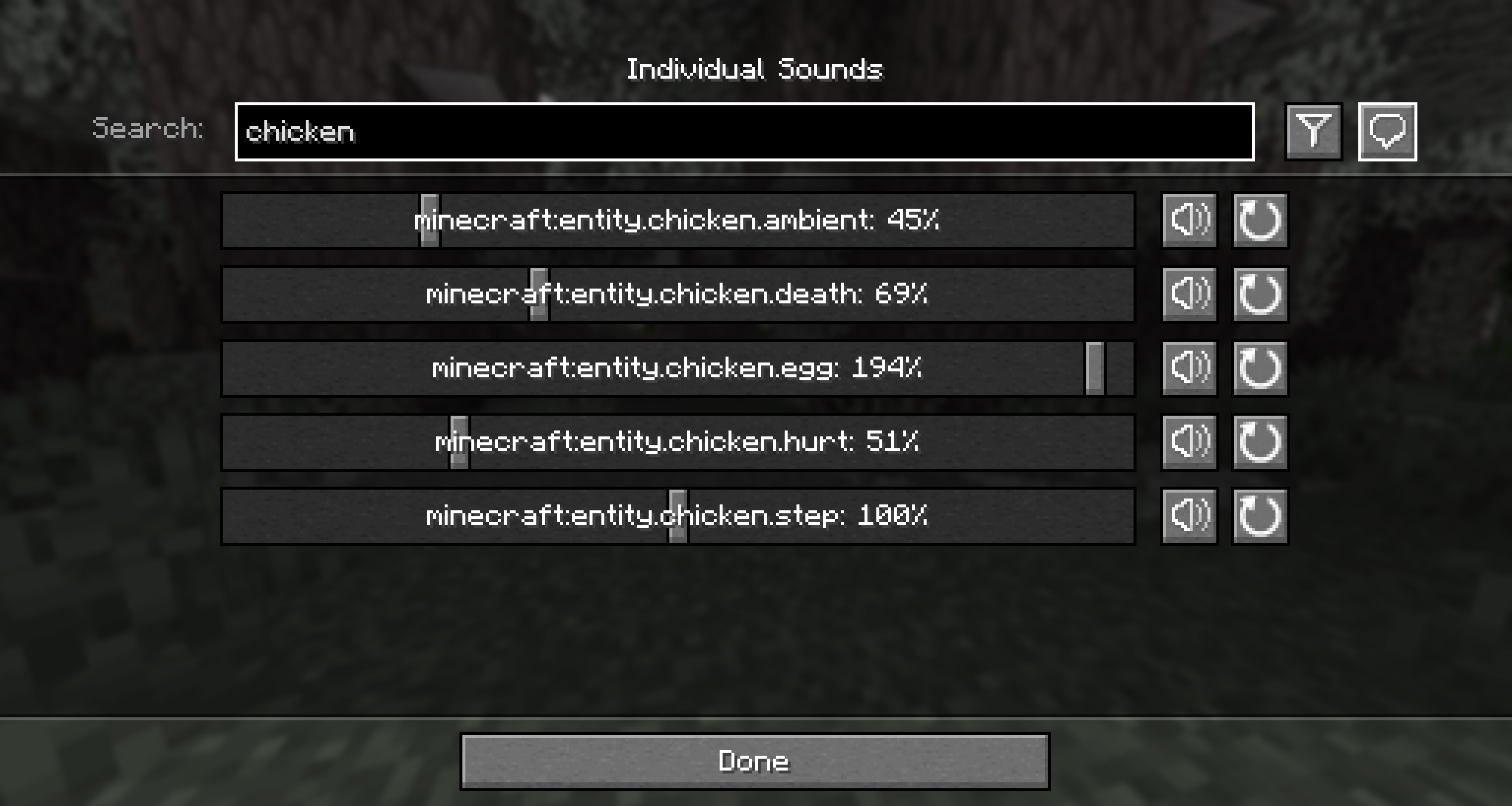
- Sliders for every sound in the game, including those added by mods. Allows setting volumes between 0% to 200%.
- Preview and reset buttons accompanying the volume sliders.
- Search to quickly find the sound you're looking for.
- Filter to your modified volumes, so you can easily find the sounds you've changed.
- Identify noises nearby by replacing the vanilla subtitles with sound IDs (toggleable).
- Regions, so that not all of your volume changes need to be global!
- Presets that can be applied on top of all your volume configurations. Mute the chickens once, and then apply to all your chicken farms!
- Mod and datapack support - your sounds should all be available!
A note on configs
Global volumes and presets are shared across all servers. Regions are stored and loaded per-server
Images
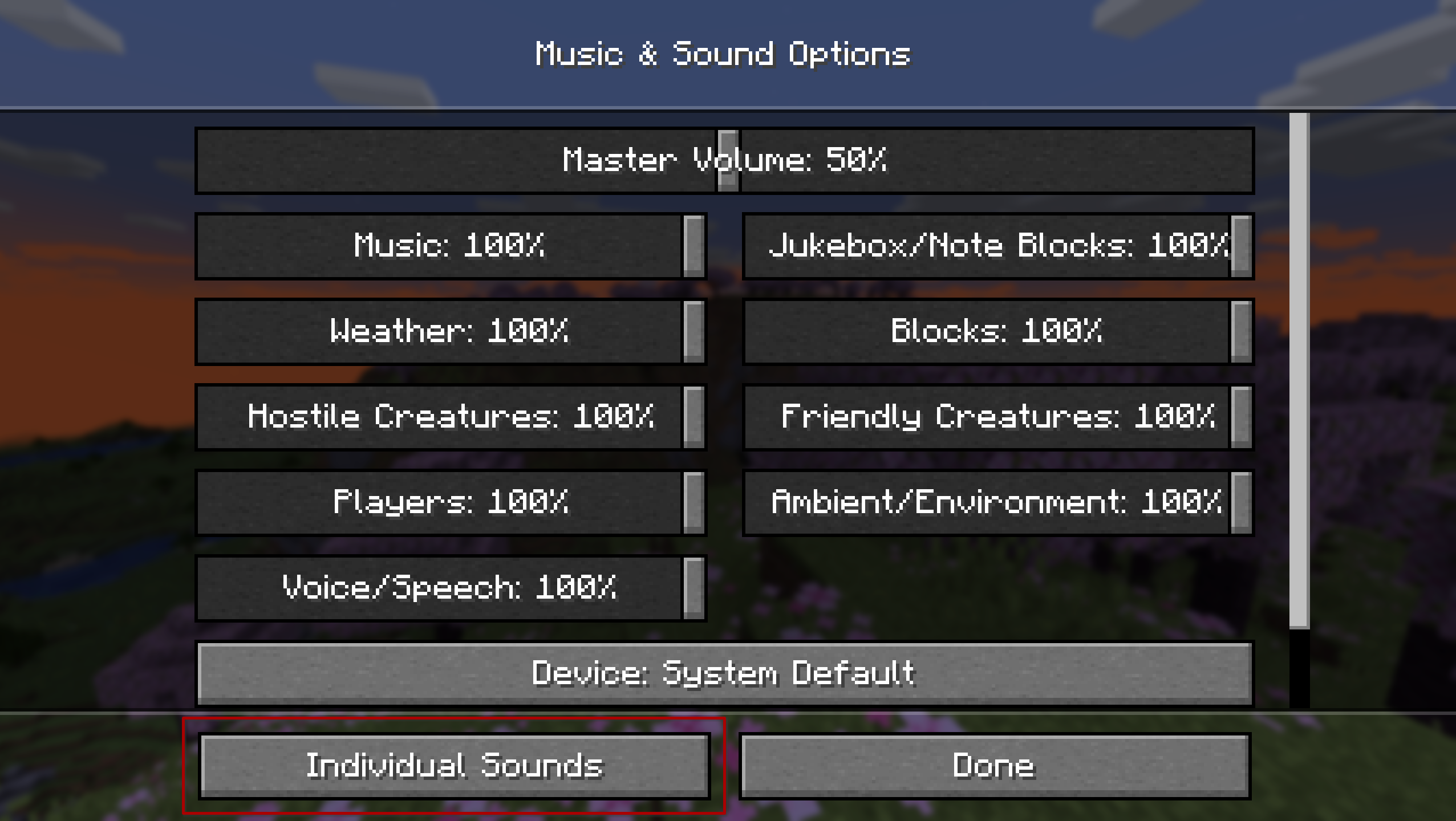
The mod injects an 'Individual Sounds' button into the default sound options screen for quick and easy access. Alternatively, it can be accessed via ModMenu or NeoForge's mods list.
The global tab is where you can set the volumes for all sounds in the game no matter where you are or which server you are on, for a consistent playing experience.
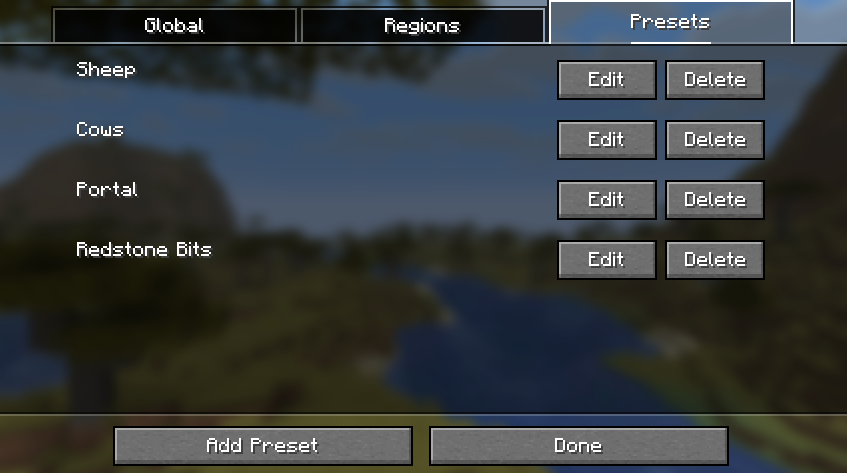
The presets tab displays all of the preset configurations that can be applied on top of your global or regional volume lists. Note that this doesn't replace the list, so you can apply multiple presets at once!
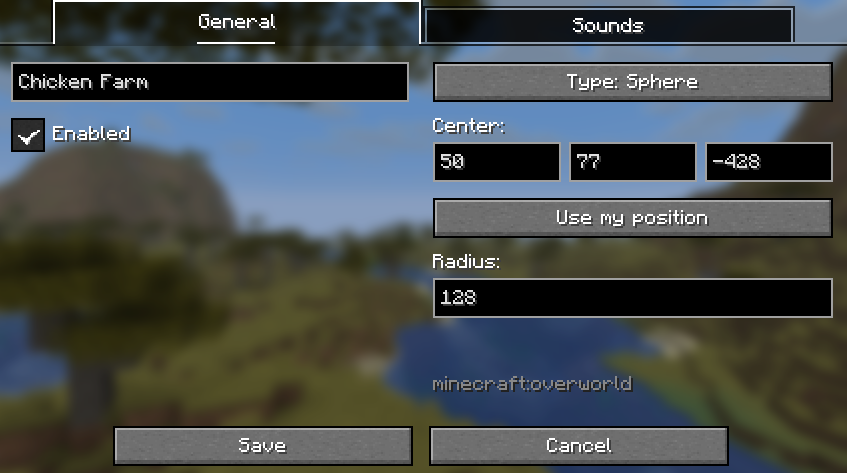
In the region screen, you can pick from two types of geometry. The box region is defined by two diagonally opposing coordinates. The spherical region is defined by a single point and a distance from that point.
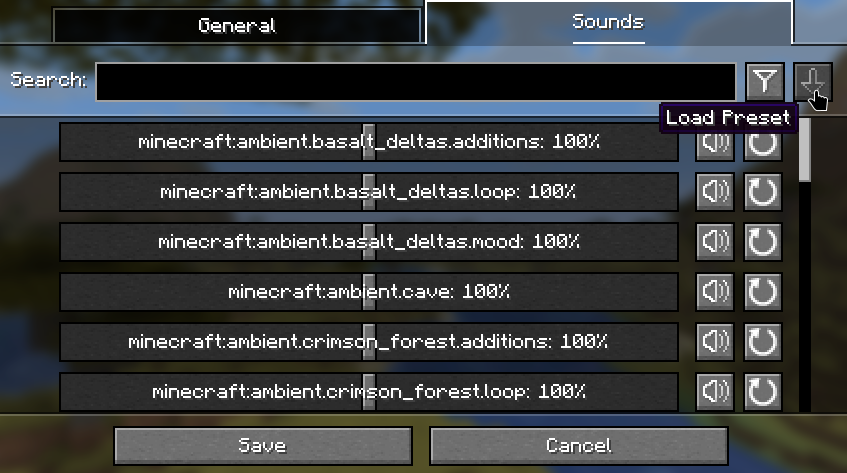
Below is the button used to apply a preset to the current volume configuration.
Contributing
Contributions and suggestions are always welcome! Please limit all issues to only one feature at a time - feel free to open multiple at once if you have many ideas. Similarly, please limit pull requests to a single feature at a time and try to follow the existing code style.
To further discuss or get notifications of new updates, check out my Discord. If you like what I do, consider supporting me on Ko-Fi!

Screenshots
Gallery
-
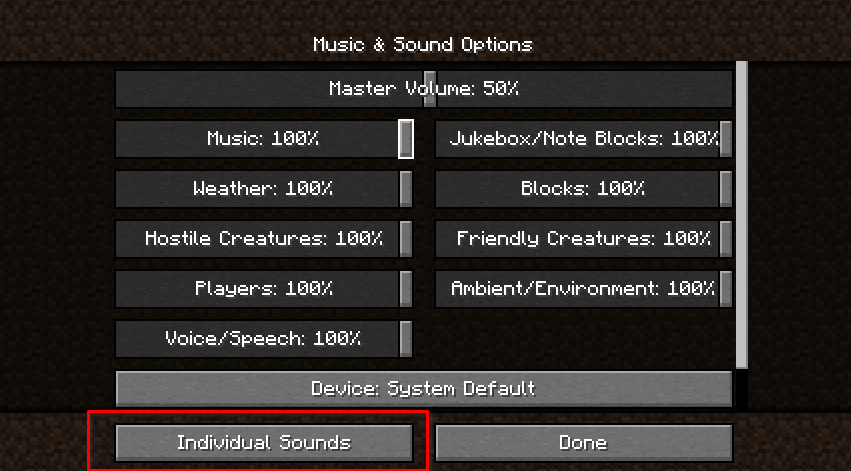 Settings Screen The existing sound settings screen, with the new button added.
 -
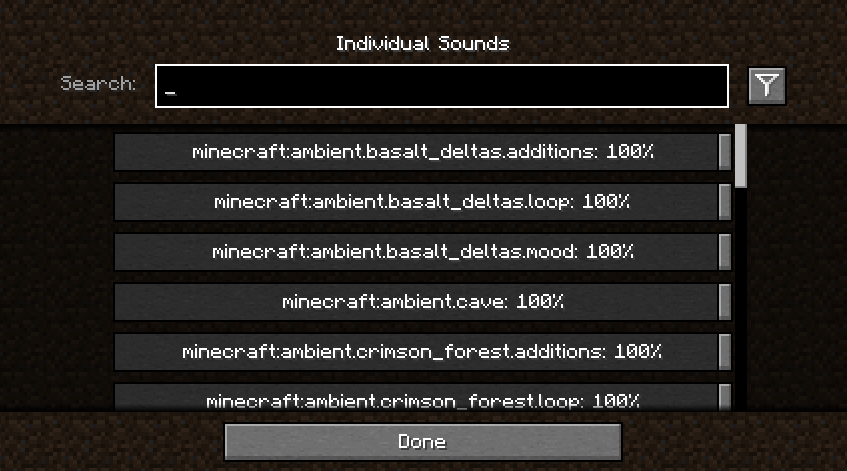 Sounds Screen The new sounds screen that was added to control individual sounds.
-
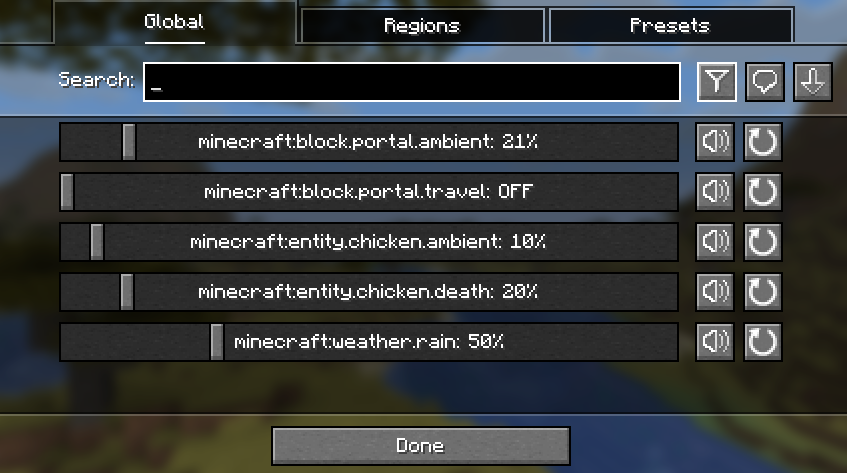 Global sounds screen The global sounds screen provides you with sliders for every single sound in the game, with volumes you can tweak to your liking.
 -
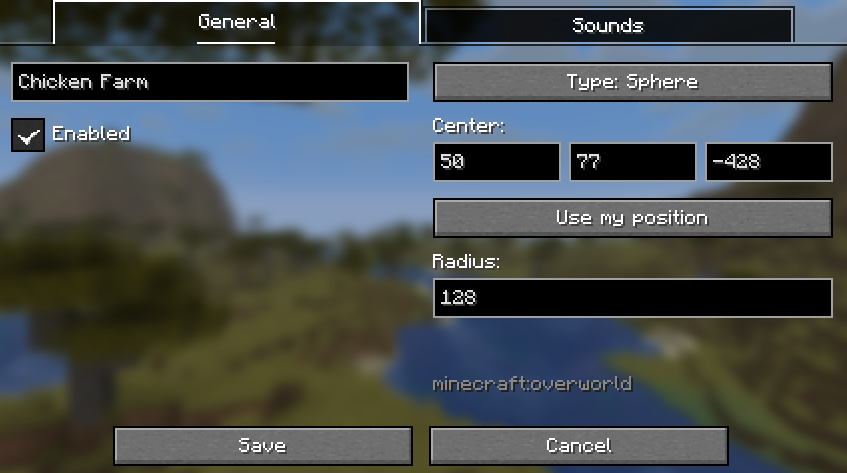 Regions screen You can configure regions of sound control, so that not everything has to be modified globally! These regions are defined either spherically or as a box.
 -
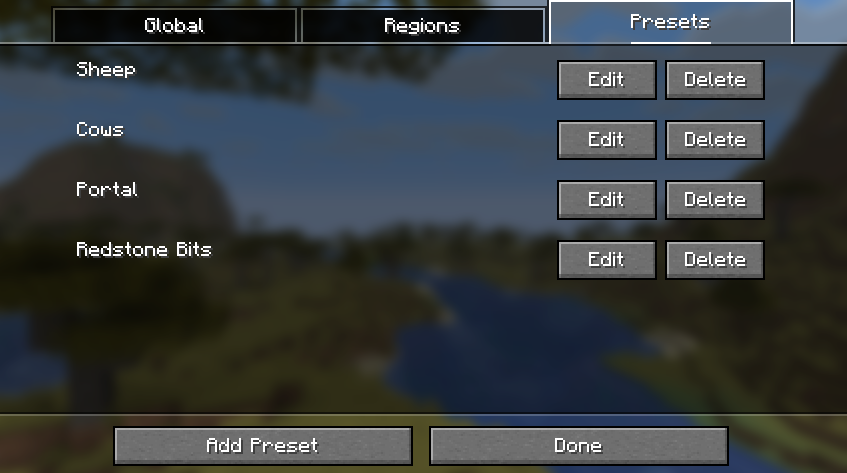 Presets screen The presets screen lets you save various sound configurations, which can be applied globally or to your regions.
 -
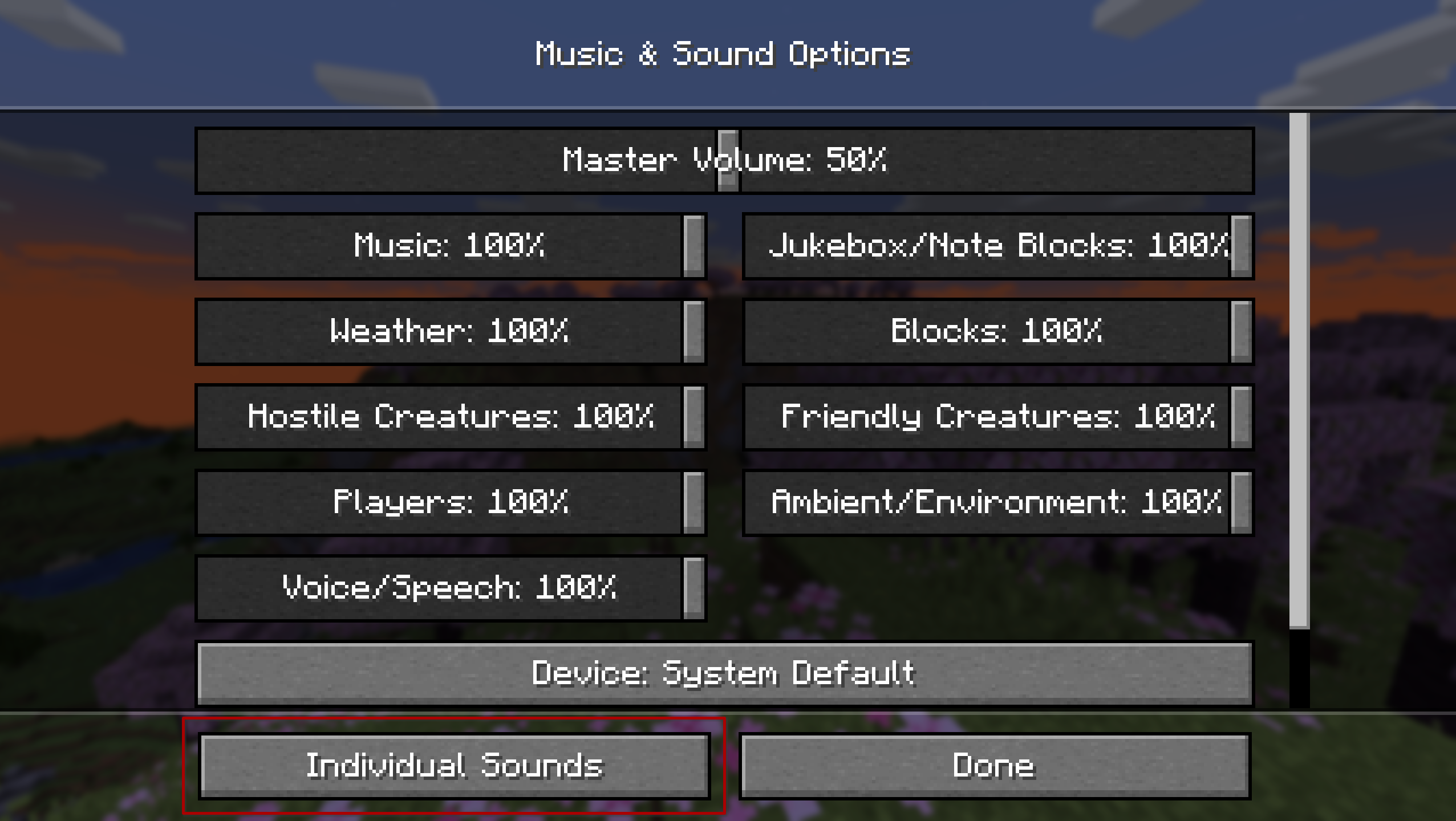 Original Sounds Screen A button has been added into the original sound options screen for easy access to the sound controls. ModMenu can also optionally be used.
Versions
Files
Relations
Project Relations
More like this
Similar Mods
Suggestions use data such as tags, dependencies, dependents, descriptions, titles, and more to rank how much they overlap with this mod.
On ModDex
Community snapshot
By the numbers
Statistics
Want to reach Minecraft players?
We're looking for a server hosting partner to feature here and other parts of the site. Interested? Send us a message!
Get in touchGet it on
Available Platforms
On ModDex
Community snapshot
By the numbers