
Community listing page, reviews may not be monitored by the author.
Superluminal

No reviews yet
Modern client-side performance suite introducing bicubic spatial upscaling, dynamic resolution scaling, frame interpolation, and memory optimization tools.

Community voices
Reviews
No reviews yet. Be the first to review this project!
Get it on
Available Platforms
About
Project Details
For authors
Embed Badge
If you're the author of this project, you can embed a live badge anywhere that supports HTML or Markdown. It updates automatically whenever ratings change.
Use HTML for any page that supports it, or Markdown for README files and Markdown-based descriptions.
Identifiers
Platform IDs
Resources
External Links
About
Description
⚡ Superluminal
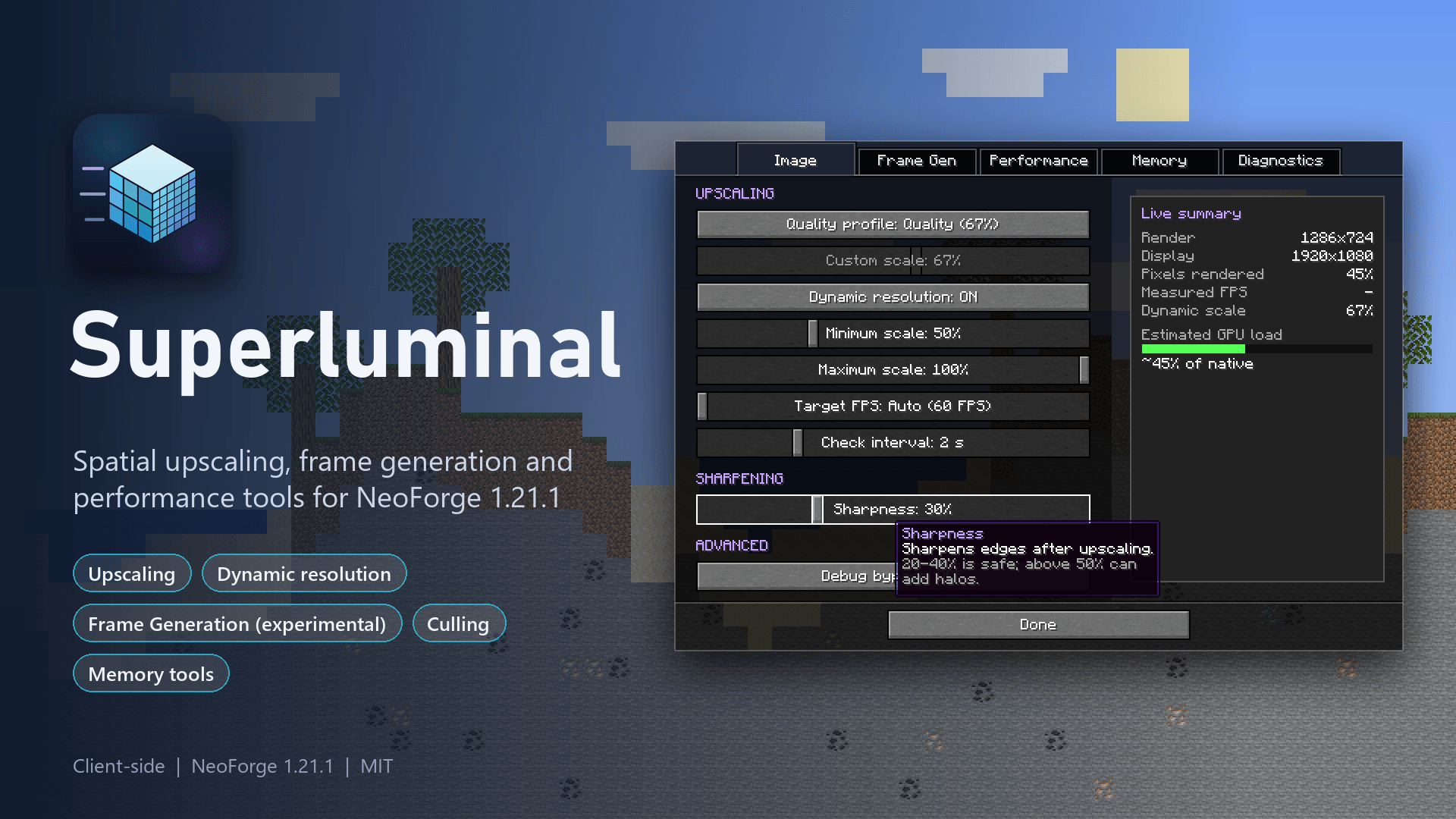
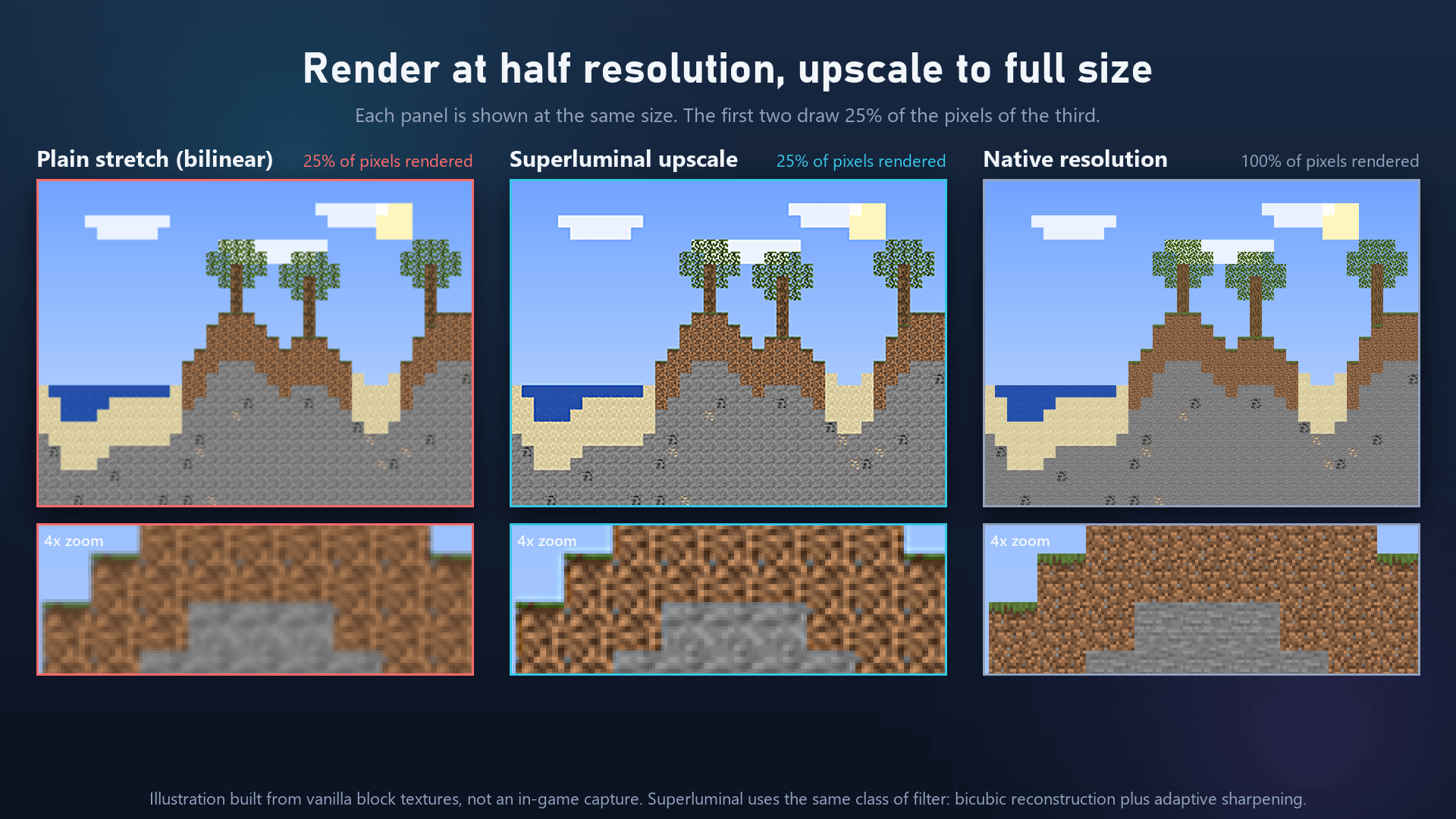
Superluminal boosts your frame rate by rendering the game at a lower internal resolution and cleanly upscaling it back to your native display with adjustable sharpening. By reducing the GPU workload per frame, your system runs smoother and faster.
In addition to spatial upscaling, Superluminal includes a suite of GPU/RAM optimization tools, dynamic resolution scaling, and experimental frame generation, all accessible within a single unified settings screen.
ℹ️ Client-Side Only: Superluminal is strictly a client-side mod. It is not required (and does nothing) on dedicated servers.
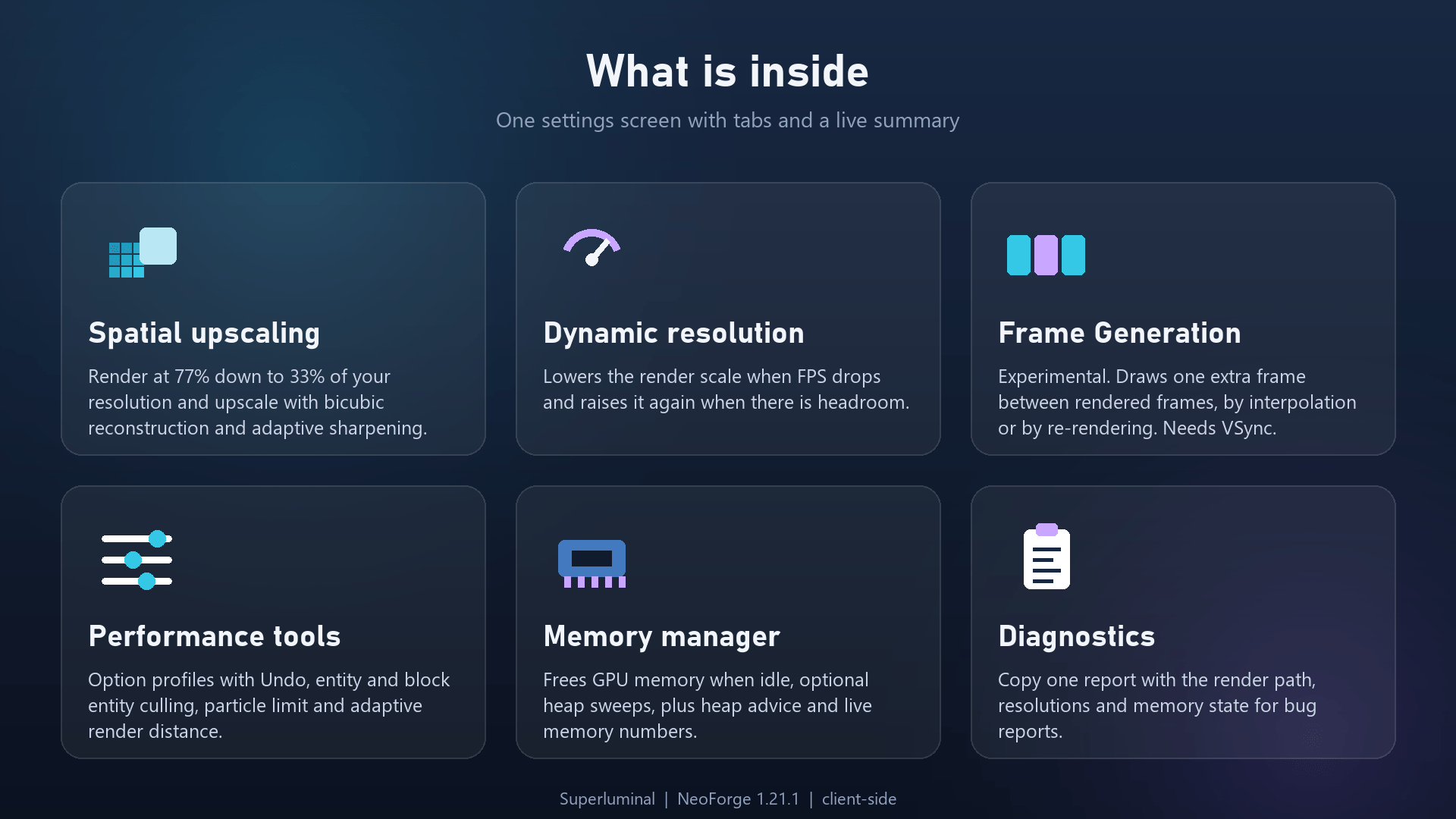
✨ Key Features
📐 Spatial Upscaling
-
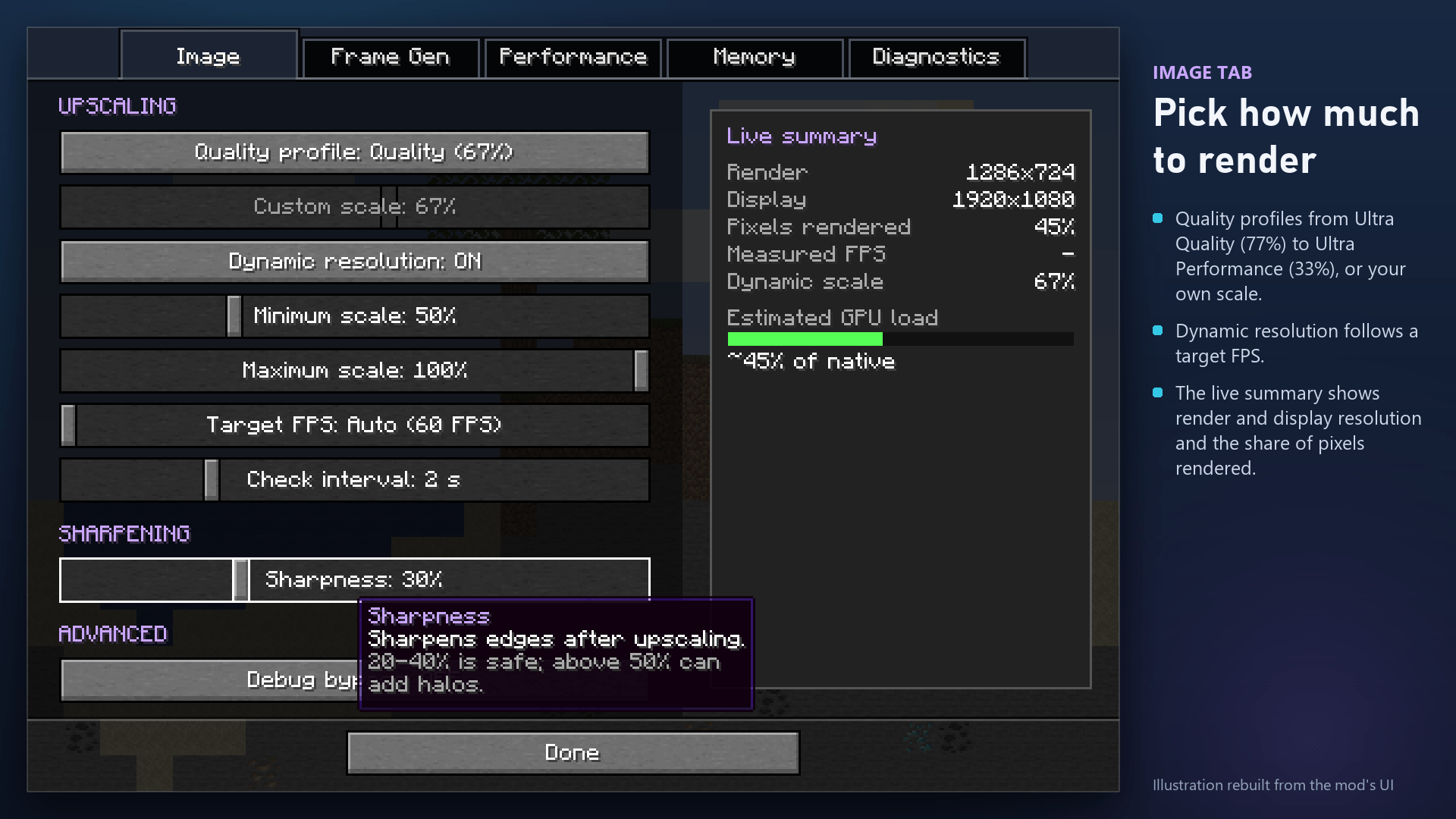
Preset Profiles: Select from Ultra Quality (77%), Quality (67%), Balanced (59%), Performance (50%), or Ultra Performance (33%).
-
Custom Scale: Set any custom render scale percentage to match your hardware preferences.
-
Sharpening Filter: Fine-tune sharpening strength to maintain crisp textures and sharp edges after upscaling.
-
Note: Uses bicubic spatial reconstruction with sharpening. (Not AMD FSR or NVIDIA DLSS).
🔄 Dynamic Resolution
-
Automatically lowers internal resolution during high-load scenes (drops in FPS) and restores it when performance stabilizes, keeping your gameplay smooth near your target frame rate.
🎞️ Frame Generation (Experimental)
-
Generates an extra frame between rendered frames using Interpolation or Re-render modes.
-
Requires VSync enabled. Off by default, test it to see if it suits your setup!
⚙️ Performance & Memory Tools
-
Culling & Limits: Built-in entity/block entity culling, particle limits, and adaptive render distance adjustment.
-
Memory Management: Releases unused GPU memory when idle, includes optional heap sweeps, and provides smart RAM allocation advice.
-
Profile Management: Instant preset application with a single-step Undo feature.
🛠️ Diagnostics & Usability
-
Unified UI: Access settings via Options > Video Settings, the Mods screen, or a customizable keybind.
-
Live Side Panel: Displays real-time metrics and explains the impact of currently active settings.
-
One-Click Diagnostic Report: Copy system diagnostics directly to your clipboard for easy troubleshooting and bug reporting.
💡 Good to Know
-
Graphics Settings: Upscaling automatically pauses when Fabulous graphics are enabled. Switch to Fancy to activate upscaling.
-
Hardware Bottlenecks: Superluminal delivers maximum performance gains when your GPU is the primary bottleneck (e.g., high resolution, shaders, or high render distance). CPU-bound scenarios will see more modest gains.
-
Troubleshooting: Enable Debug Bypass (under the Image tab) to view raw rendering output if visual anomalies occur.
Screenshots
Gallery
-
 01_hero.png 01_hero.png
-
 08_features.png 08_features.png
-
 02_upscale_compare.png 02_upscale_compare.png
-
 03_settings_image.png 03_settings_image.png
-
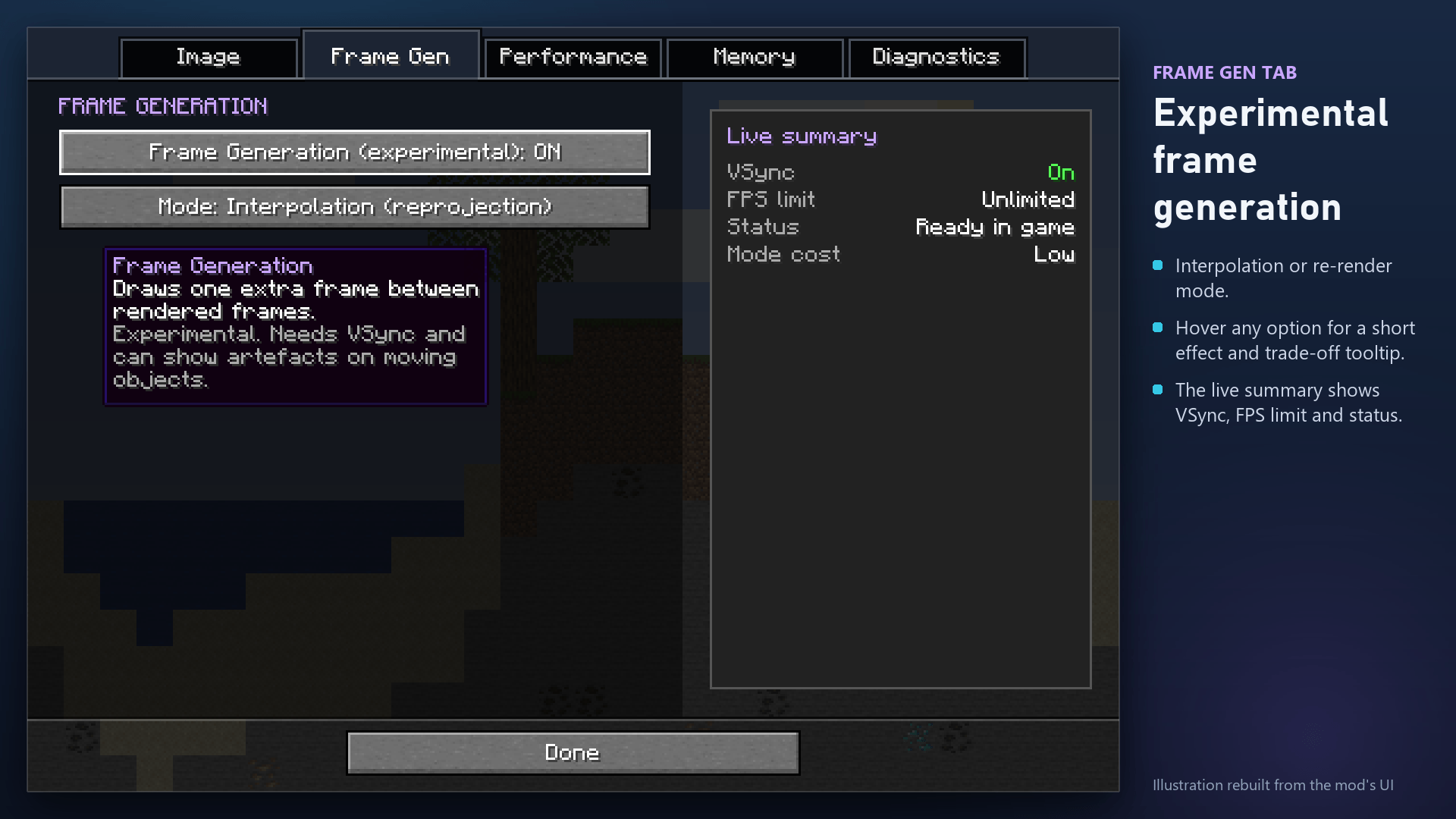 04_settings_frame_gen.png 04_settings_frame_gen.png
-
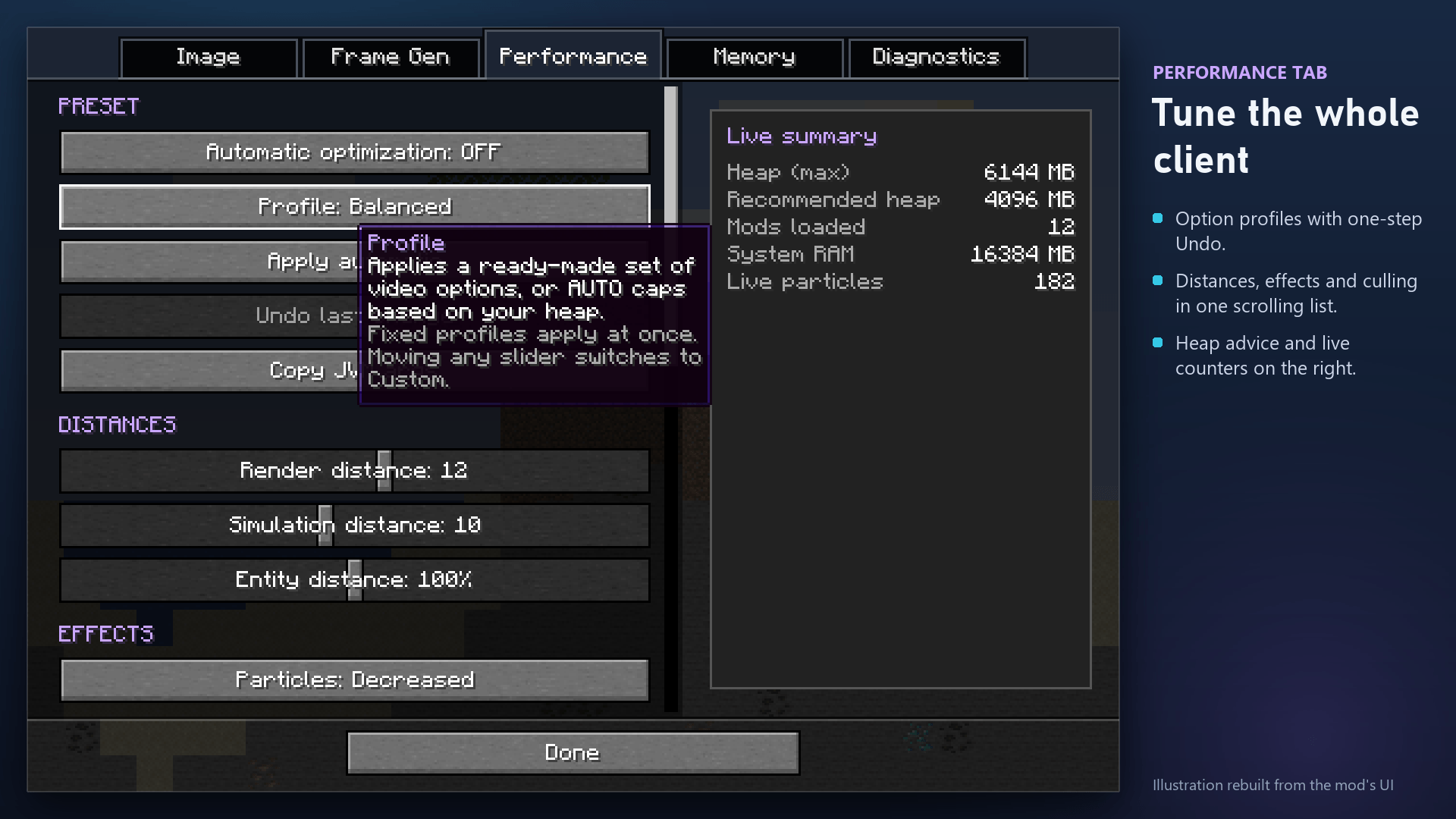 05_settings_performance.png 05_settings_performance.png
-
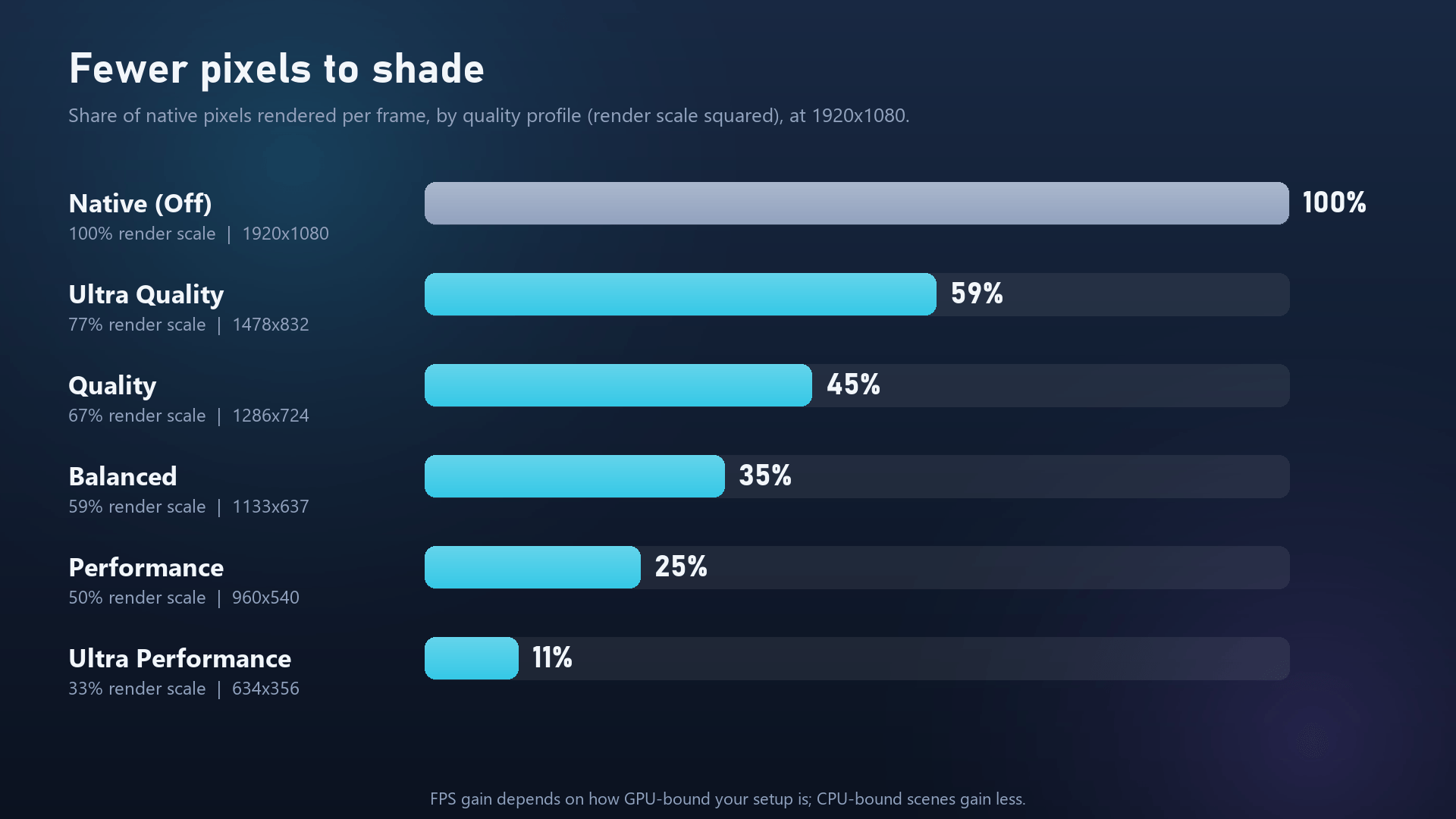 07_pixels_by_profile.png 07_pixels_by_profile.png
Versions
Files
Relations
Project Relations
More like this
Similar Mods
Suggestions use data such as tags, dependencies, dependents, descriptions, titles, and more to rank how much they overlap with this mod.
On ModDex
Community snapshot
By the numbers
Statistics

Get it on
Available Platforms
On ModDex
Community snapshot
By the numbers
Statistics
Resources