
Community listing page, reviews may not be monitored by the author.
Top Down View


No reviews yet
Play Minecraft from an isometric perspective inspired by ARPGs like Path of Exile or Diablo.

Community voices
Reviews
No reviews yet. Be the first to review this project!
Get it on
Available Platforms
Compatibility
Supported Environments
Runs entirely on the client. Works on vanilla servers.
Required on the client. Installing it on the server adds functionality.
Varies by version.
About
Project Details
For authors
Embed Badge
If you're the author of this project, you can embed a live badge anywhere that supports HTML or Markdown. It updates automatically whenever ratings change.
Use HTML for any page that supports it, or Markdown for README files and Markdown-based descriptions.
Identifiers
Platform IDs
About
Description
Top Down View lets you play Minecraft from a top-down perspective inspired by action RPGs like Path of Exile and Diablo. Experience combat and exploration from a completely new angle.
Requirements
- Minecraft: 1.20.1
- Forge: 47.4.10+
- Dependencies: Embeddium (Required)
Controls
| Action | Key / Input | Details |
|---|---|---|
| Toggle View | F4 |
Switch perspective |
| Rotate Camera | R |
Rotate based on cursor position: • Screen left: Counter-clockwise • Screen right: Clockwise • Screen bottom: 180° flip |
| Zoom | Left Alt + Scroll |
Adjust camera distance |
| Free Camera | Unbound | Hold to rotate freely (double-click to reset angle) |
| Rotate Camera (Hold) | Unbound | Rotate camera horizontally while holding |
| Align to Movement | Unbound | Align camera to moving direction |
| Mining Mode | Unbound | Experimental mode for mining |
| Toggle Culling | Unbound | Toggle culling on/off |
Compatibility & Settings
FOV & Camera Distance
This mod uses a narrow FOV (default: 30) to flatten perspective for an isometric look.
- Performance: Extreme zoom-out with low FOV increases render load.
Embeddium & Shaders
The smooth Fade Transition is enabled by default:
- Recommended: Keep Graphics on "Fancy" (and Embeddium Performance: "Always Defer Chunk Updates" Off).
- If playing on "Fast" Graphics: Please disable Fade in this mod's config to prevent visual glitches.
- Shaders: Fade is incompatible with most major shaders (disable Fade when using shaders). (Compatible shaders: MakeUp - Ultra Fast / Karma Shader Cartoon Style).
Other Mods
- Entity Culling: Incompatible (causes entities and tile entities to vanish).
- Sound Physics Remastered: Audio calculates from the camera rather than the player.
- Epic Fight: Set
camera_mode = "ALWAYS_BACK"inconfig/epicfight-client.toml. - Flerovium: Distant sound culling may mute audio when zoomed out.
Known Issues & Limitations
- Elytra Flight: This mod does not support elytra. The top-down perspective is designed for ground-based gameplay, and camera tracking or controls will not function correctly during flight.
Recommended Mods
⚠️ Note on Cramped Structures:
Navigating tight, cramped vanilla structures (such as default village houses) is not recommended. We suggest using structure mods with larger interiors.
- Better Villages: Overhauls and expands villages with larger buildings.
- Passable Foliage / Traversable Leaves: Allows walking through leaf blocks.
- Countered's Terrain Slabs / slab topographic: Places slabs to flatten the terrain.
Requirements
- Minecraft: 1.20.1
- Forge: 47.4.10+
- Dependencies: Embeddium (Required)
Controls
| Action | Key / Input | Details |
|---|---|---|
| Toggle View | F4 |
Switch perspective |
| Rotate Camera | R |
Rotate based on cursor position: • Screen left: Counter-clockwise • Screen right: Clockwise • Screen bottom: 180° flip |
| Zoom | Left Alt + Scroll |
Adjust camera distance |
| Free Camera | Unbound | Hold to rotate freely (double-click to reset angle) |
| Rotate Camera (Hold) | Unbound | Rotate camera horizontally while holding |
| Align to Movement | Unbound | Align camera to moving direction |
| Mining Mode | Unbound | Experimental mode for mining |
| Toggle Culling | Unbound | Toggle culling on/off |
Compatibility & Settings
FOV & Camera Distance
This mod uses a narrow FOV (default: 30) to flatten perspective for an isometric look.
- Performance: Extreme zoom-out with low FOV increases render load.
Embeddium & Shaders
The smooth Fade Transition is enabled by default:
- Recommended: Keep Graphics on "Fancy" (and Embeddium Performance: "Always Defer Chunk Updates" Off).
- If playing on "Fast" Graphics: Please disable Fade in this mod's config to prevent visual glitches.
- Shaders: Fade is incompatible with most major shaders (disable Fade when using shaders). (Compatible shaders: MakeUp - Ultra Fast / Karma Shader Cartoon Style).
Other Mods
- Entity Culling: Incompatible (causes entities and tile entities to vanish).
- Sound Physics Remastered: Audio calculates from the camera rather than the player.
- Epic Fight: Set
camera_mode = "ALWAYS_BACK"inconfig/epicfight-client.toml. - Flerovium: Distant sound culling may mute audio when zoomed out.
Known Issues & Limitations
- Elytra Flight: This mod does not support elytra. The top-down perspective is designed for ground-based gameplay, and camera tracking or controls will not function correctly during flight.
Recommended Mods
⚠️ Note on Cramped Structures:
Navigating tight, cramped vanilla structures (such as default village houses) is not recommended. We suggest using structure mods with larger interiors.
- Better Villages: Overhauls and expands villages with larger buildings.
- Passable Foliage / Traversable Leaves: Allows walking through leaf blocks.
- Countered's Terrain Slabs / slab topographic: Places slabs to flatten the terrain.
Screenshots
Gallery
-
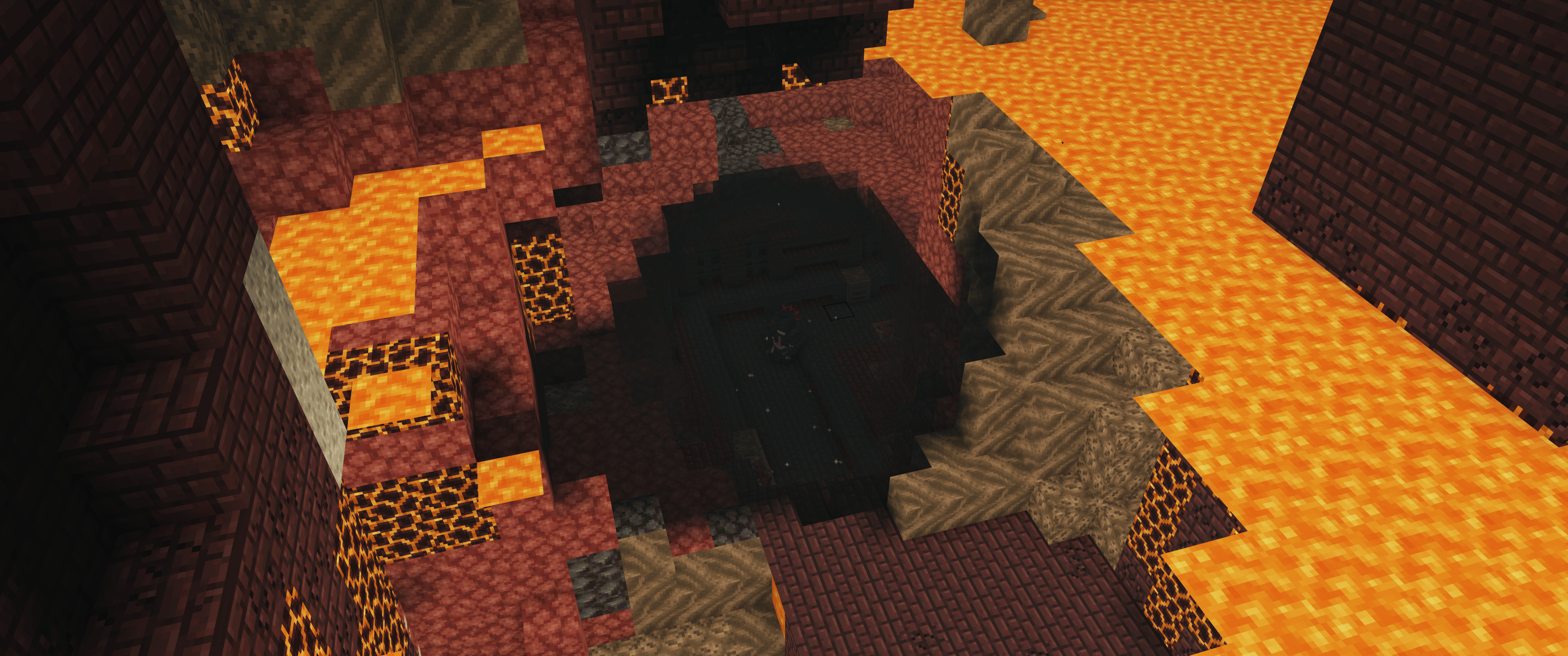 2026-04-04_23.09.18.png 2026-04-04_23.09.18.png
 -
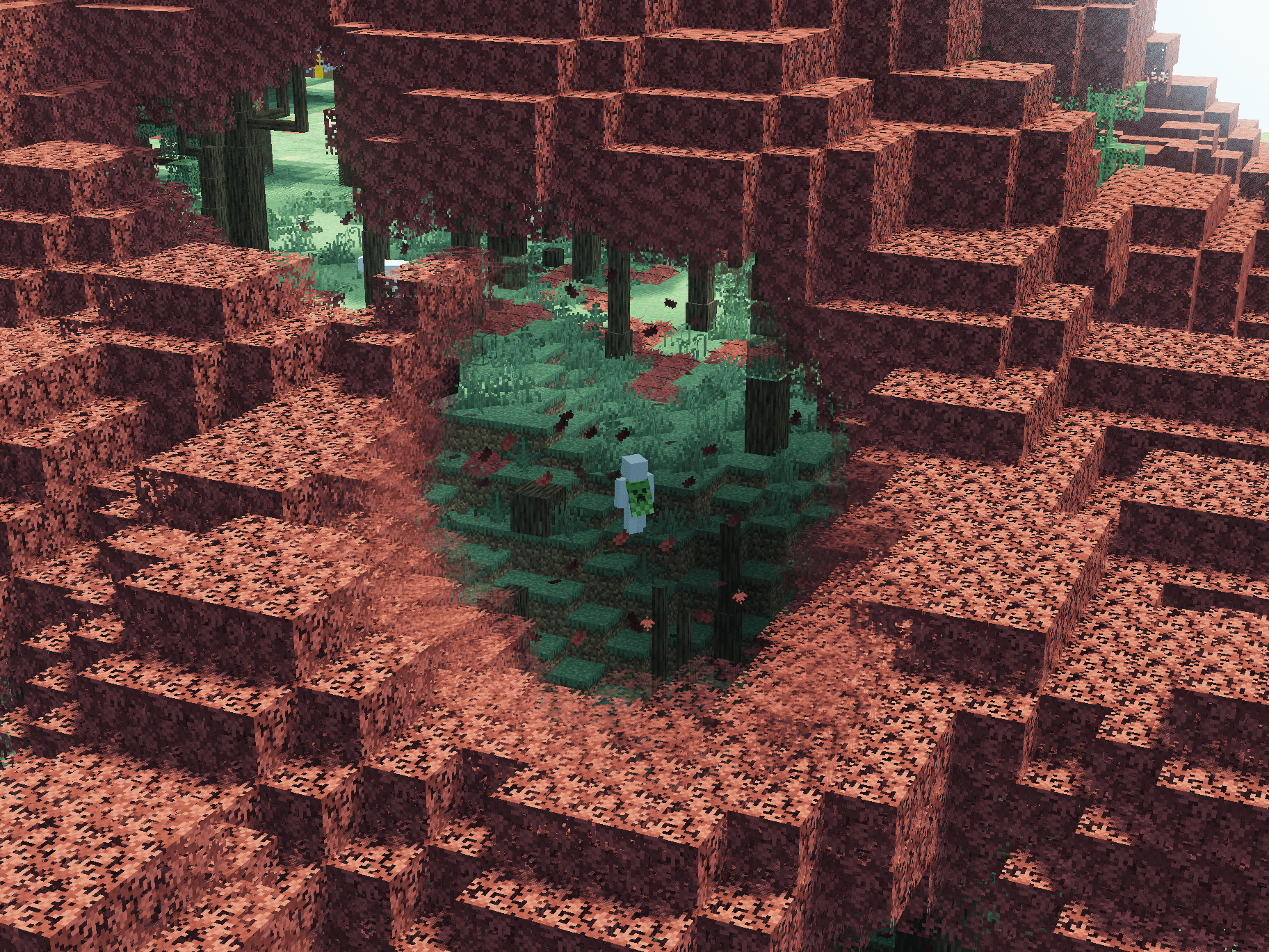 2026-06-15_16.14.42 (1).png 2026-06-15_16.14.42 .png
-
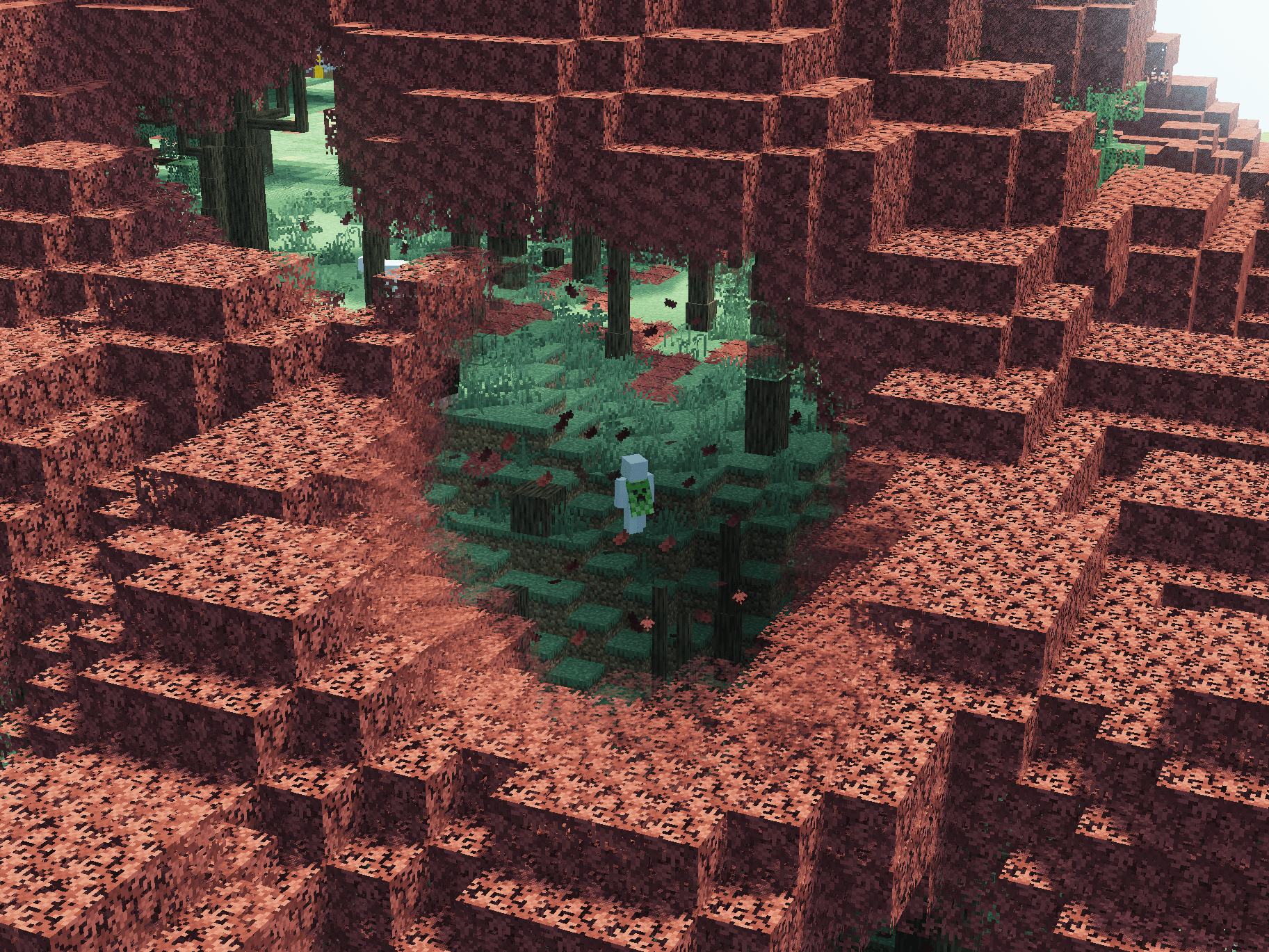 Culling and Fading
 -
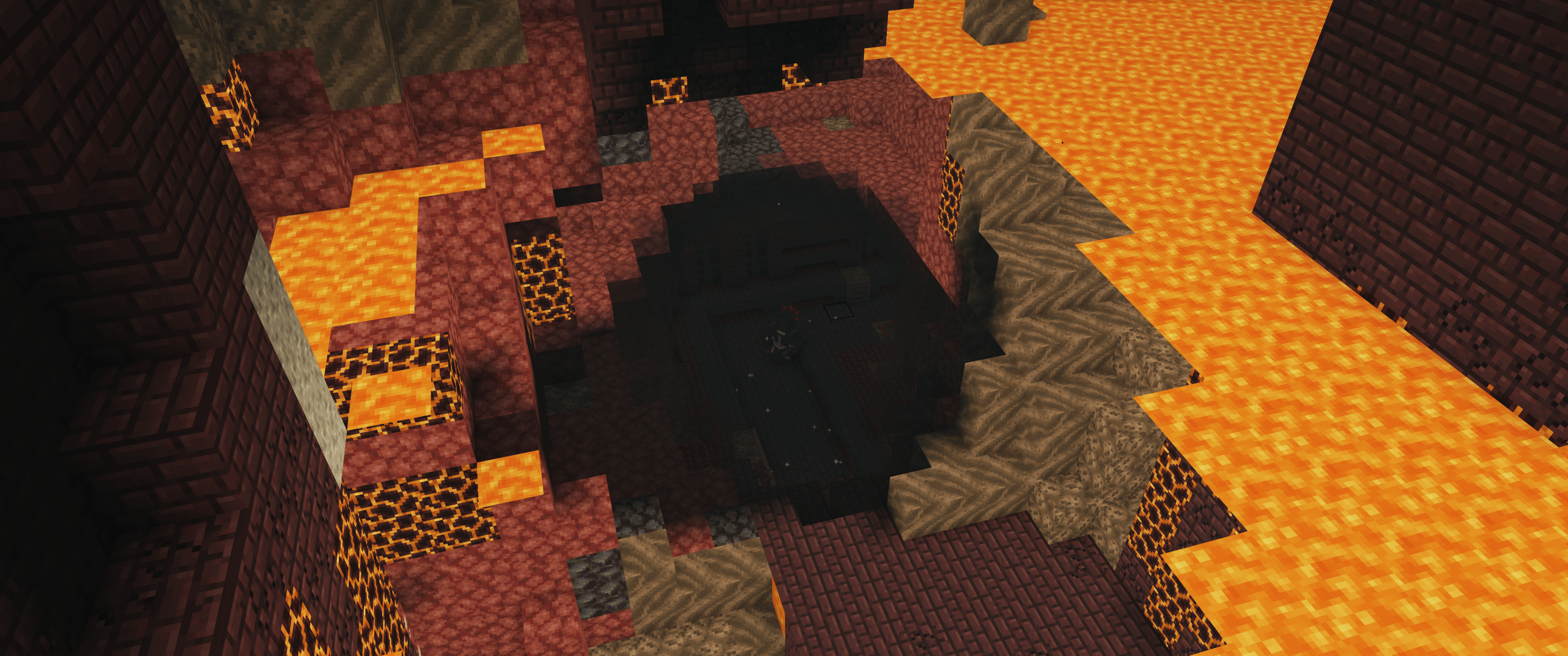 Nether
Versions
Files
Relations
Project Relations
More like this
Similar Mods
Suggestions use data such as tags, dependencies, dependents, descriptions, titles, and more to rank how much they overlap with this mod.
On ModDex
Community snapshot
By the numbers
Statistics
 (opens in a new tab)
Get it on
Available Platforms
On ModDex
Community snapshot
By the numbers