
Community listing page, reviews here may not be monitored by the author.
Trade Enchantment Display


No reviews yet
Automatically display the enchantment name of traded items

Community voices
Reviews
No reviews yet. Be the first to review this project!
Get it on
Available Platforms
Compatibility
Supported Environments
Runs entirely on the client. Works on vanilla servers.
About
Project Details
For authors
Embed Badge
If you're the author of this project, you can embed a live badge anywhere that supports HTML or Markdown. It updates automatically whenever ratings change.
Use HTML for any page that supports it, or Markdown for README files and Markdown-based descriptions.
Identifiers
Platform IDs
About
Description
Some features are not supported by version 1.21 and later for the time being, please be patient and wait for subsequent updates!
Introduction
When trading with a villager, it will automatically display its enchantment above the enchantment book or enchanted item, cycling through them in sequence.
When the crosshair is aligned with a tradable villager and within the normal trading range, try to obtain the trade information and save it. (Or enable the setting Always attempt to get nearby offers to automatically get it)
If the trade information is successfully obtained, all enchanting trades will be displayed.
Commands
/trade-display [disable/reload/reset/save/settings]
- disable: Disable all features about display.
- reload: Load settings from the config file.
- reset: Clear cache.
- save: Save the settings to the config file.
- settings: Open the settings screen.
Hotkeys
Toggle Enable State (H)
- In the trading GUI, pressing the hotkey toggles the visibility of enchantments.
- In the main game screen (i.e., no other GUI open), pressing the hotkey toggles the visibility of enchantments. Additionally, when sneaking (Shift), pressing the hotkey toggles the visibility of enchantments above merchants’ heads.
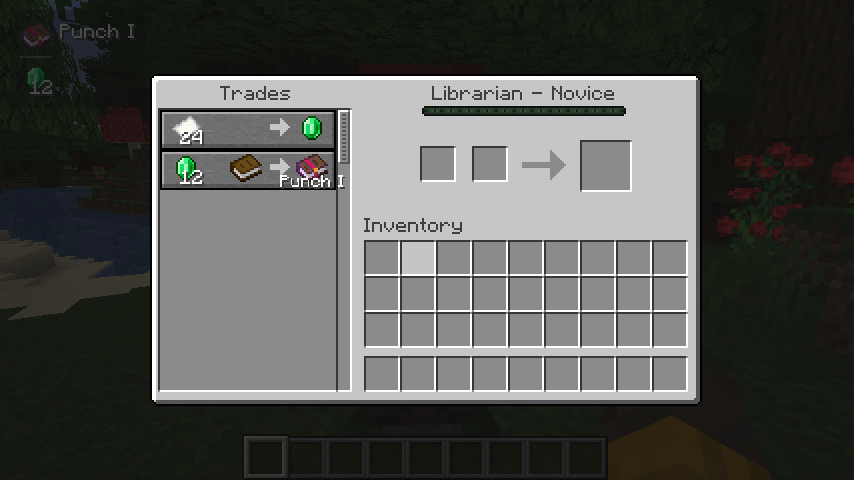
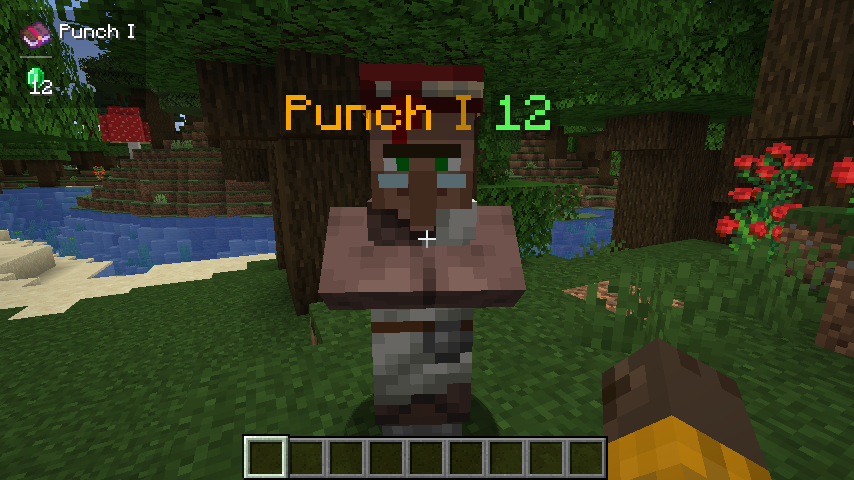
Some features are not supported by version 1.21 and later for the time being, please be patient and wait for subsequent updates!
Introduction
When trading with a villager, it will automatically display its enchantment above the enchantment book or enchanted item, cycling through them in sequence.
When the crosshair is aligned with a tradable villager and within the normal trading range, try to obtain the trade information and save it. (Or enable the setting Always attempt to get nearby offers to automatically get it)
If the trade information is successfully obtained, all enchanting trades will be displayed.
Commands
/trade-display [disable/reload/reset/save/settings]
- disable: Disable all features about display.
- reload: Load settings from the config file.
- reset: Clear cache.
- save: Save the settings to the config file.
- settings: Open the settings screen.
Hotkeys
Toggle Enable State (H)
- In the trading GUI, pressing the hotkey toggles the visibility of enchantments.
- In the main game screen (i.e., no other GUI open), pressing the hotkey toggles the visibility of enchantments. Additionally, when sneaking (Shift), pressing the hotkey toggles the visibility of enchantments above merchants’ heads.
Screenshots
Gallery
-
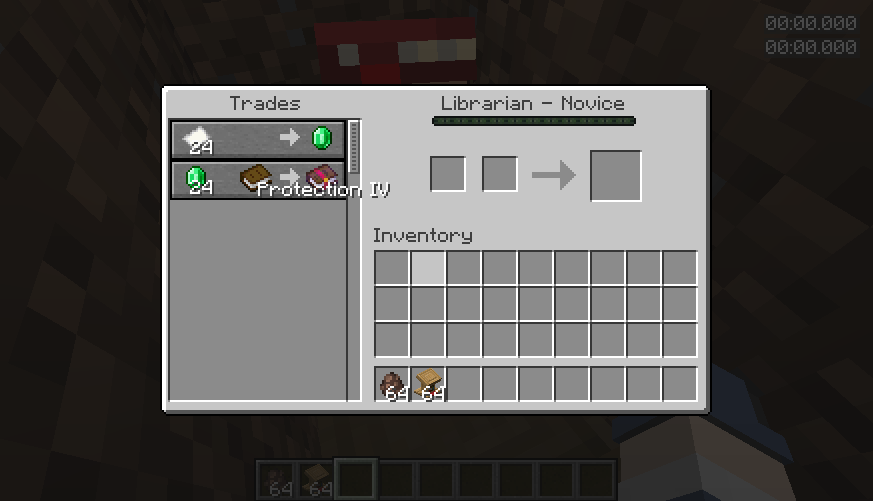 Example
-
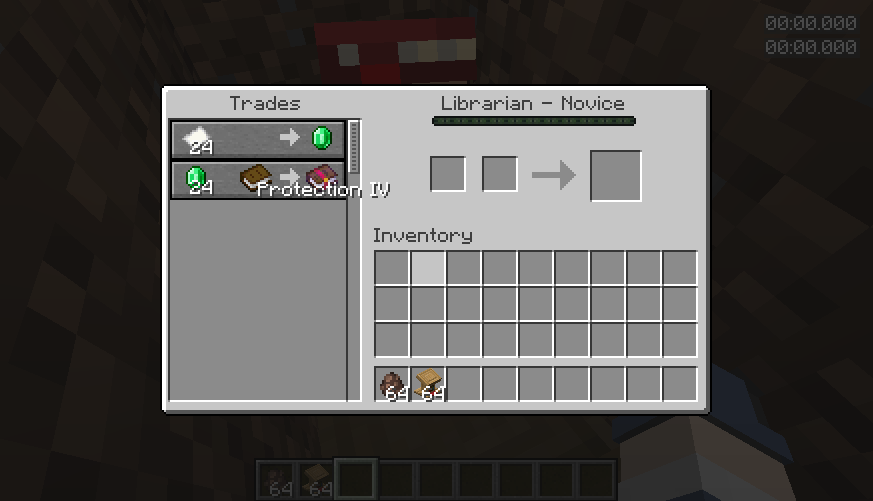 Example
Versions
Files
Relations
Project Relations
More like this
Similar Mods
Suggestions use data such as tags, dependencies, dependents, descriptions, titles, and more to rank how much they overlap with this mod.
On ModDex
Community snapshot
By the numbers
Statistics
 (opens in a new tab)
Get it on
Available Platforms
On ModDex
Community snapshot
By the numbers