
Community listing page, reviews here may not be monitored by the author.

Community voices
Reviews
No reviews yet. Be the first to review this project!
Get it on
Available Platforms
About
Project Details
For authors
Embed Badge
If you're the author of this project, you can embed a live badge anywhere that supports HTML or Markdown. It updates automatically whenever ratings change.
Use HTML for any page that supports it, or Markdown for README files and Markdown-based descriptions.
Identifiers
Platform IDs
Resources
External Links
About
Description
Truly Best Friends Forever
Keep your pets by your side, forever.
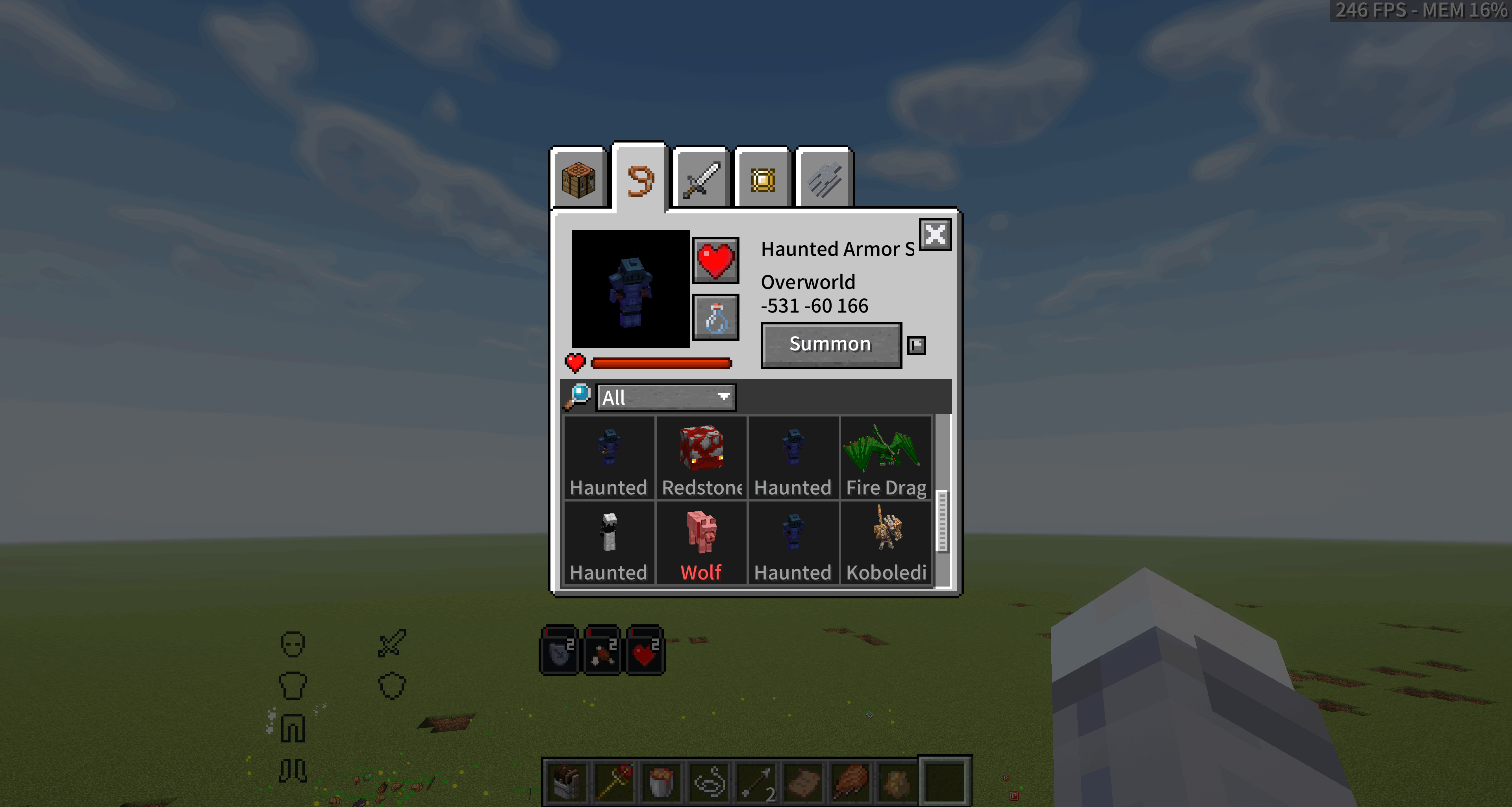
Truly Best Friends Forever is a Minecraft pet management mod that tracks and persistently stores your tamed pets. Its dedicated management screen lets you inspect, store, summon, heal, and revive them.
Even if a pet is in an unloaded chunk, in another dimension, or already dead, you can still manage it from the pet screen.
GitHub / Issue Tracker | MC Encyclopedia
Supported Versions
| Minecraft | Mod Loader | Java |
|---|---|---|
| 1.20.1 | Forge 47.4.20+ | Java 17 |
| 1.21.1 | NeoForge 21.1.228+ | Java 21 |
The mod must be installed on both the client and server. For singleplayer, installing it in your local client is sufficient.
Main Features
Automatic Tracking and Persistent Storage
Tamed wolves, cats, horses, parrots, and pets from other mods are registered automatically. The complete NBT data of each pet is stored separately and managed through an index.
Servers that need to reduce scanning overhead can enable performanceMode in the configuration. This disables automatic tracking and other expensive scans. Pets must then be registered manually by right-clicking them with a feather or by using /tbf load. The registration item and whether it is consumed are configurable.
Pet Management Screen
The pet screen can be opened with a configurable keybind. When a compatible version of L2 Library is installed, it is also available through the Pet Companions inventory tab.
The screen displays each pet's name, health, dimension, and coordinates. Its latest status is synchronized from the server in real time.
Store, Release, and Area Recall
- Click the store button to save a pet and safely remove it from the world. Click it again to release the pet.
- Storing pets has configurable distance and cooldown limits.
- Hold Shift while clicking the store button to recall multiple nearby pets at once.
- Use the mouse wheel to adjust the area recall radius from 1 to 16 blocks. The default is 8 blocks.
Cross-Dimensional Summoning
Pets can be summoned to their owner from any dimension. Sitting pets automatically stand up after being summoned.
If the pet's chunk is not loaded, the mod creates a pending summon and completes the teleport after the chunk becomes available. Forced chunk loading and entity deduplication prevent duplicate pets from being created.
Mount Swapping
While riding a registered pet, the Summon button for another pet that has previously been ridden changes to Swap Mount. Using it summons the new mount and automatically stores the previous one.
Hold Shift to change the Swap Mount button back to a normal Summon button.
Pet Healing
- Standard healing consumes 3 food points and heals the selected pet for 15 seconds.
- Hold Shift to use advanced healing, which consumes 9 food points and heals more frequently.
- The remaining healing duration can be extended up to 60 seconds.
- Creative mode players do not consume food points.
Death and Revival
When a tracked pet dies, the mod stores its state and prevents item drops, avoiding item duplication through repeated revivals. The pet can then be revived from the management screen by consuming the configured revival item. By default, revival costs one Totem of Undying.
Revived pets receive the same Regeneration, Absorption, and Fire Resistance effects granted by a Totem of Undying.
Entity types that must keep their normal death and drop behavior can be added to noReviveWhitelist or clearOnDeathWhitelist.
Safe Tracking Removal
Removing a living pet from tracking requires two confirmation steps to prevent accidental deletion:
- Left-click the delete button to enter the pending deletion state.
- Hold Shift and left-click again to confirm.
When a stored pet is removed from tracking, it is first released back into the world. Removing a dead pet allows it to continue through its normal death process.
If deleteStoredPetsDirectly is enabled, the stored data of recalled or dead pets is permanently deleted without releasing the entity.
Search, Filters, and Priority
- Filter the list by pet species.
- Search for pets by name.
- Hold Shift and left-click a pet icon to assign a priority from 1 to 6 for list sorting.
- Pets carried on a player's shoulders, such as parrots, remain tracked and are automatically linked to their new UUID after leaving the shoulder.
Pet Teams
The mod includes a dedicated team editor:
- Create up to 8 pet teams.
- Each team holds 6 pets by default. This can be adjusted up to 8 with
maxPendingSummons. - Drag pets into team slots, or select a pet and click the plus button in an empty slot.
Hold the configurable team wheel key to open a radial menu for the current team. Point at a pet and release the key, or left-click, to summon it. The wheel also supports mount swapping. Click the bottle icon to summon the entire team.
Inventory and Accessory Backups
The mod separately backs up the inventory NBT of container-carrying entities, such as horses equipped with chests. Modded entities with arbitrary slot counts are supported.
On Minecraft 1.21.1, installing Curios 9.5.1+ also allows pet accessories to be backed up and restored as part of the complete entity snapshot.
Dimension Names and Offline NBT Editing
The mod includes English and Chinese display names for more than 20 common dimensions. These include the three vanilla dimensions, Twilight Forest, Blue Skies, The Aether, Everbright/Everdawn, The Undergarden, Bumblezone, Tropicraft, Gaia Dimension, The Midnight, and the planets and orbits from Ad Astra. Server administrators can also add custom dimension names through the configuration.
While the server is stopped, the .nbt files of stored pets can be edited directly. Changes are preserved and applied to the entity the next time the server starts.
Installation
- Install the appropriate Forge or NeoForge version for your Minecraft version.
- Download the matching version of Truly Best Friends Forever.
- Place the mod JAR in
.minecraft/mods/. - Optionally install a compatible L2 Library version to enable the Pet Companions inventory tab.
- Start the game and configure the pet screen and team wheel keybinds under Options > Controls.
Commands
The following commands require permission level 2. Registering your own pet with the configured manual registration item does not require operator permissions.
| Command | Description |
|---|---|
/tbf load |
Registers the targeted entity as a pet after checking its owner, blacklist status, and pet limit |
/tbf load master |
Forces the targeted non-player living entity to be registered to the command user |
/tbf autoRegisterBlacklist |
Adds the targeted entity type to the automatic registration blacklist |
/tbf noReviveWhitelist |
Adds the targeted entity type to the non-revivable list |
/tbf clearOnDeathWhitelist |
Adds the targeted entity type to the list that clears tracking data after death |
/tbf clear |
Clears your pet list after a second confirmation within 30 seconds |
Data Storage
All pet data is stored inside the corresponding world save. Deleting the world also deletes its pet data. Removing the mod does not damage the world.
<world>/trulybestfriends/
|-- pets_index.nbt
`-- <player UUID>/
    `-- <pet UUID>.nbt
While the server is stopped, <pet UUID>.nbt can be edited to change the health, name, maximum health, and other properties of a stored pet. Coordinates and dimension data are replaced by the summon positioning logic.
Compatibility
- Designed to support pets from any mod that follows the standard ownable entity interface.
- For entities that are not detected automatically,
ownerNbtFieldscan define the NBT path containing the owner's UUID. Nested NBT paths are supported. - The default configuration includes a nested owner path example for Mob Controller.
- Registered pets support FTB Teams.
- The Minecraft 1.21.1 version supports Create: Aeronautics.
- The mod is incompatible with InvMove. Installing both causes a crash when opening the Pet Companions inventory tab.
If an ownable entity should not be tracked, such as a temporary summon, add its entity ID or a namespace:* wildcard to autoRegisterBlacklist.
Known Limitations
- If a newly tamed pet dies before completing its first synchronization cycle, a complete snapshot may not yet exist for revival.
- Cross-dimensional summoning on multiplayer servers is limited by
maxPendingSummons. - Setting a pet's NBT
Healthvalue directly to0before summoning places it in a dead-but-not-stored state. Use the revival feature to restore it. - Before teleporting to a pet, make sure the destination area is safe to avoid suffocation or fall damage.
- Extremely large entity NBT data may exceed the network packet limit and disconnect the player. Packet Fixer can raise this limit.
Screenshots
| Pet List |
|---|
| High-priority Canine Metal Golem |
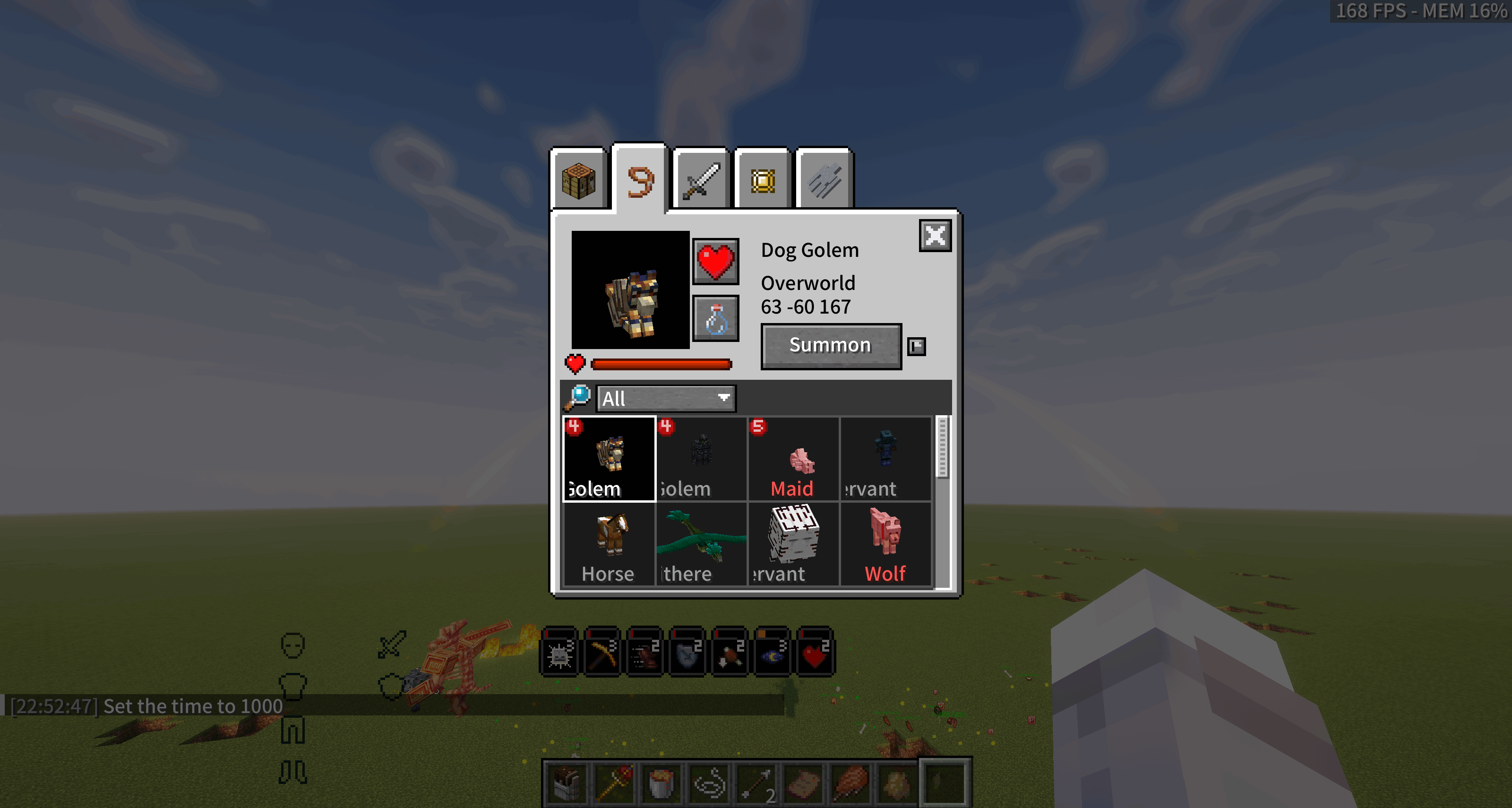 |
| Pet List |
| --- |
| Stored Fire Dragon |
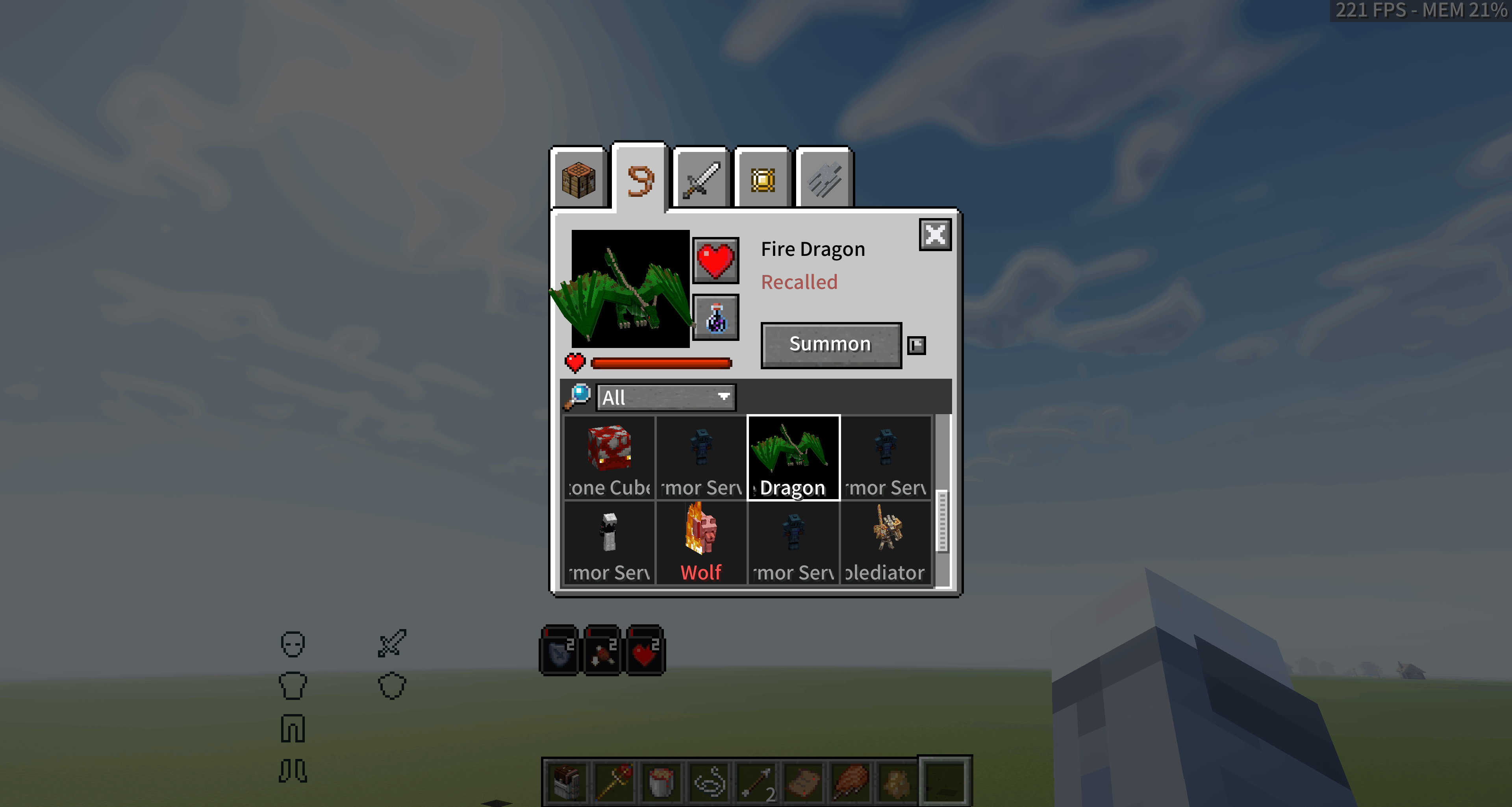 |
| Team Editor |
| --- |
| White team members |
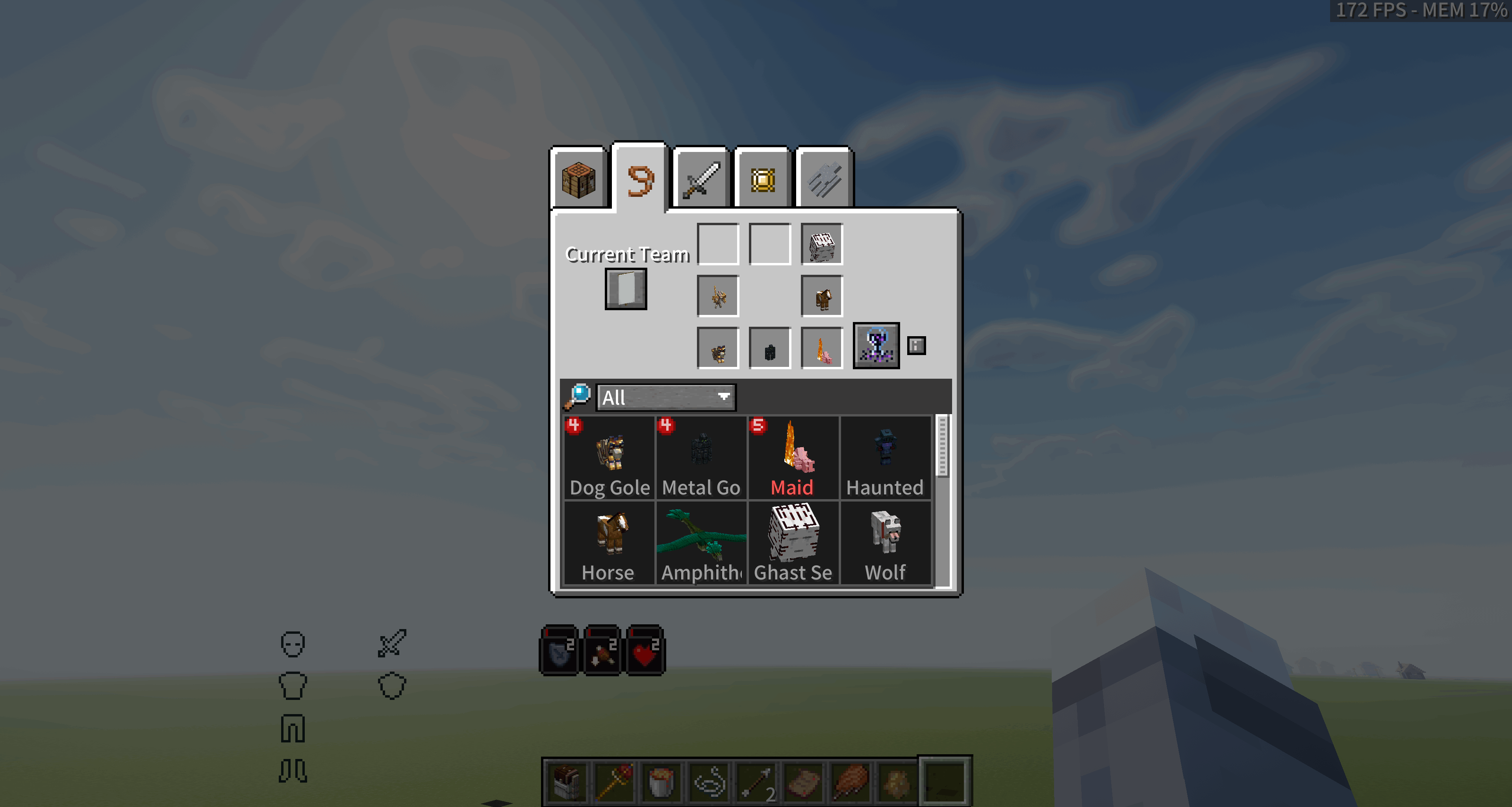 |
| Selected Wheel Member |
| --- |
| Selected Ghast Servant |
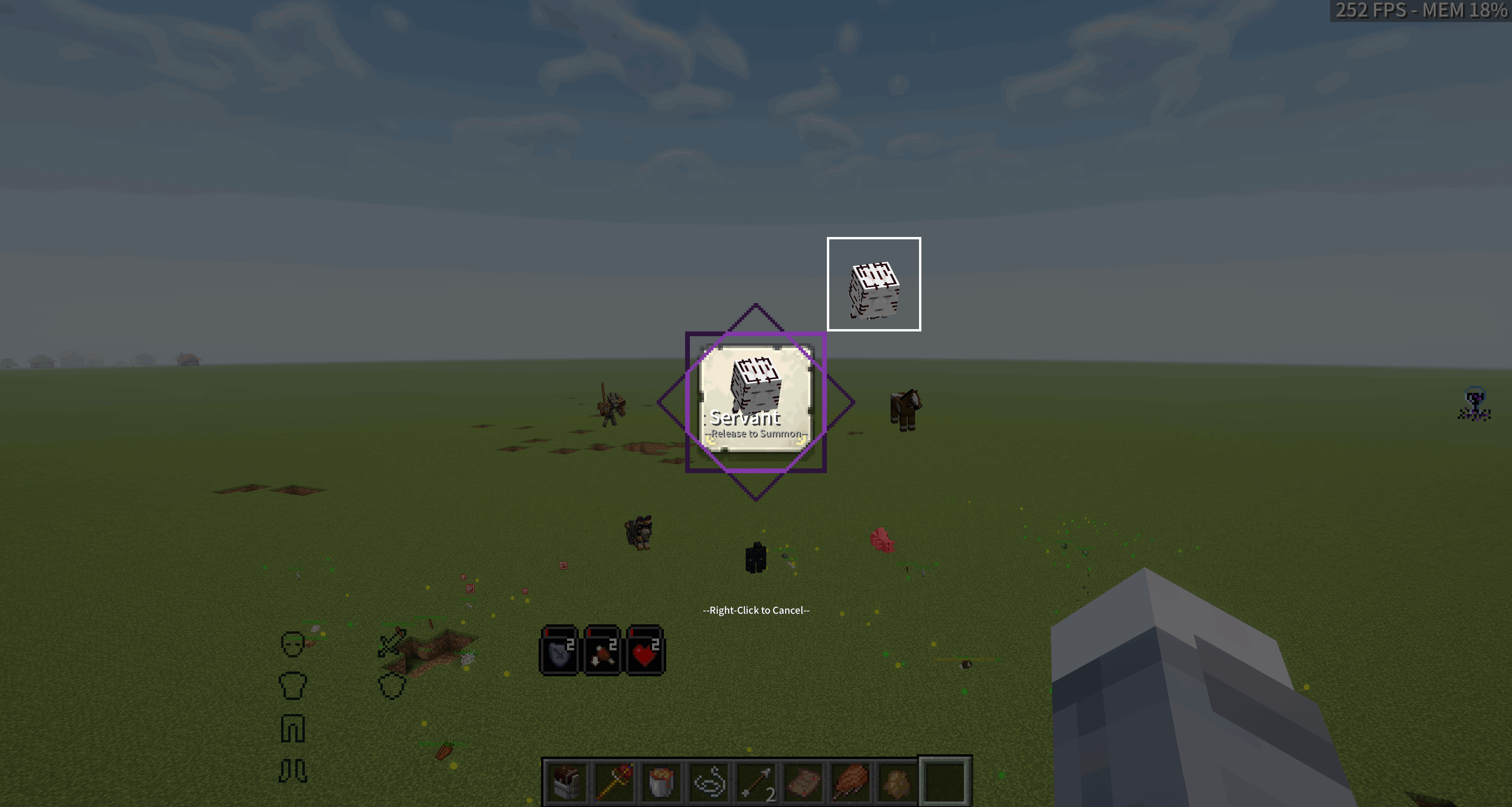 |
Planned Features
- Add a larger pet management interface with selectable layout sizes.
Feedback and License
Please report bugs and feature requests through GitHub Issues. Include:
- Your Minecraft, Forge or NeoForge, and mod versions;
- The complete
latest.logor crash report; - Clear steps to reproduce the issue.
Truly Best Friends Forever is licensed under GPL-3.0. Follow the license terms when modifying, including, or redistributing the mod, and respect the licenses of compatible mods.
Screenshots
Gallery
-
QQ20260817-223821.png QQ20260817-223821.png
-
QQ20260817-230404.png QQ20260817-230404.png
-
 QQ20260816-235540.png QQ20260816-235540.png
 -
QQ20260817-230426.png QQ20260817-230426.png
-
QQ20260817-225538.png QQ20260817-225538.png
Versions
Files
Relations
Project Relations
More like this
Similar Mods
Suggestions use data such as tags, dependencies, dependents, descriptions, titles, and more to rank how much they overlap with this mod.
On ModDex
Community snapshot
By the numbers
Statistics
Want to reach Minecraft players?
We're looking for a server hosting partner to feature here and other parts of the site. Interested? Send us a message!
Get in touchGet it on
Available Platforms
On ModDex
Community snapshot
By the numbers
Statistics
Resources