Community listing page, reviews may not be monitored by the author.
Twitch Chat Bridge (Fabric)


No reviews yet
Connect Minecraft chat and Twitch chat!

Community voices
Reviews
No reviews yet. Be the first to review this project!
Get it on
Available Platforms
Compatibility
Supported Environments
Runs entirely on the client. Works on vanilla servers.
About
Project Details
For authors
Embed Badge
If you're the author of this project, you can embed a live badge anywhere that supports HTML or Markdown. It updates automatically whenever ratings change.
Use HTML for any page that supports it, or Markdown for README files and Markdown-based descriptions.
Identifiers
Platform IDs
About
Description
Twitch Chat Bridge
This light-weight mod links a Twitch channel's chat to your Minecraft chatbox!
There are more mods that do this, but none are available for Fabric... so I made it!
This mod requires Mod Menu and Fabric API to work.
NOTE: Even though the mod is on beta, it's fully functional! It's on beta to symbolise I'm not finished adding features. If you encounter any bug or issue or have any suggestion, please add it as an issue here.
Usage.
- 1. Get a Twitch oauth key here https://twitchapps.com/tmi/ and write it down somewhere.
- 2. Open the mod menu.
- 3. Open this mod's configuration inside that menu.
- 4. Fill in your credentials in the credentials tab (your twitch username, oauth token).
- 5. Go ingame and type
/twitch watch CHANNEL(whereCHANNELshould be the name of the Twitch channel you want to join). - 6. Type
/twitch enable. - 7. Write your message with
:MESSAGE!
Commands.
/twitch watch CHANNEL– Changes the watched Twitch channel toCHANNEL/twitch enable– Starts the Twitch chat integration/twitch disable– Stops the Twitch chat integration/twitch broadcast true– Relays Twitch chat messages to the Minecraft server as player messages/twitch broadcast false– Keeps Twitch chat messages local to the Minecraft client
Translations.
If you find the mod is not available on a language you know I would really appreciate it if you could create a pull request with a translation for that language.
Language files are located in src/main/resources/assets/twitchchat/lang and they contain translations for every (translatable) user-facing piece of text in the mod.
If you're interested you'll have to create a file with an appropiate file name for your language. To find your language's code, visit this link.
You should probably use US or UK English as a base for your translation. You can find their respective files by clicking on these links: en_us.json and en_gb.json.
Don't translate %d or %s signs, they're used to dynamically insert numbers and text (respectively).
Contact.
If you have any questions don't hesitate to email, tweet or DM me, you can find my public profiles on my GitHub profile. I'll answer ASAP.
Just don't personally send me bugs, ideas or feature/help requests, those go in GitHub issues or CurseForge.
Also available on GitHub.
Here you can see in-game images.
Twitch Chat Bridge
This light-weight mod links a Twitch channel's chat to your Minecraft chatbox!
There are more mods that do this, but none are available for Fabric... so I made it!
This mod requires Mod Menu and Fabric API to work.
NOTE: Even though the mod is on beta, it's fully functional! It's on beta to symbolise I'm not finished adding features. If you encounter any bug or issue or have any suggestion, please add it as an issue here.
Usage.
- Get a Twitch oauth key here https://twitchapps.com/tmi/ and write it down somewhere.
- Open the mod menu.
- Open this mod's configuration inside that menu.
- Fill in your credentials in the credentials tab (your twitch username, oauth token).
- Go in game and type
/twitch watch CHANNEL(where CHANNEL should be the name of the Twitch channel you want to join). - Type
/twitch enable. - Now you can talk in the Twitch chat using
:MESSAGE!
Commands.
/twitch watch CHANNEL– Changes the watched Twitch channel toCHANNEL/twitch enable– Starts the Twitch chat integration/twitch disable– Stops the Twitch chat integration/twitch broadcast true– Relays Twitch chat messages to the Minecraft server as player messages/twitch broadcast false– Keeps Twitch chat messages local to the Minecraft client
Translations.
If you find the mod is not available on a language you know I would really appreciate it if you could create a pull request with a translation for that language.
Language files are located in src/main/resources/assets/twitchchat/lang and they contain translations for every (translatable) user-facing piece of text in the mod.
If you're interested you'll have to create a file with an appropiate file name for your language. To find your language's code, visit this link.
You should probably use US or UK English as a base for your translation. You can find their respective files by clicking on these links: en_us.json and en_gb.json.
Don't translate %d or %s signs, they're used to dynamically insert numbers and text (respectively).
Contact.
If you have any questions don't hesitate to email, tweet or DM me, you can find my public profiles on my GitHub profile. I'll answer ASAP.
Just don't personally send me bugs, ideas or feature/help requests, those go in GitHub issues.
Also available on GitHub.
Here you can see in-game images.
Screenshots
Gallery
-
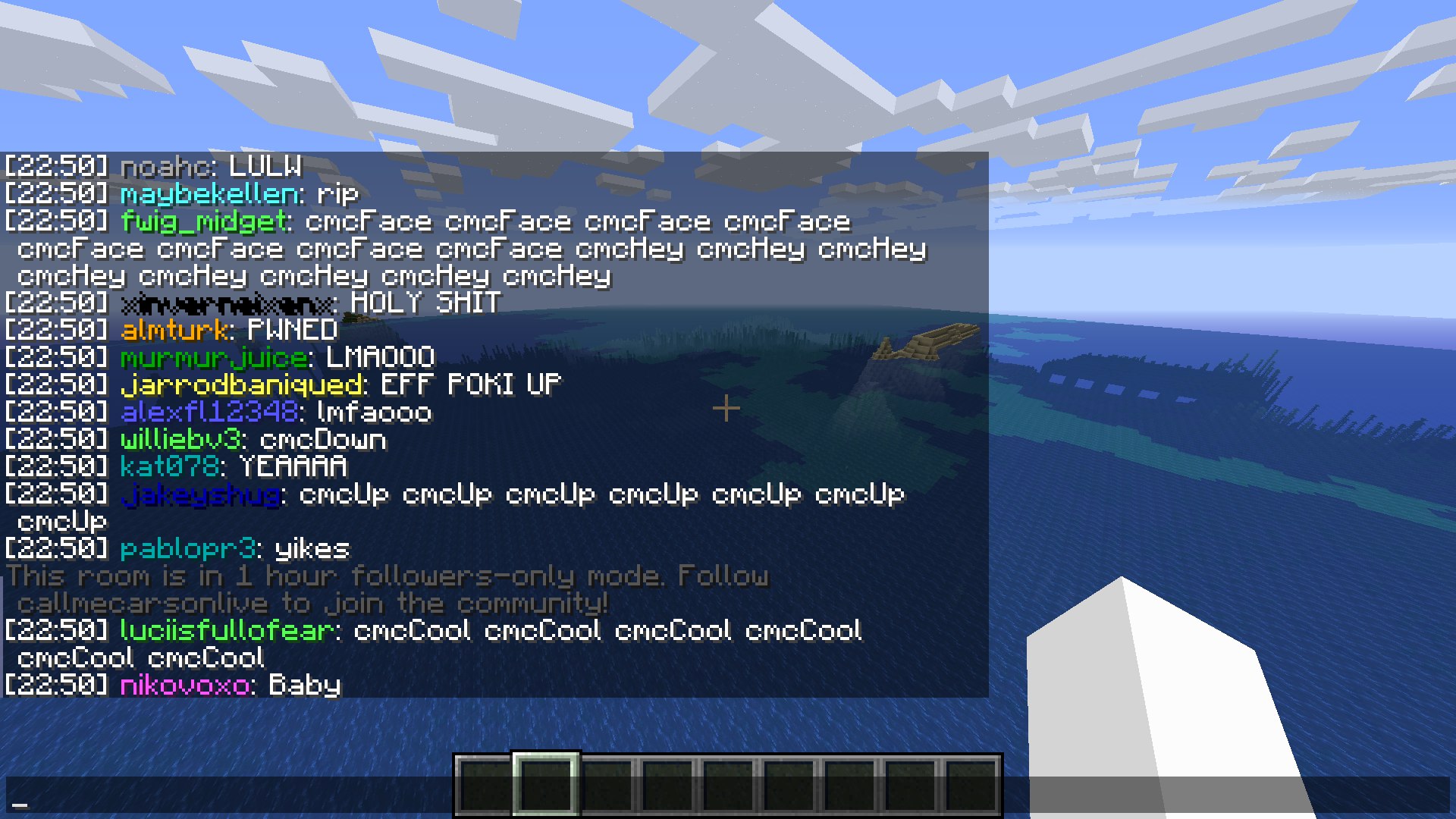 Twitch error example Can't send a message because channel is in follower only mode and I'm not a follower
 -
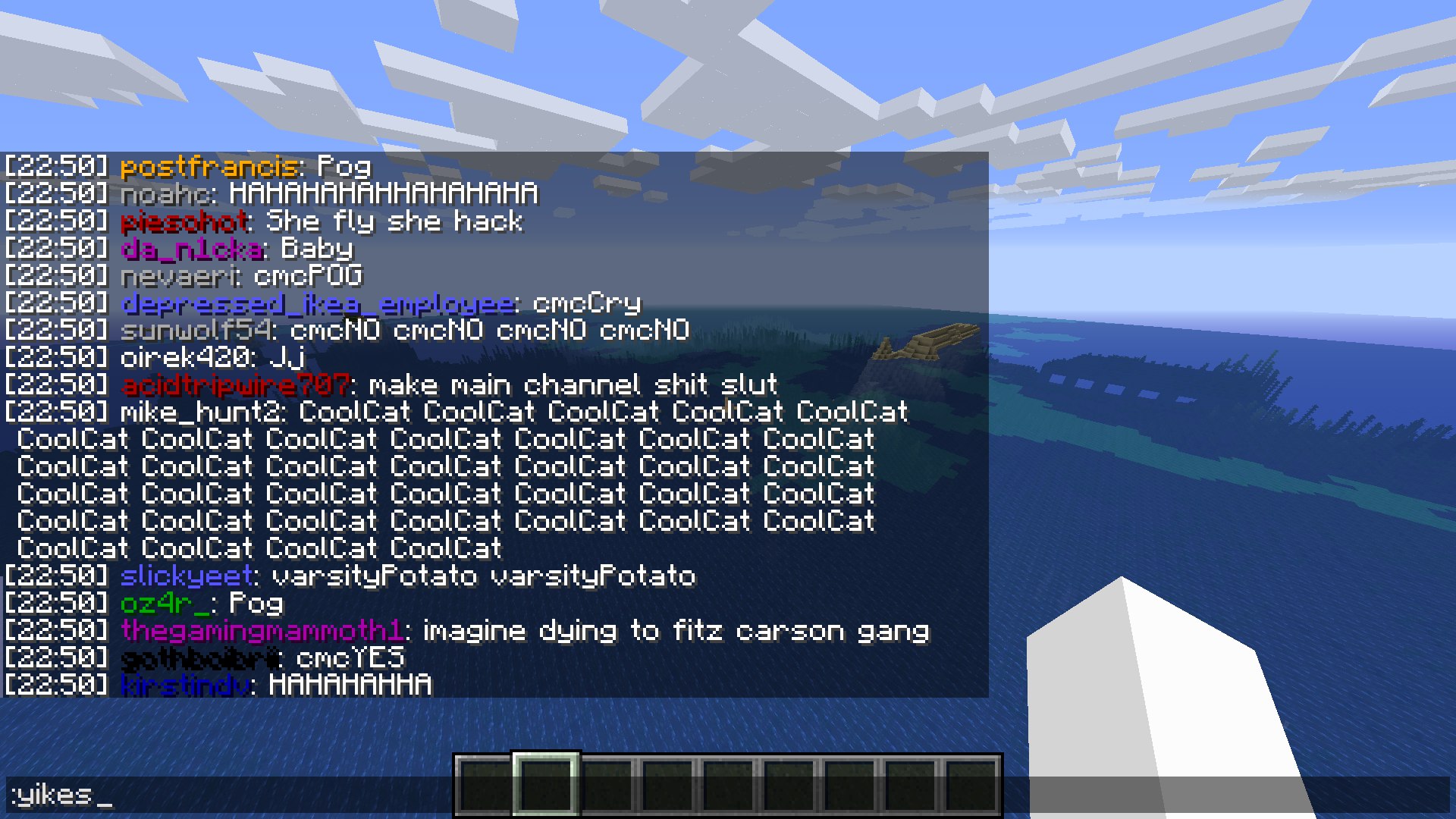 Writing a message
 -
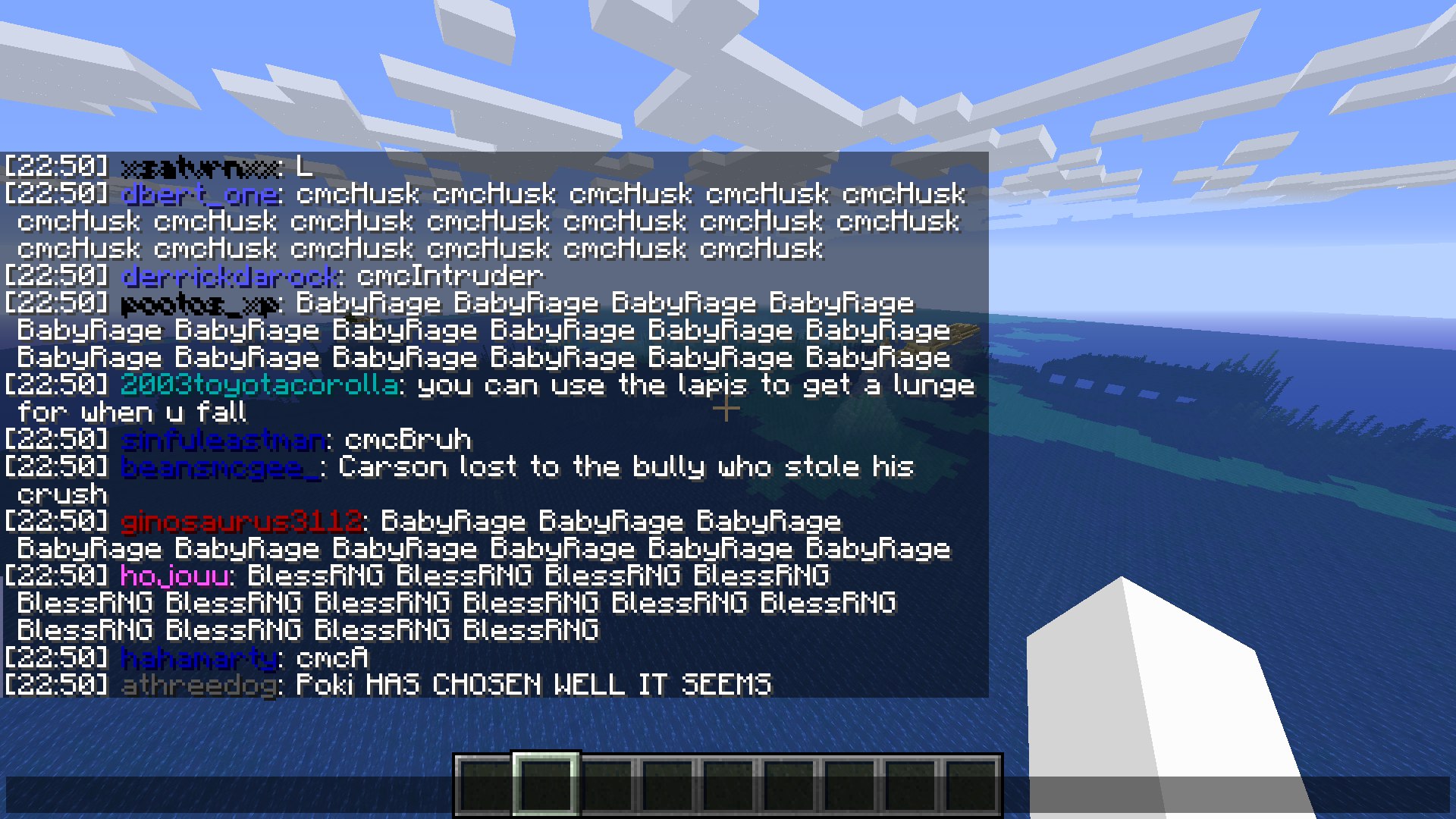 Example
Versions
Files
Relations
Project Relations
More like this
Similar Mods
Suggestions use data such as tags, dependencies, dependents, descriptions, titles, and more to rank how much they overlap with this mod.
On ModDex
Community snapshot
By the numbers
Statistics

Get it on
Available Platforms
On ModDex
Community snapshot
By the numbers