
Community listing page, reviews here may not be monitored by the author.
UI/HUD Safe Zone

No reviews yet
Adjust your HUD and menu UI within a centered safe zone on ultrawide monitors.
Community voices
Reviews
No reviews yet. Be the first to review this project!
Get it on
Available Platforms
Compatibility
Supported Environments
Runs entirely on the client. Works on vanilla servers.
About
Project Details
For authors
Embed Badge
If you're the author of this project, you can embed a live badge anywhere that supports HTML or Markdown. It updates automatically whenever ratings change.
Use HTML for any page that supports it, or Markdown for README files and Markdown-based descriptions.
Identifiers
Platform IDs
Resources
External Links
About
Description
UI Safe Zone
Keep your UI centered, so your eyes don't have to travel across an ultrawide screen.
On an ultrawide monitor, HUD elements and menus render at the true edges of your display - meaning your eyes have to travel a long way just to check the chat, glance at a toast, or read your coordinates. UI Safe Zone pulls that UI inward into a centered 16x9 zone, so you're not peeking so far off to the side of the screen.
It's a visibility and comfort upgrade for anyone playing on an ultrawide - no resolution change, no black bars, nothing about the game world itself is touched.
What it does
- Chat - both the message history and the input box are pulled in from the edge
- Toasts - achievement and recipe popups no longer spawn off in the far corner of your display
- F3 debug screen - coordinates and debug info stay close and readable instead of hugging the true screen edges
- Menus - the main menu, pause menu, ModMenu, and virtually any other mod's config/settings screen are centered automatically (this isn't hardcoded per-mod - it works on the base screen class every mod's GUI is built on)
What it leaves alone
- The hotbar, health bar, and hunger bar - already centered on screen by default, so there's nothing to fix
- Inventory, chest, crafting, and other container-style screens - small dialogs that already self-center and don't extend near the real screen edges
Modes
Choose between Off, 16:9, and 21:9 depending on how tight you want the zone. Switch anytime - no restart, no reopening menus.
How to configure
- Through Mod Menu, if installed
- A Set keybind you can assign in Controls
- Slach commands:
/safezone,/hud, or/ui- all three do the same thing (off,16x9,21x9, ormenuto open the settings screen)
A bonus for content creators
The same effect that keeps UI within easy reach also happens to keep it within a 16:9 or 21:9 crop - so if you play on ultrawide but record or stream at a narrower aspect ratio, viewers stop losing chat, toasts, and menus off the edges of the frame. A welcome side effect if that's your setup.
Screenshots
Gallery
-
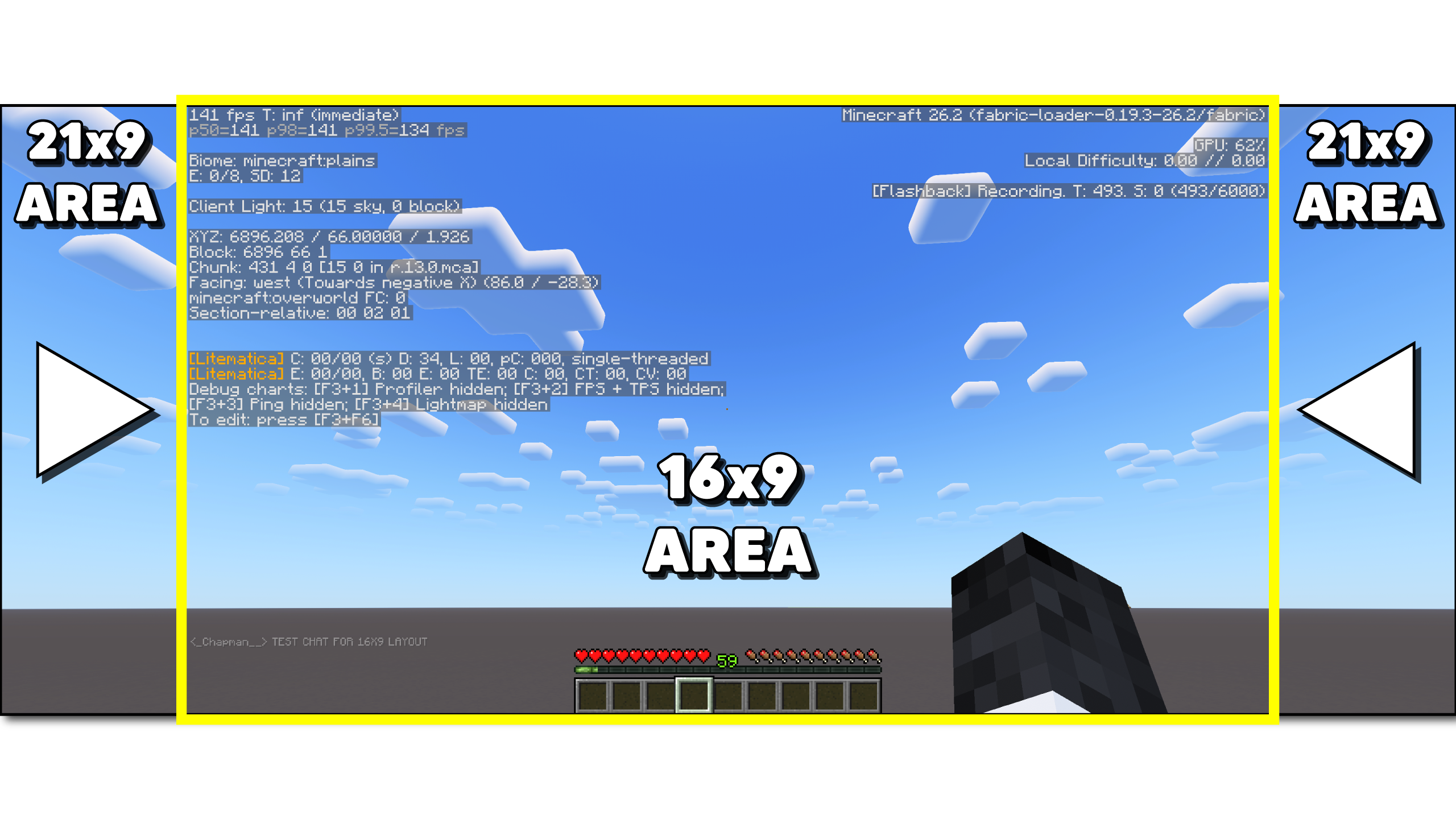 Hud / UI Shifted Hud and GUI shifted to 16x9 Safe Zone
 -
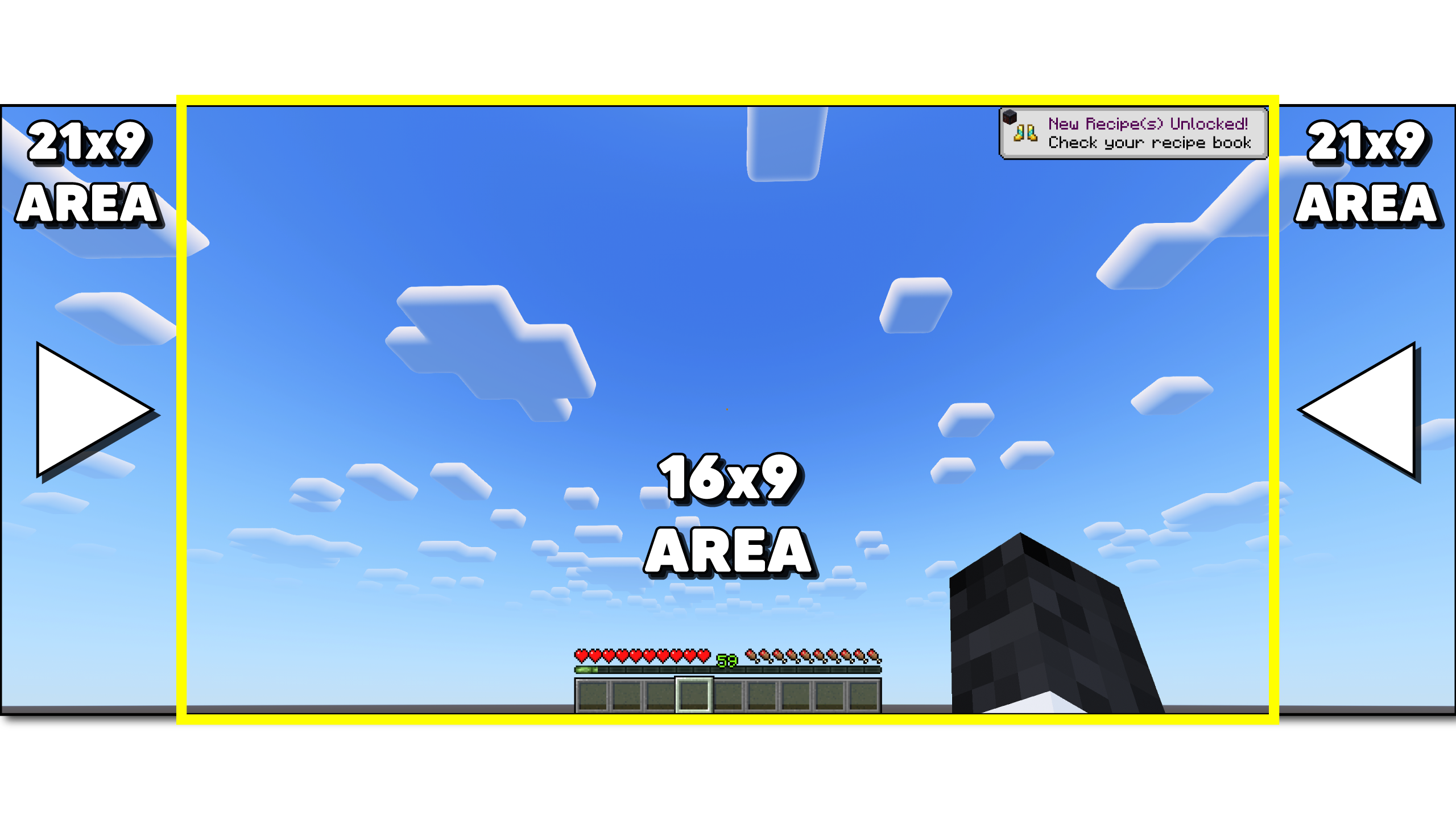 Advancement Shift Advancement - Top Right, within the Safe Zone
 -
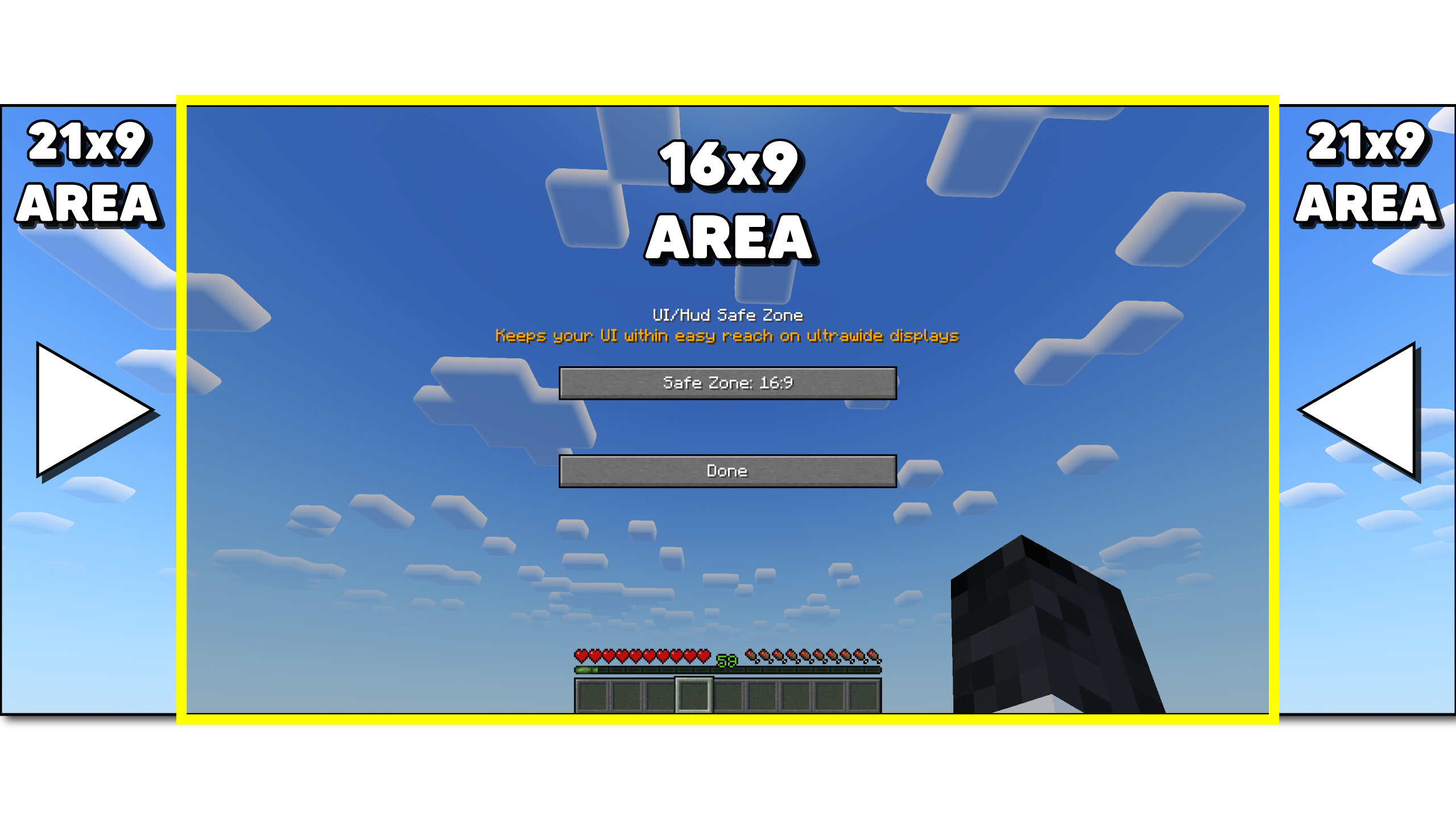 Menu Open Menu - Accessed by: Slash Command /hud, /ui, or /safezone Or by setting keybind
 -
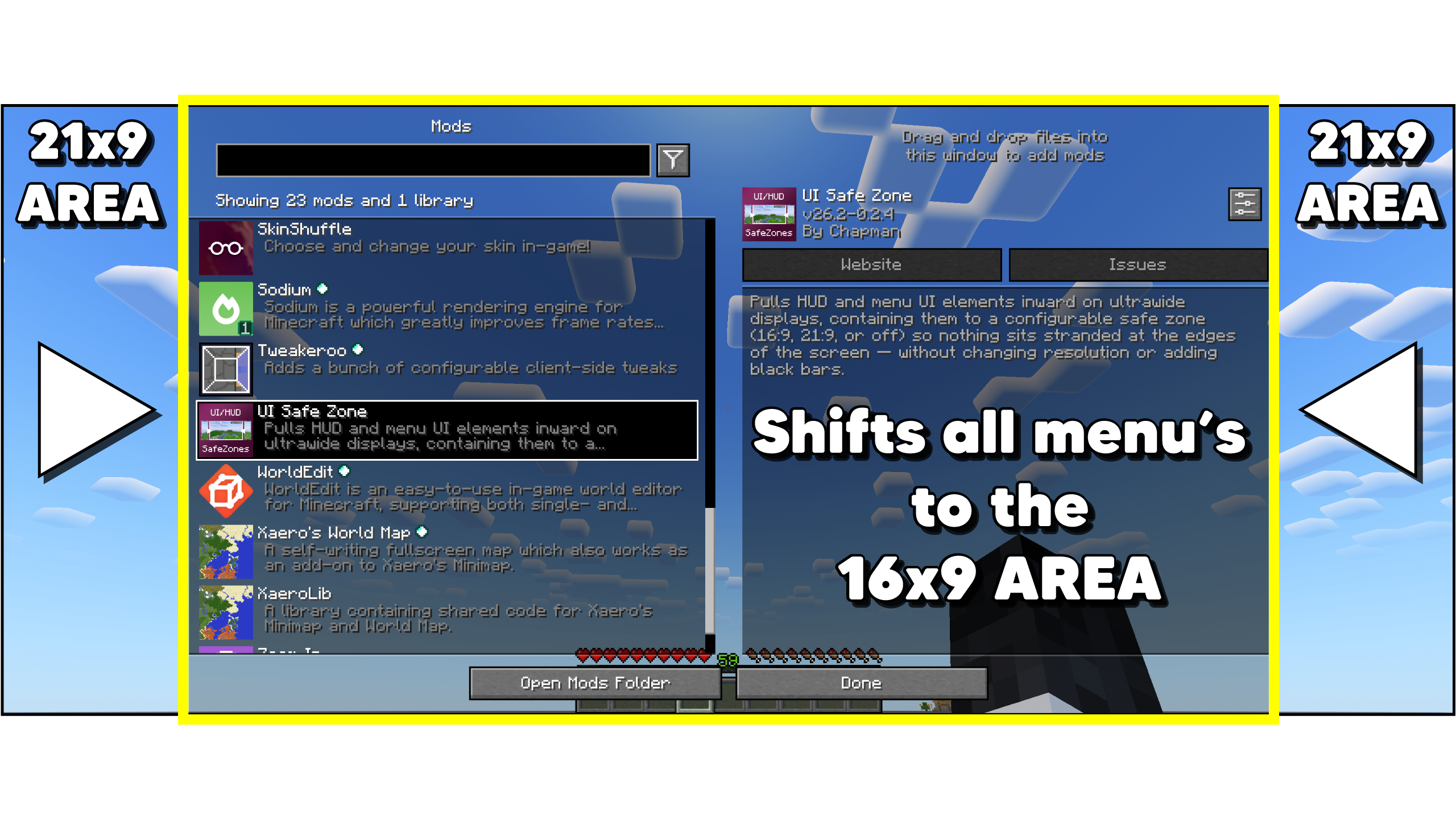 Menu Shift Shift all menu's into the selected Safe Zone.
Versions
Files
Relations
Project Relations
More like this
Similar Mods
Suggestions use data such as tags, dependencies, dependents, descriptions, titles, and more to rank how much they overlap with this mod.
On ModDex
Community snapshot
By the numbers
Statistics

Want to reach Minecraft players?
We're looking for a server hosting partner to feature here and other parts of the site. Interested? Send us a message!
Get in touchGet it on
Available Platforms
On ModDex
Community snapshot
By the numbers
Statistics
Resources